



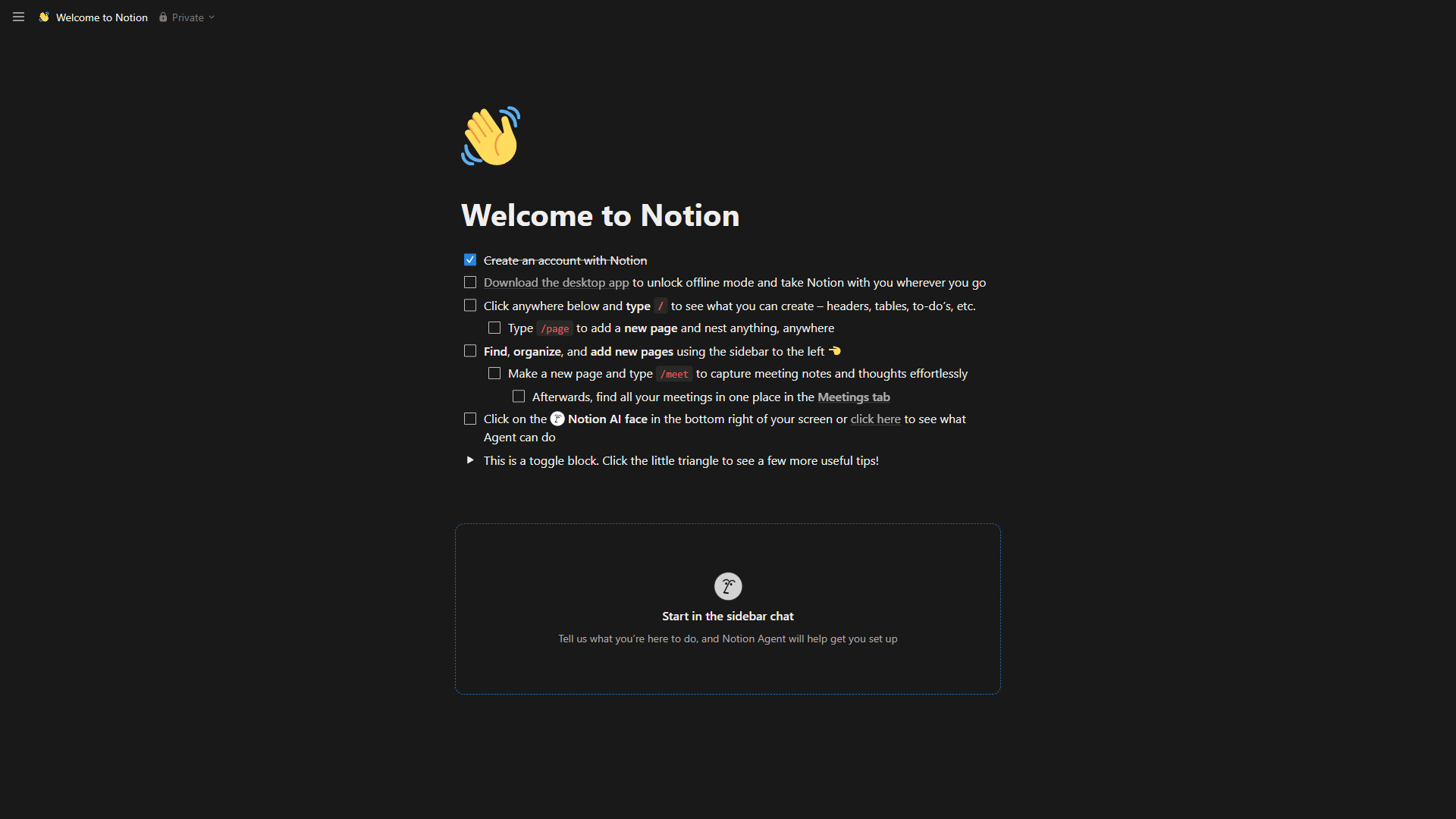
Notion is the better choice for teams that need real-time collaboration and built-in AI, while Obsidian is the better choice for individuals who want a free, local, privacy-first knowledge vault. Both are exceptional note-taking apps with passionate communities and generous free tiers, but they hold opposite philosophies: Notion wants to be the all-in-one cloud workspace where your team lives, while Obsidian gives you a private vault of plain-text files you own forever - our best note-taking apps 2026 shortlist covers every contender if neither fits.
This comparison draws on each vendor’s current pricing and feature documentation plus independent research rather than sponsored placement, and AI Productivity may earn a commission from links on this page - our rankings stay editorially independent. The sections below break down every dimension that matters so the choice becomes obvious for your workflow.
TL;DR Verdict
Notion is the better tool for collaborative teams and Obsidian is the better tool for solo, privacy-focused knowledge workers - the right pick depends entirely on who uses the tool and where the data should live.
Choose Notion if the priority is team collaboration, structured databases, and built-in AI agents - it is the better workspace for teams of any size needing real-time editing, wikis, and project tracking in one place.
Choose Obsidian if the priority is data ownership, offline access, and plugin customization - it is the better tool for individuals and privacy-conscious users building a long-term personal knowledge base.
Comparison Table: Notion vs Obsidian
The table below offers a side-by-side view of Notion and Obsidian across pricing, storage, collaboration, AI, and ecosystem dimensions.
| Factor | Notion | Obsidian |
|---|---|---|
| Rating | ||
| Free Tier | Yes - unlimited pages (individual) | Yes - full app, no sign-up required |
| Paid Starting Price | $10/user/mo (Plus, annual) | $4/mo (Sync, annual) |
| Team/Business Plan | $15/user/mo (Business, annual) | $50/user/year (Commercial) |
| Data Storage | Cloud-hosted (Notion servers) | Local files (your device) |
| Offline Access | Limited (cached pages) | Full - everything is local |
| Real-Time Collaboration | Built-in, all plans | Not available natively |
| AI Features | Built-in agents (Business+) | Community plugins (choose your model) |
| Plugin Ecosystem | Integrations via API | 2,690+ community plugins |
| Learning Curve | Moderate | Steep |
| Best For | Team workspaces and wikis | Personal knowledge management |
Note-Taking Experience
Notion is a block-based visual editor with drag-and-drop content in a proprietary format, while Obsidian is a Markdown-first editor that stores every note as a plain text file. According to Steph Ango, CEO at Obsidian, “File over app is a philosophy: if you want to create digital artifacts that last, they must be files you can control, in formats that are easy to retrieve and read.” The contrast shows up in every editing decision the two products make.
Notion treats every piece of content as a “block” - a paragraph, heading, toggle, embedded database, or callout. Drag blocks to restructure a page or turn a bullet list into a kanban board with one click. The block system makes pages visually rich and structurally flexible, but notes are stored in a proprietary format, so exporting to Markdown produces approximations rather than identical copies. Slash commands (/) surface every block type and templates standardize meeting notes - for anyone coming from Google Docs or Confluence, the transition feels natural.
Obsidian takes the opposite approach. Every note is a plain .md CommonMark Markdown file in a local folder, openable in any text editor - VS Code, Typora, even Notepad - with zero vendor lock-in and near-instant performance across tens of thousands of notes. The editing experience is closer to a code editor: Markdown drives structure, bidirectional links ([[note name]]) connect ideas, and the graph view renders those connections visually - a linking model that is genuinely powerful for researchers and writers building a “second brain.”
Winner: Notion for visual, block-based editing non-technical users pick up immediately; Obsidian for speed, Markdown purists, and notes that outlast any single app. The Obsidian vs Logseq comparison covers the next-closest local-first option.
Limitations: Notion loses fidelity on Markdown export and large nested pages lag; Obsidian’s Markdown ceiling friction-points any non-technical user wanting a kanban board without plugins.
Organization and Structure
Notion is a relational-database workspace with six switchable views, while Obsidian is a folder-and-link knowledge graph built on tags and bidirectional links - a structural split that reveals who each tool was built for.
Notion: Databases and Relational Structure
Notion’s databases are its signature feature. Create a table, switch between six views - table, board, calendar, timeline, gallery, list - add custom properties, and filter or sort dynamically; the Notion database templates guide covers the full range. The real power comes from relations: link a Projects database to a Clients database to a Tasks database and changes propagate automatically, so a project manager sees every task, document, and meeting tied to a client from one view. This structure lives on Notion’s servers, and migrating a complex relational workspace is not trivial.
Obsidian: Folders, Links, and the Graph
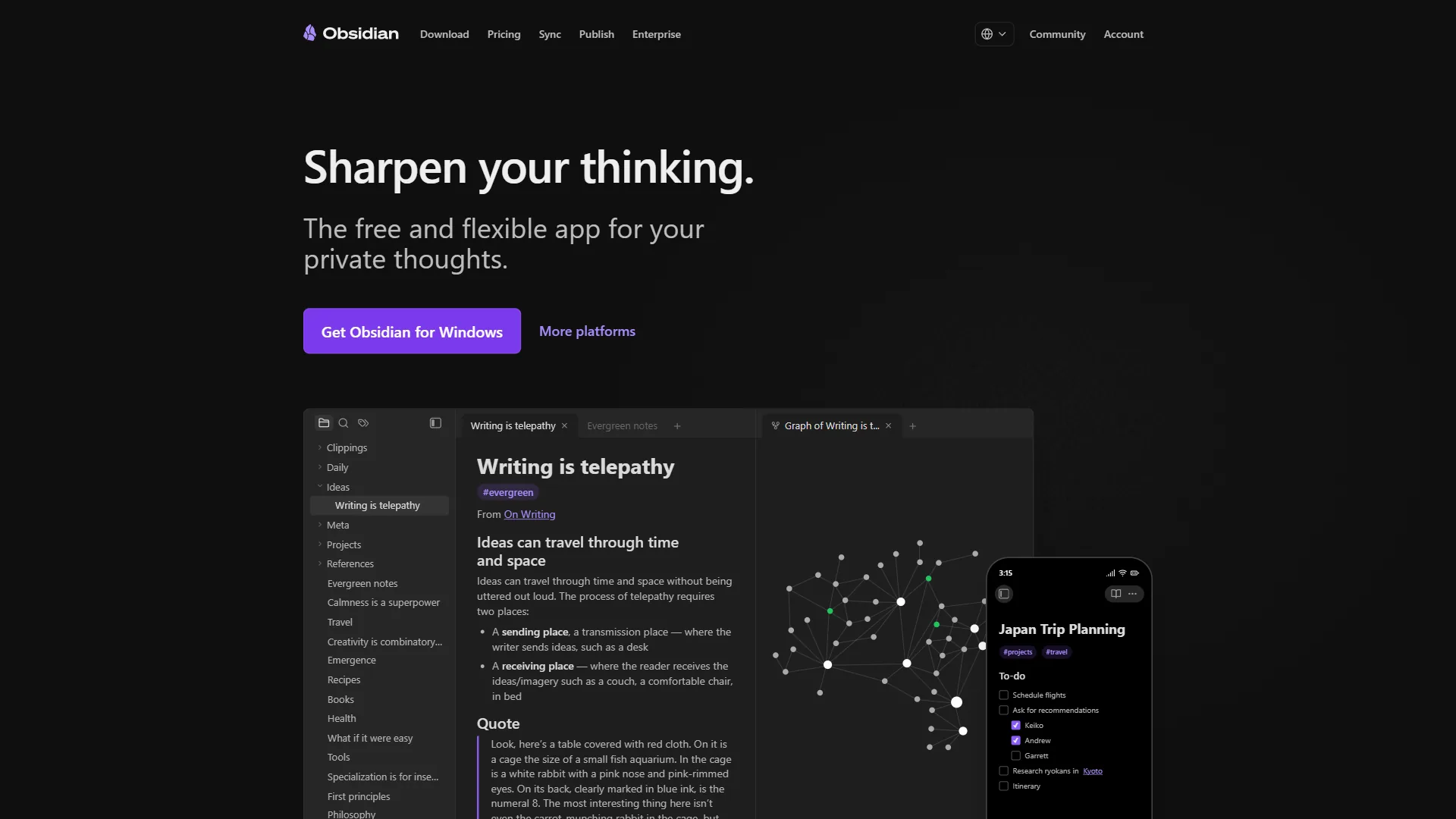
Obsidian organizes notes through folders, tags (#tag), and bidirectional links. The graph view makes organization visual - every link shows up as a connection in an interactive network diagram, dense clusters emerge as knowledge hubs, and orphan notes stand out immediately, giving workflows like Zettelkasten or PARA built-in support. The Dataview plugin adds SQL-inspired queries, and the newer Bases feature brings native database-like views - capable tools that require more setup than Notion’s drag-and-drop builder.
Winner: Notion for structured, relational data teams query and filter collaboratively; Obsidian for personal knowledge graphs where connections matter more than tabular views.
Limitations: Notion’s databases lock structure into a hosted service, making relational workspaces painful to migrate; Obsidian’s folder-and-link model cannot enforce schema, and vault-wide filtering depends on Dataview or Bases query syntax.
AI Features
Notion includes built-in autonomous AI agents on its Business plan, while Obsidian offers AI only through community plugins that let users pick their own model - two opposite implementations of AI in note-taking.
Notion AI: Built-In and Multi-Model
Notion introduced autonomous AI Agents powered by multiple frontier models. These agents operate across the workspace - summarizing notes, drafting documents, and answering questions with full context from pages, databases, and Slack - and execute multi-step workflows autonomously, updating project statuses and generating reports from database entries; the Notion AI vs ChatGPT breakdown covers the tradeoffs versus standalone tools. The catch: full AI access requires the Business plan at around $15 per user per month (annual).
Obsidian AI: Community Plugins, Your Choice
Obsidian has no built-in AI feature and takes a decentralized approach through community plugins:
- Smart Connections - Semantic search finding related notes by meaning rather than keywords
- Copilot for Obsidian - ChatGPT-style conversations within notes
- AI Assistant - Multi-model integration supporting 10+ providers (OpenAI, Anthropic, local models via Ollama)
- Smart Composer - AI writing assistance with context from your vault
The advantage is complete control over which model processes your data, including running models locally so notes never leave the device; the disadvantage is that setup requires API keys and reliance on community maintenance.
Winner: Notion for teams wanting AI across a shared workspace with zero configuration; Obsidian for privacy-conscious users who want to choose their model and keep data local.
Pricing Comparison
Obsidian is free for personal use with paid Sync from $4 per month, while Notion is free for individuals but costs $10-15 per user per month for team plans - the clearest differentiator as team size grows.
Notion Pricing
| Plan | Monthly | Annual (per month) | Key Inclusions |
|---|---|---|---|
| Free | $0 | $0 | Unlimited pages (individual), limited blocks (teams), 10 guests |
| Plus | $12/user | $10/user | Unlimited blocks, 100 guests, 30-day history |
| Business | $18/user | $15/user | AI Agents, SSO, private teamspaces, 250 guests |
| Enterprise | Custom | Custom | SCIM, audit logs, dedicated success manager |
Obsidian Pricing
| Plan | Monthly | Annual | Key Inclusions |
|---|---|---|---|
| Personal | $0 | $0 | Full app, all plugins, unlimited notes, no sign-up |
| Sync | $5/mo | $4/mo | Cross-device sync, E2E encryption, version history |
| Publish | $10/mo | $8/mo | Publish notes to web, custom themes, search |
| Commercial | - | $50/user/year | Required for companies with 2+ employees |
Cost at Scale
- Solo user: Both $0 - Obsidian wins slightly with no sign-up and no feature restrictions.
- Solo with sync: Notion Free includes server-stored sync; Obsidian Sync costs around $4 per month with end-to-end encryption.
- Team of 10: Notion Business at $150 per month versus Obsidian Commercial at $42 per month - Notion bundles collaboration and AI; Obsidian’s license only covers usage rights.
- Team of 50: Notion Business at $750 per month versus Obsidian Commercial at $208 per month - a gap near $6,500 per year that buys collaboration features Obsidian does not have.
Winner: Obsidian for individuals and small teams on a budget; Notion for teams needing bundled collaboration features.
Privacy and Data Ownership
Obsidian is a local-first app that has every note as a plain-text file you fully own, while Notion is a cloud workspace that stores all data on its servers - making Obsidian the stronger choice for anyone handling sensitive or confidential information.
Obsidian: Your Files, Your Rules
Obsidian stores every note as a plain .md file in a local folder, with no account required and no data touching a server unless Sync is purchased - and Sync uses end-to-end encryption so the company cannot read the content. Notes back up with any method: Git, iCloud, Dropbox, or a NAS. For journalists, lawyers, and researchers handling sensitive information, this model can be a professional requirement - the best local LLM tools 2026 shortlist covers more local-first options. If Obsidian shut down tomorrow, every note would still sit in the same folder, readable by any text editor.
Notion: Convenient but Cloud-Dependent
Notion stores all data on its servers. The Notion security page details SOC 2 Type II compliance, encryption in transit and at rest, and regional data residency - sufficient for most business use cases. However, Notion has access to the content on its platform, and Business-plan AI features process workspace data through third-party models; users can disable AI training, but processing still requires server-side access. Offline mode caches pages but is not true local-first storage.
Winner: Obsidian, decisively - no cloud-based tool matches its local-first model for users who prioritize data sovereignty, privacy by default, and long-term portability.
Limitations: Obsidian’s local-first model means device loss without a backup loses notes, and shared vaults need sync infrastructure you set up yourself; Notion’s cloud dependency means outages affect access and AI processing requires server-side reads.
Collaboration and Team Use
Notion is the clear winner for team collaboration, offering real-time co-editing, comments, and granular permissions, while Obsidian remains primarily a solo tool with no native real-time editing.
Notion was built for teams from day one. Real-time co-editing works the way Google Docs users expect - cursors visible, changes instant, no merge conflicts - and comments, mentions, guest access, and page-level permissions are core features.
Obsidian is primarily a solo tool. The Sync add-on (around $5 per month) enables shared, encrypted vaults, but there is no real-time co-editing, no inline commenting, and no granular permissions. Collaboration typically means using Git or cloud sync - functional but not seamless. Obsidian can work for asynchronous collaboration; for synchronous work, Notion is the only realistic option between these two - the apps like Notion breakdown covers the closest collaborative alternatives.
Winner: Notion, by a wide margin - collaboration is a philosophy Notion was designed around, not a feature Obsidian bolted on.
Limitations: Notion’s Business pricing climbs fast at scale and granular permissions trip users up on private teamspaces; Obsidian’s gaps are fundamental - no real-time editing, no comments, no presence indicators.
Ecosystem and Integrations
Obsidian offers an open ecosystem of 2,690+ community plugins, while Notion provides a smaller set of curated official integrations plus a documented REST API - two opposite philosophies of extensibility.
Obsidian: 2,690+ Community Plugins
The Obsidian plugin ecosystem covers nearly every use case: Dataview turns notes into queryable databases, Templater enables dynamic JavaScript templates, Kanban adds board views, and Excalidraw embeds a whiteboard canvas. This makes Obsidian adaptable enough to serve as a writing tool, task manager, research hub, or personal wiki - power users regularly run 30-50 plugins, and the best Obsidian plugins for productivity covers the most impactful. The tradeoff: plugins are community-maintained, so an update can break one and more plugins mean more potential conflicts.
Notion: Curated Integrations and API
Notion’s integration approach is narrower but more controlled. Official integrations connect to Slack, Google Drive, GitHub, Figma, and Jira, and the Notion API with its REST reference enables custom integrations; third-party services (Zapier, Make, n8n) trigger actions on database changes - the Zapier vs Make comparison covers which automation layer fits a Notion-heavy stack. Every built-in feature is maintained by Notion’s engineering team - more limited in customization but more reliable day to day.
Winner: Obsidian for power users who want to shape the tool to their exact workflow. Notion for teams that want stable, maintained integrations without configuration overhead.
Mobile Experience
Notion offers a polished mobile experience with full cross-device cloud sync included, while Obsidian provides a functional Markdown editor that requires paid Sync at $4-5 per month for the same convenience.
Notion’s mobile app mirrors the desktop closely - pages, databases, and views render accurately, and cloud sync keeps the workspace current across devices. Obsidian’s mobile app is functional but less polished: Markdown editing translates well and all plugins work, though without Sync ($4-5/month) mobile access requires a separate solution like iCloud.
Winner: Notion for a polished, sync-included mobile experience; Obsidian for users already paying for Sync who prefer Markdown editing on the go.
Limitations: Notion’s mobile offline access is limited and editing from a plane or tunnel is unreliable; Obsidian’s mobile app has rough edges, some plugins are desktop-only, and without paid Sync the workflow depends on whatever cloud sync you bolt on.
Best Picks by Use Case: Obsidian vs Notion
Notion is the right pick for collaborative teams and built-in AI agents, Obsidian is the right pick for solo knowledge work and data ownership, and many users run both - Notion as the team wiki, Obsidian as the private vault.
Choose Notion If You:
- Need real-time collaboration, databases, wikis, and project management in one platform
- Want built-in AI agents for content generation, search, and workflow automation
- Prefer a polished interface non-technical team members can use immediately
- Are comfortable storing data in the cloud with enterprise-grade security
Choose Obsidian If You:
- Prioritize data ownership and want notes stored as local files indefinitely
- Work primarily alone or in a small group with asynchronous workflows
- Enjoy customizing tools through plugins and want full control over the experience
- Need uncompromising offline access or handle data that cannot touch a third-party server
- Are comfortable with Markdown and want a genuinely free tool with no feature gates
Consider Both If You:
Many users run both - Notion for the shared wiki and project tracking, Obsidian for the private research vault and long-term knowledge base. The Airtable vs Notion databases comparison shows where Notion’s relational model holds up versus a true database, and the Notion-to-Obsidian community importer moves content between them.
The Bottom Line
Notion is the better tool for teams and Obsidian is the better tool for individuals - the decision comes down to who is using the tool and where the data should live.
Notion is the stronger choice for teams - real-time collaboration, relational databases, built-in AI agents, and a polished cross-platform experience make it the default for any group that shares and retrieves information together, at a reasonable $10-18/user/month.
Obsidian is the stronger choice for individuals - local-first storage, 2,690+ plugins, zero cost for personal use, and complete data ownership make it the best option for a personal knowledge system meant to last decades.
Neither is universally better. Spend a week with each using real work, not sample data - the one that fades into the background while ideas flow is the right choice.
FAQ
Q: Is Obsidian better than Notion?
Winner: Notion for structured, relational data that teams query and filter collaboratively. Obsidian for personal knowledge graphs where connections between ideas matter more than tabular views.
Q: Is Obsidian no longer free?
Obsidian is still free for personal use; only the optional Sync ($4/mo) and Commercial license ($50/user/year for companies with 2+ employees) cost money.
Q: Can Obsidian do databases like Notion?
Some users run Notion for team collaboration and Obsidian for personal knowledge management. Notion handles the shared wiki, project tracking, and meeting notes.
Related Reading
The guides below are deeper reviews of Notion, Obsidian, and the closest alternatives to each.
- Notion Review - Full overview of features, pricing, and AI capabilities
- Obsidian Review - In-depth look at features, plugins, and use cases
- Notion AI vs ChatGPT - Notion’s built-in AI versus standalone assistants
- Obsidian vs Logseq - Graph-based PKM tools compared
- Apps Like Notion - The best Notion alternatives across categories
- ClickUp vs Notion - When project management matters more than notes
- Best Note-Taking Apps 2026 - Craft vs Notion vs Obsidian
External Resources
The links below are primary sources from each vendor that confirm the pricing and feature claims above.
- Notion - Official website
- Obsidian - Official website
- Notion Help Center - Official documentation
- Obsidian Help Documentation - Official docs and guides