



The warp vs cursor comparison is a bit of a trick question - these tools serve fundamentally different purposes. Comparing them is like comparing a great kitchen knife to a great cutting board. You need both, and asking “which is better?” misses the point.
But developers searching “warp vs cursor” do have a real question underneath: which AI developer tool should I prioritize, and do I actually need both? That is a fair question worth answering in depth.
Warp is an AI-native terminal. It replaces the command line interface you use for git operations, server management, build commands, and system tasks. Cursor is an AI-native code editor - a VS Code fork where you write, edit, and refactor code with AI assistance. One handles the shell. The other handles the editor. Most professional developers need both shells and editors.
This guide explains what each tool does well, where they overlap (minimally), and how to combine them for maximum productivity in 2026. Unlike warp vs cursor vs windsurf or warp vs cursor vs claude code comparisons, this is a terminal-versus-editor question - not a choice between competing code editors.
The developer tools landscape has shifted rapidly toward AI-native environments. Stack Overflow’s 2024 Developer Survey found that the majority of developers now use AI assistance in their workflow, with terminal and IDE tools like Warp AI and Cursor AI leading adoption. Warp’s own engineering blog documents the architectural decisions behind building a Rust-native terminal with AI command generation. For developers evaluating whether AI IDE tooling delivers measurable productivity gains, research published in ACM on AI pair programming provides controlled study data on the impact of AI-assisted code completion tools.
How Do Warp and Cursor Compare at a Glance?
Before comparing feature by feature, the fundamental architecture difference matters:
Warp is a terminal replacement. It is the window where you run git push, npm install, docker-compose up, kubectl get pods, and hundreds of other shell commands. Warp adds AI command generation, error debugging, and team workflow sharing to that terminal experience. It does not write application code.
Cursor is a code editor replacement. It is the window where you write TypeScript files, Python scripts, React components, SQL queries, and configuration files. Cursor adds AI completion, multi-file refactoring, and agent-based code generation to that editing experience. It does not manage your terminal workflows.
Where they overlap: Both tools have some ability to run terminal commands within the editor (Cursor has an integrated terminal) and both have AI assistance for shell-related tasks. But this overlap is shallow - Cursor’s integrated terminal is basic compared to Warp, and Warp has no code editing capabilities.
How Do Warp and Cursor Compare Feature by Feature?
| Feature | Warp | Cursor |
|---|---|---|
| Rating | ||
| Primary Function | AI-native terminal | AI-native code editor |
| Free Tier | 75 AI credits/month | Limited trial |
| Paid Price | $20/month (Build) | $20/month (Pro) |
| Built On | Rust (from scratch) | VS Code fork |
| AI for Commands | Excellent (core feature) | Basic |
| AI for Code | None | Excellent (core feature) |
| Multi-File Editing | No | Yes (Composer) |
| Parallel Agents | Terminal tasks only | Up to 8 code agents |
| Team Features | Warp Drive (command sharing) | Centralized billing, SSO |
| Platform | macOS, Linux, Windows | Windows, macOS, Linux |
How Has Warp Reimagined the Terminal?
Warp describes itself as an “Agentic Development Environment” - a terminal where AI helps you work faster at the command line. Built in Rust for performance, it delivers a modern interface with IDE-like text editing capabilities, a blocks-based organization system for output, and AI-powered command generation.
How Much Does Warp Cost?
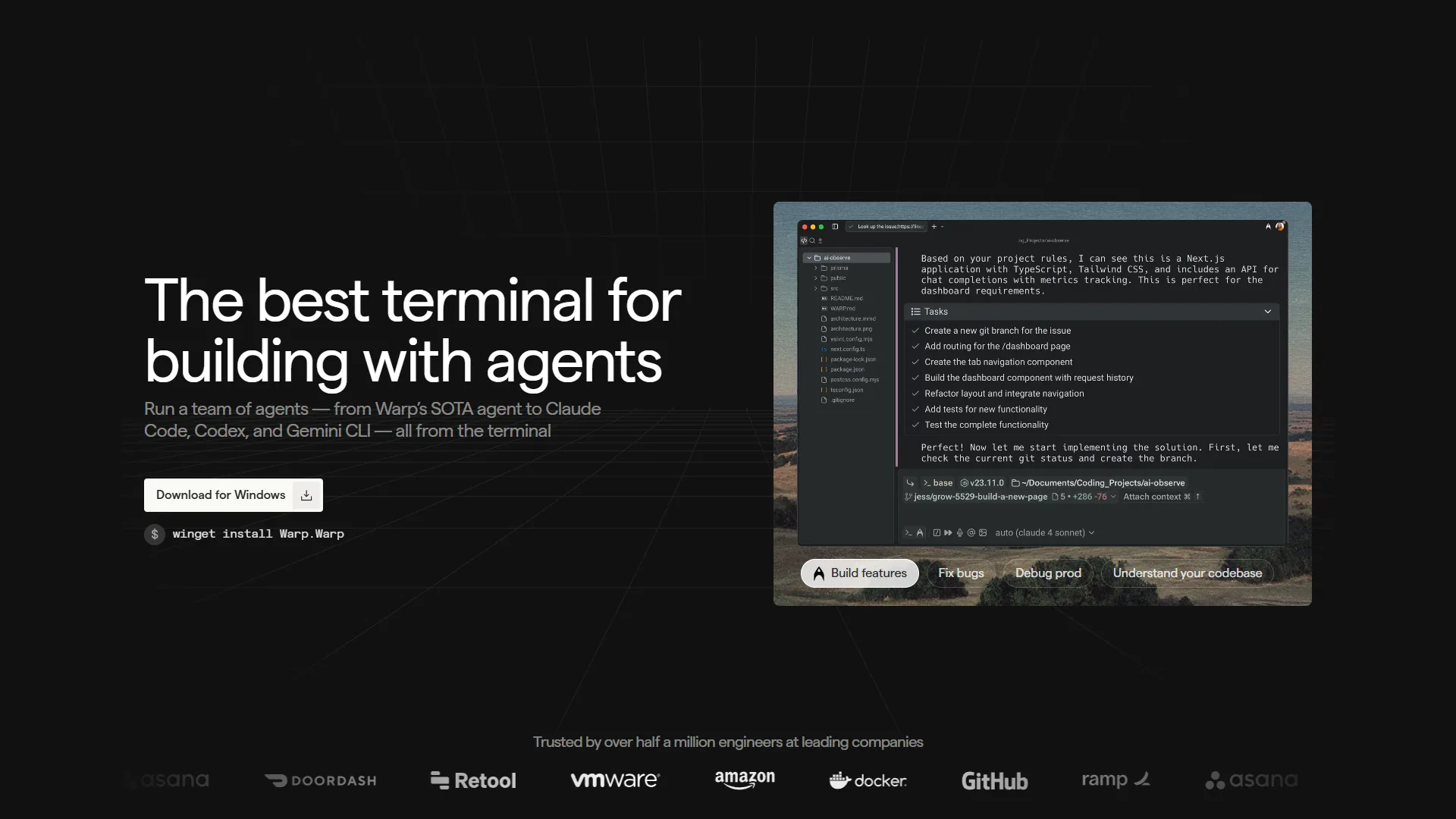
Pricing verified April 2026 from Warp's pricing page:
- Free: $0/mo
- Full terminal functionality
- 75 AI credits/month (150 for first 2 months)
- Multi-model AI access (OpenAI, Anthropic, Google)
- Best for: Individual developers trying Warp or light AI usage
- Build: $16.2/user/mo annual ($18 monthly)
- 1,500 monthly AI credits with 12-month rollover
- BYOK for OpenAI, Anthropic, and Google
- Agents 3.0 with interactive code review and unlimited Warp Drive
- Best for: Developers who rely on AI command generation daily
- Business: $45/user/mo
- Everything in Build
- SSO and enforced Zero Data Retention
- Shared credit pools, up to 50 team members, SOC 2 compliance
- Best for: Teams needing administrative controls and security
- Enterprise: Contact sales
- SAML-based SSO and SCIM provisioning
- Admin panel for user management
- Custom security requirements and dedicated support
- Best for: Large organizations with strict compliance needs
The free tier is genuinely functional for occasional AI usage. Build at $20 per month is the sweet spot for developers who rely on AI command generation daily.
What Warp Does That No Other Terminal Can
AI Command Generation: Type a description of what you want to do in plain English and Warp generates the exact shell command. “Find all Python files modified in the last 7 days and move them to an archive folder” becomes a complex find command with the right flags and piped operations. This eliminates the constant browser tab switching to look up obscure command syntax. The official Warp Agents 3.0 documentation explains how the underlying model selects flags and chains operations.
Error Debugging: When a command fails, Warp’s AI analyzes the error output and suggests fixes. This turns cryptic stack traces and permission errors into clear explanations with actionable next steps. Developers new to DevOps environments benefit enormously from this feature - our AI pair programming guide covers how AI assistants compress the debugging loop in practice.
Blocks System: Warp organizes terminal output into distinct blocks - each command invocation becomes a navigable unit. You can jump between command outputs, copy specific blocks, and collapse verbose output sections. This sounds minor until you’ve worked in a traditional terminal where hours of output become an undifferentiated scroll.
Warp Drive: Share commands, scripts, and workflow documentation with your team through a synchronized knowledge base. When a senior engineer documents the exact sequence to deploy to production, junior engineers can run it directly from Warp Drive without hunting through Slack history or internal wikis.
Agents 3.0: Warp’s terminal agents can execute multi-step sequences autonomously. “Set up a new Next.js project with TypeScript, ESLint, and deploy to Vercel” can be handled by an agent that runs the necessary commands in sequence. This is terminal automation without shell scripting.
Warp’s Limitations
Account Required: Unlike traditional terminals (iTerm2, Kitty, Alacritty), Warp requires account creation and authentication for full functionality. Privacy-conscious developers who prefer tools with no sign-in requirement find this a dealbreaker. For an open-source comparison, see our Warp vs iTerm2 breakdown.
Higher Resource Usage: Warp is feature-rich and that comes at a cost. It uses more memory and CPU than minimal terminals. On resource-constrained machines or when running memory-intensive applications, the overhead becomes noticeable.
Less Customizable: Traditional terminal users with years of iTerm2 profile configuration, custom themes, and keyboard shortcuts will find Warp’s customization options more limited. The tradeoff is a better out-of-the-box experience for new users.
Credit Limits on Free Tier: 75 AI credits/month on the free tier sounds sufficient but depletes quickly for developers who use AI command generation frequently. The Build tier’s 1,500 credits is much more comfortable.
Cursor: The Code Editor Built for AI
Cursor is a fork of VS Code built from the ground up for AI-assisted development. Founded in 2023, it reached $500 million ARR by June 2026 and is now used by more than half of Fortune 500 companies. It brings deep codebase understanding, multi-file editing, and parallel agent execution to the code editing workflow.
Cursor Pricing
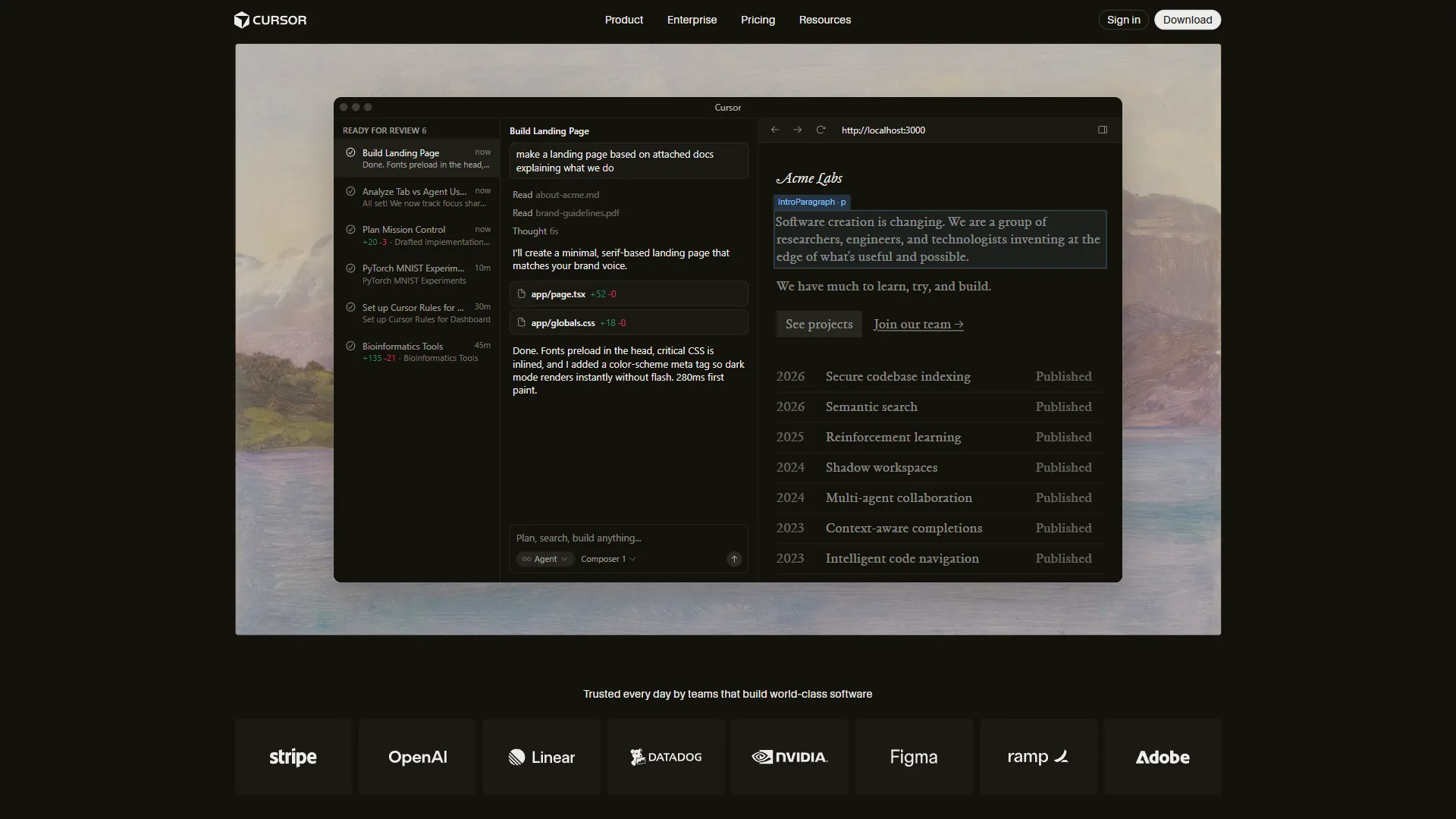
Pricing verified April 2026 from Cursor's pricing page:
- Hobby: $0/mo
- One-week Pro trial
- Limited Agent requests
- Limited Tab completions
- Best for: Trying Cursor before committing to a paid plan
- Pro: $20/user/mo
- $20 of API agent usage per month
- Unlimited Tab completions (Fusion model)
- Background Agents and maximum context windows
- Best for: Individual developers writing code most of the day
- Pro+: $60/user/mo
- $70 of API agent usage (3x Pro)
- Access to GPT-5, Claude 4 Opus/Sonnet, Gemini 2.5 Pro
- All Pro features
- Best for: Heavy multi-agent users who deplete Pro credits quickly
- Ultra: $200/user/mo
- $400 of API agent usage (20x Pro)
- Priority access to new features
- All Pro features
- Best for: Developers running multi-agent workflows all day
- Teams: $40/user/mo
- Centralized team billing
- Usage analytics and org-wide privacy controls
- SAML/OIDC SSO and role-based access control
- Best for: Engineering teams needing centralized administration
The Pro tier at $20 per month is the right choice for most individual developers. Ultra is only cost-justified for developers running multi-agent workflows most of their working day.
What Cursor Does That VS Code Cannot
Composer Agent: Cursor’s proprietary model completes multi-file tasks in under 30 seconds - 4x faster than GPT-5 for similar complexity. Ask “add user authentication to this Express app” and Composer modifies the route files, middleware, database schema, and tests simultaneously. It understands your codebase architecture, not just the file currently open. The Cursor engineering blog documents how Composer orchestrates these multi-file edits.
Parallel Agent Execution: Run up to 8 agents simultaneously, each working in an isolated git worktree. Ask for a complete feature and Cursor dispatches agents for frontend components, backend routes, database migrations, tests, and documentation in parallel. This has no equivalent in VS Code with GitHub Copilot.
Tab Completion with Fusion Model: Powered by Supermaven technology, Cursor’s Tab completions predict your next edit and move your cursor there. The acceptance rate is measurably higher than GitHub Copilot’s completions, with fewer irrelevant suggestions that interrupt flow. Our GitHub Copilot vs Cursor breakdown shows the head-to-head data on completion quality.
Deep Codebase Context: Cursor indexes your entire project to understand naming conventions, architecture patterns, and file relationships. It suggests changes that fit your existing code rather than generic examples that need manual adaptation.
Zero Migration Cost: Because Cursor is a VS Code fork, all VS Code extensions, themes, keybindings, and workspace settings transfer immediately. Switching to Cursor from VS Code takes 10 minutes, not a day. For the broader landscape, see our best AI code editors roundup.
Cursor’s Limitations
Memory Consumption: Cursor uses 1-2GB more RAM than standard VS Code. Multi-agent mode spikes to 4GB+. Developers on 8GB machines will notice slowdowns when running other memory-intensive applications.
Occasional Instability After Updates: New releases occasionally break Tab completions or agent behavior. The issues get fixed quickly, but there is a recurring pattern of post-update instability that affects productivity for a day or two.
Credit Pool Depletion: Pro’s $20 API credit covers 40-60 Composer agent requests. Heavy multi-agent users deplete this in 2-3 days. The fix is Pro+ ($60 per month) but that is a significant price jump.
VS Code Only: Cursor requires VS Code as its foundation. JetBrains users (IntelliJ, PyCharm, WebStorm) and Visual Studio users on Windows cannot use Cursor without switching editors.
How Do You Use Warp and Cursor Together?
The most productive developer workflow in 2026 uses Warp and Cursor as complementary tools, not competing ones. Here is how a typical development session looks:
Morning Setup
Open Warp, navigate to your project directory, and use AI command generation to check what changed in the repository overnight: “show me all git changes from the last 24 hours grouped by author.” Warp generates and executes the command. You see the summary.
Then open Cursor, which indexes your codebase in the background while you review the changes.
Active Development
You are adding a new API endpoint. In Cursor, you open the relevant controller file and type what you need. Cursor’s Tab completion suggests the method signature. You accept it, then use the Composer to generate the route handler, input validation, and test in one operation.
Meanwhile, Warp is open in a split pane running the development server. When the server logs an error, Warp’s AI analyzes the stack trace and explains the problem before you even have to switch contexts.
Debugging a Deployment Issue
A staging environment has a configuration problem. In Warp, you type “check nginx configuration for syntax errors and show me which virtual host is handling requests on port 443.” Warp generates the appropriate commands, you run them, and the AI explains the output.
You find the issue is a certificate path problem. You fix the configuration path in Cursor. Then back in Warp, you run “reload nginx and verify it restarted successfully” - another AI-generated command sequence.
Team Workflows
Your team has documented complex deployment procedures in Warp Drive. Junior engineers can run production deployments by accessing these saved command sequences without memorizing 15-step procedures. Cursor’s shared snippets handle common code patterns for your codebase.
Which Tool Fits Each Scenario
Scenario 1: “I need to refactor the authentication system across 12 files”
Use Cursor. This is exactly what Composer’s multi-file editing was built for. Cursor will understand the relationships between the files, make coordinated changes, and show you a comprehensive diff. Warp has no code editing capability. Our best AI coding assistants 2026 roundup covers how multi-file editing compares across competitors.
Scenario 2: “I need to set up a local Kubernetes cluster with monitoring”
Use Warp. This is a sequence of complex kubectl, helm, and configuration commands. Warp’s AI command generation will produce the exact commands for each step, explain what each does, and debug failures with AI-powered error analysis. Cursor’s integrated terminal is too basic for this workflow.
Scenario 3: “I keep forgetting the kubectl syntax for specific operations”
Use Warp. Natural language to command translation in Warp eliminates the need to memorize command syntax. “Get all pods in the production namespace and filter by status” becomes kubectl get pods -n production --field-selector=status.phase=Running without opening a browser. The Warp AI features documentation walks through the natural-language pipeline.
Scenario 4: “I need to add comprehensive test coverage to this module”
Use Cursor. Cursor understands your testing framework, existing test patterns, and codebase conventions. It can generate test files that match your project’s style and cover the actual code paths in your module. Warp cannot generate code. Our Cursor vs Windsurf comparison explains how Cursor’s project-aware generation stacks up.
Scenario 5: “I need to share the exact production deployment procedure with my team”
Use Warp Drive. Documenting command sequences in Warp Drive gives the whole team access to tested, working procedures. Cursor does not have an equivalent command-sharing mechanism. Our Warp terminal AI productivity guide walks through how teams structure shared workflows.
How Much Do Warp and Cursor Cost Together?
Both tools offer a free tier and a $20 per month paid tier. For most developers, this means choosing between:
Both free tiers: Warp gives 75 AI credits/month and full terminal features. Cursor gives a one-week Pro trial then limited completions. The combination is viable for occasional use but restrictive for daily AI-assisted development.
Both paid tiers: $40 per month total ($20 Warp Build + $20 Cursor Pro) is the recommended setup for developers who rely on AI assistance throughout their workflow. This covers 1,500 Warp terminal AI credits and unlimited Cursor Tab completions with agent requests.
Strategic prioritization: If you must choose one paid tier, consider where you spend more time. Developers who spend 70% of their day writing code benefit more from Cursor Pro. Developers who do heavy DevOps, system administration, or scripts benefit more from Warp Build.
For reference, Cursor Pro alone at $20 per month saves developers time worth far more than the subscription cost. Warp claims developers save an average of one hour per day - at typical developer rates, that is $1,500-$2,500 monthly in recovered time for $20. For a deeper look at Cursor’s plans, see our Cursor pricing breakdown.
The Bottom Line
The warp vs cursor question has a clear answer: you need both, and the comparison is between two complementary tools rather than competing ones.
Warp makes your terminal productive. It handles the command-line work that surrounds every development project - git operations, server management, infrastructure tasks, build processes. The AI command generation alone eliminates the browser tab constantly open to Stack Overflow for forgotten command syntax. At $20 per month for the Build tier (or free for moderate usage), it is the best terminal investment available.
Cursor makes your code editor productive. It handles the application code writing that is the core of software development - generating, refactoring, reviewing, and testing code across entire codebases. The Composer agent’s 4x speed advantage on multi-file tasks and parallel agent execution have no equivalent in standard VS Code. At $20 per month for the Pro tier (or free with the one-week trial), it delivers measurable productivity gains for any developer writing more than a few hours of code per day.
If you need to start somewhere: start with Cursor Pro if you write application code most of the day. Start with Warp Build if you spend significant time on DevOps, infrastructure, or terminal-heavy workflows. Then add the second tool when your workflow demands it - which, for most developers, happens quickly.
FAQ
Q: Is Warp the same as Cursor?
Warp and Cursor are completely different tools. Warp is a terminal replacement - the window where you run shell commands like git push, npm install, and docker-compose. Cursor is a code editor replacement built on VS Code for writing TypeScript, Python, and other application code. One handles the shell; the other handles the editor.
Q: Is Warp better than Cursor AI?
The warp vs cursor question has a clear answer: you need both, and the comparison is between two complementary tools rather than competing ones.
Q: Is there any better tool than Cursor?
Tab Completion with Fusion Model: Powered by Supermaven technology, Cursor’s Tab completions predict your next edit and move your cursor there.
Q: Can I use Warp with Cursor?
The warp vs cursor question has a clear answer: you need both, and the comparison is between two complementary tools rather than competing ones.
Q: How much does it cost to use Warp and Cursor together?
Using both paid tiers costs $40 per month - $20 for Warp Build and $20 for Cursor Pro. This covers 1,500 Warp terminal AI credits and unlimited Cursor Tab completions with agent requests. Both tools also offer free tiers, making it possible to start with zero cost before committing to paid plans.
Related Reading
- Warp Review
- Cursor Review
- Best AI Coding Assistants 2026
- GitHub Copilot vs Cursor: Feature-by-Feature Breakdown
- Aider vs Cursor 2026: Terminal AI Coding vs AI-Enhanced IDE
- Warp Terminal AI Productivity Guide