




Wispr flow alternatives are platforms that provide AI voice-to-text and meeting transcription beyond the Mac desktop. This guide compares Otter.ai, Fireflies.ai, and Notta on pricing, platform support, and meeting features - covering cross-platform dictation, multi-language transcription, and CRM integrations so you can pick the right alternative for your workflow.
Wispr Flow carved out a loyal following by doing one thing exceptionally well: turning your spoken words into clean, context-aware text directly inside whatever app you are already using on your Mac. No copy-paste from a separate window, no switching apps - just speak and the text appears, corrected and formatted, exactly where your cursor sits.
But Wispr Flow has real limitations that push people to look for alternatives. It is Mac-only, which immediately rules it out as a Wispr Flow alternative for Windows users and anyone working across mixed devices. The free tier is limited, and the $120 per year subscription is steep for a single dictation tool, so Wispr flow alternatives free of charge get serious attention when competing apps bundle transcription with meeting notes, collaboration features, and CRM integrations at similar or lower price points. And if your use case goes beyond personal dictation - think team meeting notes, searchable conversation archives, or voice-to-text across browser tabs - Wispr Flow starts to feel narrow.
This guide covers the best Wispr Flow alternatives in 2026 for people who need AI voice-to-text and meeting transcription that works beyond the Mac desktop, including Wispr flow alternatives android shoppers can install and even a Wispr Flow alternative for Linux desktops. Each alternative solves a different problem, and the right choice depends on whether you are optimizing for meeting intelligence, cross-platform dictation, or multi-language support. The best AI meeting assistants 2026 roundup covers the broader category in detail.
What Is Wispr Flow?
Wispr Flow Alternatives are platforms that provide comparable features to Wispr Flow - often with lower pricing, open-source flexibility, or specialized strengths in specific areas. This guide compares the top options side by side on pricing, features, and real-world performance.
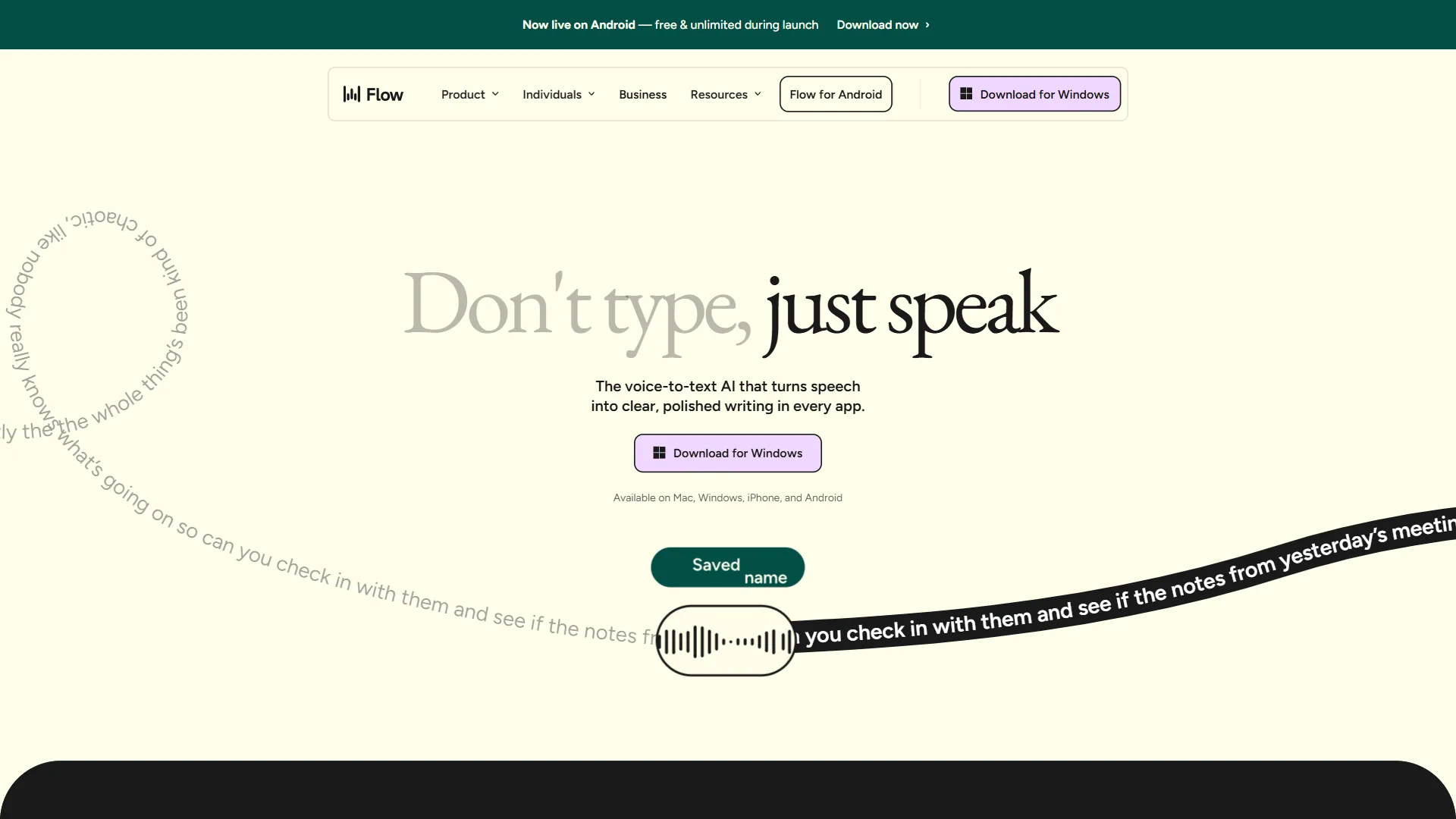
Wispr Flow is an AI dictation app for macOS that uses a whisper-based model to transcribe speech directly into the active text field of any app. Its differentiator is context awareness: the AI understands what kind of text you are writing - a Slack message, an email, a code comment - and formats the output accordingly. You trigger it with a hotkey, speak naturally, and the corrected text appears without manual editing.
The practical appeal is real. For Mac users who type a lot, Wispr Flow can meaningfully reduce keyboard time. But “Mac users who type a lot” is a narrow segment, and the tool does nothing for meeting transcription, team collaboration, or working across operating systems. The underlying speech recognition relies on architecture descended from OpenAI’s Whisper research.
Limitations and who it’s not for: Wispr Flow is not ideal for Windows users, Android users, or anyone on a mixed-device setup - it is macOS-only with no browser extension or mobile app. Skip Wispr Flow if you need meeting transcription, CRM sync, conversation analytics, or multilingual support. The biggest drawbacks are the platform lock-in, narrow feature scope (no meeting bot, no searchable archives), and a $120 per year price that competes poorly against meeting-first alternatives at the same tier. The best AI voice-to-text tools roundup compares cross-platform options.
Why People Look for Wispr Flow Alternatives
Three patterns drive most searches for alternatives:
Platform lock-in. Wispr Flow is macOS-only. No Windows version, no browser extension, no mobile app for Android. Anyone on a mixed device setup, a Windows machine at work, or an employer-managed PC is simply excluded. Cross-platform alternatives like Notta and Otter.ai work on any device with a browser or a mobile app.
Narrow feature scope. Wispr Flow dictates into text fields. It does not join your Zoom calls, it does not generate meeting summaries, it does not create searchable archives of your conversations, and it does not integrate with your CRM. If you need any of those things alongside voice-to-text, you need a different tool - or a second subscription.
Pricing relative to functionality. At $120 per year (approximately $10 per month), Wispr Flow costs roughly the same as Otter.ai’s Pro plan, which includes real-time meeting transcription, AI summaries, action item extraction, and integrations with Zoom, Google Meet, and Microsoft Teams. For users who primarily need meeting notes rather than app-level dictation, the value comparison tilts heavily toward the alternatives. Our Otter.ai alternatives breakdown covers the broader transcription landscape if you want a wider value comparison.
Comparison Table: Wispr Flow Alternatives at a Glance
| Feature | Wispr Flow | Otter.ai | Fireflies.ai | Notta |
|---|---|---|---|---|
| Free Tier | Limited (600 words/day) | 300 min/month | Limited meetings | 120 min/month |
| Paid Starting Price | around $10/mo (annual) | $16.99/mo | $18/mo | $13.99/mo |
| Platform | Mac only | All platforms | All platforms | All platforms |
| Meeting Transcription | No | Yes | Yes | Yes |
| AI Summaries | No | Yes | Yes | Yes |
| CRM Integration | No | No | Yes | No |
| Languages | Limited | English-focused | English-focused | 104 languages |
| Best For | Mac dictation | Meeting notes | Sales teams | Multilingual teams |
1. Otter.ai - Best for Meeting Transcription and Team Notes
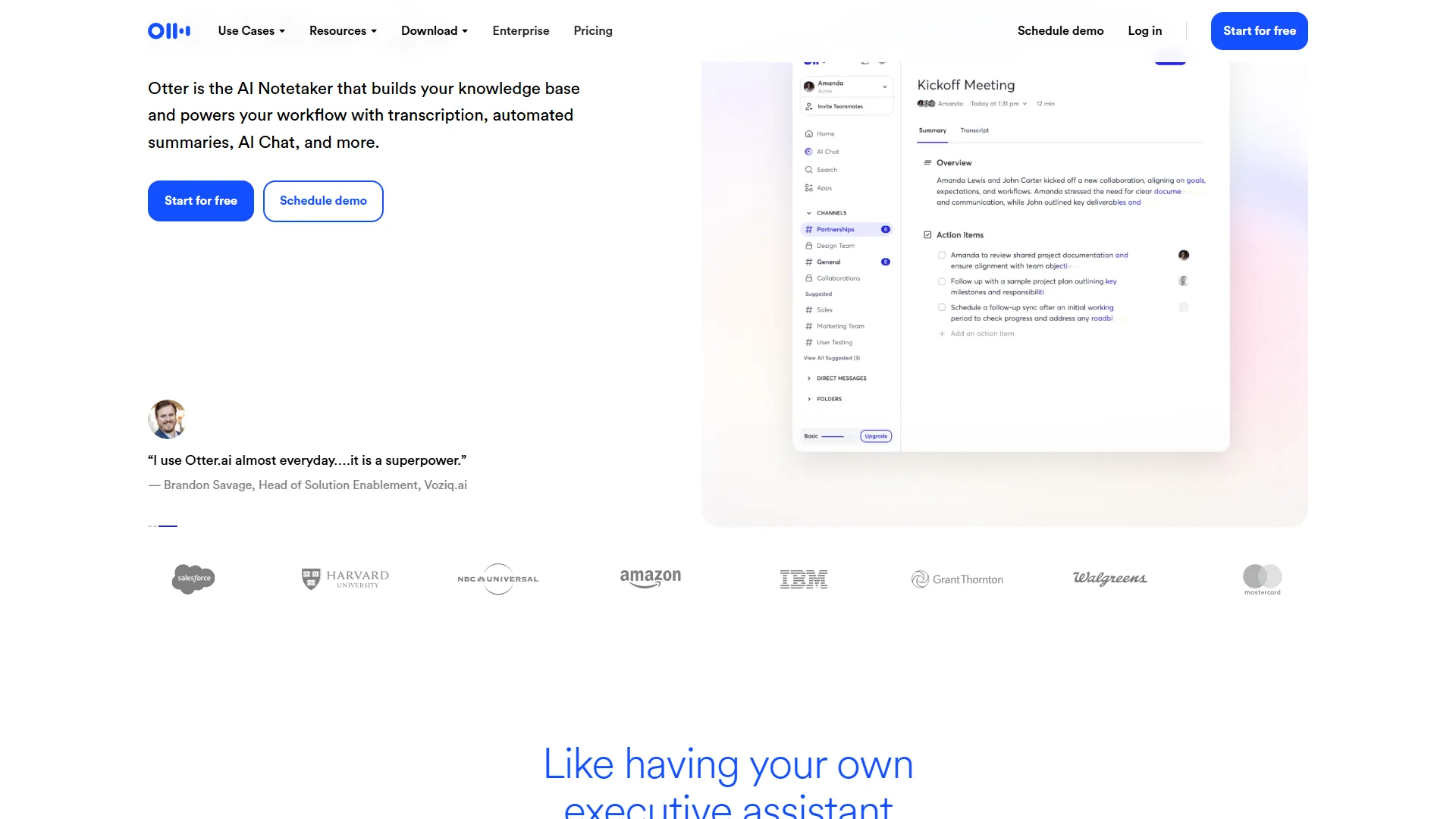
Otter.ai is the most direct replacement for the meeting transcription gap that Wispr Flow deliberately ignores. Where Wispr Flow dictates into text fields, Otter.ai joins your video calls, transcribes every word in real time, and generates a structured summary with action items before the meeting is over.
The core product is a real-time meeting assistant. You connect Otter.ai to your Zoom, Google Meet, or Microsoft Teams account, and OtterPilot - their AI notetaker - joins calls automatically. Participants see the transcript scrolling as the conversation happens. After the meeting, Otter.ai generates a summary, extracts action items, and lets your team highlight and comment directly on the transcript.
Where Otter.ai Beats Wispr Flow
Full meeting lifecycle coverage. Otter.ai handles what happens before, during, and after a meeting. You can upload a pre-meeting agenda, get live transcription with speaker identification during the call, and receive an AI-generated summary with action items immediately after. Wispr Flow has no meeting functionality at all.
Cross-platform availability. Otter.ai works in any browser, on iOS, on Android, and through a desktop app. The browser-based transcription means it works for in-person conversations too - open the web app and start recording from any device. No Mac required. The best AI voice-to-text tools roundup compares cross-platform support across the wider field.
Searchable conversation archives. Every meeting transcript Otter.ai generates is stored, indexed, and searchable. Ask it to find every meeting where a specific project was discussed, or pull up all action items assigned to a specific person. Over time, this archive becomes a genuine organizational memory. Wispr Flow produces text that goes into whatever app you dictated into and then disappears.
Team collaboration features. Multiple team members can highlight, comment, and annotate shared transcripts. Otter.ai creates a shared workspace where meeting notes are a team asset, not a personal one. This is foundational for any team that needs consistent meeting documentation.
AI Chat on transcripts. Otter.ai’s AI chat lets you ask questions about the meeting content directly - “What did we decide about the Q3 budget?” or “What are all the open action items from today?” - and get answers grounded in the transcript. This transforms transcription from a passive record into an interactive reference. The Read AI vs Otter AI breakdown compares similar AI chat workflows side by side.
Where Wispr Flow Still Has the Edge
Otter.ai is built around meetings. It does not replace Wispr Flow’s in-app dictation functionality - the ability to speak a sentence into a Slack message or email and have it appear corrected in that text field. If fast dictation inside productivity apps is your primary need, Otter.ai does not address it. Its transcription accuracy is also more dependent on audio quality than Wispr Flow’s close-mic dictation model, and our AI transcription accuracy report quantifies that gap across noisy environments.
Limitations and who it’s not for: Otter.ai is not ideal for solo Mac users whose only need is in-app dictation - it has no equivalent to Wispr Flow’s OS-level text-field integration. Skip Otter.ai if you need CRM sync (it has no native Salesforce or HubSpot integration), if you transcribe many non-English meetings, or if you need conversation intelligence analytics. The biggest drawbacks are English-focused language support and weaker multilingual coverage than Notta.
Otter.ai Pricing
| Plan | Monthly | Annual | Key Limits |
|---|---|---|---|
| Free | $0 | $0 | 300 min/month, 30 min per conversation |
| Pro | $16.99 | $8.33/month | 1,200 min/month, 90 min per conversation |
| Business | $30 | $20/month | 6,000 min/month, admin controls |
| Enterprise | Custom | Custom | SSO, advanced security, compliance |
Bottom line: Otter.ai is the best Wispr Flow alternative for anyone whose primary need is meeting transcription and team notes rather than desktop dictation. The free tier offers a genuine 300 minutes per month - enough to transcribe 10-15 typical meetings before hitting the paywall. If your team runs on video calls and needs consistent, searchable meeting documentation, Otter.ai is the obvious choice. The AI notetaker shootout 2026 provides a deeper head-to-head if you want a second opinion before committing.
2. Fireflies.ai - Best for Sales Teams and Conversation Intelligence
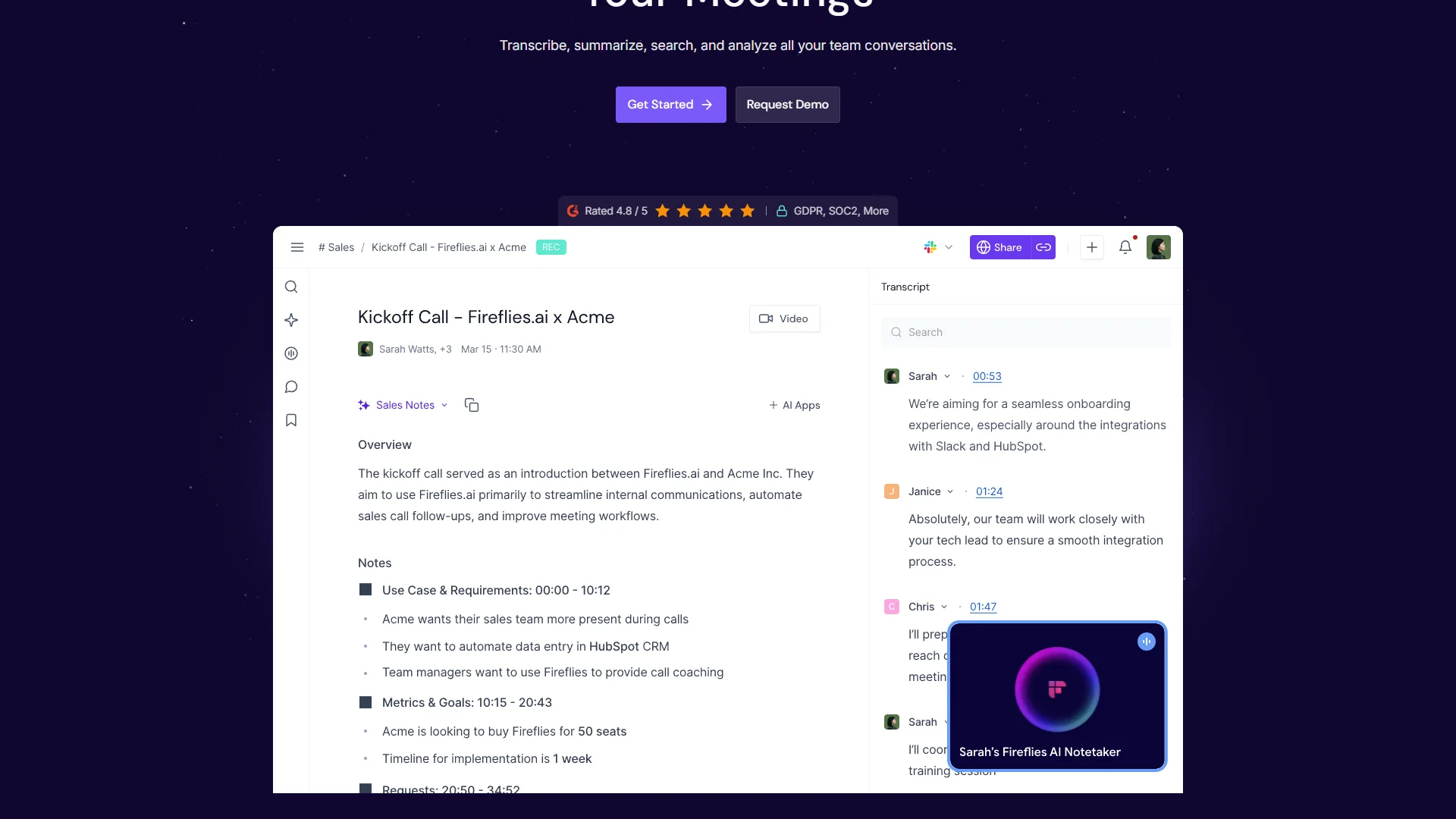
Fireflies.ai targets a different user than Wispr Flow. Where Wispr Flow serves the individual Mac user who wants to dictate faster, Fireflies.ai is built for revenue teams who need to turn every customer conversation into structured data. The notetaker bot joins your calls, transcribes everything, and then layers conversation intelligence on top - identifying talk time ratios, customer questions, competitive mentions, and sentiment signals.
The core workflow is automated. You connect Fireflies.ai to your calendar, and the Fred bot joins every meeting automatically. You do not have to remember to start recording. After the call, Fireflies.ai generates a transcript, a summary, and a searchable record of the conversation - then pushes that data to your CRM.
Where Fireflies.ai Beats Wispr Flow
CRM integration that matters. Fireflies.ai syncs meeting summaries, action items, and conversation data directly to Salesforce, HubSpot, Pipedrive, and other major CRMs - the kind of pipeline coverage that Fireflies’ integration documentation details in full. After a customer call, your CRM record is updated automatically with the key points, questions asked, and next steps agreed. Wispr Flow has zero CRM functionality.
Conversation intelligence for sales. Fireflies.ai’s analytics go well beyond a transcript. You can track talk time ratios (are your reps talking more than listening?), identify when competitors are mentioned across all your calls, spot questions customers ask repeatedly, and measure sentiment trends over time. This is the kind of data that coaches sales teams, not just documents their conversations. The AI sales coaching tools breakdown covers other platforms that layer coaching on top of conversation intelligence.
Automatic notetaker bot. Fred, the Fireflies.ai bot, joins calls from your calendar without any manual setup per meeting. Wispr Flow requires you to manually activate dictation for every session. For teams running 10+ meetings per week, the difference in friction is significant.
Searchable conversation intelligence. Fireflies.ai’s search goes beyond keyword matching. You can filter by speaker, by topic, by sentiment, by date range, and by custom tags you create. Sales managers can pull up every call where pricing was discussed, or every meeting where a competitor was mentioned, across their entire team. The Fathom vs Fireflies for CRM write-up examines how those filters translate into pipeline visibility.
Broad platform integrations. Beyond CRM, Fireflies.ai integrates with Slack, Notion, Asana, and Zapier. Meeting summaries can flow automatically into project management tools, Slack channels, or any custom workflow you build. Wispr Flow’s output goes wherever your cursor happens to be.
Where Wispr Flow Still Has the Edge
Fireflies.ai is a meeting tool, not a dictation tool. If you need to speak into a text field - drafting an email by voice, adding a comment to a document, writing in a notes app - Fireflies.ai does not help. The free plan is also more restricted than Otter.ai’s, with limited storage and transcription minutes that make it hard to evaluate seriously before committing to a paid plan.
Limitations and who it’s not for: Fireflies.ai is not ideal for individual users who just want personal dictation - the conversation intelligence and CRM features are wasted on solo workflows. Skip Fireflies.ai if you need a usable free tier (it is more restrictive than Otter.ai), if you do not work in a sales or customer-facing role, or if budget is the primary constraint. The biggest drawbacks are restricted free storage, English-focused transcription accuracy, and a $18 per month entry that is the highest in this comparison.
Fireflies.ai Pricing
| Plan | Monthly | Annual | Key Limits |
|---|---|---|---|
| Free | $0 | $0 | Limited storage, basic transcription |
| Pro | $18 | $10/month | Unlimited transcription, summary features |
| Business | $29 | $19/month | Conversation intelligence, CRM sync |
| Enterprise | Custom | Custom | Advanced security, custom data retention |
Bottom line: Fireflies.ai is the best Wispr Flow alternative for sales teams and customer-facing roles that need meeting transcription tied to CRM data and conversation analytics. If you are spending time manually logging call notes into Salesforce or HubSpot after every customer conversation, Fireflies.ai eliminates that entirely. For general team note-taking without the sales analytics layer, Otter.ai is simpler and cheaper. Our AI meeting tools comparison digs further into where each platform fits.
3. Notta - Best for Multilingual Teams and Cross-Platform Transcription
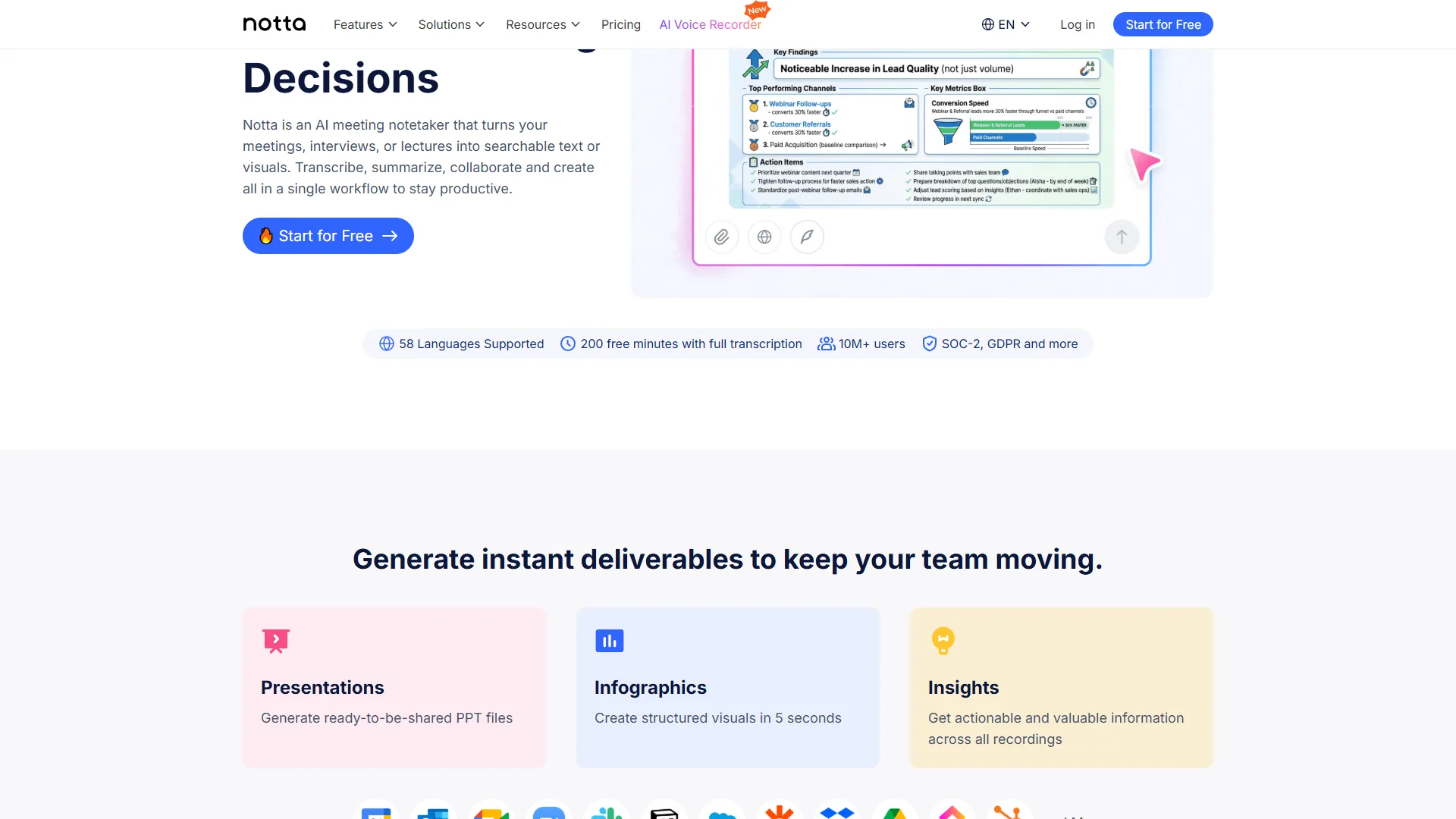
Notta’s differentiator is scope. Where Otter.ai focuses on live meetings and Fireflies.ai focuses on sales intelligence, Notta transcribes almost anything with audio: live conversations, uploaded audio files, video files, YouTube URLs, and live meetings. And it does all of this across 104 languages, with real-time translation between them.
For teams working across language barriers, Notta addresses a problem the other tools on this list simply cannot. You can upload a German-language audio recording and receive an English transcript, or hold a meeting where participants speak different languages and get a unified searchable record. This multilingual capability sets Notta apart from Wispr Flow’s effectively English-focused model.
Where Notta Beats Wispr Flow
Broadest input format support. Notta accepts audio files (MP3, M4A, WAV, AAC), video files (MP4, MOV, AVI), YouTube links, Google Drive files, Zoom cloud recordings, and live microphone input. You can drop a recorded podcast episode, a recorded webinar, or a customer call recording into Notta and receive a structured transcript within minutes. Wispr Flow only works with live voice input in real time.
104 language support with real-time translation. Notta supports transcription in 104 languages and can translate transcripts between any of them. For international teams, this is a capability that none of the English-focused alternatives match. You can hold a meeting in Japanese and read a summary in English. Wispr Flow’s language support is significantly more limited.
Cross-platform without restrictions. Notta works in any browser, on iOS, and on Android. The mobile app is strong enough to use for recording in-person meetings or interviews. No Mac requirement, no desktop app needed. This is the most direct contrast with Wispr Flow’s macOS-only model, and the best AI voice assistants 2026 roundup highlights which assistants pair well with multi-device workflows.
Generous free tier for evaluation. Notta’s free plan includes 120 minutes of transcription per month and 3 minutes per single recording. That is enough to transcribe 4-6 meetings before hitting the limit, giving you a realistic sense of the product’s accuracy and workflow before committing to a subscription.
Content repurposing features. Notta can export transcripts in multiple formats (TXT, PDF, DOCX, SRT subtitles), making it useful for content creators who need to turn recorded interviews or webinars into written content. The SRT export specifically is valuable for anyone adding captions to video content. The best AI voice generators 2026 roundup pairs well for creators who want to flip transcripts back into audio.
Where Wispr Flow Still Has the Edge
Notta’s in-app dictation experience does not match Wispr Flow’s. Wispr Flow integrates at the OS level and types directly into any active text field with formatting awareness. Notta’s transcription requires you to work within its own interface or copy-paste output. For pure typing replacement - the fast dictation workflow - Wispr Flow is more fluid on Mac.
Notta’s conversation intelligence is also lighter than Fireflies.ai’s. You get transcription and summaries, but not the sales-focused analytics, CRM integration, or talk time tracking that make Fireflies.ai valuable for revenue teams.
Limitations and who it’s not for: Notta is not ideal for sales teams that need CRM-tied conversation intelligence - it lacks Salesforce or HubSpot sync, talk time analytics, and competitor mention tracking. Skip Notta if your primary need is OS-level dictation into active text fields (use Wispr Flow), or if you want the deepest meeting-summary AI on the market. The biggest drawbacks are basic search compared to Otter, lighter analytics than Fireflies, and a 3-minute-per-file cap on the free tier.
Notta Pricing
| Plan | Monthly | Annual | Key Limits |
|---|---|---|---|
| Free | $0 | $0 | 120 min/month, 3 min per file |
| Pro | $13.99 | $8.25/month | 1,800 min/month, 90 min per file |
| Business | $27.99/seat | $16.67/seat/month | Unlimited minutes, team workspace |
| Enterprise | Custom | Custom | SSO, priority support, custom features |
Bottom line: Notta is the best Wispr Flow alternative for users who need cross-platform transcription with multilingual support. The $13.99 per month Pro plan is the lowest price point among serious alternatives, and the 104-language support is unmatched in this category. If you work with international teams, transcribe non-English audio, or simply need transcription that works the same on Windows and Mac, Notta is the clearest choice. Our AI transcription comparison covers a wider field for teams still narrowing their shortlist.
How to Choose the Right Wispr Flow Alternative
The best alternative depends entirely on what you are actually trying to accomplish:
Choose Otter.ai if…
- Your primary use case is recording and summarizing team meetings
- You need searchable archives of past conversations
- You want a free tier with meaningful transcription minutes (300/month)
- Your team collaborates around shared meeting notes in Zoom, Google Meet, or Teams
Choose Fireflies.ai if…
- You are in sales, customer success, or any customer-facing role
- You need meeting notes to flow automatically into Salesforce, HubSpot, or Pipedrive
- Conversation intelligence - talk time, sentiment, competitor mentions - is useful data for your team
- You want an automatic notetaker bot that joins calls from your calendar without manual activation
Choose Notta if…
- You work with multiple languages or international teams
- You need to transcribe uploaded audio and video files, not just live meetings
- You are on Windows, Android, or any non-Mac platform
- Budget is a constraint - Notta’s Pro plan at $13.99 per month is the most affordable option
Stay with Wispr Flow if…
- You are on a Mac and primarily need in-app dictation rather than meeting transcription
- You want text to appear directly in the active app without copy-paste
- Your dictation use case is personal productivity, not team collaboration
- The Mac-only limitation does not affect your workflow
The best voice dictation tools roundup compares Wispr Flow against the broader desktop dictation field if you want to validate that decision before sticking with it.
Consider combining tools…
For many workflows, two tools are better than one. Wispr Flow for fast in-app dictation during your workday, plus Otter.ai or Fireflies.ai for meeting transcription, covers both use cases without compromise. If meetings are a significant part of your day, our AI meeting tools comparison goes deeper on the full landscape of meeting assistants. The combined cost of Wispr Flow ($10 per month) and Otter.ai Pro ($8.33 per month annual) is still less than many single-purpose enterprise tools.
Selection Criteria for a Voice Transcription Tool
When evaluating Wispr Flow alternatives, five factors matter most:
Transcription accuracy. All three alternatives on this list use large-scale speech recognition models. Our best AI voice-to-text tools comparison benchmarks accuracy across noise levels and accents if you want hard numbers before committing. Real-world accuracy varies based on audio quality, background noise, speaker accents, and technical vocabulary. Test each tool with a representative recording from your actual work environment before committing.
Integration depth. The value of meeting transcription multiplies when it connects to the tools your team already uses. Fireflies.ai’s CRM sync saves sales reps hours of manual logging. Otter.ai’s Zoom integration makes real-time transcription automatic. Notta’s Google Drive import handles archived recordings. Identify which integrations your workflow actually needs.
Storage and search. Transcripts are only as valuable as your ability to find information in them later. Otter.ai and Fireflies.ai both offer robust search across conversation archives. Notta’s search is more basic. If building a searchable knowledge base from your meetings is a goal, prioritize tools with strong search and filtering. Our AI tools for note-taking breakdown shows how transcripts plug into wider knowledge management systems.
Team vs. individual pricing. Notta and Otter.ai price per seat at the team tier. Fireflies.ai’s per-seat Business pricing adds up quickly for larger teams. Calculate the actual annual cost for your team size before comparing free trial experiences.
Language and platform requirements. If your team works across languages or operating systems, these constraints narrow your options immediately. Notta’s 104-language support and full cross-platform availability are genuine differentiators for international teams. Documentation on Notta’s supported languages lays out the exact coverage by region.
The Bottom Line
Wispr Flow fills a specific niche: fast, context-aware dictation for Mac users who want to speak instead of type. It does that well. But it leaves large gaps in meeting transcription, team collaboration, CRM integration, and cross-platform support - gaps that Otter.ai, Fireflies.ai, and Notta fill in meaningfully different ways.
Otter.ai is the strongest choice for teams that need reliable meeting transcription with a generous free tier and strong search across conversation archives. Fireflies.ai is the tool for sales and customer-facing teams that need meeting intelligence tied to CRM data. Notta is the right pick for international teams and anyone who needs cross-platform transcription of both live meetings and uploaded audio files.
None of these tools perfectly replace Wispr Flow’s in-app dictation experience on Mac. If that is your primary need, Wispr Flow may still be the right answer. But if you are hitting its platform limitations or functional ceiling, each alternative above addresses a real gap that Wispr Flow was never designed to fill.
FAQ
Q: What are the best free Wispr Flow alternatives?
Otter.ai offers 300 minutes per month of free transcription, and Notta includes 120 minutes per month on its free tier. Both work across platforms rather than Mac-only. For Windows-specific dictation, Otter and Notta are the strongest free options, while Fireflies focuses on meeting transcription but limits the number of free meetings per month.
Q: Is there a Wispr Flow alternative for Windows?
Wispr Flow is macOS-only with no Windows version, browser extension, or Android app, which rules it out for Windows users. Cross-platform alternatives like Notta and Otter.ai work on any device with a browser or a mobile app, making them the practical choice for Windows users who need AI voice-to-text without being limited to a Mac.
Q: How does Wispr Flow compare to Otter.ai?
Wispr Flow dictates directly into the active text field of any Mac app for roughly $10 per month. Otter.ai costs $16.99 per month and includes real-time meeting transcription, AI summaries, action item extraction, and integrations with Zoom, Google Meet, and Microsoft Teams. For meeting notes rather than app-level dictation, Otter offers broader functionality.
Related Reading
- Otter.ai Review - Full breakdown of pricing, accuracy, and meeting intelligence features
- Fireflies.ai Review - Deep dive into conversation intelligence and CRM integration
- Notta Review - Multilingual transcription and audio file support evaluated
- Best AI Tools for Note Taking - Broader look at AI-powered note taking beyond transcription
- AI Transcription Comparison - Full category comparison including enterprise options
- Wispr Flow Review - Full review of the Mac dictation app this guide compares alternatives against
- Best AI Meeting Assistants 2026 - Top meeting assistant tools ranked by accuracy, integrations, and team features
External Resources
- Otter.ai Pricing - Current Free, Pro, and Business plan details
- Fireflies.ai Pricing - Pro and Business tier comparison
- Notta Pricing - Free, Pro, and Business plan breakdown
- Wispr Flow pricing - Official Mac dictation plans and subscription tiers