


Zendesk vs HubSpot Service Hub pits a support-native ticketing platform against a CRM-native service module - and a 2026 AI pricing question that decides which one actually fits an SMB or mid-market team.
Introduction
The 2026 customer support market has split cleanly into two product philosophies, and the cleanest place to see the split is in Zendesk versus HubSpot Service Hub. Zendesk doubled down on resolution-based AI Agents, native workforce management, and a ticket-first data model that treats every channel as another feed into the same queue. HubSpot pushed Service Hub deeper into the broader Customer Platform so that every ticket inherits the lead, deal, and marketing campaign history attached to the same contact record.
The zendesk vs hubspot service hub decision in 2026 comes down to whether you want a support-native platform with outcome-priced AI or a CRM-native service module where the ticket inherits everything sales and marketing already know about the customer. Both ship credible omnichannel and AI features, but the architecture choice locks in for years.
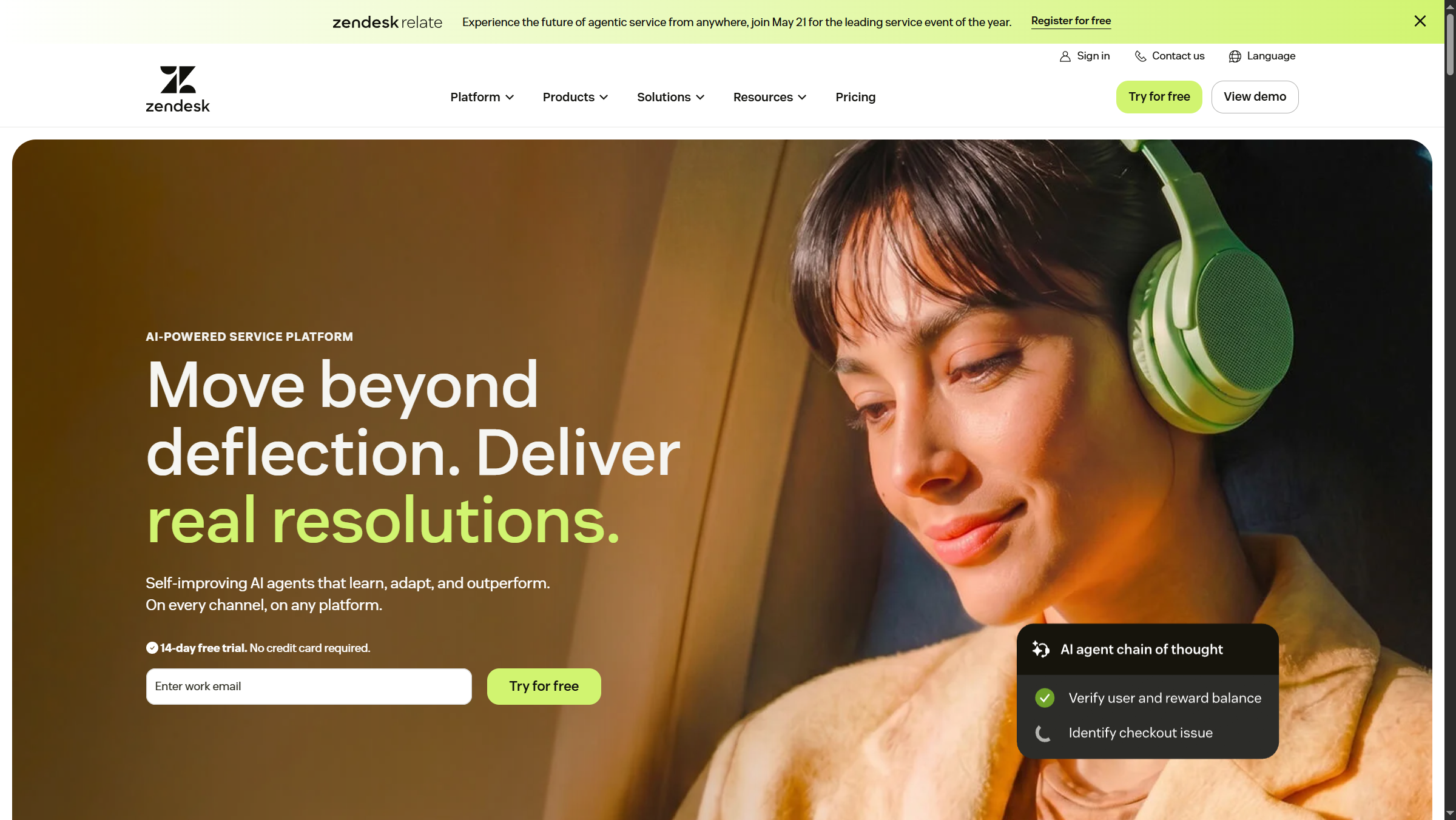
This guide breaks down where each platform genuinely wins, the hidden hub cost most SMB buyers underestimate when Service Hub scales beyond the Starter tier, and how to decide when both vendors will quote you a number that looks reasonable until you do the seat math.
Which Should You Choose: Zendesk or HubSpot Service Hub?
| Factor | Zendesk | HubSpot Service Hub |
|---|---|---|
| Rating | ||
| Free Tier | None | Yes (basic ticketing, 2 seats) |
| Realistic Floor | Suite Team annual | Service Hub Professional |
| Enterprise AI Tier | Suite Enterprise Plus (Agentic AI, GPT-5) | Service Hub Enterprise (Breeze AI) |
| AI Pricing Model | Per resolved ticket (resolution-based) | Per-seat, included in tier |
| Integrations | 2,000+ (Zendesk Marketplace) | 500+ (HubSpot App Marketplace) |
| Architecture | Ticket-native, support-first | CRM-native, service module |
| Built-in WFM | Yes (Zendesk WFM) | No |
| Compliance | SOC 2, HIPAA, GDPR | SOC 2, GDPR |
| Best For | Standalone support, high-volume ticketing | All-in-one CRM teams, marketing-led orgs |
Choose Zendesk if support is your primary business workflow, you push above 5,000 tickets a month, you want resolution-based AI economics, and you do not already run a HubSpot Customer Platform footprint. Zendesk’s ticket-native architecture, 2,000+ integrations, and HIPAA-eligible Suite Enterprise tier handle high-volume support workloads with less customization than CRM-led platforms.
Choose HubSpot Service Hub if you already run HubSpot Marketing or Sales Hub, if you value unified contact records over ticket-feature depth, or if you are an SMB starting with the Free or Starter tier and scaling into Service Hub Professional later. Standalone Service Hub is competent but unremarkable - its real value compounds when service shares a CRM record with the marketing campaign that originally produced the lead.
How Do Zendesk and HubSpot Service Hub Compare on Pricing?
Zendesk and HubSpot sell the same outcome - resolved customer issues - through fundamentally different commercial models. Zendesk pricing is per agent per month on the platform, with AI Agents billed separately on a per-resolution basis. HubSpot Service Hub is sold as one hub inside the broader Customer Platform, with included seats per tier and additional seats billed at extra cost.
Zendesk pricing tiers:
Pricing verified April 2026 from Zendesk's pricing page:
- Support Team: $19/user/mo (Entry-level, email-first support)
- Email support
- Ticketing system
- Basic help center
- Suite Team: $55/user/mo annual ($69 monthly) (Multi-channel support for small teams)
- Email, chat, voice, social support
- Branded help center
- Prebuilt analytics dashboards
- Suite Growth: $89/user/mo annual ($115 monthly) (Growing teams with advanced needs)
- All Suite Team features
- Skills-based routing
- SLAs
- Suite Professional: $115/user/mo annual ($149 monthly) (Professional teams requiring customization)
- All Suite Growth features
- Custom roles and permissions
- Advanced security
- Suite Enterprise: $169/user/mo annual ($219 monthly) (Enterprise-grade with full compliance)
- All Suite Professional features
- AI agents - Advanced (conversation flows, API orchestration, advanced analytics)
- Voice AI agents
- Suite Enterprise Plus: Contact sales (Highest tier with premium support - contact sales)
- All Suite Enterprise features
- Agentic AI with GPT-5 integration (autonomous reasoning and action)
- Voice AI agents with natural speech understanding
The cheapest entry is Support Team at around $19 per agent per month, email-only, no AI. Suite Team is the realistic floor for any modern support operation that needs chat, voice, and social channels in one workspace. The 2026 differentiator lives at the top of the lineup: Suite Enterprise Plus ships Agentic AI with GPT-5 integration, AI Control via HyperArc, and the resolution-based AI Agents billing model that charges only when the bot actually closes the ticket. Standard zendesk pricing assumes annual billing; monthly billing carries a meaningful premium on every tier.
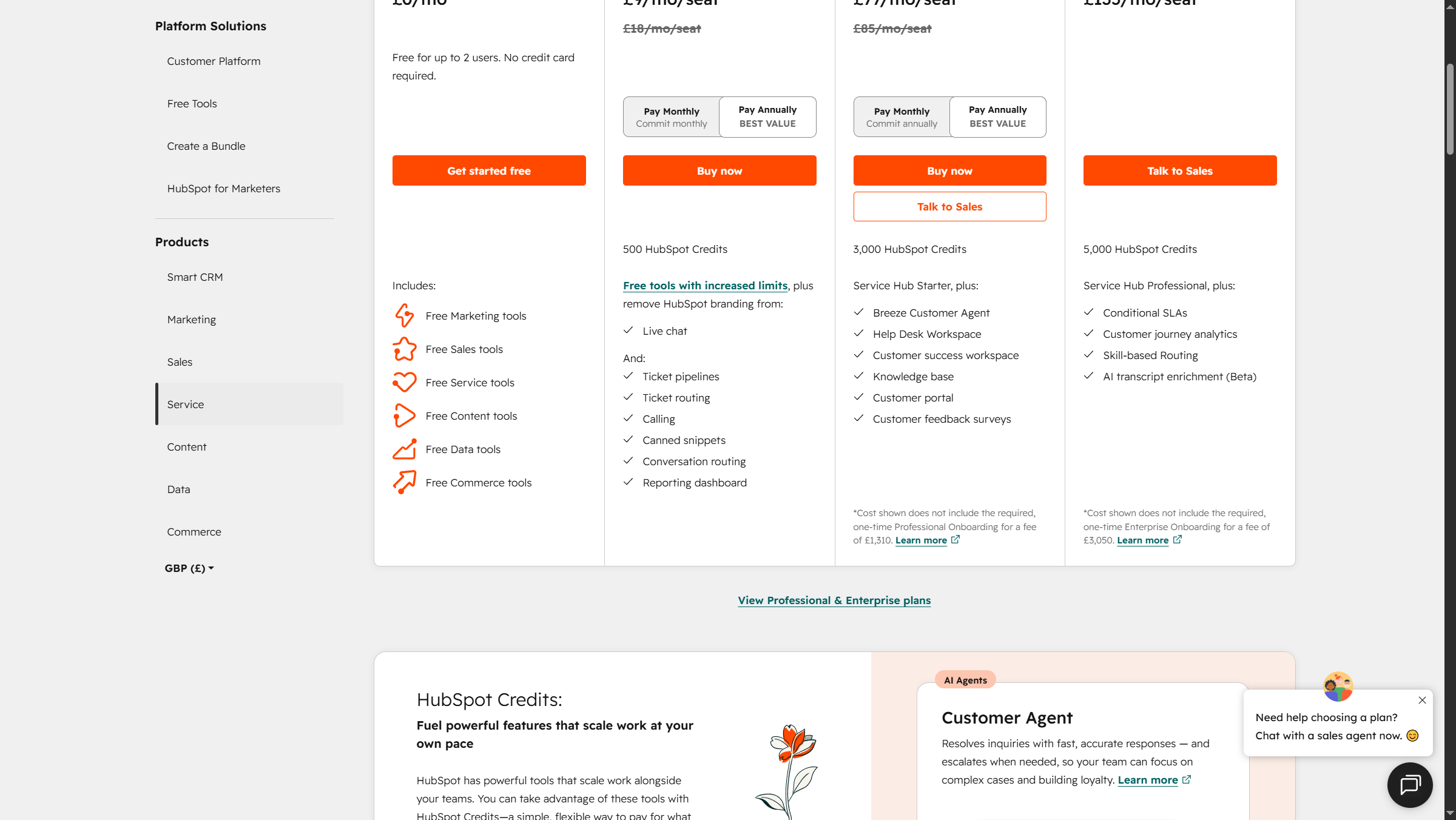
HubSpot Service Hub pricing tiers:
Pricing verified April 2026 from HubSpot's pricing page:
- Free Tools: $0/mo
- Free CRM for up to 2 users
- 5x Free Core Seat limit with unlimited view-only seats
- Sales, marketing, service, content, and operations tools
- Starter Customer Platform: $9/user/mo annual ($15 monthly)
- Access to all five hubs (Marketing, Sales, Service, CMS, Operations)
- 1,000 marketing contacts included
- Marketing automation basics
- Professional (Marketing Hub): $801/user/mo annual ($890 monthly)
- 2,000 marketing contacts included
- 3 core seats included
- Omnichannel marketing automation
- Enterprise (Marketing Hub): $3240/user/mo annual ($3600 monthly)
- 10,000 marketing contacts included
- 5 core seats included
- Unlimited automated emails
- Professional (Sales/Service Hub): $450/user/mo annual ($500 monthly)
- 3 core seats included
- 3,000 calling minutes per user
- Multiple deal/ticket pipelines
- Enterprise (Sales/Service Hub): $1350/user/mo annual ($1500 monthly)
- 5 core seats included
- 12,000 calling minutes per user
- 100+ deal pipelines (Sales), unlimited ticket pipelines (Service)
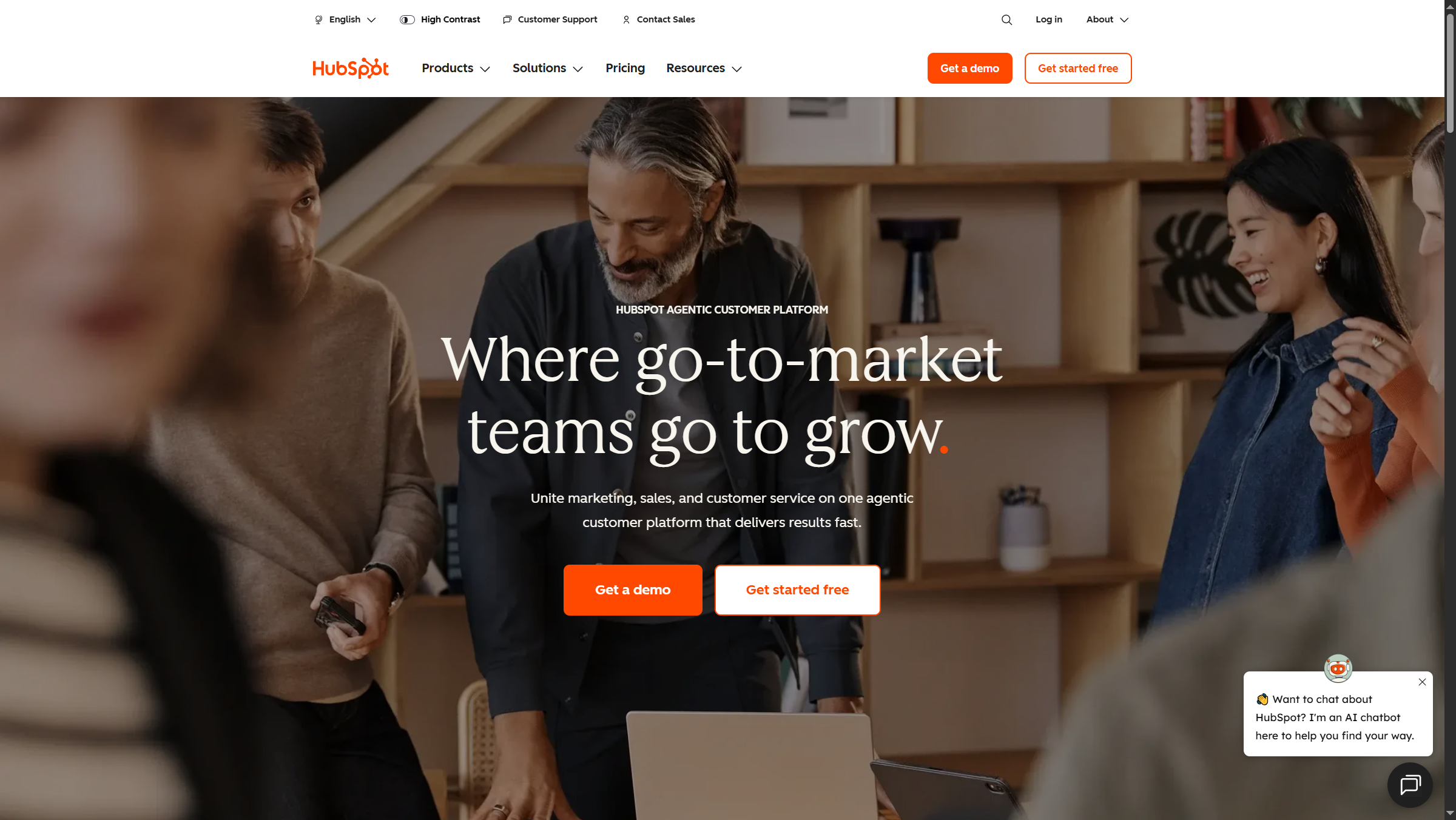
HubSpot’s tier ladder runs from Free Tools (basic ticketing, two seats) through Starter Customer Platform at roughly $9 per month annual for solo operators, then jumps sharply to Service Hub Professional at around $450 per month annual including three seats, and Service Hub Enterprise at around $1,350 per month annual including five seats. Additional seats above the included count carry per-user fees that need to be modeled before signing.
The total hub cost difference depends entirely on team size. For a 5-seat SMB, HubSpot Service Hub Professional plus two extra seats is roughly comparable in monthly cost to Zendesk Suite Team annual at 5 seats. For a 50-seat operation, the HubSpot per-seat add-on fees push Service Hub Enterprise well past Zendesk Suite Growth annual on direct license cost - and Zendesk includes voice in the Suite, while HubSpot routes calling through Service Hub’s calling minutes which add separately.
Where it falls short on each side: Zendesk has no free tier, which makes it a non-starter for solo operators or pre-revenue startups testing the support workflow. HubSpot’s jump from Starter to Service Hub Professional is a roughly 50x price increase that lands hard on growing SMBs - there is no smooth on-ramp between the two tiers.
Who Zendesk is not for: Solo operators or pre-revenue startups - Zendesk has no free tier and the cheapest Support Team plan strips AI features. Who HubSpot Service Hub is not for: SMBs that need a smooth on-ramp between Starter and Professional - the roughly 50x jump between tiers is the harshest price cliff in the category.
AI Capabilities: Zendesk AI Agents vs HubSpot Breeze
This is the comparison that decides most 2026 buying decisions. Both vendors shipped major AI updates in the last 12 months, and they made different commercial bets.
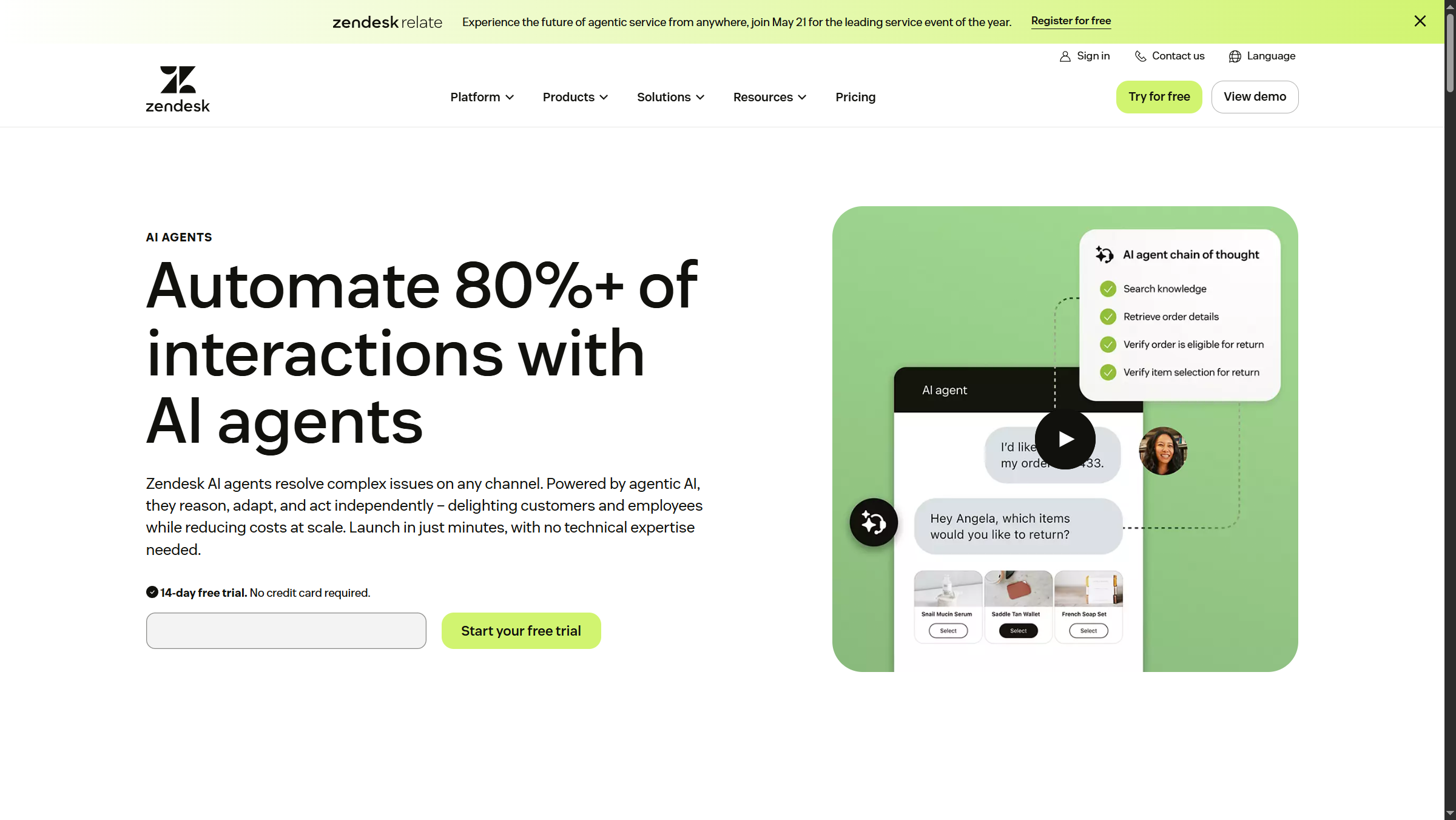
Zendesk AI Agents evolved from the Ultimate.ai and Forethought acquisitions and ship pre-trained on what Zendesk reports as 18 billion historical support interactions. The product claims 80%+ autonomous resolution on suitable ticket types and supports 80+ languages out of the box. The headline feature is the resolution-based pricing model: you do not pay for the bot to read a ticket, you pay only when the bot resolves it. For high-volume operations with predictable ticket types - password resets, order status, refund processing, basic troubleshooting - this aligns vendor incentives with buyer outcomes more cleanly than any per-seat model in the category. Zendesk Suite Enterprise Plus extends this with Agentic AI on GPT-5 and AI Control via HyperArc for analytics-grade observability.
HubSpot Breeze AI is a portfolio of AI features bundled into Service Hub tiers rather than billed separately. Breeze handles ticket summarization, drafting suggested replies, customer health scoring (Enterprise tier), and predictive lead scoring inherited from the broader Smart CRM. The advantage is unified context - Breeze can reference the contact’s marketing campaign history, deal stage, and previous tickets in the same suggestion, because the data already lives on the same Customer Platform. The trade-off is the autonomy ceiling. HubSpot Breeze is positioned as agent assistance rather than autonomous resolution, which means human agents still touch most tickets even when the AI does the heavy lifting on drafting.
The buyer decision is not “which AI is smarter.” Both ship LLM-powered capabilities that handle the common support workflows well. The question is whether resolution-based pricing or seat-included pricing maps better to your finance team’s planning cycle, and whether your tickets are predictable enough to make per-resolution economics pay off.
Who Zendesk is not for: Teams with highly variable ticket types where the AI cannot reliably resolve without escalation - the per-resolution model is only economical when deflection rates clear 25-30%, and the underlying limitations of autonomous AI surface fast on edge-case workflows. Who HubSpot Service Hub is not for: Operations chasing autonomous resolution as a deflection KPI - Breeze AI is agent assistance, not an autonomous resolution engine, and the per-seat pricing does not benefit from rising deflection rates the way Zendesk’s model does.
CRM-Native vs Support-Native Architecture
Zendesk was built around the ticket as the atomic unit of work. Every channel - email, chat, voice, social, WhatsApp, in-app messaging - feeds into the same ticket object with consistent agent UX regardless of source. The ticket-native architecture is why Zendesk feels native to support teams and why integrations focus on enriching ticket context rather than reshaping the underlying data model. Agent onboarding takes days, not weeks.
HubSpot Service Hub treats support as a workflow on top of the unified HubSpot CRM. A ticket is automatically linked to the contact, the deal, the company, the marketing campaign that produced the lead, and any sales activity history - because everything sits on the same Smart CRM object model. This is enormously valuable when service teams coordinate with sales (a strategic account is escalating) or marketing (a feature launch is generating support volume), and it is the entire reason HubSpot shops standardize on Service Hub rather than evaluating Zendesk on feature parity.
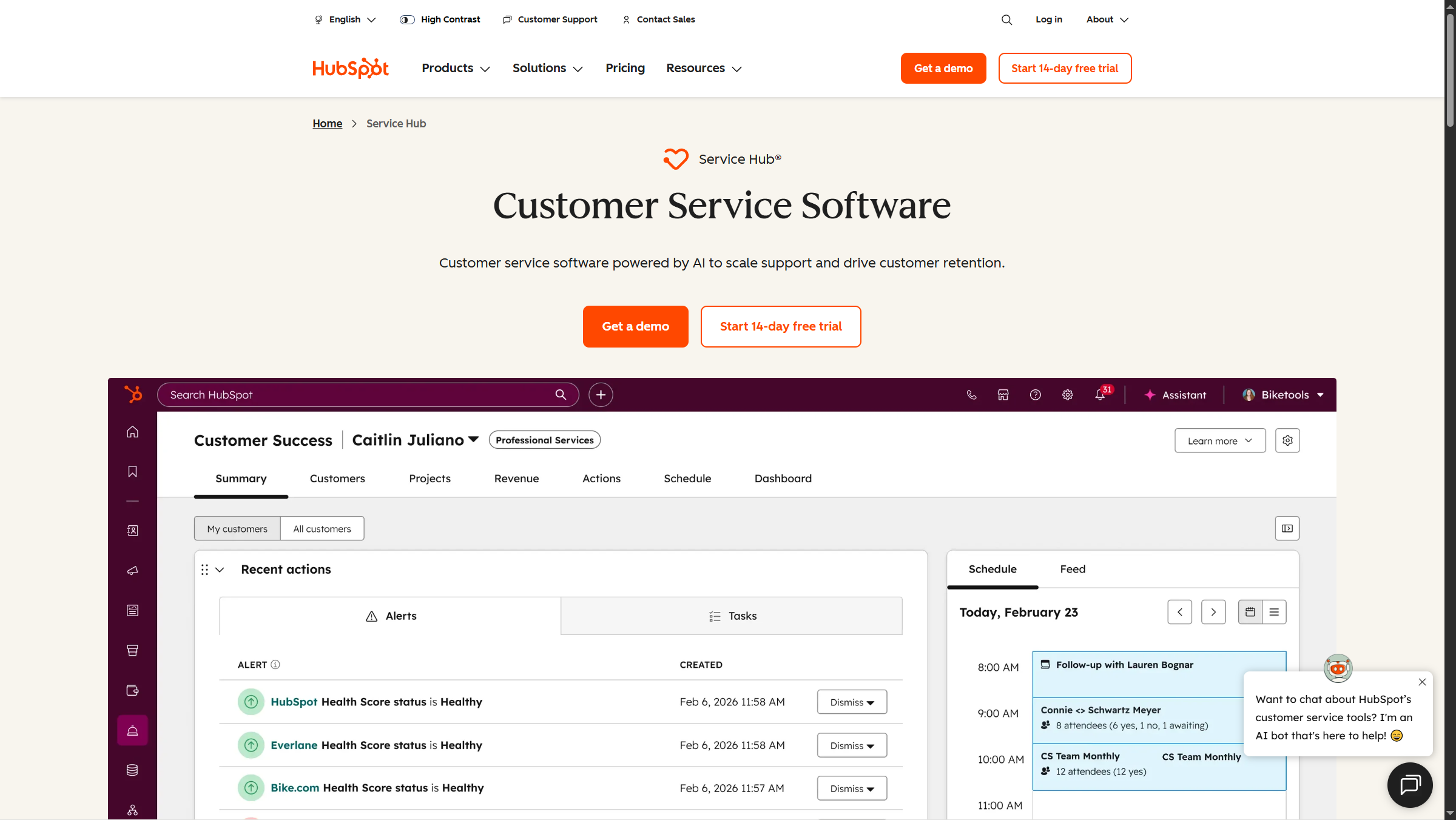
The architecture difference also explains the depth difference. Standalone, HubSpot Service Hub Professional covers the basics - tickets, SLAs, knowledge base, simple automation, customer feedback surveys - but does not match Zendesk Suite’s depth on advanced routing, side-conversations, complex SLA policies, or workforce management. The value of Service Hub is unified CRM data, not feature depth.
Where it falls short on architecture for Zendesk: cross-system reporting that joins service data with sales pipeline or marketing campaign performance. Native Zendesk Explore covers support metrics deeply but does not natively join with non-Zendesk data sources. Where it falls short on architecture for HubSpot Service Hub: advanced support features. Multi-brand support, complex multi-pipeline routing, native workforce management, advanced QA scoring, and side-conversation workflows are either missing or thinner than Zendesk’s equivalent.
Who Zendesk is not for: HubSpot-led organizations that need service tickets pre-enriched with the same lead, deal, and campaign context the marketing and sales teams already work from - Zendesk’s ticket-native data model is a parallel system, not a unified one. Who HubSpot Service Hub is not for: Support-led organizations that need deep workforce management, multi-brand pipelines, or side-conversation workflows out of the box - Smart CRM context is the value, support-feature depth is not.
Omnichannel & Integrations
Both platforms cover the modern omnichannel checklist - email, web chat, voice, SMS, WhatsApp, social messaging, in-app messaging - through a unified agent workspace. Functionally the channel breadth is at parity for 90% of use cases. The divergences appear at the edges and in the integration ecosystem.
The Zendesk Marketplace lists more than 2,000 integrations focused on support-adjacent tools: CRMs, e-commerce platforms, communication tools, knowledge bases, telephony, and analytics. The HubSpot App Marketplace lists roughly 500 apps spanning every business function in HubSpot’s broader Customer Platform - smaller in raw count but typically deeper on the CRM-adjacent integrations (sales engagement tools, marketing automation, customer data platforms).
Voice deserves a specific call-out. Zendesk Voice is a native channel inside the Suite (no separate telephony product), with Voice AI included on Suite Enterprise. HubSpot calling is bundled into Service Hub Professional and Enterprise but includes a monthly minute allowance rather than unlimited usage - call-heavy operations need to model the overage cost carefully.
Where it falls short on integrations for Zendesk: the marketplace skews toward support-tooling categories and is thinner on deep marketing-automation or sales-engagement integrations that HubSpot natively provides. Where it falls short on integrations for HubSpot: the 500-app marketplace omits some specialty support categories (advanced QA, conversation intelligence specifically tuned for support) that Zendesk’s larger ecosystem covers natively.
Who Zendesk is not for: Marketing-led operations that depend on tight native links into sales engagement, ABM tooling, or CDPs - those drawbacks force more middleware than a HubSpot shop would tolerate. Who HubSpot Service Hub is not for: Call-heavy operations or QA-driven contact centers - HubSpot calling minutes carry overage costs and the marketplace lacks specialty conversation-intelligence apps tuned for support.
Reporting, Analytics & Customer Health Scoring
Zendesk shipped two major operational features in 2026 that close historical gaps with broader CRM platforms:
- Zendesk AutoQA - native quality assurance scoring that replaces standalone Klaus and MaestroQA add-ons. AutoQA scores 100% of conversations against custom rubrics rather than the 1-3% sample size manual QA teams typically reach.
- Zendesk WFM - built-in workforce management for forecasting, scheduling, and intraday adherence. HubSpot does not ship native WFM at all, which becomes a meaningful TCO line item for 30+ agent operations that need a workforce-management add-on from a third party.
HubSpot Service Hub Enterprise counters with Customer Health Scoring - a 2026 addition that scores accounts on retention risk using ticket history, NPS responses, product usage signals, and marketing engagement. This is the single most valuable Service Hub feature for SaaS and subscription businesses, because the score is automatically connected to the same contact record the customer success team is already working from. Zendesk does not ship equivalent customer health scoring natively - third-party Zendesk apps cover it, but not with the depth of HubSpot’s CRM-native version.
Where it falls short on reporting for Zendesk: customer health scoring and cross-CRM analytics. Native Explore is excellent for support metrics but lacks the lead-to-renewal lifecycle view that Service Hub Enterprise produces natively. Where it falls short on reporting for HubSpot: support-specific operational metrics. Service Hub does not match Zendesk’s depth on first response time decomposition, agent productivity benchmarking, or queue-level forecasting accuracy.
Who Zendesk is not for: SaaS and subscription businesses where retention scoring on the same customer record is the core analytics requirement - Zendesk needs third-party apps to approximate native customer health scoring. Who HubSpot Service Hub is not for: Contact-center operations that depend on queue forecasting accuracy and detailed agent productivity benchmarking - Service Hub’s reporting drawbacks on those workflows are real and well-documented.
Implementation Speed & Onboarding
Implementation timeline is the most underestimated line item in any platform switch, and it cuts both ways in this comparison.
Zendesk implementation for a 25-agent team typically runs 4-8 weeks with native importers from Freshdesk, Help Scout, Intercom, and Salesforce Service Cloud. Agent training is days, not weeks. Custom routing rules, SLA policies, and integrations stretch the timeline for large deployments, but the platform is designed for support teams to self-administer once they clear the initial setup.
HubSpot Service Hub implementation is usually quick on the Service Hub side - the ticketing workflow is intuitive and the unified CRM context makes routing decisions obvious. The implementation tax appears elsewhere. If you are migrating to HubSpot Service Hub as part of broader HubSpot Customer Platform adoption (Marketing Hub or Sales Hub at the same time), the cross-hub setup runs months and typically requires a HubSpot Solutions Partner. If you already run HubSpot CRM, Service Hub adoption is a matter of weeks.
Where it falls short on implementation for Zendesk: Zendesk does not auto-populate contact records from marketing or sales tools, which means new accounts start with thin context until integrations are wired up. Where it falls short on implementation for HubSpot: Service Hub alone is fast, but the broader Customer Platform deployment is a multi-month project requiring partner involvement at scale.
Who Zendesk is not for: Teams adopting HubSpot Marketing or Sales Hub at the same time - the implementation tax compounds when service runs on a parallel platform that needs its own integration spine. Who HubSpot Service Hub is not for: Support-first organizations migrating from Freshdesk, Help Scout, or Intercom on a tight timeline - native importers and self-administered routing rules in Zendesk shorten the cutover considerably.
Total Cost of Ownership for SMB Scenarios
License price is only one input to platform TCO. The honest first-year TCO for representative SMB scenarios looks like this.
50-agent operation on Zendesk Suite Growth annual:
- Licenses: around $89 per agent per month × 50 × 12 = approximately $53,400
- AI Agents (optional, resolution-based on 20,000 tickets/month): variable, typically $15,000-40,000/year if enabled
- Implementation: $5,000-20,000 one-time
- Admin headcount: 0.25-0.5 FTE
- First-year total: approximately $75,000-115,000 without AI Agents, $90,000-155,000 with AI Agents
50-agent operation on HubSpot Service Hub Professional + extra seats:
- Service Hub Professional includes 3 seats at around $450 per month annual
- Additional 47 seats at extra-seat pricing roughly $90 per seat per month
- Total licenses: approximately $56,000-65,000/year
- Breeze AI: included in tier
- Implementation: $5,000-15,000 one-time (Service Hub only, no broader Customer Platform setup)
- Admin headcount: 0.25-0.5 FTE
- First-year total: approximately $65,000-90,000
For pure support workloads, the all-in cost is roughly comparable at 50 seats. The decisive variable is whether your operation benefits from Zendesk’s resolution-based AI deflection (high-volume, predictable tickets) or HubSpot’s unified CRM context (marketing-led growth, customer success-driven retention). A 10-seat SMB on the Starter Customer Platform pays under $200 per month total, which is well below Zendesk Suite Team’s 10-seat floor and is the strongest SMB case for HubSpot Service Hub.
Where TCO assumptions fall short: these numbers assume English-language support workflows. Multi-language operations push Zendesk’s value through native 80+ language AI Agent coverage and push HubSpot’s complexity through additional partner support requirements.
Industry Fit: Who Should Pick What
| Industry | Recommended | Why |
|---|---|---|
| SaaS / Tech | HubSpot | Smart CRM + Service Hub Enterprise customer health scoring fits subscription retention |
| E-commerce / Retail | Zendesk | Channel breadth, Shopify integration depth, AI Agents fit predictable ticket types |
| Marketing Agencies | HubSpot | Native marketing-led workflow, multi-client portal handling, single CRM record |
| Financial Services | Zendesk | HIPAA-eligible Suite Enterprise, deeper compliance breadth than Service Hub |
| Healthcare | Zendesk | Suite Enterprise HIPAA inclusion, not natively available on HubSpot Service Hub |
| Pre-revenue Startups | HubSpot | Free Tools tier + Starter Customer Platform on-ramp |
| High-volume Consumer Brands | Zendesk | Resolution-based AI Agent economics, 2,000+ integration ecosystem |
| Professional Services | HubSpot | CRM + Service combined in one record, marketing-to-service handoff |
Where it falls short by industry: the table is a starting point, not a final answer - regulated industries with strict residency requirements still need a procurement-led security review on both vendors, and any operation above 200 agents should expect a Salesforce Service Cloud bake-off regardless of the rec above.
Who Zendesk is not for: Marketing-led professional services firms where service is one workflow inside an existing HubSpot footprint - Zendesk’s standalone architecture creates a parallel data spine that breaks the unified contact-record value. Who HubSpot Service Hub is not for: Regulated industries that require HIPAA-eligible compliance or PHI handling at the platform level - those drawbacks rule out Service Hub immediately and push the decision toward Zendesk Suite Enterprise or Salesforce Service Cloud.
Frequently Asked Questions
Is Zendesk better than HubSpot?
Zendesk is better than HubSpot for organizations whose primary need is high-volume customer support and who are not already running a HubSpot Customer Platform footprint. Zendesk delivers a deeper feature set on routing, SLAs, workforce management, AI Agents resolution-based pricing, and HIPAA-eligible compliance. HubSpot Service Hub is better when service is one workflow inside a broader HubSpot deployment that includes Marketing Hub or Sales Hub on the same Smart CRM.
Is Zendesk sell shutting down?
Zendesk Sell, the company’s sales CRM product, has not been formally shut down but Zendesk’s product investment over the past 18 months has clearly shifted toward AI Agents, AutoQA, WFM, and the broader Suite. Standalone zendesk sell development cadence has slowed, and most analysts treat it as a non-strategic product line. New buyers shopping a sales CRM are typically better served by HubSpot Sales Hub, Salesforce Sales Cloud, or Pipedrive than by Zendesk Sell.
What is Zendesk’s biggest competitor?
Salesforce Service Cloud is Zendesk’s biggest enterprise competitor, particularly in deployments above 200 agents and in regulated industries. Below the enterprise tier, Zendesk competes most directly with Freshdesk, Intercom, HubSpot Service Hub, and Help Scout. In broader CRM-led comparisons (vs zoho, vs salesforce, vs hubspot), Zendesk’s positioning is consistently the standalone support specialist rather than the unified-platform challenger.
The Bottom Line
The zendesk vs hubspot service hub decision in 2026 is less about feature checkboxes and more about the question of whether you want a support-native specialist or a CRM-native module that inherits the customer’s full history.
Pick Zendesk if support is your primary business workflow, you push above 5,000 tickets a month, you value resolution-based AI economics, you need HIPAA-eligible compliance, or you require deep workforce management features out of the box. The Suite Team annual price is the realistic floor for any modern support operation, and Suite Enterprise Plus puts Agentic AI with GPT-5 inside reach.
Pick HubSpot Service Hub if you already run HubSpot Marketing or Sales Hub, if your team is small enough to start on Free Tools or Starter Customer Platform, if customer health scoring on retention is more valuable than autonomous AI deflection, or if your support workflow is fundamentally a continuation of the marketing-to-sales motion rather than a high-volume ticket queue. The free tier is the strongest pre-revenue case in the category.
For most mid-market support teams with no existing HubSpot footprint, Zendesk is the more support-feature-dense choice in 2026. For HubSpot CRM shops scaling service alongside marketing and sales, Service Hub is the only sensible answer because the unified Smart CRM is the entire reason to standardize on the Customer Platform in the first place.
Related Reading
- Zendesk - full review with pricing, features, and rating breakdown
- HubSpot - Customer Platform overview, hub pricing, and Service Hub feature deep-dive
- Best Customer Support Software 2026 - category landscape and rankings
- Freshdesk vs Zendesk - the closer Zendesk competitor comparison if Service Hub is too CRM-heavy
- HubSpot vs Salesforce - cross-platform CRM comparison for buyers also evaluating Salesforce
External Resources
- Zendesk official pricing page - canonical source for tier pricing and AI Agents resolution-based billing
- HubSpot Service Hub product page - feature breakdown across Free, Starter, Professional, and Enterprise tiers
- Forbes Advisor customer service software roundup - third-party industry view on the broader support tooling category