



The Zendesk vs Salesforce Service Cloud decision pits two enterprise support platforms with two radically different 2026 AI strategies against each other - and a TCO equation that hinges on whether you pay per resolved ticket or per agent seat.
Introduction
The zendesk salesforce rivalry has defined enterprise customer support tooling for over a decade, but 2026 is the year both platforms abandoned the old playbook. Zendesk reorganized its entire pricing model around resolution-based AI Agents, charging per ticket the bot solves rather than per human seat. Salesforce countered with Agentforce 2.0 and the Atlas Reasoning Engine, packaged into a new Einstein 1 Service tier that pushes the per-user license closer to $440-550 per month.
The zendesk vs salesforce service cloud decision in 2026 comes down to architecture philosophy and how you want to buy AI. Zendesk sells outcomes through resolution-based pricing on top of a ticket-native platform. Salesforce Service Cloud sells a unified Data Cloud where service runs on the same infrastructure as sales and marketing, billed through consumption credits.
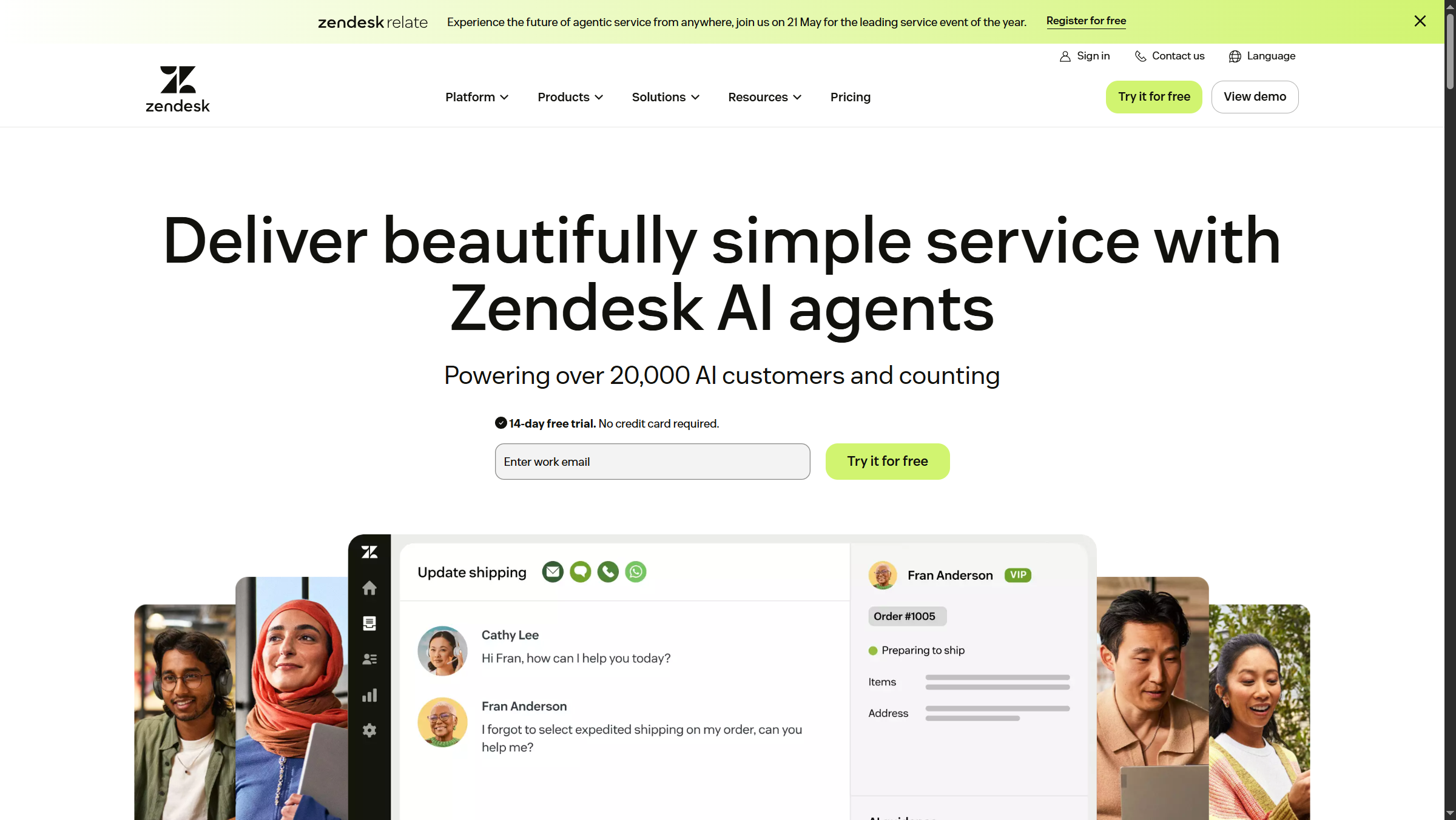
This guide breaks down where each platform genuinely wins, the hidden total cloud cost most buyers underestimate, and how to choose when both vendors will quote you a number that looks reasonable on the first pass.
Which Is Better: Zendesk or Salesforce Service Cloud?
| Factor | Zendesk | Salesforce |
|---|---|---|
| Rating | ||
| Starting Tier | Support Team (basic ticketing) | Starter Suite (entry CRM) |
| Realistic Floor | Suite Team annual | Pro Suite |
| Enterprise AI Tier | Suite Enterprise Plus (Agentic AI, GPT-5) | Einstein 1 / Agentforce 1 Service |
| AI Pricing Model | Per resolved ticket (resolution-based) | Per user + consumption credits |
| Integrations | around 1,000 (Zendesk Marketplace) | around 9,000 (AppExchange) |
| Architecture | Ticket-native, support-first | Case-on-CRM, multi-cloud unified |
| Built-in WFM | Yes (Zendesk WFM) | No (ClickSoftware sold separately) |
| Compliance | SOC 2, HIPAA, GDPR | SOC 2, HIPAA, FedRAMP, GDPR |
| Best For | Standalone support orgs, omnichannel | Existing Salesforce shops, multi-cloud |
Choose Zendesk if support is your primary use case, you want resolution-based AI economics, and you do not already run on the Salesforce platform. The Suite Team annual price gets a modern operation off the ground without a six-month implementation, and the AI Agents pricing model means you only pay for value the bot actually delivers.
Choose Salesforce Service Cloud if you already run Sales Cloud, Marketing Cloud, or Commerce Cloud on Salesforce, or if you need FedRAMP certification, multi-department workflows, or the depth of the AppExchange ecosystem. Standalone, Service Cloud is overpriced for SMB support - its value compounds when service shares the same Data Cloud as the rest of your stack.
How Do Zendesk and Salesforce Service Cloud Compare on Pricing?
Zendesk and Salesforce sell the same outcome - resolved customer issues - through fundamentally different pricing models in 2026. Zendesk publishes per-agent seat pricing on the platform and bills AI Agents separately on a per-resolution basis. Salesforce bundles Service Cloud into per-user tiers and charges for AI through consumption credits attached to the Einstein 1 platform.
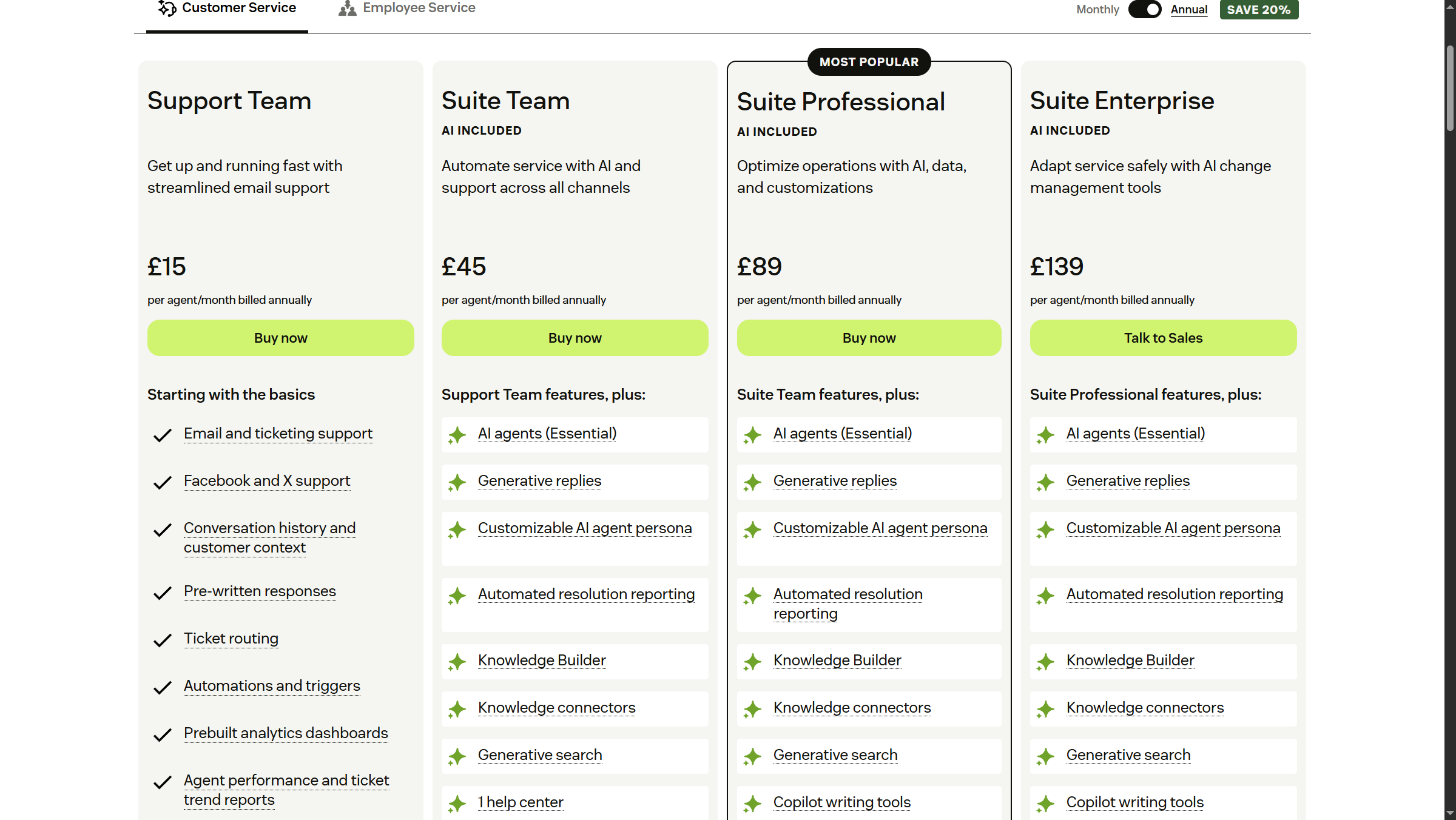
Zendesk pricing tiers:
Pricing verified April 2026 from Zendesk's pricing page:
- Support Team: $19/user/mo (Entry-level, email-first support)
- Email support
- Ticketing system
- Basic help center
- Suite Team: $55/user/mo annual ($69 monthly) (Multi-channel support for small teams)
- Email, chat, voice, social support
- Branded help center
- Prebuilt analytics dashboards
- Suite Growth: $89/user/mo annual ($115 monthly) (Growing teams with advanced needs)
- All Suite Team features
- Skills-based routing
- SLAs
- Suite Professional: $115/user/mo annual ($149 monthly) (Professional teams requiring customization)
- All Suite Growth features
- Custom roles and permissions
- Advanced security
- Suite Enterprise: $169/user/mo annual ($219 monthly) (Enterprise-grade with full compliance)
- All Suite Professional features
- AI agents - Advanced (conversation flows, API orchestration, advanced analytics)
- Voice AI agents
- Suite Enterprise Plus: Contact sales (Highest tier with premium support - contact sales)
- All Suite Enterprise features
- Agentic AI with GPT-5 integration (autonomous reasoning and action)
- Voice AI agents with natural speech understanding
The cheapest entry is Support Team at $19 per agent per month, but it is email-only and lacks AI features entirely. Suite Team at $55 per agent per month annual is the realistic floor for any modern support operation that needs chat, voice, and social channels. The 2026 differentiator sits at the top of the lineup: Suite Enterprise Plus ships Agentic AI with GPT-5, AI analytics powered by HyperArc, and the resolution-based AI Agents billing model that charges only for tickets the bot actually closes.
Salesforce Service Cloud pricing tiers:
Pricing verified April 2026 from Salesforce's pricing page:
- Starter Suite: $25/user/mo (Up to 325 users, 1GB storage + 20MB per license)
- Account, contact, and lead management
- Mobile app access
- Task tracking and activity timeline
- Pro Suite: $100/user/mo (Unlimited users)
- Everything in Starter
- Lead scoring and forecasting
- Advanced reporting
- Enterprise: $175/user/mo (Unlimited users)
- Everything in Pro
- Advanced customizations
- Complex workflows and automation
- Unlimited: $350/user/mo (Unlimited users)
- Everything in Enterprise
- 24/7 premium support
- Unlimited Einstein AI features
- Einstein 1 Sales (with Agentforce): $550/user/mo (Unlimited users)
- Everything in Unlimited
- Agentforce 2.0 autonomous AI agents
- Agentforce Builder (conversational workspace)
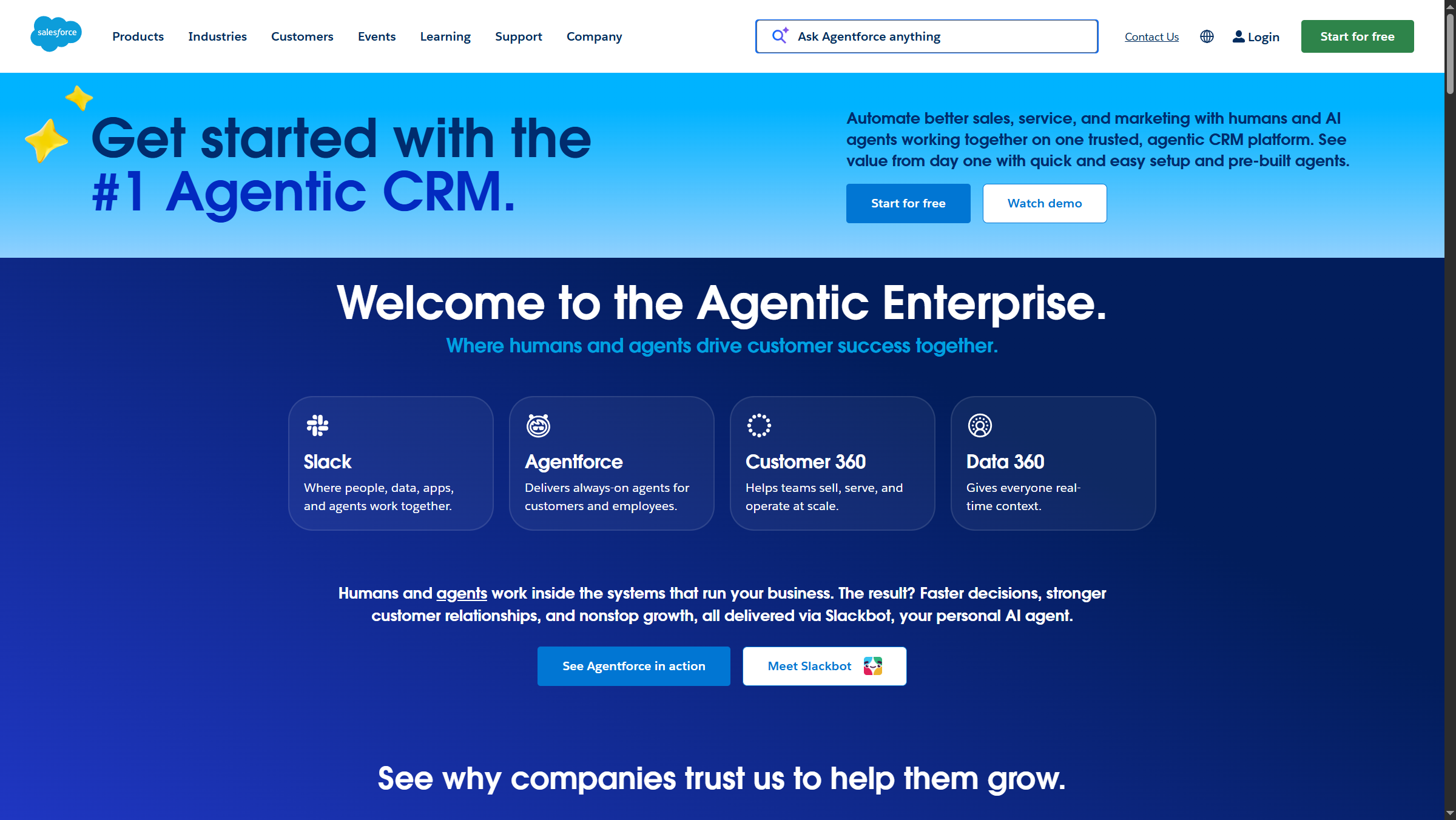
Salesforce Service Cloud follows a tier ladder from Starter Suite through Pro Suite, Enterprise (around $165-175 per user per month), and Unlimited. The 2026 addition is the Einstein 1 Service / Agentforce 1 Service tier near $440-550 per user per month, which bundles the Atlas Reasoning Engine, Agentforce 2.0 autonomous agents, and Data Cloud unification. Refer to the Salesforce Service Cloud pricing page for canonical numbers, since the published list shifts as Salesforce repackages SKUs.
The total cloud cost difference becomes apparent at enterprise scale. A 100-agent operation on Zendesk Suite Enterprise lists around $169 per agent per month annual ($16,900 monthly), with AI Agents billed only against resolved tickets. The same operation on Salesforce Einstein 1 Service can run $44,000-55,000 monthly before consumption credits, before implementation, and before the Salesforce administrator headcount most large deployments require.
AI Agents Showdown: Agentforce vs Zendesk AI Agents
This is the comparison that actually matters in 2026. Both vendors are betting their next decade on autonomous AI agents that handle multi-step support workflows without human intervention - but they are betting in different directions.
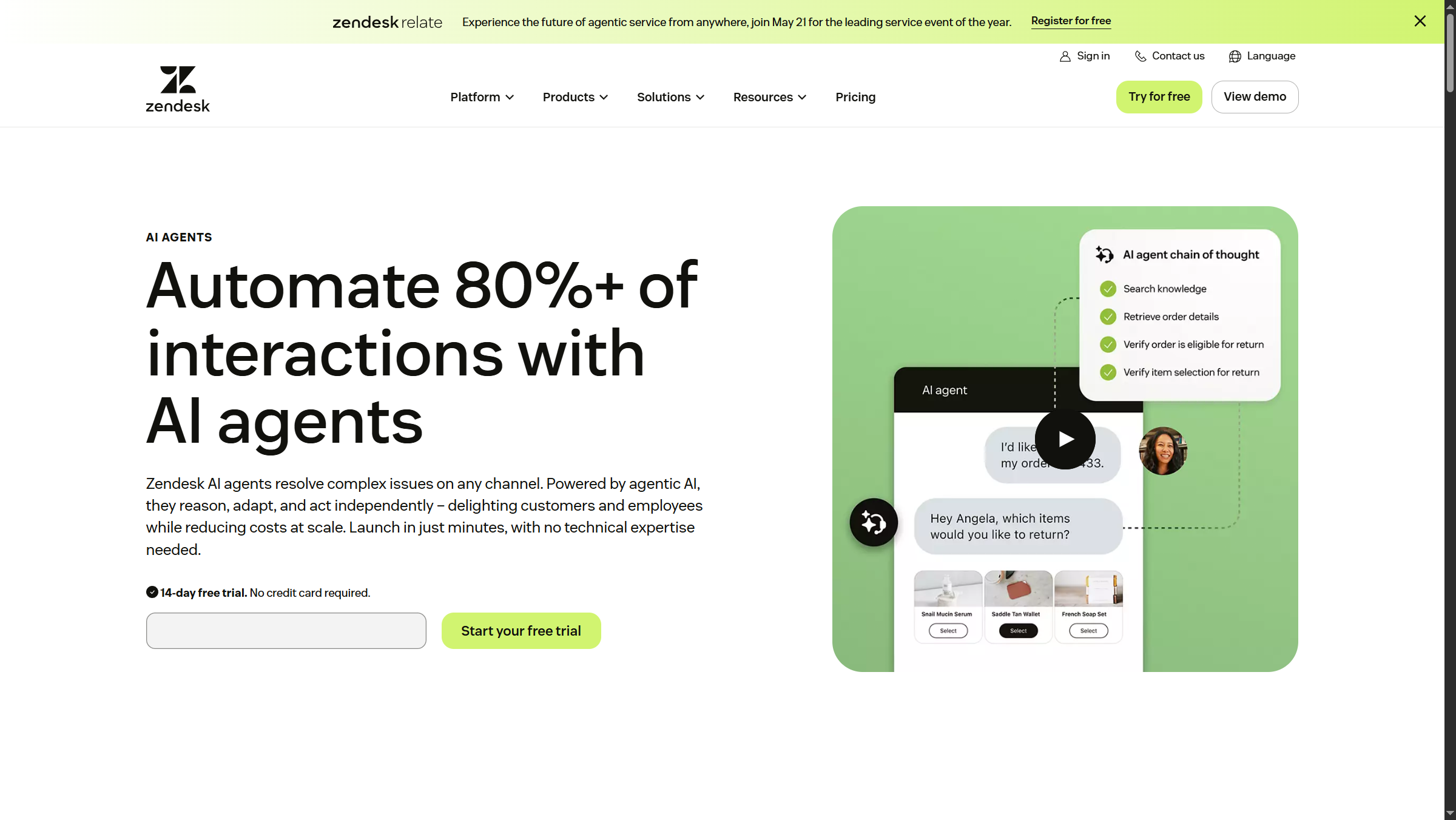
Zendesk AI Agents evolved from the Ultimate.ai and Forethought acquisitions and ship pre-trained on what Zendesk reports as 18 billion historical interactions. The product claims 80%+ autonomous resolution on suitable ticket types and supports 80+ languages out of the box. The headline feature is the resolution-based pricing model: you do not pay for the bot to read a ticket, you pay only when the bot resolves it. For high-volume support operations with predictable ticket types (password resets, order status, refund requests), this aligns vendor incentives with buyer outcomes more cleanly than any other model on the market.
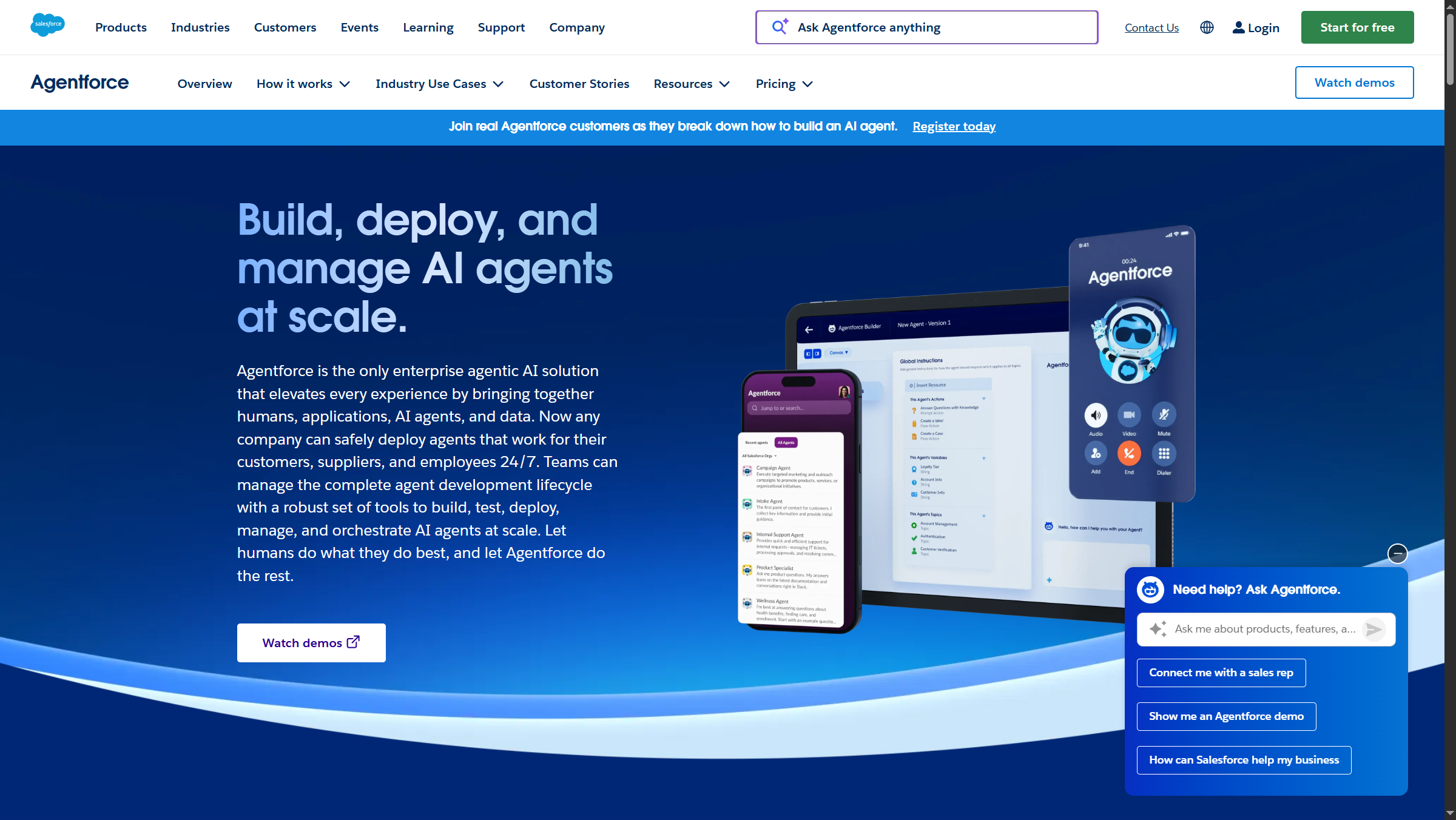
Salesforce Agentforce 2.0 runs on the Atlas Reasoning Engine and is positioned as a multi-step autonomous platform rather than a single-purpose support bot. The advantage is depth of integration: an Agentforce agent can pull context from Sales Cloud opportunity history, Marketing Cloud journey data, and Commerce Cloud order records in the same session, because everything lives on the unified Data Cloud. The tradeoff is the pricing model. Salesforce sells Agentforce through consumption credits attached to the Einstein 1 Service tier, which makes per-resolution unit economics harder to model in advance.
The buyer decision is not “which AI is smarter.” Both ship LLM-powered agents that handle the common ticket archetypes well. The question is whether resolution-based pricing or consumption credits map better to your finance team’s planning cycle.
Who Zendesk AI Agents are not for: Teams with highly variable AI deflection rates that fluctuate seasonally - the per-resolution model becomes unpredictable when ticket volume spikes are accompanied by unusual ticket types the AI was not trained on. Who Agentforce is not for: Standalone support teams without existing Salesforce data - the consumption credit model assumes the Atlas Reasoning Engine has Customer 360 data to ground its actions, which is not present without Sales Cloud or Data Cloud.
Architecture Differences: Tickets vs Cases
Zendesk was built around the ticket as the atomic unit of work. Every channel - email, chat, voice, social, WhatsApp - feeds into the same ticket object, with consistent agent UX regardless of source. The ticket-native architecture is why Zendesk feels native to support teams and why integrations focus on enriching ticket context rather than reshaping the underlying data model.
Salesforce Service Cloud treats support as a case sitting on top of the broader Salesforce CRM data model. A case can be linked to an account, a contact, an opportunity, and a campaign in the same view. This is enormously valuable when service teams need to coordinate with sales (a high-value account is escalating) or marketing (a campaign is generating support volume) - and it is the entire reason Salesforce shops standardize on Service Cloud rather than evaluating Zendesk on feature parity.
The architecture difference also explains the learning curve. Zendesk agents can be productive within days. Salesforce Service Cloud typically requires weeks of training and a dedicated administrator who understands objects, fields, page layouts, flows, and permission sets. Whether you are comparing Service Cloud vs ServiceNow or vs Zendesk, the platform-versus-product distinction always shows up in the implementation timeline.
Who Zendesk is not for: organizations whose support workflows must natively reach into sales pipeline, marketing campaigns, or commerce records as part of the same case object - the ticket-native model forces those joins into integrations rather than first-class objects. Who Salesforce Service Cloud is not for: standalone support teams that need agents productive within a week - the case-on-CRM architecture imposes weeks of training and a dedicated administrator as the unavoidable cost of the deeper data model. These are the architectural tradeoffs that compound for years after the platform decision.
Omnichannel & Integrations
Architecture tradeoffs in plain terms: ticket-native (Zendesk) means simpler training but limited cross-system reach; case-on-CRM (Salesforce) means deeper context but more administrator overhead. Both platforms cover the modern omnichannel checklist - email, web chat, voice, SMS, WhatsApp, social messaging, in-app messaging, and a unified agent workspace. Functionally, the channel breadth is at parity for 95% of use cases.
Where they diverge is the integration ecosystem. The Zendesk Marketplace lists roughly 1,000 integrations focused on support-adjacent tools: CRMs, e-commerce platforms, communication tools, knowledge bases, and analytics. The Salesforce AppExchange lists roughly 9,000 apps spanning every business function - the deepest third-party ecosystem in enterprise SaaS. For most support teams, 1,000 integrations is more than enough. For organizations standardizing on Salesforce as their entire business platform, the AppExchange depth is decisive.
Voice deserves a specific call-out. Zendesk Voice is a native channel inside the Suite (no separate telephony product), with Voice AI included on Suite Enterprise. Salesforce Service Cloud Voice is a separate SKU billed alongside the per-user license, typically partnered with Amazon Connect for the underlying telephony layer.
Where omnichannel falls short on each side: Zendesk Marketplace’s 1,000 integrations omit some niche industry verticals (utilities, regulated finance specialty workflows). Salesforce AppExchange’s 9,000+ apps include many low-quality or abandoned listings - vetting time becomes a real cost.
Reporting, QA & Workforce Management
Zendesk shipped two major operational features in 2026 that close historical gaps:
- Zendesk AutoQA - native quality assurance scoring that replaces standalone Klaus and MaestroQA add-ons. AutoQA scores 100% of conversations against custom rubrics rather than the 1-3% sample size manual QA teams typically reach.
- Zendesk WFM - built-in workforce management for forecasting, scheduling, and intraday adherence. Salesforce sells WFM separately through ClickSoftware, which is a meaningful TCO line item when comparing Suite Enterprise to Service Cloud Enterprise.
Salesforce Service Cloud counters with Service Cloud Analytics (formerly Service Wave) and Tableau integration on the analytics side. The reporting depth is genuinely deeper than Zendesk’s Explore, particularly for cross-cloud analysis (service tickets correlated with sales pipeline). The trade-off is configuration complexity - useful Tableau dashboards typically require dedicated analytics resources, where Zendesk Explore reports can be assembled by a support manager in an afternoon.
Where Zendesk falls short: cross-system reporting that joins service data with sales pipeline or marketing campaigns. Zendesk Explore can be extended via the API but does not natively join with non-Zendesk data sources. Where Salesforce falls short: speed-to-insight for support managers - building a useful Tableau dashboard typically takes days to weeks of administrator time, where Explore reports can be assembled in an afternoon.
Who Zendesk is not for (on reporting): analytics teams that need service tickets joined with sales pipeline, revenue attribution, or marketing campaign data in a single dashboard - Explore’s reporting boundaries stop at the Zendesk schema. Who Salesforce Service Cloud is not for (on reporting): support managers who need to ship a dashboard themselves the same day - the Tableau learning curve and admin dependency are real reporting tradeoffs that show up in every Service Cloud implementation.
Security & Compliance
Compliance tradeoffs: Zendesk’s compliance breadth is competitive but lags Salesforce on FedRAMP High. Salesforce’s compliance depth comes with more vendor scrutiny processes - a typical procurement review for a Salesforce SOC 2 + FedRAMP package takes longer than Zendesk’s equivalent.
| Compliance | Zendesk | Salesforce Service Cloud |
|---|---|---|
| SOC 2 Type II | Yes | Yes |
| HIPAA | Suite Enterprise+ | Yes (Health Cloud add-on) |
| GDPR | Yes | Yes |
| FedRAMP | Moderate (Government Cloud) | High (Government Cloud) |
| ISO 27001 | Yes | Yes |
| PCI DSS | Level 1 | Level 1 |
Both platforms clear the standard enterprise compliance bar. The decisive differences appear at the edges: Salesforce holds FedRAMP High authorization, which makes it the default choice for federal civilian agencies and federal contractors handling controlled unclassified information. Zendesk’s FedRAMP Moderate covers most state and local government use cases but does not reach the High baseline.
For HIPAA-regulated workloads, Zendesk includes HIPAA support starting at Suite Enterprise. Salesforce typically routes healthcare deployments through Health Cloud, a separate SKU that adds cost but unlocks healthcare-specific data models (patient records, care plans, clinical workflows).
Migration Cost & Complexity
Migration is the single most underestimated line item in any support platform switch, and competitor comparison articles almost never quantify it.
Migrating to Zendesk from a legacy help desk (Freshdesk, Help Scout, Intercom) is a well-trodden path with native importers, certified migration partners, and typical timelines of 6-12 weeks for a 100-agent team. From Salesforce Service Cloud the migration is harder because the case data model maps imperfectly to Zendesk tickets - custom case fields, related lookup fields, and flow automations need redesign rather than translation.
Migrating to Salesforce Service Cloud is a multi-quarter project for any non-trivial deployment. A typical mid-market implementation runs 4-9 months with a Salesforce certified partner ($150,000-$500,000 in services on top of license fees). Migrating from Zendesk to Salesforce is particularly painful because the breadth of Salesforce’s data model means most teams reshape their workflows during the migration rather than performing a one-to-one transfer.
The asymmetric migration cost is why platform switching is rare in both directions. The migration tax usually exceeds two years of license differential, which means the initial platform decision compounds for far longer than buyers anticipate.
Who Zendesk is not for (on migration economics): teams already operating production Service Cloud workloads with custom case fields, flows, and lookup relationships - the data model translation requires redesign rather than mapping, and the project risk usually outweighs the license savings. Who Salesforce Service Cloud is not for (on migration economics): teams that need to be live on a new platform within a quarter - the 4-9 month implementation timeline and $150K-$500K services bill make Service Cloud the wrong choice for any team without budget or runway for a multi-quarter migration project. These are the migration tradeoffs procurement teams underestimate.
Total Cost of Ownership: Hidden Numbers
Migration tradeoffs to internalize: the migration tax often exceeds two years of license differential, regardless of direction. The choice locks in for far longer than buyers anticipate.
License price is the smallest line item in any enterprise support platform TCO. The honest TCO for a 100-agent operation looks like this.
Zendesk Suite Enterprise (annual TCO, 100 agents):
- Licenses: $169/agent/mo × 100 × 12 = approximately $202,800
- AI Agents (resolution-based, 30% AI deflection on 50,000 tickets/mo): variable, typically $50,000-100,000/year
- Implementation: $25,000-75,000 one-time
- Admin headcount: 0.5-1 FTE
- First-year total: approximately $300,000-450,000
Salesforce Service Cloud Enterprise (annual TCO, 100 agents):
- Licenses: around $175 per user per month × 100 × 12 = approximately $210,000
- Service Cloud Voice: approximately $50 per user per month × 100 × 12 = $60,000
- Einstein/Agentforce consumption credits: $50,000-150,000/year
- Implementation: $150,000-500,000 one-time
- Admin headcount: 1-3 FTE (Salesforce admin + developer)
- First-year total: approximately $500,000-1,000,000+
The license-line difference looks modest. The all-in difference is 2-3x in most deployments, driven by implementation services and the ongoing Salesforce administrator headcount that the platform’s complexity demands.
Industry Fit: Who Should Pick What
TCO tradeoff in plain terms: Zendesk wins on lower implementation cost and admin overhead; Salesforce wins on cross-cloud workflow value when service is one of several departments standardizing on the platform.
| Industry | Recommended | Why |
|---|---|---|
| SaaS / Tech | Zendesk | Fast deployment, ticket-native, AI Agents fit predictable issue types |
| Financial Services | Salesforce | Existing Salesforce footprint, FinServ data model, compliance depth |
| Healthcare | Either | Zendesk Suite Enterprise (HIPAA) for support-only, Salesforce Health Cloud for integrated care |
| Federal / Defense | Salesforce | FedRAMP High authorization is decisive |
| E-commerce / Retail | Zendesk | Channel breadth, Shopify integration depth, conversational commerce |
| Manufacturing | Salesforce | Field Service add-on, multi-cloud workflows for warranty/parts |
| Education | Zendesk | Lower TCO, faster onboarding for IT helpdesks |
| Telecom / Media | Salesforce | Communications Cloud and Industry Cloud verticalization |
Frequently Asked Questions
Is Zendesk better than Salesforce?
Zendesk is better than Salesforce for organizations whose primary need is customer support and who are not already running on the Salesforce platform. Zendesk delivers a faster implementation, lower TCO, and a ticket-native architecture purpose-built for support teams. Salesforce Service Cloud is better when service is one workflow inside a broader Salesforce footprint that includes sales, marketing, or commerce on the same Data Cloud.
What is Zendesk’s biggest competitor?
Salesforce Service Cloud is Zendesk’s biggest enterprise competitor, particularly in deployments above 200 agents and in regulated industries. Below the enterprise tier, Zendesk competes most directly with Freshdesk, Intercom, HubSpot Service Hub, and Help Scout. Among newer entrants, Front and Gorgias compete in specific segments (shared inbox and e-commerce respectively).
Is Zendesk a CRM or SaaS?
Zendesk is SaaS - cloud-delivered software you pay for by subscription. Its core product is a customer service platform rather than a full CRM, though the Zendesk Sell product extends into CRM territory. Salesforce, by contrast, is also SaaS but is positioned primarily as a CRM with Service Cloud as one of several “clouds” inside its broader Customer 360 platform.
The Bottom Line
The zendesk vs salesforce service cloud decision in 2026 is less about feature checkboxes and more about platform philosophy and AI economics.
Pick Zendesk if you are a standalone support operation, you value resolution-based AI pricing, your implementation timeline matters, and you do not have an existing Salesforce footprint to build on. The Suite Team annual price gets you to a modern omnichannel platform without the six-month deployment, and the AI Agents pricing model is the most buyer-aligned model in the category.
Pick Salesforce Service Cloud if you already run Sales Cloud or Marketing Cloud, if you need FedRAMP High authorization, if multi-cloud workflows matter, or if your industry has a Salesforce vertical (Health Cloud, Financial Services Cloud, Communications Cloud) that solves your data model out of the box. Budget for the implementation and for the ongoing Salesforce administrator headcount - the all-in TCO is typically 2-3x the licensed-only number.
For most mid-market support teams without an existing Salesforce footprint, Zendesk is the lower-risk, faster-payoff choice in 2026. For enterprises already deeply invested in Salesforce, Service Cloud is the only sensible answer because the migration tax in either direction usually exceeds the platform difference for years.
Related Reading
- Zendesk - full review with pricing, features, and rating breakdown
- Salesforce - platform overview and AI feature comparison
- Best Customer Support Software 2026 - category landscape and rankings
- Freshdesk vs Zendesk - the closer competitor comparison if Salesforce is too heavy
- HubSpot vs Salesforce - cross-platform comparison for CRM-led buyers
External Resources
- Zendesk official pricing page - canonical source for tier pricing and AI Agents resolution-based billing
- Salesforce Service Cloud pricing - current SKU lineup including Einstein 1 Service and Agentforce tiers
- Zendesk’s Agentic AI Resource Hub - vendor research and case studies on outcome-based pricing for AI agents