


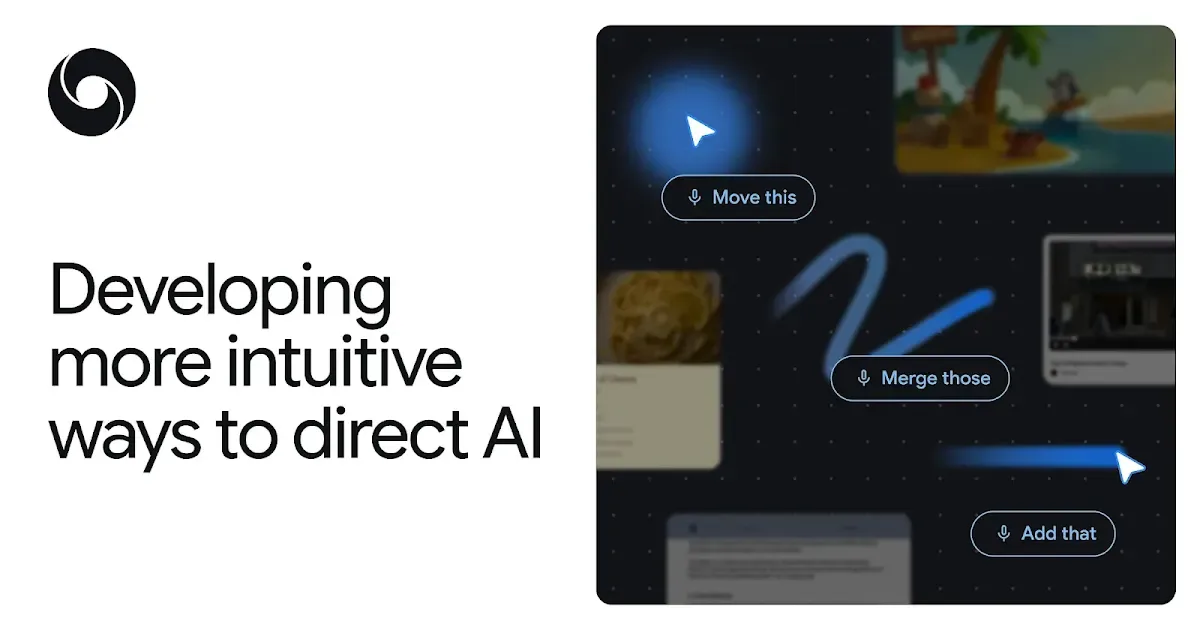
For six decades, the mouse pointer has done exactly one thing: tell the computer where you're looking. Everything else - what you want to do with what you're pointing at - required a separate series of clicks, menus, and typed instructions.
Google DeepMind's new AI pointer changes that setup. In a blog post and demo video, the company showed a cursor that combines positional tracking with AI understanding, so pointing at something and saying "Fix this" or "Move that" is enough for the system to act. No switching to a separate chat window, no long prompt describing what's on your screen.
What the Pointer Actually Understands
The key mechanism is what DeepMind calls entity recognition: the cursor doesn't just track pixel coordinates, it interprets what's under it. Point at a photo and the system treats it as an image to edit. Point at a statistics table and it understands those numbers could become a chart. Point at a restaurant shown in a video and it can surface a booking link.
That interpretation is what makes short voice commands work. Instead of typing a detailed description into an AI chat - "I have a recipe that serves 4 and I need to scale it to 12" - you point at the recipe text and say "adjust for 12 people." The shared visual context handles the explanation.
The demo video shows this across several real tasks: summarizing a PDF and dropping the summary into an email, converting a table of statistics into a pie chart, editing images through pointing and speaking. Cross-app functionality is a stated design goal - the pointer is meant to work without forcing you into a dedicated AI interface.
Where It's Shipping
This isn't purely a research concept. Google is integrating the AI pointer into Chrome and is planning deployment through Google Labs' Disco platform. A version is already testable in Google AI Studio. The system runs on Gemini (Google's large language model) to handle the contextual reasoning.
The practical question worth watching is error handling in messy real-world conditions. "Fix this" when you're pointing at a clear broken link is a different problem than "Fix this" pointed at ambiguous layout. Contextual AI that acts on arbitrary screen content has a track record of confident mistakes. How the system handles that ambiguity outside controlled demos will determine whether it becomes a genuine productivity shift or an impressive prototype.
The underlying direction is correct. Typing a long prompt into a side panel to describe something already visible on your screen has always been a clunky workaround. A pointer that understands visual context and responds to short spoken commands is a more natural way to interact. The reliability question is real, but the interaction model itself is a meaningful step past today's chat-box paradigm.