




The ChatGPT vs Claude debate comes down to one question: do you want breadth or depth? ChatGPT and Claude have each carved out distinct territory across writing, coding, research, and team workflows - and picking the wrong one wastes both money and time.
ChatGPT is the Swiss Army knife with 200 million weekly active users (per OpenAI’s announcements), GPT-5 access, image generation, voice mode, and a massive plugin ecosystem. Claude is the specialist - quieter, more thoughtful, with a 200K token context window and reasoning that consistently outperforms on nuanced tasks. Neither tool does everything best, and anyone telling you otherwise hasn’t actually used both.
This comparison covers where each tool genuinely excels, the tradeoffs each one carries, and which one deserves your $20 per month based on how you actually work.
Quick Verdict
ChatGPT vs Claude is one of the most common comparisons in this category. ChatGPT and Claude take different approaches to solving similar problems, and the right choice depends on your workflow, budget, and team size. This guide compares both tools across the features that actually matter for daily work.
Here is the short version before we get into the details:
| Category | ChatGPT | Claude |
|---|---|---|
| Best for | Creative writing, image generation, ecosystem | Long documents, reasoning, code analysis |
| Pricing | Free / $20 Plus / $200 Pro | Free / $20 Pro / $100 Max |
| Context window | 128K tokens (GPT-5) | 200K tokens |
| Rating | ||
| Image generation | Built-in via GPT-4o | Not available |
| Voice mode | Live voice conversations | Not available |
| Web browsing | Built-in (no citations) | Research mode (Pro/Max) |
| Team features | Team ($30/mo) + Enterprise | Team + Enterprise tiers |
| Desktop app | Yes (macOS, Windows) | Yes (macOS, Windows) |
Top pick: ChatGPT Plus for creative work and general-purpose tasks. Claude Pro for long-document analysis, coding projects, and anything requiring careful reasoning. Many power users subscribe to both.
Writing Quality
This is the category most people care about first, and both tools deliver strong results - with different strengths.
ChatGPT writes with more personality and flair. GPT-5 brought noticeable improvements in tone control, creative range, and the ability to match specific brand voices through its memory feature. It excels at ad copy, social media content, brainstorming sessions, and short-form writing where energy matters more than precision. The custom GPTs ecosystem means you can build specialized writing assistants for repetitive tasks.
Claude writes with more nuance and accuracy. It follows complex instructions more faithfully, produces fewer hallucinated claims, and handles longer documents without losing coherence. For technical writing, documentation, long-form articles, and anything where factual accuracy matters more than creative spark, Claude consistently produces cleaner first drafts. For more writing options, see our best AI writing tools 2026 guide.
The verdict: ChatGPT for creative and marketing content. Claude for technical, professional, and long-form writing. For most writers, the difference is marginal enough that either tool works well.
Tradeoffs: ChatGPT can over-flourish technical drafts and occasionally invent statistics that read confidently but don’t survive fact-checking - skip it for compliance-sensitive copy. Claude has the opposite limitation: it leans cautious and can produce drafts that feel flat for ad copy or hook-driven social posts. Neither tool eliminates the need for a human editor on long-form work.
Coding Assistance
Both tools are competent coding assistants, but they approach the task differently.
ChatGPT is excellent for quick debugging, generating boilerplate, and explaining code concepts. The Advanced Data Analysis feature (Code Interpreter) lets you run Python directly in the chat, which is invaluable for data tasks. GPT-5 handles more complex logic than GPT-4o and produces better-structured code overall. The ecosystem advantage is real too - ChatGPT integrates with GitHub Copilot and thousands of developer tools via plugins.
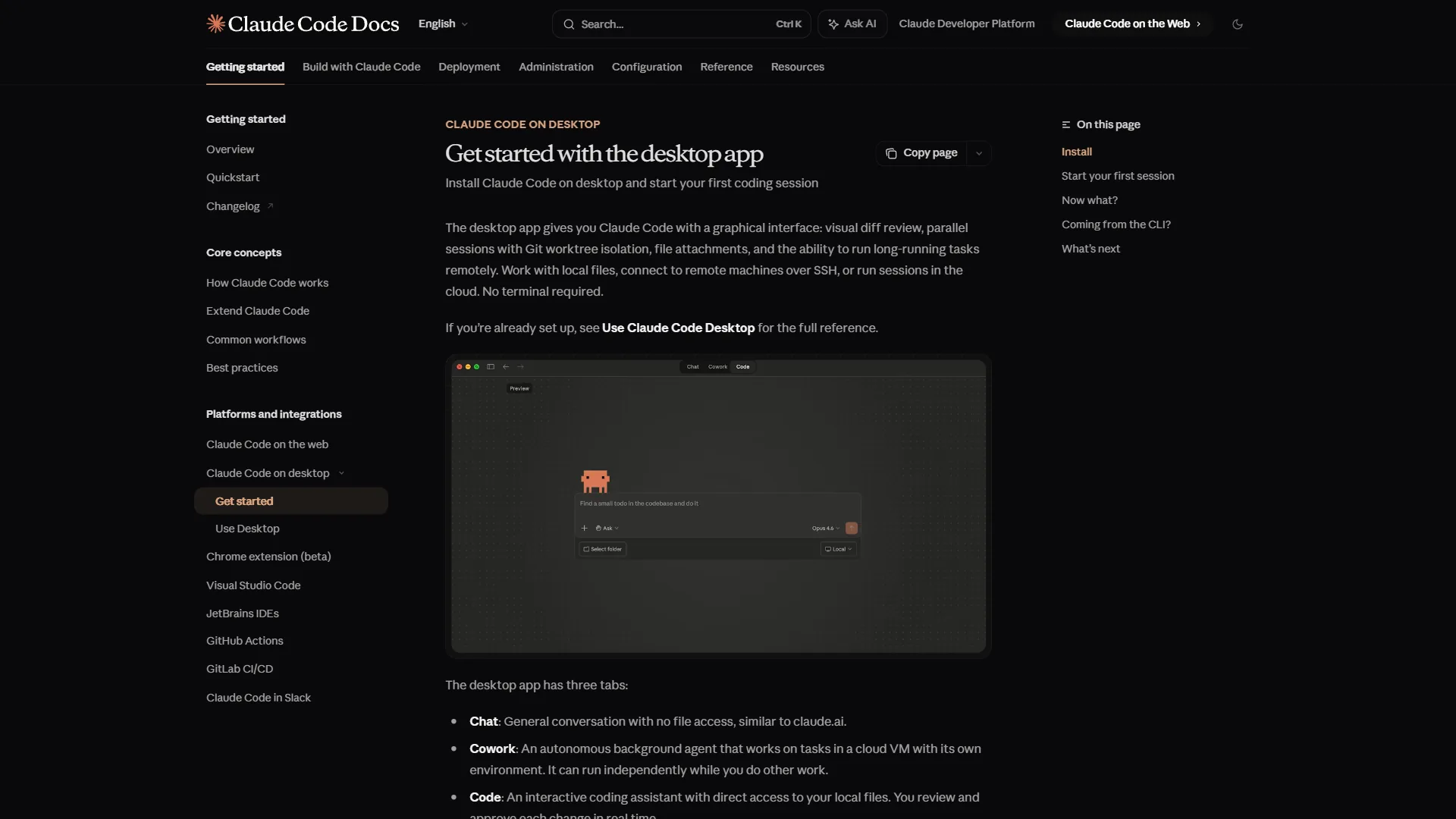
Claude excels at deep code analysis and large-scale refactoring. The 200K context window means you can paste entire files - or even multiple files - and get meaningful analysis without the model losing track of dependencies. Claude’s Artifacts feature generates interactive code previews alongside the conversation. Anthropic’s models score 80%+ on SWE-bench, making Claude one of the strongest options for professional development work. For a deeper look at AI dev tools, see our best AI coding assistants roundup.
The verdict: ChatGPT for everyday coding tasks and quick fixes. Claude for complex refactoring, code reviews, and projects where you need to analyze large codebases. Serious developers often pair Claude with a dedicated coding tool like Cursor or GitHub Copilot.
Tradeoffs: Skip ChatGPT if you regularly work in codebases over 50K lines - the 128K context window forces you to chunk files, which loses cross-file dependency awareness. Claude lacks ChatGPT’s Code Interpreter sandbox, so it can’t actually execute code or render charts inline; you get analysis and suggestions, not a runnable result. Neither tool replaces an IDE-integrated copilot for autocomplete-heavy workflows.
Research and Analysis
Research is where these tools diverge most sharply.
ChatGPT can browse the web and surface recent information, but it still does not provide inline citations you can verify. You get summaries of search results without clear attribution. For casual research - “what’s the best framework for X” or “summarize recent trends in Y” - it works fine. For anything requiring verifiable sources, the lack of citations remains a dealbreaker.
Claude takes a fundamentally different approach. Rather than searching the web, Claude excels at analyzing information you provide. Upload a 100-page PDF, a full research paper, or an entire codebase - Claude maintains coherent understanding across the full 200K context window. The Projects feature creates persistent workspaces where your research accumulates across sessions, which is something ChatGPT cannot replicate.
Claude’s Pro and Max tiers include a Research mode with web search, but it does not match Perplexity’s citation quality. Where Claude wins is synthesis: taking multiple sources you provide and drawing connections, identifying gaps, and producing structured analysis.
The verdict: Neither tool is the best pure research tool (that title belongs to Perplexity). ChatGPT is better for quick web lookups. Claude is better for deep analysis of documents you already have. For a complete research workflow, many professionals combine Perplexity for discovery with Claude for analysis.
Tradeoffs: Skip ChatGPT for citation-backed research - its browsing summarizes without inline sources, so you still verify everything manually. Claude’s main limitation is the opposite: web access is limited to Pro/Max Research mode and lags Perplexity in source coverage and citation quality. If your work requires both fresh discovery and document synthesis, a single tool won’t cover both.
Reasoning and Complex Tasks
This is Claude’s strongest category and one of the most important differentiators in the ChatGPT vs Claude comparison. Independent benchmarks like LMSYS Chatbot Arena consistently rank both models in the top tier, but with different strength profiles.
ChatGPT handles straightforward reasoning well. GPT-5 improved multi-step logic and mathematical accuracy compared to GPT-4o. The Pro tier ($200 per month) includes o1 pro mode for enhanced reasoning on complex problems. For most daily tasks - planning, problem-solving, strategic thinking - ChatGPT delivers solid results.
Claude consistently outperforms on nuanced reasoning tasks. It is more likely to acknowledge uncertainty rather than confidently fabricating an answer. It handles contradictory instructions more gracefully, weighs competing evidence more carefully, and produces more balanced analysis of complex topics. Extended thinking mode (available on Max) gives Claude extra processing time for particularly challenging problems.
The difference becomes most apparent with ambiguous prompts. Ask both tools a question with multiple valid interpretations, and Claude is more likely to identify the ambiguity and ask for clarification - or address multiple interpretations explicitly. ChatGPT tends to pick one interpretation and run with it.
The verdict: Claude wins on reasoning depth and accuracy. ChatGPT wins on speed and confidence for straightforward tasks. If your work involves complex analysis, legal reasoning, or evaluating nuanced trade-offs, Claude is the stronger choice.
Tradeoffs: ChatGPT’s main limitation here is overconfidence - it tends to commit to one interpretation of an ambiguous prompt rather than flagging the ambiguity, and o1 pro mode is gated behind the $200 per month Pro tier. Claude’s drawback is speed: extended thinking mode produces better reasoning but adds latency that breaks flow for quick back-and-forth chats. Skip Claude if you need rapid-fire Q&A more than careful analysis.
Pricing Comparison
Both tools offer free tiers, and the paid entry point is identical at $20 per month. The value equation gets interesting at higher tiers.
ChatGPT Pricing (February 2026)
| Tier | Monthly Cost | What You Get |
|---|---|---|
| Free | $0 | GPT-4o-mini, limited GPT-4o, basic browsing |
| Plus | $20 | GPT-5, GPT-4o, voice mode, image generation, 80 file uploads/3hr |
| Pro | $200 | Unlimited everything, o1 pro mode, priority access |
| Team | $30/user | All Plus features, collaborative workspace, admin console |
| Enterprise | Custom | 2M context, SOC 2, audit logs, dedicated support |
Claude Pricing (February 2026)
| Tier | Monthly Cost | What You Get |
|---|---|---|
| Free | $0 | Basic Claude access, limited daily messages |
| Pro | $20 | 5x usage, priority access, Projects, Research mode |
| Max | $100 | 20x Pro usage, extended thinking, highest priority |
| Team | Custom | Collaborative Projects, team management |
| Enterprise | Custom | SSO, audit logs, custom retention, compliance |
Which Is Better Value?
At the free tier, ChatGPT offers more features (web browsing, limited image generation, voice). Claude’s free tier is more restrictive but the reasoning quality per message is higher.
At $20 per month, both deliver excellent value. ChatGPT Plus gives you broader capabilities (images, voice, web browsing, GPT-5). Claude Pro gives you deeper capabilities (200K context, Projects, stronger reasoning). Your choice depends on whether you need breadth or depth.
At premium tiers, Claude Max at $100 per month is half the price of ChatGPT Pro at $200 per month. Unless you specifically need unlimited o1 pro mode or hit ChatGPT Plus rate limits daily, Claude Max offers better value for power users.
For teams, ChatGPT’s Team tier at $30 per user/month is more mature, with collaborative workspaces and shared GPTs already built in. Claude’s team features are newer but include persistent Projects with role-based permissions.
Feature-by-Feature: ChatGPT vs Claude
Here is a detailed ChatGPT vs Claude breakdown across every major feature:
| Feature | ChatGPT (Plus) | Claude (Pro) | Winner |
|---|---|---|---|
| Context window | 128K tokens | 200K tokens | Claude |
| Image generation | Built-in (GPT-4o) | Not available | ChatGPT |
| Voice conversations | Live voice mode | Not available | ChatGPT |
| Web browsing | Built-in | Research mode | ChatGPT |
| File analysis | 80 files/3 hours | Drag-and-drop uploads | Tie |
| Code execution | Advanced Data Analysis | Artifacts (preview only) | ChatGPT |
| Desktop app | macOS, Windows | macOS, Windows | Tie |
| Mobile app | iOS, Android | iOS, Android | Tie |
| Custom assistants | Custom GPTs (3M+ available) | Projects with persistent context | ChatGPT |
| Data privacy | Opt-out on Plus, default off on Team | Not used for training | Claude |
| Plugin ecosystem | Thousands of integrations | MCP (Model Context Protocol) | ChatGPT |
| Reasoning depth | Good (excellent with o1 pro) | Excellent across all tiers | Claude |
| Writing nuance | Creative, energetic | Precise, thoughtful | Tie |
| Hallucination rate | Improved with GPT-5 | Lower overall | Claude |
Summary: ChatGPT wins on features and ecosystem breadth. Claude wins on reasoning quality, context size, and privacy. Neither tool dominates every category.
Choose ChatGPT if You Need Breadth
ChatGPT is the right choice when:
- You need a single all-purpose AI tool. Writing, coding, images, voice, browsing - one subscription covers everything competently.
- Image generation is part of your workflow. GPT-4o’s integrated DALL-E produces solid concept art, social graphics, and mockups.
- You want voice interactions. Live voice mode on Plus is the best voice AI experience available - great for brainstorming, language practice, or hands-free work.
- You rely on integrations. ChatGPT’s ecosystem of plugins, browser extensions, Zapier connections, and custom GPTs is unmatched.
- Your team needs a collaborative AI workspace. The Team tier includes shared GPTs, centralized billing, and admin controls that are more established than Claude’s team features.
- You are a casual or moderate user. For people who use AI a few times a day for varied tasks, ChatGPT’s breadth is more valuable than Claude’s depth.
Choose Claude if You Need Depth
Claude is the right choice when:
- You work with long documents. Contracts, research papers, codebases, transcripts - Claude’s 200K context window handles them without losing coherence.
- Reasoning accuracy matters more than speed. Legal analysis, technical evaluation, strategic planning - Claude produces more reliable outputs on complex tasks.
- You need persistent project context. Claude’s Projects feature maintains your research and instructions across sessions, building an evolving knowledge base.
- Data privacy is non-negotiable. Anthropic does not use your conversations for model training. For sensitive business data, Claude offers stronger guarantees by default.
- You are a developer working on large projects. Claude’s deep code analysis and refactoring capabilities outperform ChatGPT on complex multi-file tasks.
- You want the best value at the premium tier. Claude Max at $100 per month delivers more capability per dollar than ChatGPT Pro at $200 per month for most use cases.
The Bottom Line
The ChatGPT vs Claude decision is not about which tool is objectively better - it is about which tool matches your specific workflow.
Choose ChatGPT Plus ($20 per month) if you want the broadest set of AI capabilities in a single subscription. It handles writing, coding, image generation, voice, web browsing, and data analysis competently. The ecosystem of custom GPTs and integrations adds real value. For most people who want one AI tool, ChatGPT is the safer bet.
Choose Claude Pro ($20 per month) if you prioritize reasoning quality, work with long documents regularly, or need stronger privacy guarantees. Claude produces more accurate, nuanced outputs on complex tasks and handles massive context windows that ChatGPT cannot match. For developers, writers, researchers, and analysts doing deep work, Claude is the stronger tool.
The power user approach: Subscribe to both. Use ChatGPT for creative tasks, image generation, and quick lookups. Use Claude for analysis, long documents, and coding projects. At $40 per month combined, you get the best of both worlds - and that combination outperforms either tool alone.
Neither tool is going away. Both are improving rapidly. The best strategy is to pick the one that solves your most important problem today, and reassess as both platforms evolve.
FAQ
Q: Are Claude better than ChatGPT?
Neither tool does everything best. ChatGPT Plus is the top pick for creative work and general-purpose tasks, while Claude Pro wins for long-document analysis, coding projects, and anything requiring careful reasoning. Many power users subscribe to both. The right choice depends on your workflow, budget, and team size rather than a single winner.
Q: Why do people use Claude instead of ChatGPT?
Claude is the specialist - quieter, more thoughtful, with a 200K token context window and reasoning that consistently outperforms on nuanced tasks. People pick Claude over ChatGPT for long documents, code analysis, and careful reasoning work. It follows complex instructions more faithfully and handles longer documents without losing coherence.
Q: Does Claude or ChatGPT hallucinate more?
At the free tier, ChatGPT offers more features (web browsing, limited image generation, voice). Claude’s free tier is more restrictive but the reasoning quality per message is higher.
Q: Is Claude stricter than ChatGPT?
Claude takes a fundamentally different approach. Rather than searching the web, Claude excels at analyzing information you provide. Upload a 100-page PDF, a full research paper, or an entire codebase - Claude maintains coherent understanding across the full 200K context window.
Related Reading
- ChatGPT - Our full review with pricing, features, and alternatives
- Claude for Desktop - Our full review with pricing, features, and alternatives
- Perplexity - AI search engine with source citations
- Best AI Assistants for Productivity in 2026 - Comprehensive guide covering ChatGPT, Claude, Perplexity, and more
- GPT-5 vs GPT-4o: What Actually Changed - Deep dive into OpenAI’s latest model improvements
- Perplexity vs Claude for Research - If research is your primary use case
External Resources
- ChatGPT Official Site - OpenAI’s product page with latest features and pricing
- Claude Official Site - Anthropic’s Claude AI platform
- Anthropic Research - Technical papers on Claude’s Constitutional AI approach
- GPT-5 Announcement - OpenAI’s official GPT-5 release details