

Choosing a help desk in 2026 is less about feature checklists and more about how your team wants to talk to customers - and Freshdesk vs Help Scout frames that choice well.
Introduction
Picking between Freshdesk and Help Scout looks straightforward on paper and gets messier the second you map it to a real support team. Both platforms have been around for over a decade and both can run a small-to-mid-sized support operation. The catch: they were built around two very different philosophies, and the wrong fit costs more in productivity than the subscription itself.
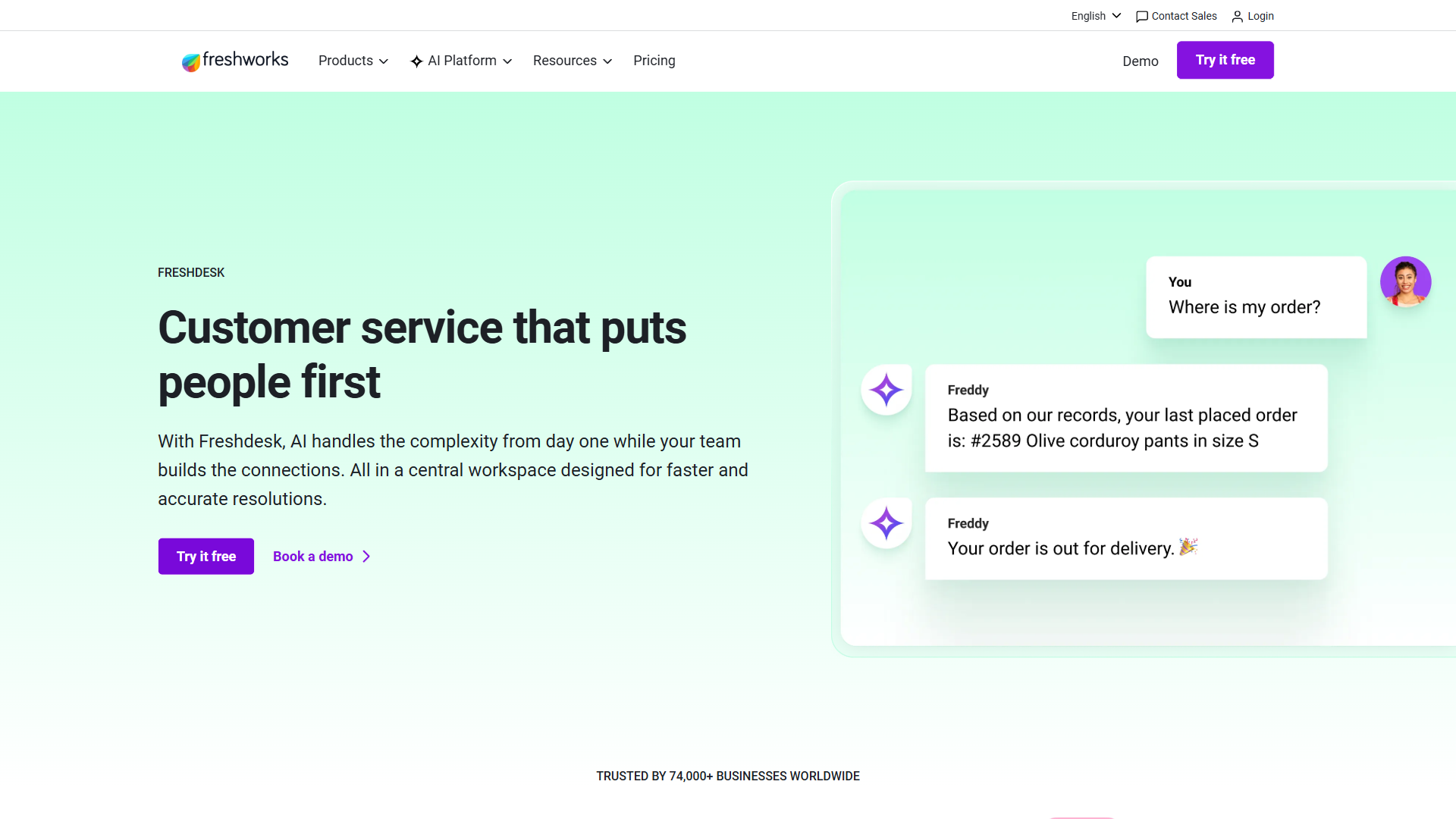
Freshdesk, part of the Freshworks suite, leans into traditional ticketing with omnichannel depth - email, live chat, phone, social, WhatsApp - all in a single agent workspace. It has a generous free tier (up to 10 agents), built-in Freddy AI for ticket suggestions and summarization, and enough automation to satisfy an IT services manager. Help Scout takes the opposite approach: it hides the word “ticket” entirely, presents every customer interaction as a clean email-like conversation, and is built around the idea that great support feels human.
This is an honest comparison. I’ll walk through pricing, UX, AI features, automation, reporting, and the edge cases where each tool quietly outperforms - so you can pick based on channel mix, team size, and the customer relationship you want to build.
Freshdesk vs Help Scout comes down to channel breadth and team philosophy. Freshdesk wins if you need omnichannel ticketing (chat, phone, social) plus a generous free tier for small teams up to 10 agents. Help Scout wins if you are email-first, want a conversation-led UX with no ticket language, and value polished simplicity over feature depth.
TL;DR: Who Should Choose Which
Choose Freshdesk if you support customers across multiple channels (email, chat, phone, social, WhatsApp), need a free tier to validate your help desk before paying, want built-in AI via Freddy AI, or operate inside the Freshworks stack. It is the better pick for small business teams that want to start free and scale, and for organizations needing SLA management or ITSM-adjacent workflows.
Choose Help Scout if your support is overwhelmingly email-based, you want a tool built for email above all other channels, your team values conversation-first design over ticket numbers, you want fast onboarding (under an hour), or you sell to customers who would balk at receiving a “Case #48291” auto-reply. Help Scout is the better pick for SaaS or e-commerce shops where reply quality matters more than raw channel count.
Skip both if you need deep, native CRM functionality in the same tool (look at HubSpot Service Hub or Zendesk instead), or you are a one-person shop where a shared Gmail inbox would suffice.
Freshdesk vs Help Scout: Head-to-Head Comparison
| Feature | Freshdesk | Help Scout |
|---|---|---|
| Starting price | Free (up to 10 agents) / around $15/agent | Free (limited) / Standard tier paid |
| Free tier | Yes - generous (10 agents) | Yes - limited (capped contacts) |
| Free trial | 14-day free trial on paid tiers | 15-day free trial |
| Email ticketing | Yes | Yes (core focus) |
| Live chat | Yes (native + Freshchat) | Yes (Beacon widget) |
| Phone support | Yes (Freshcaller) | No native phone |
| Social channels | Yes (Facebook, Twitter/X, Instagram, WhatsApp) | Limited |
| Knowledge base | Yes (Solution Articles) | Yes (Docs) |
| AI assistant | Freddy AI (suggest, summarize, draft) | Help Scout AI Assist (draft, summarize) |
| Automation depth | Deep (workflows, dispatchers, scenarios) | Moderate (workflows, saved replies) |
| Reporting | Pre-built + custom (paid tiers) | Pre-built reports, lighter customization |
| Aggregate rating | 4.5 | 4.1 |
| Best for | Omnichannel, small-to-mid teams, free-tier start | Email-first, SaaS, simplicity-focused teams |
Tradeoffs at a glance: Freshdesk’s drawback is configuration depth - dispatchers, SLAs, and channel routing all require admin time before they pay off. Help Scout’s limitation is the missing native phone product plus the per-user pricing model that scales aggressively past 10 agents. Pick based on which downside you can absorb.
How Do Freshdesk and Help Scout Compare on Pricing?
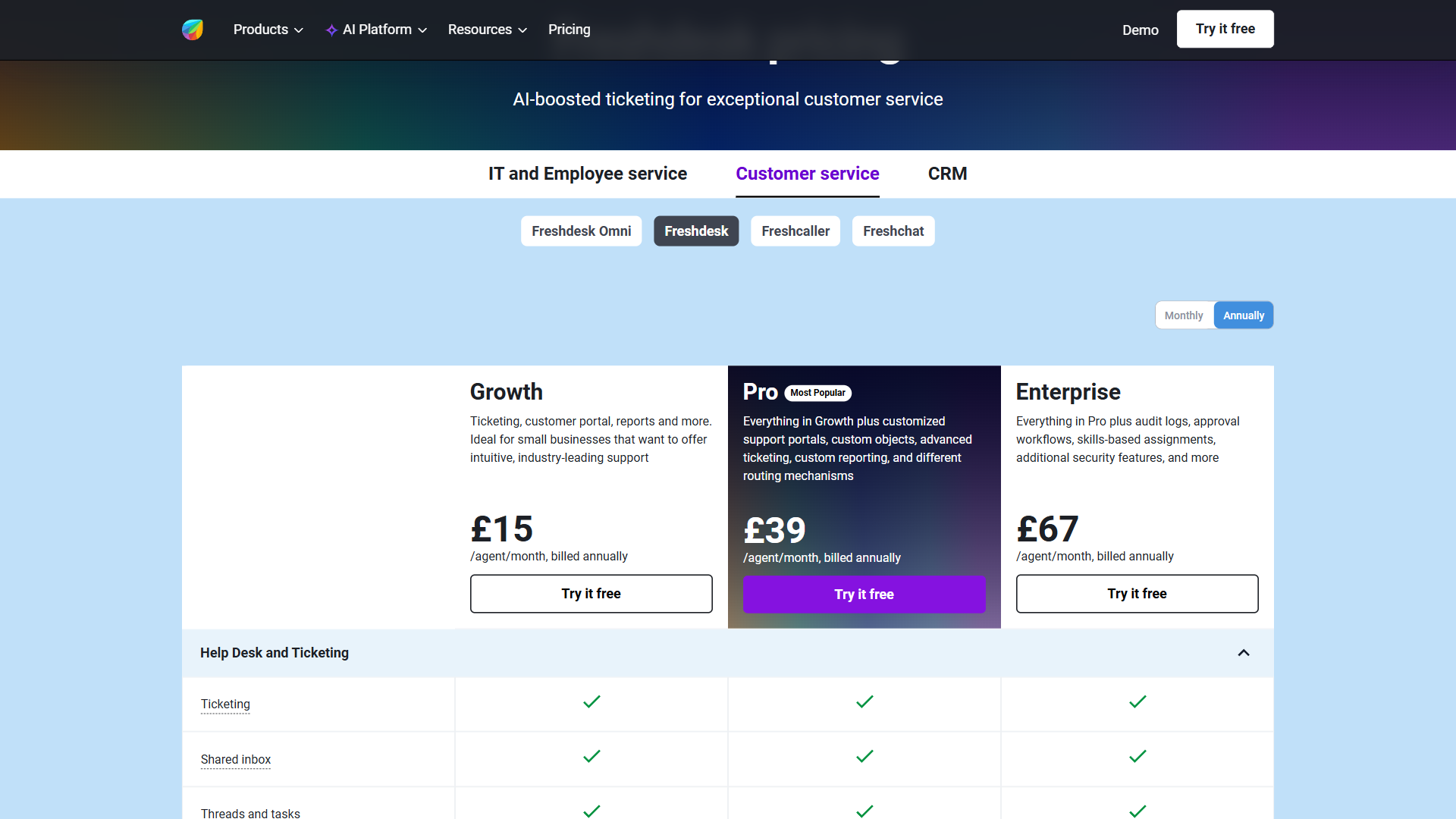
Pricing is where these tools diverge most sharply for small teams. Freshdesk has a real free tier for up to 10 agents with email and basic knowledge base, then ramps to roughly $15/agent/month on Growth. Help Scout has a free tier too, but it is capped on monthly contacts rather than agents, and the Standard tier sits at around $22 per user per month.
Pricing data unavailable for .
Freshdesk’s free tier is genuinely usable. You get email ticketing, basic ticket dispatch, and a knowledge base, with no agent limit warning until you hit 10. Growth (around $15/agent/month) adds automations, custom ticket views, collision detection, and more reporting. Pro and Enterprise unlock SLAs, custom roles, multilingual portals, Freddy AI Copilot, and full omnichannel.
Pricing data unavailable for .
Help Scout’s pricing reflects its positioning as a premium tool rather than a budget pick. The Standard tier covers most teams - shared inboxes, Docs, the Beacon chat widget, basic AI Assist, and core reporting. Plus and Pro add advanced permissions, AI Answers, custom reports, and HIPAA-compliant infrastructure.
The honest take: if budget is the deciding factor, Freshdesk wins on day one. If you are paying anyway and want the cleaner experience, Help Scout’s premium is small and the time saved on onboarding can offset it within a quarter.
Not for: very small teams that only need email - the per-user Standard tier on Help Scout adds up fast, and Freshdesk’s per-channel surcharges on the cheaper tiers can erode the price gap. The biggest gripe on both sides is mid-cycle plan creep once usage scales.
UX Philosophy: Ticket-First vs Conversation-First
This is the biggest difference between these products, and it shapes everything else. Freshdesk presents customer messages as tickets - numbered, statused (Open, Pending, Resolved, Closed), prioritized, and assigned. Agents work from a list view like a traditional issue tracker. Power users love it because every interaction has structure: SLAs tick down, dispatchers route on conditions, supervisors audit every state change.
Help Scout’s interface looks like Gmail crossed with a CRM. Every customer interaction is a conversation, threaded chronologically, with a sidebar showing customer history and notes. No ticket numbers shown to the customer, no robotic auto-replies with case IDs, and the composer feels exactly like an email client. The customer never knows they are touching a help desk.
This conversation-vs-ticket UX choice has a measurable effect on customer support metrics like CSAT and first-reply tone scores.
The language and structure of your tool shapes how your agents think. Ticket-first systems optimize for resolution speed and metrics. Conversation-first systems optimize for relationship and clarity. Pick the one that matches how you want your team to behave.
Not for: Freshdesk’s ticket model is not ideal for boutique SaaS brands whose customers expect human-feeling email replies; Help Scout’s conversation model is not ideal for ITSM-style teams that need structured queues, audit trails, and SLA breach reporting per ticket.
Omnichannel: Where Freshdesk Pulls Ahead
If your customers reach out across more than two channels, this section probably decides the comparison. Freshdesk omnichannel supports email, live chat (native + via Freshchat), phone (via Freshcaller, with call recording and IVR), Facebook Messenger, Instagram DMs, Twitter/X DMs, WhatsApp Business, and Apple Business Chat - all in one agent workspace. Freddy AI sits on top, summarizing threads and suggesting replies.
Help Scout’s channel coverage is intentionally narrower: an inbox built for email, the Beacon embeddable chat widget, and Facebook/Instagram via third-party connectors. There is no native phone product. If phone support matters, you would pair Help Scout with Aircall or OpenPhone, which adds cost and complexity.
For a team running a single shared inbox plus occasional live chat, this gap doesn’t matter. For a team fielding phone calls, WhatsApp, and social DMs alongside email, Freshdesk’s all-in-one approach is meaningfully more efficient. Note: omnichannel is not free on Freshdesk - phone and chat have per-seat costs beyond the bundled allowances. Read the pricing page carefully if multichannel is the reason you are buying.
Not for: Freshdesk’s omnichannel breadth is wasted on email-only teams and adds line-item costs you will not recover. Help Scout’s narrow channel mix is not a fit for any team where phone, WhatsApp, or social DMs are a meaningful share of inbound volume - the missing native phone product is a hard limitation.
Simplicity & Time to Value: Where Help Scout Wins
The flip side of Freshdesk’s depth is configuration overhead. Out of the box you will spend meaningful time setting up ticket fields, dispatcher rules, SLA policies, and agent groups. The default UI density is high, which is a feature for power users and a turnoff for small teams.
Help Scout’s onboarding is famously fast. Most teams are live within an hour: connect your support email, invite agents, set up saved replies, and you are taking real conversations. The UI surfaces only what is needed and tucks advanced settings behind a clean panel.
Support tools that take a week to configure tend to stay half-configured forever - workflows nobody updated, automations firing on stale conditions. If your team is small and you want the help desk live this afternoon, Help Scout is the safer bet.
Not for: Help Scout’s lightweight setup has a real limitation for teams with mandatory SLA reporting, multi-language portals, or complex routing rules - the simplicity that ships fast is the same simplicity that hits a ceiling at scale. Freshdesk’s setup overhead is not ideal for solo founders who would rather take five conversations a day than configure a dispatcher. Skip Help Scout if your roadmap includes regulated ITSM workflows; skip Freshdesk if your first goal is “live by lunchtime.”
AI Features: Freddy AI vs Help Scout AI Assist
Both platforms ship AI assistance, but they target different jobs. Freddy AI covers ticket summarization for long threads, suggested replies based on prior tickets and your knowledge base, intent detection for routing, sentiment scoring on incoming messages, and a customer-facing Freddy Self Service bot that deflects common questions. Freddy Copilot (Enterprise) adds agent-facing chat that drafts full replies and pulls CRM context.
Help Scout AI Assist focuses on the writing experience first. It summarizes conversation threads, drafts replies based on context, adjusts tone (more formal, concise, friendlier), and translates inbound messages. Help Scout’s AI Answers (higher tiers) is a Docs-grounded chatbot that answers customer questions from your knowledge base. Solid, but narrower than Freddy AI’s bot/routing/sentiment combo. Teams investing here usually pair the chatbot with a clear support automation playbook so deflection actually frees up agent hours.
Freddy is a more comprehensive AI suite, especially if you want bots, intent classification, and customer-facing deflection. Help Scout AI Assist is more focused, with tighter integration into the writing flow. If “AI features” is on your buying checklist, Freshdesk has more depth.
Not for: Freddy’s broader capability list lives behind Pro and Enterprise tiers, which is the real limitation for budget buyers - small teams on Growth get the headline name but not the bot or full Copilot. Help Scout AI Assist has a clear drawback for teams that need intent classification, sentiment routing, or a customer-facing deflection bot beyond Docs Q&A. Skip Freddy if you only need draft assistance; skip Help Scout AI if you need bots and routing.
Knowledge Base & Self-Service (Docs vs Solution Articles)
Both products have a real knowledge base, and both are well-regarded. Help Scout Docs has been popular for years - clean editor, beautiful default themes, search analytics, and a Beacon widget that surfaces relevant articles inside the chat experience. Great if you want a public help site that looks like your brand without heavy CSS work.
Freshdesk Solution Articles are equally capable - multi-language, multi-product, version control, draft/publish workflow, and tight integration with Freddy Self Service for AI-powered article suggestions. The default theme is more utilitarian but customizable, and integration with the wider ticketing system is tighter.
Call it a tie on capability. Help Scout edges ahead on visual polish, Freshdesk edges ahead on integration depth and multi-language support for global teams.
Not for: Help Scout Docs has a real drawback for sites needing complex versioned product documentation or article-level permissions. Freshdesk Solution Articles has a clear limitation for brands where the public help center has to look pixel-perfect on day one without custom CSS work. Skip Docs if you need granular permissioning; skip Solution Articles if visual polish out of the box matters more than depth.
How Do Freshdesk and Help Scout Compare on Reporting and Analytics?
Freshdesk’s reporting goes deeper, especially on Pro and above. Pre-built dashboards cover volume, response time, resolution time, CSAT, agent performance, and channel breakdown; the Analytics module supports custom drag-and-drop reports; Enterprise unlocks journey reports and AI insights. For slicing data by channel, agent, product line, and SLA breach reason at once, Freshdesk is more capable.
Help Scout’s reporting is intentionally lighter - pre-built reports for conversations, happiness, productivity, channels, Docs, and chat cover most small-to-mid-sized team needs. Plus adds custom fields and the View Builder. For executive dashboards or cohort analyses, Freshdesk is safer.
Not for: Freshdesk’s deeper analytics are a downside if nobody on your team will build dashboards - paid-tier complexity with nothing to show for it. Help Scout’s lighter reporting is not a fit for support orgs whose leadership demands attribution by product line, region, or SLA breach reason.
Automation Depth
Freshdesk has three layers of automation: Dispatch’r (rules firing on ticket creation - routing, assignment, tagging), Observer (rules firing on ticket events - status changes, replies, time-based triggers), and Supervisor (rules running hourly against queues - SLA escalations, follow-ups). On top, Workflow Automator builds multi-step branching workflows visually, and Scenario Automation handles one-click multi-action sequences.
Help Scout’s automation is simpler and tighter. Workflows fire on conversation events (received, assigned, status change, tag added) and execute actions (assign, tag, change status, auto-reply, add note). You can chain conditions and actions, but not the branching, time-based escalation logic Freshdesk supports natively. Saved replies are excellent and tightly integrated into the composer.
The trade-off: more power, more setup. Freshdesk handles complex SLA escalations and multi-team routing. Help Scout handles 80% of what most teams need, with much less maintenance.
Not for: Freshdesk’s three-layer automation model is overkill for teams who would never wire a time-based escalation - the configuration overhead becomes drawback rather than feature. Help Scout’s Workflows are not a fit for support ops needing branching logic, multi-step business rules, or hourly queue sweeps.
Integrations & Ecosystem
The Freshdesk marketplace is the larger of the two - around 1,000+ apps spanning CRM, e-commerce, telephony, and developer tools. Native integrations with Slack, Teams, Salesforce, Shopify, Jira, and Stripe are well-maintained. Critically, Freshdesk plugs into the rest of the Freshworks stack (Freshsales CRM, Freshchat, Freshservice, Freshcaller) - a meaningful advantage if you are buying multiple Freshworks products.
The Help Scout marketplace is smaller (around 100+) but tightly curated - Slack, Shopify, HubSpot CRM, Salesforce, Jira, Stripe, Mailchimp all well-covered. A clean public API and webhooks handle custom workflows.
If integration breadth is on your checklist, Freshdesk wins. If you only need the top 20 mainstream connectors, Help Scout has you covered without the noise.
Not for: Freshdesk’s marketplace breadth is a drawback when the integration you actually need lives in a poorly-maintained third-party app rather than a Freshworks-built one. Help Scout’s smaller marketplace is not a fit for teams that depend on niche vertical integrations (industry-specific CRM, custom telephony, regional fintech).
User Reviews & Ratings
Freshdesk’s aggregate reflects strong reviews across independent platforms, with verified user reviews praising omnichannel coverage, AI features, and the free tier. Common gripes include feature creep, UI density, and support quality on lower tiers. Many reviewers single out the Freddy AI suggestions as a productivity boost on long ticket threads, while others note that getting the most out of dispatchers and SLAs requires real admin time.
Help Scout draws consistent praise for ease of use, customer-facing polish, and the conversation-led UX, with critiques around per-user pricing at scale and the missing native phone support. Both are genuinely loved - the divergence is about fit, not quality.
Not for: the public score on Freshdesk has lower-tier complaints baked in - lean teams considering Growth should test the per-channel limits before signing. Help Scout’s strong rating skews toward small teams in its native lane; mid-market reviewers consistently flag the cost trajectory and the lack of phone as the limitation that pushes them off the platform.
When to Choose Freshdesk
Pick Freshdesk if:
- You support customers across multiple channels (email plus chat, phone, social, WhatsApp) and want one workspace.
- You are a small business that wants a real free trial and a free tier scaling to 10 agents.
- You need AI beyond writing assistance - intent routing, customer-facing bots, sentiment analysis.
- You operate inside the Freshworks ecosystem (Freshsales, Freshservice).
- You need deep SLA management, multi-language portals, or ITSM-adjacent workflows.
Not for: lean teams that want a help desk live this afternoon - the real drawback is dispatcher rules, SLA policies, and ticket-field setup tend to drag onboarding past the day-one mark. Also a hard limitation for SaaS brands that bristle at “Case #48291” auto-reply language in front of customers. Skip Freshdesk if your team is two people and email is the only channel.
When to Choose Help Scout
Pick Help Scout if:
- Your support is email-first and you want a tool that respects that channel.
- Customer experience matters more than feature breadth and you want no ticket language in front of customers.
- You want fast onboarding - live in under an hour.
- Your team is 5-30 agents and would rather pay a small premium than fight UI density.
- You sell SaaS or e-commerce to customers who expect human-feeling replies.
Not for: teams that need native phone support or true omnichannel routing across WhatsApp, Instagram DM, and social - the limitation is real, Beacon covers chat but the broader channel mix requires bolt-ons like Aircall. Also a drawback for very small teams since there is no agent-count free tier. Skip Help Scout if multichannel routing is on your day-one checklist.
The Bottom Line
Freshdesk vs Help Scout is genuinely a fit question, not a winner question. Freshdesk is the deeper, more flexible, more channel-rich platform with a free tier that is hard to beat - choose it if breadth and budget matter. Help Scout is the cleaner, faster-to-deploy, more customer-respectful tool that will make your agents and your customers happier with less configuration overhead - choose it if simplicity and polish matter. Both will run a real support operation. Use the free trial on each, pipe one week of real conversations through, and trust how your team reacts.
Frequently Asked Questions
Is Freshdesk cheaper than Help Scout?
Yes, for most team sizes. Freshdesk has a free tier supporting up to 10 agents (email and basic knowledge base), and its lowest paid tier starts around $15/agent/month. Help Scout’s Standard tier is meaningfully more expensive on a per-seat basis, with a more limited free tier capped on monthly contacts. If price is the deciding factor, Freshdesk wins - though Help Scout’s premium can be justified by faster onboarding and lower configuration overhead.
Is Help Scout better than Freshdesk for small teams?
It depends on channel mix. For a small business team that is email-first and values polish, Help Scout is better - faster setup, simpler UI, conversation-led UX customers prefer. For a small team needing multichannel coverage (chat, phone, social) or wanting to start free, Freshdesk wins. Help Scout is the safer pick for SaaS or e-commerce teams under 30 agents who don’t need phone support.
Can Freshdesk replace Help Scout?
Functionally, yes - Freshdesk covers everything Help Scout does (email, chat, knowledge base, AI assistance, reporting) and more. The catch is the experience: Freshdesk is ticket-first with higher UI density and configuration overhead, so your agents will need to adjust. Most teams that switch from Help Scout to Freshdesk do so because they need omnichannel depth, not because Help Scout fell short.
Does Help Scout have a free plan?
Help Scout has a free tier, but it is more restrictive than Freshdesk’s - capped on monthly contacts and missing most Standard features. It works for very small teams testing the product. For serious volume, expect to land on the Standard tier within the first month. Help Scout also offers a 15-day free trial of paid tiers if you want the full product.
Related Reading
- Freshdesk - full tool review with ratings and pricing
- Help Scout - full tool review and feature breakdown
- Freshdesk vs Zendesk - deeper-feature alternative
- Zendesk vs Help Scout - Help Scout’s other major rival
- Freshdesk vs HubSpot Service Hub - CRM-integrated alternative
- Help Scout Alternatives - broader email-first landscape
- Freshdesk Alternatives - other omnichannel options
External Resources
- Freshdesk official site - latest pricing, plan comparisons, and free-tier sign up
- Help Scout official site - current pricing, demo booking, and free trial
- Freddy AI overview - Freshdesk’s full AI capability documentation