

Freshdesk vs HubSpot Service Hub: two of the most-considered help desks for SMBs and mid-market teams compared side by side - free tiers, AI features, ecosystem fit, and the honest answer for who should pick which.
Introduction
Choosing between Freshdesk and HubSpot Service Hub is rarely a pure feature comparison. Both ship the table-stakes tools any help desk needs: ticketing, knowledge base, SLA management, CSAT surveys, and an AI assistant. Where they diverge is the ecosystem context they assume. Freshdesk is a standalone support platform that has been refined for ticket-driven workflows since 2010. HubSpot Service Hub is a service tier inside HubSpot’s broader Smart CRM, designed to extend an existing HubSpot relationship into post-sale support.
The right choice usually comes down to one question: are you already on HubSpot? If yes, Service Hub typically wins on integration alone. If no, Freshdesk usually wins on price, ticketing depth, and free-tier generosity.
Freshdesk vs HubSpot Service Hub comes down to ecosystem versus standalone strength. Freshdesk offers a free plan for up to 10 agents with native AI (Freddy), while HubSpot Service Hub’s strength is sitting inside the HubSpot Smart CRM where every ticket inherits the contact, deal, and marketing history already on file. For teams not in HubSpot, Freshdesk is the safer pick.
TL;DR: Who Should Choose Which
Pick Freshdesk if you: want a standalone help desk, value a free tier for up to 10 agents, need ticketing-first workflows, run a primarily reactive support team, or want fast onboarding without committing to a broader CRM ecosystem.
Pick HubSpot Service Hub if you: already use HubSpot CRM or Marketing Hub, want a unified sales-marketing-service customer view, prioritize customer feedback workflows (NPS, surveys), or value the broader HubSpot ecosystem more than ticketing depth.
Either works for: small teams handling under 1,000 tickets per month, teams needing a knowledge base, basic AI assistance, and standard SLA management.
Comparison Table: Freshdesk vs HubSpot Service Hub Head-to-Head
| Feature | Freshdesk | HubSpot Service Hub |
|---|---|---|
| Free tier | Up to 10 agents | Free Tools (very limited tickets) |
| Cheapest paid | Growth tier (around $15/agent/mo) | Starter (around $20/seat/mo) |
| AI assistant | Freddy AI (most paid plans) | Breeze AI (Pro+ tiers) |
| Native CRM | Add-on (Freshsales) | Built-in (HubSpot Smart CRM) |
| Knowledge base | Yes (multi-product on higher tiers) | Yes |
| NPS / CSAT surveys | CSAT included; NPS paid | NPS and CSAT included on higher tiers |
| Multi-channel | Email, chat, phone, social | Email, chat, calls, social |
| Reporting | Strong, customizable | Strong, tied to CRM data |
| Best for | Standalone support teams | HubSpot-native teams |
| Aggregate user review score | 4.5 | 4.0 |
How Do Freshdesk and HubSpot Service Hub Compare on Pricing?
Both vendors offer a free option, but they are not equivalent. Freshdesk’s free tier is genuinely usable for a small team running real support; HubSpot’s free tools cap at very low ticket and contact volumes designed mostly to nurture you into a paid upgrade.
Pricing verified April 2026 from Freshdesk's pricing page:
- Free: $0/mo
- Up to 2 agents (6 months)
- Email ticketing
- Knowledge base
- Growth: $19/user/mo annual ($23 monthly)
- Ticketing and customer portal
- Automation
- SLA management
- Pro: $55/user/mo annual ($66 monthly)
- Everything in Growth
- Customized support portals
- Custom objects
- Enterprise: $89/user/mo annual ($107 monthly)
- Everything in Pro
- Audit logs
- Approval workflows
Pricing verified April 2026 from HubSpot's pricing page:
- Free Tools: $0/mo
- Free CRM for up to 2 users
- 5x Free Core Seat limit with unlimited view-only seats
- Sales, marketing, service, content, and operations tools
- Starter Customer Platform: $9/user/mo annual ($15 monthly)
- Access to all five hubs (Marketing, Sales, Service, CMS, Operations)
- 1,000 marketing contacts included
- Marketing automation basics
- Professional (Marketing Hub): $801/user/mo annual ($890 monthly)
- 2,000 marketing contacts included
- 3 core seats included
- Omnichannel marketing automation
- Enterprise (Marketing Hub): $3240/user/mo annual ($3600 monthly)
- 10,000 marketing contacts included
- 5 core seats included
- Unlimited automated emails
- Professional (Sales/Service Hub): $450/user/mo annual ($500 monthly)
- 3 core seats included
- 3,000 calling minutes per user
- Multiple deal/ticket pipelines
- Enterprise (Sales/Service Hub): $1350/user/mo annual ($1500 monthly)
- 5 core seats included
- 12,000 calling minutes per user
- 100+ deal pipelines (Sales), unlimited ticket pipelines (Service)
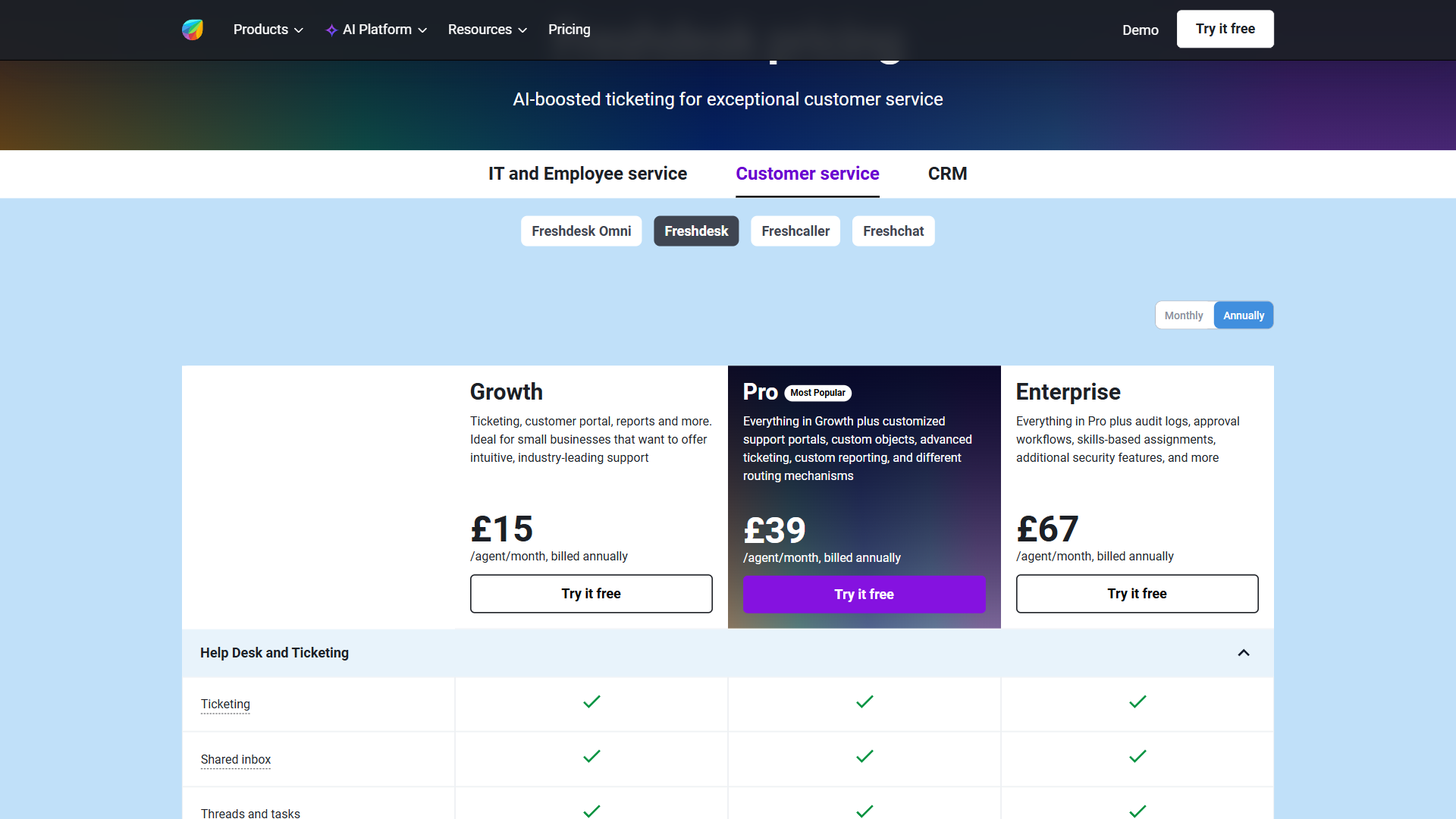
The honest pricing summary: at small scale (under 10 agents) Freshdesk is meaningfully cheaper because the free tier is real. At mid-market scale, the prices converge - HubSpot Service Hub Professional is in the same ballpark as Freshdesk Pro. Visit Freshdesk’s pricing page or HubSpot Service Hub pricing for current per-seat numbers, since both vendors run frequent promotions.
Ticket Management & Workflow Automation
This is where Freshdesk’s history shows. Ticketing is the original product, and the depth shows in shared inbox views, ticket merging, parent-child ticket relationships, time-based escalation, and round-robin assignment. The interface assumes you are a support agent first.
HubSpot Service Hub’s ticketing is also competent, but it is closer to a “ticket type” inside the broader HubSpot record system. Tickets are first-class records that inherit company and contact properties, which is powerful when you have rich CRM data on each customer - but feels heavier when you just want to triage incoming email.
For pure ticket throughput, Freshdesk’s UI gets agents to the next ticket faster. For contextual customer history alongside the ticket, HubSpot’s CRM-native view wins.
Weaknesses: Freshdesk lacks the deep CRM context HubSpot offers, so reps lose visibility into deal stages and marketing touchpoints when working a ticket. HubSpot’s ticketing UI is heavier than Freshdesk’s and feels slower for high-volume triage where speed matters more than context.
Which Has Better AI, Freddy AI or HubSpot Breeze AI?
Both platforms have credible AI assistants now. Freddy AI on Freshdesk handles ticket summarization, response suggestion, sentiment analysis, agent assist, and auto-triage. It is bundled with most paid Freshdesk plans, not metered as a separate add-on.
HubSpot Breeze AI covers similar ground (summary, draft reply, sentiment) and additionally surfaces insights from the CRM - “this customer has 3 open deals” - because it can read from the same record system that holds sales and marketing data. Breeze is gated to Service Hub Pro and Enterprise.
Net: comparable AI assistance, but Breeze’s CRM-aware context is a real advantage if your sales and service data lives in HubSpot. Freddy is the more accessible option because it is available earlier in Freshdesk’s pricing ladder.
Weaknesses: Freddy AI lacks the cross-system CRM context that Breeze pulls automatically, so reps have to manually look up deal and marketing history. Breeze AI is locked behind the Pro tier, meaning Starter users get none of the AI summarization or auto-reply features that Freddy offers on Growth.
Knowledge Base, Self-Service, and Community
Both ship with a serviceable knowledge base. Freshdesk’s solution articles support multi-language and (on higher tiers) multi-product knowledge bases, which is useful for vendors with distinct product lines. HubSpot’s knowledge base is tightly integrated with the CRM - you can track which articles a contact viewed and use that signal in marketing or sales workflows.
For community forums, neither is best-in-class - both lag behind Discourse or Insided for community-led support. Most teams choosing Freshdesk vs HubSpot Service Hub will not be deciding on community features.
Weaknesses: Freshdesk lacks the contact-tracking signal that lets you use article views in marketing workflows. HubSpot’s multi-product knowledge base support is weaker than Freshdesk’s, so vendors with distinct product lines hit limitations on the HubSpot side first.
Integrations and Ecosystem (Where HubSpot Pulls Ahead)
This is HubSpot’s strongest argument. Service Hub plugs directly into HubSpot CRM, Marketing Hub, Sales Hub, Operations Hub, and CMS Hub with no integration work. A support ticket can trigger a marketing workflow, a deal can show service history, and an NPS detractor can land in a sales playbook for proactive follow-up. None of that requires a third-party connector.
Freshdesk’s ecosystem is Freshworks: Freshsales for CRM, Freshchat for live chat, Freshcaller for telephony. These integrate well with Freshdesk but require buying into the Freshworks ecosystem if you want native cross-product workflows. With third-party CRM (Salesforce, Pipedrive, Zoho CRM), Freshdesk relies on integrations rather than native records.
If your sales and marketing already live in HubSpot, Service Hub’s ecosystem advantage often justifies its higher per-seat price.
Weaknesses: Freshdesk lacks the native cross-Hub workflows that make Service Hub valuable to existing HubSpot customers; integrating with a third-party CRM means losing the record-level depth HubSpot users get out of the box. HubSpot’s ecosystem advantage flips into a lock-in cost the moment you want to leave - data export is straightforward but recreating the cross-Hub workflows in another stack is not.
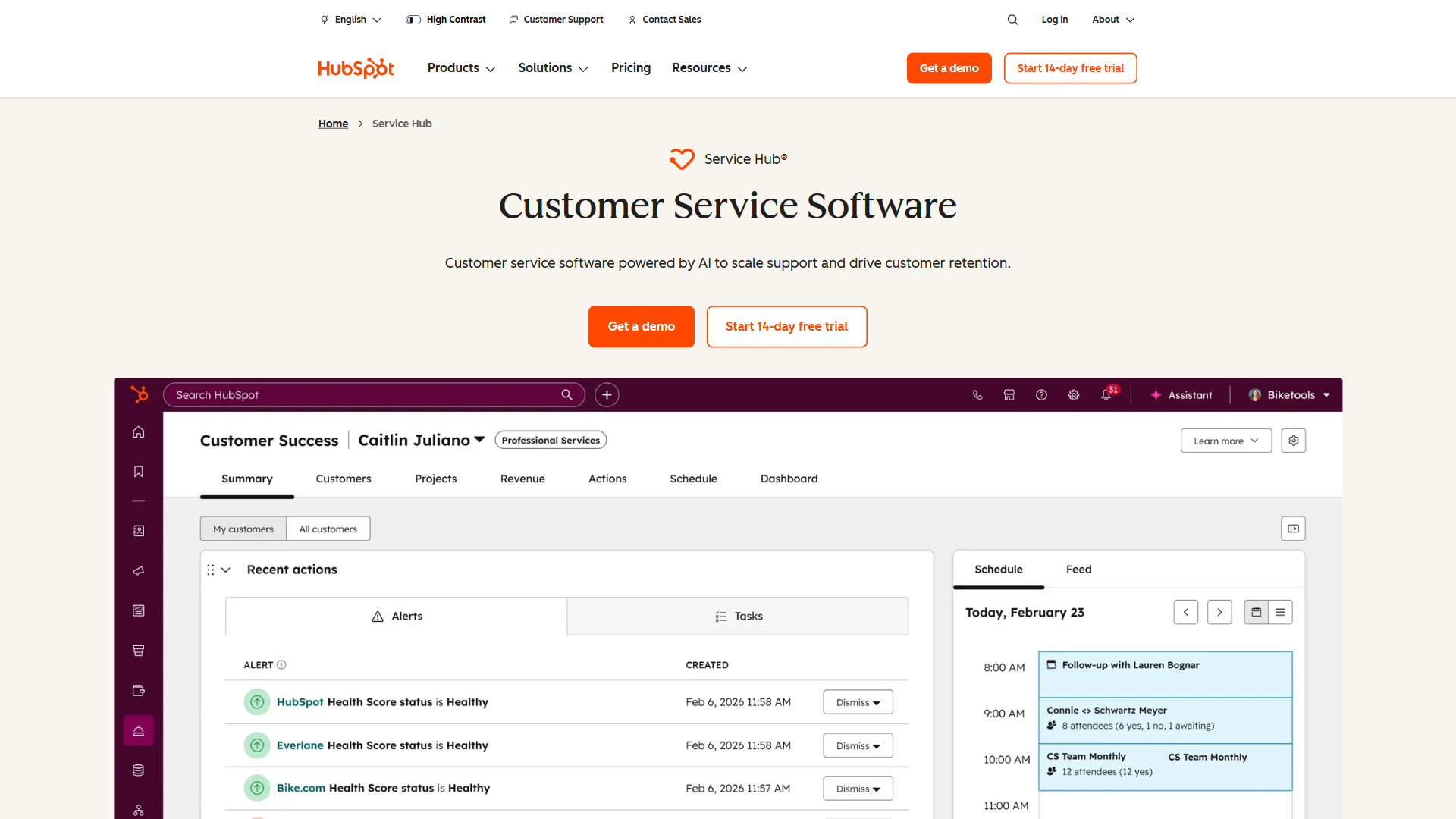
Reporting and Analytics
Freshdesk’s reporting is strong, with customizable dashboards covering SLA compliance, agent performance, ticket volume by channel and category, and CSAT trends. Higher tiers add custom report builders and forecast analytics.
HubSpot’s reporting inherits the broader HubSpot reporting engine, which is one of the platform’s most polished features. Custom reports can combine support data with sales and marketing data in the same dashboard. For executives who want a single view of customer health, HubSpot wins.
For support managers who want operational dashboards, both are sufficient.
Weaknesses: Freshdesk cannot blend support data with sales/marketing data in a single dashboard the way HubSpot can, which limits its value for executive-level customer-health reporting. HubSpot’s custom report builder is locked behind higher tiers, meaning Starter customers get less reporting flexibility than Freshdesk Growth provides at a similar price point.
Customer Feedback (NPS, CSAT, Surveys)
CSAT is included on most Freshdesk paid tiers. NPS is a higher-tier feature (Pro and above) and is less polished than dedicated NPS tools.
HubSpot Service Hub includes NPS and CSAT on the Professional tier with cleaner survey design, automated send rules tied to lifecycle events, and direct sync with CRM records. For teams that take customer feedback workflows seriously, HubSpot is the better fit.
Weaknesses: Freshdesk’s NPS implementation is less polished than HubSpot’s and lacks the automated lifecycle-triggered surveys that make NPS programs actually run themselves. HubSpot’s NPS only unlocks at the Professional tier, so teams looking to start small face a higher minimum spend than the Freshdesk Pro equivalent.
Setup Speed and Onboarding
Freshdesk wins clean here. A small team can be sending email, knowledge base, and basic ticketing in under an hour. The free tier removes the contract friction entirely.
HubSpot Service Hub setup depends on whether you already have HubSpot CRM. If yes, Service Hub is essentially an upgrade flip and your CRM contact records become ticket records. If no, you have to provision the broader HubSpot account, import contacts, and learn the CRM patterns before tickets feel natural - more a weekend project than an afternoon.
Weaknesses: Freshdesk’s fast setup comes at the cost of CRM richness - you get a ticketing inbox quickly but not the contact-history depth HubSpot bundles by default. HubSpot’s slower onboarding is a real cost for teams without prior HubSpot experience; budget at least a weekend for setup if Service Hub is your first HubSpot product.
User Reviews & Ratings
Aggregated user ratings give a high-level read on satisfaction, but for help-desk tools the verbatim reviews matter more than the score - small teams and enterprises rate the same product very differently. Below are both vendors’ aggregate ratings drawn from across third-party review platforms.
Freshdesk consistently scores well for “ease of setup” and “quality of support” - the two sub-scores small teams weigh heaviest. HubSpot’s ratings, by contrast, often lead on “integration quality” because most reviewers also use other HubSpot Hubs.
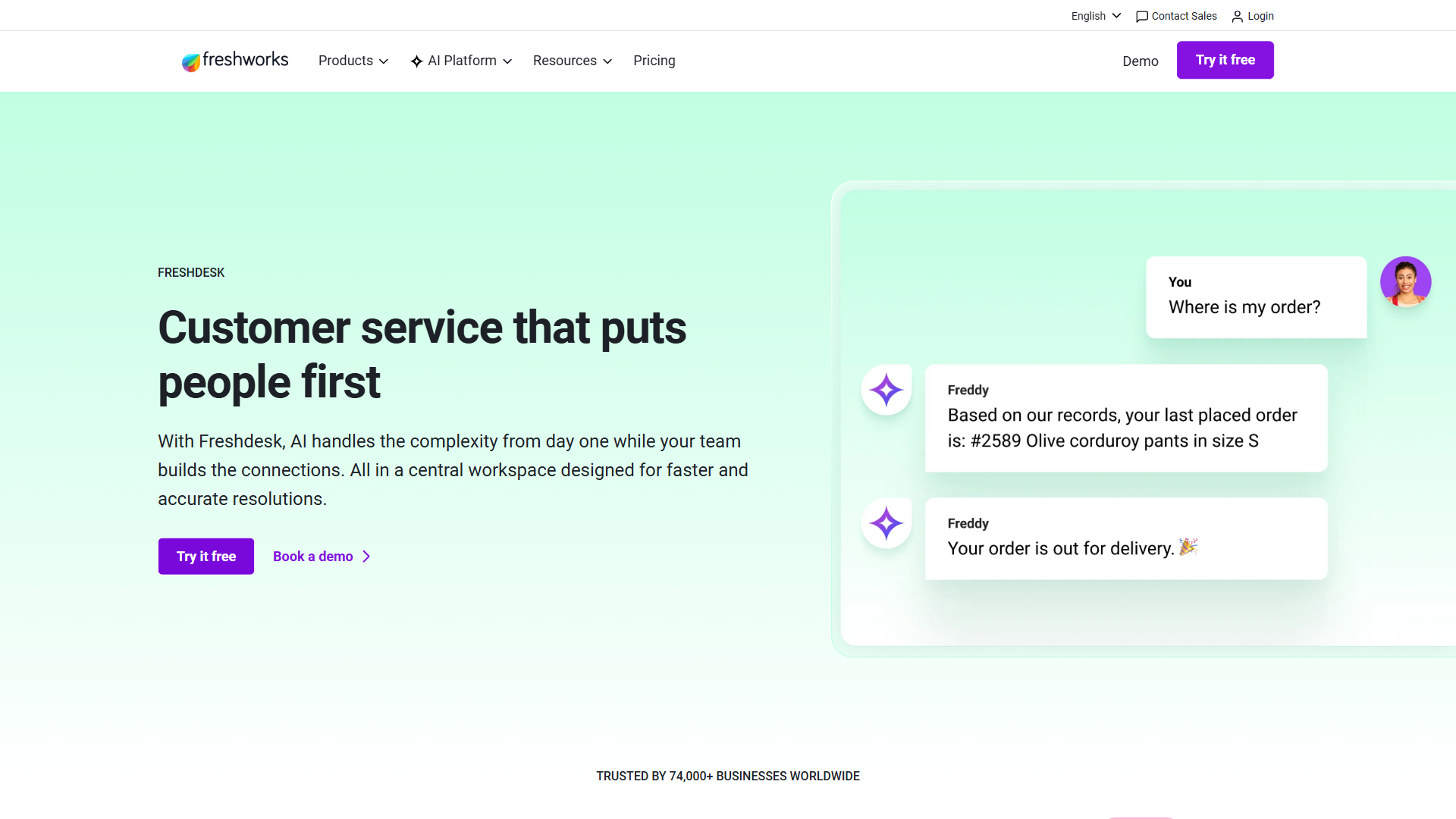
Verified user reviews on third-party review aggregators paint a consistent picture: Freshdesk is praised for ease of use, fast time to value, and strong ticketing UX. Criticism focuses on the price-creep when you outgrow the free tier and the strength of upsells inside the Freshworks ecosystem.
HubSpot Service Hub gets praise for its CRM-native context, reporting depth, and the broader ecosystem. Criticism centers on per-seat cost, the steep ramp to access Pro-tier AI features, and the way ticketing depth can feel secondary to CRM workflow design.
Weaknesses: Freshdesk’s published score on user review aggregators trails HubSpot on a few axes, particularly the “fit for enterprise” sub-scores; HubSpot trails Freshdesk on “ease of setup” for teams not already on the HubSpot stack. Aggregate ratings hide these context-specific tradeoffs - always read the verbatim reviews for your team size before committing.
Choose Freshdesk if your team needs standalone ticketing
Choose Freshdesk when your team needs a standalone help desk that does ticketing extremely well, when the free tier for up to 10 agents removes most of the buying-decision pressure, when you do not already live in HubSpot, or when you need faster time to first-ticket. Solo support engineers, SMBs without a CRM commitment, and product companies handling reactive support all fit this profile.
Not for: teams already paying for HubSpot CRM where the integration value of Service Hub outweighs the per-seat premium. Also not for teams that need deep NPS/CSAT survey workflows tied to revenue events.
Choose HubSpot Service Hub if you already use HubSpot CRM
Choose HubSpot Service Hub when your sales and marketing already live in HubSpot, when ticket-to-deal context matters for revenue protection, when NPS and CSAT workflows feed directly into sales follow-ups, or when your executive team wants unified customer reporting across the funnel. Teams that already pay for HubSpot Marketing Hub or Sales Hub get incremental value from adding Service Hub that no standalone help desk can match.
Not for: teams not on HubSpot today; the per-seat premium and broader-platform learning curve are hard to justify just for ticketing. Also not for cost-sensitive small teams under 10 agents where Freshdesk’s free tier eliminates the buying decision entirely.
The Bottom Line
If you are already on HubSpot, pick HubSpot Service Hub - the integration value usually exceeds the per-seat premium. If you are not on HubSpot, Freshdesk wins on price, ticketing depth, and free-tier generosity, and the AI gap with Breeze is narrower than HubSpot’s marketing implies. Most teams making this decision will save money and onboard faster on Freshdesk; teams making this decision inside an existing HubSpot account should not introduce a second help desk just to save a few dollars per seat.
Frequently Asked Questions
Is Freshdesk better than HubSpot Service Hub?
Neither is universally better - the answer depends on your stack. Freshdesk is generally better for standalone support teams, for SMBs that need a free tier, and for ticketing-first workflows. HubSpot Service Hub is generally better for teams already using HubSpot CRM or Marketing Hub, where the native ecosystem context lifts support from reactive to proactive. For teams with no prior HubSpot investment, Freshdesk wins more often.
What is the price difference between Freshdesk and HubSpot Service Hub?
At small scale the gap is large because Freshdesk’s free tier supports up to 10 agents while HubSpot’s free service tools cap at very low limits. The cheapest Freshdesk paid tier (Growth) starts around $15 per agent per month, while HubSpot Service Hub Starter begins around $20 per seat. At Professional and Enterprise levels the per-seat prices converge, but HubSpot Service Hub Pro is typically more expensive than Freshdesk Pro on a like-for-like basis. Check both vendor pricing pages for current numbers since promotions change frequently.
Does Freshdesk have a free plan like HubSpot?
Yes - Freshdesk’s Free plan supports up to 10 agents with email ticketing, basic knowledge base, and reporting. HubSpot offers Service Hub Free Tools that are usable for very small teams but cap quickly on tickets, automation, and reporting features. For teams under 10 agents, Freshdesk’s free tier is the more practical choice.
Can you migrate from HubSpot Service Hub to Freshdesk?
Yes. Freshdesk’s import tool accepts CSV exports of tickets, contacts, companies, and knowledge base articles - which HubSpot supports natively. The migration is straightforward for ticket data but loses the HubSpot CRM context (deal history, marketing touchpoints, lifecycle stage). Plan a parallel run during migration so your team does not lose visibility into open conversations.
Related Reading
- Freshdesk - Our full Freshdesk review with ratings, pricing, and feature analysis.
- HubSpot - Our full HubSpot review covering Service, Sales, Marketing, and CMS Hubs.
- Zendesk vs HubSpot Service Hub - Adjacent comparison if Zendesk is also on your shortlist.
- Freshdesk vs Zendesk - Freshdesk against the other big help desk incumbent.
- Freshdesk Alternatives - Broader landscape if neither fits.
- Best CRM Software 2026 - Decide on the CRM first, then choose the matching service tool.
External Resources
- Freshdesk Pricing Page - Current per-agent monthly pricing across all tiers.
- HubSpot Service Hub Pricing - Current per-seat pricing for Starter, Professional, and Enterprise.
- Atlassian ITSM Knowledge Base best practices - Authoritative guide on building a help desk knowledge base.