


Freshservice vs Jira Service Management is a comparison of two ITSM platforms with opposing philosophies. Freshservice from Freshworks is ITIL-aligned out of the box for internal IT teams needing fast onboarding, while Jira Service Management from Atlassian extends the Jira platform with developer-grade workflow control for engineering-led operations.
Two ITSM platforms that solve overlapping problems with very different philosophies - one ITIL-native, the other developer-first. Here is when each is the right pick.
Introduction
If you are evaluating Freshservice vs Jira Service Management, you are usually choosing between two opinions about what IT service management should be. Freshservice from Freshworks is ITIL-aligned out of the box, designed for IT teams that need standard service management workflows (incidents, problems, changes, requests) without heavy configuration. Jira Service Management from Atlassian extends the Jira platform that engineering teams already use, treating service requests as another flavor of issue tracking with full developer-grade workflow control.
Both can land the same use cases - employee IT help desk, customer-facing support, change management - but the path each takes differs sharply. Freshservice asks fewer setup questions and gives you a working ITSM in a week. Jira Service Management asks more configuration questions but rewards you with developer-grade flexibility and tight integration with code, CI/CD, and ops. The two also frame ITSM differently - one as a pre-packaged practice, the other as a platform you assemble.
Freshservice vs Jira Service Management comes down to ITIL-native simplicity versus developer-grade flexibility. Freshservice ships ITIL workflows out of the box and onboards a small IT team in days. Jira Service Management inherits Jira’s configurability and shines when IT and engineering already share workflows. Smaller IT teams typically prefer Freshservice; engineering-heavy environments lean Jira. Teams weighing the Freshservice vs Jira Service Management cost should note that pricing tracks closely once you scale past the free tier.
TL;DR: Who Should Choose Which
Pick Freshservice if you: want ITIL-native workflows without configuration burden, run a primarily internal IT help desk, need fast onboarding (under two weeks), prefer a UI built for IT analysts (not developers), or want native asset management and discovery out of the box.
Pick Jira Service Management if you: already run Jira for engineering, want incidents and change tickets to share the same workflow engine as your code, need deep automation rules and custom fields, run DevOps-style ops where service desk overlaps with engineering, or value the Atlassian Marketplace ecosystem.
Either works for: mid-market IT teams under 200 agents, standard incident/problem/change/request workflows, and teams needing a service catalog plus basic asset management.
Freshservice vs Jira Service Management: Head-to-Head Comparison
| Feature | Freshservice | Jira Service Management |
|---|---|---|
| Free tier | No (trial only) | Free for up to 3 agents |
| Cheapest paid | Starter (around $19/agent/mo) | Standard (around $21/agent/mo) |
| ITIL alignment | Native, out of the box | Configurable (not default) |
| Developer ecosystem | Integrations available | Native (shares Jira platform) |
| Asset management | Built-in (discovery agent included) | Built-in (Assets module) |
| Change management | ITIL-native CAB workflows | Configurable, code-deploy aware |
| Setup speed | Days to weeks | Weeks to months for full ITSM |
| Best for | Internal IT teams, ITIL-driven orgs | DevOps teams, engineering-led ops |
| Aggregate rating | 4.6 / 5 | 4.3 / 5 |
Not ideal for: This summary table glosses two real limitations - Freshservice’s Discovery Probe only runs on Windows networks (no native Mac discovery), and Jira Service Management’s free tier is hard-capped at 3 agents with no upgrade path inside the tier itself. If neither fits, the Atlassian Marketplace and the wider field of Jira competitors offer adjacent ITSM options, and an alternative to Jira Service management is worth scoping before you commit.
How Do Freshservice and Jira Service Management Compare on Pricing?
Pricing verified April 2026 from Freshservice's pricing page:
- Starter: $19/user/mo annual ($29 monthly)
- Incident management
- Knowledge management
- Self-service portal
- Growth: $49/user/mo annual ($59 monthly)
- Everything in Starter
- Task management
- Occasional agents
- Pro: $99/user/mo annual ($119 monthly)
- Everything in Growth
- Problem management
- Change management
- Enterprise: Contact sales
- Everything in Pro
- Freddy AI Agent
- Freddy AI Copilot
Pricing verified April 2026 from Jira's pricing page:
- Free: $0/mo
- Up to 10 users
- Scrum and Kanban boards
- Backlog management
- Standard: $8.15/user/mo annual ($9.05 monthly)
- Up to 100,000 users
- 250 GB file storage
- Advanced permissions
- Premium: $16/user/mo annual ($18.3 monthly)
- Up to 100,000 users
- Unlimited storage
- Advanced roadmaps
- Enterprise: Contact sales
- Unlimited users (contact sales)
- Up to 150 separate Jira instances
- Atlassian Analytics
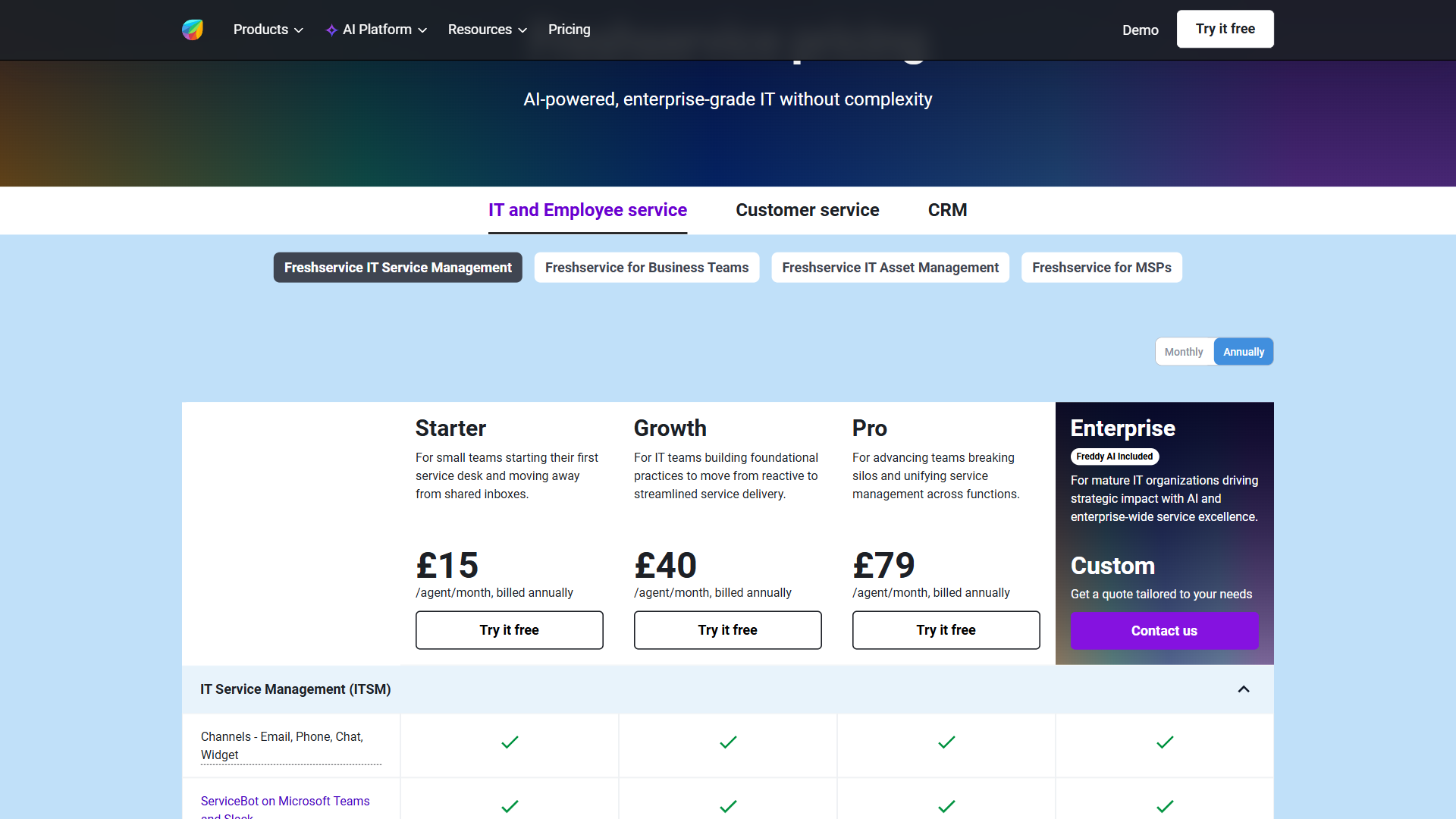
The pricing gap depends on team size. Jira Service Management’s free tier for up to 3 agents is a real on-ramp for tiny IT teams. Past 3 agents, Standard and Premium tiers land within striking distance of Freshservice Starter and Growth. At Enterprise scale, both vendors price on request - quote them both. See Freshservice pricing and Jira Service Management pricing for current numbers.
Not ideal for: Sub-3-agent teams should start with Jira’s free tier rather than paying for Freshservice Starter; very large enterprises will negotiate either contract well below list price and should not pick based on published rates.
Which Tool Has Better ITIL Alignment and Out-of-Box Workflows?
This is Freshservice’s clearest advantage. Out of the box you get incident, problem, change, release, and service request workflows that map to ITIL v4 with minimal configuration. The CAB (Change Advisory Board) process, problem investigation templates, and request approval chains are pre-wired.
Jira Service Management can do all of this too, but you build it. The Atlassian platform exposes the workflow engine, custom field designer, and automation rules - and expects you to assemble the ITSM patterns yourself or buy a template from the Atlassian Marketplace. For teams without a dedicated ITSM admin, the Freshservice approach is faster to value. For teams that want workflows tuned to their environment exactly, Jira’s flexibility wins.
Not ideal for: Freshservice’s opinionated ITIL model frustrates teams whose existing workflows don’t fit the standard pattern; Jira Service Management’s flexibility is a burden for IT teams without a dedicated admin willing to learn JQL and workflow design.
Asset Management and CMDB
Both platforms include asset management, but the approach differs.
Freshservice ships with the Freshservice Discovery Probe and SaaS Management features, automatically discovering devices on your network and SaaS subscriptions across the org. The CMDB is opinionated about how assets map to services and relationships.
Jira Service Management uses the Assets module (formerly Insight) which is more flexible - you define your own object schemas and relationships rather than working inside an opinionated model. The flexibility is powerful for orgs with unusual asset taxonomies but adds setup time.
For most IT teams that just want laptops, monitors, and SaaS contracts tracked, Freshservice’s opinionated model gets you to a usable CMDB faster. The dedicated Freshservice IT asset management documentation walks through the discovery probe install.
Not ideal for: Teams with non-standard asset taxonomies (manufacturing equipment, lab instruments, fleet vehicles) will hit walls in Freshservice’s opinionated CMDB; Jira’s flexible Assets module requires schema design work most small IT teams won’t budget for.
Change Management
Both handle ITIL-style change management. Freshservice’s CAB workflow is the default ITIL pattern: change request, risk assessment, CAB review, approval, implementation, post-implementation review.
Jira Service Management’s change management is more interesting in DevOps shops because it can pull in code review status, CI/CD pipeline results, and deployment events from the same Jira workspace. A normal change can include a Bitbucket pull request, a Jenkins build status, and a deployment record alongside the approval. For engineering teams that want change management to track real code, Jira’s integration is hard to beat.
For traditional infrastructure changes - server patches, network config, hardware swaps - Freshservice’s CAB process is the cleaner fit.
Not ideal for: Freshservice’s change management is too rigid for teams shipping code multiple times a day; Jira Service Management’s deeper integration is wasted on IT teams that don’t manage code or CI/CD pipelines.
Developer & DevOps Integration
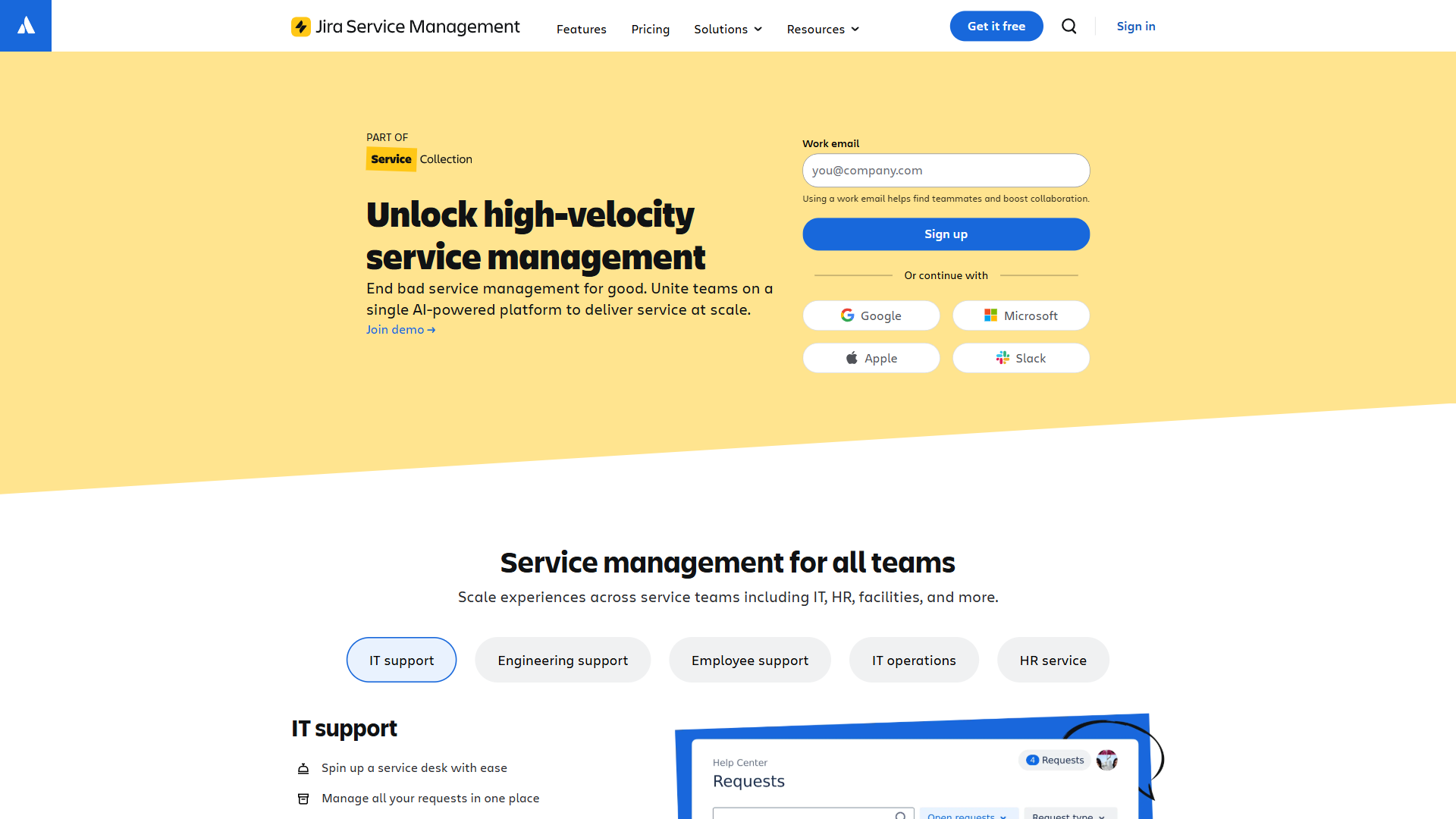
If your IT team already shares an Atlassian estate with engineering (Jira Software, Bitbucket, Confluence), Jira Service Management is the obvious extension. Incidents can become engineering tickets without leaving the platform. The same automation engine handles both.
Freshservice integrates with Jira (and most other developer tools) via webhooks and the marketplace, but the seams show. Cross-platform work is fine; same-platform work is not.
For DevOps and SRE-style operations where service desk and engineering blur, Jira Service Management wins. For IT teams that operate independently from engineering, the integration depth is a less interesting argument.
Not ideal for: Jira Service Management’s developer-stack advantage is largely wasted on IT teams without engineering counterparts on Atlassian; Freshservice’s webhook-based developer integrations frustrate teams that need same-platform workflow handoff.
Automation Rules and Workflow Customization
Both support workflow automation. Freshservice’s automation builder is approachable - rules created through a UI without much configuration knowledge. Most internal IT teams can build their first workflows in an afternoon.
Jira Service Management uses Atlassian’s Automation engine, which is significantly more powerful but assumes JQL knowledge and is best wielded by someone fluent in the Jira ecosystem. Compound rules, branching logic, and cross-project automation are all native.
Net: Freshservice for shallow learning curve, Jira for ceiling.
Not ideal for: Freshservice’s UI-driven automation builder caps out before complex multi-system orchestration; Jira’s Automation engine is overkill for IT teams whose rules are basic “assign to X if category is Y” patterns.
Reporting and Analytics
Freshservice’s reporting is operational-IT focused: SLA adherence, ticket volumes by category, agent performance, change success rate, problem closure trends. Custom dashboards on higher tiers.
Jira Service Management’s reporting inherits the Jira engine - powerful for ad-hoc reporting via JQL, integration with Atlassian Analytics on Premium and Enterprise, and tight coupling with the broader Atlassian Data Lake.
For IT leaders who want polished out-of-box dashboards, Freshservice. For analysts who want to slice service data alongside engineering data, Jira.
Not ideal for: Freshservice’s reporting is shallow for orgs that need custom KPIs blended across multiple data sources; Jira’s powerful reporting demands JQL fluency that the average IT analyst won’t acquire on the side.
Setup Speed and Onboarding
Freshservice can be live for a small IT team in days. The defaults assume an ITIL-shaped IT org, and the setup wizard front-loads decisions about service catalog categories, business hours, and escalation rules.
Jira Service Management setup is longer if you are building proper ITSM from scratch. If you already run Jira, adding Service Management is a quick provisioning step but the workflows still need design. Most full ITSM deployments take weeks to months including stakeholder alignment.
Not ideal for: Freshservice’s fast-deploy default doesn’t help teams whose business workflows deviate from ITIL norms; Jira’s longer onboarding is impractical for small IT teams without spare admin capacity.
User Reviews & Ratings
Freshservice’s rating profile leans heavily on internal IT and SMB ITSM customers - the user base is small to mid-sized IT teams who value the out-of-box ITIL alignment and discovery probe. Jira Service Management’s profile by contrast reflects a different audience entirely - engineering-led ops teams who already live inside the Atlassian estate (see the broader Jira Service Management feature set).
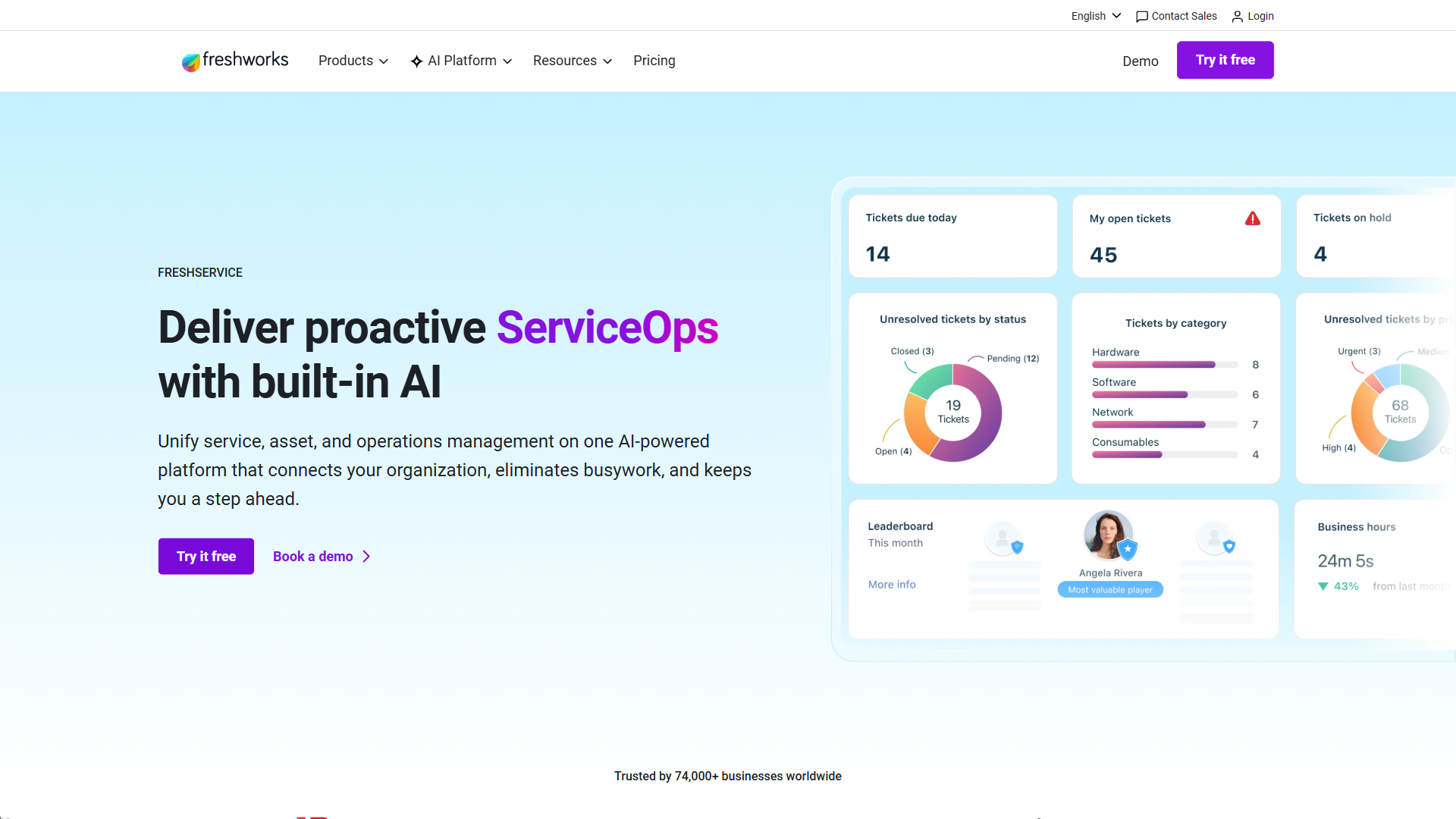
User reviews and third-party review aggregators praise Freshservice for ease of use, fast onboarding, and the included asset discovery probe. Criticism focuses on the absence of a free tier (you start at Starter) and some advanced features locked to higher tiers.
Jira Service Management reviews praise the flexibility, automation depth, and tight integration with Jira Software. Criticism centers on the learning curve, the time required for proper ITSM setup, and the way the UI assumes Jira fluency.
Not ideal for: Buyers who weight per-channel rating averages over fit-for-purpose evaluation will pick the wrong tool here - the relevant question isn’t “which scores higher” but “which audience writes the review pool you trust.”
When to Choose Freshservice
Choose Freshservice when your IT team is independent from engineering, when you need ITIL workflows working in days not months, when asset discovery and SaaS management matter (and you do not want to buy a separate tool), or when your IT analysts are not Jira power users. Internal IT help desks in traditional enterprises, MSPs serving SMB clients, and IT teams in non-tech industries are the typical fit. For context against other enterprise ITSM platforms, see our Freshservice vs ServiceNow comparison.
Not ideal for: Engineering-led DevOps shops where ITSM and product workflows should share infrastructure; teams already paying for the Atlassian estate who would double-spend on a parallel platform.
When to Choose Jira Service Management
Choose Jira Service Management when your IT team shares an Atlassian estate with engineering, when changes routinely involve code deployments, when you want automation rules that can branch across systems, or when you are building DevOps-style operations where the line between service desk and SRE blurs. Engineering-led ops teams, software vendors running customer support alongside development, and orgs already invested in the Atlassian ecosystem are the typical fit.
Not ideal for: Traditional IT shops without engineering counterparts on Atlassian; small IT teams without a dedicated admin willing to learn JQL and the Atlassian Automation engine.
The Bottom Line
For traditional internal IT shops running ITIL workflows, Freshservice is the faster, lower-friction pick - you get a usable ITSM in days and the asset module is included. For organizations where IT and engineering share workflows on the Atlassian platform, Jira Service Management is the obvious extension - the automation depth, code integration, and shared automation engine justify the steeper learning curve. The wrong move is forcing Freshservice into a DevOps shop that already runs everything on Jira, or pushing a small ITIL-focused IT team to learn Jira just to support their tickets.
Frequently Asked Questions
Is Freshservice better than Jira Service Management?
Neither is universally better. Freshservice is better for traditional IT help desks that need ITIL workflows ready out of the box and value fast onboarding. Jira Service Management is better for engineering-led ops, DevOps teams, and any organization already running Atlassian Jira where service tickets benefit from sharing infrastructure with code. The right answer is determined by your existing stack and team makeup, not by feature parity.
What is the price difference between Freshservice and Jira Service Management?
Jira Service Management has a real free tier for up to 3 agents that Freshservice does not match. Past the free tier, the cheapest Freshservice paid plan (Starter) is roughly $19 per agent per month, while Jira Service Management Standard starts around $21 per agent per month. Higher tiers (Pro / Enterprise) trade leadership depending on agent count and feature mix; check both vendor pricing pages for current numbers.
Does Freshservice have a free plan like Jira Service Management?
No. Freshservice offers only a 21-day free trial, after which all teams must pay starting at the Starter tier. Jira Service Management is the only one of the two with a true free forever tier (up to 3 agents). For very small IT teams testing the waters, Jira’s free option is the easier on-ramp.
Can you use Jira Service Management without Jira Software?
Yes. Jira Service Management is a standalone product and does not require Jira Software, although the two integrate seamlessly when present. The value of Jira Service Management is highest when Jira Software is also in use; without it, much of the developer-ecosystem advantage disappears and the comparison versus Freshservice shifts toward Freshservice.
Related Reading
- Freshservice - Full Freshservice review with ratings, pricing, and features.
- Jira - Full Jira review (Jira Software + Service Management).
- Freshservice vs ServiceNow - Adjacent ITSM comparison.
- Linear vs Jira 2026 - When engineering teams outgrow Jira.
- Best Project Management Tools 2026 - Broader PM landscape.
External Resources
- Freshservice Pricing - Current per-agent monthly pricing across all four tiers.
- Jira Service Management Pricing - Current per-agent pricing including the free tier.
- ITIL Reference - Official ITIL framework documentation if you are choosing ITSM by ITIL alignment.