


The future of AI coding assistants is no longer a matter of speculation. In February 2026, AI-powered development tools have moved from novelty to necessity - with over 65% of professional developers using at least one AI coding assistant in their daily workflow, reshaping skill formation and how AI coding skills are acquired on the job. The question is no longer whether to adopt, but which tool delivers the most value for your specific development style.
This guide puts Cursor, GitHub Copilot, Claude Code, and Windsurf through real production scenarios and maps out exactly where each tool excels, what they actually cost when you factor in token usage, and which workflows they handle best. This guide fills the gaps that most AI coding comparisons miss: ROI quantification, total cost modeling, workflow-to-tool mapping, and practical migration paths between tools.
Why the Future of AI Coding Assistants Matters Now
Future of AI Coding Assistants is a topic that directly impacts how teams work day to day. The future of AI coding assistants is no longer a matter of speculation. In February 2026. This guide breaks down the practical details you need to make an informed decision.
The shift from autocomplete to agentic coding has happened faster than anyone predicted, and every recent AI coding productivity study points to the same trajectory over the next 10 years. In early 2024, AI coding assistants suggested single lines. By mid-2025, they were making multi-file refactors. Now in 2026, the best tools can navigate entire codebases, run tests, fix failures, and ship pull requests with minimal human intervention.
This matters for three reasons:
- Productivity gaps are widening. Developers using the right AI tools are shipping 2-3x faster than those who are not. Teams that delay adoption are falling behind.
- Cost structures are shifting. These tools do not just save time - they change what a solo developer or small team can accomplish. A single developer with Claude Code or Cursor can now do work that previously required a team of three.
- The tools are diverging. Each assistant is developing distinct strengths. Picking the wrong one means leaving real productivity on the table.
Here is how the four leading tools compare across pricing, workflow fit, and measurable ROI.
How Do the 4 Leading AI Coding Assistants Compare?
| Feature | Cursor | GitHub Copilot | Claude Code | Windsurf |
|---|---|---|---|---|
| Rating | ||||
| Starting Price | Free (limited) | Free (2,000 completions) | Free tier | Free |
| Pro Price | $20/mo | $10/mo | $20/mo (Pro) | $15/mo |
| Team Price | $40/user/mo | $19/user/mo | $100/mo (Max) | $30/user/mo |
| Best For | Multi-file editing | IDE flexibility | Codebase-wide refactoring | Budget AI IDE |
| Approach | AI-native IDE | Plugin + agent | Terminal-based agent | AI IDE with Cascade |
| Agentic Mode | 8 parallel agents | Agent mode (preview) | Full agentic | Cascade agent |
Cursor: The AI-Native IDE Powerhouse
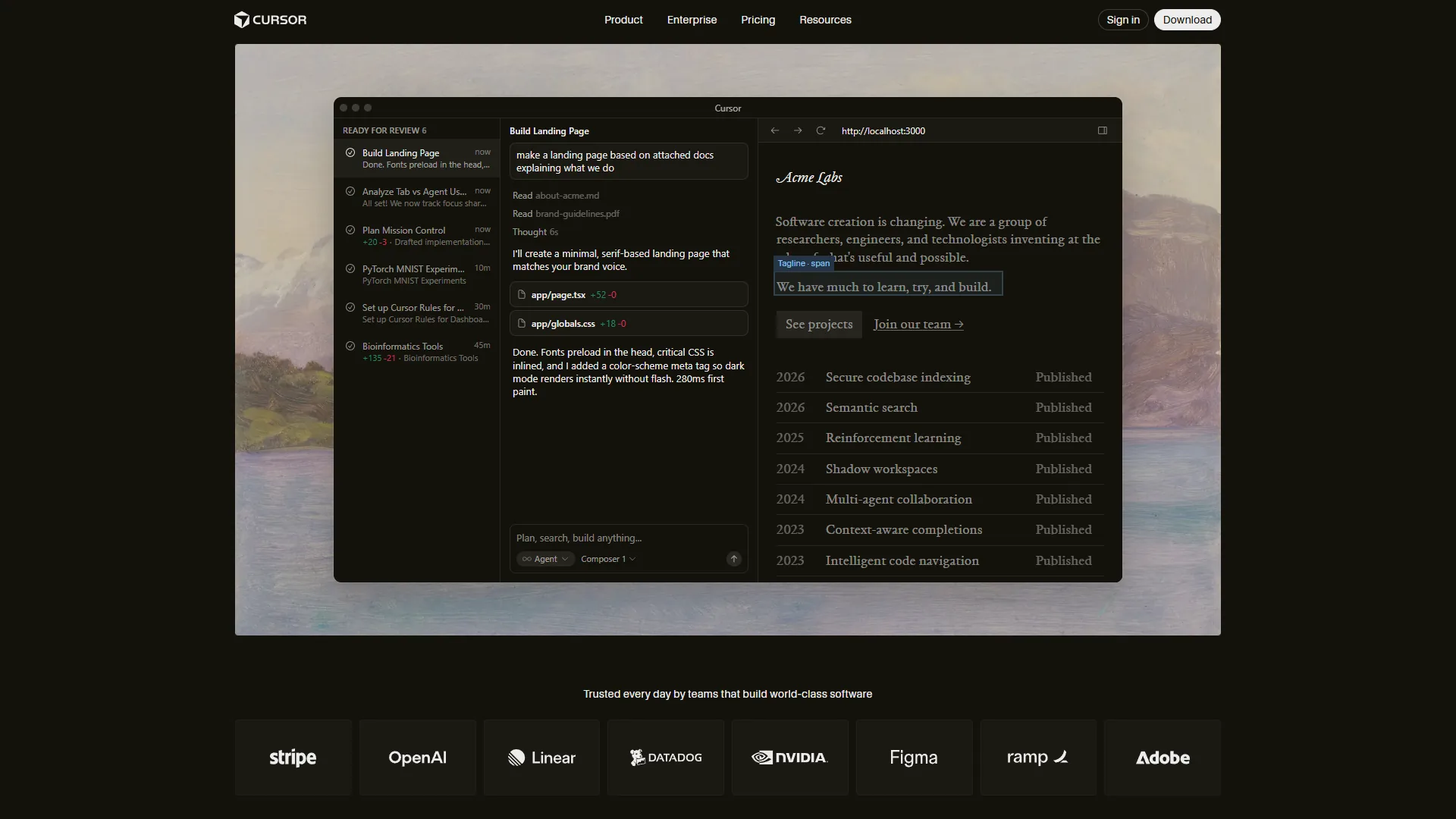
Cursor has established itself as the most powerful AI-first code editor available. Built as a VS Code fork, it combines familiar editor ergonomics with a proprietary AI layer that goes far beyond what plugins can achieve. The Cursor features page details how deeply the AI is integrated into every editing action.
What makes Cursor different: Its Composer feature processes changes across multiple files simultaneously, understanding how a modification in one file affects imports, types, and tests in others. The background agent system can run up to 8 agents in parallel, each working on separate tasks - one writing tests while another refactors a module while a third updates documentation.
Cursor Pricing Breakdown
Pricing verified April 2026 from Cursor's pricing page:
- Hobby: $0/mo (Free)
- One-week Pro trial
- Limited Agent requests
- Limited Tab completions
- Best for: Evaluating Cursor before upgrading
- Pro: $20/user/mo ($20 API credit per month)
- Unlimited Tab completions
- Background Agents
- $20 of API agent usage included
- Maximum context windows
- Best for: Individual developers using Cursor daily
- Pro+: $60/user/mo ($70 API credit per month)
- $70 of API agent usage (3x Pro usage)
- Access to GPT-5, Claude 4 Opus/Sonnet, Gemini 2.5 Pro
- All Pro features
- Best for: Heavy Composer users on complex projects
- Ultra: $200/user/mo ($400 API credit per month)
- $400 of API agent usage (20x Pro usage)
- Priority access to new features
- All Pro features
- Best for: Power users running long agentic sessions
- Teams: $40/user/mo (Per user)
- Centralized team billing
- Usage analytics and reporting
- Org-wide privacy mode controls
- SAML/OIDC SSO
- Best for: Teams needing admin controls and billing
ROI Calculation
For a developer earning $75/hour, Cursor Pro users report around 25% time savings on coding tasks. At 30 hours of coding per week, that translates to 7.5 hours saved weekly - worth $562.50. Against the $20 monthly cost, that is a 28x ROI. Even at a conservative 15% time savings (4.5 hours), the ROI sits at 17x.
The key variable is token consumption. Heavy Composer users on complex projects may burn through the $20 API credit mid-month, pushing effective costs to $40-60. Factor this into your budget if you work on large codebases.
Best Workflows for Cursor
- Multi-file refactoring (rename a pattern across 50 files), with workflows mirroring patterns in the Cursor Composer documentation
- Building new features with test scaffolding using the best AI coding assistants playbook
- Codebase migration (JavaScript to TypeScript, React class to hooks) - see the broader Cursor vs Copilot vs Claude comparison for context
- Rapid prototyping with background agents
GitHub Copilot: The Universal Standard
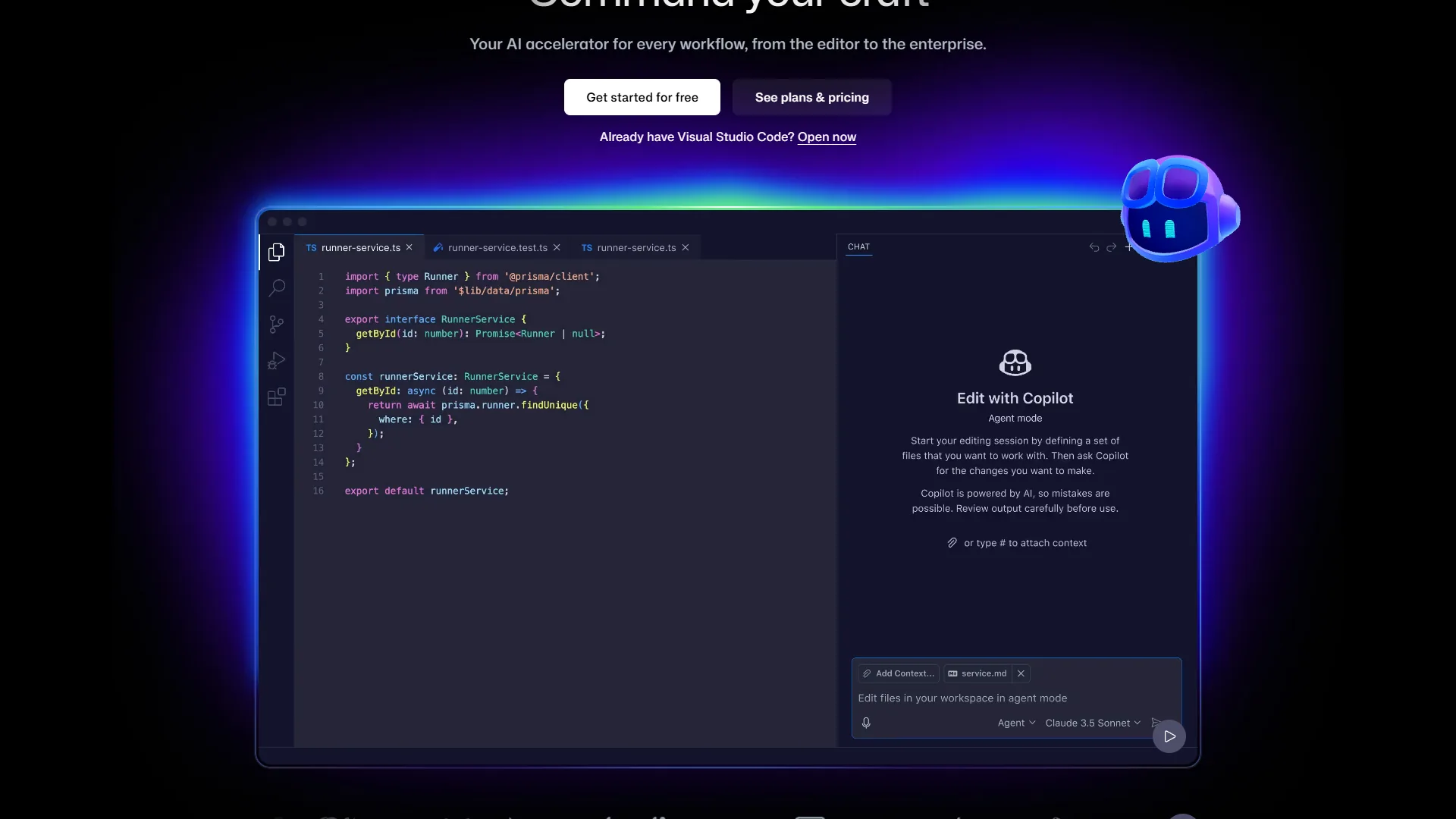
GitHub Copilot remains the most widely adopted AI coding assistant, with over 1.8 million paid subscribers and backing from Microsoft’s infrastructure. The GitHub research on developer productivity confirms measurable gains. Its strength is not raw power - it is accessibility, compatibility, and proven ROI at scale.
What makes Copilot different: It works inside the editors developers already use - VS Code, JetBrains, Visual Studio, and Neovim. No editor switching required. The free tier provides 2,000 completions and 50 chat messages per month, making it the lowest-barrier entry point to AI coding. Agent mode, while still maturing, brings multi-step task execution to the familiar IDE environment.
GitHub Copilot Pricing Breakdown
Pricing verified April 2026 from GitHub Copilot's pricing page:
- Free: $0/mo (2,000 completions and 50 premium requests per month)
- AI-powered code completion
- Access to GPT-4.1, Claude Haiku 4.5, base models
- IDE integration (VS Code, JetBrains, Visual Studio)
- Best for: Casual users and Copilot evaluation
- Pro: $8.33/user/mo annual ($10 monthly) (300 premium requests per month)
- Unlimited code completions
- Access to GPT-5, Claude Sonnet 4.5, Gemini 2.5 Pro
- Coding agent (preview)
- IDE, CLI, and mobile support
- Best for: Individual developers wanting reliable AI assistance
- Pro+: $39/user/mo (1,500 premium requests per month)
- Full access to all AI models (GPT-5, Claude Opus 4.5, Gemini 3 Pro)
- Access to GitHub Spark
- Advanced chat features
- Best for: Power users needing top-tier models
- Business: $19/user/mo (300 premium requests per user/month)
- All Pro features
- IP indemnity protection
- Centralized team management
- Audit logs and policy controls
- Best for: Teams needing admin controls and IP protection
- Enterprise: $39/user/mo (1,000 premium requests per user/month)
- All Business features
- Custom knowledge bases
- Custom model training on your codebase
- Organization-wide codebase indexing
- Best for: Large organizations with GitHub Enterprise Cloud
ROI Calculation
GitHub’s own research of 2,000 developers shows 55% faster task completion and around 2 hours saved per week. At $75/hour, that is $150/week or $7,800 annually in recovered productivity. Against the $120 annual Pro cost, you get a 65x ROI. Even at $10/hour (junior developer rate), the ROI is still 8.6x.
The cost advantage is significant. At $10 per month, Copilot Pro is half the price of Cursor Pro and Claude Code Pro. For teams, the $19 per user Business plan undercuts Cursor’s $40 per user Teams pricing by more than 50%.
Best Workflows for GitHub Copilot
- Inline code completion while typing (the classic use case)
- Quick function generation from comments
- Code review and pull request assistance on the platform’s Copilot code review documentation
- Teams that use multiple IDEs and need one tool everywhere
Claude Code: The Terminal-Native Agent
Claude Code takes a fundamentally different approach. Instead of living inside an IDE, it runs in your terminal and interacts with your codebase the way a senior developer would - reading files, understanding architecture, making changes, running tests, and iterating until the build passes. The official Claude Code documentation walks through the agentic workflow in detail.
What makes Claude Code different: It has no IDE. You give it a natural language instruction and it figures out which files to read, what changes to make, and how to verify those changes work. This makes it exceptionally strong for large-scale refactoring, debugging complex issues across many files, and tasks where you need the AI to understand the full project context before making changes.
Claude Code Pricing Breakdown
Pricing verified April 2026 from Claude Code's pricing page:
- Free: $0/mo (Limited daily usage)
- Basic Claude Code access
- Limited usage per day
- Best for: Trying out Claude Code
- Pro: $20/user/mo (Standard usage with Claude Sonnet)
- Full Claude Code access
- Higher usage limits
- Priority access
- Best for: Individual developers
- Max: $100/user/mo (Higher rate limits)
- Unlimited Claude Code usage
- Highest priority
- Extended context
- Best for: Power users and professionals running long sessions
API usage-based pricing is also available for token-level billing that scales with actual workload.
ROI Calculation
Claude Code users working on complex refactoring tasks report 40-60% time savings on multi-file changes. A senior developer spending 10 hours per week on refactoring and debugging saves 4-6 hours weekly. At $100/hour (senior rate), that is $400-600 per week in recovered time. Against the $20 monthly Pro cost, the ROI exceeds 80x for refactoring-heavy workflows.
The usage-based API pricing adds a variable. Token-intensive sessions on large codebases can cost $5-15 per extended session. Budget around $50-100/month in API costs on top of the subscription for heavy usage.
Best Workflows for Claude Code
- Large-scale codebase refactoring (architecture changes, pattern migrations) - the Claude Code MCP servers guide covers extension patterns
- Debugging complex cross-file issues
- Automated code review and improvement passes
- CI/CD pipeline creation and maintenance
- Projects where you want AI to navigate freely without IDE constraints
Windsurf: The Affordable Contender
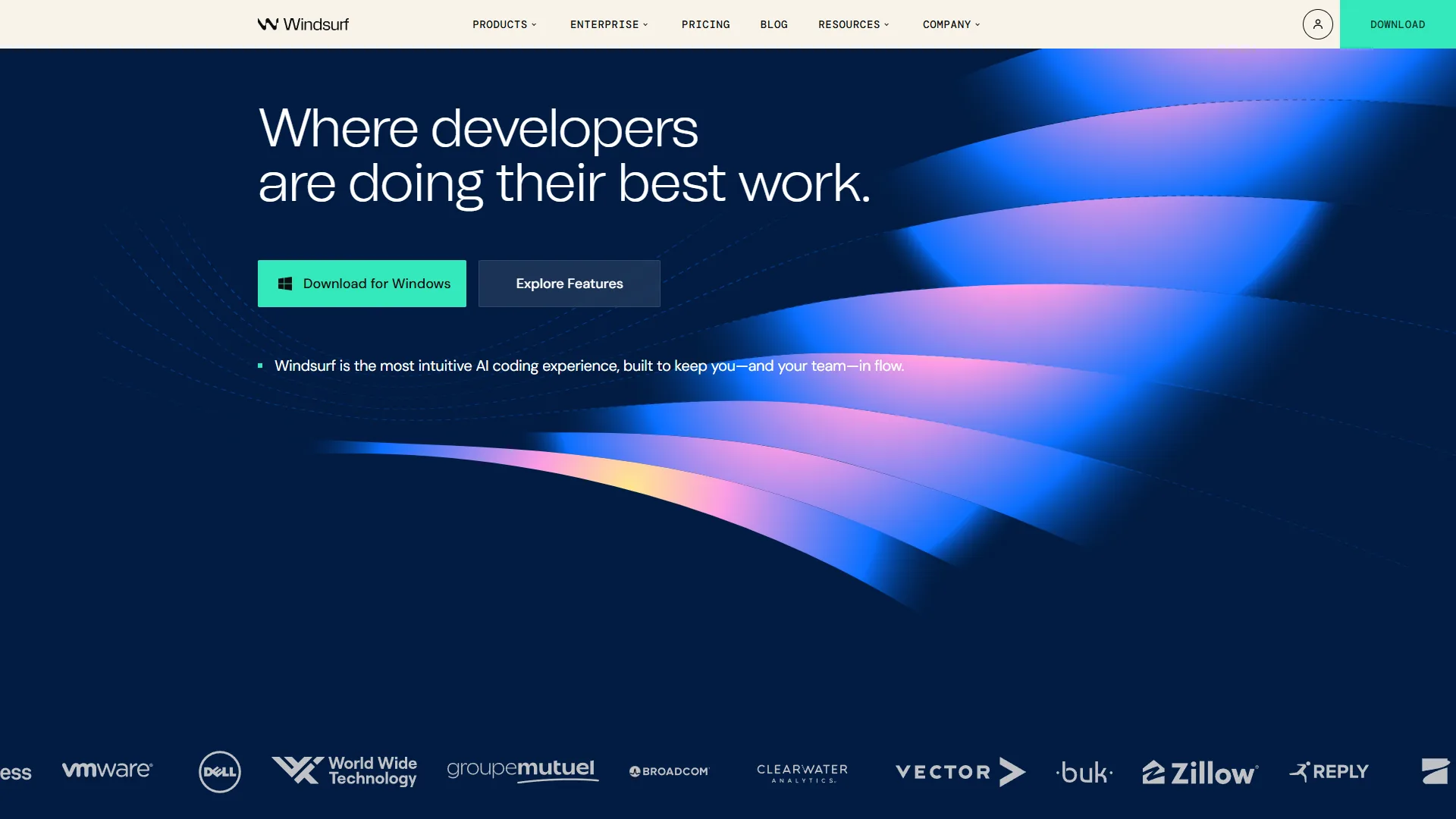
Windsurf entered the market as an affordable alternative to Cursor and has quickly grown into a serious competitor. Its Cascade agent provides multi-step task execution similar to Cursor’s Composer, but at a lower price point that makes it accessible to individual developers and small teams.
What makes Windsurf different: The free tier is genuinely usable - not a time-limited trial, but a permanent free plan with core AI features. The $15 per month Pro plan undercuts both Cursor and Claude Code by $5 per month while still providing agentic coding capabilities. For budget-conscious developers, this pricing gap adds up to $60 saved annually.
Windsurf Pricing Breakdown
Pricing verified April 2026 from Windsurf's pricing page:
- Free: $0/mo (25 prompt credits/month for premium models)
- Unlimited Cascade Base model access
- Unlimited SWE-1-mini (Tab autocomplete)
- BYOK (Bring Your Own Key) support for Claude models
- Best for: Solo developers evaluating an AI IDE
- Pro: $20/user/mo (500 prompt credits + 1,500 flow action credits per month)
- Premium AI models: GPT-5.1, Claude Opus 4.5, Claude Sonnet 4.5
- SWE-1.5 model (13x faster than Claude 4.5)
- Fast Context
- Best for: Individual developers wanting full Cascade agent
- Teams: $40/user/mo (500 credits/user/month)
- All Pro tier features
- Centralized billing and admin dashboard
- SSO + Access control
- RBAC (Role-Based Access Control)
- Best for: Small teams needing admin controls
ROI Calculation
Windsurf users report around 70% productivity gains on supported workflows. At $75/hour and a conservative 15% time savings (4.5 hours per week), that translates to $337.50 weekly in recovered productivity. Against the $15 monthly cost, the ROI is 22.5x. The free tier delivers infinite ROI for developers who stay within its limits.
Best Workflows for Windsurf
- Developers evaluating AI IDEs for the first time (no-risk free tier)
- Small teams that need agentic coding without enterprise pricing
- Frontend-focused development with visual feedback
- Solo developers and freelancers watching costs closely
Which AI Coding Assistant Should You Use for Which Task?
One of the biggest gaps in AI coding assistant coverage is practical workflow guidance. Here is a mapping based on real-world performance data across different development scenarios:
| Workflow | Best Tool | Why |
|---|---|---|
| Quick inline completions | GitHub Copilot | Fastest autocomplete, works in any IDE |
| Multi-file refactoring | Cursor | Composer handles cross-file changes natively |
| Large codebase navigation | Claude Code | Reads entire project structure before acting |
| Budget-friendly AI coding | Windsurf | Usable free tier, cheapest Pro plan |
| Enterprise deployment | GitHub Copilot | IP indemnity, SSO, audit logs at scale |
| Architecture migration | Claude Code | Terminal agent can reason about system-wide changes |
| Rapid prototyping | Cursor | Background agents build features in parallel |
| Team onboarding | GitHub Copilot | Lowest learning curve, integrates with existing tools |
| Debugging complex bugs | Claude Code | Reads logs, tests, and code to find root causes |
| Learning new frameworks | Windsurf or Copilot | Lower cost while building skills |
The Multi-Tool Strategy
Many experienced developers in 2026 are running two tools simultaneously, a pattern noted in the Stack Overflow Developer Survey AI tools section. The most common combination is GitHub Copilot for inline completions plus Claude Code for complex refactoring tasks. This costs $30 per month total and covers both ends of the workflow spectrum - fast suggestions while typing, and deep agentic work for larger tasks.
Another effective pairing is Cursor for daily coding plus Claude Code for periodic large-scale refactors. The key insight is that these tools are not mutually exclusive - they complement each other, a complementary-tool pattern reflected in the GitHub Octoverse 2024 report on AI tool adoption.
What Do AI Coding Assistants Really Cost Beyond the Subscription?
The subscription price only tells part of the story. Here is the true monthly cost for each tool based on moderate-to-heavy professional use:
| Cost Component | Cursor Pro | Copilot Pro | Claude Code Pro | Windsurf Pro |
|---|---|---|---|---|
| Subscription | $20 | $10 | $20 | $15 |
| Token/API overage | $20-40 | $0 | $30-80 | $0-10 |
| Learning curve (first month) | 4 hours | 2 hours | 6 hours | 3 hours |
| Typical monthly total | $40-60 | $10 | $50-100 | $15-25 |
| Annual total | $480-720 | $120 | $600-1,200 | $180-300 |
Claude Code’s usage-based pricing means costs scale with usage. Developers doing occasional refactoring may stay at $20-30/month, while those running extended agentic sessions daily can see $100+ months. GitHub Copilot is the most predictable - $10 per month, no surprises.
Cursor sits in the middle. The $20 base includes API credits, but heavy Composer usage on large projects can push past the included credits. Windsurf offers the most affordable Pro tier with minimal overage risk.
How Do You Switch Between AI Coding Assistants?
Switching AI coding assistants does not have to be painful. Here are the practical steps for the most common migration paths:
From GitHub Copilot to Cursor
- Export your VS Code settings and extensions (Cursor imports them automatically)
- Install Cursor and select “Import VS Code Settings” during onboarding
- Disable Copilot extension in Cursor to avoid conflicts
- Start with Cursor’s Tab completion (familiar territory) before exploring Composer
- Transition period: around 1 week to reach Copilot-equivalent productivity
From Cursor to Claude Code
- No editor migration needed - Claude Code runs in your terminal alongside any editor
- Start with simple tasks: “Read this file and explain what it does”
- Progress to edits: “Refactor this function to use async/await”
- Learn the permission model - Claude Code asks before making changes
- Transition period: around 2 weeks for terminal-native comfort
From Any Tool to Windsurf
- Windsurf imports VS Code settings and extensions
- The Cascade agent panel replaces Cursor’s Composer or Copilot’s chat
- Start with the free tier to evaluate before committing to Pro
- Transition period: around 1 week for VS Code users, 2 weeks for JetBrains users
Running Tools in Parallel
You can run GitHub Copilot inside VS Code while using Claude Code in a separate terminal window. Cursor users can also run Claude Code alongside it. The only conflict to avoid is running two IDE-based assistants (like Copilot and Cursor extensions) in the same editor.
What the Future of AI Coding Assistants Looks Like
The future of AI coding assistants is heading toward three major shifts that will reshape development workflows over the next 12-18 months:
Autonomous agents will handle entire features. Cursor’s background agents and Claude Code’s agentic mode are early versions of what will become fully autonomous development agents. The Anthropic Claude 3.7 Sonnet announcement previewed extended thinking modes that power deeper agentic reasoning. By late 2026, expect tools that can take a Jira ticket, write the implementation, create tests, handle code review feedback, and merge the PR with minimal human involvement.
Pricing will converge around usage-based models. The subscription-plus-tokens model that Claude Code and Cursor use today will become standard, mirroring the approach in the OpenAI API pricing model. Developers will pay a base fee for access and then pay per computation for heavy tasks. This rewards efficient prompt engineering and penalizes brute-force approaches.
Specialization will deepen. Rather than converging into identical products, each tool is doubling down on its strengths, a dynamic explored in the Stack Overflow analysis of AI coding tool gaps. GitHub Copilot will own the enterprise and multi-IDE space. Cursor will push the boundaries of agentic IDE features. Claude Code will lead in terminal-based autonomous coding. Windsurf will capture the value-conscious segment. The future of AI coding assistants is not one tool to rule them all - it is the right tool for the right workflow.
Tools like Codeium, Tabnine, and Aider continue to serve important niches - Tabnine for enterprise security requirements, Codeium for free-tier generosity, and Aider for open-source terminal workflows, as documented in the Aider LLM benchmark leaderboard. But the four tools covered here represent the cutting edge of where AI-assisted development is heading.
The Bottom Line
The future of AI coding assistants in 2026 comes down to matching your workflow to the right tool:
-
Cursor is the best choice for developers who want the most powerful AI-native IDE experience. The $20 per month Pro plan delivers exceptional multi-file editing and parallel agents. Choose Cursor if you build complex applications and want AI deeply embedded in your editor.
-
GitHub Copilot is the safest bet for most developers. At $10 per month with a generous free tier, proven 55% productivity gains, and support for every major IDE, it delivers the highest value per dollar. Choose Copilot if you want reliable AI assistance without switching editors.
-
Claude Code is the tool for developers who think in systems. Its terminal-native approach and deep codebase understanding make it unmatched for large refactors and complex debugging. Choose Claude Code if you work on large codebases and want an AI that reasons about your entire project.
-
Windsurf is the smart entry point. A permanent free tier and $15 per month Pro pricing make it the most accessible AI IDE. Choose Windsurf if you want agentic coding features without the premium price tag.
The developers who will thrive are those who stop asking “which tool is best?” and start asking “which tool is best for this task?” The answer is usually more than one.
FAQ
Q: Which AI coding assistant is best for multi-file refactoring?
Cursor is the strongest choice for multi-file refactoring. Its Composer feature processes changes across multiple files simultaneously, understanding how a modification in one file affects imports, types, and tests in others. The background agent system can run up to 8 agents in parallel, each working on separate tasks like writing tests, refactoring modules, or updating documentation.
Q: How much do AI coding assistants actually cost per month?
GitHub Copilot Pro is the most predictable at $10 per month with no overage. Cursor Pro runs $20 plus $20 to $40 in token overages, totaling $40 to $60. Claude Code Pro is $20 plus $30 to $80 in API costs, landing at $50 to $100. Windsurf Pro costs $15 with minimal overage, typically $15 to $25 monthly.
Q: What is the ROI of using an AI coding assistant?
GitHub research of 2,000 developers shows 55% faster task completion and around 2 hours saved per week, worth $7,800 annually against a $120 Pro cost for a 65x ROI. Cursor users report about 25% time savings for a 28x ROI, while Claude Code delivers over 80x ROI on refactoring-heavy workflows for senior developers at $100 per hour.
Q: Can you run multiple AI coding assistants at the same time?
Yes, many experienced developers in 2026 run two tools simultaneously. The most common combination is GitHub Copilot for inline completions plus Claude Code for complex refactoring, costing $30 per month total. You can run GitHub Copilot inside VS Code while using Claude Code in a separate terminal. Avoid running two IDE-based assistants in the same editor.
Q: How is Claude Code different from Cursor and GitHub Copilot?
Claude Code has no IDE and runs in your terminal instead. You give it a natural language instruction and it figures out which files to read, what changes to make, and how to verify those changes work. This makes it exceptionally strong for large-scale refactoring, debugging complex cross-file issues, and tasks requiring full project context before making changes.
Related Reading
- Cursor Review - Full review of the AI-native code editor
- GitHub Copilot Review - Full review of the universal AI coding assistant
- Claude Code Review - Full review of the terminal-based agentic coding tool
- Windsurf Review - Full review of the affordable AI IDE
- AI Pair Programming: Complete Developer Guide for 2026 - Master the navigator/driver model with AI coding tools
- GitHub Copilot vs Cursor: Feature-by-Feature Breakdown - Deep-dive comparison of the two most popular options
- Claude Code vs Cursor 2026: Complete Comparison - Terminal-based vs IDE-based AI coding head-to-head
- Windsurf vs Cursor 2026: AI Code Editor Benchmarks - Real-world benchmarks between the two AI IDEs
External Resources
- GitHub Research: Quantifying Copilot’s Impact on Developer Productivity - The definitive study on AI coding assistant ROI
- Cursor Official Site - AI-native code editor built for modern development
- Claude Code Documentation - Official docs for Anthropic’s terminal-based coding assistant