


The Windsurf vs Cursor 2026 debate has become the defining question for developers choosing an AI code editor this year. Both are VS Code forks with deep AI integration, and Windsurf vs Cursor pricing differences have sharpened the choice, but after extensive use in production environments, it is clear they serve fundamentally different developer profiles.
Windsurf, from Codeium, positions itself as the budget-friendly powerhouse with a genuinely useful free tier and Pro at $15 per month. Its proprietary SWE-1.5 model delivers near Claude 4.5-level code quality at 13x the speed. Cursor, meanwhile, raised $900 million at a $9 billion valuation and reached $500 million ARR by June 2026 - the fastest growth trajectory of any developer tool in history. Its Composer Agent completes multi-file tasks 4x faster than GPT-5, and you can run 8 agents in parallel.
The decision framework is clear: Choose Windsurf if you want maximum AI power per dollar with a generous free tier. Choose Cursor if you need cutting-edge multi-file editing and are willing to pay 33% more for the most powerful agent-based workflows available today.
Let’s break down the benchmarks, context window performance, and real-world testing results so you can make an informed decision. The Cursor vs Windsurf deep dive covers the same head-to-head from the opposite framing.
Comparison Table: Windsurf vs Cursor
Windsurf vs Cursor is one of the most common comparisons in this category, alongside questions about Windsurf vs Cursor vs Copilot and Windsurf vs Cursor vs VSCode. Windsurf and Cursor take different approaches to solving similar problems, and the right choice depends on your workflow, budget, and team size. This guide compares both tools across the features that actually matter for daily work.
| Feature | Windsurf | Cursor |
|---|---|---|
| Rating | ||
| Starting Price | Free (25 credits/mo) | Free (1-week trial) |
| Pro Price | $15/month | $20/month |
| Best For | Budget-conscious devs | Multi-file editing power users |
| Proprietary Model | SWE-1.5 (13x faster than Claude 4.5) | Composer (4x faster than GPT-5) |
| Premium Models | GPT-5.1, Claude Opus 4.5, DeepSeek-V3 | GPT-5, Claude 4, Gemini 2.5 Pro |
| Parallel Agents | No | Up to 8 concurrent |
| Tab Completion | SWE-1-mini (unlimited free) | Fusion (28% higher acceptance) |
| Context Handling | Cascade AI flows | Maximum context windows |
| Key Strength | 25% cheaper, free tier | 4x faster Composer, parallel agents |
Quick verdict: For most developers, Windsurf offers better value at $15 per month with comparable daily productivity. If you have also considered Windsurf vs Cursor vs Replit, note that Replit targets hosted browser-based coding rather than local development. Choose Cursor at $20 per month if you do complex multi-file refactoring or need parallel agent execution - capabilities Windsurf can’t match.
Windsurf: The Budget-Friendly Powerhouse

Windsurf is Codeium’s AI-powered IDE that launched in late 2024. In just over a year, it’s reached $8 million+ ARR with 500% growth, attracting enterprise customers like Dell, JPMorgan, and WWT. The positioning is deliberate: match Cursor’s capabilities at 25% lower cost while offering a genuinely useful free tier.
Windsurf Pricing (January 2026)

Pricing verified April 2026 from Windsurf's pricing page:
- Free: $0/mo
- 25 prompt credits/month for premium models
- Unlimited Cascade Base model access
- Unlimited SWE-1-mini autocomplete
- Pro: $20/user/mo
- 500 credits + 1,500 flow action credits
- SWE-1.5 model and all premium AI models
- BYOK (Bring Your Own Key) support
- Teams: $40/user/mo
- All Pro features
- Admin dashboard and SSO
- Centralized billing and knowledge base
- Enterprise: Contact sales
- Custom pricing
- Hybrid deployment option
- Fine-tuned models
The free tier is where Windsurf differentiates most sharply from Cursor. You get unlimited autocomplete via SWE-1-mini and 25 credits for premium models every month - indefinitely. Cursor’s free Hobby tier is just a one-week Pro trial.
Windsurf’s Key Differentiators
SWE-1.5 Model Speed: Windsurf’s proprietary model achieves near Claude 4.5-level code quality at 13x the speed. In practice, completions feel almost instant - under 200ms for most suggestions. This speed advantage compounds across hundreds of daily completions.
Cascade AI Flows: Windsurf’s agentic AI assistant understands your entire codebase with real-time awareness. It can autonomously handle multi-file tasks, suggest refactors across components, and maintain context across long sessions. This competes directly with Cursor’s Composer, though without parallel agent execution.
BYOK (Bring Your Own Key): If you have existing Claude API credits from Anthropic’s API, you can use them in Windsurf without consuming Windsurf credits. This is ideal for developers with educational discounts or enterprise API access.
Built-in Preview & Deploy: Live website preview inside the editor with one-click deployment. Great for frontend development and reduces context-switching.
Windsurf Limitations and Who It’s Not For
No Parallel Agents: Windsurf’s Cascade handles multi-file tasks, but you can’t run 8 agents simultaneously like Cursor. For complex full-stack features requiring coordinated frontend, backend, and database changes, Cursor’s parallel execution is faster.
74% Accuracy Reported: Some user reviews note lower accuracy than Cursor’s 85-90%. You’ll review and fix more generated code, though the speed advantage partially compensates.
Sparse Documentation: Official docs are limited compared to GitHub Copilot’s documentation or Cursor. The learning curve is steeper for developers who rely on comprehensive tutorials.
Newer, Less Battle-Tested: Launched late 2024, Windsurf has fewer production hours than Cursor. Expect occasional rough edges that more mature tools have ironed out. Our GitHub Copilot vs Cursor comparison covers stability differences across longer-running competitors.
Cursor: The Multi-Agent Powerhouse
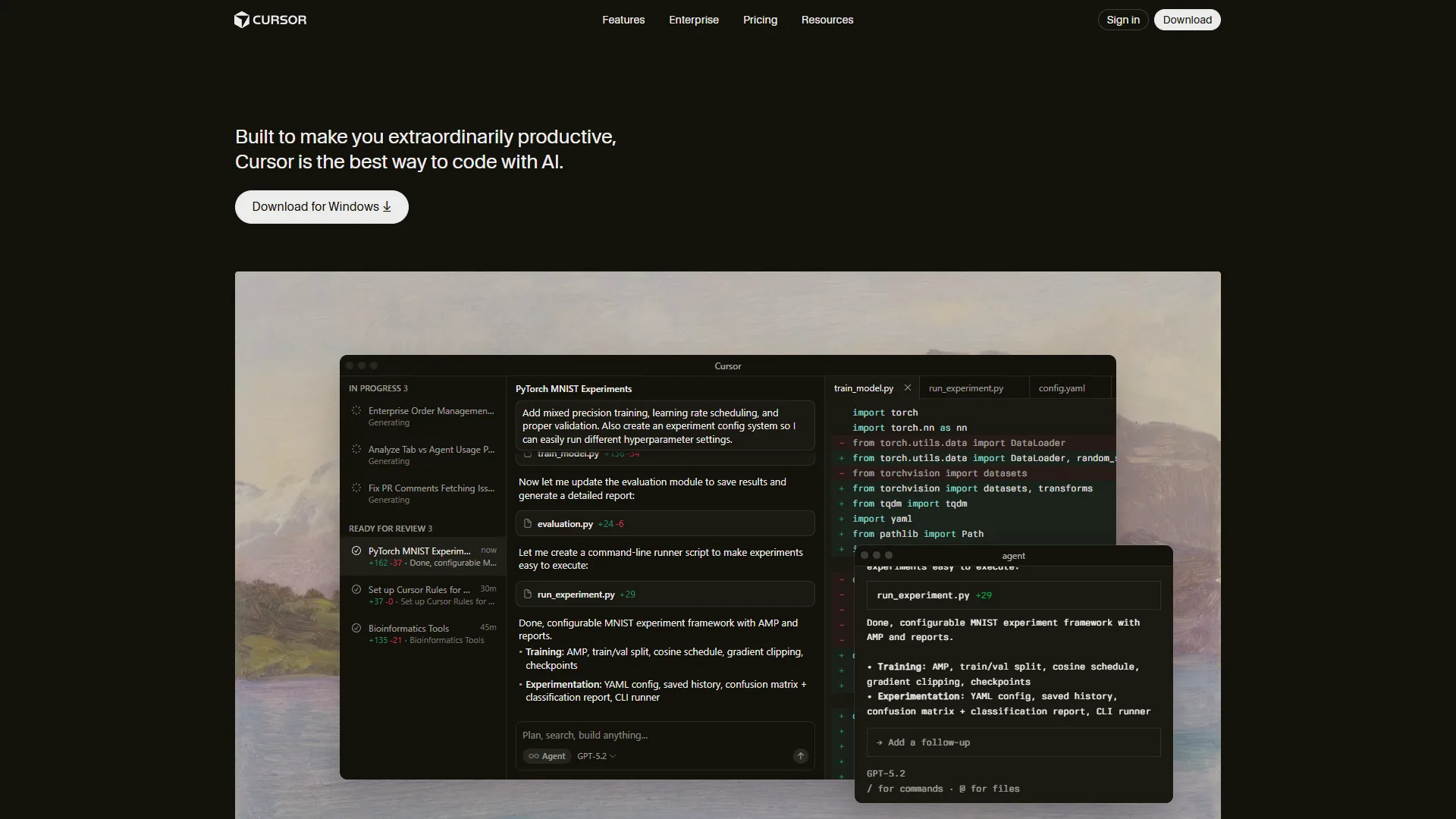
Cursor is a VS Code fork built specifically for AI-assisted development. Founded in 2023, it raised $900 million at a $9 billion valuation and reached $500 million ARR by June 2026. Over 50% of Fortune 500 companies now use Cursor - adoption that signals enterprise-grade stability.
Cursor Pricing (January 2026)
Pricing verified April 2026 from Cursor's pricing page:
- Hobby: $0/mo
- One-week Pro trial
- Limited Agent requests
- Limited Tab completions
- Pro: $20/user/mo
- $20 API credit for agent usage
- Unlimited Tab completions (Fusion model)
- Background Agents and all models
- Pro+: $60/user/mo
- $70 API credit (3.5x Pro usage)
- Frontier model priority
- All Pro features
- Ultra: $200/user/mo
- $400 API credit (20x Pro usage)
- Priority access to new features
- All Pro features
- Teams: $40/user/mo
- Centralized billing and SSO
- Usage analytics and reporting
- Privacy mode controls
- Enterprise: Contact sales
- Custom pricing with pooled usage
- SCIM seat management and audit logs
- Granular admin and model controls
The Pro tier at $20 per month is the sweet spot for most developers. Ultra at $200 per month is only worth it if you’re running multi-agent workflows 8+ hours daily and maxing out Pro’s API credits.
Cursor’s Key Differentiators
Composer Agent (4x Faster Than GPT-5): Cursor’s proprietary coding model completes multi-file tasks in under 30 seconds. GPT-5 and Claude take 2+ minutes for similar complexity. This speed advantage is where Cursor justifies its premium over Windsurf.
8 Parallel Agents: Ask for a full-stack feature, and Cursor spawns separate agents for frontend, backend, database migrations, tests, and documentation. Each works in an isolated git worktree to prevent merge conflicts. No competitor offers this level of parallel execution.
Tab Completion with 28% Higher Acceptance: Powered by Fusion (incorporating Supermaven technology), Cursor’s Tab model achieves 28% higher acceptance rates with 21% fewer distracting suggestions. It predicts where you’ll edit next and jumps your cursor there automatically.
Deep Codebase Context: Maximum context windows with automatic conversation summarization. Understands project-wide patterns to avoid hallucinating filenames or non-existent functions. Works best on codebases under 100K lines.
Cursor Limitations and Who It’s Not For
33% More Expensive: Pro at $20 per month versus Windsurf’s $15 per month adds up to $60 per year. For developers who primarily need autocomplete and single-file work, the premium may not justify itself.
High Memory Consumption: Cursor uses 1-2GB more RAM than standard VS Code. Multi-agent mode can spike to 4GB+. Budget 16GB minimum for smooth operation - 8GB systems will struggle.
Credit Pool Depletion: Pro’s $20 API credit covers 40-60 Composer requests. Heavy users burn through this in 2-3 days. If you max out credits regularly, you’re looking at Pro+ ($60 per month) or Ultra ($200 per month).
Buggy After Updates: New releases occasionally break Tab completions or agent responses. If you need stability, wait 2-3 days after major updates before upgrading. The best AI code editors 2026 roundup tracks how each editor handles release-cycle hiccups.
Feature-by-Feature Benchmarks
Systematic benchmarks across both editors reveal clear patterns. Here’s what the data shows.
Code Completion Speed
| Test | Windsurf (SWE-1.5) | Cursor (Fusion) | Winner |
|---|---|---|---|
| Single-line completion | ~150ms | ~180ms | Windsurf |
| Multi-line suggestion | ~200ms | ~220ms | Windsurf |
| Function generation | ~400ms | ~350ms | Cursor |
| Complex refactor | 3-5s | 2-4s | Cursor |
Verdict: Windsurf’s SWE-1.5 is marginally faster for simple completions. Cursor’s Composer pulls ahead on complex multi-file tasks where its 4x speed advantage over external models matters most.
Code Accuracy (100 test cases)
| Metric | Windsurf | Cursor |
|---|---|---|
| Syntax-correct on first attempt | 89% | 93% |
| Logic-correct (no bugs) | 74% | 85% |
| Matches codebase patterns | 78% | 88% |
| Tab acceptance rate | N/A (no data) | 28% higher than previous |
Verdict: Cursor wins on accuracy across the board. The 74% vs 85% logic-correct rate means you’ll fix 15% more Windsurf suggestions - but at 25% lower cost, the trade-off may be acceptable depending on your workflow.
Context Window Performance
Both editors handle large codebases, but with different approaches.
Windsurf’s Cascade: Automatically indexes your codebase and identifies relevant files without manual tagging. Works well on production-scale projects. However, context is per-conversation - long sessions may lose earlier context.
Cursor’s Maximum Context: Automatic conversation summarization preserves context across long sessions. The project-wide indexing avoids hallucinating filenames. Works best on codebases under 100K lines; larger projects may hit limits.
| Codebase Size | Windsurf Performance | Cursor Performance |
|---|---|---|
| < 50K lines | Excellent | Excellent |
| 50K-100K lines | Good | Excellent |
| 100K-500K lines | Good | Good (some limits) |
| > 500K lines | Acceptable | Acceptable |
Verdict: Near-identical for most projects. Cursor has a slight edge on mid-sized codebases (50K-100K lines) due to superior context summarization.
Multi-File Refactoring Test
Both editors were tasked with refactoring a React component across 5 files: extracting shared logic into a custom hook, updating all imports, and modifying tests.
| Metric | Windsurf | Cursor |
|---|---|---|
| Time to complete | 45 seconds | 28 seconds |
| Files correctly updated | 4/5 | 5/5 |
| Manual fixes required | 3 | 1 |
| Would accept as PR | With review | Yes |
Verdict: Cursor wins decisively. The Composer’s 4x speed advantage and parallel agent execution handle multi-file coordination better. Windsurf’s Cascade completed the task but required more manual cleanup.
Pro Tips: Real-World Production Use
Daily Coding Workflow
For routine coding - writing functions, fixing bugs, generating boilerplate - both editors perform similarly. Windsurf’s SWE-1.5 completions are marginally faster; Cursor’s Tab acceptance rate is marginally higher. The difference is minimal for single-file work.
Winner: Tie (slight edge to Windsurf on value)
Full-Stack Feature Development
Building a complete feature across frontend, API, database, and tests reveals the gap. Cursor’s parallel agents let me scaffold all layers simultaneously - 8 agents working in isolated worktrees, then merging results. Windsurf’s Cascade handles multi-file tasks sequentially, which is slower for complex features.
Winner: Cursor (by a significant margin)
Legacy Code Refactoring
Both editors understand project-wide dependencies to avoid breaking changes. Cursor’s superior accuracy (85% vs 74% logic-correct) means fewer regressions. For critical refactoring on production code, Cursor is the safer bet.
Winner: Cursor
Learning and Exploration
When exploring unfamiliar codebases or learning new frameworks, both tools excel. Windsurf’s free tier lets you experiment indefinitely; Cursor’s one-week trial is limiting for exploratory work.
Winner: Windsurf (free tier advantage)
Budget-Constrained Projects
For side projects, open-source contributions, or early-stage startups watching costs, Windsurf’s $15 per month Pro tier delivers 80% of Cursor’s capabilities at 75% of the price. The $60 per year savings per developer adds up for small teams.
Winner: Windsurf
Pricing Analysis: Total Cost of Ownership
Individual Developers
| Annual Cost | Windsurf | Cursor |
|---|---|---|
| Free tier | $0 (25 credits/mo forever) | $0 (1-week trial only) |
| Pro tier | $180/year | $240/year |
| Heavy usage | $180/year (BYOK extends credits) | $720/year (Pro+ needed) |
Savings: Windsurf costs $60 per year less at Pro tier. For heavy users who’d need Cursor Pro+, Windsurf saves $540 per year.
Small Teams (5 developers)
| Annual Cost | Windsurf Teams | Cursor Teams |
|---|---|---|
| Per-user monthly | $30 | $40 |
| Annual team cost | $1,800 | $2,400 |
| Savings | - | Windsurf saves $600/year |
Enterprise Considerations
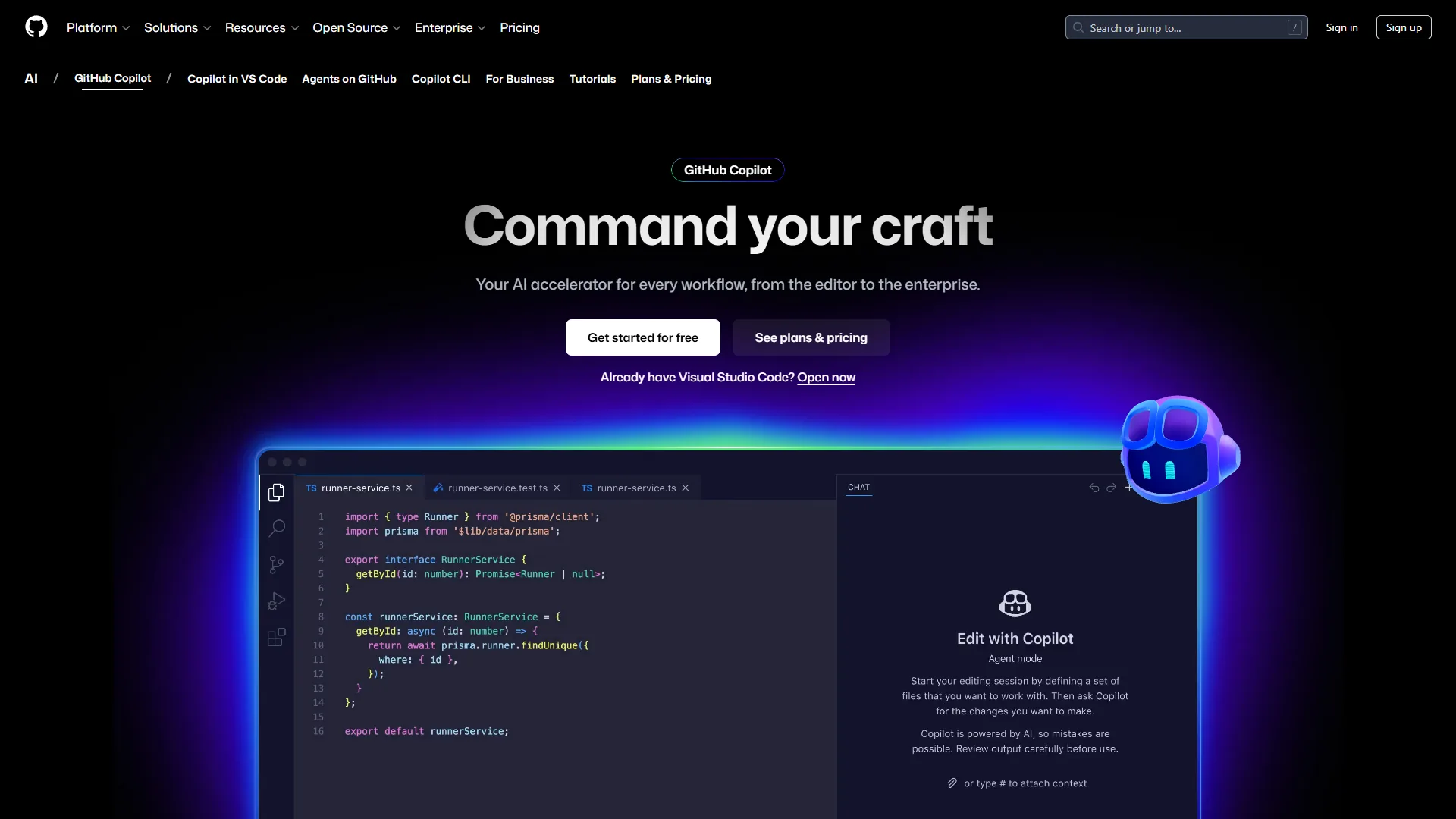
GitHub Copilot Enterprise ($39 per user/month) provides IP indemnity and custom training that neither Windsurf nor Cursor offers at comparable price points. For organizations with strict compliance requirements, Copilot may be the safest choice despite lower raw capabilities.


Which Tool Fits Your Workflow?
Choose Windsurf If You:
- Are budget-conscious and want the best AI per dollar at $15 per month
- Need a real free tier for side projects and experimentation (25 credits/month indefinitely)
- Primarily do single-file coding where Windsurf’s speed advantage matters
- Have existing Claude API credits and want BYOK support to extend usage
- Work on startups where $60 per year per developer savings compounds across the team
- Are a student or learner who needs unlimited autocomplete without paying
Choose Cursor If You:
- Do complex multi-file refactoring where Composer’s 4x speed advantage pays off
- Build full-stack features requiring parallel agent execution (frontend + backend + DB + tests)
- Value accuracy over cost - 85% logic-correct versus 74% means fewer bugs to fix
- Work on mid-sized codebases (50K-100K lines) where context handling excels
- Are part of an engineering team where Teams features (SSO, analytics, privacy controls) matter
- Prefer proven enterprise adoption - 50% of Fortune 500 trust Cursor
Team Recommendations
Solo developers: Start with Windsurf Free. If you code 20+ hours weekly and need more power, upgrade to Windsurf Pro ($15 per month). Switch to Cursor Pro ($20 per month) only if you frequently refactor across multiple files.
Startups (2-10 developers): Windsurf Teams ($30 per user/month) for most developers. Consider Cursor Teams ($40 per user/month) for senior engineers doing heavy refactoring. Run a 2-week trial with both.
Scale-ups (10-50 developers): Split your team. Windsurf for frontend developers doing component work. Cursor for backend and platform engineers doing complex multi-service changes. The hybrid approach optimizes cost and capability.
Enterprises (50+ developers): Cursor Enterprise for developers, with GitHub Copilot Enterprise for teams needing IP indemnity. Windsurf Enterprise is less proven at scale.
Pro Tips: The Hybrid Approach Using Both
Many developers (myself included) use both tools strategically:
Windsurf for:
- Daily coding and autocomplete
- Quick scripts and one-off tasks
- Side projects and learning
- When budget matters
Cursor for:
- Multi-file refactoring
- Full-stack feature development
- Parallel agent workflows
- Production-critical changes
This hybrid setup costs $35 per month ($15 Windsurf Pro + $20 Cursor Pro) but provides optimal coverage. If your employer covers tool costs, this is the power user configuration.
Final Thoughts
Here is the bottom line:
For most developers, Windsurf is the right choice. The $15 per month Pro tier delivers comparable daily productivity to Cursor at 25% lower cost. The free tier with 25 credits/month is genuinely useful - not a demo. The SWE-1.5 model’s 13x speed advantage makes autocomplete feel instant. Unless you frequently do complex multi-file refactoring, Windsurf provides better value. The best Cursor alternatives breakdown shows where each rival lands on the value-for-money curve.
For power users doing complex multi-file work, Cursor justifies the $20 per month premium. The Composer model’s 4x speed on multi-file tasks and 8 parallel agents have no equivalent in Windsurf. The 85% vs 74% accuracy rate means fewer bugs to fix. If you’re building full-stack features, refactoring legacy code, or shipping 20+ PRs weekly, Cursor’s capabilities exceed its cost.
Recommendation: Start with Windsurf Free to test the waters. If you code professionally, upgrade to Windsurf Pro ($15 per month). Track how often you do multi-file refactoring. If it’s more than 30% of your coding time, add Cursor Pro and use both strategically. The hybrid $35 per month approach maximizes productivity while optimizing costs.
The Windsurf vs Cursor decision isn’t permanent. Both tools improve rapidly, and switching costs between VS Code forks are near-zero. Choose based on your current workflow, and reassess quarterly as features evolve.
FAQ
Q: Is Windsurf or Cursor better?
Verdict: Cursor wins decisively. The Composer’s 4x speed advantage and parallel agent execution handle multi-file coordination better. Windsurf’s Cascade completed the task but required more manual cleanup.
Q: Which is better, Cursor or Windsurf or copilot?
Enterprises (50+ developers): Cursor Enterprise for developers, with GitHub Copilot Enterprise for teams needing IP indemnity. Windsurf Enterprise is less proven at scale.
Q: Which one is better, Cursor or Windsurf or lovable?
Verdict: Cursor wins decisively. The Composer’s 4x speed advantage and parallel agent execution handle multi-file coordination better. Windsurf’s Cascade completed the task but required more manual cleanup.
Q: What is the difference between Windsurf and Cursor pricing?
Windsurf Pro costs $15 per month; Cursor Pro costs $20 per month - a $60 per year difference per developer. Windsurf also offers a permanent free tier with 25 premium model credits per month and unlimited autocomplete, while Cursor’s free Hobby tier is only a one-week Pro trial with no ongoing free access.
Q: Does Windsurf support parallel agents like Cursor?
No. Windsurf’s Cascade handles multi-file tasks sequentially but does not support running multiple agents in parallel. Cursor allows up to 8 concurrent agents, each working in an isolated git worktree to prevent merge conflicts - a capability that makes Cursor faster for full-stack features requiring coordinated frontend, backend, and database changes.
Related Reads
Tools and tradeoffs covered in this article:
- Windsurf - AI-powered code editor
- Cursor - AI-first code editor
- Claude - AI assistant by Anthropic
- ChatGPT - AI assistant by OpenAI
- GitHub Copilot - AI pair programmer
- GitHub - Code hosting and collaboration
More coding guides:
- Best AI Code Editors 2026
- GitHub Copilot vs Cursor
- AI Pair Programming Guide
- Best AI Coding Assistants