



The superhuman vs spark mail decision comes down to a single question: is the most productive Superhuman email experience worth $25 per month more than a good one? That price gap is the largest in the AI email category, and most comparisons - whether email vs alternatives or full pricing breakdowns - gloss over whether the premium actually pays for itself. Given that McKinsey’s Social Economy report found knowledge workers spend roughly 28% of the workweek on email, the cost of inefficient triage is significant.
Comparing both Superhuman and Spark Mail across common workflows - sales outreach, team collaboration, client communication, and inbox triage - the answer is more nuanced than “Superhuman is better but expensive.” For certain workflows, Superhuman’s time savings generate a measurable financial return. For others, Spark Mail delivers 80% of the value at 20% of the cost.
This comparison covers the areas competitors miss - including how both tools stack up in a Superhuman vs Front context for team use: actual productivity ROI calculations, AI feature quality differences, migration friction, and the specific user profiles where each tool wins. No padding, no feature tables copied from marketing pages.
Quick Verdict: Superhuman vs Spark Mail
Superhuman vs Spark Mail is one of the most common comparisons in this category - alongside searches like Superhuman vs gmail and alternatives such as Canary Mail. Superhuman and Spark Mail take different approaches to solving similar problems, and the right choice depends on your workflow, budget, and team size. This guide compares both tools across the features that actually matter for daily work.
| Category | Superhuman | Spark Mail |
|---|---|---|
| Rating | ||
| Best For | High-volume email power users | Cross-platform teams on a budget |
| Free Tier | No (7-day trial only) | Yes (generous free plan) |
| Starting Price | $25/month (Starter) | $7.99/month ($4.99 annual) |
| AI Writing | Auto Drafts (learns your voice) | Spark +AI (tone adjustment) |
| Keyboard Shortcuts | 100+ shortcuts | Basic shortcuts |
| Team Features | CRM integrations (Business) | Shared inboxes, collaborative drafts |
| Platform Support | Desktop + iOS + Android | iOS, Mac, Android, Windows |
| Time Savings | 4 hours/week (verified claim) | ~1.5 hours/week (estimated) |
| Email Providers | Gmail, Outlook only | Any IMAP/POP account |
Quick verdict: Choose Superhuman if you process 100+ emails daily and the 4 hours/week time savings justify the $25-33/month cost at your hourly rate. Choose Spark Mail if you want solid AI email features with team collaboration at a fraction of the price - or if you need true cross-platform support including Windows.
The Price Gap: Is Superhuman Worth 3-5x More?
This is the question every superhuman vs spark mail comparison should answer first, because everything else is secondary if the math does not work.
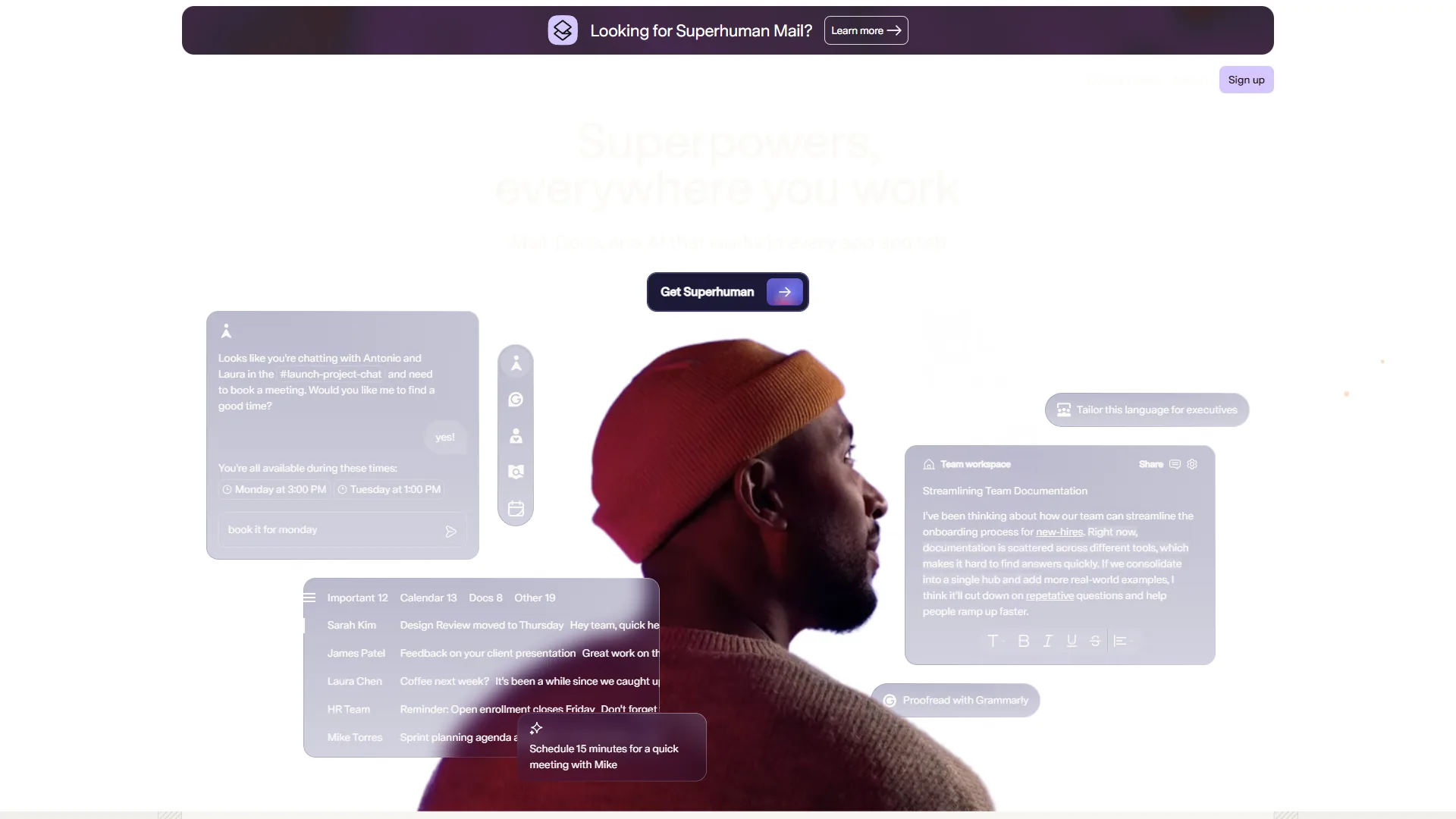
Superhuman costs $25-33/month. Spark Mail costs $0-8/month. That is a $204-396/year difference per user. For a team of five, the gap balloons to $1,020-1,980 annually. These numbers demand a clear answer on ROI - especially when RescueTime’s email checking analysis shows the average professional checks email 74 times per day.
Here is how the math works for Superhuman:
- Claimed time savings: 4 hours per week per user
- At $50/hour: That is $200/week or $800 per month in recovered productivity
- Monthly cost: $25-33/month
- ROI: 24x-32x return on investment
Even cutting Superhuman’s claims in half - 2 hours saved per week - the ROI at a $50/hour rate is still 12x-16x. For professionals billing $75-150/hour, the case is overwhelming.
Now the same calculation for Spark Mail:
- Estimated time savings: 1.5 hours per week through smart inbox and AI drafts
- At $50/hour: That is $75/week or $300 per month in recovered productivity
- Monthly cost: $0-8/month
- ROI: 37x+ return on investment (or infinite on the free tier)
Spark Mail’s ROI percentage is actually higher because the cost is so low. But the absolute time savings favor Superhuman by 2.5x. The question becomes: do you value an extra 2.5 hours per week, and is $25+ per month a reasonable price for those hours?
The breakeven point: If your effective hourly rate is above $30/hour and you process more than 50 emails per day, Superhuman’s additional time savings pay for themselves within the first week of each month. Below that threshold, Spark Mail is the smarter financial choice.
Limitations and who it’s not for: The ROI math has tradeoffs worth flagging. Superhuman’s “4 hours saved per week” is a self-reported claim, not independently audited - real savings vary widely by workflow. Skip the price-premium argument if email volume is under 50 messages/day, if hourly rate is below $30, or if the team uses email providers beyond Gmail and Outlook (Superhuman simply will not work).
AI Email Writing: Where the Quality Gap Shows
AI email writing is where these tools diverge most dramatically. Both offer AI-powered draft generation, but the implementation quality is not close.
Superhuman’s Auto Drafts
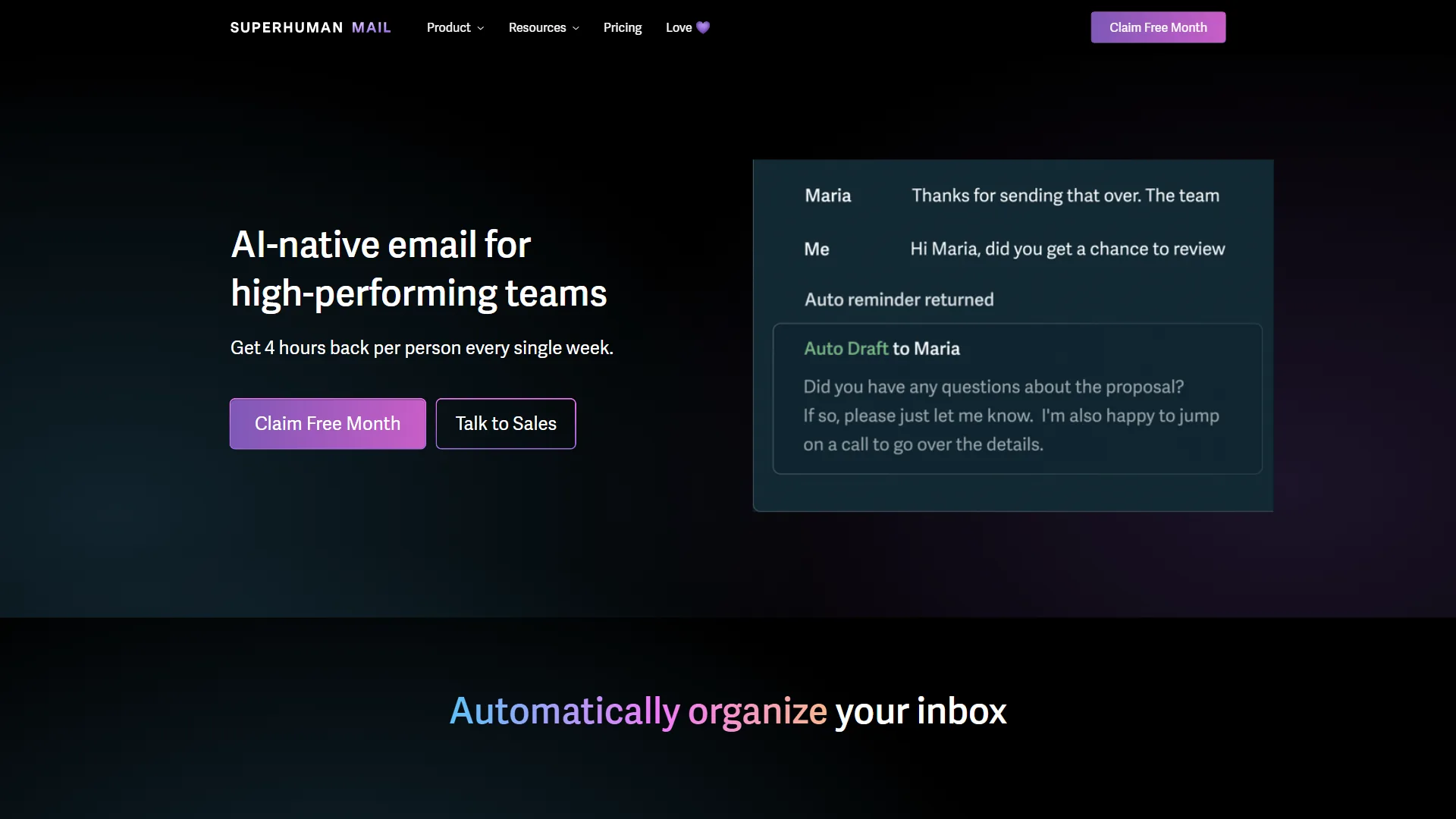
Superhuman’s Auto Drafts are the standout feature that justifies the premium pricing. The system analyzes your sent emails to learn your writing patterns - vocabulary, tone, formality level, sign-off preferences, and even how you structure responses to different types of messages.
After about two weeks of use, Auto Drafts starts generating replies that sound remarkably like you. Not generic AI text with your name attached - actual responses that match your communication style. The Business plan ($33 per month) adds Voice and Tone Match, which adapts your writing style based on who you are emailing - a behavior detailed in Superhuman’s product blog. A message to your CEO sounds different from a reply to a vendor, automatically.
The practical impact: Superhuman claims users write 59% more business emails per hour with AI assistance. In practice, the drafts need light editing about 70% of the time and are send-ready about 30% of the time. That is a meaningful reduction in the mental effort of email composition.
Spark Mail’s +AI
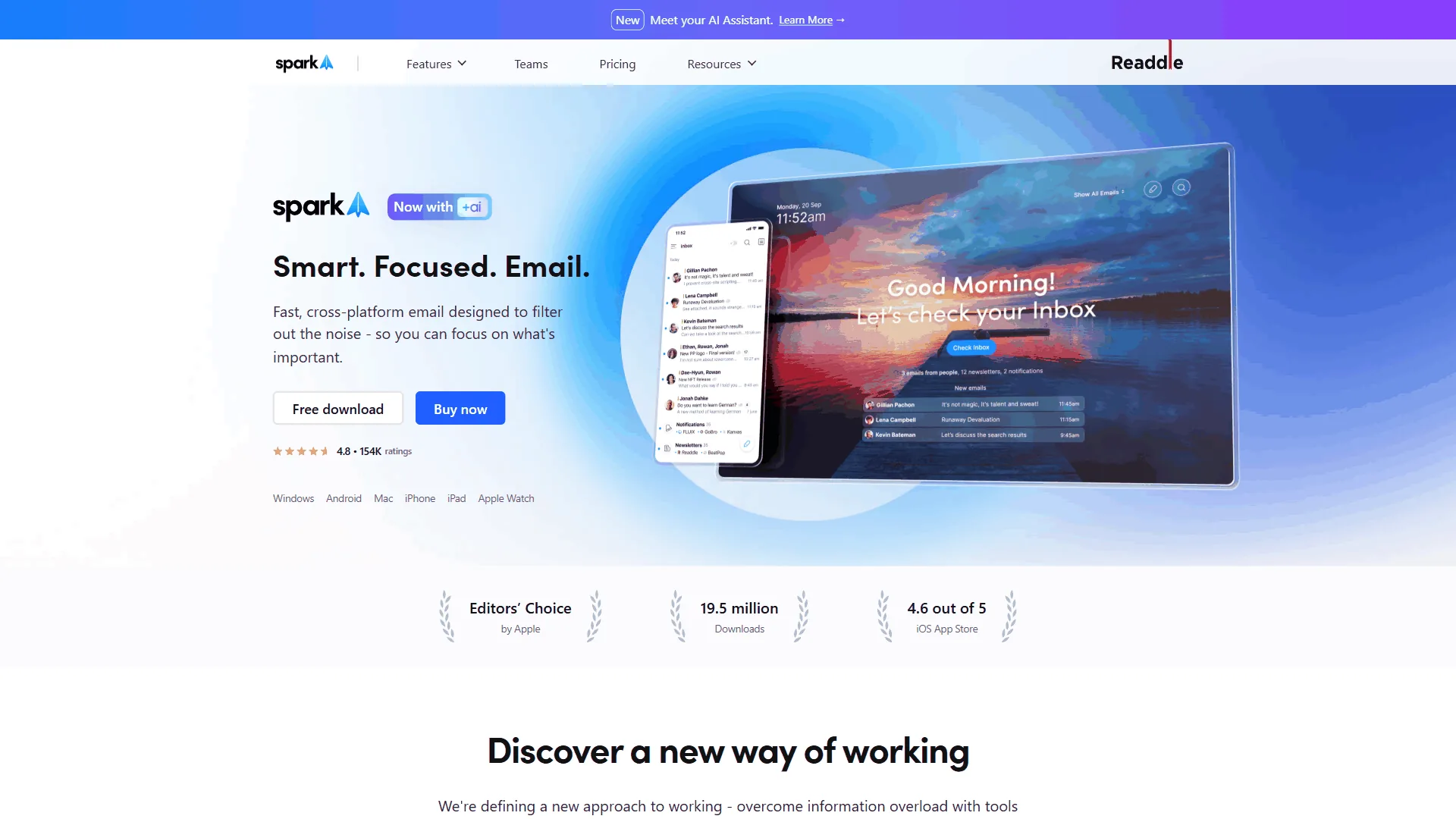
Spark Mail’s +AI feature takes a different approach. Instead of learning your voice passively, you describe what you want to say and choose a tone (formal, friendly, persuasive, etc.) - the workflow is documented in the Spark Mail help center. The AI generates a full draft that you can edit before sending. It also summarizes long email threads into key takeaways.
The quality is solid for generic business email. If you need a polite decline, a meeting follow-up, or a quick acknowledgment, Spark +AI handles it well. Where it falls short is personalization - the output reads like competent AI text, not like something you would write. There is no voice-matching capability, which means every AI-generated email has a similar cadence regardless of recipient.
The verdict on AI writing: Superhuman’s Auto Drafts are a generation ahead. If AI email writing is your primary reason for choosing a paid email client, Superhuman is the clear winner. If AI writing is a nice-to-have alongside other features, Spark Mail’s +AI is adequate and comes at a fraction of the cost. For more options, see our best AI email tools roundup.
Speed and Keyboard Efficiency
Superhuman was built around speed. Spark Mail was built around accessibility. These are fundamentally different design philosophies, and they produce very different daily experiences.
Superhuman: The Keyboard-First Approach
Superhuman offers over 100 keyboard shortcuts that cover every email action - reply, archive, snooze, label, forward, schedule, split inbox navigation, and more. The interface is designed so you never need to touch your mouse. Power users report clearing their inbox in 15-20 minutes instead of an hour.
The Split Inbox feature uses AI-powered Auto Labels to categorize emails into tabs - response needed, waiting on, meetings, newsletters, marketing. Combined with keyboard navigation, you can triage 200 emails in the time it takes to manually sort through 50.
The learning curve is real. Expect 2-3 weeks before the shortcuts become muscle memory. Superhuman includes 1-on-1 onboarding training to help, and there is a 7-minute tutorial built into the app. Once you are past the curve, the speed advantage is undeniable.
Spark Mail: The Accessible Approach
Spark Mail offers Smart Inbox categorization that automatically sorts emails into Personal, Notifications, and Newsletters. It is similar in concept to Superhuman’s Split Inbox but with fewer customization options and no AI-powered label creation.
Basic keyboard shortcuts are available, but the interface is designed primarily for mouse and touch interaction. This makes Spark Mail more approachable for users who do not want to memorize shortcuts, but it also means a lower ceiling for processing speed.
The verdict on speed: If you are willing to invest in learning keyboard shortcuts and you process high email volume, Superhuman delivers measurably faster email processing. If you prefer a traditional email experience with some smart sorting, Spark Mail is friendlier and requires zero ramp-up time. Our how to automate email with AI guide walks through complementary triage workflows.
Limitations and who it’s not for: Both speed approaches have drawbacks. Superhuman’s keyboard-first design means a steep 2-3 week learning curve - users who do not stick with the shortcuts get a $25 per month app that feels no faster than Gmail. Spark Mail’s mouse-friendly approach has a lower processing ceiling, so high-volume users will hit a speed wall regardless of how the inbox is sorted. Skip Superhuman if shortcut adoption is unlikely; skip Spark Mail if email volume routinely exceeds 150 messages a day.
Team Collaboration and Integrations
This is the category where Spark Mail closes the gap - and in some areas, pulls ahead.
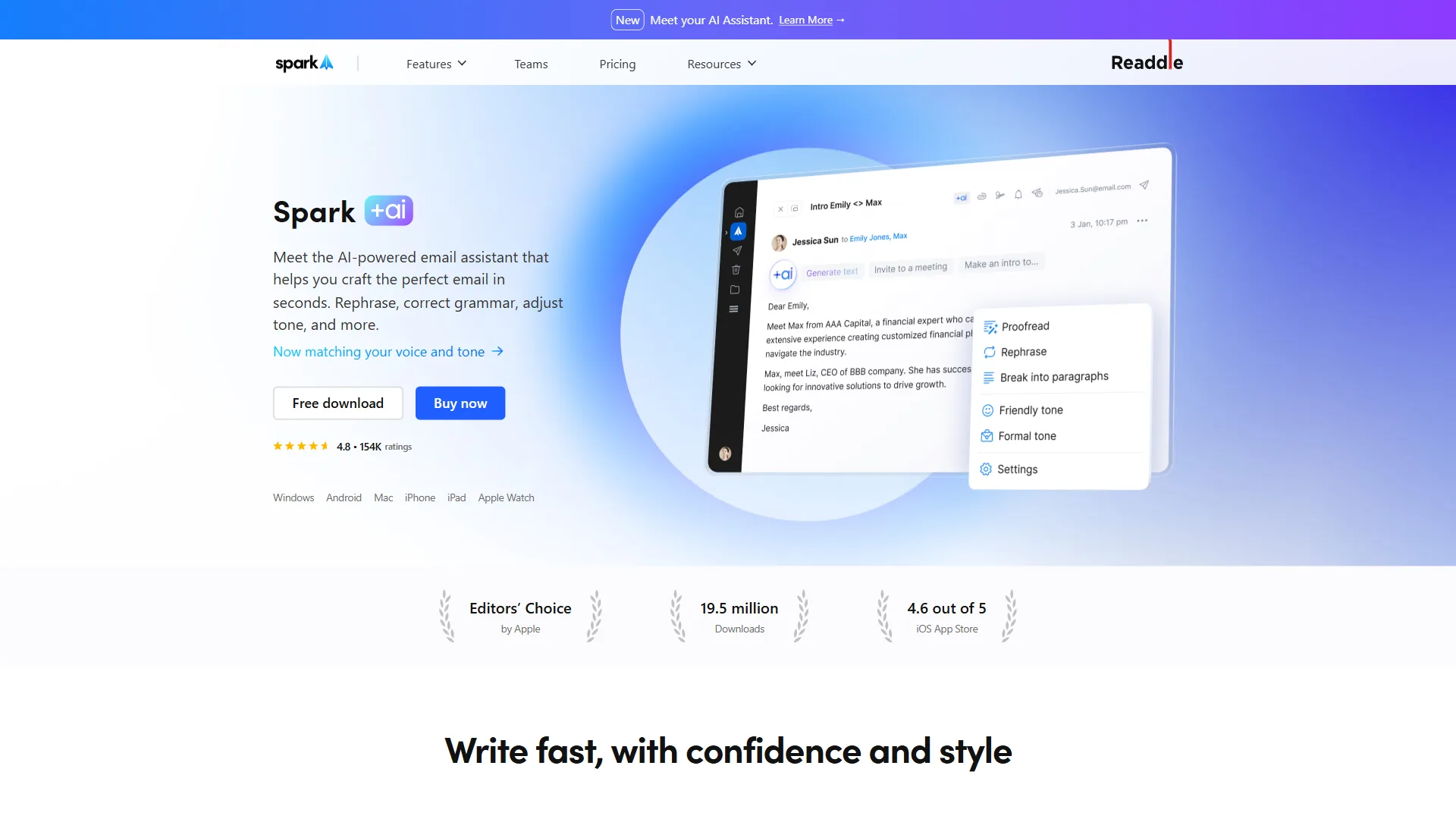
Spark Mail’s Team Features
Spark Mail’s Premium Teams plan ($9.99/seat per month) includes shared inboxes, collaborative email drafts, private team comments on email threads, email delegation, and link sharing for threads. These features are purpose-built for small teams managing shared email addresses like support@, sales@, or info@.
For a 5-person team managing a shared inbox, Spark Mail costs $49.95 per month total. The same team on Superhuman Business would pay $165 per month - over 3x more - and Superhuman does not offer shared inboxes or collaborative drafts.
Superhuman’s CRM Integration
Where Superhuman fights back is CRM integration. The Business plan connects natively with Salesforce, HubSpot, and Pipedrive. Email conversations automatically sync to CRM records, read receipts feed into engagement tracking, and the Recent Opens Feed shows which prospects are active.
For sales teams, this CRM integration is the killer feature. Spark Mail has no native CRM integration - you would need to use Zapier or manual processes to connect email activity to your CRM.
Platform Support
Spark Mail supports iOS, macOS, Android, and Windows with native apps on every platform. Superhuman covers desktop (macOS and Windows), iOS, and Android. Both offer cross-device sync, but Spark Mail’s longer history on Apple platforms means its iOS and macOS apps are particularly polished.
One key difference: Spark Mail works with any IMAP or POP email account. Superhuman only supports Gmail and Outlook. If your organization uses a different email provider, Superhuman is not an option.
The verdict on collaboration: Spark Mail wins for teams that need shared inboxes and collaborative features at an affordable price. Superhuman wins for sales teams that need CRM integration and read receipt tracking. Platform coverage is comparable, with Spark Mail having a slight edge on email provider flexibility.
Limitations and who it’s not for: Both tools have collaboration tradeoffs. Spark Mail lacks native CRM integrations entirely - sales teams must rely on Zapier or manual workflows. Superhuman has no shared inbox or collaborative draft feature at any price tier, so support@ or sales@ teams cannot use it as a hub. Skip Spark Mail if Salesforce/HubSpot sync is core to the workflow; skip Superhuman if shared mailboxes are required.
Privacy and Security
Both tools handle your email data, so security matters.
Superhuman stores email data encrypted at rest and in transit. Read receipts track when recipients open your emails - a feature that is powerful for sales but raises privacy concerns. You can disable tracking pixels in settings. Superhuman was acquired by Grammarly in 2026, which adds Grammarly’s enterprise security infrastructure.
Spark Mail processes emails through its servers for smart inbox features and AI functionality. The company (Readdle) is headquartered in Ukraine with servers in the EU. Spark offers end-to-end encryption for team conversations and stores email data in accordance with GDPR. However, neither tool offers HIPAA compliance.
The verdict on security: Both tools meet standard business security requirements. Superhuman has the edge for enterprise compliance (especially post-Grammarly acquisition). Neither is suitable for healthcare or highly regulated industries without additional compliance measures.
Limitations and who it’s not for: Both tools have notable security drawbacks. Neither offers HIPAA compliance, BAA agreements, or FedRAMP authorization, ruling them out for healthcare, financial services with PHI, or government work. Superhuman’s read-receipt tracking pixels also raise privacy concerns for recipients. Skip both for any workflow that touches regulated data.
Inbox Organization: Smart Sorting Compared
Both tools promise to tame inbox chaos, but they approach the problem differently.
Superhuman’s Auto Labels use AI to categorize every incoming email into buckets: Response Needed, Waiting On, Meetings, Newsletters, and Marketing. On the Business plan, you can create custom Auto Labels with AI prompts - for example, flagging any email from a specific domain or containing certain project keywords. These labels feed directly into Split Inbox, creating a triage workflow where your most important emails surface first.
Spark Mail’s Smart Inbox sorts emails into three categories: Personal (from real people), Notifications (transactional emails and alerts), and Newsletters. The categorization is reliable for the basics, but there is no custom category creation and no AI-powered labeling beyond these three buckets.
The practical difference: Superhuman users can build a multi-tab inbox tailored to their exact workflow. Spark Mail users get a clean three-way sort that works for most people but cannot be customized. If you receive emails from 50+ different senders daily and need fine-grained prioritization, Superhuman’s approach scales better. If your email volume is moderate and the three-category sort handles it, Spark Mail keeps things simple.
Limitations and who it’s not for: Inbox organization has tradeoffs on both sides. Superhuman’s Auto Labels misclassify often enough in the first weeks that users spend time correcting them, and custom AI labels are Business-tier only ($33 per month). Spark Mail’s three-bucket sort cannot be extended at all, so anyone needing project-based or client-based folders will find it limiting. Skip Spark Mail’s Smart Inbox if granular triage matters; skip Superhuman if the team will not invest in tuning Auto Labels.
Switching Costs: What Migration Looks Like
Neither tool requires you to change your email address or provider. Both sit on top of your existing Gmail, Outlook, or (in Spark Mail’s case) any IMAP account. Migration is about learning a new interface, not moving data.
Switching to Superhuman involves a steeper initial investment. The 1-on-1 onboarding session walks you through core shortcuts and workflow patterns. Most users report 3-5 days to reach basic proficiency and 2-3 weeks for full comfort. The 7-day free trial is tight for proper evaluation - request an extension if you need more time.
Switching to Spark Mail is nearly instant. The interface follows conventional email client patterns. Smart Inbox starts categorizing immediately, and AI features are accessible from the compose window without training. Most users are productive on day one.
If you are currently on one tool and considering switching to the other: moving from Spark Mail to Superhuman requires learning keyboard shortcuts and adapting to a more structured workflow. Moving from Superhuman to Spark Mail means giving up speed and AI voice matching but gaining team collaboration features and a lower bill. For complementary inbox tools, see our best AI email cleanup tools roundup.
Limitations and who it’s not for: Migration has its own downsides. Superhuman’s 7-day free trial is genuinely tight for evaluating a tool with a 2-3 week learning curve - many users churn before the shortcuts click. Switching off Superhuman also means losing the trained Auto Drafts voice model, which has to be rebuilt from scratch on the next tool. Skip the migration entirely if either tool’s lock-in cost (trained AI, shortcut muscle memory) outweighs the benefit of the switch.
Who Should Choose Superhuman
Superhuman is the right choice if:
- You process 100+ emails per day and email is a core part of your revenue-generating work
- Your hourly rate is above $30/hour (making the 4 hours/week savings worth $120+/month)
- You are a sales professional who needs CRM integration with Salesforce or HubSpot (see our best CRM for small business roundup for more options)
- You prefer keyboard-driven workflows and are willing to invest in the learning curve
- You value AI that learns your writing voice over time
- You use Gmail or Outlook exclusively
Limitations and who it’s not for: Superhuman’s downsides are concrete. The $25-33/month price has no free tier, no IMAP support beyond Gmail/Outlook, no shared inboxes, and no HIPAA compliance. Skip Superhuman if email volume is under 50/day, if the team needs shared mailboxes, or if the workflow touches non-Gmail/non-Outlook accounts.
Who Should Choose Spark Mail
Spark Mail is the right choice if:
- You want AI email features without paying $25+/month per user
- Your team needs shared inboxes, collaborative drafts, or email delegation
- You need true cross-platform support including Windows native apps
- You use email providers beyond Gmail and Outlook
- You manage multiple email accounts and want them unified in one client
- Budget matters more than maximum email processing speed
Limitations and who it’s not for: Spark Mail has clear drawbacks at the premium tier. The +AI feature lacks voice-matching, so generated drafts read like generic AI text. There are no native CRM integrations, no read receipt tracking comparable to Superhuman, and the keyboard shortcut set is basic. Skip Spark Mail if the workflow demands voice-matched AI drafts, deep CRM sync, or maximum keyboard speed - those gaps push the upgrade toward Superhuman.
The Bottom Line: Superhuman vs Spark Mail
The superhuman vs spark mail comparison is not about which tool is better in absolute terms. It is about whether the productivity premium justifies the price premium for your specific situation.
Superhuman is an investment tool. At $25-33/month, you are paying for measurable time savings that compound over months. For executives processing 200+ emails daily, sales teams tracking prospect engagement, and professionals whose income correlates directly with email throughput - the ROI is clear and the math works.
Spark Mail is a value tool. At $0-8/month, you get 80% of the smart email experience at 20% of the cost. The free tier alone surpasses stock email apps, and the Premium plans deliver team collaboration features that Superhuman does not offer at any price.
The practical recommendation: start with Spark Mail’s free tier. Use it for two weeks and measure how much time the Smart Inbox saves you. If you find yourself wishing for faster processing, better AI drafts, and keyboard-driven speed - and the math works at your hourly rate - upgrade to Superhuman. If Spark Mail handles your email workflow comfortably, you just saved yourself $300-400 per year.
Either way, the era of stock email apps is over. Both tools prove that AI-powered email management delivers real productivity gains. The only wrong choice is sticking with a default inbox that does nothing to help you work faster.
FAQ
Q: Is Superhuman worth the extra cost compared to Spark Mail?
Superhuman costs $25-33/month versus Spark Mail’s $0-8/month. At a $50/hour rate, Superhuman’s claimed 4 hours/week time savings generate around $800 per month in recovered productivity - a 24x-32x ROI. The breakeven point: if your effective hourly rate is above $30/hour and you process more than 50 emails per day, Superhuman’s time savings pay for themselves within the first week of each month.
Q: Which is better for team collaboration, Superhuman or Spark Mail?
Spark Mail wins for teams needing shared inboxes and collaborative drafts. Its Premium Teams plan at $9.99/seat per month includes collaborative drafts, private team comments, email delegation, and link sharing. Superhuman does not offer shared inboxes but connects natively with Salesforce and HubSpot - making it the better choice for sales teams that rely on CRM integration.
Q: Does Superhuman work with all email providers?
No. Superhuman only supports Gmail and Outlook. Spark Mail works with any IMAP or POP email account, making it compatible with a broader range of email providers including custom business domains. If your organization uses a provider other than Gmail or Outlook, Superhuman is not an option.
Q: How long does it take to get productive with Superhuman?
Most users report 3-5 days to reach basic proficiency with Superhuman and 2-3 weeks for full comfort with its keyboard shortcuts and workflow patterns. Superhuman includes a 1-on-1 onboarding session and a 7-day built-in tutorial to help with the learning curve. By contrast, Spark Mail requires no ramp-up time - most users are productive on day one.
Q: What is the difference between Superhuman Auto Drafts and Spark Mail AI writing?
Superhuman’s Auto Drafts analyze your sent emails to learn your writing style - vocabulary, tone, and formality - then generate replies that sound like you. Spark Mail’s +AI requires you to describe what to say and choose a tone, producing competent drafts without voice matching. Superhuman’s AI writing is more personalized; Spark Mail’s is adequate for general business email.
Related Reading
- Superhuman - Full review of Superhuman’s features, pricing, and ROI
- HubSpot - CRM platform with native Superhuman and email integrations
- Best AI Email Tools for 2026 - Comprehensive guide covering Superhuman, Spark Mail, and other AI email clients
- Best AI Email Cleanup Tools - Tools for reclaiming your inbox from clutter
- Best Productivity Suites: Google Workspace vs Microsoft 365 - Full-stack productivity platform comparison
- How to Automate Email with AI - Strategies for AI-powered email workflows and triage
- Spark Mail Review - Full review of Spark Mail’s features and team collaboration tools
External Resources
- Superhuman Official Site - Pricing, features, and 7-day free trial
- Spark Mail Official Site - Download and pricing for all platforms
- Spark Mail Pricing - Detailed plan comparison with free tier details