


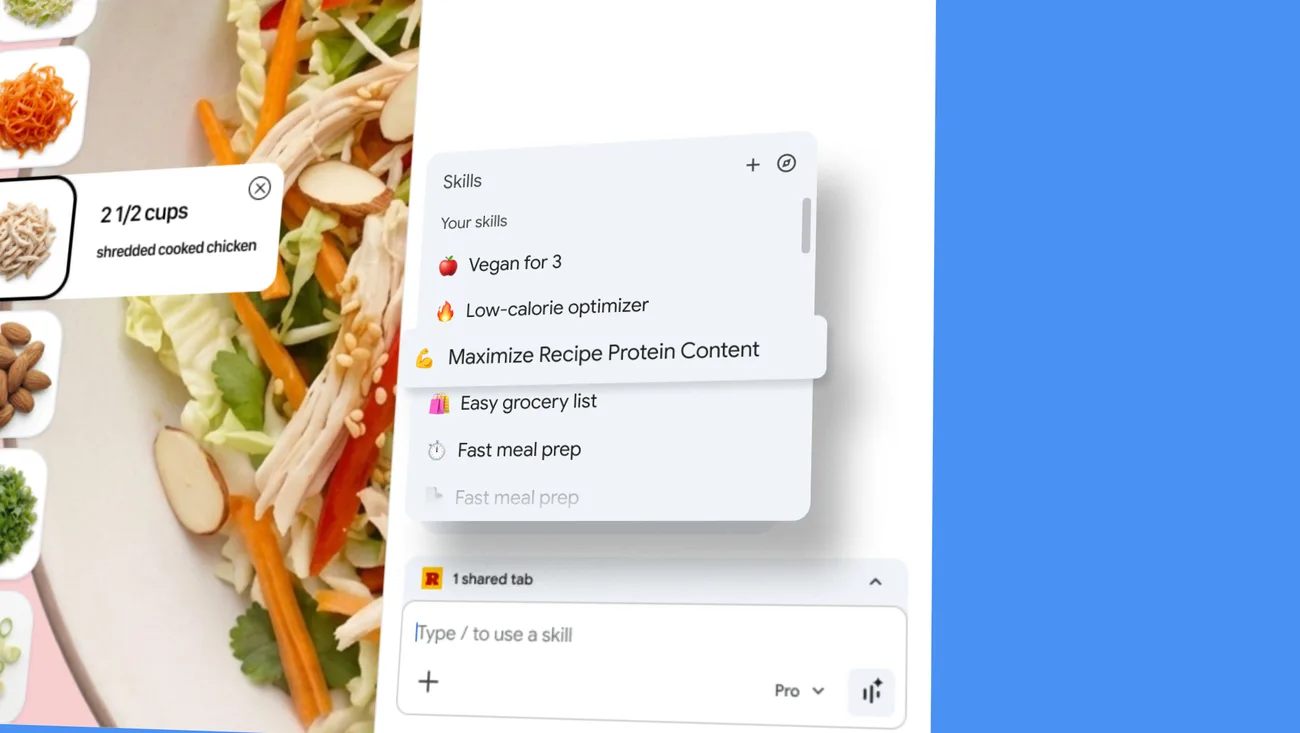
Anyone who uses AI tools daily knows the drill: open the tool, paste your go-to prompt, tweak it slightly, run it. Repeat 20 times a day. Google just shipped a Chrome feature called Skills that turns that repetitive loop into a single click.
Skills lets you save any AI prompt as a reusable tool that lives inside Chrome. The idea is simple: instead of keeping a notes document full of prompts you copy-paste constantly, you save them once and they're available from the browser whenever you need them. The demo video Google published shows the feature in action, with saved prompts appearing as accessible shortcuts for common tasks.
This matters most for people who have developed reliable prompts they rely on every day - the "rewrite this email to be more direct" prompt, the "summarize this page in three bullet points" prompt, the "extract the key dates from this document" prompt. Right now, most people store these in a notes app, a spreadsheet, or just their own memory. Skills moves them into the browser itself, closer to where the work actually happens.
What This Means for Prompt-Heavy Workflows
The practical benefit is reduced friction. Getting from "I need to run my editing prompt" to actually running it drops from four or five steps to one. For content creators, marketers, or anyone doing repetitive AI-assisted tasks across multiple pages or documents in a day, that adds up.
It also hints at a broader direction for browsers: instead of AI being a tab you switch to, it becomes infrastructure woven into the browsing session itself. Chrome has been moving this direction for a while with its built-in Gemini integration.
The feature works alongside tools like ChatGPT or Claude rather than replacing them - you'd still send prompts to whatever AI you prefer, but Skills handles the storage and retrieval on the browser side. No details yet on whether Skills will support sending prompts to third-party AI services directly, or whether it's scoped to Google's own AI features.
Skills is rolling out through Chrome now. If you're already running specific prompts on repeat, it's worth testing whether keeping them in the browser beats your current system.