

A detailed comparison of Asana vs ClickUp covering pricing, AI features, customization depth, and real-world productivity for teams that need to ship work - not just organize it.
The asana vs clickup 2026 debate is not the same comparison it was two years ago. Both platforms have poured resources into AI - Asana with AI Studio and AI Teammates, ClickUp with Brain 4.0 and Autopilot Agents - and the gap between “clean and structured” and “everything and the kitchen sink” has shifted in interesting ways.
The answer is not simply “one is better.” Asana delivers a polished, focused experience for teams that value clarity. ClickUp delivers maximum features per dollar for teams that want one platform to rule them all. The right choice depends on what your team actually needs - and what frustrates them most about their current setup.
This guide breaks down every meaningful difference so you can decide with confidence.
Comparison Table
Asana vs ClickUp 2026 is one of the most common comparisons in this category. Asana and ClickUp 2026 take different approaches to solving similar problems, and the right choice depends on your workflow, budget, and team size. This guide compares both tools across the features that actually matter for daily work.
| Factor | Asana | ClickUp |
|---|---|---|
| Rating | ||
| Starting Price | Free (10 users) | Free (unlimited users) |
| Mid-Tier Price | $13.49/user/mo (Starter) | $10/user/mo (Unlimited) |
| Premium Price | $30.49/user/mo (Advanced) | $19/user/mo (Business) |
| Free Tier Users | 10 users max | Unlimited users |
| Views | 6 views | 35+ views |
| AI Features | AI Studio (included on paid) | ClickUp Brain ($9/user/mo add-on) |
| Time Tracking | Advanced tier only | Unlimited tier and up |
| Learning Curve | Moderate | Steep |
| Best For | Structured team workflows | Maximum features per dollar |
Quick Verdict
Choose Asana if your team values a clean interface, fast onboarding, and structured project management with excellent timeline views. Asana works best for teams that want polished execution without spending weeks configuring their PM tool. The 437% three-year ROI is backed by IDC research, and 81% of organizations report improved collaboration.
Choose ClickUp if you want the most features at the lowest cost and your team can invest 2-3 weeks in the learning curve. ClickUp replaces multiple tools with one platform - tasks, docs, goals, time tracking, whiteboards, and chat - saving teams $40+/user/month in consolidated software costs.
What Is Asana?
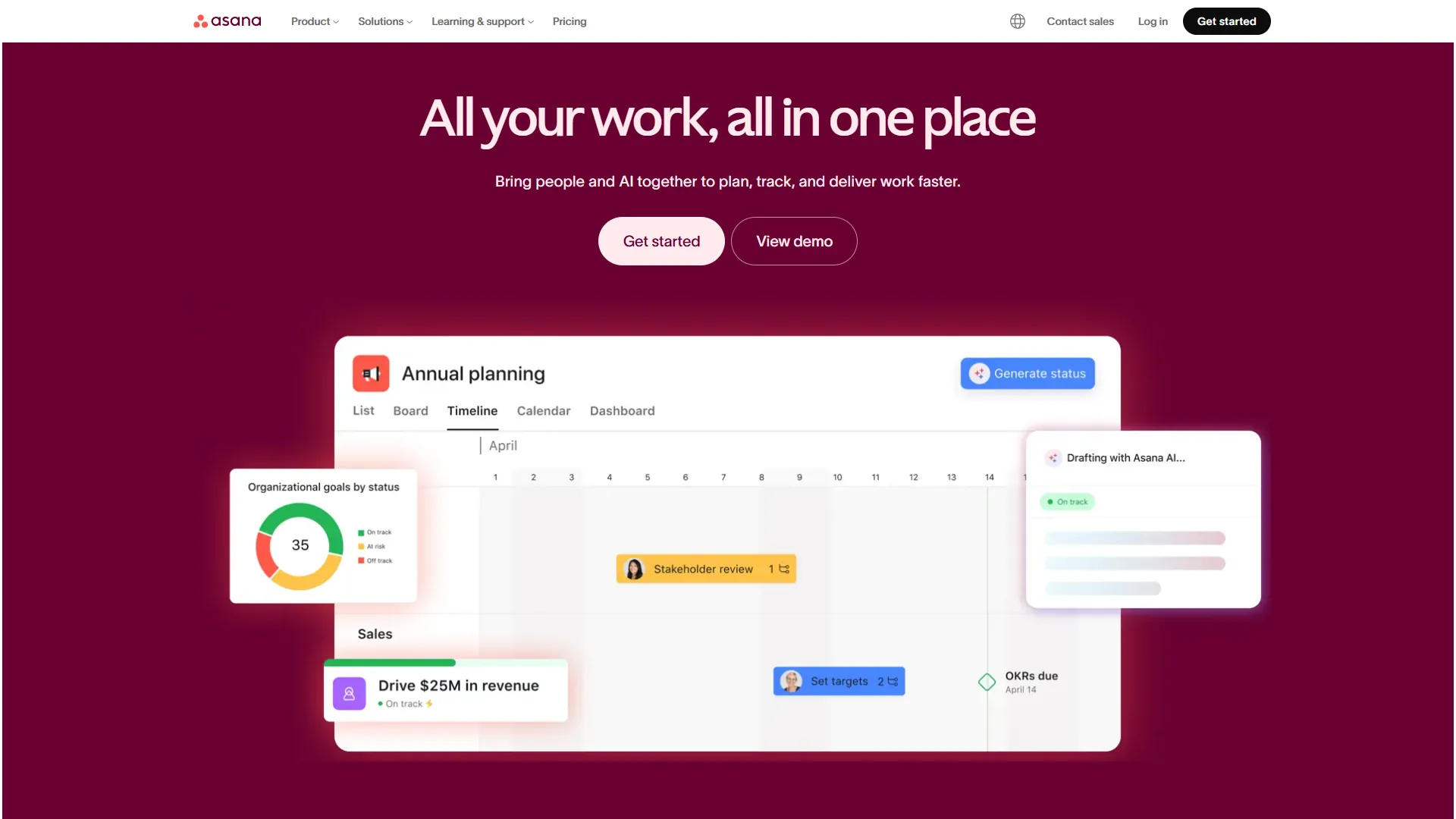
Asana is a work management platform built around the idea that project management should be clean, structured, and immediately usable. Founded in 2008 by Facebook co-founder Dustin Moskovitz, it has earned its reputation as the industry standard for timeline-driven project management. The Asana Guide covers foundational concepts for teams getting started.
What sets Asana apart in 2026 is its AI Studio - a no-code workflow builder available on all paid tiers that lets you create automations using natural language. The recently launched AI Teammates (beta) takes this further with collaborative AI agents that handle complex strategic work, not just simple task routing.
Key strengths:
- Timeline and Gantt chart views that make dependency tracking intuitive
- AI Studio on all paid tiers - no separate AI add-on needed
- 200+ integrations including Slack, Microsoft Teams, and Salesforce
- 437% three-year ROI documented by IDC research
- Clean, polished interface that teams adopt quickly
Notable limitations:
- Free tier caps at 10 users with no timeline views or automations
- Time tracking only available on Advanced tier ($30.49 per month)
- Fewer customization options compared to ClickUp
- Higher per-user pricing across comparable tiers
What Is ClickUp?
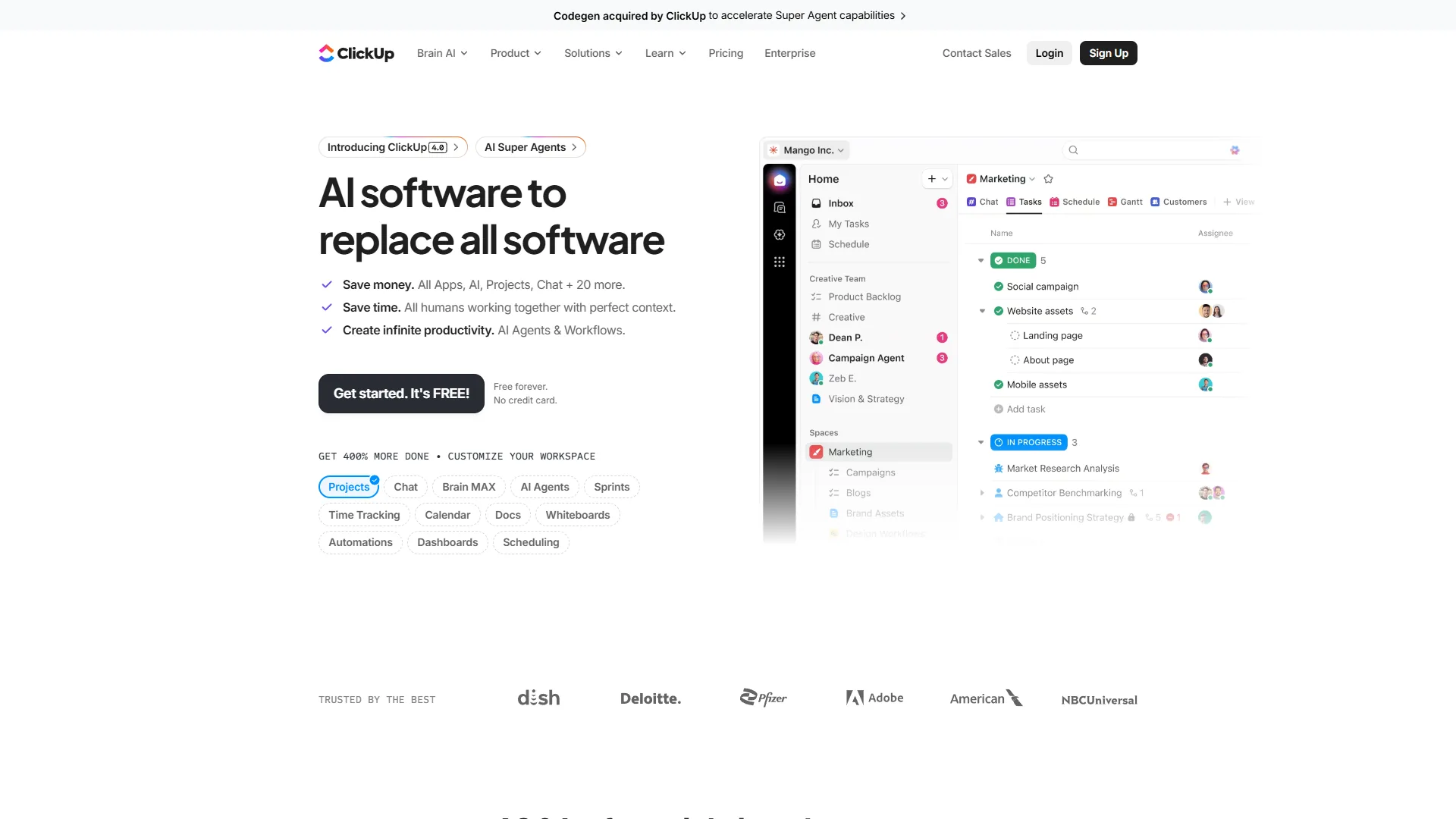
ClickUp is an all-in-one productivity platform that aims to replace your entire work tool stack with a single app. Founded in 2017, it has grown rapidly by offering more features at lower prices than established competitors - and in 2026, it genuinely delivers on that promise.
The November 2026 4.0 release brought ClickUp Brain with multi-model AI support (GPT-5, Claude Opus 4.1, o3), Autopilot Agents for automated workflows, and an AI Knowledge Manager that searches across tasks, docs, and 100+ connected apps. The acquisition of Qatalog added enterprise search capabilities that compete with dedicated knowledge management tools.
Key strengths:
- 35+ view options for maximum workflow flexibility
- Free Forever tier with unlimited tasks and unlimited users
- Built-in docs, whiteboards, chat, and time tracking
- ClickUp Brain AI with multi-model support and enterprise search
- 3.84x ROI multiplier documented in Nucleus Research case studies
Notable limitations:
- Steep learning curve - expect 2-3 weeks for team proficiency
- AI features are a paid add-on ($9-28/user/month)
- Performance can degrade in large workspaces (1000+ tasks)
- Feature density creates decision fatigue for new users
Pricing Comparison: Asana vs ClickUp
This is where the asana vs clickup 2026 comparison gets interesting. The sticker prices favor ClickUp, but the total cost of ownership depends on what you actually need.
Asana Pricing
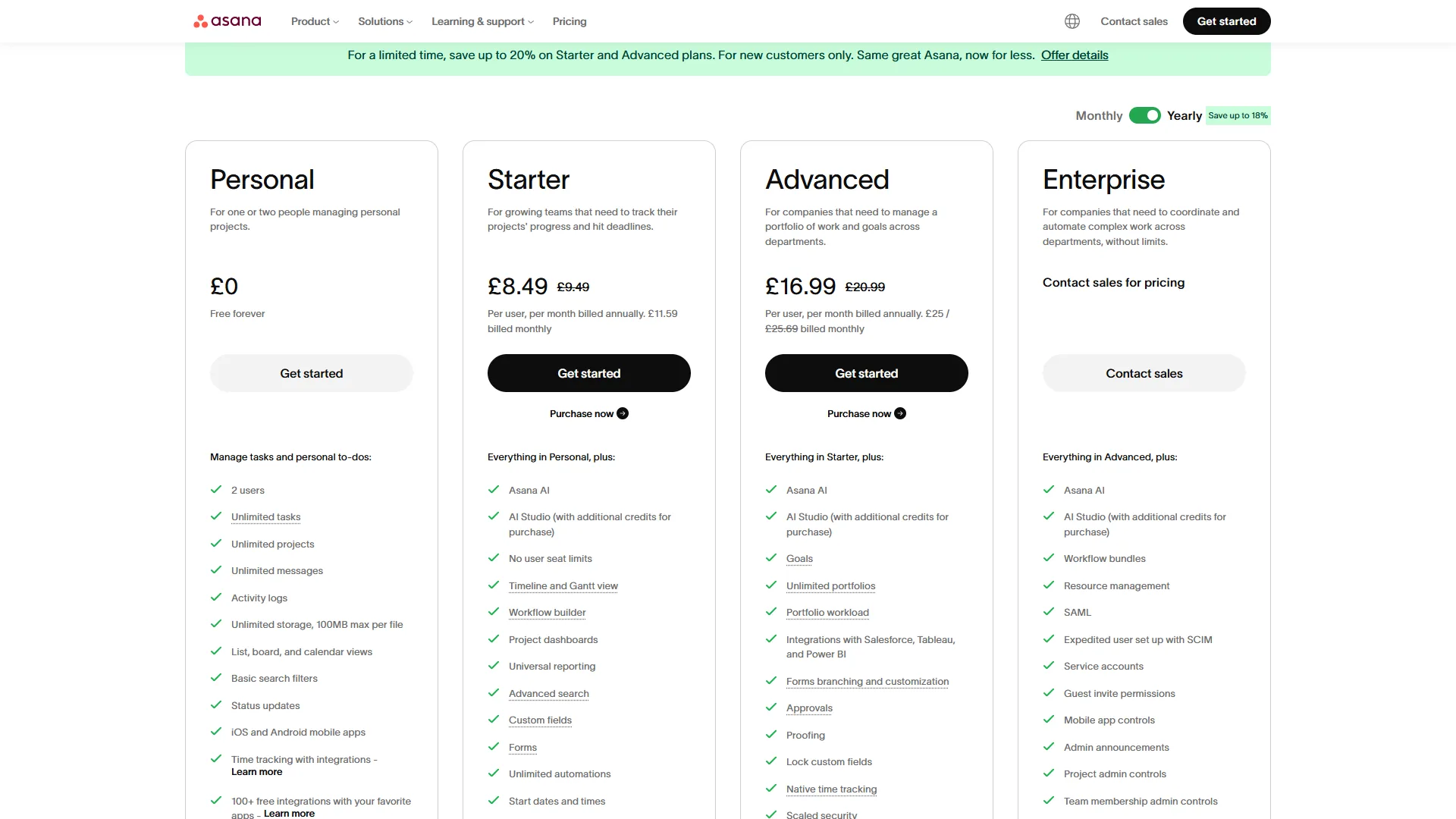
| Tier | Monthly Price | Annual Price | Key Capabilities |
|---|---|---|---|
| Personal | Free | Free | 10 users, basic views, no automations |
| Starter | $13.49/user | $10.99/user | Timeline, 250 automations/mo, AI Studio Basic |
| Advanced | $30.49/user | $24.99/user | Portfolios, workload, time tracking, 25K automations/mo |
| Enterprise | Custom | Custom | SSO/SAML, unlimited automations, 99.9% SLA |
| Enterprise+ | Custom | Custom | HIPAA, data residency, 99.99% SLA |
What is included with AI: AI Studio Basic comes bundled with all paid tiers at no extra cost. This includes no-code workflow building with natural language and smart summaries. AI Teammates (beta) requires AI Studio Pro, available on Advanced and above.
ClickUp Pricing
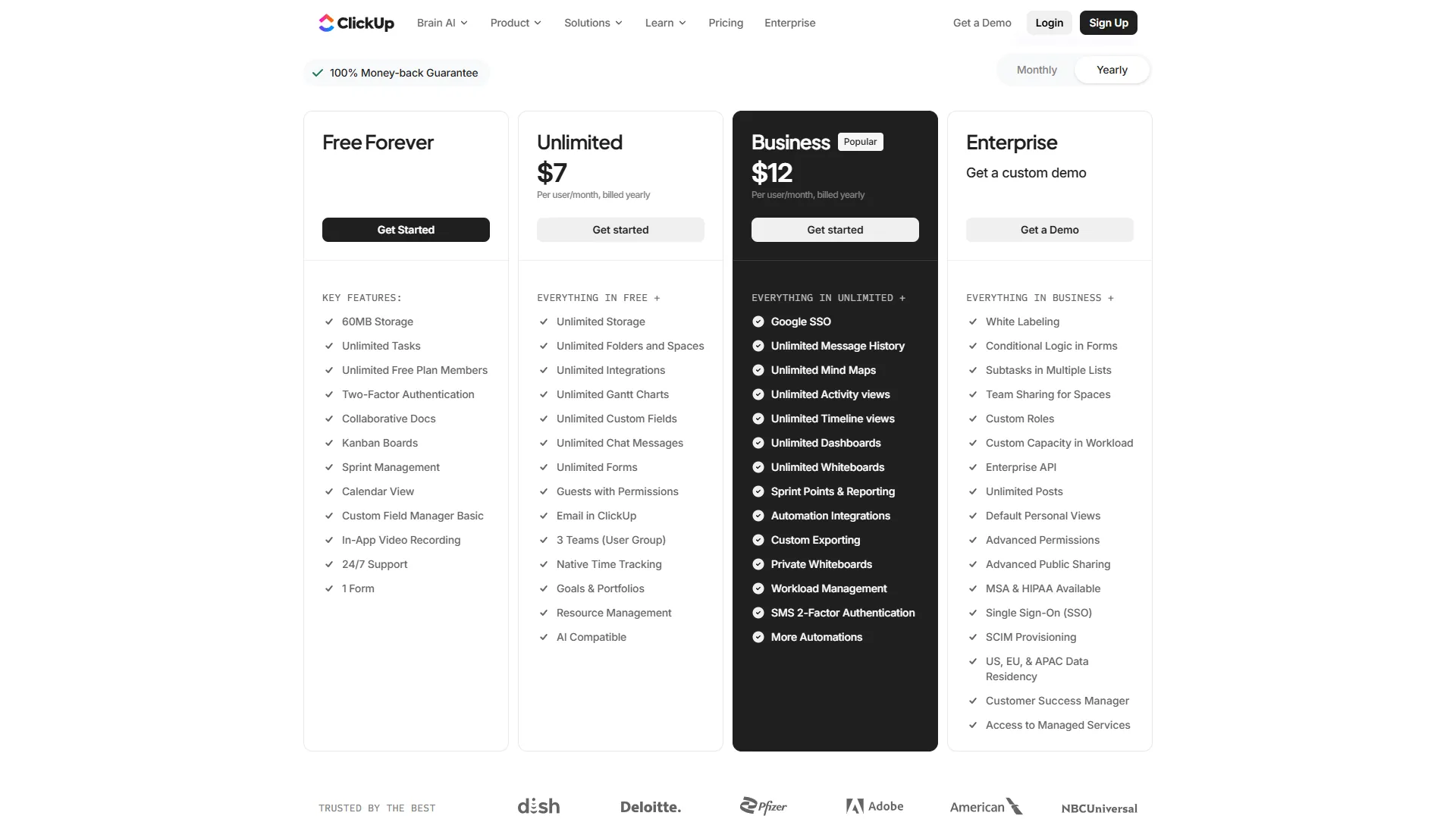
| Tier | Monthly Price | Annual Price | Key Capabilities |
|---|---|---|---|
| Free Forever | Free | Free | Unlimited tasks/users, 100MB storage |
| Unlimited | $10/user | $7/user | Unlimited storage, Gantt, time tracking, goals |
| Business | $19/user | $12/user | Timeline, workload, 250+ automations, Google SSO |
| Enterprise | Custom | Custom | White labeling, SSO/SAML, advanced permissions |
ClickUp Brain (AI add-on):
- AI Standard: $9 per user/mo - unlimited AI essentials, Brain MAX desktop app
- AI Autopilot: $28 per user/mo - agents, enterprise search, AI Notetaker
Total Cost Comparison: 10-Person Team (Annual)
| Cost Factor | Asana (Starter) | ClickUp (Unlimited) | ClickUp + Brain Standard |
|---|---|---|---|
| Software | $1,320/yr ($10.99/user x 10 x 12) | $840/yr ($7/user x 10 x 12) | $840/yr |
| AI Features | Included | Not included | $1,080/yr ($9/user x 10 x 12) |
| Total Year 1 | $1,320/yr | $840/yr | $1,920/yr |
The value math shifts once you factor in AI. Base ClickUp is 36% cheaper than base Asana. But ClickUp with AI Standard costs 45% more than Asana with AI included. If AI-powered automation matters to your team - and in 2026, it should - Asana’s bundled approach delivers better value at the Starter tier.
At the Advanced/Business tier comparison, ClickUp ($12 per user/mo annual) still undercuts Asana ($24.99 per user/mo annual) by 52%, even with ClickUp Brain Standard added ($21 per user/mo total vs $24.99 per user/mo). ClickUp wins on raw pricing at every tier.
Feature-by-Feature: AI Studio vs ClickUp Brain
Both platforms have made AI central to their 2026 strategies, but their approaches reflect fundamentally different philosophies.
Asana AI Studio
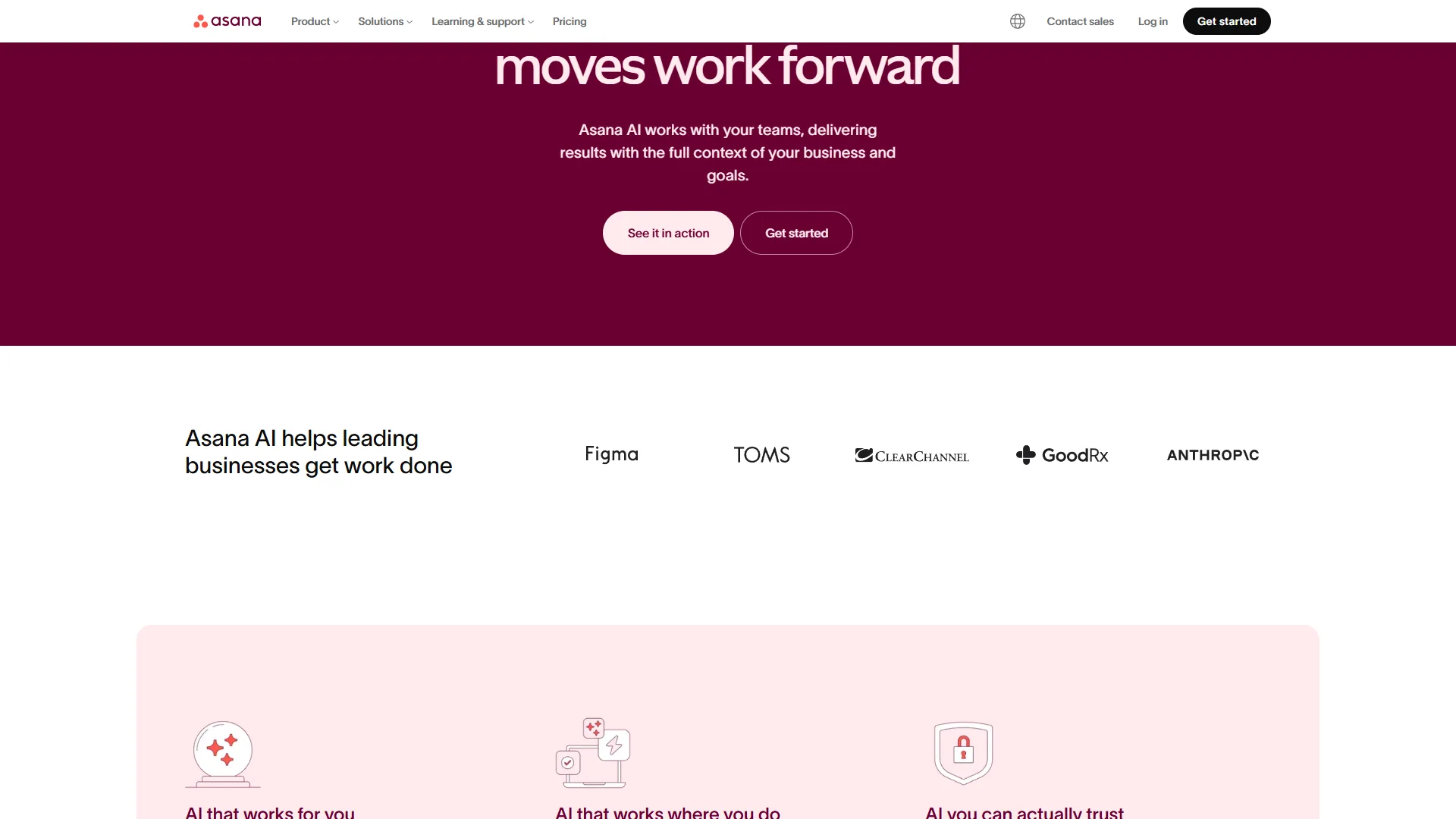
Asana’s AI strategy is - explained on the official Asana AI page - inclusion-first. AI Studio Basic ships on all paid tiers starting at $13.49 per month, which means every paying team gets:
- No-code workflow builder using natural language (“When a task is marked complete in Marketing, notify Sales and create a follow-up”)
- Smart summaries for projects, tasks, and portfolios
- Change summaries that highlight what has shifted since your last review
- Smart search with multilingual and semantic understanding
- Smart Workflow Gallery with prebuilt AI workflows for campaigns, goal setting, and more
AI Teammates (beta, AI Studio Pro) takes this further with collaborative AI agents that do not just route tasks - they handle strategic work like drafting project briefs, analyzing dependencies, and suggesting resource allocation.
The key advantage: no surprise AI bills. Your team gets AI workflows as part of their existing subscription.
ClickUp Brain 4.0
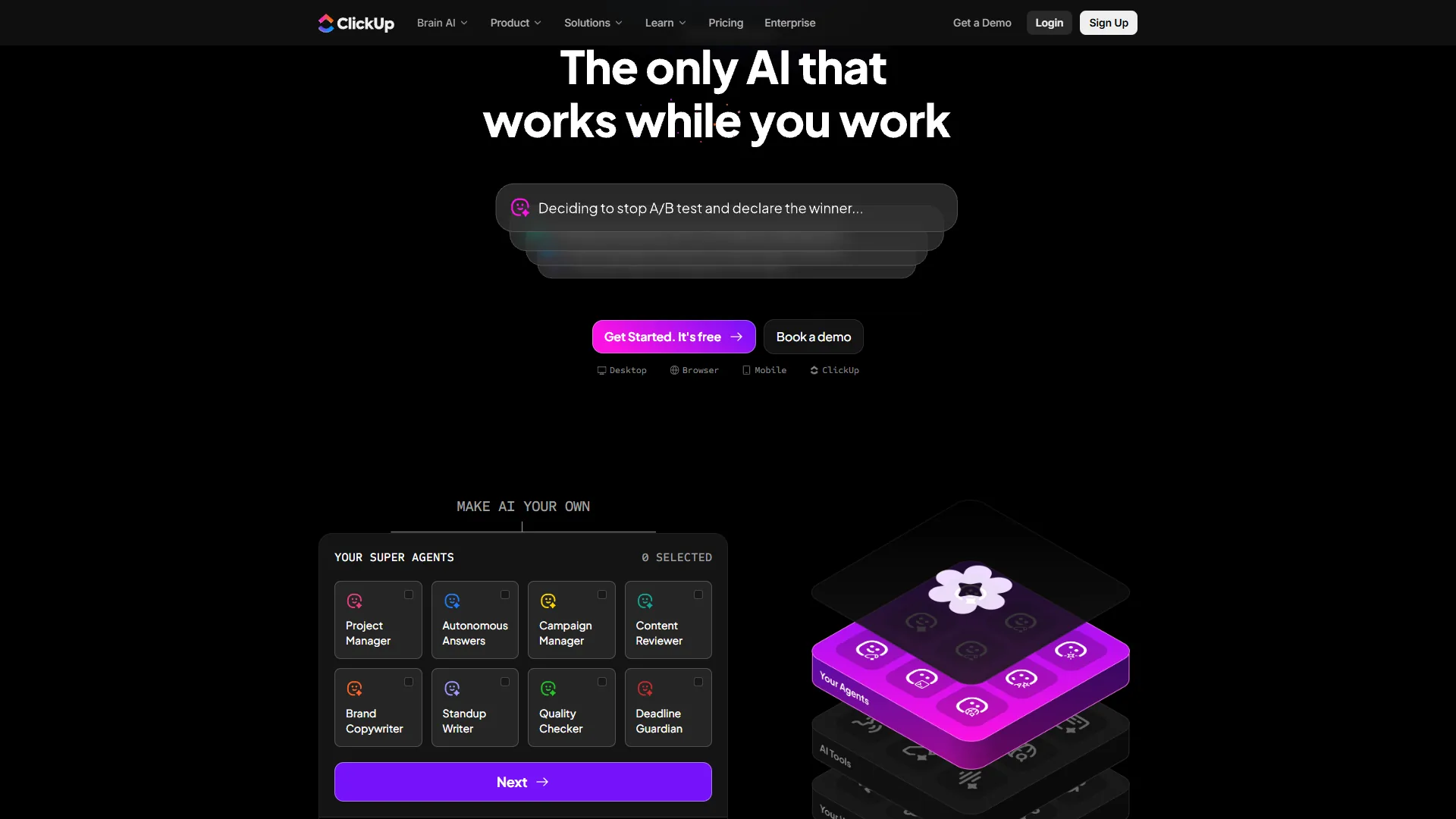
ClickUp Brain is more powerful but costs extra. The November 2026 4.0 release delivered:
- Multi-model AI with GPT-5, Claude Opus 4.1, o3, and o1-mini
- AI Knowledge Manager with enterprise search across tasks, docs, chats, and 100+ connected apps (Google Drive, Teams, Figma)
- AI Project Manager with intelligent task assignment and auto-tracking
- Autopilot Agents - no-code AI bots for automated standups, project updates, and custom workflows
- AI Notetaker for meeting transcription and automatic task creation
- Brain MAX - a desktop app providing system-wide AI access with voice-to-text
The key advantage: ClickUp Brain’s multi-model approach and enterprise search across connected apps gives it deeper AI capabilities than Asana’s current offering.
AI Comparison Summary
| AI Capability | Asana | ClickUp |
|---|---|---|
| Base AI Included | Yes (all paid tiers) | Trial only (paid add-on) |
| Workflow Automation | Natural language rules | Natural language rules |
| Meeting Notes | Not available | AI Notetaker (Autopilot tier) |
| Enterprise Search | Smart search (internal) | Knowledge Manager (100+ apps) |
| AI Agents | AI Teammates (beta) | Autopilot Agents |
| Model Choice | Not specified | GPT-5, Claude Opus 4.1, o3 |
| Min. Cost for AI | $13.49/mo (included) | $9/user/mo (add-on) |
Bottom line: Asana wins on accessibility - AI is part of the package, not an upsell. ClickUp wins on raw AI capability, especially enterprise search and multi-model flexibility - the ClickUp AI vs Monday AI breakdown explains how Brain compares to other AI engines. If you just want AI-powered automations without thinking about it, choose Asana. If you want cutting-edge AI features and are willing to pay for them, choose ClickUp.
Customization and Views
This is where ClickUp pulls away decisively.
ClickUp offers 35+ view options - documented on the ClickUp views page - including List, Board, Gantt, Timeline, Calendar, Mind Maps, Workload, Table, Activity, and Map. Every team member can work in their preferred view while data stays synchronized. Custom fields, statuses, and workflows can be configured per space, folder, or project. The depth of customization is genuinely unmatched.
Asana offers 6 primary views: List, Board, Timeline/Gantt, Calendar, Portfolio, and Workload. These views are polished and functional, but the options are deliberately limited. Asana’s philosophy is that fewer, better views reduce confusion. Custom fields are available from Starter tier, and workflow builder lets you create structured processes.
The tradeoff: ClickUp’s 35+ views give power users unlimited flexibility but overwhelm newcomers. Asana’s 6 views get teams productive faster but may feel constraining for teams with diverse workflow preferences.
For teams managing 3-5 projects with consistent processes, Asana’s focused views are usually enough. For teams juggling 10+ projects across different departments with different working styles, ClickUp’s view flexibility becomes a genuine advantage. The ClickUp vs Notion deep dive shows how this flexibility compares against a docs-first workspace.
Feature-by-Feature: Ease of Use and Onboarding
This is where Asana wins decisively - and it matters more than most teams realize.
Asana is designed so that new users can create tasks, assign work, and track progress within the first hour. The interface follows predictable patterns, navigation is clear, and the learning curve is moderate rather than steep. Asana reports that 81% of organizations see improved team collaboration, which only happens when people actually use the tool. Most teams reach full proficiency within the first week.
ClickUp requires a real investment in learning. The sheer number of options - 35+ views, unlimited custom fields, nested spaces and folders - creates decision fatigue during setup. Most teams need 2-3 weeks to reach proficiency, and some teams never fully adopt the platform because the complexity outweighs the benefits for their use case.
The productivity impact is real. A project management tool that 90% of your team uses consistently beats a more powerful tool that only 60% of your team bothers with - the best AI project management tools 2026 guide expands on adoption-driven ROI. If your team has resisted adopting PM tools in the past, Asana’s lower barrier is a significant advantage.
Feature-by-Feature: Integrations
Asana offers 200+ integrations including Slack, Microsoft Teams, Salesforce, Microsoft 365 Copilot, Tableau, and Power BI. The integrations feel native and polished - especially the Slack integration, which lets you create tasks and get updates without leaving your messaging app. API access is available across paid tiers.
ClickUp offers 100+ native integrations with a growing ecosystem. ClickUp Brain’s enterprise search extends integration value by searching across connected apps like Google Drive, Teams, and Figma. The integration count is lower than Asana’s, but ClickUp compensates by building features natively (docs, whiteboards, chat) that other platforms require integrations to access.
The difference in approach: Asana integrates deeply with fewer tools. ClickUp builds features in-house and integrates with fewer external tools. If your team relies on a specific tech stack, check that both platforms support your critical integrations before committing.
Feature-by-Feature: Time Tracking and Resource Management
ClickUp includes native time tracking on the Unlimited tier ($10 per user/mo) and above. You can track time directly on tasks, set estimates, and generate time reports. For agencies billing by the hour, this alone justifies choosing ClickUp. Goals tracking is also available from Unlimited.
Asana reserves time tracking for the Advanced tier ($30.49 per user/mo). If you need time tracking on lower tiers, you will need a third-party integration like Harvest or Toggl. Workload management and portfolio views are also gated behind Advanced. Goals tracking requires Advanced.
For teams that need built-in time tracking without paying premium prices, ClickUp has a clear advantage. The $20 per user/month difference between ClickUp Unlimited and Asana Advanced adds up quickly across a team.
Choose Asana if you
Asana is the right choice if you:
- Value clean execution over feature maximalism - Your team wants a tool that works out of the box without weeks of configuration
- Need fast team adoption - If getting 90%+ of your team using the PM tool consistently matters more than having every possible feature
- Run structured, timeline-driven projects - Marketing campaigns, product launches, and cross-functional initiatives with clear milestones and dependencies
- Want AI included without add-on costs - AI Studio on all paid tiers means no surprise bills and immediate access to workflow automation
- Need enterprise compliance - SAML/SSO, HIPAA compliance (Enterprise+), data residency, and 99.99% uptime SLA for regulated industries
- Manage portfolios of multiple projects - Advanced tier’s portfolio and workload views give executives visibility across all active work
Choose ClickUp if you
ClickUp is the right choice if you:
- Want maximum features at minimum cost - Free tier with unlimited tasks and users, paid tiers that undercut competitors significantly
- Need to consolidate multiple tools - Replacing Asana + Notion + Slack + Harvest with one platform saves money and reduces context-switching
- Have diverse workflow preferences across teams - 35+ views let engineering use lists, marketing use boards, and leadership use dashboards - all from the same data
- Require built-in time tracking - Available from Unlimited tier ($10 per user/mo), not gated behind premium pricing
- Want cutting-edge AI capabilities - ClickUp Brain’s multi-model support and enterprise search are more capable than Asana’s current AI offering
- Are a startup or growing team - Free Forever tier eliminates software costs during early stages, and paid tiers scale affordably
Methodology: Implementation and Migration
If you are starting fresh or switching between platforms, plan accordingly.
Asana setup timeline: Most teams are productive within 1-2 days for basic use. Full implementation with custom workflows, automations, and integrations takes 1-2 weeks - the Trello vs Asana 2026 guide covers migration considerations between similar tools. Enterprise deployments with migration typically take 3-6 weeks with Asana’s dedicated onboarding team.
ClickUp setup timeline: Basic setup takes 2-3 days for small teams. Full deployment with custom views, automations, and workspace configuration takes 2-3 weeks. Enterprise implementations with migrations take 2-4 weeks. The Nucleus Research case study documented 7-14 day time-to-value for typical teams.
Migrating between platforms: Both tools offer import features. ClickUp provides a direct Asana import that transfers projects, tasks, and subtasks. Asana supports CSV imports and has integration connectors for migration. Budget 1-2 weeks for a clean migration of a mid-sized workspace, and expect to rebuild automations and custom views from scratch.
Hidden Costs Nobody Mentions
Beyond subscription pricing, consider these often-overlooked factors:
Training and productivity loss. Switching PM tools means a productivity dip during transition - the best Kanban tools 2026 guide covers simpler alternatives if change-management cost is high. Asana’s shorter learning curve (days) means a smaller productivity hit than ClickUp’s (weeks). For a 20-person team at $50/hour, one week of reduced productivity at 25% efficiency loss costs roughly $5,000 - a real consideration.
Automation limits. Asana Starter caps at 250 automations/month. ClickUp Business includes 250+ automations. If your workflows are automation-heavy, you may need Asana Advanced (25,000/month) or ClickUp Enterprise (unlimited). Plan your automation needs before selecting a tier.
AI add-on costs. ClickUp Brain Standard at $9 per user/month adds $1,080/year for a 10-person team. Asana includes AI at no extra cost on paid tiers. Over three years, that AI cost difference amounts to $3,240 - worth factoring into your decision.
Integration costs. Asana’s lack of built-in time tracking on lower tiers means paying for Harvest ($12 per user/mo) or Toggl ($10 per user/mo) separately - the best time tracking tools 2026 guide compares both. ClickUp includes time tracking from $10 per user/mo. For a 10-person team needing time tracking, Asana Starter + Toggl costs $23.49 per user/mo versus ClickUp Unlimited at $10 per user/mo.
The Bottom Line: Asana vs ClickUp 2026
The asana vs clickup 2026 decision comes down to a fundamental question: do you value simplicity and polish, or flexibility and value?
Asana is the better choice for teams that want a clean, reliable project management tool that works immediately. The interface is polished, timeline views are best-in-class, AI Studio is included on all paid tiers, and the 437% three-year ROI is backed by real research. You pay a premium for a tool that gets out of your way and lets your team focus on the work itself. Start with the Asana tool page for detailed pricing and feature breakdowns.
ClickUp is the better choice for teams that want maximum capability at minimum cost and can invest in the learning curve. The Free Forever tier is genuinely useful, paid tiers undercut every competitor, and ClickUp Brain delivers the most advanced AI in the PM space (for an additional fee). You trade simplicity for flexibility - a worthwhile tradeoff if your team has the patience to learn the platform. Explore the ClickUp tool page for the full feature comparison.
If you are genuinely unsure, start with ClickUp’s Free Forever tier - it costs nothing and includes unlimited tasks and users. If the complexity frustrates your team after two weeks, switch to Asana’s Starter tier ($13.49 per month). The best PM tool is the one your team actually uses every day.
FAQ
Q: Is Asana or ClickUp cheaper in 2026?
ClickUp wins on raw pricing at every tier. Base ClickUp Unlimited runs $7 per user/month annual versus Asana Starter at $10.99, making ClickUp 36% cheaper. However, once you add ClickUp Brain Standard at $9 per user/month, the total is 45% more than Asana with AI Studio included on all paid tiers.
Q: Does Asana or ClickUp have better AI features?
ClickUp Brain wins on raw capability with multi-model support (GPT-5, Claude Opus 4.1, o3), enterprise search across 100+ connected apps, and Autopilot Agents. Asana wins on accessibility because AI Studio is bundled on all paid tiers at no extra cost, while ClickUp Brain is a $9 to $28 per user/month add-on.
Q: Which is easier to learn, Asana or ClickUp?
Asana is easier to learn. New users can create tasks, assign work, and track progress within the first hour, and most teams reach full proficiency within a week. ClickUp requires 2-3 weeks to reach proficiency because 35+ views and unlimited custom fields create decision fatigue during setup.
Q: Does ClickUp include time tracking on lower tiers than Asana?
Yes. ClickUp includes native time tracking from the Unlimited tier at $10 per user/month, along with estimates and time reports. Asana reserves time tracking for the Advanced tier at $30.49 per user/month, so lower-tier Asana users need a third-party integration like Harvest or Toggl to bill by the hour.
Q: How many views do Asana and ClickUp offer?
ClickUp offers 35+ view options including List, Board, Gantt, Timeline, Calendar, Mind Maps, Workload, Table, Activity, and Map. Asana offers 6 primary views: List, Board, Timeline/Gantt, Calendar, Portfolio, and Workload. Asana deliberately limits options to reduce confusion, while ClickUp prioritizes maximum flexibility for diverse workflows.
Related Reading
Tools covered in this article:
- Asana - Timeline-focused project management with AI Studio
- ClickUp - All-in-one productivity platform with ClickUp Brain AI
More project management guides:
- Best Free Project Management Tools - Free PM tools for small teams
- Best Kanban Tools 2026 - Top kanban board tools compared
- Trello vs Asana 2026 - Trello and Asana compared head-to-head
External Resources
- Asana - Official website
- ClickUp - Official website
- ClickUp University - Free training and certification courses
- Asana Academy - Free courses and workflow guides