






Legal research is the backbone of every practice area - and it is also one of the biggest time sinks in the profession. Associates at large firms spend an estimated 30-40% of their billable hours on research tasks. Solo practitioners juggle research alongside client management, court appearances, and business development. The result is the same: too many hours spent reading cases, statutes, and secondary sources that may or may not be relevant.
AI-powered legal research tools promise to compress that timeline dramatically. Some can analyze thousands of case documents in minutes, surface relevant precedent based on natural language queries, and even predict litigation outcomes based on historical data. But the market for best AI legal research tools is evolving so fast that most comparison articles are outdated within months - and many are thinly disguised vendor content.
This guide takes a practical approach, evaluating legal research AI tools across what actually matters to practicing lawyers: accuracy and hallucination risk, security and compliance posture, pricing transparency, and how well each tool fits different firm sizes and practice areas. Because when client outcomes depend on thorough research, “good enough” is not a standard any lawyer should accept.
Selection Criteria for AI Legal Research Tools
The Best AI Legal Research Tools include Define Your Research Patterns, Run a Parallel Test, Assess Security Against Your Obligations and 1 more. Each tool takes a different approach to AI legal research tools, and the right choice depends on your budget, team size, and the specific workflows you need to optimize. This guide compares them on pricing, features, and real performance.
Before comparing specific platforms, here is the evaluation framework below. Not every firm needs every feature - a solo practitioner handling family law has different priorities than a BigLaw litigation department handling complex commercial disputes.
Which AI Legal Research Tools Have the Most Reliable Citations?
This is non-negotiable for legal work. General-purpose AI tools can hallucinate case citations - producing case names, docket numbers, and holdings that look plausible but do not exist. The best legal AI tools either restrict their outputs to verified legal databases or clearly flag when confidence is low. Any tool you use for substantive legal research must allow you to verify every citation against primary sources.
Key question: Does the tool cite to specific cases, statutes, or regulations? Can you click through to the full source text? Does it distinguish between binding and persuasive authority in your jurisdiction?
Which Security and Data Privacy Standards Should Legal AI Tools Meet?
You are uploading privileged client communications, draft briefs, and confidential case strategies. The security requirements for legal AI go beyond standard SaaS compliance - much like the document processing safeguards needed in other regulated industries. At minimum, look for SOC 2 Type II certification, end-to-end encryption, and explicit guarantees that your data is not used to train the underlying AI models.
For firms handling sensitive matters - trade secret litigation, M&A due diligence, criminal defense - also evaluate whether the tool offers on-premise deployment, regional data residency, and compliance with specific regulatory frameworks like HIPAA or GDPR.
Jurisdictional Coverage
A legal research tool that only covers federal law is not helpful when you need state-specific case law for a premises liability matter in Georgia. Evaluate coverage depth across federal, state, and local jurisdictions. For international firms, check whether the tool supports multi-jurisdictional research across common law and civil law systems.
Integration with Existing Workflows
The best tool in the world creates friction if it does not connect to your document management system, practice management software, or brief-writing workflow. Look for integrations with platforms like Clio, NetDocuments, iManage, and Microsoft 365 - the systems where legal work actually happens.
Pricing Model and Transparency
Legal tech pricing is notoriously opaque. Many vendors require a demo and a conversation with sales before revealing any pricing information. This guide prioritizes tools that publish their rates and flagged where pricing transparency is lacking. For firms evaluating these tools, the total cost of ownership includes not just subscription fees but training time, integration costs, and the productivity ramp-up period.
Comparison Table: Best AI Legal Research Tools
This overview of the best AI legal research tools compares platforms across the features that matter most to practicing lawyers.
| Tool | Best For | Pricing | Database | Security |
|---|---|---|---|---|
| CoCounsel | Full-service legal AI | From $100-150/user/mo (enterprise) | Westlaw/Thomson Reuters | SOC 2, no model training |
| Harvey AI | BigLaw research & drafting | $15,000-200,000+/yr (enterprise) | Custom legal corpus | SOC 2, enterprise-grade |
| Lexis+ with Protege | Comprehensive case research | Quote-based (~$128-494/user/mo) | LexisNexis full library | SOC 2, data isolation |
| Lex Machina | Litigation analytics | $150/month per user | Federal + state courts | SOC 2, Lexis infrastructure |
| Clio Duo | Practice management + AI | $49/month per user | Integrated with Clio | SOC 2, bar-compliant |
| Spellbook | Contract drafting AI | $99/month per user | Contract precedent | SOC 2, Word integration |
| Perplexity | General research + citations | Free / $20/month Pro | Web + real-time sources | SOC 2, standard encryption |
A note on pricing: CoCounsel and Harvey AI pricing is enterprise-negotiated. See each tool’s section below for specific ranges.
Perplexity: The Accessible Starting Point for Legal Research
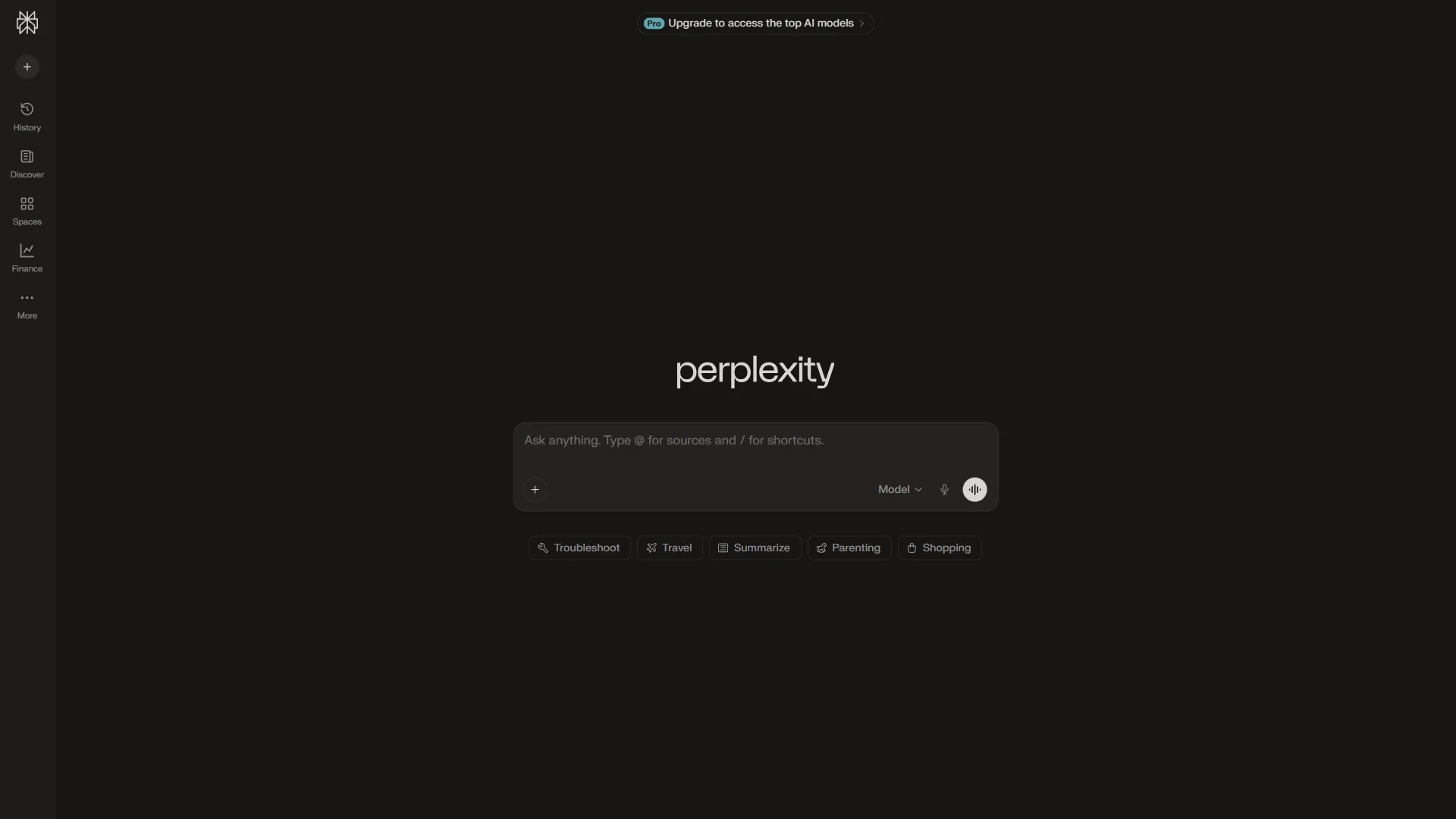
While Perplexity is not a dedicated legal research platform, it has become an increasingly popular tool among lawyers for preliminary research, client intake preparation, and staying current on legal developments. Its strength is accessibility - any lawyer can start using it today without a procurement process, enterprise contract, or six-figure budget.
Perplexity () is an AI-powered search engine that provides conversational answers with inline citations to source material. Every claim links back to a verifiable source, which is exactly what lawyers need - the ability to trace any assertion to its origin. The Pro plan adds access to advanced reasoning models and deeper sourcing from proprietary databases. For a deeper look at maximizing its capabilities, see our Perplexity tips and tricks guide.
How Lawyers Use Perplexity
Preliminary case research. Before diving into Westlaw or Lexis, many attorneys use Perplexity to get an initial landscape view of a legal issue. A query like “what are the elements of a trade secret misappropriation claim under the Defend Trade Secrets Act” returns a structured answer with citations to legal resources, law firm analysis, and secondary sources. This gives you a starting framework before running formal database searches.
Current legal developments. Perplexity excels at real-time information. When a new regulation drops, a significant ruling is issued, or bar association guidance changes - Perplexity surfaces current analysis faster than traditional legal databases update their annotations. For attorneys who need to stay current across multiple practice areas, this alone justifies the Pro subscription.
Client intake and matter assessment. During initial consultations, Perplexity helps attorneys quickly assess the viability of a potential matter. A family law attorney can check current state-specific custody standards. A plaintiff’s attorney can review recent settlement trends in similar cases. The speed of getting structured, cited answers during or immediately after a client meeting is genuinely useful.
Opposing counsel and judge research. Understanding the tendencies of a particular judge or the track record of opposing counsel is standard litigation prep. Perplexity can aggregate public information about judicial rulings, law firm profiles, and case histories faster than manual searching.
Pricing

Perplexity offers a genuinely useful free tier and a reasonably priced Pro plan:
- Free: Unlimited basic searches, 5 Pro searches per day. Sufficient for occasional research.
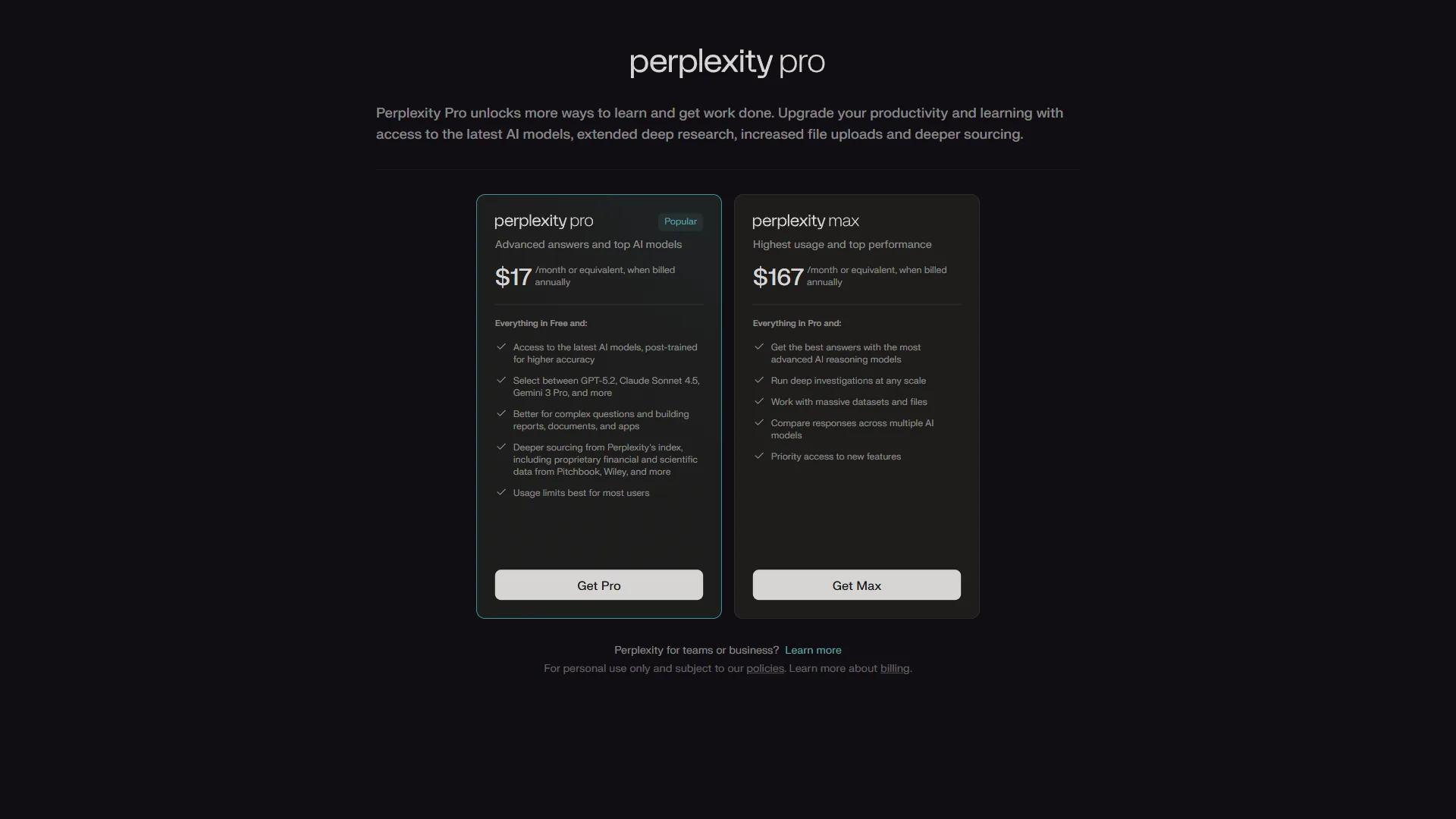
- Pro ($17 per month billed annually): Unlimited Pro searches with multi-step reasoning, access to premium AI models including GPT-5 and Claude, unlimited file uploads for document analysis, and advanced features like collections for organizing research threads.
For a solo practitioner or small firm, $20 per month for unlimited Pro searches is a fraction of what any traditional legal research platform costs. The question is not whether Perplexity is worth $20 - it clearly is. The question is whether it can replace your existing legal research tools, or whether it works best as a supplement.
Where Perplexity Falls Short for Legal Work

It is not a legal database. Perplexity searches the open web, not proprietary legal databases like Westlaw or LexisNexis. It cannot access full-text opinions behind paywalls, and its coverage of state trial court decisions is limited. For substantive legal research that needs to be comprehensive, Perplexity is a starting point, not a destination.
Citation verification is still required. While Perplexity cites its sources, those sources are web pages - not authoritative legal reporters. A blog post from a law firm analyzing a case is not the same as the case itself. Lawyers using Perplexity should always verify citations against primary legal sources before relying on them in filings or client advice.
No practice management integration. Perplexity does not connect to Clio, NetDocuments, or other legal practice management tools. Research stays in the Perplexity interface unless you manually export it.
Best for: Solo practitioners, small firms, in-house counsel, and any lawyer who wants fast preliminary research with citations at a price point that does not require budget approval.
Limitations and who it’s not for: Perplexity has clear drawbacks for legal work. It cannot access Westlaw, Lexis, or other paywalled legal databases, lacks KeyCite or Shepard’s-style citator validation, and offers no practice management integration. Skip Perplexity for substantive legal research, court filings, or any matter where missing a binding precedent could cost the case - it is a starting point, not a destination.
Legal-Specific AI Research Platforms
The following tools are purpose-built for legal work. Unlike general-purpose AI, they are trained on legal corpora, connected to authoritative databases, and designed around legal research workflows. The tradeoff is cost - these tools range from hundreds to thousands of dollars per month.
CoCounsel (by Thomson Reuters)
CoCounsel is Thomson Reuters’ legal AI assistant, built on top of the Westlaw database. It represents the most significant evolution of computer-assisted legal research since Westlaw itself launched. CoCounsel can perform document review, deposition preparation, contract analysis, and legal research - all within the Westlaw ecosystem.
What distinguishes CoCounsel from general AI is its grounding in verified legal content. When it cites a case, that citation links to the full Westlaw record with KeyCite status, headnotes, and citing references. This eliminates the hallucination risk that plagues general-purpose AI tools.
Strengths: Deep Westlaw integration, verified citations with KeyCite status, document review capabilities, legal-specific training data. The research quality for U.S. federal and state law is best-in-class.
Limitations: Firms report costs of $100-150 per user per month on top of existing Westlaw subscriptions. Requires a Westlaw subscription - cannot be purchased standalone.
Harvey AI
Harvey AI has attracted significant attention (and venture capital) as a legal AI platform targeting large law firms. Built on custom models fine-tuned on legal data, Harvey handles research, drafting, and analysis tasks. Several AmLaw 100 firms have deployed Harvey across their practices.
What sets Harvey apart is its ambition to be a full legal work product assistant, not just a research tool. Attorneys can draft memos, analyze contracts, prepare for depositions, and conduct jurisdictional research within a single interface. Harvey also claims to not use client data for model training - a critical requirement for firms handling sensitive matters.
Strengths: Purpose-built legal models, comprehensive workflow coverage beyond pure research, strong security posture, and active development with client firm feedback.
Limitations: Available only to firms that pass Harvey’s onboarding process. Annual contracts typically range from $15,000 to $200,000+ depending on firm size and seat count. Currently strongest in U.S. and U.K. law, with more limited coverage of other jurisdictions.
Lexis+ with Protege
Lexis+ with Protege (formerly Lexis+ AI) is LexisNexis’s answer to CoCounsel, integrating the Protege AI assistant into the Lexis research platform. It provides natural language search across the full LexisNexis database - cases, statutes, secondary sources, news, and public records.
The platform’s advantage is the sheer breadth of the underlying database. LexisNexis covers more than 80,000 legal, news, and business sources. Lexis+ with Protege layers conversational search on top of this content, allowing attorneys to ask questions in plain English and receive answers grounded in verified legal authority.
Strengths: Massive database coverage, established legal research infrastructure, integration with existing Lexis workflows, and practice area-specific modules.
Limitations: Pricing is now quote-based - reference points place entry pricing around $128 per user/month and the Professional tier near $494 per user/month, expensive for small firms. The AI capabilities are still maturing compared to the more established keyword and Boolean search features.
Lex Machina
Lex Machina occupies a different niche - litigation analytics rather than legal research in the traditional sense. The platform analyzes federal and state court data to reveal patterns in how specific judges rule, how long cases take, what damages are awarded, and how opposing counsel typically litigate.
For litigators, this information is invaluable for case strategy, forum selection, and settlement negotiations. Knowing that a particular judge grants summary judgment in patent cases 60% of the time - compared to a 35% district average - directly informs how you approach the case. The ABA’s annual legal technology survey tracks how rapidly these analytics tools are being adopted at firms of all sizes.
Strengths: Unique litigation analytics data, judge and attorney profiling, case outcome prediction, and strong federal court coverage.
Limitations: Not a general legal research tool. Pricing starts around $150 per user per month. State court coverage is still expanding and varies significantly by jurisdiction.
Clio Duo
Clio Duo is the AI layer built into Clio’s practice management platform. For firms already using Clio for case management, time tracking, and billing, Duo adds AI-powered research and drafting capabilities without requiring a separate tool or login.
The integration angle is Clio Duo’s strongest selling point. Because it sits within your practice management system, it has context about your cases, clients, and matters. Ask it to research an issue, and it can reference your existing case files alongside external legal resources. For a complementary workflow, see our AI contract review tools comparison.
Strengths: Deep integration with Clio practice management, accessible pricing at $49 per month per user, built-in time tracking for research activities, and a familiar interface for existing Clio users.
Limitations: Less powerful for pure research compared to Westlaw or Lexis-based tools. Best suited for solo practitioners and small firms that prioritize workflow integration over research depth.
Spellbook
Spellbook focuses specifically on contract drafting and review rather than broad legal research. It integrates directly with Microsoft Word and analyzes contracts against a database of legal precedent to suggest clauses, flag unusual terms, and identify missing provisions.
For transactional attorneys who spend most of their time in contracts rather than case law, Spellbook addresses a more specific need than general legal research tools.
Strengths: Word integration, contract-specific AI, clause suggestion engine, and reasonable pricing at $99 per month.
Limitations: Not a general legal research tool. Focused entirely on contract work. Less useful for litigation, regulatory compliance, or other practice areas.
Security and Compliance Comparison
Data security is not a nice-to-have for legal AI - it is a professional obligation. Bar associations across the country have issued guidance making clear that attorneys have an ethical duty to ensure the confidentiality of client information when using AI tools. Here is how the major platforms compare on the security features that matter most to law firms.
| Security Feature | CoCounsel | Harvey AI | Lexis+ Protege | Clio Duo | Perplexity |
|---|---|---|---|---|---|
| SOC 2 Type II | Yes | Yes | Yes | Yes | Yes |
| Data used for training | No | No | No | No | Not with Pro |
| End-to-end encryption | Yes | Yes | Yes | Yes | Yes (in transit) |
| On-premise option | No | Enterprise only | No | No | No |
| HIPAA compliance | Via BAA | Via BAA | No | No | No |
| Data residency controls | Limited | Yes | Limited | US only | No |
| Audit logging | Yes | Yes | Yes | Yes | Limited |
| Role-based access | Yes | Yes | Yes | Yes | No |
The key takeaway: For matters involving sensitive client data - trade secrets, M&A details, criminal defense strategies - the legal-specific platforms offer meaningfully stronger security postures than general-purpose AI tools. However, for preliminary research on publicly available legal topics, Perplexity’s security is sufficient for most use cases.
Important: Regardless of which tool you use, you should review your state bar’s guidance on AI and professional responsibility. Several jurisdictions now require disclosure when AI tools are used in substantive legal work.
Limitations and who it’s not for: The security comparison has tradeoffs to weigh. Only Harvey AI offers on-premise deployment, and HIPAA-eligible BAAs are limited to CoCounsel and Harvey - ruling out the other tools for healthcare-related matters. Perplexity’s training-data carve-out applies only to Pro tier, and free-tier searches feed back into the model. Skip any tool where the data residency, BAA, or training-exclusion guarantees do not match the matter’s confidentiality requirements.
Best Picks by Use Case: Firm Size and Practice Type
The best AI legal research tool depends less on which has the most features and more on what fits your practice, budget, and workflow.
Solo Practitioners and Small Firms (1-5 Attorneys)
Budget is the primary constraint. You need tools that deliver clear time savings without requiring five-figure annual commitments.
Recommended stack:
- Perplexity Pro ($20 per month) for preliminary research, current legal developments, and quick client intake prep
- Clio Duo ($49 per month) if you use Clio for practice management - the integrated AI adds research capabilities without a separate tool
- Spellbook ($99 per month) if your practice is primarily transactional and you draft contracts frequently
Total monthly cost: $70-170 depending on your needs. This combination covers preliminary research, practice management AI, and contract drafting - all at a fraction of what Westlaw or Lexis subscriptions cost.
What to skip: CoCounsel and Harvey AI are not priced for solo practices. Invest in a solid Westlaw or Lexis basic subscription for authoritative research, and use AI tools to accelerate the process around it.
Mid-Size Firms (6-50 Attorneys)
You have enough volume to justify platform investments but need to be strategic about where AI creates the most value across your practice groups.
Recommended stack:
- Lexis+ with Protege or CoCounsel as your primary research platform (choose based on whether your firm is a Westlaw or Lexis shop)
- Perplexity Pro team accounts for attorneys who need fast general research alongside their primary platform
- Lex Machina for your litigation practice groups - the analytics data provides a genuine strategic advantage
Total monthly cost: $300-800 per attorney depending on the combination. The ROI calculation should focus on billable hour recovery - if AI saves each attorney 5 hours per week of research time, the subscription pays for itself many times over.
Large Firms and Enterprise Legal Departments (50+ Attorneys)
At this scale, the priority shifts to firm-wide deployment, security architecture, and integration with existing legal technology infrastructure.
Recommended stack:
- Harvey AI for its comprehensive legal work product capabilities and willingness to customize for large deployments
- CoCounsel or Lexis+ with Protege as the primary research backbone (most large firms maintain both Westlaw and Lexis subscriptions)
- Lex Machina across all litigation practice groups
- Spellbook or custom contract AI for transactional practices
Budget: Large firm deployments typically run $200,000-500,000+ annually across all legal AI tools. The business case should be tied to specific metrics: research time reduction, document review acceleration, and improved hit rates on litigation analytics-informed strategies.
In-House Legal Teams
In-house counsel face a unique challenge - they need to research across multiple practice areas but typically do not have the budget for multiple specialized tools.
Recommended stack:
- Perplexity Pro ($20 per month) as the daily research workhorse for regulatory updates, vendor contract review prep, and general legal questions
- One primary legal database (Westlaw or Lexis) for authoritative research when needed
- Spellbook ($99 per month) if contract review and vendor management is a significant part of your workload
Budget priority: In-house teams get the best ROI from tools that reduce reliance on outside counsel for routine research tasks. Every question you can answer internally instead of sending to a $500/hour law firm saves significant budget.
Methodology: How to Evaluate Legal AI Tools
Before committing to any platform, run this evaluation process:
1. Define Your Research Patterns
Track how your attorneys actually spend research time for two weeks. What types of queries do they run? How much time goes to case law research versus statutory analysis versus practical guidance? Pairing a research tool with strong AI note-taking software can also help capture insights as attorneys work through sources. This data reveals which AI capabilities will create the most impact.
2. Run a Parallel Test
Most legal AI vendors offer trial periods. Run the same 10 research tasks through your current tools and the AI alternative. Compare accuracy, speed, and the quality of the outputs. Pay special attention to citation reliability - verify every AI-generated citation against primary sources.
3. Assess Security Against Your Obligations
Review your client engagement letters, firm policies, and applicable bar rules. Determine what level of data protection you require. If you handle matters with heightened confidentiality requirements (trade secrets, M&A, government contracts), your security requirements will narrow the field significantly.
4. Calculate the True Cost
Include subscription fees, training time (budget 10-20 hours per attorney for onboarding), workflow disruption during transition, and ongoing costs for maintaining integrations. Compare against the value of recovered billable hours. For a framework on measuring AI ROI in document-heavy workflows, see our guide on writing proposals with AI.
The Bottom Line
The best AI legal research tools in 2026 range from accessible general-purpose platforms to purpose-built legal AI that costs more than some associates’ monthly student loan payments. The right choice depends entirely on your practice size, budget, and research patterns.
For most lawyers reading this guide, the practical first step is Perplexity - it is free to start, genuinely useful for preliminary research, and costs just $20 per month for the Pro tier. It will not replace your Westlaw or Lexis subscription, but it will make you faster at the research tasks that precede formal database searches.
For firms ready to invest in dedicated legal AI, the market has matured significantly. CoCounsel and Lexis+ with Protege offer the deepest integration with authoritative legal databases. Harvey AI is pushing the boundaries of what legal AI can do across the full range of legal work product. And tools like Clio Duo and Spellbook are making AI accessible to practices that cannot justify enterprise pricing.
The one approach worth avoiding is doing nothing. Legal AI is not a trend that will fade - it is a fundamental shift in how legal research is conducted. Firms that adopt these tools now are building expertise and efficiency advantages that compound over time. Start small, verify everything, and scale what works.
FAQ
Q: Do lawyers make $500,000 a year?
For most lawyers reading this guide, the practical first step is Perplexity - it is free to start, genuinely useful for preliminary research, and costs just $20 per month for the Pro tier.
Q: Which AI is most accurate for legal research?
Accuracy depends on whether the tool restricts outputs to verified legal databases. Dedicated platforms like CoCounsel (Westlaw), Lexis+ with Protege, and Lex Machina cite primary sources directly, while general-purpose tools can hallucinate case citations that look plausible but do not exist. Always verify every citation against primary sources, regardless of the tool.
Q: Is Perplexity good for lawyers?
Perplexity works well as a starting point for preliminary case research, tracking current legal developments, and client intake assessment. Every claim links to a verifiable source, which is what lawyers need. However, it searches the open web rather than proprietary legal databases like Westlaw or LexisNexis, so it supplements rather than replaces dedicated legal research platforms.
Q: What security should legal AI tools have?
At minimum, look for SOC 2 Type II certification, end-to-end encryption, and explicit guarantees that your data is not used to train the underlying AI models. Firms handling sensitive matters like trade secret litigation, M&A due diligence, or criminal defense should also evaluate on-premise deployment, regional data residency, and compliance with frameworks like HIPAA or GDPR.
Q: How much do AI legal research tools cost?
Clio Duo starts at $49 per month per user and Spellbook at $99 per month. Lex Machina is $150 per month and Lexis+ with Protege is quote-based, with reference points starting around $128 per user/month at the entry tier. Enterprise platforms like CoCounsel ($100-150/user/month) and Harvey AI ($15,000-200,000+/year) require negotiated contracts. Perplexity Pro at $17 per month is the most accessible entry point.
Related Reading
- Best AI Research Tools 2026 - Broader comparison of AI research tools including Perplexity, Consensus, and Elicit
- Best AI Contract Review Tools - Dedicated guide to AI-powered contract analysis platforms
- How to Research Faster with AI - Practical workflow tips for accelerating any research process
- Best AI Automation Tools 2026 - Workflow automation platforms that complement legal research tools
- Perplexity - Full review, pricing breakdown, and ROI calculator
- Lexis+ with Protege Review - Comprehensive legal AI research platform review
- Best AI Tools for Lawyers
External Resources
- ABA Legal Technology Resource Center - Annual survey on legal technology adoption and best practices
- Stanford CodeX Center for Legal Informatics - Academic research on computational law and legal AI
- Perplexity Pro Features - Detailed breakdown of Pro tier capabilities and model access