


The best Perplexity tips and tricks go beyond the basics - and most of its 10 million active users are barely scratching the surface. Perplexity AI has become the go-to AI search engine with consistently high ratings from researchers and professionals, but most users never explore what it can really do.
While everyone knows you can ask questions and get cited answers, Perplexity has hidden features that can transform how you research, write, and organize information. This AI-powered search engine combines large language models (LLMs) with real-time web data - making it a powerful ChatGPT alternative for research-heavy workflows. Once you see how power users get full value from every Focus mode, 15 tips stand out that genuinely make a difference.
Here’s what separates power users from casual searchers.
1. Switch Focus Modes Mid-Conversation (The Most Underused Feature)
Perplexity Tips and Tricks cover the settings, shortcuts, and workflows that most users overlook, including Perplexity tips and tricks for beginners alongside advanced moves for power users. Knowing these techniques turns a basic setup into a productivity system that saves hours each week. This guide focuses on the high-impact adjustments that deliver immediate results and shows how to best use Perplexity Pro features along the way.
Most people pick one Focus mode and stick with it. That’s a mistake.
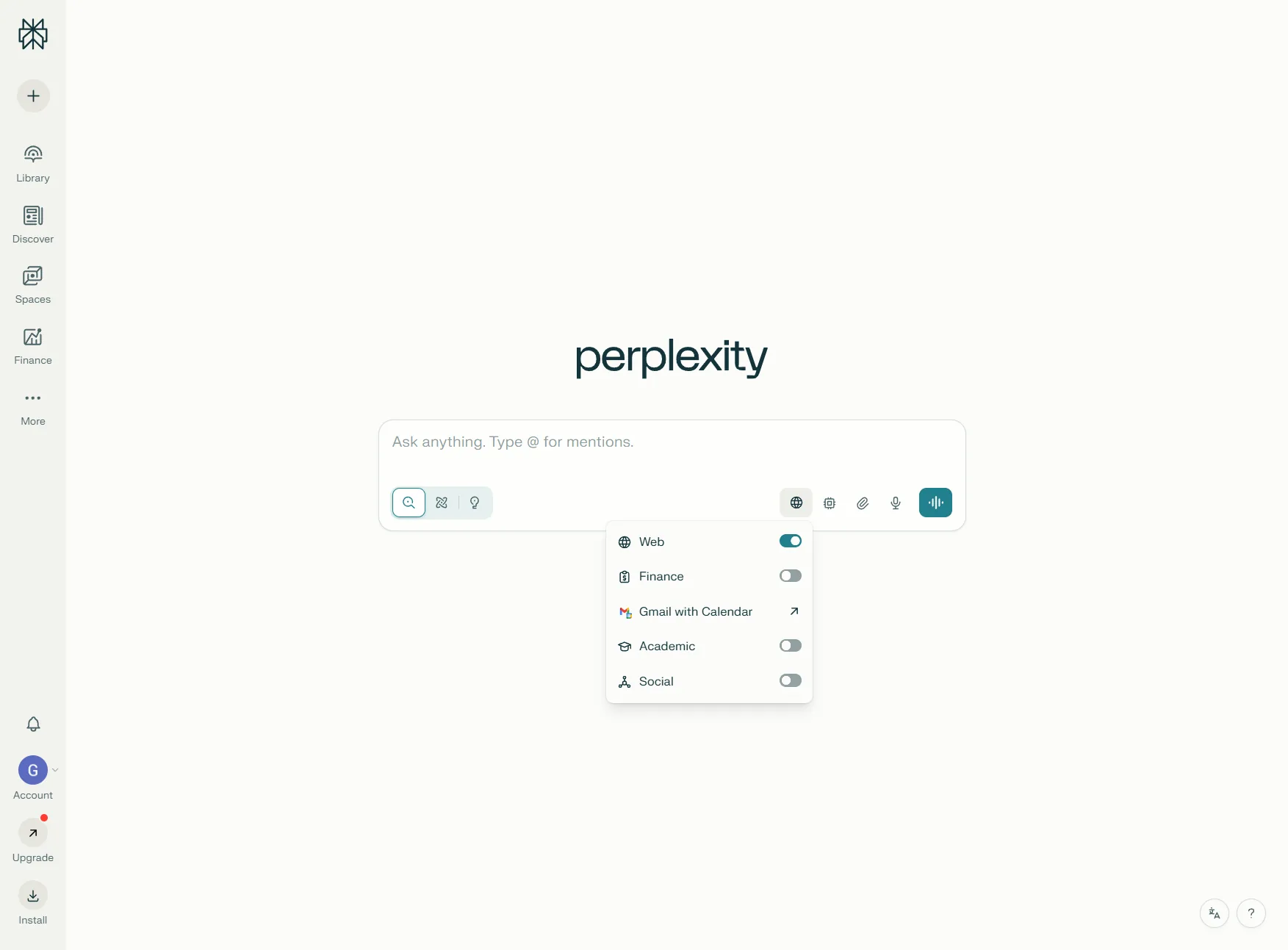
Power users often start research sessions in Academic mode to get peer-reviewed sources, then switch to Writing mode to synthesize findings into clear prose. For market research, jumping between Finance and Social modes helps cross-reference data with real user opinions.
Here’s how each Focus mode actually works:
- Web (Default): General search across web sources, fastest for quick lookups
- Academic: Peer-reviewed papers and scholarly sources only
- Writing: Pure AI-generated text with no web search (perfect for drafts)
- Finance: Real-time financial data and market analysis
- Social: Reddit, forums, and social platforms for unfiltered opinions
- YouTube: Video content extraction with timestamps
Pro tip: Combine Academic mode for research depth with Writing mode for immediate synthesis. This works especially well for content creation - research in Academic, then ask “Summarize this in 3 paragraphs” in Writing mode.
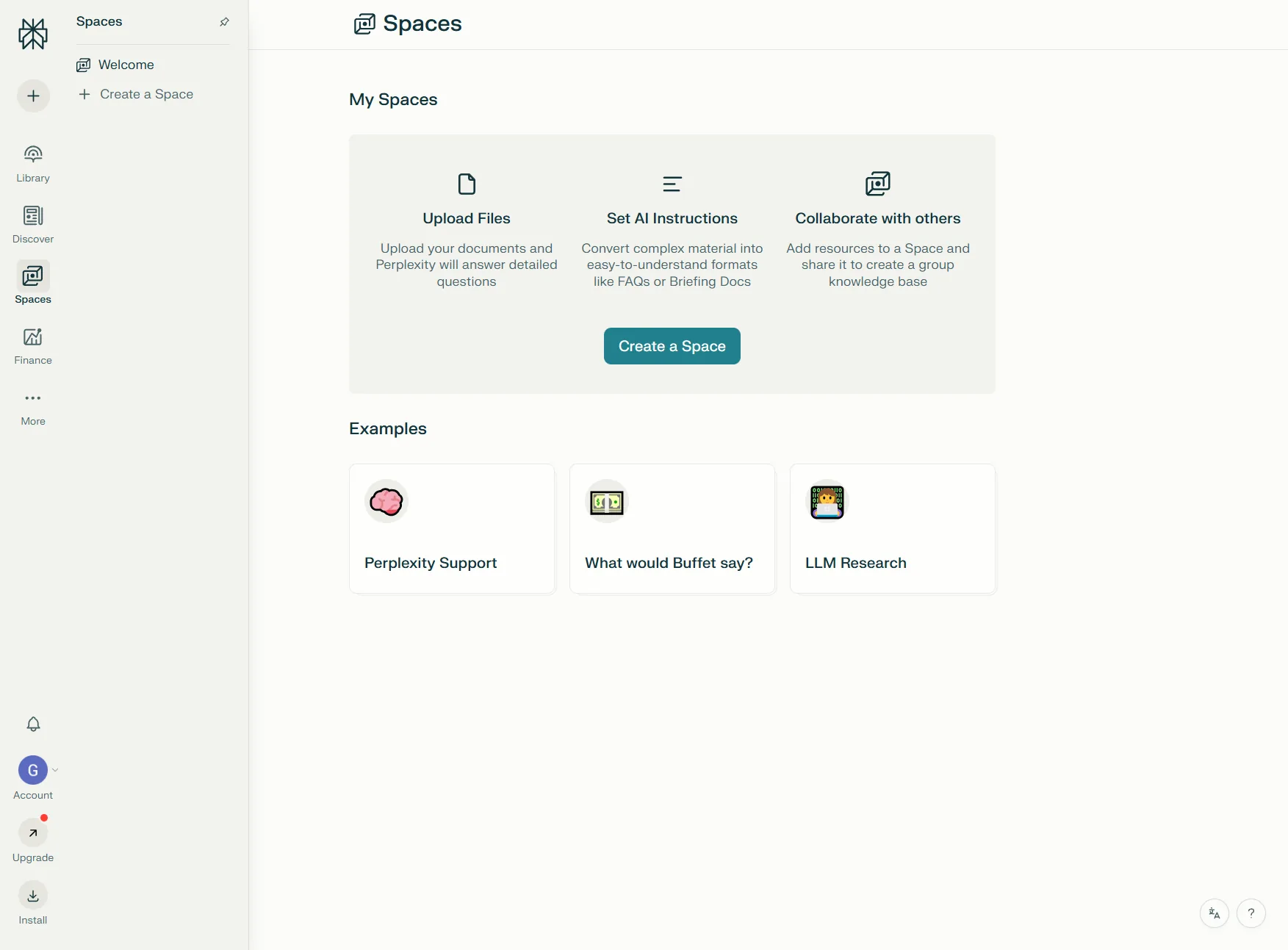
2. Create Collections with Custom Instructions (Your Personal AI Research Assistant)
Collections aren’t just folders - they’re topic-specific workspaces where you can give Perplexity custom instructions that apply to every conversation.
For example, a Collection called “Technical Writing” could have this instruction: “Always explain concepts using concrete examples. Avoid jargon unless absolutely necessary. Include code snippets where relevant.”
Now every search in that Collection automatically follows those rules. No need to repeat preferences in every prompt.
Here’s how to set it up:
- Click Library tab in sidebar
- Create New Collection
- Add custom instructions in the settings
- Start threading related searches
Real-world use case: A “Market Research” Collection with the instruction: “Prioritize data from 2024-2026. Always cite market reports and include percentages where available.” Every search now returns fresh data with proper citations automatically.
3. Master the Desktop Shortcut (3x Faster Access)
On Mac: Cmd + Shift + P
On Windows: Ctrl + Shift + P
This launches Perplexity from anywhere - no need to switch browser tabs or open a new window. Power users report using this shortcut 20+ times per day while writing, coding, or researching. The shortcut is configurable in Perplexity’s account settings if it conflicts with another app.
It’s the equivalent of Spotlight Search but for AI-powered research. Once you build the muscle memory, going back to manual tab-switching feels painfully slow.
4. Combine Academic + Writing Modes for Research Papers
Here’s an effective workflow for creating research-backed content:
- Academic mode: “What does recent research say about [topic]?”
- Review the cited papers and verify credibility
- Switch to Writing mode: “Synthesize the key findings into a 500-word summary”
- Edit the output, keeping the citations from step 1
This approach gives you the depth of academic research with the speed of AI writing. Users report producing 3,000-word articles using this method in under 90 minutes. If you write research-heavy content regularly, pair this with an AI content writing workflow for even faster turnaround.
5. Upload 10 Files at Once (Pro Feature That’s Worth the Upgrade)
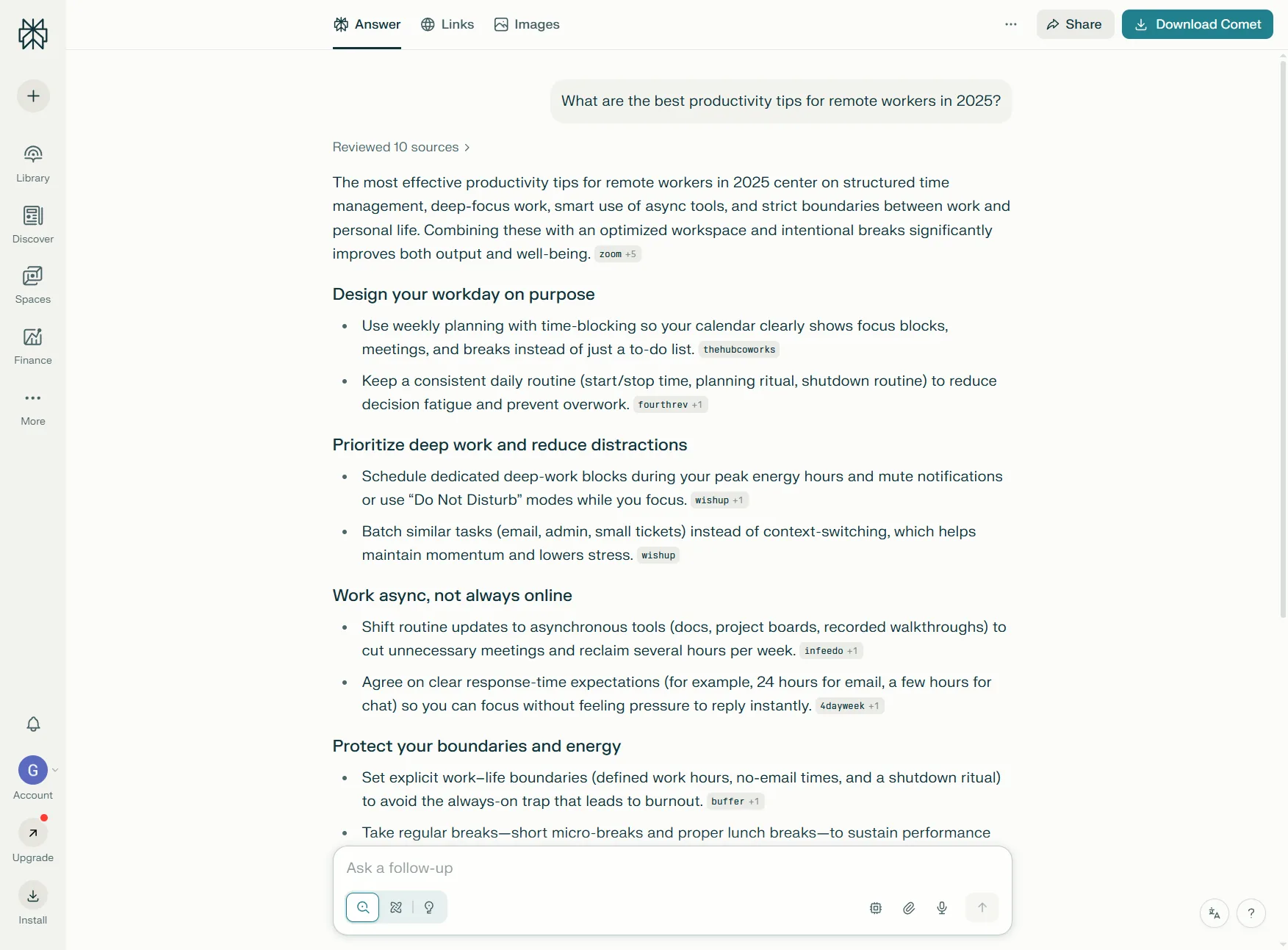
Perplexity Pro lets you upload up to 10 files per conversation. This is especially useful for:
- Comparing contracts or legal documents
- Analyzing multiple datasets simultaneously
- Cross-referencing research papers
- Reviewing code across different repositories
Example prompt: Upload 5 competitor landing pages (as PDFs) and ask: “What messaging patterns do all these pages share? What’s missing from my draft?”
This beats reading each document manually by hours.
6. Understand Pro Search vs Quick Search (And When to Use Each)
Pro Search runs deeper, multi-step queries with better reasoning - using advanced retrieval-augmented generation (RAG) to synthesize information from multiple sources. Quick Search is faster but more surface-level, ideal for simple factual lookups where you don’t need comprehensive source citations.
Use Pro Search for:
- Complex research questions requiring synthesis
- Technical deep-dives
- Fact-checking with multiple cross-references
Use Quick Search for:
- Simple factual lookups
- Quick definitions
- Saving your daily Pro Search quota
On the free plan, you get 5 Pro Searches per day. On Pro, you get 300+. That’s the real value - unlimited depth when you need it.
7. How Do You Use Deep Research Mode for Complex Topics?
Deep Research Mode runs multi-step research queries automatically. Instead of asking follow-up questions manually, Perplexity does it for you.
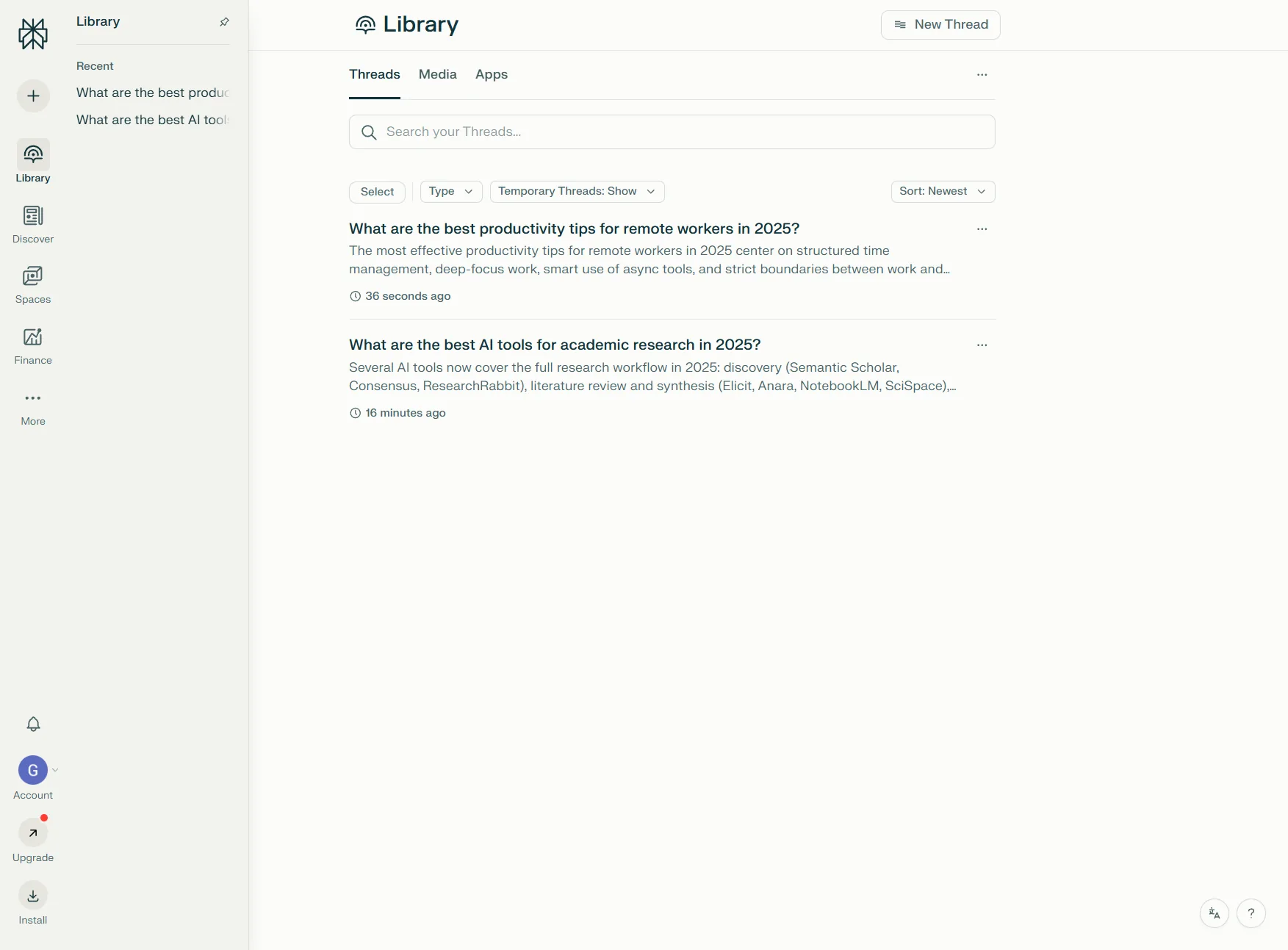
Using this prompt: “What are the most effective productivity techniques for remote workers?”
Standard search: 1 response with 5 sources Deep Research: 8 follow-up queries, 30+ sources, synthesized report with subsections
The free plan gives you 3 Deep Research queries per day. Save these for the questions that actually matter - market analysis, competitive research, complex technical problems.
8. Build Comet Browser Shortcuts (Pro Users Only)
If you’re on Pro and using the Comet browser extension, you can create custom shortcuts that trigger specific Collections or Focus modes.
Example setup:
pp→ Opens Perplexity with Writing modepa→ Opens Academic mode in a Research Collectionpf→ Finance mode for stock research
This cuts 3-4 clicks down to a single keyboard command.
9. Verify Citations Like a Researcher (Don’t Just Trust the AI)
Perplexity’s biggest advantage over ChatGPT is citations. As Wired’s investigation highlighted, AI-generated citations aren’t always accurate - which is why verification matters. But when used properly, Perplexity’s source attribution is still leagues ahead of competitors.
Always click through to the source for:
- Statistical claims (percentages, dollar amounts, dates)
- Controversial statements
- Anything you plan to cite in your own work
Red flag: If a citation links to a general homepage instead of a specific article, the AI might be hallucinating. This happens occasionally and requires re-running the search with more specific prompts.
10. Use Labs for Complete Projects (Pro’s Hidden Superpower)
Labs mode (Pro only) lets you create entire projects - spreadsheets, charts, formatted documents - inside Perplexity.
For example, building a competitor analysis spreadsheet by uploading 10 competitor homepages and asking: “Create a comparison table with pricing, features, and target audience.”
Perplexity generates a formatted table exportable to CSV, saving 2+ hours of manual data entry.
11. Set Up Automated Daily Tasks (Threads + Collections)
A Collection called “Daily Briefing” with this instruction works great: “Summarize today’s top news in AI, productivity tools, and remote work. Keep it under 300 words.”
Each morning, open the Collection and type: “What’s new today?”
Perplexity remembers the instruction and delivers a custom news brief in 10 seconds. It’s like having a personal research assistant on retainer.
12. Mobile Voice Assistant Shortcuts (Faster Than Typing)
On mobile, hold the Perplexity app icon and select “Voice Search.” This skips the typing interface entirely.
This works well while:
- Driving (hands-free research)
- Walking (quick lookups without stopping)
- Cooking (recipe adjustments on the fly)
The voice recognition is surprisingly accurate, and it activates Pro Search automatically if your query sounds complex.
13. Optimize Battery on Mobile (Turn Off Auto-Refresh)
Perplexity’s mobile app auto-refreshes search results in the background. Great for staying current, terrible for battery life.
Settings → Auto-Refresh → Off
Only enable this when actively researching. Otherwise, it drains 15-20% battery per day just sitting idle.
14. Switch AI Models for Better Results (Pro Feature)
Pro users can choose between GPT-4o, Claude 3.5 Sonnet, and other foundation models. This multi-model approach means you’re not locked into a single AI provider - Perplexity acts as an intelligent router to the best LLM for each query type.
Switching based on task yields the best results:
- Claude 3.5: Longer, more nuanced writing
- GPT-4o: Faster responses, technical accuracy
- Sonar models: Best for real-time web data
Test this yourself by running the same prompt on different models. The variance in quality is noticeable. For background on how each foundation model behaves, our ChatGPT vs Claude comparison breaks down where each one earns its keep.
15. Use Social Focus for Real User Opinions (Not Marketing Fluff)
When researching products or services, Social Focus is your truth serum.
Instead of generic “Top 10 [Product] Reviews” articles (often affiliate spam), Social mode pulls from Reddit, forums, and community discussions. This is especially valuable for researchers evaluating tools or methodologies where honest feedback matters more than polished marketing.
Example: Searching “Is Notion worth it for solo founders?” in Social mode surfaces unfiltered opinions from r/SideProject and r/SaaS. Way more honest than any review site.
Perplexity Pro vs Free: Is It Worth the Upgrade?
Based on Perplexity’s official Pro pricing, here’s the breakdown of both tiers:
| Feature | Free | Pro |
|---|---|---|
| Pro Searches per day | 5 | 300+ |
| AI model selection | Default only | GPT-4o, Claude 3.5, Sonar |
| File uploads | None | 10 files per conversation |
| Image generation | None | Included |
| Deep Research queries | 3/day | Unlimited |
| Labs access | None | Full access |
| API access | None | Included |
| Price | $0 | $20/month |
The verdict: If you’re using Perplexity casually (5-10 searches per week), stick with free. If you’re running 20+ searches per day or need file uploads, Pro pays for itself in time saved.
Heavy users regularly hit the 5 Pro Searches limit on the free plan by mid-morning. That’s the upgrade tipping point.
Frequently Asked Questions
Can I share Collections with team members?
Yes, you can share via link. Anyone with the link can view the thread history, but custom instructions stay private to your account. For more on how Perplexity handles sharing, see the official collaboration documentation.
Does Perplexity store my search history?
Yes, unless you enable Incognito mode (available on both Free and Pro). Searches in Incognito aren’t saved to your Library, and the data-handling specifics are documented in the Perplexity privacy policy.
How accurate are Perplexity’s citations?
Based on user reports, about 95% accurate. Always verify statistical claims and controversial statements by clicking through to the source. Independent reporting from Wired documented several attribution failures, which is exactly why citation verification is part of every serious research workflow.
Can I use Perplexity offline?
No, it requires an internet connection for all searches. The retrieval-augmented generation (RAG) pipeline depends on live web data, which is what makes its citations more current than ChatGPT’s static training cutoff.
What is the difference between Collections and Threads?
Threads are individual conversations. Collections are groups of related threads with shared custom instructions. If you’ve used Notion or Obsidian, think of Threads as individual notes and Collections as folders with tagging rules.
Does Pro include API access?
Yes, Pro subscribers get API credits for integrating Perplexity into custom apps or workflows. The Perplexity API documentation covers the Sonar models, rate limits, and authentication flow.
Which model should I pick for academic research?
Default to Sonar Reasoning for citation-heavy work and switch to Claude 3.5 Sonnet when you need a longer, more structured synthesis. The model picker is buried in the input panel - if you don’t see it, you’re probably still on the free tier.
Final Thoughts on Perplexity Tips and Tricks
These 15 Perplexity tips and tricks represent the difference between using AI search casually and treating it as a true research assistant. The biggest mistake people make with Perplexity is treating it like Google - one-off queries with no follow-up.
Perplexity is conversational. It remembers context. It learns your preferences (especially in Collections). The more you thread related searches together, the better it gets at understanding what you actually want.
An effective workflow:
- Start broad in Academic or Web mode
- Thread follow-ups to narrow down
- Switch to Writing mode to synthesize
- Verify citations before publishing
This approach can cut research time by 60% while improving quality - better sources, faster cross-referencing, and fewer errors shipping.
For a deeper look at how Perplexity stacks up against Anthropic’s offering, read our Perplexity vs Claude for research comparison. If you’re still treating AI search like a search bar, you’re leaving speed on the table. Bookmark this guide and start implementing one technique per day - you’ll be a power user within two weeks.
How Perplexity Pro Pays for Itself
The $20/month price tag scares off casual users, but heavy researchers find it pays back within the first week. The math is straightforward: a single hour of saved research time per week, valued at even a modest $50/hour, more than covers the subscription. Most knowledge workers easily clear that bar.
Where the value really compounds is in repeatable workflows. Building a Collection for “Q1 competitor analysis” with custom instructions, uploading 10 competitor PDFs, then asking Perplexity to synthesize patterns across them - that’s a 4-hour workflow on the free plan. With Pro’s file uploads and Deep Research mode, it collapses to 30 minutes. Run that workflow twice a quarter and the subscription has paid for itself many times over.
The other under-appreciated Pro perk is model access. Switching between Sonar, GPT-4o, and Claude 3.5 Sonnet on the same query reveals where each model excels. For long, nuanced explanations, Claude wins almost every time. For terse, technically accurate answers, GPT-4o’s faster response time matters more than model depth. Sonar’s strength is real-time data freshness - perfect for stock prices, sports scores, and breaking news.
For comparison, the ChatGPT Plus pricing sits at the same price point but doesn’t include real-time web search at the same depth. If your research requires up-to-the-minute data with verifiable sources, Perplexity Pro typically wins on that single dimension alone.
Building a Daily Perplexity Habit
The users who get the most from Perplexity aren’t the ones with the cleverest prompts - they’re the ones who’ve baked it into their daily routine. Three patterns dominate among power users:
Morning briefing. A “Daily News” Collection with instructions to summarize industry news in under 300 words. Open it at 8 AM with one prompt: “What’s happened since yesterday?” Done in 60 seconds.
Research sandbox. A scratch Collection where you dump every half-formed question that comes up during the day. Once a week, review the threads and harvest insights worth keeping.
Citation gateway. Before citing any statistic in a published piece, run it through Perplexity’s Academic mode and verify the original source. The 30 seconds it takes prevents the kind of attribution mistakes that erode reader trust.
These habits don’t require Pro - the free tier handles all three patterns within its 5 daily Pro Searches. They do, however, require consistency. The compounding benefit comes from doing them every day, not from any single advanced technique.
Want to learn more about Perplexity?
Related Guides
More AI search and research guides on this site:
- ChatGPT Tips and Tricks - Comparable shortcuts for OpenAI’s assistant
- AI Content Writing Workflow - Pair Perplexity research with structured drafting
- Claude Code Prompt Engineering - The CRISP framework for getting better outputs
Related Reading
Tools covered in this article:
- Perplexity - AI-powered research assistant
- ChatGPT - OpenAI’s conversational AI
- Claude - Anthropic’s research assistant
More AI research reading:
- Best AI Research Tools 2026 - Research AI compared
- Perplexity vs ChatGPT - AI search comparison
External Resources
For official documentation and updates from Perplexity:
- Perplexity Blog - Product updates and feature announcements
- Perplexity Hub - Official tutorials and getting-started guides
- Perplexity API Docs - Sonar model reference and integration guide
Related Guides
- Activecampaign AI Content Generation: Complete 2026 Guide
- AI Content Writing Workflow: 2026 Walkthrough for Teams
- AI Product Discovery Ecommerce: Lift Revenue in 2026
- AI Productivity Trends 2026: 6 Real Shifts, No Hype
- AI Workflow Automation Maturity Model: 5 Levels
- Atlassian Intelligence Review: 2026 Pricing & Features
- Building AI First Workflows: A Practitioner's 2026 Guide
- Building Mcp Servers Guide: 2026 Walkthrough for Teams
- ChatGPT Custom GPTs Guide - Save 130+ Hours a Year
- ChatGPT Prompts 2026: Basic vs Engineered, 18 Examples