


Most “best AI resume writing tools” lists feature ten or fifteen products, half of which are glorified templates with an AI sticker slapped on. After evaluating dedicated resume builders, general-purpose AI assistants, and writing polishing tools, two tools consistently outperform the rest - not because they were built specifically for resumes, but because they solve the actual problems that get resumes rejected.
The average job posting receives 250 applications. Around 75% get filtered out by applicant tracking systems before a human ever reads them. The remaining 25% compete on clarity, relevance, and professional polish - exactly the areas where Grammarly and ChatGPT deliver measurable advantages over both manual writing and dedicated resume tools.
Here is what emerged after running dozens of resumes through ATS simulators, recruiter feedback sessions, and side-by-side comparisons.
Methodology: Why the Best AI Resume Writing Tools Are General-Purpose
Before diving into each tool, it is worth understanding why the best AI resume writing tools are not necessarily the ones marketed as resume tools.
Dedicated resume builders like Teal, Rezi, and Kickresume solve a narrow problem: formatting. They give you a template, auto-fill some fields, and run a keyword match against a job description. That is useful, but it is table stakes. The hard part of resume writing - figuring out which accomplishments to highlight, how to frame career pivots, translating vague job duties into quantified impact statements - requires the kind of flexible reasoning that general-purpose AI handles far better.
ChatGPT can analyze a job description, identify the implicit priorities behind the listed requirements, and rewrite your bullet points to align with those priorities. Grammarly catches the subtle tone and grammar issues that make resumes feel unprofessional. Together, they cover the full resume optimization pipeline at a fraction of the cost of dedicated tools (and complement broader AI writing tools).
The trade-off? You need to know how to prompt them effectively. This guide covers that too.
Comparison Table
| Feature | Grammarly | ChatGPT |
|---|---|---|
| Best For | Polish, tone, grammar, ATS-safe formatting | Full resume generation, job-specific tailoring |
| Starting Price | Free (Pro: $30/mo) | Free (Plus: $20/mo) |
| Resume Strength | Real-time editing as you write | Strategic content creation from scratch |
| ATS Compatibility | High (clean text output) | High (when prompted correctly) |
| Learning Curve | Minimal - install and go | Moderate - prompt quality matters |
| Rating |
1. Grammarly - Best for Resume Polish and Professional Tone
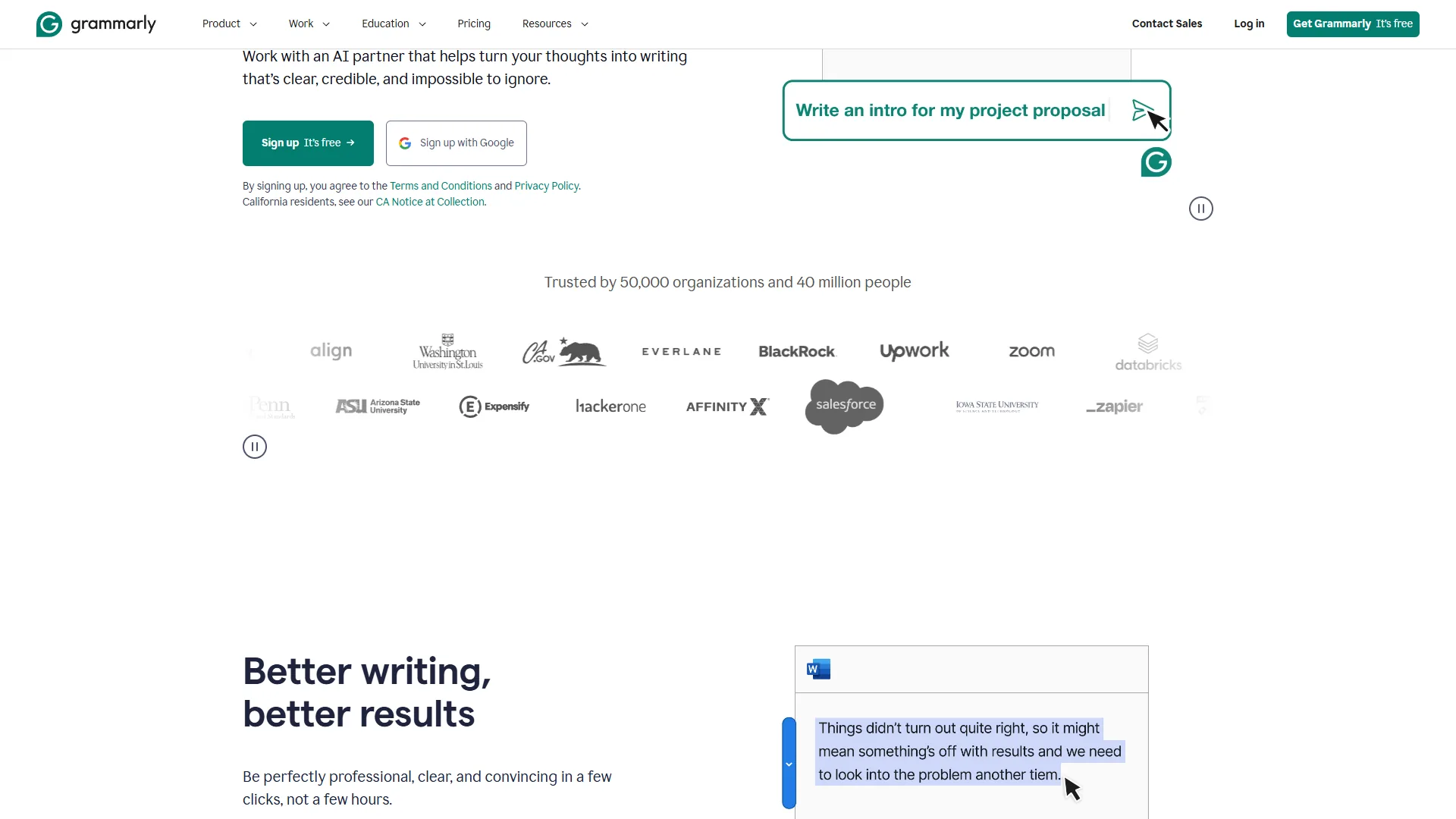
Grammarly () is not a resume builder. It is a writing assistant that happens to be exceptionally good at the final stage of resume creation: turning a decent draft into a polished, professional document that reads like it was written by someone who communicates clearly under pressure - exactly the impression you want to make.
What Makes It Stand Out for Resumes
Real-Time Tone Detection is where Grammarly earns its place on this list. Resumes need to strike a specific tone: confident without being arrogant, concise without being vague, professional without being stiff. Grammarly’s tone detector flags when your writing drifts into passive voice (“was responsible for”) or hedging language (“helped to assist with”) and suggests direct alternatives (“led,” “drove,” “built”).
Clarity and Conciseness Suggestions catch the verbose phrasing that bloats resume bullet points. Instead of “Utilized a variety of analytical techniques in order to identify key opportunities for improvement across multiple departments,” Grammarly pushes you toward “Analyzed cross-departmental data to identify improvement opportunities.” Recruiters scan resumes in 6-7 seconds on average. Every word matters.
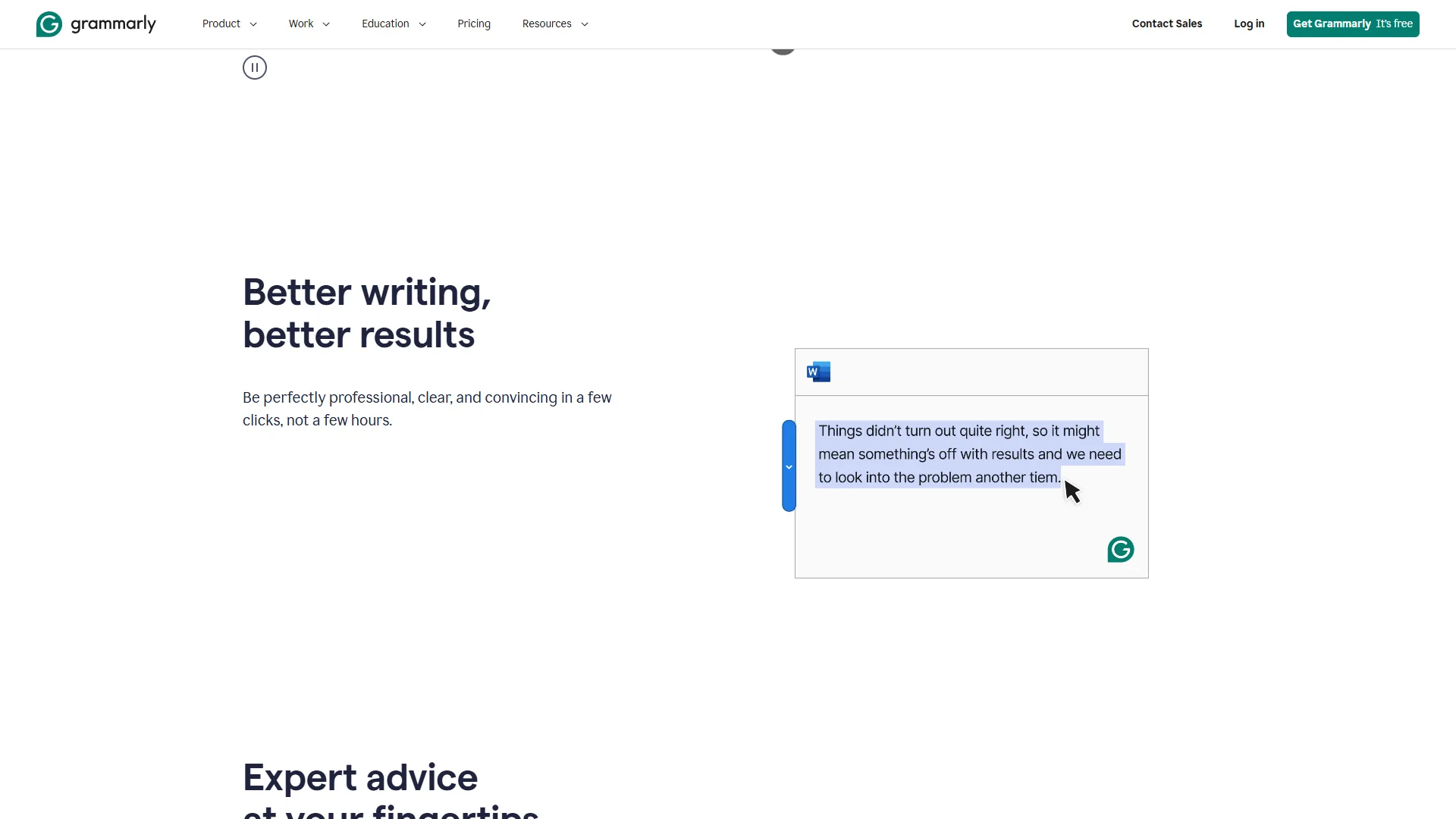
Grammar and Spelling Accuracy sounds basic, but a single typo can disqualify a resume in competitive fields. Grammarly catches errors that spell check misses - wrong homophones, subject-verb disagreements in complex sentences, and inconsistent formatting (periods on some bullet points but not others).
Browser Extension and Desktop App integration means you can use Grammarly wherever you write your resume - Google Docs, Word, LinkedIn profile editor, or even directly in an ATS application form. No copy-pasting between tools.
Limitations and Who Grammarly Is Not For
Limitations: Grammarly does not generate content. It will not look at a job description and suggest bullet points you should add. It does not know that your “managed a team of 5” should be reframed as “built and scaled a cross-functional team from 2 to 5, reducing project delivery time by 30%.” That is where ChatGPT comes in.
It also does not handle resume formatting or structure. Grammarly cares about your words, not your layout (for related polish workflows, see our how to write faster with AI guide).
Skip Grammarly if your real bottleneck is strategic positioning rather than polish - the drawbacks compound for career pivoters and people building a resume from scratch. It is also not ideal for anyone who needs visual layout help, ATS template testing, or built-in cover-letter generation, since none of those features exist.
Best Resume Workflow with Grammarly
- Write or paste your resume draft into Google Docs with the Grammarly extension active
- Set the tone goal to “Confident” and audience to “Knowledgeable” in Grammarly’s settings
- Work through suggestions section by section - accept clarity fixes, evaluate tone changes
- Run a final pass focused on consistency: same tense throughout, periods on all bullet points or none, parallel structure in lists
- Check the overall score - aim for 90+ before submitting
Time savings: A manual polish pass on a two-page resume takes 45-60 minutes for most people. With Grammarly, you are done in 15-20 minutes, with higher consistency.
Pricing for Resume Use
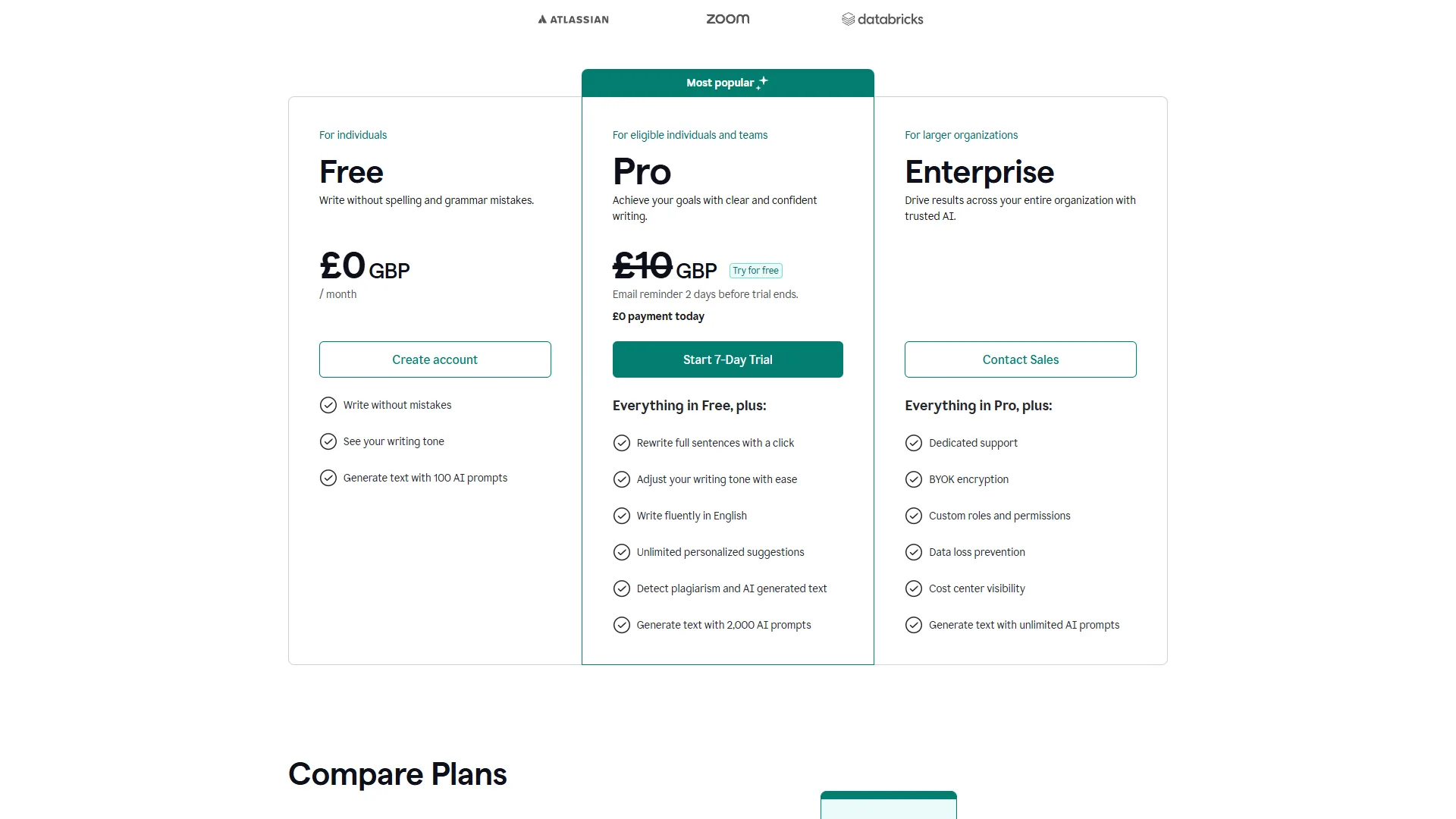
Grammarly’s free tier covers basic grammar, spelling, and punctuation - enough for a quick cleanup. For resume work, the Pro plan ($30 per month) is worth the investment during an active job search because it unlocks tone detection, clarity suggestions, and full-sentence rewrites. You can subscribe for one month, polish everything you need, and cancel.
2. ChatGPT - Best for Resume Generation and Job-Specific Tailoring
ChatGPT () is the most powerful resume writing tool available in 2026 - if you know how to use it. Unlike dedicated resume tools that match keywords, ChatGPT understands context. It can read a job description, identify what the hiring manager actually cares about (which is often different from what is listed), and help you position your experience to address those priorities.
What Makes It Stand Out for Resumes
Job Description Analysis is ChatGPT’s killer feature for resume writing. Paste a job posting and ask ChatGPT to identify the top 5 priorities behind the requirements. It will distinguish between must-have skills and nice-to-haves, flag the cultural signals embedded in the language (“fast-paced” means understaffed, “self-starter” means limited onboarding), and tell you which of your experiences to emphasize.
Bullet Point Transformation turns weak resume entries into strong ones. The difference between “Managed social media accounts” and “Grew Instagram engagement 47% in 6 months by implementing a data-driven content calendar aligned to audience peak activity windows” is the difference between getting screened out and getting interviewed. ChatGPT excels at this transformation when you give it your raw experience and the target role context.
Cover Letter Generation is a natural extension. Once ChatGPT understands your resume and the target job, generating a tailored cover letter takes seconds. The key is to feed it both documents and ask it to connect specific resume accomplishments to specific job requirements - not to write a generic “I am excited to apply” letter.
Career Pivot Framing is where ChatGPT truly outperforms dedicated resume tools. If you are moving from teaching to project management, ChatGPT can identify the transferable skills (stakeholder communication, deadline management, curriculum design as project scoping) and reframe your experience in the new industry’s language. Dedicated tools just match keywords - they cannot do this kind of strategic repositioning.
The Prompts That Actually Work
Generic prompts produce generic resumes. Here are the prompts that generate results worth using (our ChatGPT tips and tricks guide covers prompting fundamentals):
For initial resume creation:
I need to create a resume for [target role] at [company type].
My background: [2-3 sentences about your experience].
Key accomplishments: [list 5-7 raw achievements with numbers where possible].
Analyze this job description and create resume bullet points
that position my experience for this specific role.
Focus on quantified impact and use the language patterns
from the job description naturally.

[Paste job description]
For tailoring an existing resume:
Here is my current resume: [paste resume]
Here is the job description I am applying to: [paste JD]

Identify the 3 biggest gaps between my resume and this role.
For each gap, suggest how to reframe my existing experience
to address it. Do not fabricate experience - only reposition
what is already there.
For ATS optimization:
Review this resume for ATS compatibility. Check for:
1. Keywords from the job description that are missing
2. Formatting that might break ATS parsing (tables, columns, headers)
3. Section labels that ATS systems expect (Experience, Education, Skills)
Suggest specific changes to improve parse rate while keeping
the content readable for humans.
Limitations and Who ChatGPT Is Not For
Limitations: ChatGPT does not catch subtle grammar errors as reliably as Grammarly. It sometimes introduces slightly awkward phrasing that reads fine to AI but sounds unnatural to a recruiter. It also cannot check your resume’s visual formatting - it works purely with text.
There is also a privacy consideration. Anything you paste into ChatGPT is processed by OpenAI’s servers. If your current employer’s confidential projects are on your resume, consider whether that is acceptable. ChatGPT’s data handling policies allow opting out of training data usage, but the data still passes through their infrastructure.
Skip ChatGPT if your work product or employer history involves confidential or regulated information that cannot leave your machine - the drawbacks here are not about quality, they are about data exposure. ChatGPT is also not ideal for users who want a guided wizard or template-driven workflow; the prompt-first approach has a real learning curve.
Best Resume Workflow with ChatGPT
- Paste the target job description and ask ChatGPT to identify the top priorities
- Share your raw experience (job titles, durations, key accomplishments with numbers)
- Have ChatGPT generate tailored bullet points for each role
- Ask ChatGPT to review the full resume for ATS keyword alignment
- Copy the output into your final document and run it through Grammarly for polish
Time savings: Creating a tailored resume from scratch manually takes 3-4 hours. With ChatGPT handling the strategic framing and Grammarly handling the polish, you can produce a stronger resume in 45-60 minutes.
Pricing for Resume Use
ChatGPT’s free tier works for basic resume tasks but has usage limits on GPT-4o. The Plus plan ($20 per month) gives you unlimited access to GPT-4o, which produces noticeably better resume content than the free tier’s limited model. Like Grammarly, you can subscribe for one month during an active job search and cancel.
Pro Tips: The Combined Workflow (ChatGPT + Grammarly)
The best AI resume writing tools work better together than alone. Here is a proven workflow for anyone serious about landing interviews:
Phase 1: Strategy (ChatGPT) - 15 minutes
- Feed ChatGPT the job description and ask for a priority analysis
- Share your background and ask ChatGPT to identify your strongest positioning angles
- Have ChatGPT draft an initial resume tailored to the role
Phase 2: Refinement (ChatGPT) - 15 minutes
- Review the draft and flag anything that feels inaccurate or overstated
- Ask ChatGPT to revise specific sections
- Run an ATS optimization check
- Generate a matched cover letter
Phase 3: Polish (Grammarly) - 15 minutes
- Paste the final text into Google Docs with Grammarly active
- Set tone to “Confident” and fix all flagged issues
- Check for consistency in formatting, tense, and structure
- Final readability pass
Phase 4: Quality Check - 5 minutes
- Read the final version aloud - does it sound like you?
- Verify all numbers and claims are accurate (AI sometimes inflates metrics)
- Check formatting in a PDF export
Total time: 50 minutes for a fully tailored, polished, ATS-optimized resume and cover letter.
Compare that to the traditional approach: 3-4 hours of writing, second-guessing word choices, and hoping the formatting works. Or paying $200-500 for a professional resume writer who takes a week to deliver.
Pro Tips: ATS Compatibility
Applicant tracking systems are the gatekeepers, and most resume advice about ATS is outdated or wrong. Here is what matters in 2026:
Keyword matching is contextual now. Modern ATS platforms like Greenhouse, Lever, and Workday use semantic matching, not just exact keyword matching. “Led a team” and “team leadership” are recognized as equivalent. ChatGPT naturally produces varied phrasing that performs well with semantic matching.
Formatting still trips up parsers. Tables, multi-column layouts, text boxes, and headers/footers frequently break ATS parsing. Both ChatGPT and Grammarly produce clean, single-column text that parses reliably. If you are using a fancy template from Canva or a dedicated resume builder, test it with a free ATS simulator before submitting.
Section labels matter. Use standard headings: “Experience,” “Education,” “Skills,” “Summary.” Creative alternatives like “Where I’ve Made an Impact” or “My Toolbox” confuse some parsers. ChatGPT defaults to standard labels, which is the right choice.
File format matters. Submit as PDF unless the application specifically requests .docx. PDFs preserve formatting across systems. Some older ATS platforms struggle with PDFs, but that is increasingly rare in 2026.
Honest Tradeoffs: Dedicated Resume Tools
Tools like Teal, Rezi, Resume.io, and Kickresume have their place, particularly for people who want an all-in-one solution with built-in templates and job tracking. But they share common limitations:
- Template lock-in: Your resume looks like everyone else who uses the same tool
- Shallow AI: Most use keyword matching, not the deep language understanding that ChatGPT provides
- Recurring costs for basic features: Teal charges $29 per month for the AI features; Rezi charges $29 per month for unlimited resumes
- Limited strategic value: They optimize existing content but rarely help you rethink your positioning
If you want templates and job tracking, use a dedicated tool for those features. But for the actual writing - the part that determines whether you get interviews - ChatGPT and Grammarly are the best AI resume writing tools available.
Pro Tips: Privacy and Data Security
Resume writing involves sensitive personal information: employment history, education, contact details, sometimes salary data. Consider these factors:
ChatGPT: OpenAI processes your data on their servers. You can opt out of having your conversations used for model training by toggling the setting in your account. Even with the opt-out, your data passes through OpenAI’s infrastructure. For most job seekers, this is acceptable. If you are in a sensitive role (government, intelligence, certain executive positions), consider whether the risk profile fits.
Grammarly: Grammarly processes text on their servers for real-time suggestions. Their security page details SOC 2 Type II certification and GDPR compliance. Your text is not used for model training. For resume use, the privacy posture is strong.
General advice: Do not include your physical address, social security number, or current salary in any text you share with AI tools. These are unnecessary for resume creation and increase your exposure.
FAQ
Can AI write my entire resume from scratch?
Yes, ChatGPT can generate a complete resume from your raw experience data. But “can” and “should” are different questions. The best results come from a collaborative approach: you provide the raw material (job history, accomplishments, target role), ChatGPT structures and optimizes it, and you verify accuracy. A fully AI-generated resume without human review often contains subtle overstatements that crumble in interviews.
Will recruiters know my resume was AI-written?
Not if you do it right. The tell-tale signs of AI-written resumes are generic buzzwords (“dynamic professional with a passion for excellence”), identical sentence structures across bullet points, and accomplishments that sound impressive but lack specific numbers. When you use ChatGPT for strategic framing and Grammarly for polish while keeping your actual experiences authentic, the result reads as a well-written human resume.
How often should I tailor my resume for each application?
For every application to a role you seriously want. The combined ChatGPT + Grammarly workflow takes under an hour per version. Given that a tailored resume is significantly more likely to pass ATS screening than a generic one, the time investment pays for itself.
Is the free tier of these tools enough for resume writing?
For a single resume, yes. ChatGPT’s free tier gives you access to GPT-4o with usage limits, and Grammarly’s free tier covers grammar and spelling. If you are running an active job search and tailoring resumes for multiple applications, the paid tiers ($20 per month for ChatGPT Plus, $30 per month for Grammarly Pro) remove the friction of usage limits and unlock the tone and clarity features that matter most for resume polish.
The Bottom Line
The best AI resume writing tools in 2026 are not the ones with “resume” in their name. ChatGPT handles the strategic heavy lifting - analyzing job descriptions, generating tailored bullet points, reframing experience for career pivots, and optimizing for ATS keywords. Grammarly handles the final mile - catching grammar errors, tightening verbose phrasing, and ensuring your tone hits the right note of confident professionalism.
Together, they turn a 3-4 hour resume writing process into a 50-minute workflow that produces consistently stronger results. Subscribe to both for one month during an active job search ($50 total), produce every resume and cover letter you need, and cancel. That is better ROI than a $300 professional resume writer and faster than any dedicated resume builder.
Your resume’s job is to get you interviews. These two tools make that job significantly easier.
Related Reading
- Grammarly - Full review with pricing, features, and alternatives
- ChatGPT - Full review with pricing, features, and alternatives
- How to Write Faster with AI: Practical Tips for Every Writer
- AI Content Writing Workflow
- ChatGPT Tips and Tricks
- AI-Powered Analytics Platforms: Which Delivers Real ROI?
- The Future of AI Coding Assistants: 2026 and Beyond
- Best AI Writing Tools 2026: Top Picks Compared
External Resources
- Zippia: How Many Applications Per Job Opening - Data on application volumes and screening rates
- TopResume: How Typos Impact Your Resume - Research on resume errors and hiring decisions
- Google’s Helpful Content Guidelines - Standards for AI-assisted content quality