


The Claude Code vs Aider comparison captures one of the most interesting dynamics in AI developer tooling: a commercial, deeply integrated tool from an AI frontier lab versus a free, open-source tool that prioritizes flexibility and control. Both operate in your terminal. Both handle multi-file code editing. Both excel at large codebase tasks that IDE-based tools struggle with. But they represent fundamentally different philosophies about how AI coding tools should work.
Claude Code is Anthropic’s official terminal-based coding assistant, available to Claude Pro and Max subscribers. It uses Anthropic’s models exclusively and is tightly integrated with the Claude ecosystem. The official Claude Code documentation covers installation, authentication, and capability boundaries. Aider is an open-source AI pair programmer that works with any LLM - Claude, GPT-5, Gemini, DeepSeek, or free local models through Ollama. It is free to use and brings your own API key.
This guide provides a thorough breakdown of claude code vs aider across every dimension that matters, based on feature analysis, benchmarks, and user feedback.
The SWE-bench leaderboard is the industry-standard benchmark for AI software engineering performance, measuring how well models resolve real GitHub issues. Aider publishes detailed results on its code editing leaderboards, which track performance across dozens of models and programming languages. For teams evaluating AI coding tools, GitHub’s research on AI-assisted development provides useful context on productivity gains from AI pair programming tools across different experience levels.
Comparison Table
| Feature | Claude Code | Aider |
|---|---|---|
| Rating | ||
| Price | Included with Claude Pro ($20/mo) or Max ($100/mo) | Free (open-source) |
| API Cost | Claude API credits (via Max/Pro plan) | Pay-as-you-go, around $10/month typical |
| Model Support | Anthropic models only | 100+ models (cloud + local) |
| Local Models | No | Yes (via Ollama) |
| Git Integration | Yes (manual commits) | Automatic commits with messages |
| Codebase Indexing | Yes | Yes (repo map) |
| Voice Commands | No | Yes |
| License | Proprietary | Apache 2.0 (open-source) |
| IDE Integration | No | Watch-files mode (any editor) |
| Autonomous Mode | Yes (checkpoints, subagents) | Yes (architect mode) |
| Benchmark | 80%+ SWE-bench (Opus 4.5) | 84.9% polyglot (o3-pro) |
Quick verdict: Claude Code wins for developers already in the Anthropic ecosystem who want the most capable AI model in a polished CLI experience. Aider wins for developers who value model flexibility, automatic Git commits, local model support, and zero vendor lock-in. For budget-conscious developers, Aider is dramatically more cost-effective.
Claude Code: Anthropic’s Native Coding CLI
Claude Code is Anthropic’s terminal-based autonomous coding assistant. Available to Claude Pro and Max subscribers, it brings the power of Claude Opus 4.5 (80%+ SWE-bench score) directly to your command line with features designed for serious software development.
Claude Code Pricing
Claude Code’s pricing flows through the Claude subscription tiers:
- Claude Pro ($20 per month): Includes basic Claude Code features. 5x usage compared to free tier. Access to Sonnet 4.5 with limited Opus 4.5 access.
- Claude Max ($100 per month): Full Claude Code capabilities including checkpoints, autonomous coding with subagents, Claude for Chrome, and Claude for Excel (beta). Generous Opus 4.5 access with no model-specific caps.
- Claude Team (custom pricing, min 5 users): All Pro features plus collaborative Projects, role-based permissions, usage insights. Premium seats at $150 per user/month include Claude Code.
- Claude Enterprise (custom, min 70 users): Enhanced security, SAML SSO, audit logs, custom retention, domain-level admin controls.
The important pricing nuance: Claude Code at its most capable requires the Max tier at $100 per month. The Pro tier at $20 per month gives access but with usage limits that power users hit quickly. For developers who want to use Claude Code as their primary coding tool throughout the workday, Max is effectively required.
Claude Code’s Key Strengths
Best Coding Model Available: Claude Opus 4.5 achieves 80%+ on SWE-bench - the highest published score of any AI model for software engineering tasks. When you use Claude Code with the Max tier, you are using the most capable AI model available for code generation, debugging, and refactoring. This matters for complex tasks where model quality directly affects output quality. Our Claude pricing breakdown explains how Opus access scales with each tier.
Checkpoints and Autonomous Coding: Claude Code’s Max tier includes checkpoints that let you review AI-generated changes before they are applied, roll back to previous states, and run subagents for parallel task execution. This checkpoint system provides a safety net for autonomous operations that Aider’s git commit workflow approximates differently.
Constitutional AI Safety: Anthropic’s Constitutional AI training produces a model that is particularly good at recognizing when code changes might introduce security vulnerabilities, and at flagging architectural decisions that seem risky. For teams writing code in regulated environments or security-sensitive applications, this matters.
200K Token Context Window: Claude’s 200K token context window (with 1M token beta for Sonnet 4.5) means Claude Code can analyze and reason about very large codebases in a single context. Loading an entire module with all its dependencies, tests, and documentation into context simultaneously is possible in ways that are more constrained with smaller-context models.
Deep Anthropic Integration: If your team uses Claude for other tasks (documentation, code review discussions, design decisions), Claude Code fits naturally into that workflow. The same Projects feature that stores persistent team context in Claude.ai can inform Claude Code’s understanding of your codebase patterns and conventions.
Active Development: Claude Code is actively developed by Anthropic with significant engineering resources behind it. The tool is improving rapidly, with new features shipped regularly. For practical tips on getting the most out of each release, see our Claude Code tips and tricks guide.
Claude Code’s Limitations
Anthropic Models Only: Claude Code cannot use GPT-5, Gemini, DeepSeek, or local models through Ollama. If Anthropic’s API has an outage, or if a specific task would benefit from a different model (GPT-5 excels at certain code patterns, Gemini at others), you have no fallback. This vendor lock-in is the most significant limitation compared to Aider.
Cost Becomes Significant at Max Tier: $100 per month for the Max tier is a real cost. Compared to Aider’s approximately $10 per month in API costs (or zero with local models), the price differential is 10x. For individual developers or small teams where tool budget is constrained, this matters.
No Automatic Git Commits: Claude Code does not automatically commit changes with descriptive messages. Developers must manage their own git workflow - reviewing changes, staging files, writing commit messages, and committing. Aider’s automatic commit system with AI-generated commit messages is genuinely valuable for code review workflows. If version control tooling matters to your decision, our best version control tools roundup covers the broader landscape.
No Local Model Support: Claude Code cannot run offline or with local models. Every interaction requires an internet connection and API calls. For developers working in restricted network environments, on flights, or who want zero API costs by using locally-run models, Claude Code is simply not viable.
No Voice Commands: Aider’s voice command support lets developers describe changes hands-free. Claude Code has no voice interface.
Aider: Open-Source AI Pair Programming
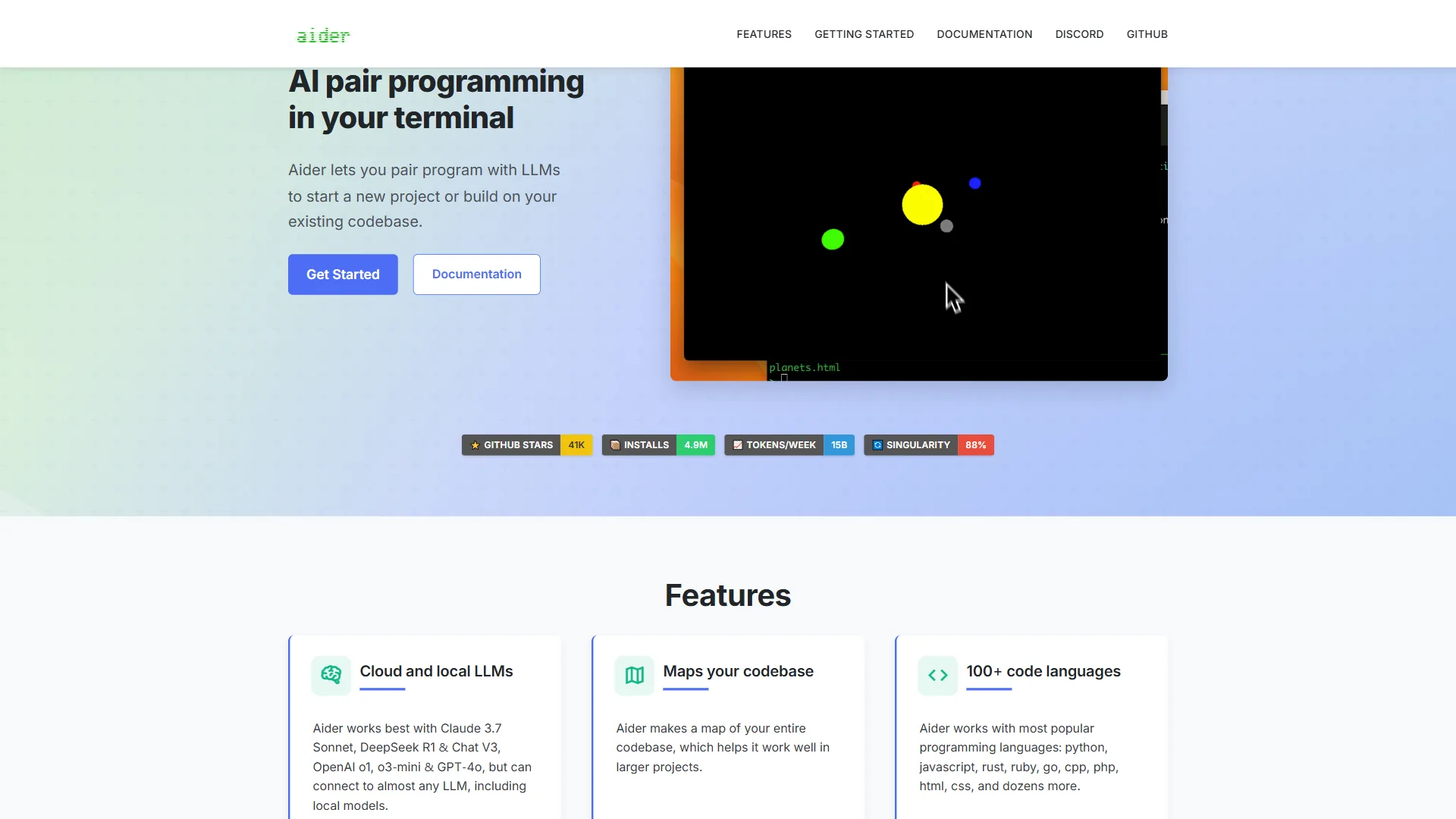
Aider is an open-source AI pair programming tool with 38,000+ GitHub stars, 3.4 million installations, and 15 billion tokens processed weekly. Created by Paul Gauthier, it represents a different philosophy: maximum developer control, zero vendor lock-in, and the flexibility to use the best model for each task.
Aider Pricing
Aider’s pricing model is radically different from Claude Code:
- The tool itself: Free - Aider is Apache 2.0 licensed open-source software. No subscription, no account required.
- With local models (Ollama): Zero ongoing cost. Run models like Llama 3, Mistral, or DeepSeek locally for completely free operation.
- With cloud APIs: Pay-as-you-go API costs. Typical usage costs around $10 per month with Claude Sonnet 4 or GPT-4. Processing costs roughly $0.007 per file. Heavy users with expensive models (Opus 4, o3-pro) may spend more.
The full-power Aider experience with Claude Opus 4 costs around $20-50/month in API fees depending on usage intensity. For comparison, Claude Code’s Max tier costs $100 per month flat. Aider gives you the same Claude models for a fraction of the price - you are paying only for API usage rather than a subscription.
Aider’s Key Strengths
Automatic Git Integration: Aider’s most celebrated feature is its automatic commit system. After every successful code change, Aider commits the changes with an AI-generated commit message that accurately describes what was changed and why. Developers consistently describe this as “revolutionary” - it produces a clean, meaningful Git history without the cognitive overhead of writing commit messages for AI-generated changes. Code review becomes dramatically easier when every change has an intelligent description.
Full Model Flexibility: Aider works with every major LLM. In a single session, you could use Claude Sonnet 4 for initial implementation (cost-effective), switch to Opus 4 for a complex debugging problem (highest quality), and use a local model via Ollama for sensitive code that should not leave your machine. No other tool offers this flexibility. The ability to use the right model for each task - rather than being locked into one provider - is a genuine capability advantage.
Local Model Support via Ollama: For developers working offline, in restricted network environments, or who want to process sensitive code without it leaving their machine, Aider’s local model support via Ollama is unique. Run quantized versions of leading models locally for zero API costs and complete data privacy.
84.9% Polyglot Benchmark: Aider with o3-pro achieves 84.9% correctness on the polyglot benchmark across multiple programming languages. This competitive benchmark performance reflects the strength of Aider’s repo mapping and context selection system - not just the underlying model.
Repo Map for Codebase Understanding: Aider generates a structured map of your repository - functions, classes, file relationships - that it uses to select relevant context for each task. This repo map helps Aider understand your codebase without loading every file into context, which both reduces API costs and keeps context focused on what matters for the current task.
100+ Programming Languages: Aider supports 100+ languages through tree-sitter parsing. Python, JavaScript, TypeScript, Rust, Go, Java, C++, Ruby, PHP, Swift, Kotlin, and dozens more are handled natively. This breadth is particularly valuable for polyglot teams and developers who work across multiple stacks.
Multiple Chat Modes: Aider offers distinct interaction modes for different needs:
- Code mode (default): Direct code editing
- Architect mode: High-level planning before implementation
- Ask mode: Consultation without making changes
Voice Command Support: Describe changes to your code verbally. Aider transcribes and executes. This is useful for developers with RSI concerns, those who think more clearly when speaking rather than typing, or simply as an accessibility feature.
Works with Any Editor: Aider’s watch-files mode integrates with VS Code, JetBrains IDEs, Vim, Sublime Text, or any text editor. Developers are not forced to leave their preferred environment.
IDE Integrations: Multiple VS Code extensions (VSCode Aider Extension, Aider Composer Extension) provide native IDE integration. JetBrains users have the Coding Aider Plugin. These integrations bring Aider’s capabilities into graphical environments without giving up the terminal power.
Aider’s Limitations
Terminal-First Workflow: Aider is designed for developers comfortable with the command line. Developers who prefer graphical interfaces or who are unfamiliar with terminal workflows face a steeper learning curve. The IDE integrations help, but the core workflow is terminal-centric.
Explicit File Selection Required: Unlike Claude Code and Cursor, which can autonomously navigate codebases, Aider requires developers to explicitly specify which files to include in the editing context. This provides granular control but requires more upfront decision-making. You need to know which files are relevant before asking Aider to make changes.
Variable API Costs: While typically affordable, API costs depend on usage intensity and model choice. A developer running intensive sessions with expensive models (Claude Opus 4, GPT-5, o3-pro) can spend significantly more than the “around $10 per month” typical estimate. Using cheaper or local models reduces costs but may reduce quality.
Less Polished User Experience: Aider is a community-driven open-source project. The user experience is excellent for a terminal tool but lacks the polish of a commercial product with dedicated design resources. Some edge cases require manual handling that commercial tools smooth over.
No Checkpoint System: Aider’s safety net is the Git integration - bad changes can be rolled back via git revert. But there is no checkpoint system equivalent to Claude Code Max’s ability to stage changes for review before application. The workflow is commit first, review in git later.
Feature-by-Feature: Claude Code vs Aider
How Do Claude Code and Aider Compare on Setup and Installation?
Claude Code: Requires a Claude Pro or Max subscription, then install via npm: npm install -g @anthropic-ai/claude-code. Authentication flows through your Claude account.
Aider: Install via pip: pip install aider-install or python -m pip install aider-install. Bring your own API keys for whichever providers you want. The install guide covers Windows, macOS, and Linux variations. No subscription required.
Winner: Aider for simplicity (no subscription gate). Claude Code for developers already subscribed to Claude.
Codebase Indexing and Context
Claude Code: Uses Claude’s massive 200K token context window (1M in beta) to load large amounts of code into context. The model’s understanding of your codebase scales with how much you feed it.
Aider: Uses a repo map system to summarize the structure of your codebase and select relevant files for each task. This is more token-efficient than loading everything, but means Aider must make good decisions about which files matter for each request.
Winner: Tie for different reasons. Claude Code’s context window allows more comprehensive loading. Aider’s repo map is more cost-efficient and focuses context intelligently.
Multi-File Editing
Both tools handle multi-file editing, which is the core capability that differentiates CLI tools from simple AI chatbots. Both can modify 10+ files in a single request and understand how those changes relate to each other.
Claude Code’s checkpoint system makes reviewing multi-file changes safer - you can approve changes before they are applied. Aider’s automatic git commit system makes the change history clear and reversible.
Winner: Tie. Claude Code is safer with checkpoints. Aider provides better change documentation through automatic commits.
Which Costs Less for a Solo Developer: Claude Code or Aider?
Claude Code scenario: $100 per month Max plan for full capabilities. If you use Claude Pro at $20 per month, you have limited usage that may not be sufficient for daily intensive use.
Aider scenario: $0 for the tool + around $10-20/month in API costs for typical Claude Sonnet 4 usage. If you use local models, $0 total.
Winner: Aider decisively wins on cost. The 5-10x price difference is significant for individual developers.
For Teams
Claude Code: Claude Team plan includes collaborative Projects, role-based permissions, and shared context. Enterprise plan adds SSO, audit logs, and compliance controls. The collaborative infrastructure is well-developed.
Aider: No built-in team features. Each developer runs their own Aider instance with their own API keys. Git integration means code changes are shared through normal Git workflows rather than proprietary collaboration features.
Winner: Claude Code for teams needing centralized management. Aider for teams comfortable with Git-based collaboration and who value per-developer autonomy.
Benchmark Performance
Claude Code: Claude Opus 4.5 achieves 80%+ on SWE-bench, which measures performance on real-world GitHub issues.
Aider: Achieves 84.9% on the polyglot benchmark with o3-pro. Aider’s benchmark numbers reflect the flexibility of model choice - you can always use the highest-performing model available for critical tasks.
Winner: Aider has the edge in benchmark performance, but Claude Code’s integration depth may outweigh raw benchmark scores in practice.
Pro Tips: Workflow Scenarios
Scenario 1: Senior Developer Doing Daily Coding
If you spend 6+ hours per day writing and refactoring code, and you already pay for Claude Pro or Max, Claude Code is the natural choice. The model quality and autonomous coding capabilities with checkpoints handle complex work reliably.
If you do not have a Claude subscription, Aider at $10-20/month in API costs is dramatically more economical while delivering equivalent or better results on many tasks. Compare against the broader IDE landscape in our Claude Code vs Cursor 2026 comparison.
Scenario 2: Open-Source Project Maintainer
Aider wins clearly. Zero cost with local models, automatic Git commits that generate meaningful history for contributors, and the flexibility to use different models for different parts of the codebase (cheap model for routine refactoring, expensive model for complex algorithm work).
Scenario 3: Enterprise Developer with Strict Data Requirements
If company policy requires code to not leave approved systems, Aider with local models via Ollama can run entirely on-premise. Claude Code sends all code to Anthropic’s API, which may not comply with enterprise data governance policies.
Winner: Aider for strict data control requirements.
Scenario 4: Developer Learning AI-Assisted Workflows
Claude Code’s polished experience and Anthropic’s safety-focused model make it a better starting point for developers new to AI coding tools. The checkpoint system prevents irreversible mistakes. The Constitutional AI training produces a model that explains its reasoning clearly.
Winner: Claude Code for a lower-risk introduction to AI coding.
The Bottom Line
The claude code vs aider decision depends on three key factors: your model loyalty, your budget, and your Git workflow preferences.
Claude Code wins for developers who:
- Already pay for Claude Pro or Max and want to maximize that subscription
- Need the most capable AI model without configuration overhead
- Work in teams with compliance requirements that Claude’s Trust & Safety policies address
- Value the checkpoint system for safer autonomous coding
- Are within the Anthropic ecosystem for other workflows
Aider wins for developers who:
- Want to use multiple models (Claude, GPT-5, Gemini, local) based on task
- Value automatic Git commits and meaningful commit history for code review
- Are cost-conscious (5-10x cheaper than Claude Code Max)
- Work on sensitive code that should not leave their machine (local model support)
- Prefer open-source tools with community backing over commercial lock-in
- Use any editor other than VS Code (Aider’s watch-files mode works everywhere)
For many developers, the answer is using both: Aider for daily development where cost-efficiency, model flexibility, and automatic Git commits matter, and Claude Code for tasks specifically suited to Opus 4.5’s exceptional reasoning when that model quality makes a meaningful difference.
Both tools represent the best of what AI-assisted terminal coding can offer in 2026. The claude code vs aider choice is a workflow preference, not a quality judgment. If you are also evaluating IDE-based options, our GitHub Copilot vs Cursor comparison covers the other side of the AI coding landscape.
FAQ
Q: What is the main difference between Claude Code and Aider?
Claude Code is Anthropic’s commercial terminal-based coding assistant that uses Anthropic models exclusively and requires a Claude Pro or Max subscription. Aider is a free, open-source AI pair programmer that works with any LLM - including Claude, GPT-5, Gemini, DeepSeek, or local models through Ollama. They represent different philosophies: deep ecosystem integration versus maximum model flexibility.
Q: How much does Claude Code cost compared to Aider?
Claude Code requires Claude Pro at $20 per month for basic access or Claude Max at $100 per month for full capabilities. Aider itself is free under the Apache 2.0 license, with typical API costs around $10 per month using Claude Sonnet 4 or GPT-4, or zero cost with local Ollama models. For budget-conscious developers, Aider is roughly 10x more cost-effective.
Q: Does Aider support local models like Ollama?
Yes, Aider supports local models through Ollama, letting developers run quantized versions of Llama 3, Mistral, or DeepSeek locally for zero API costs and complete data privacy. Claude Code has no local model support - every interaction requires an internet connection and API calls to Anthropic. This makes Aider the only choice for offline work or sensitive codebases.
Q: Which tool has better Git integration?
Aider has stronger Git integration with its automatic commit system, which commits every successful code change using AI-generated commit messages that describe what was changed and why. Claude Code does not automatically commit changes - developers manage their own git workflow, staging files and writing commit messages manually. Aider’s automatic commits produce cleaner, more reviewable Git history.
Q: Which tool performs better on coding benchmarks?
Claude Code with Claude Opus 4.5 achieves 80%+ on SWE-bench, the highest published score for AI software engineering. Aider with o3-pro reaches 84.9% correctness on the polyglot benchmark across multiple programming languages. Both scores reflect top-tier performance, but they measure different things - SWE-bench tests real GitHub issues while the polyglot benchmark covers multi-language code editing.
Related Reading
- Claude Review
- Claude Code Review
- Aider Review
- Best AI Coding Assistants 2026
- GitHub Copilot vs Cursor
- Best AI Code Editors 2026
- Ralph Wiggum Loop: Persistent AI Workflows in Claude Code