


Zoho vs HubSpot pits two all-in-one platforms with opposite philosophies against each other - one bundles 45 apps for the price of a single seat, the other charges premium per-hub for a polished growth stack.
Introduction
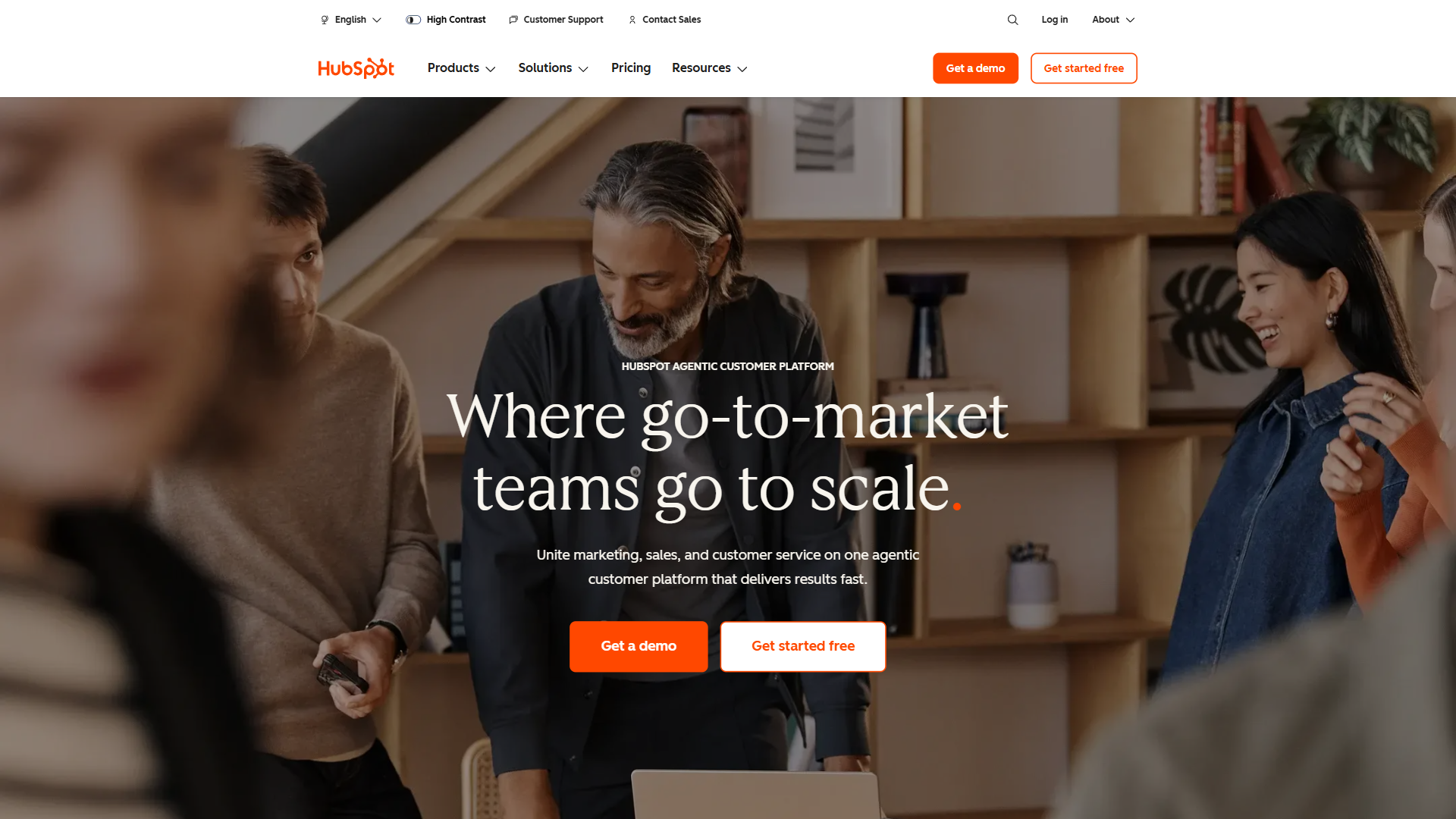
Most “all in one” platform comparisons devolve into feature checklists where every cell is a green tick. Zoho vs HubSpot is more interesting because the two companies have built fundamentally different products with different pricing models for different buyers. Zoho is the bootstrapped Indian software company selling 45+ apps under one bundle for roughly the price of a single HubSpot Marketing Hub seat. HubSpot is the venture-scaled Boston growth platform built on inbound marketing, priced accordingly for a polished, opinionated growth stack.
Both vendors sell against each other directly. This comparison walks through where each genuinely wins for small business teams, growth-stage marketing teams, and lean sales orgs.
Zoho vs HubSpot comes down to bundle math versus marketing polish. Zoho wins on price with 45+ apps under one bill for cost-conscious small business teams wanting an all in one suite. HubSpot wins on UX and marketing automation depth for growth-stage teams where adoption and inbound matter most.
TL;DR: Zoho vs HubSpot - Who Should Choose Which
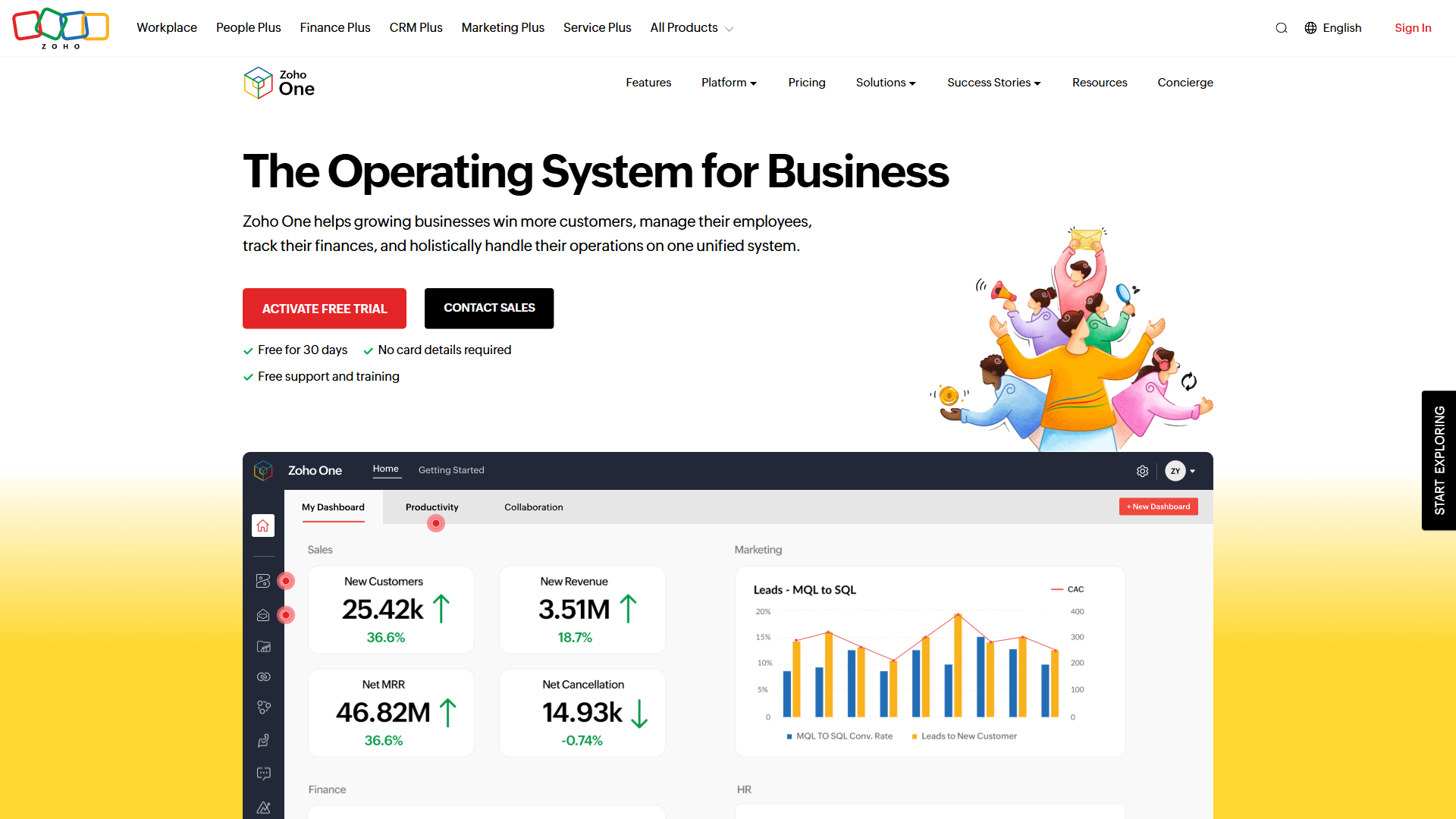
Pick Zoho - especially the Zoho One bundle - if you want the cheapest credible operating system for a small business, are comfortable with inconsistent UI across 45 apps, and value owning your full sales-marketing-finance-HR stack under one bill. The all-employee plan covers more software than any small business actually needs at a low per-employee per-month rate.
Pick HubSpot if marketing automation is the center of your business strategy, you need polished UX that non-technical teammates will actually adopt, and you can stomach per-hub pricing that scales aggressively with contact count and team size. HubSpot wins on inbound marketing workflows, content tooling, sales enablement polish, and the Smart CRM’s ease of use - the better choice for venture-backed startups and mid-market marketing teams.
The honest middle ground - if you only need a CRM with a free plan and modest marketing automation, both vendors offer credible free tiers. Compare Zoho CRM Free Plan Review against HubSpot Free Tools before paying anyone.
Zoho vs HubSpot: Head-to-Head Comparison Table
The matrix below summarizes the dimensions that matter most when picking an all in one platform.
| Dimension | Zoho | HubSpot |
|---|---|---|
| Aggregate rating | 4.1 / 5 | 4.0 / 5 |
| Catalog breadth | 45+ apps (CRM, mail, projects, finance, HR, support) | 6 Hubs (Marketing, Sales, Service, Content, Operations, Commerce) |
| Free plan | Yes - generous on CRM, Mail, Projects | Yes - Free Tools across all hubs with branding |
| Entry paid tier | CRM Standard (low-teens per user per month) | Starter (mid-teens per seat, per hub) |
| Bundle option | Zoho One bundle covers 45+ apps under one per-employee bill | Customer Platform Starter/Pro/Enterprise bundles |
| Best for marketing | Zoho Campaigns plus Marketing Plus | HubSpot Marketing Hub - category leader |
| Best for sales | Zoho CRM - feature-deep, customizable | HubSpot Sales Hub - polished, easy to adopt |
| UI consistency | Variable across apps | Highly consistent across hubs |
| Customization depth | Very high (Deluge scripting, Creator) | Moderate (workflows, properties, no scripting) |
| Pricing transparency | INR default - approximate USD shown | Per-hub, scales with contacts and seats |
Zoho is the catalog-breadth and bundle-pricing winner. HubSpot is the polish, ease-of-adoption, and marketing-depth winner.
Tradeoffs at a glance: Zoho’s drawback is UI inconsistency across 45 apps - moving between Mail, CRM, and Books feels like three different products. HubSpot’s limitation is per-hub pricing that snowballs once you need Marketing Pro plus Sales Pro plus Service Pro. Skip Zoho if your team will quit at the first dense screen; skip HubSpot if you cannot justify five-figure annual spend on the bundle.
How Do Zoho and HubSpot Compare on Pricing?
Pricing is where the two vendors diverge most sharply. Zoho’s positioning is “the cheapest credible all in one platform you can buy.” HubSpot’s positioning is “the platform marketers will actually adopt, priced at growth-company rates.” Both are defensible.
Pricing data unavailable for .
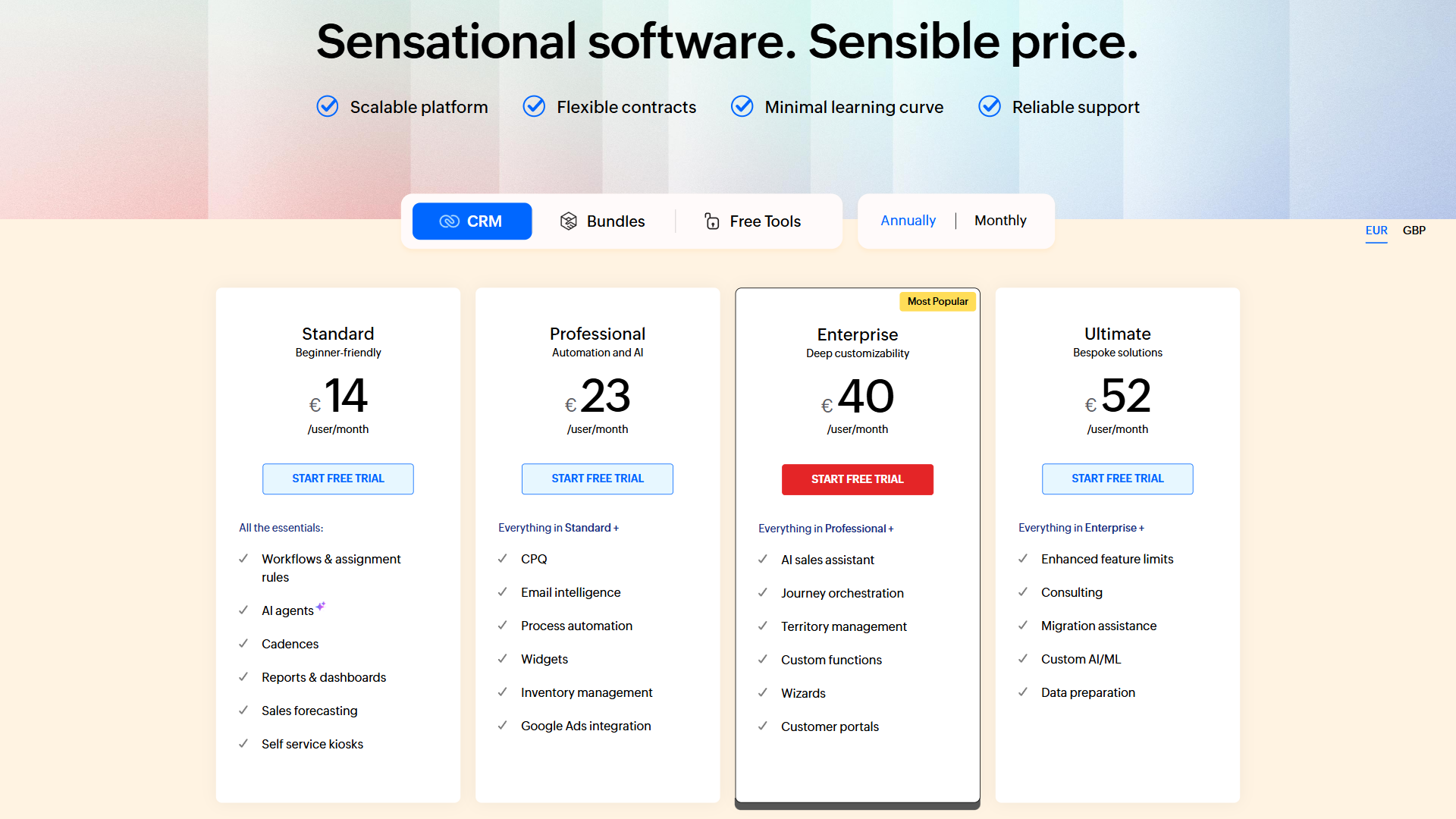
Zoho CRM’s pricing follows the classic five-tier ladder. The free plan covers 3 users. The Standard tier sits around the low-teens per user per month and adds workflow automation. Professional unlocks inventory and email integration. Enterprise brings the Zia AI assistant and territory management. Ultimate adds advanced analytics. Annual billing saves 15-20%.
The Zoho One bundle changes the math completely. The all-employee plan covers Zoho CRM Ultimate plus 44 other apps - Mail, Projects, Books, Desk, Campaigns, Recruit, People, Writer, Sheet, Workdrive, and dozens more. The flexible user plan covers partial-team deployments. For full Zoho One pricing see the official page. For any business already paying for 3+ Zoho products separately, Zoho One pays for itself almost immediately.
Pricing data unavailable for .
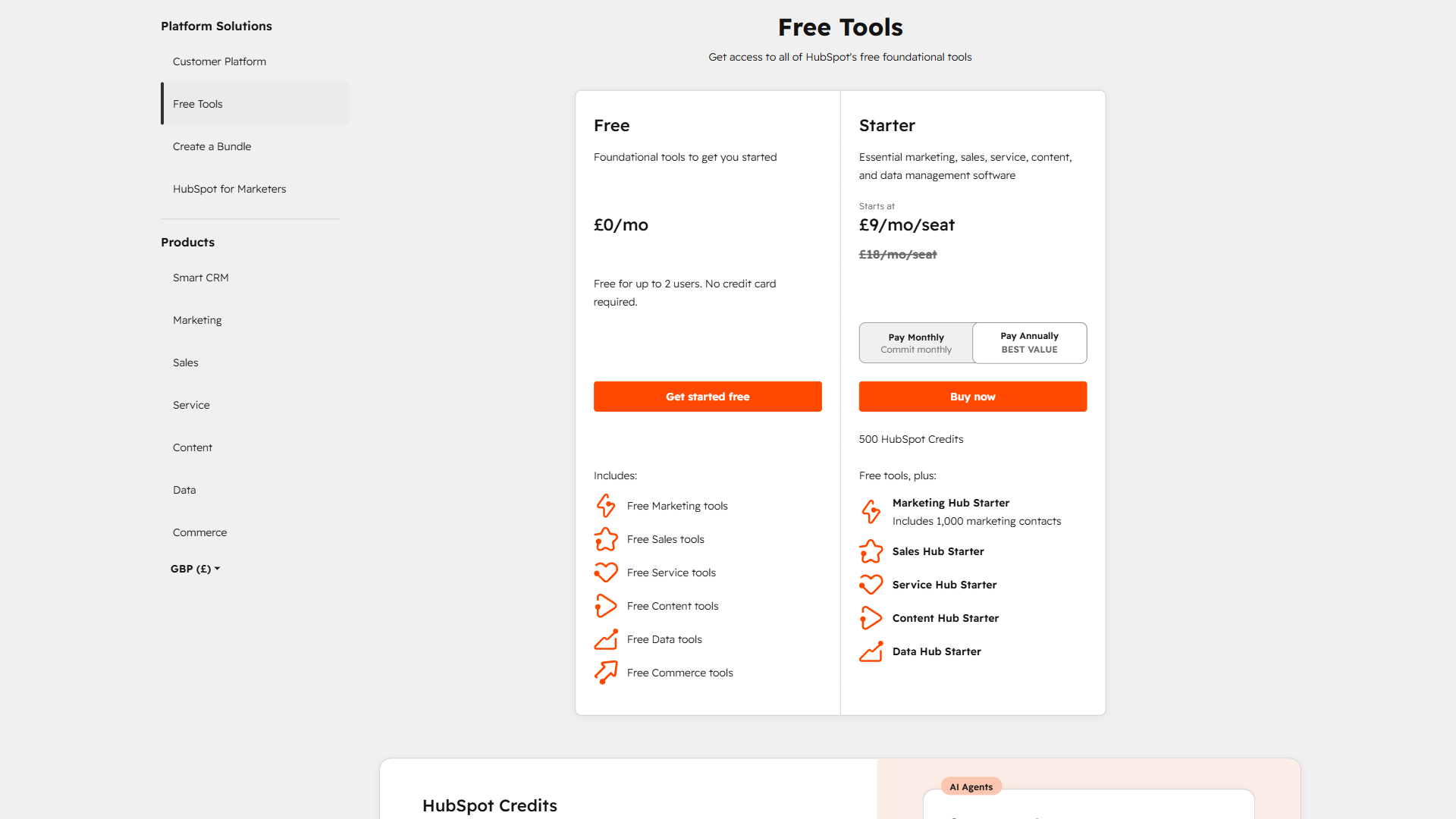
HubSpot pricing is structured per Hub and scales with contact count, seat count, and feature tier. Free Tools cover all six hubs with HubSpot branding. Starter strips the branding and adds essential automation. Professional jumps to a meaningfully higher tier - what most growing teams actually need for serious marketing automation, custom reports, and lead scoring. Enterprise sits at the top, priced for mid-market and up.
The complication is that you typically need multiple Hubs to run a real business, and bundles get expensive fast. A five-person team on Professional bundles can easily reach the low thousands per month - the same spend as putting 80 employees on Zoho One. The HubSpot defense is that the platform is opinionated, marketers love it, sales teams adopt it without training, and the ROI on a well-run Marketing Hub setup can pay for the platform many times over.
How Do Zoho and HubSpot CRM Compare?
Both CRMs handle the basics well - contacts, deals, pipelines, custom fields, simple workflows. The honest differences are feel and customization depth.
Zoho CRM is the more customizable. Custom modules, Deluge scripting for in-CRM logic, Zia AI for predictions, territory management, multiple pipelines, and inventory integration come standard at Professional and above. The interface feels denser. Teams wanting to bend a CRM to fit a complex sales process find Zoho’s flexibility refreshing.
HubSpot Smart CRM takes the opposite philosophy - cleaner interface, smarter defaults, shallower learning curve. The free plan covers up to 1 million contacts (with branding). Properties are typed and validated, workflows visual. The tradeoff - you cannot script custom business logic the way Zoho’s Deluge allows.
Not for: Zoho CRM has a real drawback for teams that want polished UI out of the box without spending weeks customizing. HubSpot Smart CRM has a clear limitation for sales orgs needing scripted business logic, custom modules, or deep territory management. Skip Zoho CRM if your admin won’t write Deluge; skip HubSpot if your sales ops needs custom pipelines beyond drag-and-drop.
For sales-led orgs with complex processes, Zoho wins on flexibility. For marketing-led orgs where the CRM supports inbound funnels, HubSpot Smart CRM is more pleasant. See Best CRM Software 2026 for how both compare against Salesforce, Pipedrive, and Microsoft Dynamics CRM alternatives.
Marketing Automation Compared
This is where HubSpot’s positioning was forged. HubSpot Marketing Hub coined “inbound marketing” and the product reflects 15 years of iteration. Campaigns, email sequences, landing pages, forms, lead scoring, attribution, ad tracking, social, and SEO all live in one polished interface. Professional unlocks the workflow builder marketers genuinely enjoy.
Zoho Marketing Plus (and Campaigns standalone) covers the same bases - email, automation, landing pages, forms, SMS, social, lead scoring. The interface is denser and feels less considered. You can tell it is one of 45 apps rather than the flagship. Marketing Plus is dramatically cheaper than HubSpot Marketing Hub Professional, often by a factor of five or more on a per-seat basis. For email-only stacks, Mailchimp remains the leaner alternative both vendors compete with.
If marketing is the spine of your go-to-market motion, HubSpot is worth the difference - polish translates to adoption. If marketing is a checkbox your team needs but does not live in daily, Zoho is more than adequate at a fraction of the cost.
Not for: Zoho Marketing Plus has a real limitation if your team expects HubSpot-grade automation builder polish - the denser UX is a drawback that costs adoption time. HubSpot Marketing Hub is not ideal if you cannot stomach Professional-tier pricing for the features marketers actually need (workflow builder, lead scoring, attribution). Skip Zoho marketing if your team will revolt at the interface; skip HubSpot if the per-contact pricing surprises you mid-cycle.
Sales Tools Compared
HubSpot Sales Hub is built around making reps’ day pleasant. Email tracking, meeting links, document tracking, AI call summaries, sequences, and quotes with eSignature all live natively. Sales Hub Professional unlocks automation, prospecting workspace, and custom reports at a meaningfully higher per-seat price.
Zoho’s sales stack is broader and cheaper but more fragmented. Zoho CRM covers the core, SalesIQ adds live chat, Zoho Sign covers eSignature, Bigin offers a simpler CRM for tiny teams. Zoho One puts all under one bill. Configuration takes longer, but for teams wanting depth, the toolkit is more complete. For a 5-10 rep team, HubSpot Sales Hub Professional is the polished choice. For a 30+ rep team with a custom process, Zoho CRM Enterprise plus Zoho One delivers more value per dollar.
Not for: Zoho’s fragmentation is a real drawback for solo founders who would rather configure one tool than four. HubSpot Sales Hub has a clear limitation for sales orgs needing scripted business logic, custom modules, or vertical-specific integrations. Skip Zoho Sales if you want everything in one polished workspace; skip HubSpot Sales if your process needs Deluge-level customization.
Service & Support Hub Compared
HubSpot Service Hub brings ticketing, knowledge base, surveys, and customer portal together. Service Hub feels like a polished extension of Smart CRM - tickets connect to deals to contacts without configuration. Professional adds automation and SLA management at the higher per-seat tier.
Zoho Desk is the more mature dedicated help desk product. Multi-channel intake (email, web, chat, phone, social), SLA management, automation, knowledge base, and Zia AI for ticket classification all come at lower tiers than HubSpot equivalents. Pricing starts in the low-teens per agent per month range.
Zoho Desk wins on feature depth and price for dedicated help desk use. HubSpot Service Hub wins for teams already on HubSpot wanting service to feel native. See Freshdesk vs HubSpot Service Hub for the alternative.
Not for: Zoho Desk has a real limitation for teams that need help desk to feel like an extension of their CRM - the cross-app navigation between Desk and CRM is workable but never seamless. HubSpot Service Hub has a clear drawback at scale - its omnichannel intake is narrower than dedicated tools like Zendesk or Freshdesk. Skip Zoho Desk if CRM-service integration is the spine of your support motion; skip HubSpot Service if you need ITSM-style depth.
AI Features: Zia vs Breeze
Both vendors have built AI assistants into their flagship products.
Zoho Zia shipped in 2017. Zia handles sales predictions, anomaly detection, writing assistance, sentiment analysis on support tickets, and process suggestions. Zia is included at Enterprise and Ultimate tiers and surfaces across many Zoho apps. Useful but not groundbreaking.
HubSpot Breeze launched in 2024 as HubSpot’s unified AI brand - Breeze Copilot (conversational assistant), Breeze Agents (specialized AI for content, social, prospecting, service), and Breeze Intelligence (data enrichment). Included across the platform with tier-based usage limits. The agent architecture maps to where the industry is headed.
For 2026 buyers, Breeze has the more polished current-generation AI surface. Zia has deeper integration across more surface area. Neither is a reason alone to pick one platform.
Not for: Zia’s limitation is generational - the 2017 architecture feels dated next to agent-style assistants, even with steady updates. Breeze has a clear drawback for cost-sensitive teams since usage limits scale with tier, and the most useful Breeze Agents live on Pro and Enterprise. Skip Zia if you specifically want agent-based workflows; skip Breeze if you cannot stomach the per-tier pricing climb.
Customization & Developer Experience
This is where Zoho quietly wins for technical teams. Deluge scripting, Zoho Creator low-code, Catalyst serverless, and deep REST APIs give developers enormous flexibility to bend Zoho to a specific business process. HubSpot’s developer story is also strong - REST APIs, webhooks, custom code workflow actions, CRM extensions, and a serious app marketplace - but the customization ceiling is lower. You cannot script custom business logic inside HubSpot the way you can in Zoho.
Not for: Zoho’s developer surface is wasted on teams without an admin who can write Deluge - the drawback is paying for power you never unlock. HubSpot has a real limitation if your roadmap demands custom CRM logic in-platform; you will end up running business rules in Zapier or Make instead. Skip Zoho if you have no script-capable admin; skip HubSpot if you have an engineer who wants to wire business logic directly into the CRM.
Integrations & Ecosystem
HubSpot App Marketplace lists over 1,500 integrations. Zoho Marketplace lists over 2,000. Both cover the critical integrations - Slack, Microsoft Teams, Google Workspace, QuickBooks, Stripe, Shopify, Zapier, Make. The structural difference - Zoho’s 45+ apps integrate natively with each other. HubSpot’s six Hubs integrate with each other but not with the broader operational stack (finance, HR, project management). For buyers wanting a full stack under one vendor, Zoho’s breadth is a real advantage.
Not for: Zoho’s marketplace is a drawback when the integration you need is a niche third-party app maintained by a partner rather than Zoho itself - quality varies wildly. HubSpot’s marketplace has a clear limitation for buyers wanting finance, HR, or PM under the same vendor; HubSpot does not cover that surface. Skip Zoho if your integration list is dominated by vertical-specific best-of-breed tools; skip HubSpot if vendor consolidation is the buying motivation.
Reporting & Analytics
HubSpot’s reporting is a genuine highlight - custom report builder, dashboards, attribution, revenue analytics, and cross-hub reporting in Operations Hub or Enterprise. Marketing teams get unusually deep attribution without leaving for a separate BI tool. Zoho’s reporting is more fragmented but more powerful at the high end. Zoho Analytics, included in Zoho One, is a serious standalone BI tool handling cross-app analytics, custom dashboards, and connections to non-Zoho data sources. Setup takes longer but the ceiling is much higher.
Not for: HubSpot reporting has a real limitation if you need to blend non-HubSpot data sources - the in-product reports are tied to its own object model. Zoho Analytics has a drawback for marketing teams that want attribution out of the box; setup takes engineering time before any executive sees a dashboard. Skip HubSpot reporting if you need cross-system BI; skip Zoho Analytics if you need same-day dashboards without admin work.
User Reviews & Ratings
Independent review aggregates give both platforms strong but distinct profiles.
Zoho CRM reviews consistently call out value-for-money, customization depth, and integration with the broader Zoho catalog as the biggest strengths. The most common complaint is UI inconsistency and a learning curve that punishes teams expecting HubSpot-style polish.
HubSpot reviews consistently praise UX, ease of adoption, marketing automation depth, and customer support. The most common complaint by a wide margin is pricing - Marketing Hub Professional and Enterprise costs frequently surprise growing teams when contact-tier upgrades trigger mid-cycle.
Zoho One reviews are more enthusiastic than individual Zoho product reviews - users who commit to the bundle and learn the catalog rate it very highly on value and breadth. Detractors note the bundle requires internal champions to drive cross-department adoption.
Not for: the headline ratings hide real limitations - Zoho’s score reflects buyers who already embraced the catalog complexity, not the ones who churned at month two. HubSpot’s drawback in reviews is consistent: per-hub pricing surprises and contact-tier creep. Skip Zoho if your team has no internal champion to drive bundle adoption; skip HubSpot if you cannot absorb mid-cycle pricing jumps when contact counts grow.
When to Choose Zoho (Especially Zoho One)
Choose Zoho when bundle math matters more than polish. Small businesses with 5-50 employees who would otherwise pay for Salesforce + Google Workspace + Asana + QuickBooks + HubSpot separately will save thousands per month on Zoho One.
Choose Zoho CRM standalone when you need a CRM that bends to fit a complex sales process, you have technical resources to customize via Deluge, you want eSignature/inventory/marketing included without separate purchases, and budget is a real constraint. The free plan for 3 users is the right starting point - see Zoho CRM Free Plan Review. The full Zoho Software Review 2026 walks through how to start with the right 1-3 apps before committing to Zoho One.
Not for: Zoho is not ideal for marketing-led venture-stage companies where adoption speed and inbound polish matter more than per-seat economics - the dense UI is a real drawback that will surface in your funnel. Skip Zoho if your buying motivation is “the marketers will actually use it” rather than “the CFO will sign off.” It also has a limitation for teams without an internal champion who can drive cross-app adoption.
When to Choose HubSpot
Choose HubSpot when marketing automation is the spine of your go-to-market motion. Marketing Hub Professional pays for itself if your team will actually use the workflow builder, lead scoring, attribution, and SEO tools. Half-using HubSpot at full price is the worst outcome.
Choose HubSpot when team adoption is the bottleneck. Marketers love HubSpot, sales reps adopt Sales Hub without training. If your previous CRM project failed because nobody used it, the UX premium is worth paying for. See HubSpot vs Salesforce for the marketing-led alternative. HubSpot is also the right choice for venture-backed startups or mid-market companies where per-seat pricing fits the budget.
Not for: HubSpot is not ideal for buyers whose primary motivation is bundle breadth at the lowest credible price - the per-hub pricing model is a hard limitation against Zoho One’s all-in-one math. Skip HubSpot if your CFO has already vetoed five-figure annual SaaS spend, or if your team needs finance, HR, or PM modules under the same vendor.
The Bottom Line
Zoho vs HubSpot is not winner-take-all - it is a question of what you optimize for. Zoho optimizes for bundle value and customization depth, serving small businesses who want their full operational stack under one bill at the lowest credible price. HubSpot optimizes for marketing polish and team adoption, serving growth-stage companies built around inbound. Both are legitimate. Pick based on which tradeoff list actually matches your business reality.
Frequently Asked Questions
Is Zoho cheaper than HubSpot?
Zoho is substantially cheaper at almost every comparable tier. Zoho CRM Standard at the low-teens per user is roughly equivalent to HubSpot Sales Hub Starter at the mid-teens per seat but includes more features. The Zoho One bundle covers 45+ apps for a single per-employee price - dramatically cheaper than equivalent HubSpot Hubs. For small business teams under 50 people, Zoho’s pricing advantage is consistent and significant.
Which is easier to use, Zoho or HubSpot?
HubSpot is meaningfully easier for non-technical teams. The interface is more polished, defaults smarter, learning curve shallower. Sales reps and marketers adopt HubSpot quickly without formal training. Zoho is more powerful and customizable but feels denser. Teams prioritizing fast adoption should pick HubSpot. Teams prioritizing customization depth and willing to invest in onboarding should pick Zoho.
Is HubSpot better for marketing than Zoho?
Yes - HubSpot Marketing Hub is the category leader for marketing automation and remains stronger than Zoho’s marketing tools. HubSpot has 15+ years of focused investment in automation, attribution, and content. Zoho Marketing Plus covers the same functional bases at a fraction of the price with a less polished interface. For marketing-led organizations, HubSpot is worth the premium.
Can Zoho One replace HubSpot?
Zoho One can replace HubSpot for most small businesses but not for marketing-led growth-stage companies. The bundle includes Zoho CRM, Marketing Plus, Desk, Books, and 40+ apps at a single per-employee price - covering everything HubSpot Customer Platform covers and more. The catch is HubSpot’s marketing automation is more polished and adoption is faster. For cost-and-breadth buyers, Zoho One is a credible HubSpot replacement.
Related Reading
- Zoho One - full review of the 45-app bundle and the all-employee plan
- Zoho CRM - standalone CRM review with feature breakdown and pricing
- HubSpot - Smart CRM and Hub-by-Hub review with ratings
- Zoho Software Review 2026 - honest take on the full Zoho catalog and when to commit to Zoho One
- Best CRM Software 2026 - how Zoho and HubSpot stack up against Salesforce, Pipedrive, and Close
- HubSpot vs Salesforce - the other HubSpot alternative comparison most buyers consider
External Resources
- Zoho One official landing page - bundle pricing, included apps, and the all-employee plan
- HubSpot Smart CRM - free tier overview and Customer Platform bundles
- HubSpot App Marketplace - directory of integrations across both platforms