

A lovo ai voiceover guide is a practical walkthrough for producing professional narration using LOVO’s 500+ AI voices - without a recording studio. It covers voice selection, workflow, and export settings for projects like e-learning courses, YouTube channels, and multilingual marketing content, where hiring voice actors can cost $150-500 per five-minute recording.
Hiring voice actors for every video, course module, or ad variation is expensive and slow. A single 5-minute voiceover can cost $150-500 and take days to coordinate. This LOVO AI voiceover guide walks through a faster alternative - using LOVO’s 500+ AI voices to produce professional-quality narration in minutes, not days. Whether you are building an e-learning course, launching a YouTube channel in multiple languages, or creating ad voiceovers at scale, LOVO provides the tools to do it without a recording studio.
This guide is based on research into LOVO across different project types - podcast intros, explainer videos, training modules, and multilingual marketing content. This guide covers the practical workflow from voice selection through final export, including the specific settings and techniques that produce the best results.
Why LOVO AI Works for Voiceover Production
Before diving into the workflow, it is worth understanding what makes LOVO AI a practical choice for voiceover work. The platform combines text-to-speech generation with a built-in content studio called Genny AI, which bundles voice generation, video editing, subtitle creation, and AI script writing into one interface - making it a capable Genny AI voice generator free of the usual need to juggle separate tools.
Three capabilities set it apart for voiceover production:
- 100+ language support - More than any major competitor. ElevenLabs covers 29 languages, Murf AI supports 20+. If you produce content for global audiences, this breadth matters. For multilingual workflows specifically, see our roundup of the best AI localization tools.
- Pro V2 natural language direction - Instead of adjusting sliders for speed and tone, you type instructions like “speak with enthusiasm” or “slow down and pause before the next sentence.” This feels closer to directing an actual voice actor.
- All-in-one Genny studio - Voice generation, video editing, auto subtitles, AI script writing, and even LOVO ai music generation in one tool. No exporting audio files to paste into a separate video editor like Descript.
The tradeoff is that LOVO does not produce the absolute most realistic voices on the market - ElevenLabs still edges ahead on raw voice quality for English content, and image-focused platforms like Leonardo AI illustrate how specialized tools often outperform all-in-one suites in their core domain (see ElevenLabs alternatives for a full comparison). But for multilingual projects and workflows where speed matters more than perfection, LOVO delivers strong value at a lower price point.
Step 1: Choosing the Right Voice
Voice selection is the most important decision in any voiceover project. LOVO offers 500+ voices, and picking the wrong one means re-generating your entire project later.
Filter by project type first. LOVO’s voice library categorizes voices by use case - narration, conversational, news, characters, and more. Start here rather than scrolling through hundreds of options:
- E-learning and tutorials - Choose voices labeled “narration” or “professional.” These have consistent pacing and clear enunciation that works well for instructional content.
- Marketing and ads - Look for “conversational” or “energetic” voices. These have more dynamic range and sound less like a lecture.
- Podcasts - “Conversational” voices work best. Avoid overly polished narration voices - they sound unnatural in a podcast context.
- Corporate presentations - “Professional” and “news” voice styles convey authority without sounding robotic.
Always preview with your actual script. Do not judge a voice by its demo sentence alone. Paste a representative paragraph from your project and generate a preview. Some voices sound great on short phrases but fall apart on longer, more complex sentences.
Match accent to audience. LOVO offers regional accents across its language library. A British English voice for a UK audience, American English for US content, and so on. Mismatched accents create subtle disconnect with listeners even when the content itself is strong.
Step 2: Writing Scripts Optimized for AI Voices
The biggest mistake new users make is pasting raw written content into LOVO and expecting polished audio. Written language and spoken language follow different rules. A script that reads well on screen often sounds stilted when spoken aloud.
Keep sentences short. Aim for 12-20 words per sentence. AI voice models process text sequentially, and long sentences with multiple clauses create unnatural pacing breaks. Compare:
Avoid: "While LOVO AI offers over 500 voices across more than 100 languages,
the platform also includes advanced features like voice cloning and emotion
control that make it suitable for professional production workflows."

Better: "LOVO AI offers over 500 voices across 100+ languages. Beyond that
voice library, the platform includes voice cloning and emotion control.
These features make it suitable for professional production."
Write for the ear, not the eye. Read your script aloud before generating audio. If you stumble over a phrase, the AI will produce awkward pacing there too. Replace formal constructions with conversational alternatives:
- “In order to” becomes “to”
- “It is important to note that” becomes “Note that” or just cut it
- “Utilize” becomes “use”
- “Facilitate” becomes “help” or “enable”
Structure for breathing. Insert natural pause points every 2-3 sentences. In written text, paragraphs handle this visually. In audio, you need explicit breaks. LOVO’s pronunciation editor lets you add pauses, but building them into the script is more reliable.
Handle numbers and abbreviations carefully. Write “fifteen thousand” instead of “15,000” if you want consistent pronunciation. Spell out acronyms on first use - “Search Engine Optimization, or SEO” - then use the acronym afterward once the listener has context.
Step 3: Using Emotion and Tone Controls
Flat, monotone delivery is the most common problem with AI voiceovers. LOVO addresses this with two systems: Pro V2 natural language direction and manual emotion controls.
Pro V2 Natural Language Direction
This is LOVO’s standout feature. With Pro V2 voices, you type plain-English instructions to shape delivery. Examples that produce noticeable results:
- “Speak with excitement and energy” - Raises pitch slightly and increases pace. Good for product announcements and upbeat content.
- “Use a calm, reassuring tone” - Slows pace and smooths inflection. Ideal for meditation apps, healthcare content, and customer support scripts.
- “Sound professional but warm” - Balances authority with approachability. Works well for corporate training and onboarding videos.
- “Add emphasis on key product features” - The AI will naturally stress important nouns and benefits in the script.
- “Pause briefly after each main point” - Adds breathing room between ideas without manual pause insertion.
Manual Emotion Controls
LOVO provides 30+ emotional expressions that you can apply to specific sections of your script. These are useful for fine-tuning sections where natural language direction alone does not produce the right feel:
- Pitch adjustment - Raise for younger or more energetic delivery, lower for gravitas and authority
- Speed control - Slightly faster for conversational content (1.1-1.2x), slightly slower for serious or technical material (0.85-0.95x)
- Emphasis markers - Highlight specific words or phrases that need to stand out
Practical tip: Do not over-direct. Apply emotion controls to 20-30% of your script - the key moments like opening hooks, calls-to-action, and transitions. Over-directing every sentence creates an exhausting, unnatural listening experience.
Step 4: Mastering the Pronunciation Editor
Even the best AI voices mispronounce technical terms, brand names, and proper nouns. LOVO’s pronunciation editor is essential for professional results.
Common pronunciation problems and fixes:
- Brand names - “Canva” often renders as “CAN-vuh” instead of “CAN-vah.” Use the phonetic editor to spell it as it should sound.
- Technical acronyms - “API” might come out as a word (“ah-pee”) instead of spelled out (“A-P-I”). Add a phonetic override.
- Foreign words in English scripts - Words like “entrepreneur” or “genre” may get anglicized pronunciations. Specify the correct pronunciation phonetically.
- Numbers in context - “2026” as a year should be “twenty twenty-six,” not “two thousand twenty-six.” Write it out or add a phonetic rule.
Build a pronunciation dictionary. If you produce content regularly about specific topics, maintain a list of phonetic overrides. LOVO lets you save these, so you do not have to re-enter corrections for every new project. This is especially valuable for industry-specific content where the same technical terms appear repeatedly.
Test pronunciation in isolation. Before generating your full script, create a short test clip containing just the tricky words. This saves generation credits compared to producing the entire piece and discovering pronunciation issues afterward.
Step 5: Voice Cloning for Brand Consistency
Voice cloning lets you create a custom AI voice from your own audio recording. This is valuable for brands that want consistent voice identity across all content without booking the same voice actor repeatedly.
How LOVO voice cloning works:
- Record a sample - LOVO needs just 1 minute of clean audio. Record in a quiet environment with consistent volume and natural speaking pace.
- Upload and process - The platform analyzes your sample and creates a cloned voice model.
- Generate content - Use your cloned voice exactly like any other LOVO voice, with the same emotion controls and pronunciation editing.
Important limitations to know:
- Voice cloning only supports English. Even though LOVO offers 100+ languages for standard voices, cloned voices are English-only.
- Basic plan limits you to 5 voice clones. Pro and Pro+ plans include unlimited cloning.
- Clone quality depends heavily on your recording. Background noise, inconsistent volume, or unnatural speaking pace all degrade the clone.
Recording tips for better clones:
- Use an external microphone (a Shure MV7 or similar USB option works well) - laptop mics introduce too much ambient noise
- Speak naturally at your normal pace. Do not perform or exaggerate
- Record in a treated room or use a closet (clothes absorb echo)
- Provide a diverse sample - read content that includes questions, statements, and varied sentence lengths
For a deeper look at voice cloning techniques across platforms, the LOVO documentation covers the technical requirements in detail.
Which Project Types Is LOVO AI Best Suited For?
Different project types require different approaches within LOVO. Here is how to optimize settings for the most common voiceover use cases covered in this LOVO AI voiceover guide.
YouTube Videos and Video Content
For broader voiceover production strategy, the YouTube Creator Academy offers extensive guidance on pacing and audience engagement.
For video narration, pace matters more than anything. If you are repurposing written content into video, our guide to blog-to-video tools covers the broader workflow. Most YouTube viewers expect a speaking rate between 150-170 words per minute. Set LOVO’s speed to 1.0-1.1x for most content, dropping to 0.9x for complex explanations.
Use a conversational voice style and apply energy at the intro and transitions. The middle sections can be more measured - listeners expect opening energy to settle into a teaching rhythm.
E-Learning and Training Modules
E-learning demands clarity above all else. If you are building courses, our roundup of AI tools for course creators covers the full production stack beyond voiceovers. Choose a professional narration voice, keep speed at 0.9-1.0x, and add explicit pauses between concepts. The Association for Talent Development recommends 130-150 words per minute for instructional audio - slightly slower than conversational content.
Break modules into segments of 3-5 minutes maximum. Learner attention drops significantly after 6 minutes of continuous narration. LOVO’s project system lets you manage each segment as a separate clip, making re-generation easy if you update course content later.
Podcast Intros and Outros
Podcast listeners have strong opinions about AI voices. For full episodes, human hosts still sound more authentic. But for intros, outros, ad reads, and segment transitions, LOVO voices blend in well if you choose a conversational voice and match the energy level of your human hosts.
Keep intros under 30 seconds and outros under 20. Apply slight emphasis on the podcast name and any calls-to-action. If you are using voice cloning, clone one of the actual hosts to maintain continuity between the AI segments and live recording.
Advertising and Marketing
Ad voiceovers need energy and precision. For broader video production tips including pacing and visual pairing, see our AI video creation tips guide. Every word earns its place in a 30 or 60-second spot. Write your script to the exact second count (roughly 2.5 words per second at normal pace), then use LOVO’s speed controls to hit timing targets.
Apply emotion controls more aggressively for ads than for other content types. Marketing audio benefits from dynamic range - excitement on benefits, warmth on testimonials, urgency on calls-to-action.
Which LOVO Plan Fits Your Workflow?
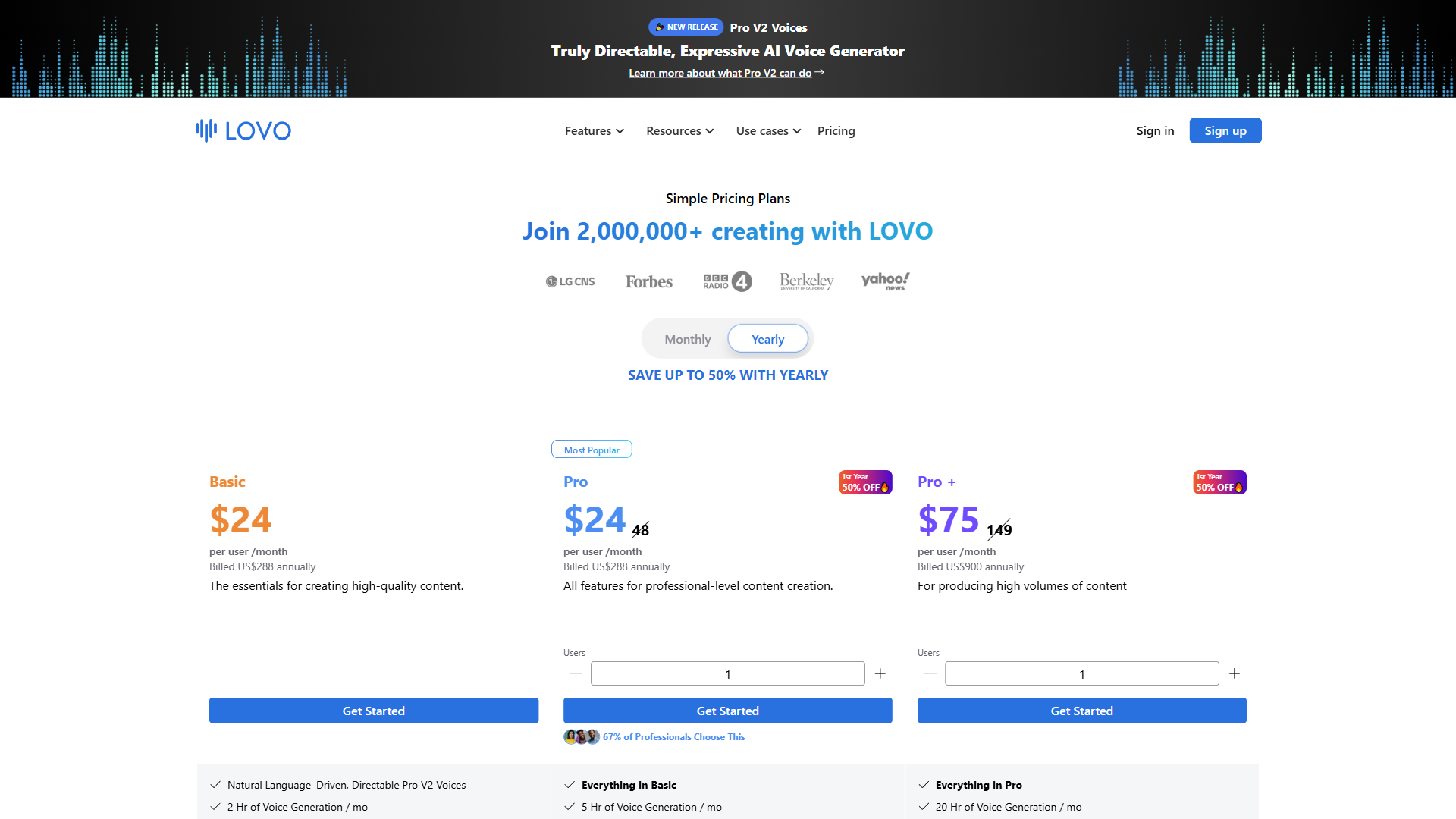
Choosing the right plan depends on your monthly volume and whether you need voice cloning:
- Free trial - 14 days, 20 minutes of generation, watermarked exports. Enough to test voice quality on a real project before committing.
- Basic (see current pricing at LOVO) - 2 hours of generation monthly, 500+ voices, 5 voice clones, HD export with commercial rights. This covers most solo creators producing 4-8 videos per month.
- Pro ($48/month, or less with annual billing) - 5 hours monthly, unlimited voice cloning, team collaboration, voice enhancer. Worth it if you are producing daily content or working with a team.
- Pro+ (available with annual billing discount) - 20 hours monthly, 400GB storage, priority support. Designed for agencies and high-volume production teams.
- Enterprise - Custom pricing with API access and dedicated support for organizations with specific integration needs.
The annual billing discount on Pro is significant - cutting the monthly cost substantially. If you are committed to using LOVO regularly, annual Pro is the best value.
Tips for Getting the Most Out of LOVO
Based on user workflows and documentation, these are the techniques that produce the most consistent results with this LOVO AI voiceover guide workflow:
Generate in sections, not all at once. Break your script into 200-300 word segments and generate each separately. This gives you finer control over tone shifts and makes it easy to re-generate a single section without redoing the entire piece.
Preview before committing credits. LOVO lets you preview short clips before using your monthly generation time. Always preview the first 30 seconds of each section to catch voice selection issues or pronunciation problems early.
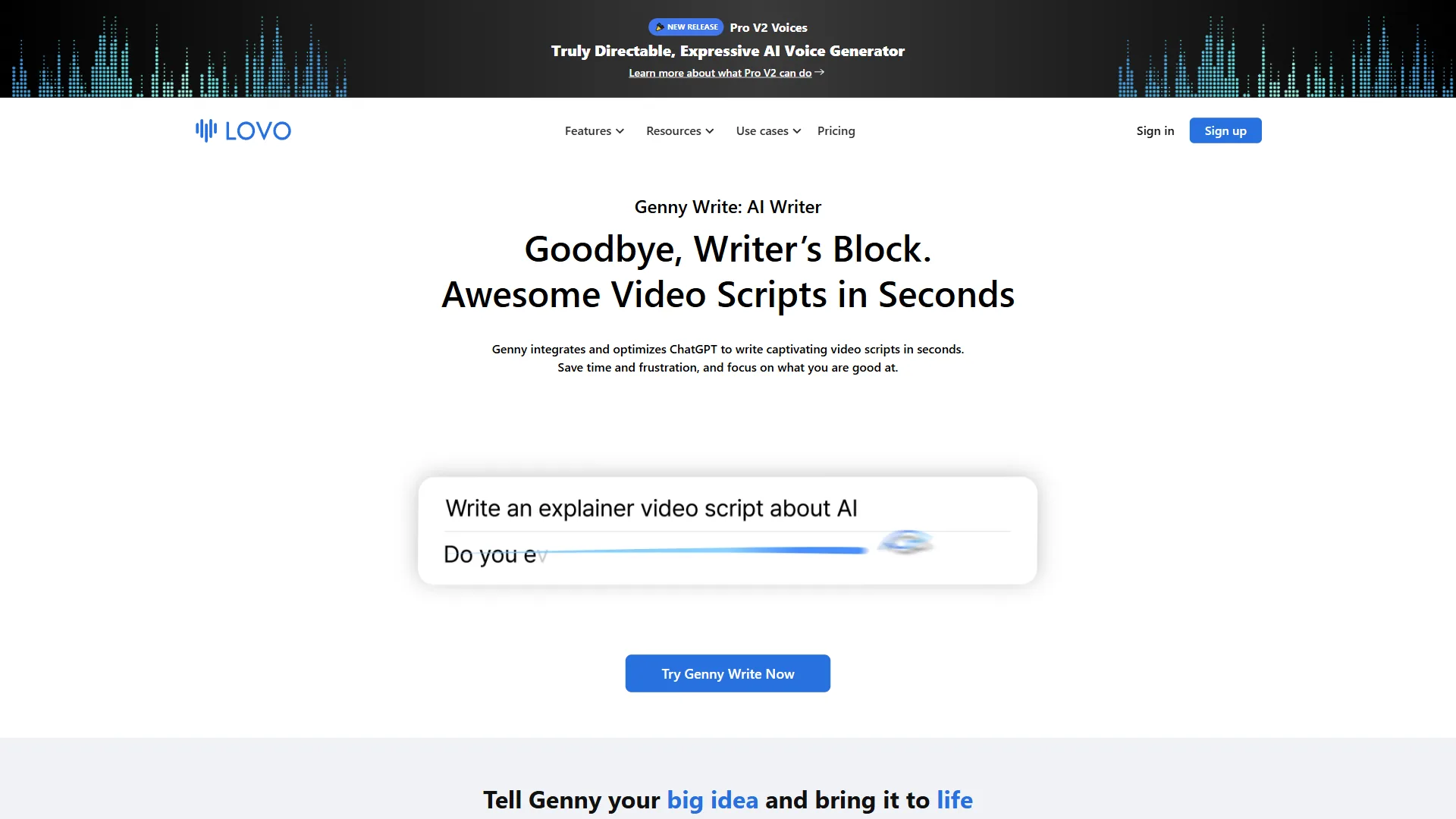
Use the AI script writer for first drafts. LOVO’s built-in Genny Write tool can generate initial script drafts optimized for spoken delivery. These are not publication-ready, but they provide a solid structure that you can refine. This is especially useful if you are not experienced in writing for audio.
Layer subtitles automatically per WCAG accessibility guidance. If your voiceover is for video content, use LOVO’s auto subtitle generator in the same workflow. Generating subtitles alongside the voiceover ensures timing alignment and saves a separate captioning step.
Save voice presets. Once you find a voice and setting combination that works for your brand, save it as a preset. Consistency across episodes or campaign pieces builds audience familiarity. The LOVO blog shares additional workflow optimization tips from their production team.
The Bottom Line: LOVO AI Voiceover Guide Takeaways
LOVO AI handles the practical reality of voiceover production well - you get professional-grade output without the coordination overhead of traditional voice talent. The 100+ language support is genuinely unmatched, and the all-in-one Genny studio eliminates the tool-switching that slows down video production workflows.
The platform is not perfect. Voice cloning being limited to English is a real constraint for multilingual brands. Some voices still produce occasional robotic artifacts that require re-generation. And pronunciation editing, while effective, adds friction to the workflow for specialized content.
For content creators producing regular video, e-learning, or marketing audio (see also AI tools for YouTubers), the Basic plan delivers strong value with commercial rights included. Teams doing daily production should look at Pro with annual billing for the best feature-to-cost ratio.
Start with the free trial on LOVO to test voice quality on an actual project. Generate a real script - not just a test sentence - and evaluate whether the output meets your quality bar. Most users know within one project whether LOVO fits their workflow.
Frequently Asked Questions
How much does LOVO AI cost per month?
LOVO’s Basic plan includes commercial rights - a solid starting point for regular content creators. The Pro plan offers significantly more features, and with annual billing you get a significant discount. Teams doing daily production get the best feature-to-cost ratio on annual Pro. Check current pricing at LOVO.
How many voices does LOVO AI offer?
LOVO offers 500+ AI voices across multiple languages, accents, and use cases including narration, conversational, news, and character styles. The platform also supports 100+ languages, making it a strong option for multilingual projects where voice variety and language coverage matter.
Is LOVO AI better than ElevenLabs for voiceovers?
ElevenLabs edges ahead on raw voice quality for English content. However, LOVO delivers strong value for multilingual projects and speed-focused workflows at a lower price point. LOVO also bundles video editing, subtitle creation, and AI script writing into its Genny studio, which ElevenLabs does not offer in the same way.
What speaking rate should I use for YouTube voiceovers in LOVO?
Most YouTube viewers expect a speaking rate between 150-170 words per minute. In LOVO, set speed to 1.0-1.1x for most video content, dropping to 0.9x for complex explanations. For e-learning specifically, the Association for Talent Development recommends 130-150 words per minute - slightly slower than conversational content.
Can LOVO AI clone your voice in multiple languages?
Voice cloning in LOVO is currently limited to English, which is a real constraint for multilingual brands. The feature lets you create a custom AI voice from your own audio recording, useful for maintaining consistent voice identity across content without repeatedly booking the same voice actor.
Want to learn more about LOVO AI?
Related Guides
- LOVO AI eLearning Voiceovers - Full Workflow Guide - SCORM, multilingual courses, and pacing for instructional content
- AI Voiceover Tips: Making Synthetic Voices Sound Human - Techniques for natural-sounding AI narration
- AI Voiceover for Corporate Training - Using AI voices for L&D content
- Best AI Voice Generators 2026 - Complete comparison of AI voice platforms
- ElevenLabs Voice Cloning Tutorial - Deep dive into voice cloning techniques
External Resources
- LOVO AI Documentation - Official guides for voice generation, cloning, and API integration
- LOVO Blog - Product updates, tutorials, and voiceover production tips
- ATD Research and Insights - Industry research on instructional design and audio pacing for e-learning