



AI video marketing is the practice of using artificial intelligence tools to produce and distribute video content at scale - without a traditional production team. Whether you work with an AI video marketing agency or handle everything in-house, the right AI video marketing software makes that scale achievable. Platforms fall into three categories: text-to-video generators like Luma Dream Machine and Runway, AI avatar presenters like HeyGen and Synthesia, and content repurposing tools like Pictory and Descript.
This guide covers ai video marketing with detailed analysis.
Video content drives engagement. In 2026, marketers who can produce video at scale have a massive advantage - and ai video marketing tools have finally made that possible without a production team.
Across the current landscape of platforms, it is clear that the real barrier isn’t the technology anymore. It’s knowing how to build a repeatable workflow that delivers quality content consistently. This guide walks through the complete process of doing ai video marketing online - from initial concept through distribution - with practical tool recommendations at three budget levels, including options that are ai video marketing online free.
If you’ve been hesitant about exploring ai video marketing free options because you’re worried about quality or authenticity, the quality control frameworks below keep output professional while maintaining your brand voice.
What Are the Different Types of AI Video Tools?
Before diving into workflows, it’s crucial to understand what type of AI video tool you actually need. The market has fractured into three distinct categories, each solving different problems:
Text-to-Video Generation
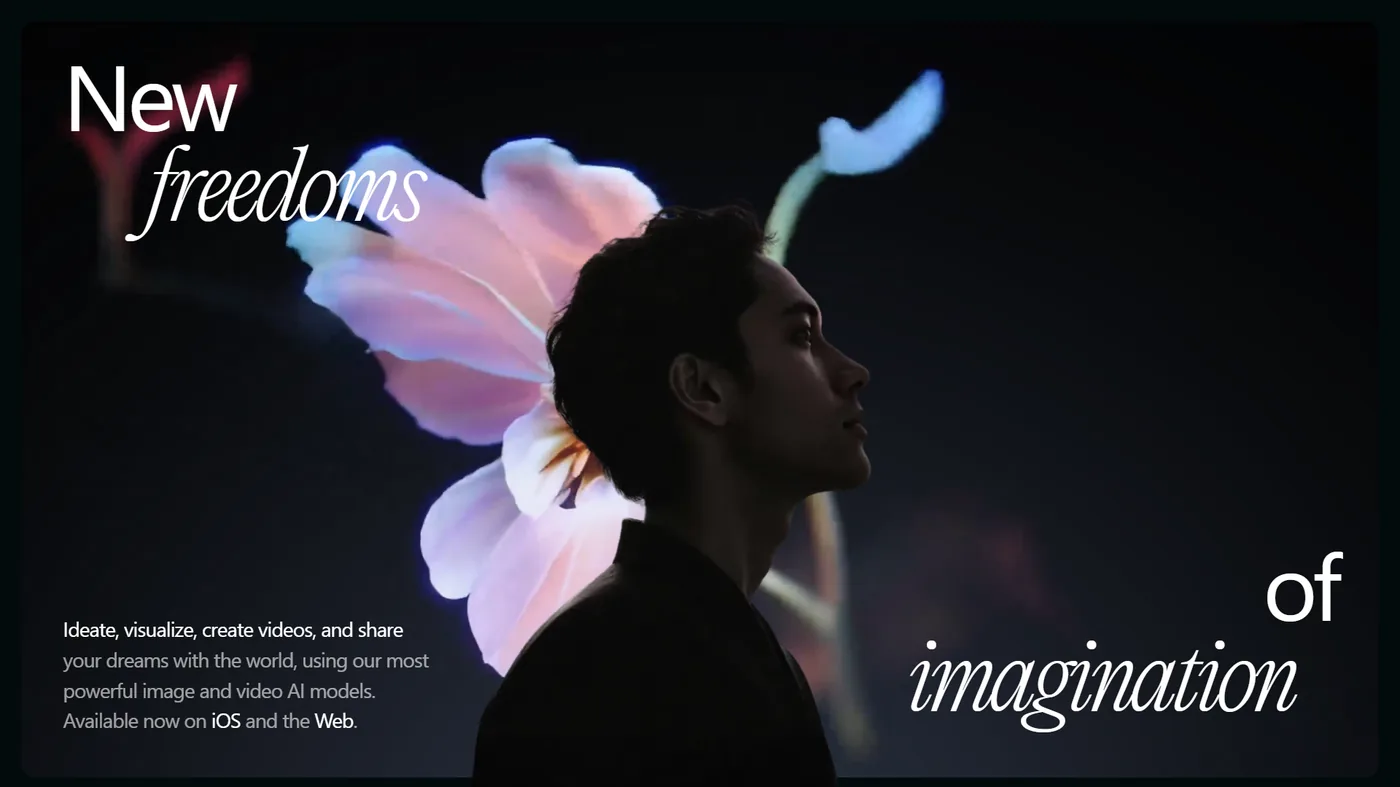
Tools like Luma Dream Machine and Runway create video from text prompts or static images. These excel at:
- B-roll footage for social media
- Product demo backgrounds
- Abstract concept visualization
- Quick social content (15-60 seconds)
The breakthrough in 2026 has been reasoning models like Luma’s Ray3. Instead of treating each frame independently, these models understand narrative flow and can iterate based on feedback. That means fewer wasted generations and more usable first drafts.
When to use: You need visual assets quickly, brand guidelines are flexible, and you have basic video editing skills to refine outputs.
AI Avatar Presenters
Platforms like HeyGen and Synthesia put AI-generated presenters on camera. Best applications:
- Training videos with consistent presenter
- Product announcements
- Multi-language versions of the same content
- Internal communications at scale
The quality leap happened when these tools added custom avatar creation. You can clone your own likeness or hire talent once and reuse them indefinitely. The ROI on $100k/year worth of presenter time is obvious.
When to use: You need a human face but can’t justify ongoing presenter costs, or you’re creating the same video in 8+ languages. The AI avatar video marketing guide walks through the cloning process if you go that route.
Content Repurposing Tools
Tools like Pictory and Descript transform existing content (podcasts, webinars, blogs) into video formats. They handle:
- Podcast clips with auto-captions
- Blog posts to video explainers
- Webinar highlights for social
- Long-form to short-form adaptation
When to use: You have existing content performing well but need video versions for platforms like LinkedIn, TikTok, or YouTube Shorts.
Most marketing teams need all three categories at different stages. The workflow below focuses on text-to-video generation because it’s the most versatile starting point. If you want a deeper grounding in prompt engineering before you commit, our AI video creation tips guide covers the S.A.C.S. framework that produces usable first drafts.
How Do You Go From Concept to Campaign With AI Video?
Here’s a repeatable four-phase process for every AI video project. This works whether you’re creating a single asset or a monthly batch of 20 videos.
How Should You Develop the Concept (30-45 Minutes)?
Don’t skip this phase. AI tools amplify your creative direction - garbage in, garbage out still applies.
Define the hook in one sentence:
- What’s the unexpected insight or emotional trigger?
- Example: “Marketing teams waste 14 hours/week on meetings that could be emails” (for a scheduling tool demo)
Script the first 3 seconds: AI video gets reviewed in the first 3 seconds on social platforms. Your opening frame and first sentence determine 80% of your watch-through rate. Write five variations and pick the strongest.
Map your visual beats: Break your 30-60 second video into 5-7 shot segments. For each segment, note:
- Core message (5-7 words)
- Suggested visual (product UI, abstract concept, data viz)
- Emotional tone (energetic, contemplative, urgent)
Example beat sheet for SaaS product:
- Problem statement (frustrated user at messy dashboard) - urgent
- Transition moment (clean UI appears) - relief
- Key feature 1 (automation workflow) - clarity
- Key feature 2 (reporting dashboard) - confidence
- Social proof (customer logo montage) - trust
- CTA (signup screen) - energetic
This 6-segment structure works for 90% of marketing videos under 60 seconds.
Phase 2: Production (15-90 minutes)
This is where tool choice and budget tier matter significantly.
Free Tier Approach (Luma Dream Machine Free):
- 8 draft mode videos per month
- Watermarked output
- ~20 minutes per usable video
Process: Generate 3 variations of your opening beat. Pick the strongest. Generate 2 variations of each subsequent beat. Expect 40-50% success rate (usable on first try). Budget 12-15 total generations for a 6-beat video.
The draft mode is 20x faster than standard but quality varies. It works best for:
- Initial concept testing
- Internal review versions
- Low-stakes social content
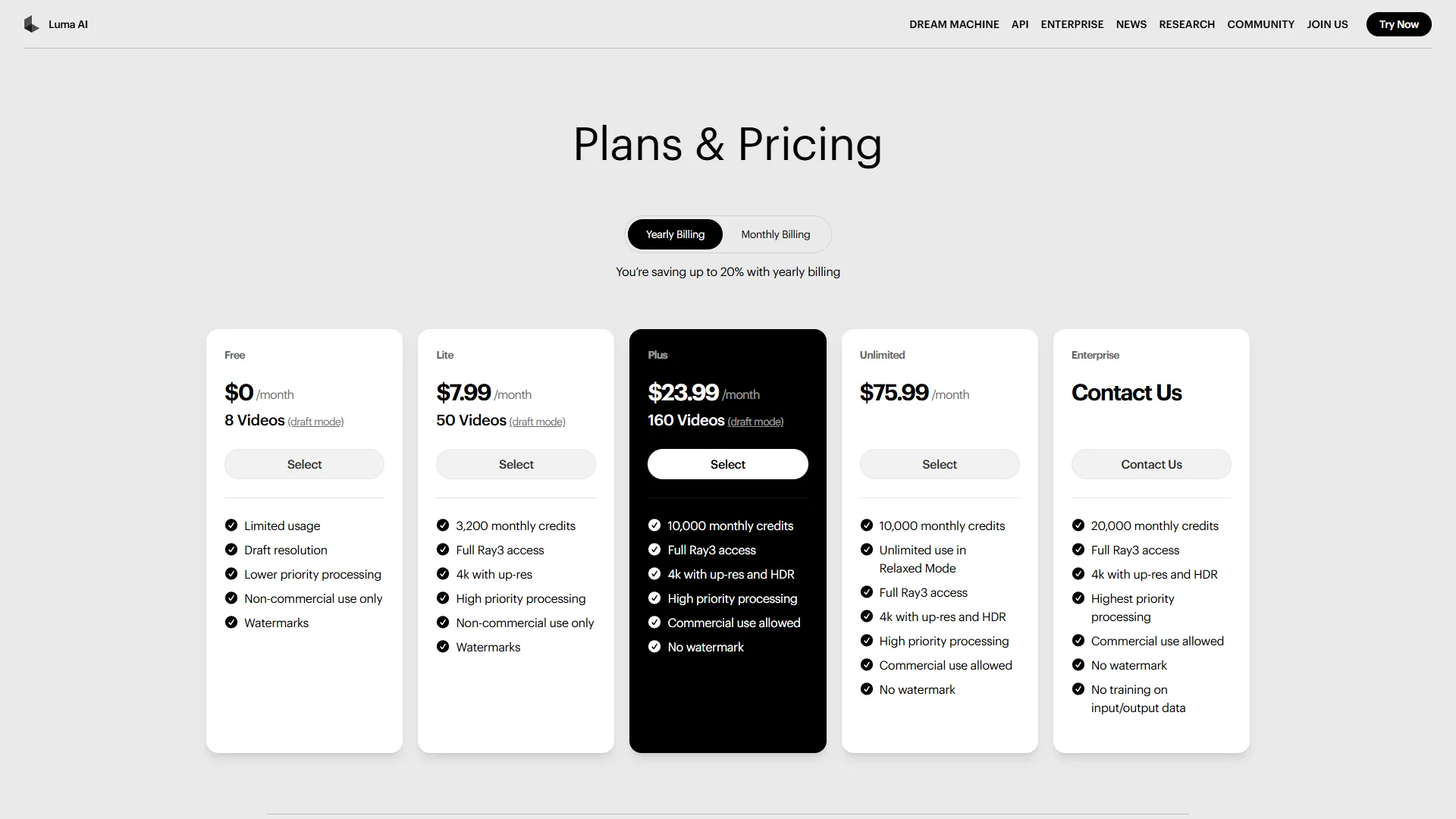
Mid-Tier Approach (Luma Plus at $30/month or Runway Standard at $15/month):
- 150 generations/month (Luma) or 625 credits/month (Runway)
- No watermarks
- Commercial use rights
- 4K output
Process: Same beat-by-beat approach but you can afford quality iterations. Generate 5 variations of critical beats (opening, CTA). Expect to use 25-30 generations per finished video, achieving 60-70% first-try success rate with detailed prompts.
At this tier, you can produce 4-6 polished videos per month if working solo.
Enterprise Approach (Luma Ultra tier or Runway Unlimited at $95/month):
- API access for automation
- Unlimited relaxed mode generations
- Priority processing
- No data training on your inputs
Process: Batch production becomes viable. Run 10+ variations of each beat simultaneously, use Python scripts to auto-download and organize outputs, and maintain a library of successful prompt patterns. Teams can produce 20-40 videos monthly.
The API access is the real unlock - you can integrate video generation into your CMS or marketing automation platform.
Phase 3: Quality Control (20-40 minutes per video)
AI video fails in predictable ways. Here’s the QC checklist to run on every asset before it touches social media:
Visual coherence check:
- Do objects morph unexpectedly between frames?
- Does text remain readable if generated?
- Are brand colors consistent throughout?
- Does the video loop cleanly (if looping)?
Audio-visual sync: Most text-to-video tools generate silent video. You’ll add music/voiceover in post. The QC question: Does the visual pacing match your intended audio?
Preview with a rough audio track before finalizing. Mismatched pacing requires regeneration or editing.
Brand safety scan: AI models occasionally generate unintended content. Quick checks:
- No recognizable faces/locations you don’t have rights to
- No competitor branding appearing in background elements
- No text artifacts that could be misread as offensive
This sounds paranoid until you’ve had an AI tool hallucinate a competitor’s logo into your product demo video. It happens.
Platform-specific requirements:
| Field | Value |
|---|---|
| 1:1 or 16:9, 30-90 seconds optimal | |
| Instagram Reels | 9:16, under 60 seconds |
| YouTube Shorts | 9:16, under 60 seconds |
| Twitter/X | 16:9 or 1:1, under 2:20 |
Generate in highest resolution available, then crop/resize for each platform rather than regenerating entirely.
Phase 4: Distribution & Iteration (Ongoing)
The workflow doesn’t end at publication. AI video gives you a unique advantage: rapid iteration based on performance data.
Week 1 testing framework: Publish your video with three variations:
- Different opening hook (same core content)
- Different CTA
- Different thumbnail (for platforms that support it)
Track watch-through rate, not just views. If viewers drop off before 10 seconds consistently, your hook failed. Regenerate beat 1 with a stronger opening.
What good performance looks like:
- 40%+ watch-through rate on LinkedIn (organic)
- 60%+ on Instagram Reels (following only)
- 30-second average watch time on 60-second videos
If you’re below these benchmarks, iterate. The beauty of AI video: regenerating a single beat costs minutes, not hours.
Archive successful prompts: When a video overperforms, save the exact prompts used for each beat. These become your template library. After 10-15 successful videos, you’ll have a playbook that dramatically improves first-try success rates.
A Notion database (or Airtable if your team already lives there) works well for tracking:
- Original prompt
- Output thumbnail
- Performance metrics (watch-through %, engagement rate)
- Platform published
- Audience segment
This compounds your effectiveness over time.
Which AI Video Tools Should You Use at Each Budget Level?
Based on how these tools perform across different production needs, here are the optimal tool combinations at three budget levels:
Free Tier
Best for: Solo creators validating ideas before committing budget.
Stack:
- Video generation: Luma Dream Machine Free (8 draft videos/month)
- Video editing: Descript Free (1 export/month)
- Music: YouTube Audio Library (free, royalty-free)
Limitations: Watermarks on output, limited generations means you can’t iterate aggressively. Use for proof-of-concept only.
Realistic output: 2-3 finished videos per month if working efficiently.
Professional Tier ($50-80/month)
Best for: Freelancers and small teams producing 4-8 videos monthly.
Stack:
- Video generation: Luma Dream Machine Plus at $30/month or Runway Standard at $15/month
- Video editing: Descript Creator at $24/month annual (billed annually)
- Stock assets: Artlist (music licensing, see their pricing page)
Why Luma over Runway at this tier: Luma’s Ray3 reasoning model produces more usable first-try outputs based on user reports (65% vs. 45%). Runway has better motion control features, but you pay for them with more iteration time.
Realistic output: 6-10 finished videos per month with one person spending ~10 hours/week.
Enterprise Tier ($500+/month)
Best for: Marketing teams producing 20+ videos monthly with API integration needs.
Stack:
- Video generation: Luma Dream Machine Ultra tier (high-volume plan)
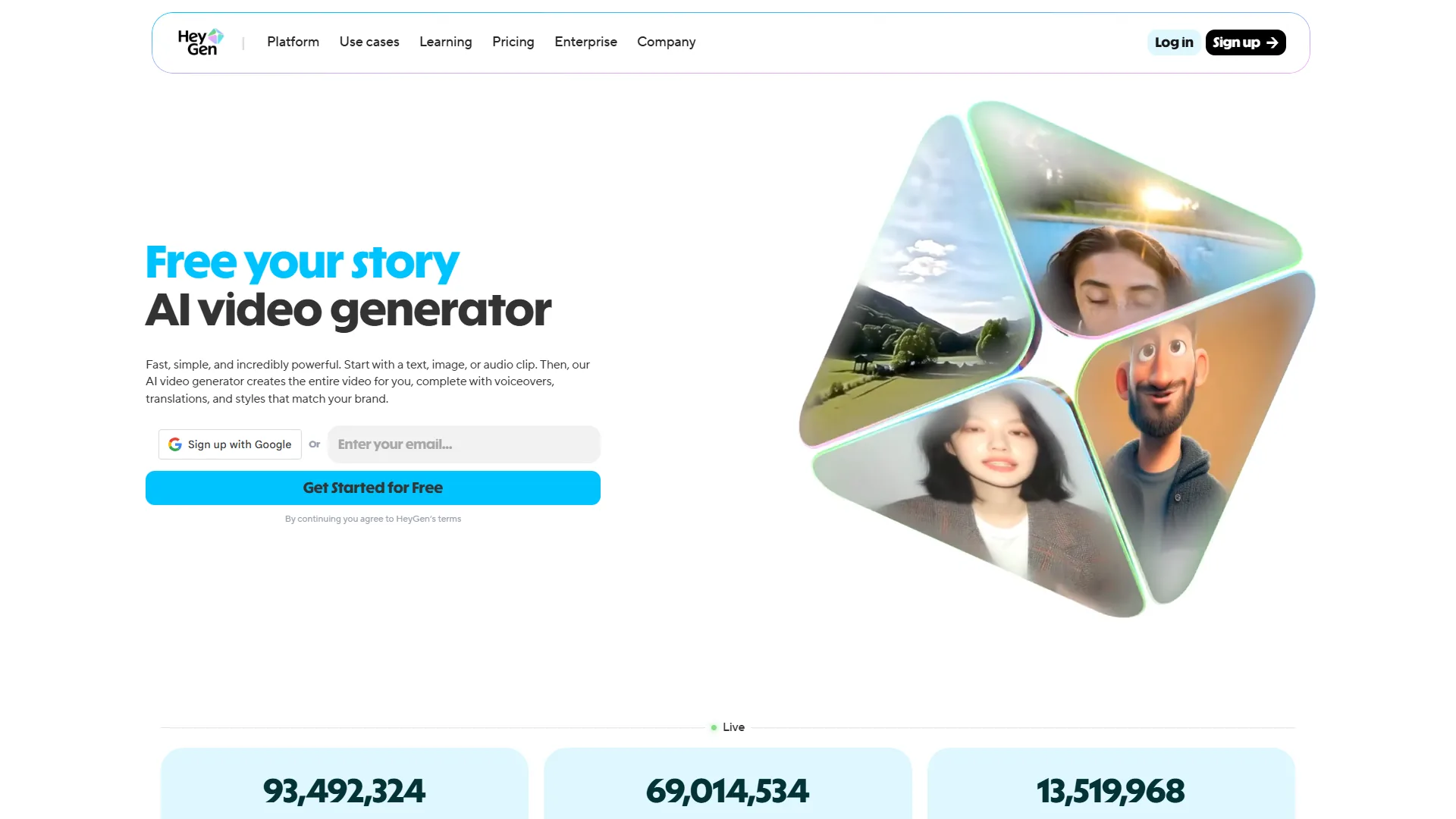
- Avatar videos: HeyGen Pro plan
- Editing/repurposing: Descript Business plan
- Stock assets: Artlist Pro (see their pricing page)
Realistic output: 25-50 finished videos per month with a 2-person team.
The enterprise tier unlocks API workflows. Example: Trigger video generation automatically when new blog posts publish, using the blog title and featured image as inputs. This requires development resources but creates true content multiplication.
AI Video Marketing Best Practices and Quality Control
These are the patterns that separate amateur from professional AI video output:
Write Prompts Like Creative Briefs
Bad prompt: “Product demo video for scheduling software”
Good prompt: “Open on cluttered calendar interface, chaotic red event blocks overlapping. Camera pushes in on one conflicting event. Cut to clean, minimal interface with AI assistant icon appearing. Green checkmark animations as conflicts auto-resolve. Pull out to satisfied user closing laptop. Warm, professional color palette. Smooth motion, corporate feel.”
Specificity improves output quality by 40-60% in practice. Include:
- Emotional tone
- Color palette
- Camera movement
- Pacing cues
- Transitions between scenes
Iterate on Weak Beats, Not Entire Videos
If beat 3 (out of 6) looks wrong, only regenerate that segment. Most AI video tools let you extend existing videos or generate standalone clips.
Regenerating the entire video wastes credits and introduces new variables. Teams commonly waste 50+ generations trying to “fix” a video when only 10 seconds needed work.
Create Platform-Specific Edits, Not Platform-Specific Videos
Generate your master video in 16:9 at 4K. Then in post-production:
- Crop to 9:16 for Reels/Shorts
- Crop to 1:1 for LinkedIn/Instagram feed
- Add platform-specific CTAs and captions
This is 10x faster than regenerating for each platform, and maintains visual consistency across channels.
Test Hooks Ruthlessly
The first 3 seconds determine 80% of your watch-through rate. Generate 5-7 variations of your opening beat. A/B test them.
A simple framework works well:
- Pattern interrupt: Start with unexpected visual
- Question hook: Open with text posing viewer’s problem
- Social proof: Start with customer testimonial graphic
- Direct benefit: Lead with the outcome (“Save 14 hours/week…”)
Which performs best varies by audience and platform. The only way to know is testing.
Maintain a Swipe File
Every high-performing AI video you create should go into a reference library with:
- Exact prompts used
- Tool and settings
- Performance metrics
- Target audience
- Platform(s) published
After 20-30 videos, patterns emerge. You’ll discover your account’s successful formulas (specific camera angles, pacing, visual metaphors) and can replicate them systematically.
Know When NOT to Use AI Video
AI video tools work brilliantly for:
- Abstract concepts
- Product UI walkthroughs
- B-roll and establishing shots
- Social media content under 90 seconds
They still struggle with:
- Complex human interactions (faces, hands, emotional subtlety)
- Detailed product demonstrations requiring precision
- Anything requiring exact text rendering
- Content over 90 seconds (quality degrades)
If your video requires any of the above, consider AI avatars (for human presence) or hybrid workflows (AI-generated B-roll with filmed A-roll). The AI avatar video marketing guide walks through HeyGen and Synthesia presenter setups in detail.
Getting Started: Your First AI Video in 60 Minutes
Here’s the fastest path from zero to published video:
Minute 0-15: Planning
- Choose one existing piece of performing content (blog post, LinkedIn post, etc.)
- Extract the core insight into one sentence
- Write your opening hook (3 variations)
- Outline 5-6 visual beats
Minute 15-45: Production
- Sign up for Luma Dream Machine free tier
- Generate your opening beat (use all 3 hook variations)
- Pick the strongest, generate remaining beats
- Download your 6-8 clips
Minute 45-60: Assembly
- Use free video editor (CapCut, Descript free tier, or DaVinci Resolve)
- Arrange clips in sequence
- Add royalty-free music from YouTube Audio Library
- Add text overlays for key points
- Export and publish
Success criteria for your first video:
- Published on one platform
- 30-60 seconds total length
- Clear hook and CTA
- Cohesive visual flow
Don’t aim for perfection. Aim for completion. Your second video will be noticeably better than your first. Your tenth will be better still.
The goal is building the muscle memory of the workflow. Once you’ve completed the cycle 3-4 times, you’ll identify which phases need more skill development and where to invest tool budget.
Track these metrics on your first 5 videos:
- Time from concept to publication
- Number of generations used per beat
- Watch-through rate (if platform provides it)
- Engagement rate compared to your non-video content
By video 5, you should see:
- 30-40% faster production time
- 20-30% fewer generations needed (better prompts)
- Engagement rates 2-3x your static content baseline
That’s when you know the workflow is working. That’s when you invest in paid tiers and scale production.
The Bottom Line
AI video marketing tools are maturing fast, and the teams getting ahead are the ones experimenting now. Start with free tiers, build repeatable workflows, and measure everything. For free-tier experiments, Luma Dream Machine and Pictory cover both ends of the workflow, and once you scale, HeyGen and Synthesia are the avatar platforms most teams settle on.
Frequently Asked Questions
What are the main types of AI video marketing tools?
There are three distinct categories: text-to-video generators like Luma Dream Machine and Runway, AI avatar platforms like HeyGen and Synthesia, and content repurposing tools like Pictory and Descript. Each solves a different problem - from creating B-roll and social content to producing multi-language presenter videos or converting existing blogs and podcasts into video formats. Most marketing teams end up using all three categories at different stages of a campaign.
Which AI video tool is better - Luma or Runway?
At the mid-tier level, Luma Dream Machine Plus ($30/month) edges out Runway Standard ($15/month) based on user reports showing Luma’s Ray3 reasoning model produces usable first-try outputs at a 65% rate versus Runway’s 45%. Runway offers better motion control features, but that comes with more iteration time. The honest answer: try both for a week on the same brief and pick the one whose default aesthetic matches your brand.
How long does it take to make an AI marketing video?
A first video can be completed in roughly 60 minutes - about 15 minutes planning your hook and visual beats, 30 minutes generating clips on Luma Dream Machine’s free tier, and 15 minutes assembling in a free editor like CapCut or Descript. Production time typically drops 30-40% after your first five videos as prompting improves. By video ten, most creators are producing publishable 30-60 second assets in 25-35 minutes.
What watch-through rate should AI marketing videos aim for?
Benchmarks vary by platform. On LinkedIn, 40% or higher watch-through rate is considered strong for organic content. Instagram Reels should reach 60% or above among followers. For 60-second videos generally, a 30-second average watch time is a solid target. If viewers consistently drop off before 10 seconds, the opening hook needs to be regenerated. Track watch-through rate as the primary metric, not raw views, when evaluating whether AI-generated content is hitting.
What does AI video still struggle to produce well?
AI video tools still have clear limitations around complex human interactions - faces, hands, and emotional subtlety remain difficult. They also struggle with detailed product demonstrations requiring precision, exact text rendering, and content longer than 90 seconds where quality tends to degrade. For those needs, AI avatars or hybrid workflows combining AI-generated B-roll with filmed footage work better. The 70/30 rule (70% AI, 30% real) consistently outperforms either extreme.
Want to learn more about Synthesia?
Related Guides
- AI Video Creation Tips - Prompt engineering and S.A.C.S. framework
- AI Avatar Video Marketing - HeyGen and Synthesia workflows
- AI Voiceover Tips - Generate matching narration
- AI Content Writing Workflow - Repurpose written content into video
External Resources
Related Guides
- AI Avatar Video Marketing: 2026 Walkthrough for Teams
- AI Content Writing Workflow: 2026 Walkthrough for Teams
- AI Video Creation Tips: 2026 Walkthrough for Teams
- Elai AI Training Videos: 2026 Walkthrough for Teams
- Fliki Blog to Video: Step-by-Step Tutorial for 2026
- LOVO AI Voiceover Guide: 500+ Voices, Fast Results
- Luma Dream Machine Video Tutorial 2026: Text-to-Video & Ray3
- Pictory Articles to Videos 2026 - Complete Tutorial
- Stable Diffusion Tutorial 2026: Local Install to Video Gen
- Synthesia Tutorial Tips: Create Pro Videos in 10 Minutes