

The joplin vs notion question comes down to a single fundamental trade-off: do you want complete control over your data and zero subscription cost, or do you want a powerful all-in-one workspace with real-time collaboration and AI features? Deciding which is better depends on whether you prioritize data ownership or a polished collaborative environment. Both tools take notes. Beyond that, they are built on opposite philosophies.
Joplin is free, open-source, offline-first, and built around Markdown. It syncs through services you control - Dropbox, Nextcloud, or Joplin’s own cloud service. End-to-end encryption is a built-in feature, not a paid add-on. Notion is a cloud-based all-in-one workspace with databases, wikis, project boards, and AI writing assistance. It is polished, powerful, and increasingly expensive at team scale.
Both tools serve different workflows well - Joplin for personal journaling and sensitive research notes, Notion for team documentation and structured project tracking. If you are evaluating other privacy-first options, Joplin vs Obsidian is a natural comparison to make alongside this one. Here is the honest comparison.
Comparison Table: Joplin vs Notion
Joplin vs Notion is one of the most common comparisons in this category. Joplin and Notion take different approaches to solving similar problems, and the right choice depends on your workflow, budget, and team size. This guide compares both tools across the features that actually matter for daily work.
| Feature | Joplin | Notion |
|---|---|---|
| Rating | 4.8/5 | |
| Free tier | Full app, always free | Unlimited pages for individuals |
| Paid pricing | $3.99/mo (Joplin Cloud Basic) | $10/seat/mo (Plus, annual) |
| Primary use case | Private note-taking, Markdown | All-in-one workspace, teams |
| Collaboration | Limited (Joplin Server only) | Excellent (real-time) |
| Self-hosting | Yes (Joplin Server) | No |
| Privacy / E2EE | Yes, built-in | No (cloud-stored) |
| Offline support | Full, offline-first | Limited (cache only) |
Quick verdict: Choose Joplin for privacy, offline use, and zero cost. Choose Notion for team collaboration, databases, and a polished all-in-one workspace.
What Is Joplin?
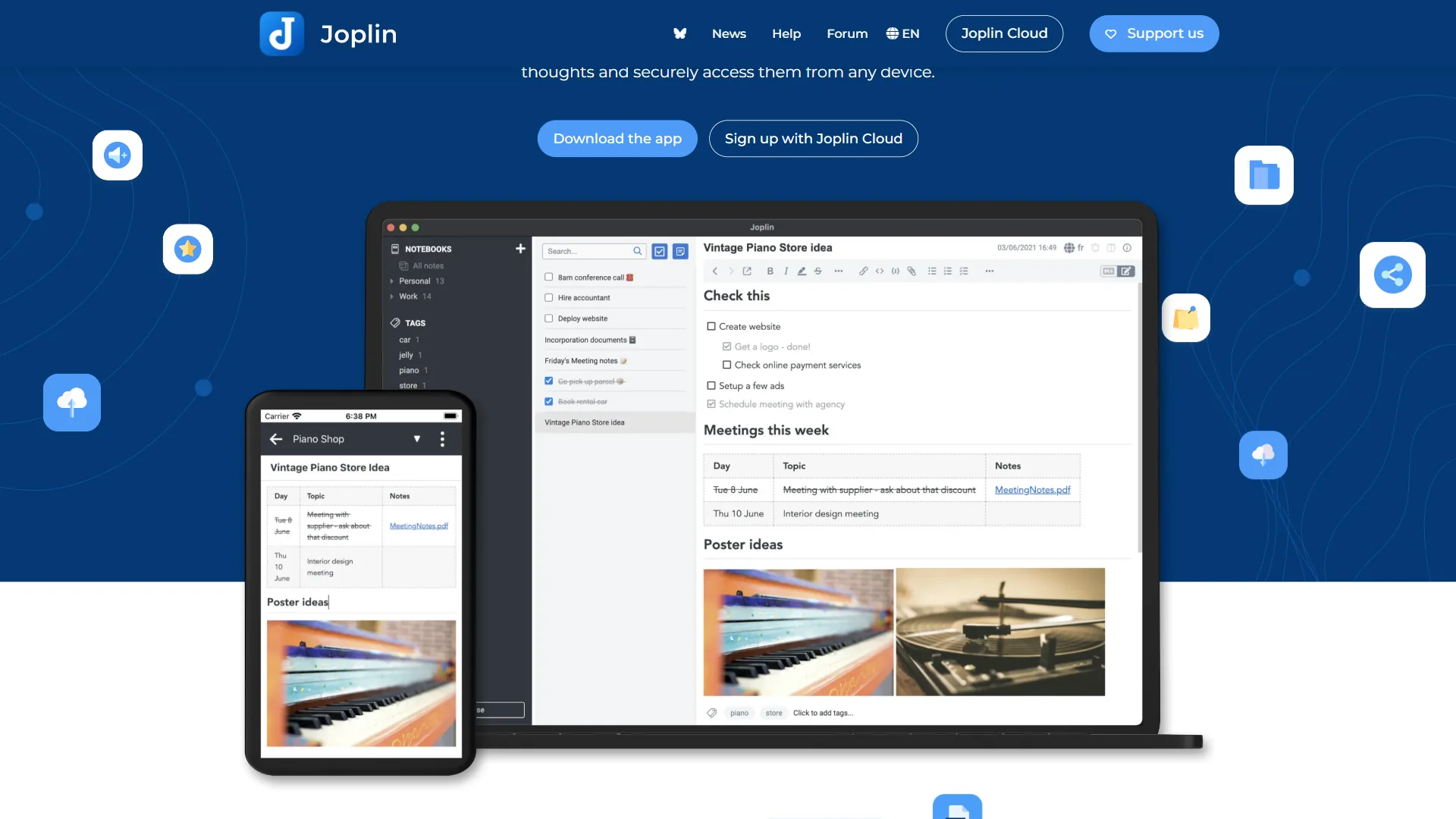
Joplin started as an Evernote replacement and has grown into a complete note-taking system built for users who want control. Researchers comparing Joplin vs Logseq often land here next, as both tools appeal to technically minded users who prefer open formats. The core app is free - no subscription required, no freemium limits on note count or features. You can store unlimited notes, notebooks, and attachments.
Notes are stored as plain Markdown files. Sync is optional and works through services you already control: Dropbox, OneDrive, Nextcloud, WebDAV, or Joplin Cloud (the official hosted sync service). End-to-end encryption is available across all sync options and is easy to enable from settings.
Key Joplin features:
- Full offline support - every note available without any internet connection
- End-to-end encryption built into the app, not a paid tier
- Plugin ecosystem with AI integrations (ChatGPT, Claude)
- Web Clipper browser extension for saving articles
- Cross-platform: Windows, Mac, Linux, iOS, Android, and terminal
- Built-in task management with reminders
- Portable data format (Markdown + JSON) with no vendor lock-in
- Self-hosted sync via Joplin Server for complete data control
Joplin’s interface is functional and deliberately minimal. It looks like what it is: a developer-built tool optimized for power users, plain-text advocates, and privacy-conscious individuals over those who prioritize aesthetics.
Limitations and who it’s not for: Joplin’s biggest tradeoffs are a dated interface, weak real-time collaboration (no live co-editing), no native databases, and a setup process that requires technical comfort - especially for sync configuration and self-hosted servers. The mobile apps lag the desktop experience, and there is no polished public-page publishing. Skip Joplin if you need a team wiki, structured project tracking, or a tool a non-technical colleague can adopt without training.
What Is Notion?
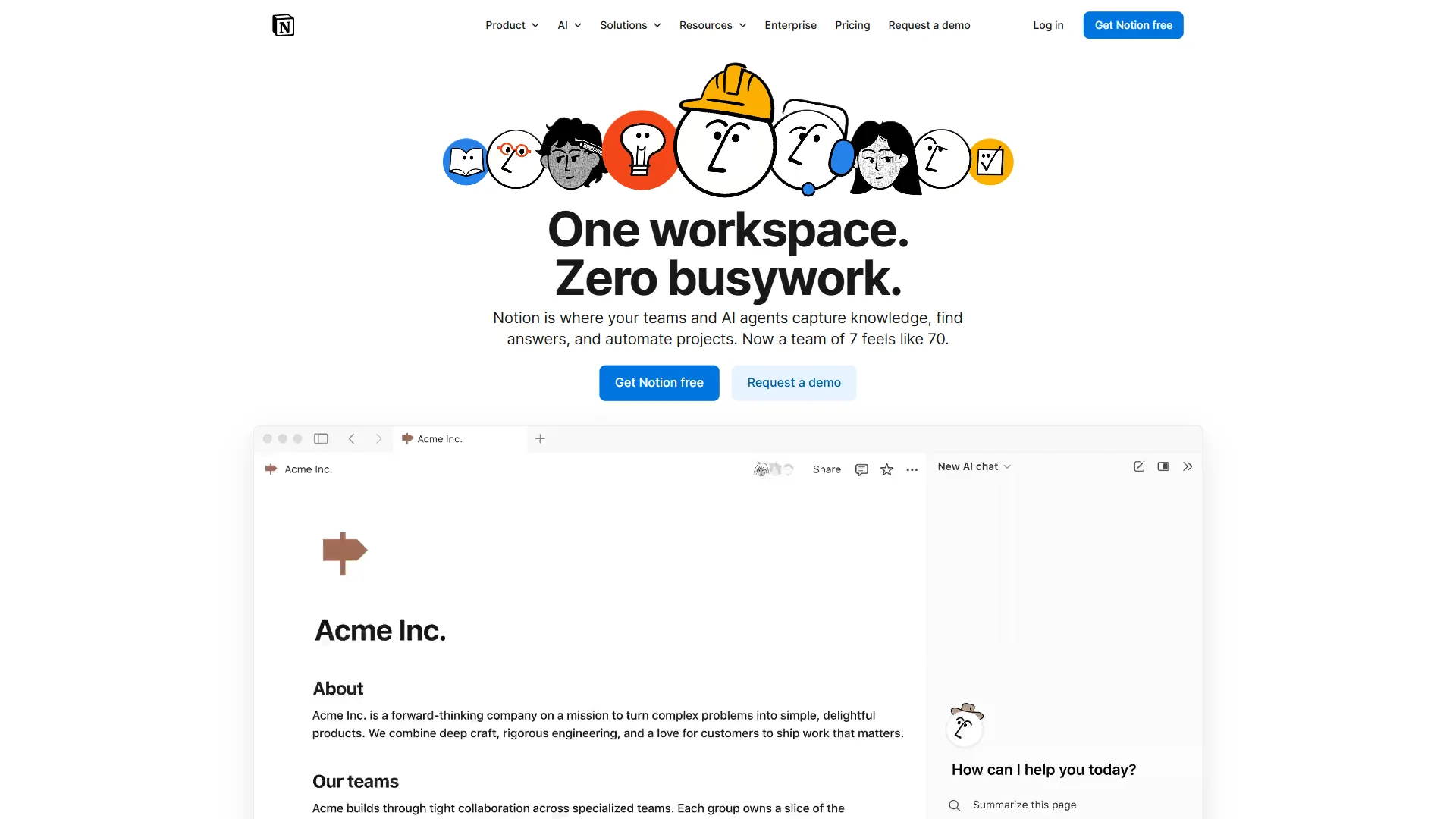
Notion () goes well beyond note-taking. A Notion page can contain rich text, embedded databases, kanban boards, timelines, calendars, and linked sub-pages. A single Notion workspace can function as a project tracker, knowledge base, team wiki, CRM, and content calendar simultaneously.
Notion offers a free plan with unlimited pages for individuals, but real team value comes at the Plus tier ($10/seat/month billed annually). Notion AI is a separate add-on at $8/seat/month when bundled with a workspace plan, or $10/seat/month as a standalone.
Key Notion features:
- Relational databases with multiple view types: table, kanban, gallery, timeline, calendar
- Real-time collaboration with comments, mentions, and revision history
- 1,000+ community and official templates for every use case
- Notion AI for drafting, summarizing, translating, and querying your workspace
- Public page publishing - turn any Notion page into a shareable website
- API for custom integrations and automations
- Robust mobile apps on iOS and Android
- Granular permission controls for guests and team members
Limitations and who it’s not for: Notion’s drawbacks are real - cloud-only storage with no end-to-end encryption, growing per-seat costs that scale fast for teams, limited offline access, and a separate $8-10/seat AI add-on on top of an already-paid plan. The flexibility can become its own problem: workspaces drift into chaos without intentional structure. Skip Notion if data sovereignty is non-negotiable, you need offline-first reliability, or your budget cannot absorb $1,000+/year for a 10-person team before AI. Our best note-taking apps roundup covers cheaper alternatives.
Feature-by-Feature: Privacy and Data Ownership
This is where the joplin vs notion gap is largest, and it matters most if you handle sensitive material.
Joplin’s approach: Your data lives where you store it. Sync via Dropbox and it lives in your Dropbox. Run Joplin Server on your own hardware and nobody else touches your notes ever. End-to-end encryption means that even Joplin’s own sync service cannot read the content of your notes. The open-source codebase can be audited by anyone at any time.
Notion’s approach: Your data lives on Notion’s servers in the cloud. There is no end-to-end encryption. Notion operates under a standard SaaS privacy policy - your notes are encrypted at rest and in transit, but Notion holds the keys. Enterprise plans offer HIPAA compliance and regional data residency, but those are expensive tiers out of reach for most individual users.
For personal journaling, health information, legal documents, financial records, or anything genuinely sensitive - Joplin wins this category decisively. For shared team documentation and public-facing wikis, the practical privacy difference is minimal for most organizations. The Notion vs Obsidian comparison covers another popular privacy-versus-collaboration trade-off.
Feature-by-Feature: Offline Access
Joplin is offline-first by design. Every note is stored locally on your device. Open the app on a plane, in a cabin, or anywhere without Wi-Fi and you have full access to every note you have ever created. Changes sync automatically when you reconnect.
Notion is cloud-first. The desktop and mobile apps cache recently viewed pages, and the mobile app lets you explicitly mark pages for offline access. But full offline access to your entire workspace requires deliberate setup, and uncached pages simply will not load without internet. If your connection drops during an active working session on an unsaved page, you lose that work.
For frequent travelers, remote workers in low-connectivity environments, or anyone who wants to write without thinking about internet status - Joplin’s offline-first architecture is a meaningful practical advantage. The Obsidian vs Joplin comparison breaks down which offline-first tool fits which workflow better.
Pricing
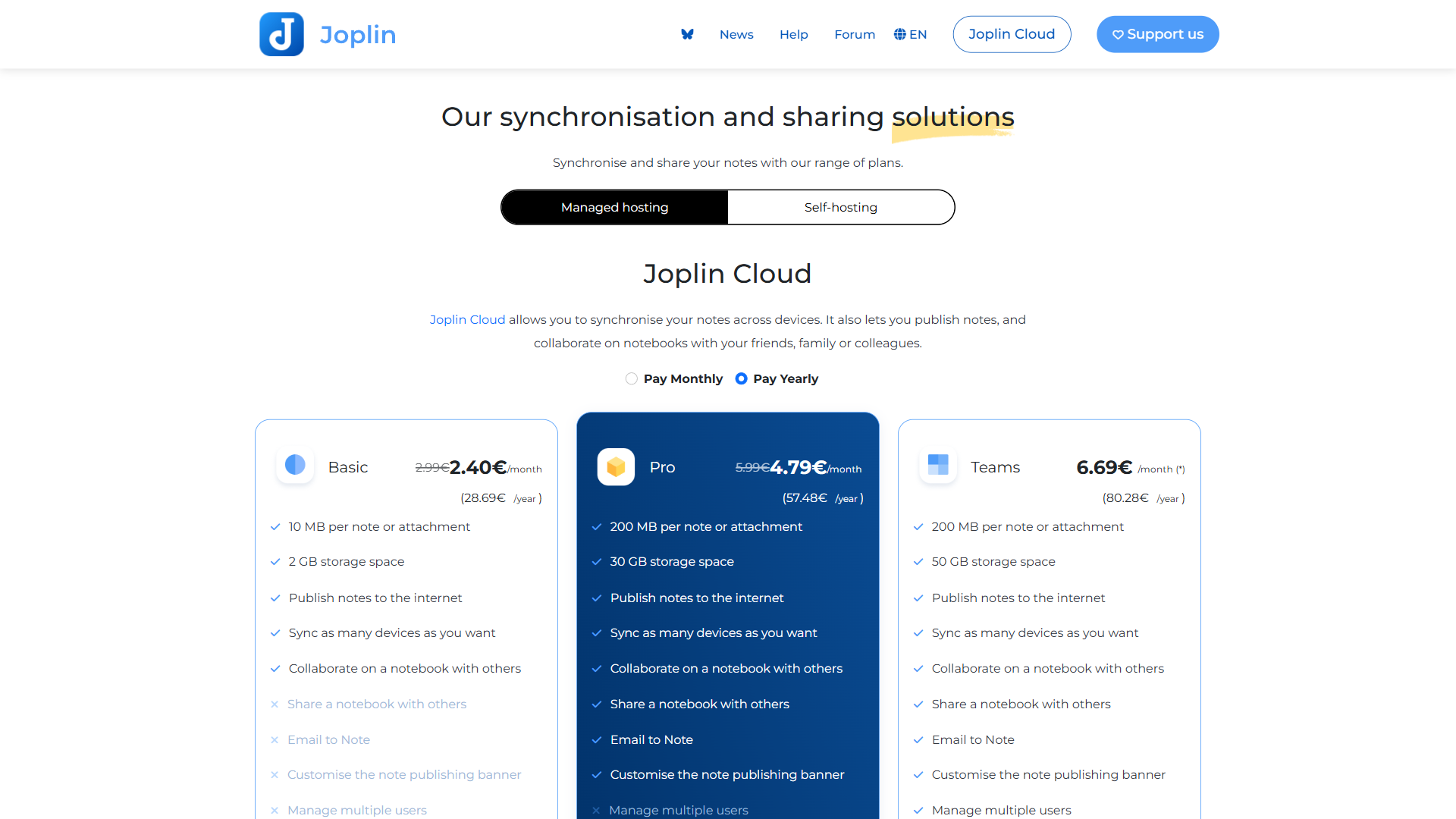
Joplin pricing:
- Core app: Free forever, all features included
- Joplin Cloud Basic: $3.99 per month (1 GB storage, personal sync)
- Joplin Cloud Teams: $7.99 per month (10 GB storage, shared notebooks)
- Self-hosting: Free (server infrastructure costs only)
- Sync via Dropbox, OneDrive, Nextcloud: Free (uses your existing accounts)
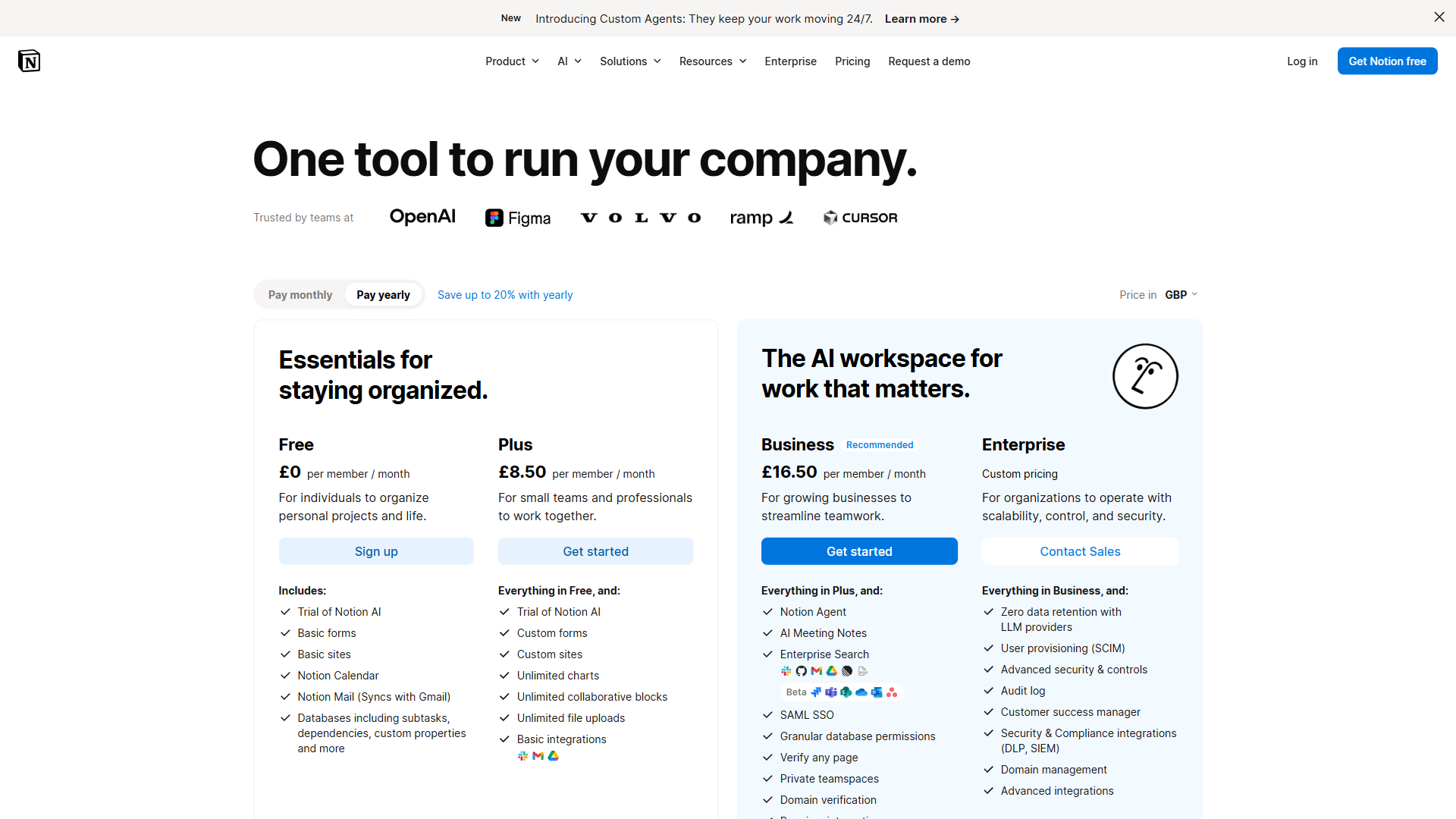
Notion pricing:
- Free: Unlimited pages for individuals, limited collaboration
- Plus: $10/seat/month (billed annually) or $12/seat/month monthly
- Business: $15/seat/month (billed annually)
- Enterprise: Custom pricing
- Notion AI add-on: $8/seat/month with workspace, $10/seat/month standalone
For a solo user, Joplin is essentially free regardless of how many notes you take. For a team of 10 on Notion Plus, the annual bill runs around $1,200/year - before adding Notion AI. That cost difference is the most decisive factor for budget-conscious individuals and small organizations.
Feature-by-Feature: Note Organization and Databases
Joplin uses notebooks, sub-notebooks, tags, and search. It is the classic hierarchical model from Evernote’s playbook. You can nest notebooks as deeply as you want (Workspace > Projects > Project Alpha > Meeting Notes), but there is no relational structure. Notes are notes.
Notion turns the note paradigm on its head. Pages can contain anything, and databases allow you to model information relationally. A “Projects” database can link to a “Team Members” database, which rolls up to a “Tasks” database. You can filter, sort, and group across linked databases in ways that are not possible in any traditional note-taking tool.
If your workflow involves managing structured data - a content calendar, a CRM, a hiring pipeline, an inventory system - Notion can replace purpose-built apps for those tasks. Joplin cannot come close to this capability. For a detailed look at how Notion stacks up against another database-heavy alternative, see our ClickUp vs Notion comparison. For pure note capture and retrieval, Joplin’s notebook and tag system covers most workflows efficiently.
Feature-by-Feature: Collaboration
Notion is built for teams from the ground up. Multiple users can edit the same page simultaneously, leave inline comments, assign tasks with mentions, and access a full revision history. Sharing is granular: publish a page publicly, share with view-only guest access, or grant full edit rights to team members. The collaboration experience is genuinely excellent.
Joplin’s collaboration story is limited. Shared notebooks are available through Joplin Server (the self-hosted option) and Joplin Cloud Teams, but there is no real-time co-editing and the sharing interface is minimal. For a team that needs to work together on the same notes daily, Joplin is a significant step down from Notion’s capabilities.
This is arguably the single biggest limitation of Joplin for professional use.
Feature-by-Feature: AI Features
Both tools have AI capabilities, but the implementations differ significantly.
Joplin + AI: Joplin has no built-in AI, but the plugin ecosystem includes integrations with ChatGPT, Claude, and other AI services. You bring your own API key and configure the plugin yourself. The quality of AI plugins varies and setup requires more technical comfort than Notion’s native AI experience. The upside: once configured, you control which AI service you use and what data you send to it.
Notion AI: Notion AI is a polished first-party feature that drafts pages, summarizes long documents, translates content, extracts action items from meeting notes, and answers questions about your workspace. At $8/seat/month (bundled), it adds meaningfully to the already-substantial subscription cost. But the quality and seamlessness of the integration is genuinely better than any Joplin plugin available today.
If AI writing assistance matters to your daily workflow, Notion’s implementation wins on ease of use. If you want to see how Notion AI compares to another AI-powered workspace, our Notion AI vs Coda AI comparison covers that matchup. If you are privacy-conscious about AI, Joplin’s plugin approach lets you use local or self-hosted models.
Choose Joplin if
Choose Joplin if:
- Privacy and ownership of your data are non-negotiable
- You want a completely free tool with no subscription at all
- You prefer writing in Markdown and a plain-text-first workflow
- You need reliable offline access to every note without exception
- You are a developer or technically comfortable user who values control
- You want to self-host your sync server and keep data on your own hardware
- You need end-to-end encryption without paying a premium for it
- Your notes contain sensitive personal, legal, health, or financial information
- You work solo and do not need real-time collaboration
Choose Notion if
Choose Notion if:
- You work with a team and need real-time collaborative editing
- You want databases to manage projects, tasks, contacts, or any structured data
- You need a polished company wiki or shared knowledge base
- AI writing and summarization features are part of your regular workflow
- You want beautiful, shareable public pages without any setup
- Mobile access needs to be as reliable as desktop access
- You prefer an all-in-one workspace over separate tools for notes and projects
- You manage structured recurring workflows like editorial calendars or sprints
The Bottom Line
The joplin vs notion comparison is not really a close race - they serve different people with different priorities.
For a privacy-focused individual who wants full control over their notes, Joplin is hard to beat. It is free, encrypts your data end-to-end, works completely offline, and stores everything in portable Markdown format. There is no vendor lock-in, no subscription required for the core app, and no third party reading your notes. For developers, researchers with sensitive data, or anyone who values data sovereignty - Joplin is the clear choice.
For teams, or anyone who needs to manage structured information beyond simple notes, Notion operates in a different category. The database features alone justify the cost for most organizations. Real-time collaboration, templates, a polished mobile experience, and native AI capabilities make it the practical choice for professional environments.
These tools are not competing for the same user. If Joplin’s limitations - no databases, basic collaboration, functional but minimal interface - are dealbreakers for your workflow, you need Notion. If Notion’s limitations - cloud-only storage, growing subscription costs, no encryption, no offline-first access - are dealbreakers, Joplin is the right call.
The best place to start: try Joplin if you are a solo user who values privacy, or try Notion if you are joining a team or need structured project management.
FAQ
Q: Is Joplin note-taking safe?
Yes - Joplin is designed with privacy as a core feature. End-to-end encryption is built in by default, not a paid upgrade. Your notes sync through services you control, such as Dropbox or Nextcloud, and the app stores notes as plain Markdown files on your own device.
Q: What is better than Joplin?
Notion AI: Notion AI is a polished first-party feature that drafts pages, summarizes long documents, translates content, extracts action items from meeting notes, and answers questions about your workspace.
Q: Is Notion overkill for personal use?
Both tools serve different workflows well - Joplin for personal journaling and sensitive research notes, Notion for team documentation and structured project tracking.
Q: Does Joplin support offline access?
Yes - Joplin is offline-first by design. Notes are stored locally and sync through services you choose, such as Dropbox or Nextcloud. Notion, by contrast, relies on cloud storage and offers only limited cache-based offline access, making Joplin the stronger choice for users who work without a reliable internet connection.
Q: How much does Joplin cost compared to Notion?
Joplin is free as a core app with no subscription required. A Joplin Cloud Basic plan is available at $3.99 per month for managed sync. Notion offers a free tier for individual users, but team plans start at $10 per seat per month on an annual basis, making costs scale significantly for larger groups.
Related Reading
Tools compared in this article:
- Joplin - Full breakdown of Joplin’s features, sync options, and privacy model
- Notion - In-depth look at Notion’s workspace, databases, and AI capabilities
More note-taking and knowledge management comparisons:
- Logseq vs Notion - Graph-based PKM vs all-in-one workspace compared in depth
- Roam Research Alternatives - Best alternatives for privacy-focused PKM workflows
- Best Note-Taking Apps 2026 - Full roundup of note-taking apps across every use case
External Resources
- Joplin Documentation - Official setup guides, plugin docs, and sync configuration for all platforms
- Notion Pricing - Current plans, feature breakdown, and AI add-on details
- Joplin Community Forum - Active community discussions on workflows, plugins, and self-hosting setups