


The numbers are staggering: according to GitHub’s Developer Survey, 92% of US developers now use AI coding tools daily, and 41% of all code committed to production is AI-generated. But beneath these headline statistics lies a more nuanced reality that every developer needs to understand. The debate around vibe coding vs traditional development isn’t about choosing sides - it’s about knowing when each approach delivers the best results.
Development teams across startups and Fortune 500 companies have been integrating vibe coding into their workflows. What the data shows contradicts much of the hype: the developers getting the best results aren’t replacing traditional coding with AI - they’re strategically combining both approaches based on clear decision criteria.
This guide provides the framework you need to make those decisions. Whether you’re a senior engineer skeptical of AI-generated code or a mid-level developer trying to maximize productivity, you’ll learn exactly when to reach for AI assistance and when to rely on your own expertise.
Understanding the Vibe Coding Paradigm
Vibe coding represents a fundamental shift in how developers interact with their tools. Instead of writing code line by line, you describe your intent in natural language and let AI generate the implementation. The term was popularized by Andrej Karpathy’s February 2025 post describing this conversational, intent-driven approach - you communicate the “vibe” of what you want, and the AI interprets it into working code.
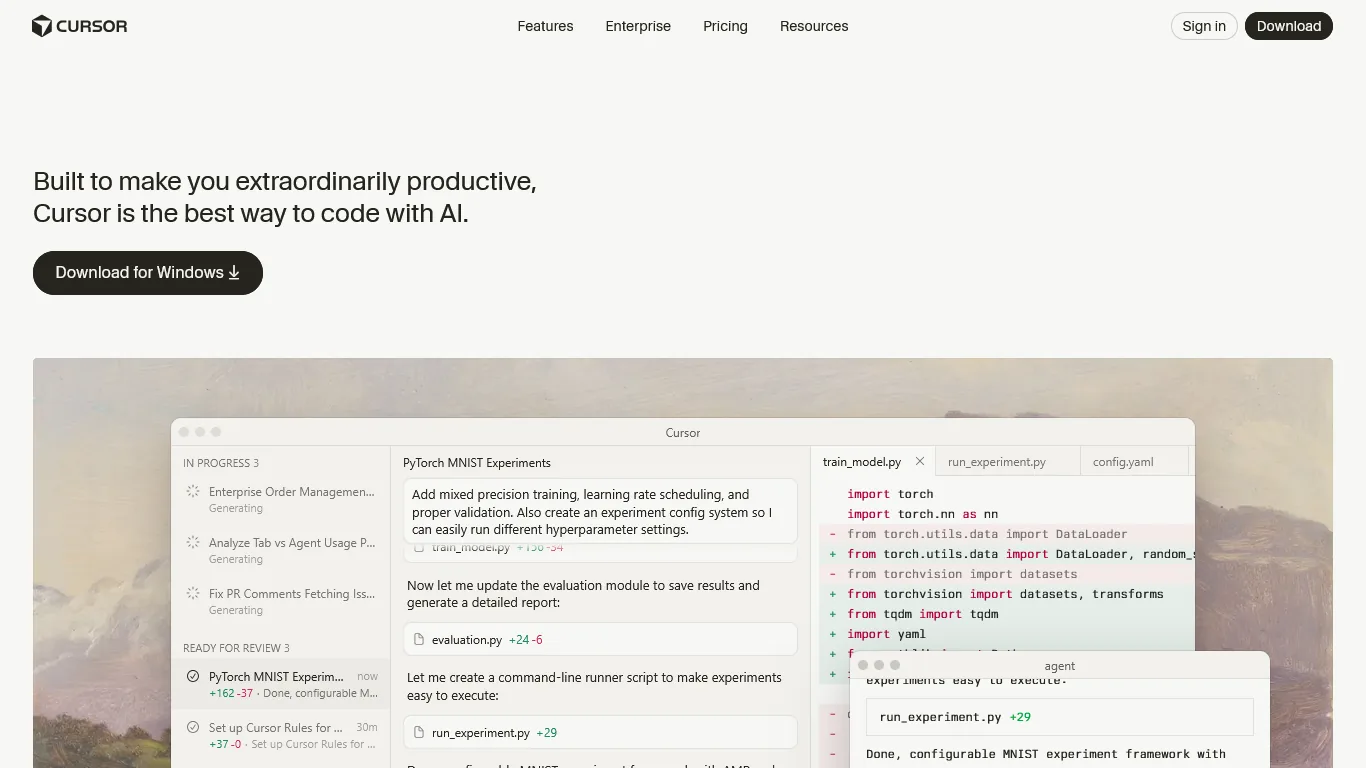
Tools like Cursor, Claude Code, and GitHub Copilot have matured significantly since their initial releases. Modern AI coding assistants understand project context, maintain conversation history, and can work across multiple files simultaneously. The Stack Overflow Developer Survey found similar adoption patterns across regions, with usage rising fastest among professional developers.
Cursor leads the AI-first editor category with its Composer multi-file editing:
Claude Code brings terminal-based agentic coding to complex refactors:
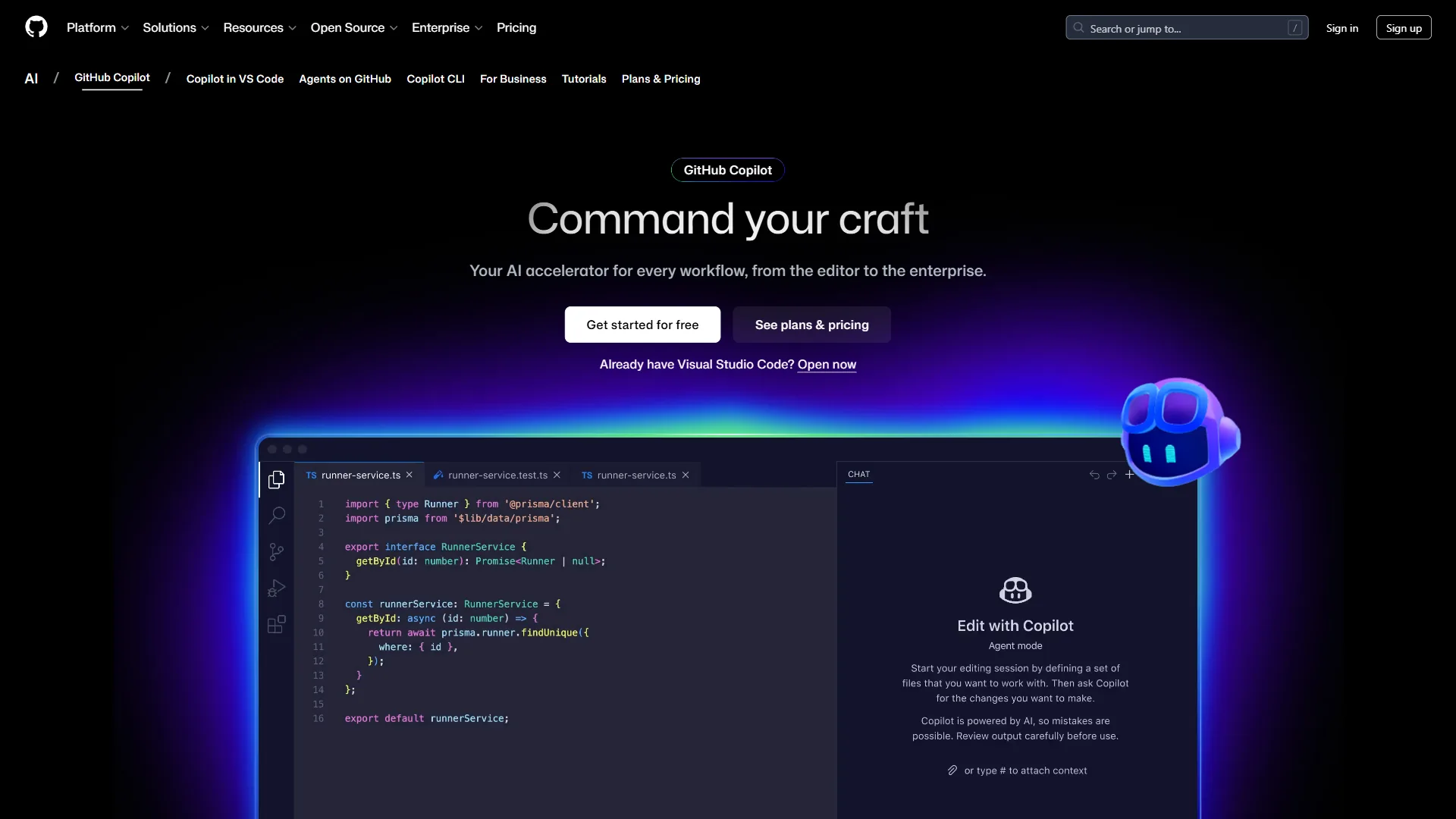
GitHub Copilot remains the most widely adopted AI pair programmer:
But vibe coding isn’t magic. Research from Fastly shows that while senior engineers ship 2.5x more code with AI assistance, 63% of developers report spending more time debugging AI-generated code than they would have spent writing it themselves. The productivity gains are real, but they’re not automatic - they require deliberate strategy.
Limitations and who it’s not for: Vibe coding’s drawbacks include the 45% OWASP vulnerability rate in AI-generated code, knowledge silos when only the prompter understands intent, and skill atrophy for junior developers. Skip vibe coding entirely for security-critical authentication, encryption, or financial calculation work - the debugging cost exceeds the writing cost. It is also not a fit for compliance-heavy environments (HIPAA, PCI-DSS, SOC 2 audited code paths) where every line needs a documented author and review trail.
The Decision Framework: When to Use Each Approach
Understanding vibe coding vs traditional development requires clear decision criteria. Patterns emerge across different team sizes and project types that predict whether AI assistance will accelerate or slow down your work. Use this framework to make the right choice for each task.
When Vibe Coding Excels
Boilerplate and scaffolding: AI assistants excel at generating repetitive code patterns. Creating API endpoints, data models, test fixtures, and configuration files are ideal vibe coding candidates. The code is formulaic enough that AI rarely makes mistakes, and the time savings are substantial.
Exploring unfamiliar territory: When working with a new library, framework, or API you haven’t used before, AI assistance provides instant, contextual examples. Rather than spending 30 minutes reading documentation, you can describe what you want to accomplish and get working code in seconds.
Rapid prototyping: When you need to validate an idea quickly, vibe coding lets you build functional prototypes in a fraction of the time. The code may need refinement later, but getting to a working proof of concept faster accelerates the entire development cycle. Our AI pair programming guide walks through the prompting habits that separate quick prototypes from throwaway code.
Documentation and tests: Writing comprehensive documentation and test suites is time-consuming but essential. AI assistants are remarkably good at generating docstrings, README files, and test cases that cover edge cases you might have missed. The Claude Code vs Cursor 2026 comparison covers which assistant produces stronger test coverage out of the box.
When Traditional Coding Wins
Security-critical code: The 45% OWASP vulnerability rate in AI-generated code is alarming. According to Snyk’s AI Code Security Report, authentication flows, encryption implementations, and data validation logic require human oversight from the start. The time spent debugging security issues in AI-generated code often exceeds what you’d spend writing it correctly yourself.
Performance-sensitive algorithms: AI assistants optimize for readability and correctness, not performance. When you need optimized database queries, efficient data structures, or low-latency processing, traditional coding gives you the control necessary to meet performance requirements. Our best AI code editors 2026 roundup covers which tools handle performance-sensitive workflows best, and the AI coding assistants future outlook covers where editor latency and reliability are heading.
Complex business logic: When the requirements are nuanced and require deep domain understanding, AI often misses subtle edge cases. Business logic that involves regulatory compliance, financial calculations, or intricate state management benefits from human reasoning at every step.
Debugging and root cause analysis: While AI can help explain error messages, tracing through complex systems to identify root causes requires human intuition and contextual knowledge that AI assistants lack.
The Gray Zone: Context Determines the Best Approach
Many tasks fall between these extremes. For these situations, consider the following factors:
Team familiarity: If your team has established patterns and conventions, AI can learn and replicate them. If you’re defining new patterns, traditional coding ensures consistency.
Deadline pressure: Under tight deadlines, vibe coding’s speed advantage may outweigh perfectionism. When you have time for thorough review, traditional coding’s precision pays off.
Code longevity: Throwaway scripts and short-lived prototypes are ideal for AI generation. Code that will be maintained for years deserves more careful human construction.
Framework limitations: No decision framework eliminates judgment calls. The drawbacks of any rigid rule include over-applying AI to code that needs human reasoning (and shipping subtle bugs) or under-applying it to boilerplate (and wasting hours). Skip framework-based thinking on novel problems - when you cannot cleanly classify a task, default to traditional coding and use AI only for explanation or scaffolding.
Experience-Level Specific Guidance
The effectiveness of vibe coding varies dramatically based on developer experience. Understanding these differences helps you calibrate your approach and set realistic expectations.
Senior Developers (10+ Years Experience)
Research shows senior developers experience 81% productivity gains from AI coding tools - the highest of any experience level. Why? Senior developers have three crucial advantages:
Pattern recognition: You immediately spot when AI-generated code doesn’t match your project’s architecture or coding standards. You can accept, modify, or reject suggestions in seconds rather than minutes.
Effective prompting: Years of experience translate into precise, unambiguous prompts. When you ask for “a rate-limited API client with exponential backoff and circuit breaker pattern,” you get exactly what you need.
Quality filters: You’ve debugged enough production incidents to recognize code that will cause problems later. Your intuition catches issues that junior developers would miss.
Recommendation for seniors: Use AI aggressively for everything except security-critical and performance-sensitive code. Your experience makes you an effective AI supervisor - apply that skill to maximize output while maintaining quality. Our analysis of Anthropic’s Claude Code best practices shows how senior engineers structure prompts to keep that supervisory loop tight.
Mid-Level Developers (3-10 Years Experience)
Mid-level developers see 51% productivity gains - significant but lower than seniors. The gap reveals important learning opportunities:
The learning paradox: AI can write code you don’t fully understand. This is both a benefit (shipping faster) and a risk (maintaining code you can’t debug). Strike a balance by using AI for familiar patterns while continuing to learn fundamentals.
Review discipline: Develop a systematic review process for AI-generated code. Don’t just check that it works - verify that it handles edge cases, follows team conventions, and doesn’t introduce technical debt.
Prompt iteration: Your prompts will improve with practice. Keep notes on what works and what doesn’t. “Generate a user authentication endpoint” produces worse results than “Generate a POST /auth/login endpoint that validates email format, checks password against bcrypt hash, returns JWT with 24-hour expiry, and logs failed attempts for rate limiting.”
Recommendation for mid-level: Use AI as a productivity multiplier for known patterns, but invest time understanding the generated code. Every AI session is a learning opportunity - treat it that way.
Junior Developers (0-3 Years Experience)
Junior developers face the highest risk of negative outcomes from vibe coding. The same tools that accelerate seniors can actually slow down skill development:
The competence trap: When AI writes all your code, you never build the muscle memory and intuition that makes senior developers effective. The short-term productivity gain creates long-term capability gaps.
Debugging dependency: If you can’t write the code yourself, you can’t debug it effectively. This creates helplessness when AI suggestions don’t work or when production issues arise.
Missing context: Junior developers often lack the domain knowledge to write effective prompts or evaluate AI suggestions. This leads to accepting suboptimal solutions that create technical debt.
Recommendation for juniors: Use AI as a learning tool, not a replacement for learning. Ask AI to explain code patterns. Compare AI solutions to your own implementations. Build projects from scratch before relying on AI assistance. The best AI coding assistants roundup highlights tools with strong explanation modes that reinforce learning, and the GitHub Copilot productivity research reports similar caveats about onboarding-stage developers.
Experience-level limitations: The biggest drawback of experience-based guidance is that productivity-gain percentages obscure individual variance - some seniors hate AI tools and ship slower with them, some juniors are exceptional prompters. Skip the playbook if it does not match your measured output. The framework also has limitations for specialized roles: ML engineers, embedded developers, and game programmers see notably smaller gains than the general-survey averages suggest.
How Does the Hybrid Workflow Work in Practice?
The best answer to vibe coding vs traditional development is often “both.” The most effective developers fluidly combine both approaches based on the task at hand. Here’s how a hybrid workflow operates in practice.
Morning: Traditional Foundation
Start your day with focused traditional coding on the hardest problems. Your cognitive resources are freshest, and complex logic requires sustained attention that AI conversations can disrupt.
During this phase, you might:
- Architect new features and define interfaces
- Debug production issues requiring deep investigation
- Write security-critical authentication or authorization code
- Optimize performance bottlenecks identified in monitoring
Midday: AI-Accelerated Expansion
Once your architecture and core logic are solid, switch to AI-assisted development to build out the surrounding code rapidly.
During this phase, you might:
- Generate CRUD endpoints following established patterns
- Create comprehensive test suites for your morning’s work
- Build UI components that implement your defined interfaces
- Write documentation for new features
Afternoon: Review and Refinement
End your day reviewing all AI-generated code with fresh perspective. This is when you catch issues that slipped through during rapid development.
During this phase, you might:
- Run static analysis and security scans on new code
- Verify test coverage and add edge cases AI missed
- Refactor AI-generated code to match team conventions
- Update documentation with insights from implementation
A Practical Example
Consider implementing a new payment processing feature. Here’s how the hybrid approach works:
Traditional coding: Design the payment state machine, implement idempotency handling, write the core transaction logic with proper error handling and rollback procedures.
Vibe coding: Generate the API endpoint scaffolding, create database migrations, build test fixtures for various payment scenarios, write integration tests.
Traditional coding: Review all generated code, verify security properties, add logging and monitoring hooks, ensure PCI compliance requirements are met.
This approach combines AI’s speed with human judgment where it matters most.
Hybrid workflow limitations: The drawbacks include context-switching cost (jumping between modes breaks flow), discipline requirements (it is tempting to vibe-code everything once you start), and tooling friction (most IDEs are not optimized for fluid AI/manual transitions). Skip the hybrid pattern if you work in tightly regulated codebases where every change needs an explicit author attribution - the mode-switching makes that paperwork harder, not easier.
How Do You Debug AI-Generated Code?
The 63% of developers who spend more time debugging AI code than writing it themselves are making a common mistake: they’re treating AI-generated code like their own code. It isn’t. AI code requires a specific debugging methodology.
Step 1: Verify Assumptions
AI makes assumptions based on patterns in its training data. Your first debugging step is identifying which assumptions don’t match your context.
Check for:
- Deprecated APIs or library versions
- Incorrect import paths or module names
- Assumptions about environment variables or configuration
- Mismatched data types or interface contracts
Step 2: Trace the Happy Path
Before hunting for bugs, verify the code works for the expected case. AI is generally good at happy paths - if the basic flow is broken, the entire implementation might need regeneration.
Step 3: Probe Edge Cases Systematically
AI consistently misses edge cases. Build a mental checklist:
- What happens with empty inputs?
- What happens with maximum-size inputs?
- What happens with null or undefined values?
- What happens under concurrent access?
- What happens when external services fail?
Step 4: Check for Hidden State
AI-generated code often introduces subtle statefulness - variables that persist between calls, caches that aren’t invalidated, or connections that aren’t properly closed. Trace the lifecycle of every variable.
Step 5: Know When to Regenerate
Sometimes fixing AI-generated code takes longer than starting over with a better prompt. If you’ve spent more than 15 minutes debugging a non-trivial issue, consider regenerating with more specific requirements.
Debugging limitations: This methodology has real drawbacks. Skip it for code paths that touch external systems with side effects - regenerating a payment processor or a database migration to “start fresh” can corrupt state in production. The 15-minute regenerate rule also fails on code where the bug is in your prompt, not the output - regeneration just produces the same wrong logic faster. Use traditional debugging when the issue is conceptual rather than surface-level.
Team Dynamics and Code Review Challenges
AI-generated code introduces new challenges for code review processes and team collaboration. Understanding these challenges helps you adapt your team’s practices.
The Attribution Problem
When AI generates code, who is responsible for its quality? The developer who prompted the AI must own the output completely. This means:
- Reviewing AI-generated code as thoroughly as human-written code
- Understanding every line before committing
- Taking responsibility for bugs and security issues
Review Fatigue
Developers using AI tools generate more code, which means more code to review. According to Stack Overflow’s analysis, teams report 40-60% increases in PR volume after adopting AI coding tools. Combat review fatigue by:
- Setting clear expectations for AI-assisted code quality
- Using automated tools to flag common AI-generated issues
- Rotating review responsibilities to prevent burnout
Knowledge Concentration
When AI writes code, the prompting developer may be the only person who understands the original intent. This creates knowledge silos that become problematic when that developer leaves or is unavailable. Mitigate this by:
- Documenting the prompts and reasoning behind AI-generated code
- Pair programming on complex AI-assisted implementations
- Including prompt strategies in code comments or commit messages
Maintaining Standards
AI doesn’t know your team’s conventions unless you tell it. Over time, this leads to inconsistent codebases. Maintain standards by:
- Including style guides and conventions in AI context
- Using linters and formatters as automated gatekeepers
- Regular refactoring sessions to harmonize AI-generated code
For practical tips on getting the most from your AI coding environment, the Cursor AI productivity tips guide walks through configuration, keybindings, and daily habits that reduce friction. The Cursor tool page also lists pricing tiers and team plan thresholds for organizations rolling it out beyond a handful of seats.
Team-process limitations: The drawbacks of team-wide AI adoption include 40-60% PR-volume increases, knowledge silos around prompt expertise, and review fatigue that erodes catch rates over time. Skip team-wide AI rollout if you cannot also fund proportionally more reviewer capacity - the bottleneck just shifts from writing to reviewing, often with worse outcomes. Small teams (under 5 engineers) and highly regulated industries are not a good fit for aggressive adoption without explicit governance.
Conclusion: Vibe Coding vs Traditional Development in 2026
When weighing vibe coding vs traditional development, the answer is clear: neither replaces the other. The developers achieving the best results use both approaches strategically, switching between them based on clear criteria.
Use vibe coding when:
- Writing boilerplate, scaffolding, or repetitive code
- Exploring unfamiliar libraries or APIs
- Rapid prototyping to validate ideas
- Generating tests and documentation
Use traditional coding when:
- Implementing security-critical logic
- Optimizing performance-sensitive code
- Building complex business logic
- Debugging and root cause analysis
Calibrate for your experience level:
| Field | Value |
|---|---|
| Seniors | Use AI aggressively with your expertise as quality control |
| Mid-level | Use AI for known patterns while actively learning from generated code |
| Juniors | Focus on building fundamentals before relying on AI assistance |
The 87% of Fortune 500 companies that have adopted vibe coding platforms aren’t abandoning traditional development - they’re augmenting it. Your competitive advantage comes not from choosing one approach over the other, but from knowing exactly when to use each.
Start by identifying three tasks this week where AI assistance would clearly help, and three where traditional coding is the better choice. That deliberate decision-making is the foundation of mastering vibe coding vs traditional development in your daily workflow.
FAQ
Q: Is vibe coding better than traditional coding?
Neither approach is universally better - the debate around vibe coding vs traditional development isn’t about choosing sides. The developers getting the best results aren’t replacing traditional coding with AI; they’re strategically combining both approaches based on clear decision criteria about when each delivers the best results.
Q: What do developers think of vibe coding?
Developer opinion is mixed but adoption is overwhelming. According to GitHub’s Developer Survey, 92% of US developers now use AI coding tools daily and 41% of all code committed to production is AI-generated. However, Fastly research shows 63% of developers spend more time debugging AI-generated code, so the productivity gains are real but not automatic.
Q: What is vibe coding and why is it bad?
Junior developers face the highest risk of negative outcomes from vibe coding. The same tools that accelerate seniors can actually slow down skill development:
Related Reads
Tradeoffs: these companion guides explore the limitations and best-fit scenarios for each AI coding approach across team sizes and project types.
Tools covered in this article:
- Claude Code - AI coding assistant from Anthropic
- Cursor - AI-first code editor
- GitHub Copilot - AI pair programmer
More AI coding guides:
- AI Coding Assistants Future 2026 - Future of AI coding
- AI Editor Comparison 2026 - AI editor comparison
- The Vibe Coding Manifesto - The philosophy behind intent-driven development
External Resources
- GitHub Copilot Official Documentation
- Cursor AI Code Editor
- Claude Code from Anthropic
- OWASP Top 10 Security Vulnerabilities