


The Fliki AI tutorial social media workflow is a step-by-step process for turning one script into platform-ready videos for Instagram Reels, TikTok, and YouTube Shorts. Fliki exports multi-format content in 16:9, 9:16, and 1:1 from a single project, uses 2,500+ AI voices, and cuts video production time by roughly 80%.
Social media managers face a relentless content treadmill: Instagram wants Reels, TikTok demands daily posts, YouTube Shorts rewards consistency, and every platform uses a different aspect ratio. This fliki ai tutorial social media guide walks through the entire process of creating platform-ready videos from a single script - no video editing experience required. Fliki can produce social content across three platform-specific formats from one input, cutting video production time by roughly 80%.
Whether you are a solo creator trying to maintain a posting schedule or a marketing team scaling video output across channels, this fliki ai tutorial social media guide covers everything from your first project to a repeatable batch creation workflow.
Why This Fliki AI Tutorial Social Media Workflow Works
Fliki AI Tutorial Social Media walks through the complete process from initial configuration to advanced usage patterns. Whether you are setting up for the first time or optimizing an existing workflow, this step-by-step walkthrough covers every decision point and common pitfall.
Before jumping into the step-by-step, it is worth understanding what makes Fliki particularly suited to social media content. Most AI video generators were built for longer-form content - explainer videos, training modules, YouTube uploads. Fliki handles those too, but its architecture is optimized for the speed and format flexibility that social media demands.
Three capabilities make the difference:
- Multi-format export from one project - Create a video once and export it in 16:9 (YouTube), 9:16 (Reels, TikTok, Shorts), and 1:1 (feed posts) without rebuilding anything. The layout automatically adjusts text placement, media cropping, and subtitle positioning for each ratio.
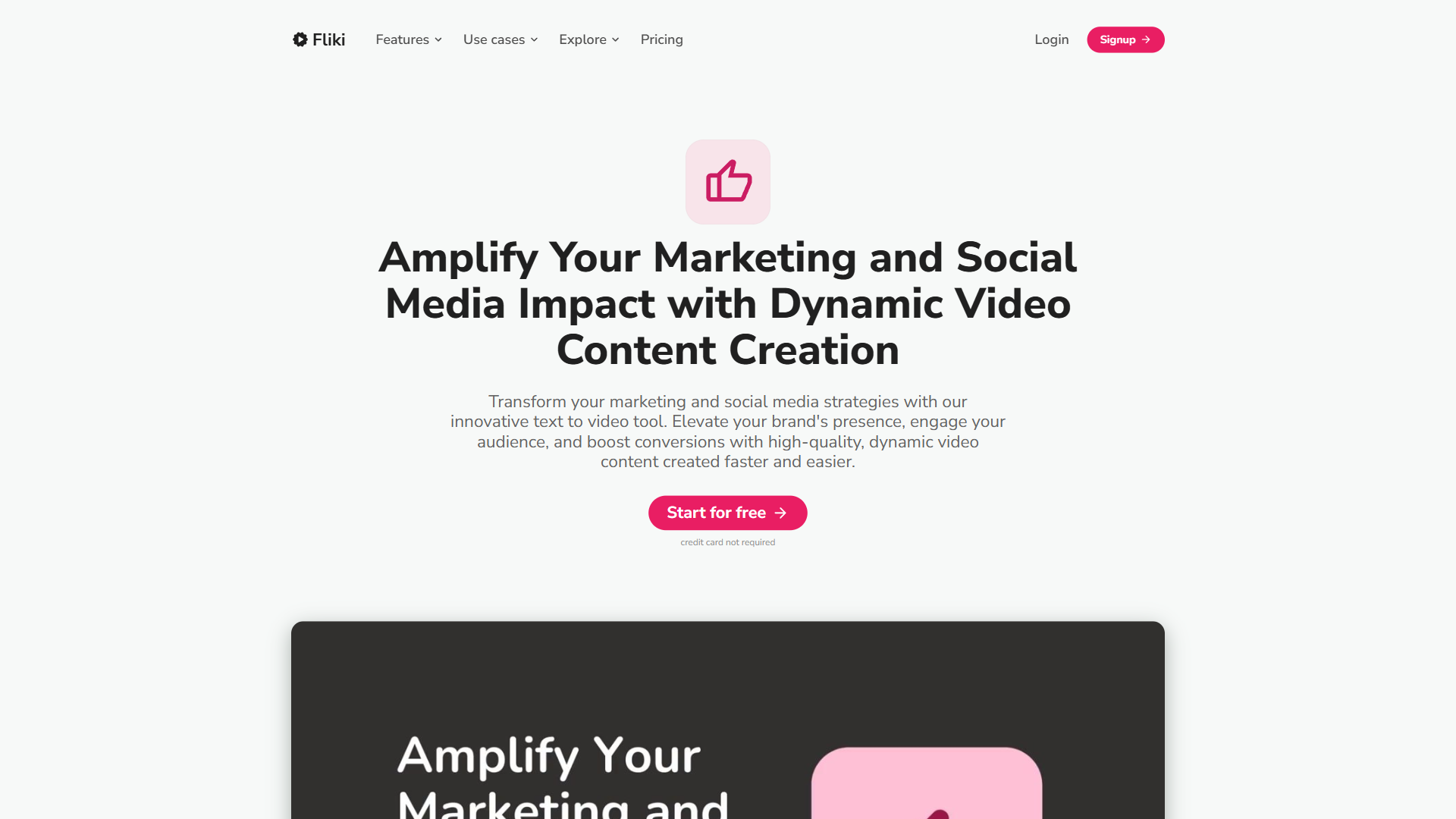
- 2,500+ AI voices in 80+ languages - Social media is global. You can produce the same video in English, Spanish, and Japanese with native-sounding voiceovers, all from one dashboard. No translators, no voice actors, no scheduling coordination.
- Template library built for short-form - Pre-built templates for product demos, testimonials, tips-and-tricks, and promotional content are already sized and paced for social consumption patterns. Our AI video creation tips cover the editorial choices that complement template use.
These are not theoretical advantages. The multi-format export alone saves 2-3 hours per video compared to manually reformatting content for each platform.
What You Need Before Starting
Prepare these items before opening Fliki to avoid wasting credits on experimentation:
Required:
- A Fliki account - the free tier provides 5 minutes per month at 720p with a watermark, enough to follow this tutorial once
- A script or talking points for your first video (even a rough paragraph works)
Recommended:
- Brand assets: your logo, brand colors, and preferred fonts
- 2-3 AI voice options you have previewed (spend 10 minutes on this before your first real project)
- Target platforms identified so you know which aspect ratios to prioritize
Plan requirements: For production-quality social media videos without watermarks, the Standard plan at $28/month provides 180 minutes of 1080p content with commercial usage rights. The Premium plan at $88/month unlocks photo avatars, custom fonts, and 600 minutes - better suited for teams producing daily content.
Step 1: Create a New Project and Choose Your Format
Log into your Fliki dashboard. You will see several creation modes: Text-to-Video, Idea-to-Video, Blog-to-Video, and PPT-to-Video. For social media content, Text-to-Video gives you the most control over pacing and visuals.
Choose your aspect ratio first. This decision affects everything downstream - text placement, media selection, and how much visual space you have. Here is what to pick for each platform:
| Platform | Aspect Ratio | Fliki Setting | Max Duration |
|---|---|---|---|
| Instagram Reels | 9:16 | Portrait | 90 seconds |
| TikTok | 9:16 | Portrait | 10 minutes |
| YouTube Shorts | 9:16 | Portrait | 60 seconds |
| YouTube (standard) | 16:9 | Landscape | 15+ minutes |
| Instagram Feed | 1:1 | Square | 60 seconds |
| LinkedIn Feed | 1:1 or 16:9 | Square or Landscape | 10 minutes |
Pro tip: Start with the 9:16 portrait format if your primary targets are Reels, TikTok, or Shorts. It is easier to adapt vertical content to square or landscape than the reverse, because cropping widescreen footage to vertical often cuts critical visual elements.
Step 2: Write or Paste Your Script
Fliki’s editor organizes your video as a series of scenes. Each scene contains a text block (which becomes the voiceover), a visual element, and optional on-screen text.
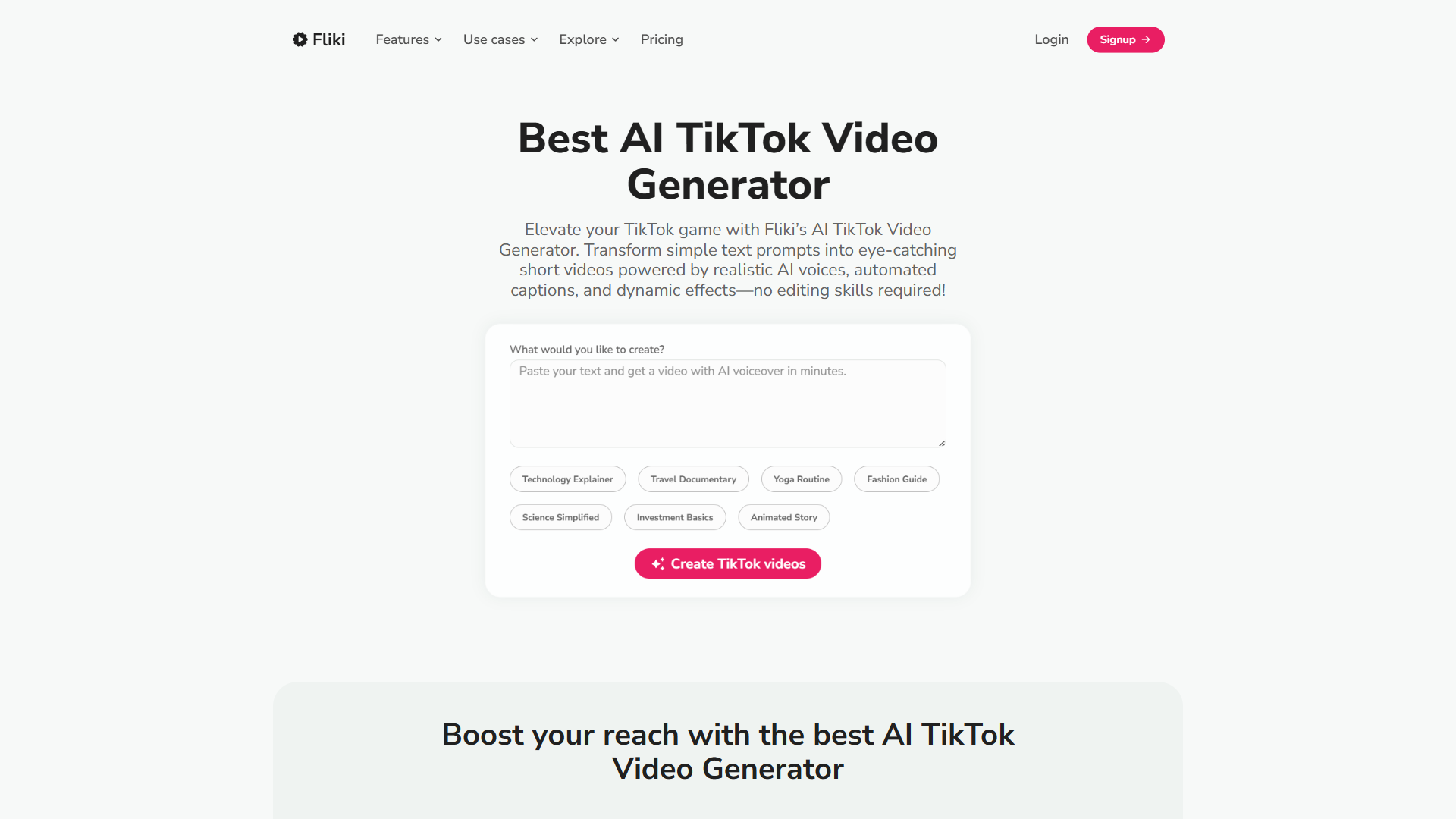
For social media videos, script structure matters more than length. Attention spans on social platforms are measured in seconds, not minutes. Follow this structure for maximum retention:
The 3-Second Hook Formula:
- Scene 1 (0-3 seconds): Bold claim or question that stops the scroll. Example: “This AI tool creates social videos in 2 minutes.”
- Scene 2-4 (3-20 seconds): Deliver the core value. One idea per scene.
- Scene 5-6 (20-30 seconds): Proof, demonstration, or result.
- Final scene (last 3-5 seconds): Call to action.
Script length guidelines:
- 30-second video: 75-80 words
- 60-second video: 150-160 words
- 90-second Reel: 225-240 words
Paste your script into the editor, and Fliki automatically splits it into scenes. You can manually adjust scene breaks by clicking between sentences - do this wherever you want a visual change.
Step 3: Select Your AI Voice
Voice selection can make or break social media content. A voice that sounds natural in a 10-minute explainer may feel flat in a 30-second Reel. For short-form content, prioritize voices with energy and natural pacing over voices that sound calm and measured.
Voice selection tips for social media:
- Use ultra-realistic voices - On the Standard plan, you get 150 ultra-realistic voices powered by partners like ElevenLabs. These sound noticeably better than the standard options, especially in short-form content where every second is scrutinized.
- Match energy to platform - TikTok audiences respond to upbeat, conversational delivery. LinkedIn viewers expect measured authority. Preview the same script with 3-4 different voices before committing.
- Consider voice cloning - If you already have a personal brand voice on social media, Fliki’s voice cloning (available on Standard and above) lets you create AI narration that sounds like you. It requires just 2 minutes of audio samples. For a deeper comparison of voice synthesis options, see our AI voice generator roundup.
- Test at speed - Social viewers often watch at 1.5x or 2x speed. Voices that sound great at normal speed may become unintelligible when accelerated. Choose voices with clear consonants and deliberate pacing.
The voice applies to all scenes by default. You can override individual scenes if you want different voices for different sections - useful for dialogue-style content or Q&A formats.
Step 4: Customize Visuals and Stock Media
Once your script and voice are set, each scene needs a visual. Fliki auto-suggests stock media based on your script text, but the defaults are a starting point, not a finished product. Social media audiences are visually sophisticated - generic stock footage signals low effort.
Visual customization workflow:
- Review auto-suggestions - Accept the ones that genuinely fit. Reject anything that feels generic or unrelated to your specific message.
- Search the media library - Fliki provides access to millions of stock video clips, images, and music tracks. Use specific search terms rather than broad ones. “Woman typing on laptop in coffee shop” beats “business person working.”
- Upload your own media - For product demos, behind-the-scenes content, or branded visuals, upload your own clips and images. Mix custom media with stock to create a polished but authentic feel.
- Add text overlays - On-screen text reinforces the voiceover and catches silent viewers. Keep overlays to 5-7 words maximum per scene. Fliki positions text automatically based on your chosen aspect ratio.
Subtitles are mandatory for social media. According to research from Kapwing, up to 85% of Facebook videos and a significant portion of Instagram content are watched without sound. Fliki generates subtitles automatically from your voiceover - enable them and customize the font, size, and positioning to match your brand.
Step 5: Using Templates for Faster Production
Templates are where the fliki ai tutorial social media workflow shifts from one-off creation to scalable production. Instead of building every video from scratch, start with a template that already has the right pacing, transitions, and visual style for your content type.
Fliki organizes templates by category:
- Product showcase - Ideal for e-commerce and SaaS demos. Quick cuts, bold text, feature highlights.
- Testimonial/review - Quote-focused layouts with subtle backgrounds. Works for customer stories and social proof.
- Tips and listicles - Numbered scenes with consistent formatting. Perfect for “5 tips” or “3 mistakes” content.
- Promotional - High-energy transitions and CTA-focused endings. Best for launches, sales, and announcements.
- Educational - Longer scenes with more visual space for diagrams and examples.
Customizing templates:
- Select a template that matches your content type
- Replace the placeholder text with your script
- Swap the stock visuals for your brand-specific media
- Update colors, fonts, and logo to match your brand kit
- Adjust scene timing to match your voiceover pacing
A customized template saves 10-15 minutes per video compared to starting from a blank project. Over a month of daily posting, that adds up to 5+ hours saved on template selection and formatting alone - a significant win for content creators managing multiple platforms.
Step 6: Export for Multiple Platforms
This is where Fliki’s social media workflow delivers its biggest time savings. Instead of rebuilding your video for each platform, you export the same project in multiple aspect ratios.
Export workflow:
- Finalize your video in your primary aspect ratio (typically 9:16 for social)
- Use Fliki’s aspect ratio toggle to preview the video in 16:9 and 1:1
- Adjust any scenes where the automatic cropping cuts important visual elements
- Export each version at Full HD 1080p (Standard plan and above)
Platform-specific optimization:
- Instagram Reels: Keep under 60 seconds for maximum reach. Add a strong visual hook in the first frame - Instagram shows a still preview before the Reel plays.
- TikTok: Front-load energy in the first 2 seconds. TikTok’s algorithm evaluates watch time aggressively - if viewers scroll past your opening, the video is effectively dead.
- YouTube Shorts: Include your brand name or channel reference in the final scene. Shorts viewers who want more content need a clear path to your full channel.
- LinkedIn: Slightly slower pacing than TikTok or Reels. Professional tone, data-driven claims, and industry-specific terminology perform better than casual content.
Batch Creation: The Fliki Social Media Workflow at Scale
Creating individual videos is useful, but the real productivity gain comes from batch creation. Once you have the basics from this fliki ai tutorial social media workflow down, you can produce a week of social content in under two hours.
Batch creation process:
- Script batch - Write 5-7 video scripts in one session. Batching the writing separately from the video production prevents context-switching.
- Voice consistency - Use the same AI voice across all videos in a batch. This builds audience recognition and brand consistency.
- Template reuse - Create 3-4 branded templates and rotate between them. Audiences do not notice template repetition if the content changes.
- Assembly line production - Paste each script into Fliki, apply your template, select media, and export. With practice, each video takes 5-8 minutes from script to export.
- Multi-format export - Export all 5-7 videos in all required aspect ratios. Stack exports while you work on the next video.
Automation integration: On the Standard plan and above, Fliki integrates with Zapier and Make. You can trigger video creation from a spreadsheet of scripts, automatically export completed videos to cloud storage, or connect to your social scheduling tool. This turns the batch workflow from a manual process into a semi-automated pipeline. For the broader strategy layer, see our AI video marketing guide.
Which Fliki Plan Fits Your Social Media Volume?
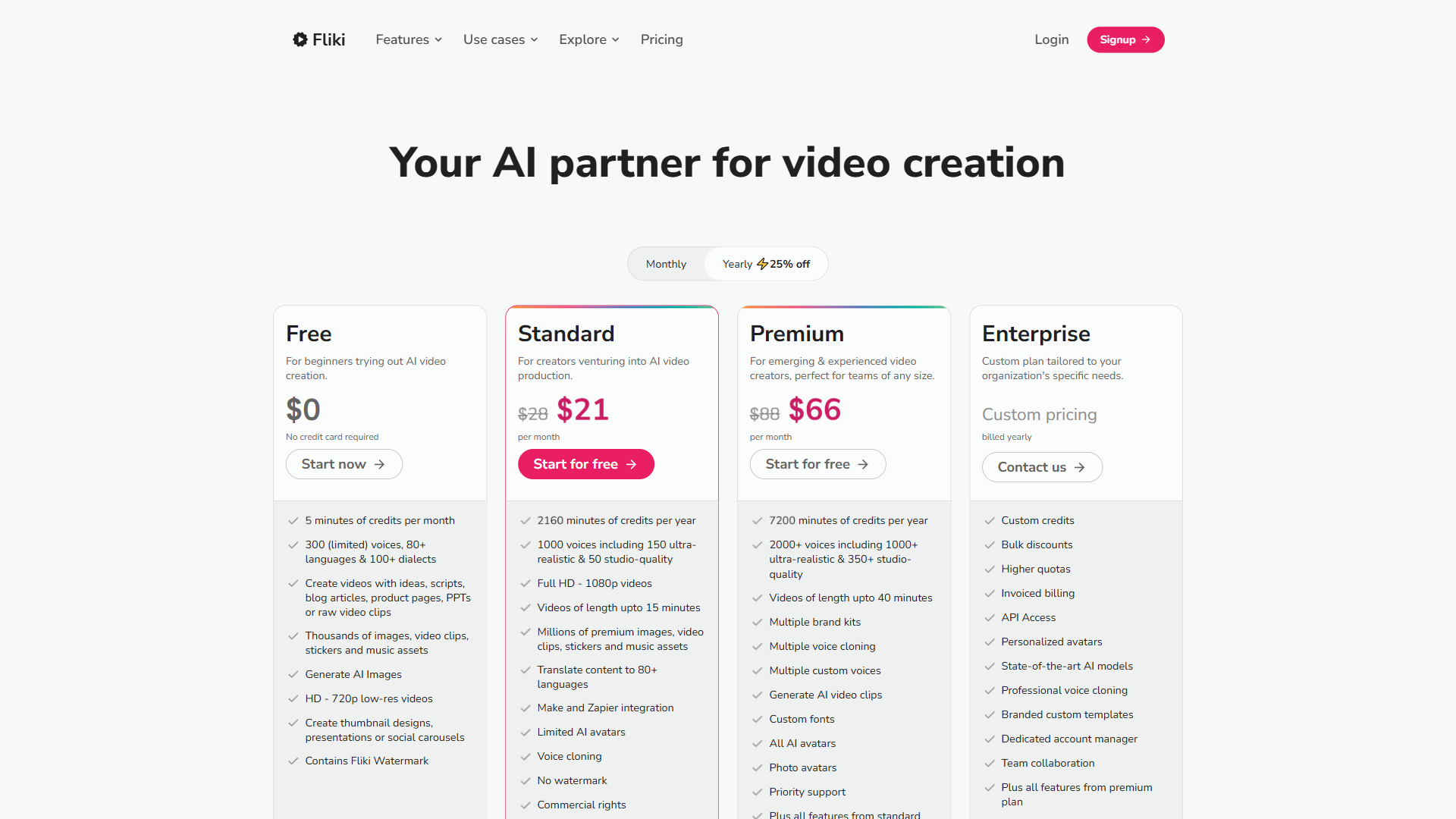
Not every social media creator needs the same Fliki plan. Here is how to match your posting frequency to the right tier:
| Plan | Price | Minutes/Month | Best For |
|---|---|---|---|
| Free | $0 | 5 | Testing the workflow with 1-2 short videos |
| Standard | $28/month | 180 | Regular creators posting 3-5x per week |
| Premium | $88/month | 600 | Daily posters or teams managing multiple accounts |
| Enterprise | Custom | Custom | Agencies producing content for multiple clients |
The math for Standard: A typical 60-second social video uses roughly 1 minute of credits. At 180 minutes per month, you can produce 180 short-form videos - more than enough for daily posting across multiple platforms. At $28/month, that works out to roughly $0.15 per video, compared to $50-200 for outsourced video production.
What Are the Most Common Fliki Mistakes to Avoid?
Based on common user feedback, these are the errors to avoid:
Ignoring the first frame. Social platforms display a static preview before the video plays. YouTube thumbnail research shows the same principle applies to Shorts - if your first scene is a blank transition or a slow title card, viewers scroll past before the content even starts. Make the opening frame visually compelling.
Using one pacing for all platforms. A video that works on LinkedIn will feel sluggish on TikTok. Cut your scene durations by 20-30% for TikTok and Reels compared to LinkedIn or YouTube.
Skipping the preview step. Always preview the full video before exporting. Audio-visual sync issues, awkward scene transitions, and subtitle overlap problems are only visible in the full playback.
Over-relying on auto-generated visuals. Fliki’s AI selects relevant stock footage, but it cannot understand your brand aesthetic or content strategy. Replace at least 30-40% of auto-suggested visuals with intentional choices.
Forgetting to add captions. This bears repeating: the majority of social media video views start without sound. Subtitles are not optional - they are the primary way most viewers consume your content. If you publish across multiple channels, our AI social media automation playbook covers scheduling and cross-posting tactics that pair well with this batch workflow.
The Bottom Line
This fliki ai tutorial social media workflow turns what used to be a full-day production process into something you can complete during a lunch break. The combination of multi-format export, templates, and batch creation means a single creator can maintain a consistent posting schedule across Instagram, TikTok, YouTube Shorts, and LinkedIn without sacrificing quality.
The Standard plan at $28/month is the right starting point for most social media creators. It removes the watermark, unlocks 1080p resolution, and provides enough credits for daily posting. If you find yourself consistently hitting the 180-minute limit, the Premium plan at $88/month scales naturally. Pair Fliki with Zapier or Make on the Standard tier to fully automate the script-to-published-video pipeline.
Start with the free tier on Fliki and follow Steps 1-6 above with a single 30-second test video. If the output quality and speed match your expectations, the Standard plan will pay for itself within the first week of consistent use. For the broader AI video creation tips and our AI video marketing guide, the same template-and-batch principles apply across other tools.
Want to learn more about Fliki?
Frequently Asked Questions
What is Fliki AI used for?
Fliki AI converts scripts into social media videos optimized for multiple platforms and aspect ratios. It auto-generates voiceovers, suggests stock visuals, adds subtitles, and supports multi-format export - producing Instagram Reels, TikTok, and YouTube Shorts content from a single input. Its architecture is built for the speed and format flexibility that social media demands, cutting production time by roughly 80%.
How do I match a Fliki plan to my posting frequency?
The free tier (5 minutes/month) is for testing. Standard at $28/month covers regular creators posting 3-5 times per week with 180 minutes. Premium at $88/month suits daily posters and small teams with 600 minutes. Enterprise pricing is custom for agencies producing for multiple clients.
How do I export the same video for TikTok, Reels, and YouTube Shorts?
Build the project once in 9:16 portrait, then use Fliki’s aspect ratio toggle to preview in 16:9 and 1:1. Adjust any scenes where automatic cropping cuts important visual elements, then export each version at Full HD 1080p. The same script and scene timeline are reused, so you do not rebuild anything between formats.
How long should a script be for short-form social video?
For social media videos, script structure matters more than length. Attention spans on social platforms are measured in seconds, not minutes. Aim for 75-80 words for a 30-second video, 150-160 words for 60 seconds, and 225-240 words for a 90-second Reel. Always lead with a 3-second hook.
What aspect ratio should I use for TikTok and Reels in Fliki?
Use the 9:16 portrait format for TikTok, Instagram Reels, and YouTube Shorts. Fliki labels this setting “Portrait.” Starting with vertical content is recommended because adapting it to square or landscape is easier than cropping widescreen footage, which often cuts critical visual elements.
Related Guides
- How to Turn Blog Posts into Videos with Fliki AI
- 12 AI Video Creation Tips for Better Results in 2026
- AI Video Marketing Guide: Strategy and Tools
External Resources
- Fliki Template Gallery - Browse pre-built templates organized by use case, platform, and content type
- Fliki Resources and Tutorials - Official guides and video walkthroughs covering all creation modes
- Hootsuite Social Media Video Specs Guide - Current video dimension and duration specifications for every major platform
- Instagram Reels Best Practices - Official creator playbook covering hooks, captions, and discoverability
Related Guides
- 15 Calendly Tips and Tricks to Save 4+ Hours Weekly
- ActiveCampaign CRM Setup: How to Set Up ActiveCampaign CRM
- ActiveCampaign Shopify Integration: Complete Setup
- ActiveCampaign WordPress: Forms, Tracking & Automation
- ActiveCampaign Zapier: 10 Automations to Build Today
- AI Agent Orchestration: Patterns That Scale in 2026
- AI Workflow Automation Maturity Model: 5 Levels
- Automate Approval Process No Code: Complete 2026 Guide
- Building AI First Workflows: A Practitioner's 2026 Guide
- Client Onboarding Automation: Automate Client Onboarding