


Building a Taplio LinkedIn content calendar that actually drives engagement is not about filling empty slots with random posts. It is about creating a system where every piece of content serves a purpose, goes live at the right time, and connects to a broader strategy. With proper setup, Taplio’s calendar transforms from a scheduling tool into a content engine. This guide walks through every step - from setting up your first content pillars to running a full batching session that fills an entire month of posts.
Taplio currently holds across review platforms, with users praising its scheduling depth and viral post library while noting that the AI outputs require editing to sound authentic. What users rarely mention - and what makes the biggest difference - is how well the content calendar ties everything together once you set it up properly.
Why LinkedIn Needs Its Own Content Calendar
Most social media calendars treat every platform the same. You drop posts into time slots and hope for the best. LinkedIn does not work that way. The algorithm rewards consistency, rewards engagement in the first hour after publishing, and heavily penalizes content that looks automated or generic. LinkedIn’s own algorithm guide confirms that meaningful comments weigh more than passive likes.
A dedicated Taplio LinkedIn content calendar addresses these differences:
- Algorithm-aware scheduling - Taplio analyzes your audience activity patterns and suggests posting windows based on when your specific followers are online, not generic “best times to post” data. Research from Sprout Social’s posting time analysis shows audience-specific timing outperforms generic averages by 20-30%.
- Content type rotation - LinkedIn rewards variety. A calendar lets you plan a deliberate mix of text posts, carousels, polls, and long-form articles rather than defaulting to whatever format feels easiest
- Engagement buffer time - You can schedule posts with gaps that let you respond to comments during the critical first-hour window, rather than stacking posts back-to-back
- Theme tracking - Without a visual calendar, most creators post reactively. A structured calendar ensures you are covering all your key topics, not just the ones top of mind. See our LinkedIn content tips guide for theme-development frameworks.
The alternative is what most LinkedIn creators do: open the app, stare at the screen for twenty minutes, write something mediocre, and post it without any strategy. That approach works until you need consistent results.
Setting Up Your Taplio Content Calendar
Step 1: Connect Your LinkedIn Account
Before touching the calendar, connect your LinkedIn profile to Taplio. Navigate to the integrations section and authorize the LinkedIn connection. This pulls in your profile data, historical post performance, and audience demographics - all of which feed into the scheduling recommendations later.
The dashboard surfaces your calendar alongside key metrics. You will see scheduled posts, drafts in progress, and performance data from recent publications all in one view. The layout is not the most modern interface you will encounter - users consistently note the learning curve - but the information density is genuinely useful once you know where everything lives. The official LinkedIn API documentation details exactly which scheduling and analytics fields third-party tools like Taplio can read.
Step 2: Define Your Posting Frequency
Before adding any content, decide how often you will post. LinkedIn rewards consistency far more than volume. Three high-quality posts per week will outperform seven mediocre ones every time.
Recommended posting frequencies by goal:
| Goal | Posts Per Week | Why |
|---|---|---|
| Building awareness | 3-4 | Enough to stay visible without burning out |
| Thought leadership | 4-5 | Regular presence establishes authority |
| Lead generation | 5-7 | Higher volume maximizes inbound opportunities |
| Personal branding | 3-5 | Quality over quantity, every post reinforces your narrative |
Set your target frequency in Taplio’s calendar settings. The tool uses this to create visual indicators when you have gaps in your schedule - empty slots stand out immediately, making it obvious when you are falling behind your commitment. If you are evaluating scheduling tools beyond Taplio, our best social media scheduling tools 2026 roundup compares multi-platform options.
Step 3: Configure Your Best Posting Times
Taplio provides data-driven posting time recommendations based on your audience’s online patterns. Access these through the analytics section, then apply them as default time slots in your calendar. Our Taplio LinkedIn growth strategy guide walks through how these recommendations evolve as your follower base grows past 2K.
General LinkedIn timing guidance (adjust based on your analytics):
- Tuesday through Thursday tend to see the highest engagement for B2B content
- 7:30-8:30 AM in your audience’s primary time zone catches the morning commute scroll
- 12:00-1:00 PM captures the lunch break window
- 5:00-6:00 PM hits the end-of-day wind-down
- Avoid weekends unless your audience data specifically shows strong weekend engagement
The important thing is to use these as starting points and then let Taplio’s analytics refine them over four to six weeks. Your audience may behave differently from the averages.
Building Your Content Pillar Framework
A content calendar without a framework is just a list of dates. Content pillars give structure to what you post and prevent the common trap of cycling between the same two or three topics indefinitely.
The 4-Pillar LinkedIn Framework
Based on analysis of high-performing LinkedIn accounts, this four-pillar framework consistently produces the best results:
Pillar 1: Expertise Posts (40% of content) These establish your authority. Share insights, frameworks, lessons learned, and technical knowledge from your domain. They are the reason people follow you.
- How-to breakdowns
- Industry analysis and trends
- Frameworks and mental models
- Case studies from your work
Pillar 2: Story Posts (25% of content) Personal experiences and narratives drive the highest engagement on LinkedIn. Research from LinkedIn’s Marketing Solutions blog shows that storytelling posts generate 2-3x more comments than pure informational content - a pattern echoed in Content Marketing Institute’s storytelling research. They humanize your professional brand and create emotional connection.
- Career lessons and pivots
- Project wins and failures
- Behind-the-scenes of your work
- Counterintuitive observations
Pillar 3: Engagement Posts (20% of content) These are designed to start conversations. They have lower information density but generate comments, which the algorithm rewards heavily.
- Polls and questions
- Hot takes on industry topics
- “Agree or disagree” statements
- Lists that invite additions
Pillar 4: Social Proof Posts (15% of content) Results, testimonials, and achievements - used sparingly to avoid coming across as self-promotional. Our AI content writing workflow walks through structuring testimonial posts so they feel earned rather than promotional.
- Client results and testimonials
- Milestone celebrations
- Media mentions and speaking events
- Tool recommendations and reviews
Mapping Pillars to Your Taplio Calendar
In Taplio, use labels or tags to assign each draft to a pillar. When you view your calendar, you should see a balanced color distribution across the week. If three consecutive days show all Expertise posts and zero Story posts, the calendar makes that imbalance immediately visible.
A sample week using the 4-pillar framework (5 posts/week):
| Day | Pillar | Content Type | Topic Example |
|---|---|---|---|
| Monday | Expertise | Text post | Framework for qualifying B2B leads |
| Tuesday | Story | Text post | How I lost a major client and what I learned |
| Wednesday | Engagement | Poll | ”What is your biggest LinkedIn challenge?” |
| Thursday | Expertise | Carousel | 7-step process for cold outreach |
| Friday | Social Proof | Text post | Client case study with specific metrics |
This structure ensures variety in both topic and format. Your audience never knows exactly what to expect, which keeps them engaged rather than scrolling past predictable content.
How Do You Use Taplio’s Viral Post Library for Content Ideas?
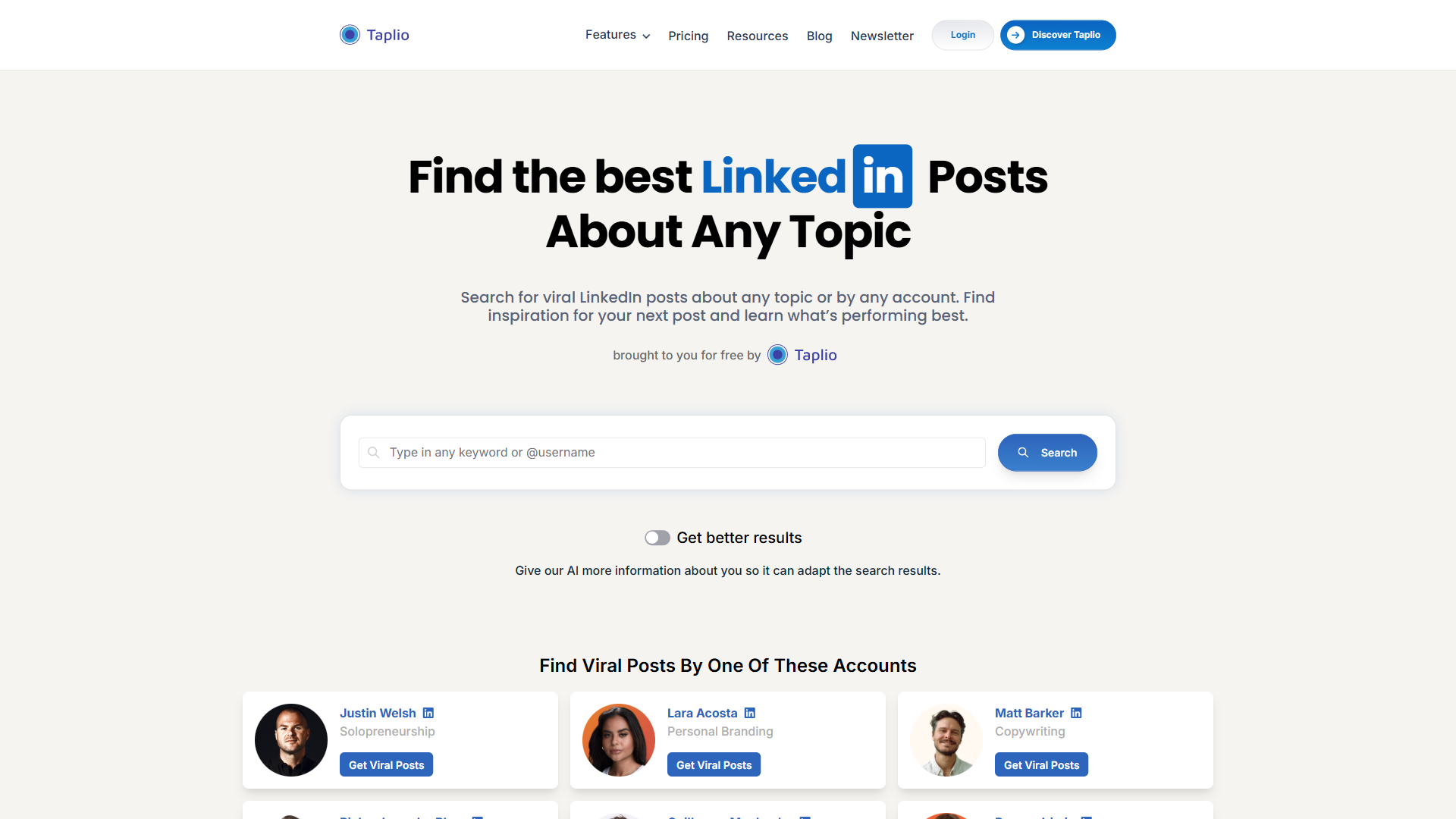
One of Taplio’s strongest features is its library of over 4 million high-performing LinkedIn posts. This is not a database of templates to copy - it is a research tool for understanding what formats, hooks, and structures resonate with LinkedIn audiences.
How to Use the Library Without Copying
The goal is pattern recognition, not plagiarism. Here is the workflow:
- Filter by your niche - Search for topics relevant to your content pillars
- Sort by engagement - See what formats drive the most reactions and comments
- Analyze the hooks - The first two lines of a LinkedIn post determine whether anyone reads the rest. Study how top-performing posts open
- Note the structure - Does the post use a numbered list? A contrarian opener? A story arc? A question-then-answer format?
- Adapt the pattern - Take the structural pattern and fill it with your own expertise and experiences
Example transformation:
Viral post pattern: “I interviewed 100 [role] and found 3 things they all do differently…”
Your adaptation: “I have onboarded 50 clients this year. Three patterns separate the ones who see ROI in 30 days from those who struggle for months…”
Same structure. Completely original content. This is how the viral post library creates the most value. For a broader look at tools that help with content creation across platforms, see our best LinkedIn tools for 2026, and our Predis AI social media content guide covers the same pattern-mining approach for Instagram and X.
The Content Batching Workflow
Daily content creation is exhausting and unsustainable. Batching - creating multiple posts in a single session - is how consistent LinkedIn creators maintain their output without burning out. The concept draws from Cal Newport’s deep work methodology, where dedicated focus blocks outperform scattered daily effort.
The 2-Hour Monthly Batching Session
Block two hours once per month for content creation. Here is the exact workflow using Taplio:
First 20 minutes: Research and ideation
- Review your analytics to see which recent posts performed best
- Browse Taplio’s viral post library for format inspiration
- Scan your notes app for ideas you have saved throughout the month
- List 15-20 post ideas mapped to your four content pillars
Next 60 minutes: Drafting
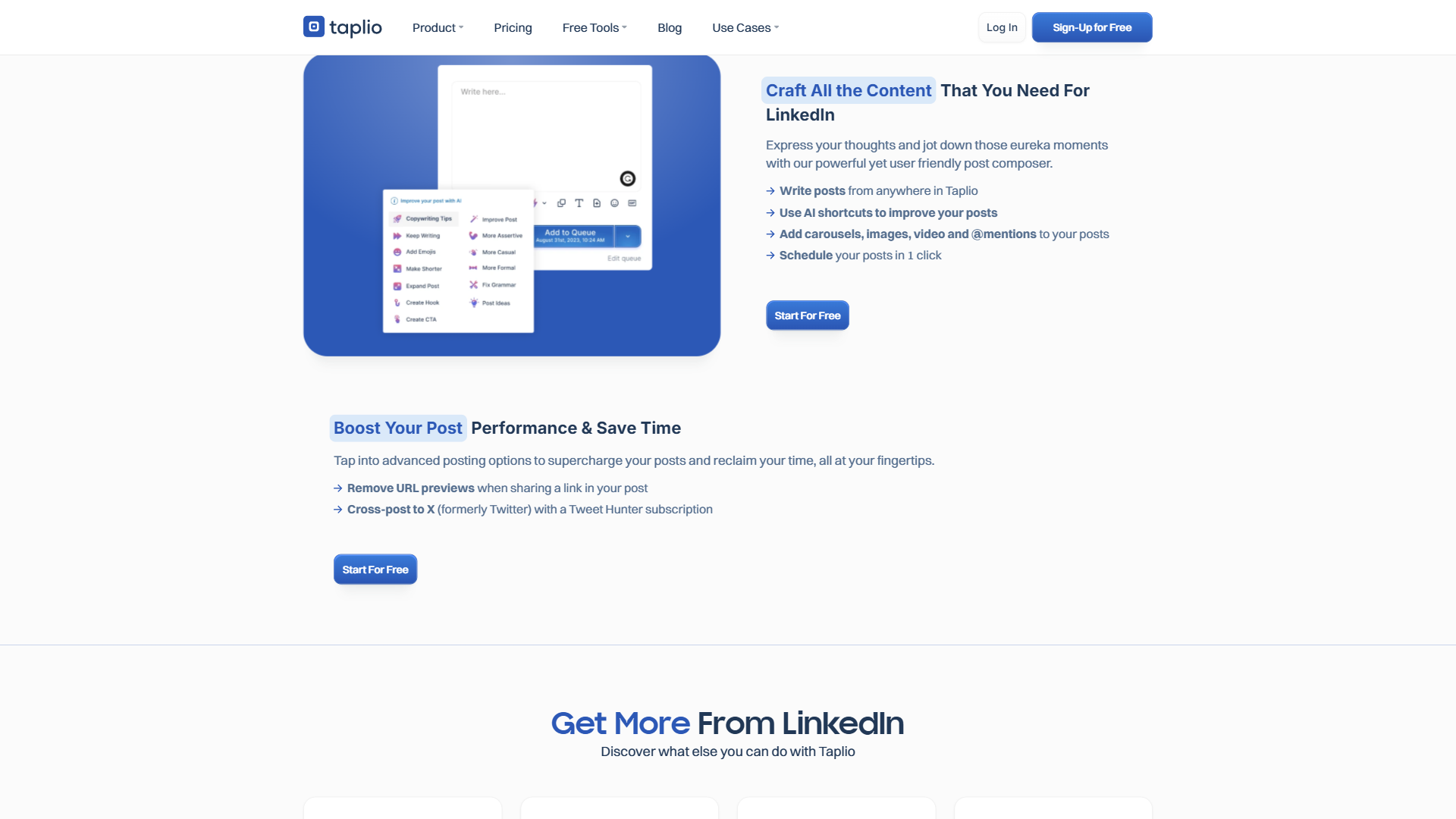
- Open Taplio’s post composer
- Write rough drafts for each post idea - do not edit, just get ideas down
- Use Taplio’s AI to generate initial hooks for posts where you are stuck on the opening line
- Aim for 12-15 drafts in this window
A note on AI content quality: Taplio’s AI is trained on 500+ million LinkedIn posts, which means it understands LinkedIn formatting and structure well. However, the outputs require 15-30 minutes of editing per post to remove robotic phrasing and inject your authentic voice. Use the AI for structure and first-draft speed, not as a final product. The best approach is to treat AI suggestions as scaffolding - they give you something to react to rather than starting from a blank page.
Final 40 minutes: Editing and scheduling
- Review each draft with fresh eyes
- Edit for voice, clarity, and hook strength
- Assign each post to a calendar slot based on its content pillar
- Set publication times using Taplio’s recommended windows
- Queue everything and review the monthly view to check for balance
The batching pattern is well documented in Harvard Business Review’s research on multitasking and focus, which shows that bundling similar work into a single block consistently outperforms scattered daily attempts.
After this session, your Taplio LinkedIn content calendar should show four weeks of scheduled posts with a clear mix of content types and pillars. The visual calendar makes gaps and imbalances obvious.
Analyzing and Refining Your Calendar
A content calendar is only as good as the feedback loop that improves it. Taplio’s analytics dashboard provides the data you need to refine your strategy month over month.
Key Metrics to Track Monthly
- Impressions per post - Are your posts reaching more people over time? A consistent upward trend means the algorithm is rewarding your consistency
- Engagement rate - Comments matter more than likes on LinkedIn. Track comments-to-impressions ratio specifically
- Follower growth rate - Steady growth of 2-5% monthly indicates your content is attracting the right audience
- Best-performing content pillar - Which pillar consistently drives the most engagement? Consider increasing its percentage allocation
- Best posting times - Do your actual performance data match Taplio’s initial recommendations? Adjust your default slots based on real results
The Monthly Calendar Audit
At the end of each month, before your next batching session, run this quick audit:
- Pillar balance check - Did you maintain the 40/25/20/15 split? Most creators over-index on Expertise posts and under-index on Story posts
- Format variety check - Did you use at least three different formats (text, carousel, poll, article) across the month?
- Gap analysis - Were there any days where you missed your posting schedule? Identify why and build buffers for next month
- Top 3 / Bottom 3 - Identify your three best and three worst performing posts. What patterns emerge? Apply those insights to next month’s batching session
Pricing: What You Need for Calendar Features
Taplio’s content calendar is available across all plans, but the supporting features vary significantly by tier.
| Feature | Starter | Growth | Pro |
|---|---|---|---|
| Content calendar | Yes | Yes | Yes |
| Post scheduling | Yes | Yes | Yes |
| Analytics | Yes | Yes | Yes |
| AI content generation | No | 250 credits/mo | 5,000 credits/mo |
| Viral post library | Yes | Yes | Yes |
| Hook generator | No | Yes | Yes |
| Carousel creator | No | Yes | Yes |
| Contact database | No | No | 3M+ contacts |
For the content calendar workflow described in this guide, the Growth plan hits the sweet spot. You get AI assistance for drafting, the hook generator for overcoming writer’s block, and the carousel creator for format variety. The Starter plan works if you do not want AI features and just need scheduling and the viral post library.
Annual billing saves roughly 27-29% across all tiers compared to monthly pricing.
For comparison, Buffer and Hootsuite offer broader multi-platform scheduling at lower price points, but neither provides LinkedIn-specific features like the viral post library, AI hook generation, or the depth of LinkedIn analytics that Taplio delivers. If you are weighing options, our Sprout Social alternatives roundup covers more social media manager tools. Pricing details are documented on the Taplio pricing page. If LinkedIn is your primary platform, the specialization matters.
Common Calendar Mistakes to Avoid
Based on analysis of dozens of LinkedIn content calendars, these are the most common mistakes:
Over-scheduling without engagement time. Posting five times per week means nothing if you do not spend 15-20 minutes after each post responding to comments. The algorithm watches your engagement behavior. Schedule response windows in your calendar, not just posts.
Ignoring content pillar balance. It is tempting to only share expertise content because it feels productive. But Story and Engagement posts are what build the relationships that make your Expertise posts reach a wider audience. Stick to the framework.
Using AI drafts without editing. Taplio’s AI generates solid structural frameworks, but the output reads as generic LinkedIn content. Every AI-generated post needs your specific examples, your voice, and your perspective. Budget editing time into your batching sessions.
Setting and forgetting. A content calendar is a living document. Review performance weekly, adjust your strategy monthly, and completely overhaul your content pillars quarterly. The creators who treat their calendar as static are the ones who plateau.
Posting at exactly the same time every day. While consistency matters, identical posting times can actually work against you. Vary your posting window by 30-60 minutes to test what works best and avoid looking automated to the algorithm. Our AI social media tools roundup covers complementary platforms for cross-channel posting.
The Bottom Line: Taplio LinkedIn Content Calendar Payoff
A well-built Taplio LinkedIn content calendar transforms LinkedIn from a chore into a system. The combination of the viral post library for research, AI assistance for drafting, visual calendar for planning, and analytics for refinement creates a workflow that compounds over time. Each month’s data makes the next month’s content better.
Start with the 4-pillar framework, block two hours for your first batching session, and commit to the monthly audit cycle. Within three months, you will have enough performance data to know exactly what your audience responds to - and a calendar system that makes delivering it consistent and sustainable.
The tool is not cheap, and the interface takes time to learn. But for LinkedIn-focused creators who need a structured approach to content, Taplio provides the infrastructure that separates sporadic posting from strategic publishing.
Want to learn more about Taplio?
Frequently Asked Questions
How often should I post on LinkedIn using Taplio?
Posting frequency depends on your goal. Three to four posts per week works for building awareness, four to five for thought leadership, five to seven for lead generation, and three to five for personal branding. LinkedIn rewards consistency far more than volume - three high-quality posts per week will outperform seven mediocre ones. Use Taplio’s calendar to keep visual track of cadence so gaps are obvious before they become a multi-day silence that resets your algorithmic momentum.
What are the best times to post on LinkedIn with Taplio?
Taplio provides data-driven posting time recommendations based on your audience’s online patterns. General guidance favors Tuesday through Thursday, with windows at 7:30-8:30 AM, 12:00-1:00 PM, and 5:00-6:00 PM in your audience’s time zone. Use these as starting points and let Taplio’s analytics refine them over four to six weeks. The tool surfaces actual engagement-per-time-slot data once you have published 20-30 posts, which is far more reliable than generic industry benchmarks.
How should I structure my Taplio content pillars?
The 4-pillar LinkedIn framework allocates 40% to Expertise posts that establish authority, 25% to Story posts with personal narratives, 20% to Engagement posts like polls and questions, and 15% to Social Proof posts covering results and testimonials. This balance produces consistent results across high-performing LinkedIn accounts. Tag every draft in Taplio with its pillar so a quick scan of your monthly calendar surfaces any imbalance - usually too many Expertise posts and not enough Story content.
How do I use Taplio’s viral post library without copying?
The goal is pattern recognition, not plagiarism. Filter by your niche, sort by engagement, analyze the hooks in the first two lines, note the structure (numbered list, contrarian opener, story arc), then adapt the pattern with your own expertise and experiences. This creates original content built on proven structural formats. Direct copying is both bad practice and increasingly easy for LinkedIn’s algorithm to detect, which can suppress reach on posts that look templated.
How long should a Taplio content batching session take?
Block two hours once per month for content creation. Spend the first 20 minutes on research and ideation - reviewing analytics, browsing the viral post library, scanning saved ideas, and listing 15-20 post ideas mapped to your four content pillars. Spend 60 minutes drafting and 40 minutes editing and scheduling. Batching prevents the exhaustion of daily content creation while maintaining consistent output. Most creators who switch to monthly batching report they reclaim 3-4 hours per week previously lost to daily content scrambling.
Related Guides
- Taplio LinkedIn Growth Strategy - Phased playbook for growing from 0 to 10K followers
- LinkedIn Content Tips - Format-specific tactics for higher engagement on LinkedIn
- AI Content Writing Workflow - End-to-end workflow for moving from research to published content
- Predis AI Social Media Content Guide - Multi-platform alternative for AI-generated content beyond LinkedIn
Related Reading
- Taplio Tool Page
- AI Social Media Automation: A Practical Guide
- Best AI Tools for Content Creators
- AI Content Writing Workflow
External Resources
- Taplio Features - Official features page covering the content calendar, AI tools, and analytics dashboard
- Taplio Pricing - Current pricing tiers and annual billing discounts
- LinkedIn Official Guide to Content Calendars - LinkedIn’s own recommendations for content planning
- LinkedIn Marketing Solutions Blog - Algorithm updates, format trends, and B2B content benchmarks
Related Guides
- 15 Calendly Tips and Tricks to Save 4+ Hours Weekly
- Later Tips and Tricks: Master AI Captions and More
- LinkedIn Content Tips 2026: 10 Proven Hooks (Free Guide)
- Social Media Management ROI Calculator: Complete 2026 Guide
- Taplio Linkedin Growth: 2026 Walkthrough for Teams
- Warp Terminal Guide 2026: Blocks, AI Commands, Agents