







The cursor vs replit question comes up in developer communities constantly, and it’s genuinely more interesting than most tool comparisons because these two products are solving related-but-distinct problems. Both use AI to help you write code faster. Both have free tiers. Both are used by serious developers. But they’re built on fundamentally different premises about how AI-assisted development should work.
Cursor is a desktop IDE - a fork of VS Code that bakes AI deeply into the local development experience and ranks among the best AI code editors in 2026. Replit is a browser-based platform that lets you write, run, and deploy code without touching your local machine. Cursor is optimized for developers with existing codebases and workflows who want AI to amplify what they already do, as outlined in our Cursor pricing breakdown. Replit is optimized for getting from idea to running application as fast as possible, with minimal friction.
According to Stack Overflow’s 2024 Developer Survey, AI coding tools are now used by over 62% of professional developers, with adoption growing fastest among early-career engineers. Cursor’s research on Tab completion shows developers accept AI-suggested completions 40%+ of the time when the tool has full codebase context - significantly higher than generic completion tools. The Replit Agent launch blog post documents how autonomous AI coding agents change the build workflow for non-technical teams, reducing time-to-deployed-prototype from days to under an hour.
Neither is universally better. The right choice depends entirely on what you’re building, how you work, and what stage you’re at in your development journey.
Comparison Table: Cursor vs Replit at a Glance
Cursor vs Replit is one of the most common comparisons in this category. Cursor and Replit take different approaches to solving similar problems, and the right choice depends on your workflow, budget, and team size. This guide compares both tools across the features that actually matter for daily work.
| Feature | Cursor | Replit |
|---|---|---|
| Rating | ||
| Free Tier | Yes (Hobby - limited) | Yes (Starter - generous) |
| Pro Price | $20/month | $25/month (Core) |
| Teams Price | $40/user/month | $40/user/month |
| Where it runs | Local desktop (VS Code fork) | Browser-based |
| Best For | Professional developers with existing codebases | Learning, prototyping, instant deployment |
| AI Agent | Cursor Composer (multi-file editing) | Replit Agent 3 (full app builder) |
| Deployment | External service required | Built-in, one-click |
| Collaboration | Limited | Real-time multiplayer |
| Key Strength | Deep codebase context, professional workflow | Zero setup, instant deploy, 300+ AI models |
Quick verdict: Cursor is the choice for professional developers who live in VS Code and want the most powerful AI-assisted editing experience for complex, multi-file projects. Replit is the choice for anyone who wants to go from idea to deployed application fast - whether they’re learning, prototyping, or building internal tools.
Cursor: The Professional AI Code Editor
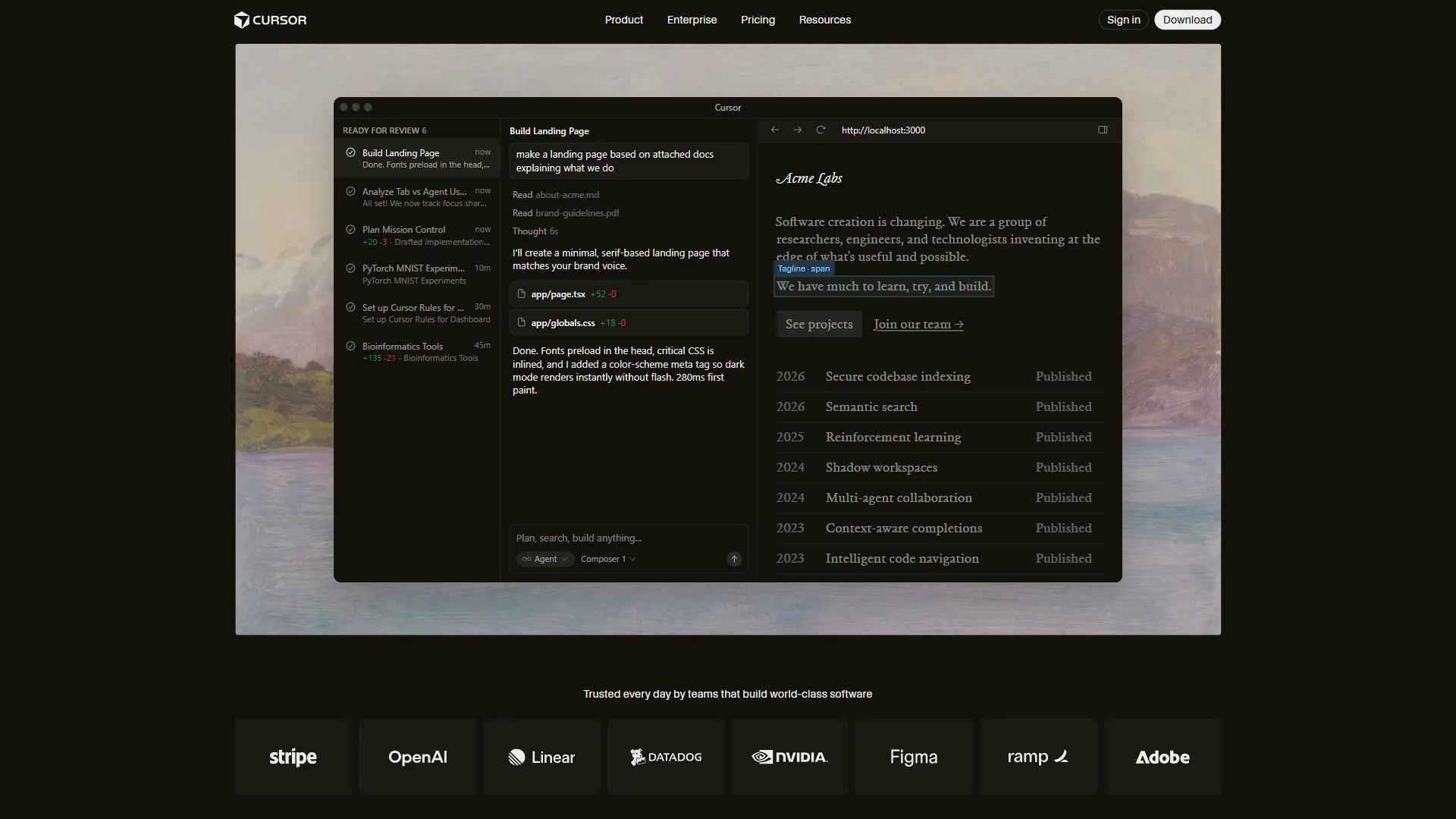
Cursor launched in 2023 with a deceptively simple premise: take VS Code - the editor most developers already use - and rebuild it from the ground up to work with AI natively. Not an extension. Not a plugin. An AI-first editor that happens to feel exactly like what you already know.
That familiarity is Cursor’s first advantage. If you’re already a VS Code user, switching to Cursor takes about 15 minutes. Your extensions transfer. Your keybindings transfer. Your settings transfer. The only difference is the AI layer on top, which is substantial.
How Cursor’s AI Works
Cursor’s AI operates at several levels simultaneously.
Tab completion is the most visible - as you type, Cursor suggests not just the next line but often the next several lines, predicting intent rather than just pattern-completing syntax. The acceptance rates are significantly higher than earlier AI completions because the model has been trained specifically for this low-latency inline use case.
Cursor Composer is the more transformative feature, as detailed in the Cursor Agent overview. Describe a task in natural language - “add authentication to this Express app” or “refactor these three components to use a shared data layer” - and Composer understands the full context of your codebase and makes coordinated changes across multiple files. It shows you a diff before applying changes. You can review, reject specific edits, and iterate. This is AI-assisted development that actually understands your project architecture rather than just your current file.
Chat gives you a conversation interface that can reference any file in your codebase. Ask why a piece of code works a certain way, have it explain a function you inherited, or explore how to approach a problem before writing any code. The key advantage over using a separate AI chat tool is that Cursor already has your codebase indexed - no copy-pasting context. For more on getting the most out of these features, see our Cursor AI productivity tips guide.
Background Agents (Pro tier and above) let you kick off longer-running tasks - test generation, documentation, refactoring - and continue working on other things while they complete, as the Background Agents documentation explains.
Cursor Pricing
Pricing verified April 2026 from Cursor's pricing page:
- Hobby: $0/mo
- One-week Pro trial
- Limited agent requests after trial
- Limited Tab completions
- Best for: Evaluating Cursor before committing
- Pro: $20/user/mo
- $20 of API agent usage per month
- Unlimited Tab completions and all AI models
- Background Agents and maximum context windows
- Best for: Most professional developers
- Pro+: $60/user/mo
- $70 of API agent usage (3.5x Pro)
- Frontier models: GPT-5, Claude Opus 4, Gemini 2.5 Pro
- All Pro features included
- Best for: Heavy Composer users hitting Pro credit limits
- Ultra: $200/user/mo
- $400 of API agent usage
- Priority support
- For developers running agents constantly
- Best for: Power users running multi-agent workflows daily
- Teams: $40/user/mo
- Everything in Pro
- Centralized billing and usage analytics
- SSO and privacy controls
- Best for: Engineering teams needing admin controls
The $20 Pro plan is the right starting point for most developers. If you find yourself hitting the API credit limit regularly, that’s a signal that you’re getting enough value from Composer to justify stepping up to Pro+.
Who Cursor Is Best For
Cursor earns its reputation among professional developers because it fits into rather than replacing their workflow. You keep your local development environment, your Git workflow, your deployment process. AI enhances every step without requiring you to change your fundamental approach to writing code.
It’s particularly strong for:
- Developers maintaining existing codebases - Composer understands your architecture and generates code that fits
- Refactoring and technical debt - Coordinated multi-file changes that would take hours manually
- Code review and comprehension - Understanding inherited code or unfamiliar libraries quickly
- Senior developers wanting leverage - Cursor amplifies existing skill rather than replacing the need for it
Where Cursor shows limitations: the free tier is nearly unusable for real work, and API credits on Pro deplete faster than expected if you’re using Composer heavily. Memory consumption is higher than standard VS Code, which matters on older machines. For lighter alternatives, see our best Cursor alternatives roundup.
Replit: The Browser-Based AI Development Platform
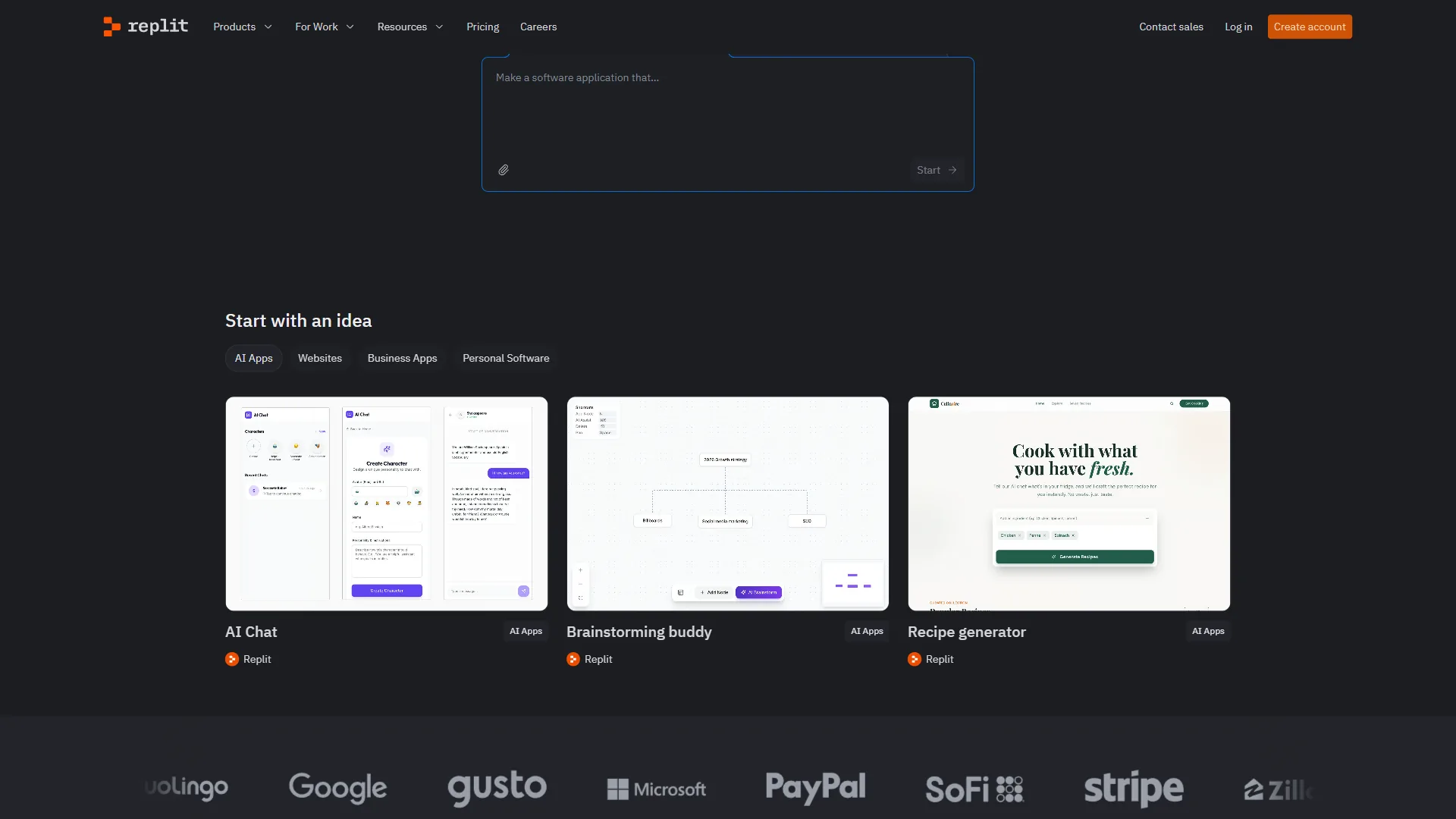
Replit has been around since 2016 as a browser-based coding environment, and it’s gone through a significant transformation in recent years. The addition of Replit Agent 3 - an autonomous AI coding agent capable of building full applications from natural language - has moved it from a learning tool to a serious development platform.
The core proposition is different from Cursor’s. Replit doesn’t ask you to maintain a local development environment, manage dependencies, or configure deployment infrastructure. You open a browser, describe what you want to build, and Replit handles the rest - including deploying it to a live URL with SSL.
How Replit’s AI Works
Replit Agent 3 is the flagship AI feature, documented on the Replit Agent docs. Tell it in plain English what application you want - “build a web app where users can upload CSV files and see charts of the data” - and Agent 3 writes the code, installs dependencies, runs the application, tests it, and fixes errors autonomously. It can operate for up to 200 minutes continuously, which means complex applications can be built without constant supervision.
What makes Agent 3 distinctive is the testing layer. Rather than just writing code and stopping, it navigates the application like a real user, records video replays of issues it finds, and enters a self-correction loop to fix problems before surfacing them to you. This closed-loop testing model produces better results than agents that simply hand you untested code.
300+ AI Models are available through Replit’s AI Integrations feature. Claude Sonnet 4.5 and Opus 4.5, GPT-4o, Gemini, Llama, Grok, Mistral - all accessible without API keys or account setup. The models work out of the box using Replit’s built-in credit system. For developers who want to experiment with different models for different tasks, this is remarkably convenient.
Real-time Collaboration works like Google Docs for code. Multiple people can edit simultaneously with shared cursors, execution environments, and integrated chat. This is substantially better than VS Code Live Share or most other editor-based collaboration solutions.
One-Click Deployment means your application has a live URL the moment you want it. No configuring a cloud provider, no setting up DNS, no managing SSL certificates. Replit handles all of it. For prototyping and demos, this is transformative.
Replit Pricing
Pricing verified April 2026 from Replit's pricing page:
- Starter: Contact sales (10 public apps, 2 GiB storage per app, 10 GiB outbound data transfer)
- $3 in AI credits to try Agent
- Basic workspace, up to 10 public apps
- 2 GiB storage per app
- Best for: Learning to code and small public projects
- Core: $20/user/mo annual ($25 monthly) (Unlimited apps, 50 GiB storage per app, 100 GiB outbound data transfer)
- Full Replit Agent 3 access (200 min autonomous runtime)
- $25 monthly AI credits (raised from $10 in early 2026)
- 4 vCPUs with 8 GiB RAM, unlimited private apps
- Best for: Solo developers wanting full Agent 3 access
- Teams: $35/user/mo annual ($40 monthly) (Per user, 250 GiB storage, 1 TB outbound data transfer)
- Everything in Core
- 8 vCPUs with 16 GiB RAM, $40 AI credits per user
- Centralized billing, RBAC, private deployments
- Best for: Small teams collaborating on shared apps
- Enterprise: Contact sales (Custom compute and storage)
- SSO/SAML and SCIM provisioning
- Custom infrastructure
- Dedicated support
- Best for: Organizations with compliance and scale needs
The free Starter tier is more useful than Cursor’s free tier - $3 in AI credits isn’t much, but the basic environment works without any AI for simple projects. Core at $25 per month is the right entry point for developers who want full Agent 3 access.
Who Replit Is Best For
Replit’s browser-based, zero-setup approach makes it the fastest path from idea to running application. It genuinely excels for:
- Learning to code - Instant environment, no local setup, AI that explains as it builds
- Rapid prototyping - Go from idea to deployed prototype in under an hour
- Non-technical teams building internal tools - Marketing and operations teams can create useful applications without engineering dependencies
- Demonstrations and sharing - Every project has a live URL that anyone can visit
- Multiplayer development - Real-time collaboration that’s genuinely seamless
- Students and educators - The free tier works well for coursework, no installation required
Where Replit shows limitations: it’s not ideal for large production applications requiring dedicated infrastructure, enterprises with strict compliance requirements, or developers who need deep local tooling, custom development containers, or existing Git provider integrations beyond GitHub. For more options, browse our best Replit alternatives.
Replit Agent vs Cursor Composer: The Core AI Comparison
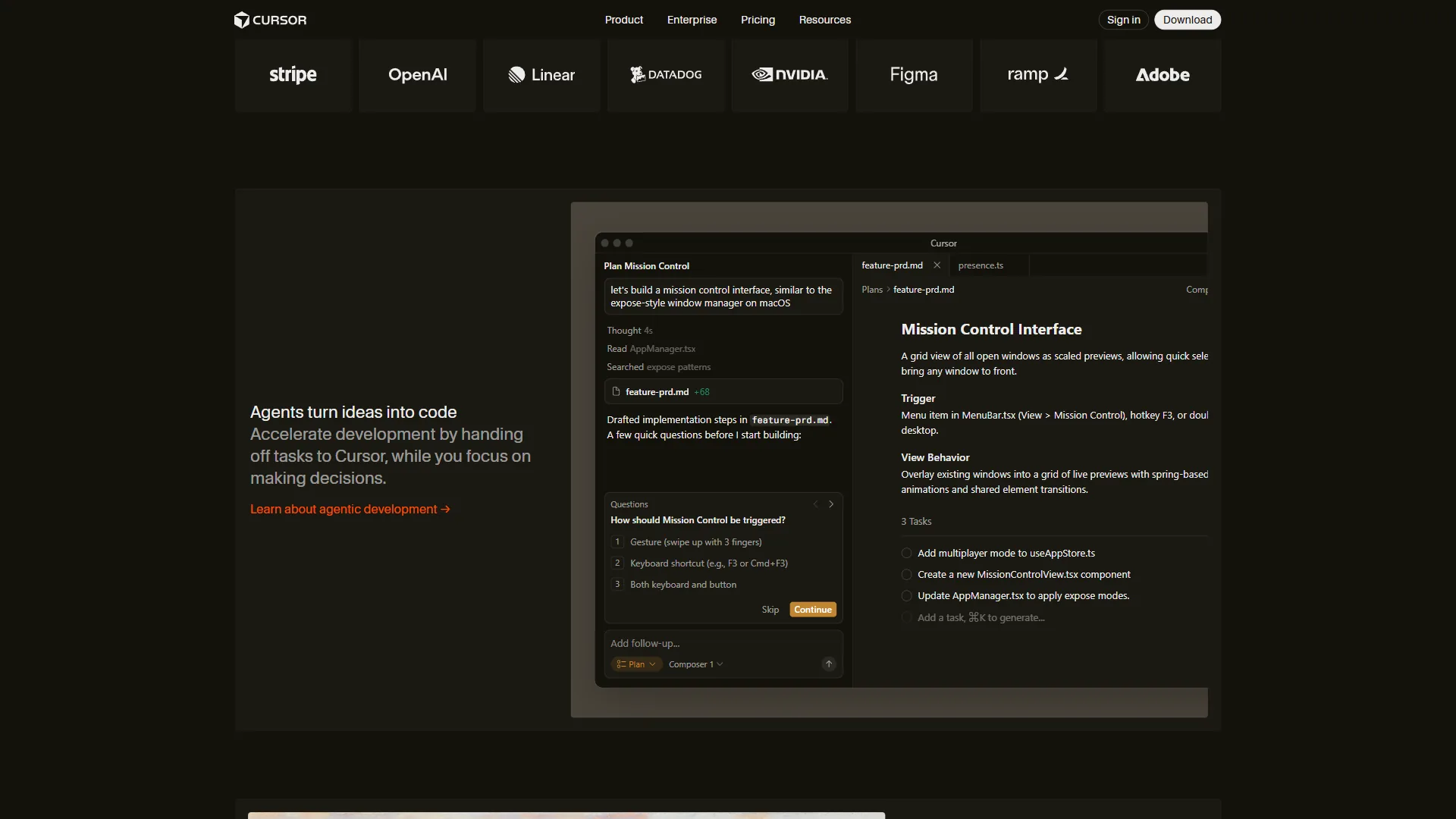
The most meaningful comparison in the cursor vs replit debate is between their flagship AI features: Replit Agent 3 and Cursor Composer. They both use AI to build and modify code, but they approach the problem differently.
Replit Agent 3 is optimized for building from scratch. Give it a natural language description of an application, and it will produce something working and deployed. It’s best when you’re starting something new and want the AI to do the heavy lifting from step one.
Cursor Composer is optimized for working within existing code. It understands your current codebase, generates changes that fit your architecture, and makes coordinated edits across files in a way that integrates cleanly. It’s best when you’re adding to, modifying, or refactoring something that already exists.
The practical implication: if you’re starting a greenfield project and want to see what AI can build with minimal input, Replit Agent 3 will impress you. If you’re working on an existing production codebase and need AI that understands your patterns and generates code that fits, Cursor Composer is stronger.
Neither Agent 3 nor Composer eliminates the need for developer judgment. Both will make mistakes, generate code that needs review, and occasionally misunderstand requirements. The developer’s role shifts from writing all the code to directing, reviewing, and iterating with an AI collaborator.
Limitations and tradeoffs to weigh: Replit Agent 3’s biggest drawbacks are runaway credit consumption on long autonomous runs and the lack of insight into what it changed mid-loop, which makes audits painful for production work. Cursor Composer’s downsides are slower performance on very large monorepos, occasional hallucinated imports, and the fact that it inherits whatever bad patterns already exist in your codebase rather than improving them. Skip Agent 3 if you need predictable, reviewable diffs every step; skip Composer if your codebase is empty and you want the AI to scaffold from scratch.
Feature-by-Feature Breakdown
Code Quality and AI Accuracy
For inline completions: Cursor’s tab completion is more refined for professional development, with higher acceptance rates and better context awareness within complex codebases. Replit’s completions are solid but optimized more for the learning use case.
For agent-built code: Replit Agent 3’s self-testing loop produces more complete, working applications from scratch. Cursor Composer produces code that fits better into existing architectures.
Verdict: Cursor wins for professional development. Replit wins for new application generation.
Development Environment
Cursor gives you a full local development environment - your file system, your terminal, your Git client, your Docker setup. Nothing changes except you have AI assistance layered in.
Replit gives you a containerized cloud environment with browser-based file access, an integrated terminal, and automatic resource provisioning. Nothing needs to be installed locally.
Verdict: Depends entirely on your preference. Local development gives you more control; browser-based development gives you less to manage.
Deployment
Cursor has no deployment capability. You use whatever deployment workflow you already have - Vercel, AWS, GitHub Actions, whatever. This is a non-issue for experienced developers; they wouldn’t want Cursor managing their deployments anyway.
Replit’s one-click deployment is a genuine differentiator. Projects can be live in seconds with automatic SSL and domain routing. For prototypes, demos, and side projects, this removes significant friction.
Verdict: Replit wins decisively on deployment simplicity.
Collaboration
Cursor’s collaborative development story is limited to standard Git workflows and VS Code Live Share, which requires setup and typically involves asynchronous rather than real-time collaboration.
Replit’s real-time multiplayer editing is seamless and built-in. Multiple developers can work simultaneously with shared cursors and execution environments.
Verdict: Replit wins on collaboration.
Privacy and Security
Cursor processes your code locally, with AI queries going to Cursor’s servers (and ultimately to underlying model providers). Business and Teams tiers include privacy controls. Code stays on your machine by default.
Replit is entirely cloud-based, meaning your code lives on Replit’s infrastructure. This is a non-issue for most use cases but relevant for organizations with data residency requirements or proprietary code that cannot leave internal infrastructure.
Verdict: Cursor wins for privacy-sensitive work.
Learning Curve
Cursor requires almost zero learning for VS Code users - the UI is identical. Understanding Composer’s full capabilities takes time, but the basic Tab completion works immediately.
Replit has a minimal learning curve because the environment is so simplified. Agent 3 is particularly accessible - describe what you want in plain English and iterate.
Verdict: Tie for different audiences. Cursor easier for experienced VS Code developers; Replit easier for beginners. Compare against more entrants in our Cursor vs Windsurf and Cursor vs GitHub Copilot breakdowns.
Pricing Comparison
| Plan | Cursor | Replit |
|---|---|---|
| Free | Hobby (very limited) | Starter ($3 AI credits) |
| Entry Paid | Pro - $20/month | Core - $25/month |
| Mid Tier | Pro+ - $60/month | Teams - $40/user/month |
| Teams | $40/user/month | $40/user/month |
| Power User | Ultra - $200/month | Enterprise (custom) |
The monthly costs at the entry paid tier are similar - $20 for Cursor Pro vs $25 for Replit Core. The key differences are in what you get: Cursor Pro gives you $20 in API credits (which can deplete with heavy Composer use), while Replit Core gives you $25 in AI credits plus built-in deployment and 4 vCPUs of compute.
For developers who would otherwise need to pay separately for hosting, Replit Core’s all-in pricing can be more economical. For developers who just want AI-enhanced editing without hosting needs, Cursor Pro at $20 per month is slightly cheaper. The official Replit pricing page details current credit allowances and tier limits.
Choose Cursor if You Want Local IDE Depth, or Replit if You Want Browser-First Speed
Choose Cursor if you:
- Are an experienced developer with an existing codebase you’re actively maintaining
- Already use VS Code and want a zero-friction upgrade
- Do complex multi-file refactoring and need AI that understands your architecture
- Work on private, proprietary code that needs to stay on your local machine
- Need deep integration with your existing local development tools, Docker, custom Git workflows
- Are a professional developer billing by the hour who wants a tool that amplifies your existing skill
Choose Replit if you:
- Are learning to code and want the fastest path to writing and running real programs
- Are building prototypes and need to share a live URL within an hour
- Work on a team that needs real-time collaboration without setup
- Are a non-technical founder or maker who wants to build internal tools without a development background
- Don’t want to manage local environment setup, dependencies, or deployment infrastructure
- Are a student, educator, or hobbyist who values accessibility over power-user features
The Case for Using Both
Many developers use both tools for different contexts: Cursor for serious professional work on production codebases, Replit for quick experiments, demos, and sharing prototypes with non-technical stakeholders. The $45 per month combined cost ($20 Cursor Pro + $25 Replit Core) is reasonable if you’re getting value from both.
A practical pattern: prototype something in Replit to validate the idea and get a shareable URL quickly, then rebuild it in Cursor when it’s ready for production. Replit for speed; Cursor for depth. For more on AI pair programming, see our AI pair programming guide.
The Bottom Line
The cursor vs replit decision comes down to where you are in your development journey and what kind of work you’re primarily doing.
Cursor is the better tool for professional developers who want to amplify an existing VS Code workflow with serious AI-assisted editing capabilities. The Composer feature for multi-file editing is genuinely transformative for complex codebase work, and the Tab completion quality is the best in the local IDE category.
Replit is the better tool for anyone whose primary need is getting from idea to working, deployed application as quickly as possible. The combination of Agent 3’s autonomous building, real-time collaboration, and one-click deployment removes more friction than any other tool in this category.
If you’re an experienced developer maintaining production codebases, start with Cursor. If you’re learning, prototyping, or building tools you need deployed immediately, start with Replit.
FAQ
Q: Is there a better option than Cursor?
For agent-built code: Replit Agent 3’s self-testing loop produces more complete, working applications from scratch. Cursor Composer produces code that fits better into existing architectures.
Q: What is the main difference between Cursor and Replit?
Cursor is a desktop IDE built as a fork of VS Code that bakes AI deeply into the local development experience. Replit is a browser-based platform that lets you write, run, and deploy code without touching your local machine. Cursor amplifies existing developer workflows, while Replit removes setup friction to get from idea to deployed app fast.
Q: Who should use Cursor vs Replit?
Cursor is optimized for developers with existing codebases and workflows who want AI to amplify what they already do. Replit is optimized for getting from idea to running application as fast as possible, with minimal friction. Professional devs with local toolchains tend to pick Cursor, while learners, prototypers, and non-technical teams lean toward Replit.
Q: Are Cursor and Replit actually used by professional developers?
Yes. According to Stack Overflow’s 2024 Developer Survey, AI coding tools are used by over 62% of professional developers, with adoption growing fastest among early-career engineers. Cursor’s own data shows developers accept AI-suggested completions more than 40% of the time when the tool has full codebase context, which is significantly higher than generic completion tools.
Related Reading
- Lovable vs Cursor
- Aider vs Cursor
- Warp vs Cursor
- Cursor - Full Cursor review with pricing, ratings, and AI coding features
- Replit - Full Replit review with Agent capabilities and deployment features
- Claude - AI assistant powering Cursor’s Pro+ tier models
- Vercel - Deployment platform commonly paired with Cursor workflows
- GitHub - Version control and Actions integration for both platforms