


Linear vs Asana is a comparison of two project management tools with fundamentally different philosophies - Linear is built by engineers for developer speed, offering native GitHub sync and cycle-based sprint tracking starting at $8 per user per month, while Asana is a cross-functional platform serving engineering alongside product and operations teams from $13.49 per user.
An engineering-focused comparison of Linear vs Asana covering sprint workflows, GitHub integration, API experience, and team scaling from 5 to 500 developers.
The linear vs asana engineering teams debate - and the broader Linear Asana comparison across all organization types - surfaces every time a growing startup needs to pick a project tracker for their developers. And these two tools represent genuinely different philosophies about how software teams should manage work.
Linear was built by engineers who wanted issue tracking as fast as their code editor - framing the Linear app vs broader work management tools reveals a deliberate design choice. Asana was built as a cross-functional work management platform that happens to serve engineering teams among many other departments. That difference in DNA shows up in every feature, every workflow, and every daily interaction. Asana’s Anatomy of Work report backs up why so many teams want a shared platform across departments.
Comparing engineering sprints on both platforms and in linear vs jira evaluations - from small startup squads to coordinated multi-team releases - the right choice depends on three things: your team size, whether engineering operates independently or alongside non-technical teams, and how much you value raw speed versus organizational breadth.
This linear vs asana engineering teams guide breaks down every angle that matters for development workflows.
Quick Verdict: Linear vs Asana Comparison Table
| Factor | Linear | Asana |
|---|---|---|
| Rating | ||
| Free Tier | Unlimited members, 250 issues | Up to 10 users, basic views |
| Paid Starting Price | $8/user/mo (Standard) | Around $13.49/user/mo (Starter) |
| Sprint Management | Cycles with velocity tracking | Sprints via board rules + timeline |
| GitHub Integration | Native bi-directional PR sync | Via integration (one-directional) |
| API | GraphQL API, webhooks | REST API, webhooks |
| Keyboard Shortcuts | Extensive, keyboard-first design | Available but mouse-oriented |
| Cross-Team Visibility | Engineering-focused views | Portfolios, goals, workload views |
| AI Features | AI triage, summaries (Standard+) | AI Studio, AI Teammates (paid tiers) |
| Best For | Dev teams wanting speed and focus | Cross-functional orgs with eng teams |
Quick Verdict
Choose Linear if your engineering team operates mostly independently and values speed above everything else. Linear loads instantly, keeps developers in flow with keyboard navigation, and treats sprint management as a first-class feature. It is the better choice for startups, pure engineering teams, and anyone who wants issue tracking that feels as fast as their IDE.
Choose Asana if your engineering team collaborates heavily with product, design, marketing, or operations. Asana’s portfolio views, goals tracking, and workload management give leadership visibility across every department - not just engineering. It is the better choice for organizations where engineering is one of several teams that need to coordinate through the same tool.
What Is Linear?
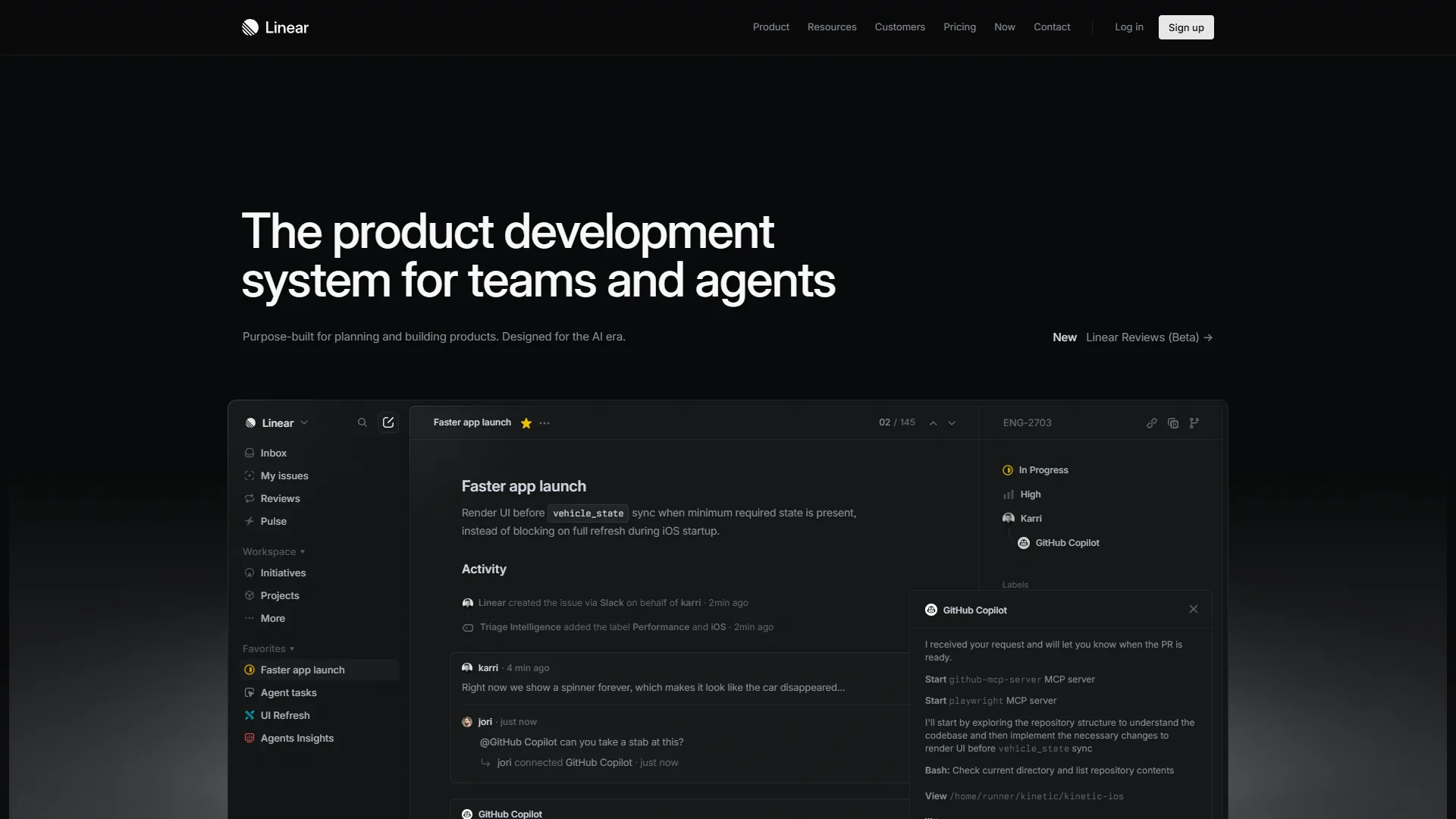
Linear is a modern issue tracking tool founded in 2019 by a team that grew frustrated with how slow existing project management software had become. It has quickly become the default tracker for high-velocity engineering teams at companies like OpenAI, Ramp, Vercel, and Retool. The fastest-growing dev teams - the kind GitHub spotlights in its Octoverse report - skew heavily toward keyboard-first tooling like this.
The core pitch is simple: issue tracking should never be the bottleneck in your development workflow. Linear delivers on this with sub-second page loads, real-time sync, and keyboard shortcuts for virtually every action. You can create an issue, assign it, set priority, add labels, and move it into a cycle without touching the mouse.
For engineering teams specifically, Linear’s standout features include Cycles (their sprint implementation), native GitHub and GitLab integration with bi-directional PR sync, a triage workflow that routes incoming bugs automatically, and sub-issues for breaking down complex work.
Key strengths for engineering:
- Sub-second page loads that genuinely feel twice as fast as any competitor
- Keyboard-first navigation designed for developers who live in terminals
- Native GitHub integration with automatic issue-PR linking and status sync
- Cycles with built-in velocity tracking and burndown charts
- GraphQL API for custom integrations and automation
Notable limitations:
- No native mobile apps (mobile web only)
- Limited cross-functional visibility compared to Asana
- Free tier capped at 250 active issues. Our Linear pricing breakdown walks through where the cap pinches teams
- Fewer integrations outside the core developer tool stack
What Is Asana?
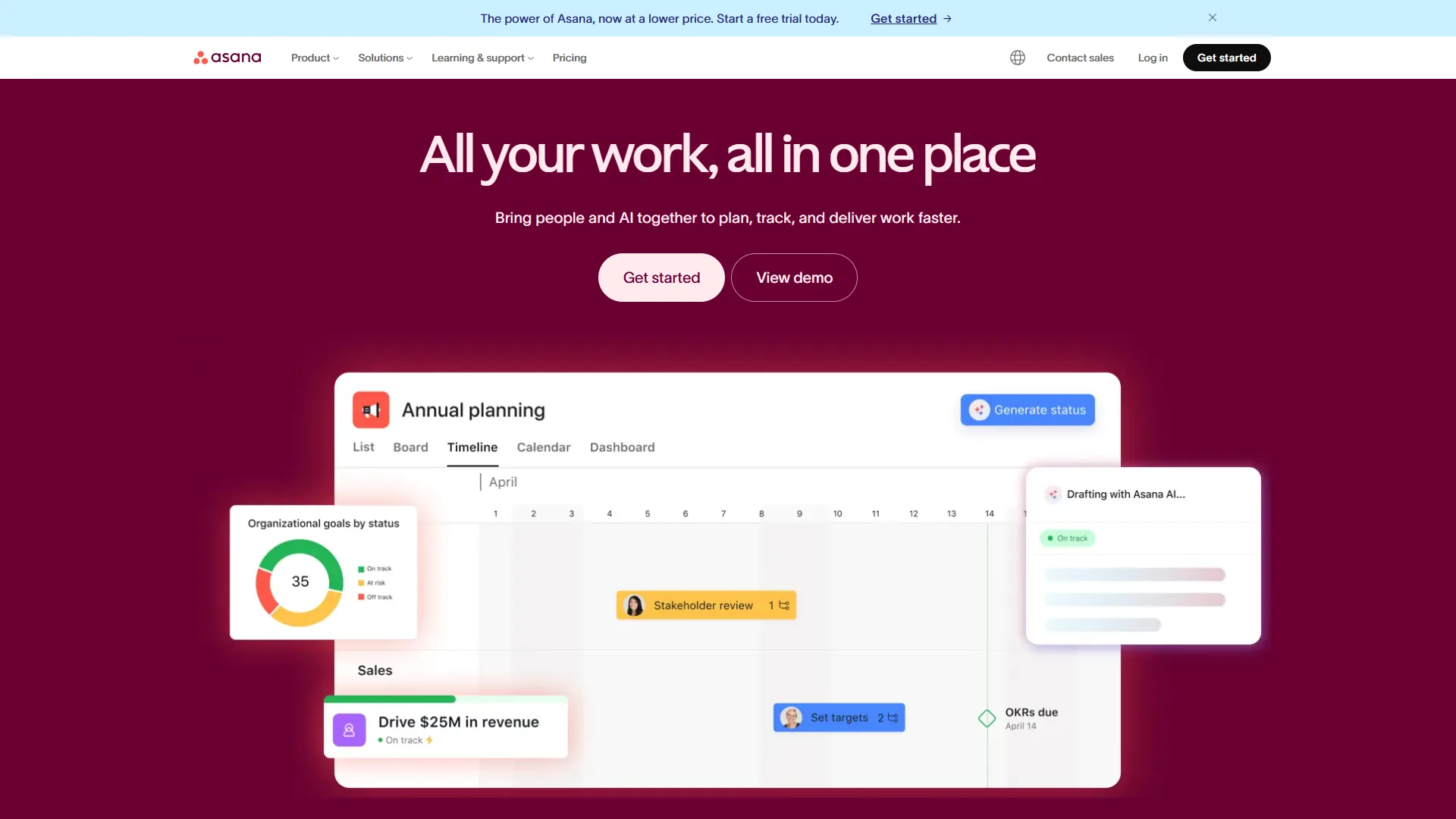
Asana is a work management platform founded in 2008 by Facebook co-founder Dustin Moskovitz. With over 150,000 paying organizations and millions of users, it has earned its reputation as the cross-functional project management standard.
What sets Asana apart for engineering teams is not raw speed - it is organizational breadth. Asana gives you six different project views (list, board, timeline, calendar, Gantt, and dashboard), portfolio management for tracking multiple projects at once, goals that cascade from company objectives down to individual tasks, and workload views that prevent burnout by visualizing capacity across team members.
In 2026, Asana’s AI Studio - available on all paid tiers - lets teams build no-code workflows using natural language. The beta AI Teammates feature takes this further with collaborative AI agents that handle task routing, status updates, and cross-project coordination.
Key strengths for engineering:
- Six project views that adapt to different workflows (sprint boards, timelines, dashboards)
- Portfolios for tracking multiple engineering projects simultaneously
- Goals that connect engineering work to company-level OKRs
- AI Studio automation included on all paid tiers
- 200+ integrations including Slack, GitHub, Jira, and CI/CD tools
Notable limitations:
- Noticeably slower than Linear in daily use
- GitHub integration is less deep than Linear’s native implementation
- No built-in sprint/cycle management (requires board configuration). The Asana competitors roundup lists alternatives that ship native sprints
- Time tracking only on Advanced tier (around $30.49 per user/mo)
Feature-by-Feature: Sprint Workflow
This is where the linear vs asana engineering teams choice gets practical. How each tool handles sprint planning, execution, and retrospectives differs fundamentally. Teams tracking DORA metrics research care most about cycle time and deploy frequency, which both tools surface differently.
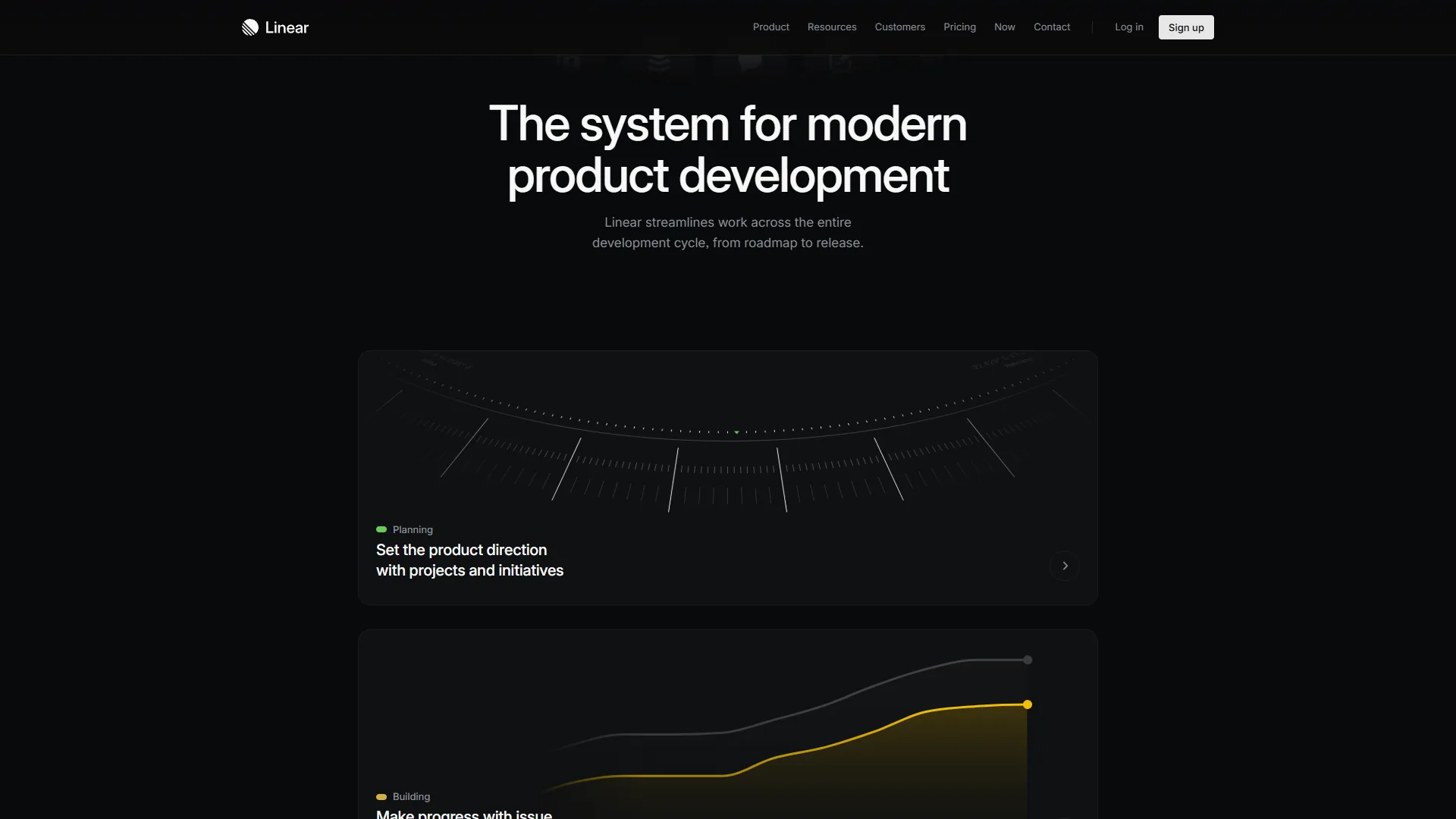
Linear: Cycles as a First-Class Feature
Linear treats sprint management as a core feature, not an afterthought. Cycles are built directly into the product:
- Create a cycle with a fixed duration (1 week, 2 weeks, or custom) using a keyboard shortcut
- Add issues by dragging from the backlog or using scope filters
- Track progress with real-time burndown charts and velocity metrics
- Auto-archive completed cycles and carry over unfinished work
- View history across past cycles to identify patterns and improve estimation
The entire flow takes seconds. Press Shift+C to create a cycle, use Cmd+Shift+A to add issues, and the burndown chart updates in real time. For a team running two-week sprints, the overhead of managing cycles in Linear is essentially zero.
Linear also supports project-level roadmaps for longer-term planning. You can group issues into projects, set target dates, and track progress across multiple cycles. This maps cleanly to how most engineering teams think about quarterly planning. The official Linear Method handbook documents the cycle and project structure.
Asana: Sprints Through Configuration
Asana does not have a dedicated sprint feature. Instead, you build sprint workflows using board views, custom fields, and automation rules:
- Create a project with board view and add columns for sprint stages (Backlog, Sprint, In Progress, Review, Done)
- Use custom fields for sprint numbers, story points, and priority
- Set up rules to auto-assign tasks, move them between stages, and notify team members
- Use timeline view for dependency tracking and release planning
- Build dashboards to visualize sprint progress and team velocity
This approach works, but it requires upfront configuration that Linear handles out of the box. The advantage is flexibility - you can model any sprint variation you want. The disadvantage is that every team has to build and maintain their own sprint system, and there is no built-in velocity tracking or burndown chart without third-party integrations or manual dashboard setup.
Winner: Linear for sprint management. Cycles are purpose-built for engineering workflows and require zero configuration. Asana can replicate the workflow, but it takes setup time and never feels as integrated. The Asana vs ClickUp 2026 comparison shows where Asana’s flexibility shines for non-engineering teams.
GitHub and Git Integration
For engineering teams, how a project tracker connects to your codebase is not optional - it is essential. This is one of the most significant differentiators in the linear vs asana engineering teams comparison.
Linear: Deep, Bi-Directional Git Integration
Linear’s GitHub and GitLab integration, documented in their integrations guide, is native and bi-directional:
- Automatic branch creation - Click an issue and Linear generates a branch name following your team’s convention
- PR linking - Pull requests automatically link to Linear issues based on branch names or issue IDs in commit messages
- Status sync - When a PR merges, the linked issue moves to “Done” automatically
- Review tracking - PR review status reflects in the issue view so you can see blockers at a glance
- Multiple repo support - Connect multiple GitHub repositories to a single Linear workspace
This integration means developers rarely need to manually update issue status. The issue tracker stays in sync with the actual codebase, reducing the “forgot to update the ticket” problem that plagues most engineering teams.
Linear also provides a GraphQL API that developers consistently praise for its clean design, comprehensive documentation, and predictable behavior. Building custom integrations - CI/CD status reporting, deploy notifications, or custom dashboards - is straightforward. If your team uses AI coding tools alongside Linear, our GitHub Copilot vs Cursor comparison covers how those tools integrate with Git-based workflows.
Asana: Functional but Surface-Level Git Integration
Asana’s GitHub integration exists but operates at a shallower level:
- PR references - Pull requests can reference Asana tasks using task URLs in PR descriptions
- Status updates - GitHub Actions or third-party connectors can update task status on merge
- Comment sync - PR comments can be forwarded to Asana tasks
- No automatic branch creation from tasks
- No bi-directional sync without additional tooling like Zapier or custom webhooks
Asana’s REST API is well-documented and functional, but developers typically describe it as less elegant than Linear’s GraphQL approach. Building the same level of Git integration that Linear provides natively requires custom development or third-party automation.
Winner: Linear, decisively. The native bi-directional GitHub integration alone is worth the comparison for many engineering teams. Asana’s integration works but requires more effort to achieve similar results. GitHub’s official Issues documentation details the linking mechanics that Linear leverages.
Limitations and tradeoffs to weigh: Linear’s GitHub integration has its own drawbacks - it assumes a single primary GitHub org, and bi-directional sync can create noisy notifications on busy repos. Asana’s integration is shallower but works fine if your team treats Git and tickets as separate worlds. Skip Linear’s deep sync if your team uses GitLab self-hosted or pushes to multiple disconnected GitHub orgs; the integration drops back to manual linking in those cases.
Tier-by-Tier Team Scaling: 5, 50, and 500 Engineers
How each tool handles growth matters because switching project trackers at scale is painful and expensive.
Small Teams (5-15 Engineers)
At this size, both tools work well, but Linear has a clear edge.
Linear at this scale is essentially free or very cheap. The free tier supports unlimited members with up to 250 active issues - more than enough for a small team. The Standard plan at $8 per user/month adds AI features, unlimited issues, and cycle planning. For a 10-person team, that is $80 per month. The full breakdown lives on the Linear pricing page.
Asana caps the free tier at 10 users with limited views and no automation. The Starter plan at around $13.49 per user/month gives you timeline views and basic automation. For a 10-person team, that is around $135 per month - nearly double Linear’s cost with fewer engineering-specific features.
Recommendation: Linear. Lower cost, faster interface, better developer experience at this scale. The Linear alternatives roundup lists the most common substitutes if Linear ever stops fitting.
Mid-Size Teams (50-100 Engineers)
This is where the comparison gets more nuanced.
Linear handles 50-100 engineers with its team and project organization. Multiple teams can each run independent cycles while sharing a unified backlog. The Plus plan at $14 per user/month adds analytics (Linear Insights), guest accounts for external collaborators, and integrations with customer support tools. For 50 engineers, that is $700 per month.
Asana starts to show its cross-functional strengths at this scale. Portfolios let engineering managers track 10-15 active projects simultaneously. Goals connect engineering work to company objectives. Workload views prevent over-allocation during crunch periods. The Advanced plan at around $30.49 per user/month adds custom fields, approvals, and advanced reporting. For 50 engineers, that is around $1,525/month.
The cost difference is significant - around $825 per month, or around $9,900/year. But if your engineering team collaborates closely with product, design, and marketing teams who also need project visibility, Asana’s cross-functional capabilities can justify the premium.
Recommendation: Linear if engineering operates independently. Asana if engineering is tightly integrated with non-technical teams. The ClickUp vs Asana breakdown explores another common cross-functional choice.
Large Teams (200-500+ Engineers)
At enterprise scale, different factors dominate.
Linear can technically handle large teams, but it starts hitting limitations around enterprise governance. Custom roles and permissions, audit logging, SCIM provisioning, and compliance certifications require the Enterprise plan (custom pricing). Linear’s opinionated design - which is a strength at smaller scales - can feel restrictive when different engineering groups need different workflows.
Asana was designed for this scale from the ground up. Enterprise features include organization-wide admin controls, custom branding, data export APIs, SAML SSO, and SCIM user provisioning. The portfolio and goals features become essential for VP-level visibility across hundreds of projects. Asana also integrates with enterprise tools like ServiceNow, Salesforce, and Workday that large organizations typically require.
Recommendation: Asana for 200+ engineer organizations, especially those with cross-functional coordination needs. Linear if you have a smaller engineering-only operation within a larger company and can justify a separate tool. The AI impact on software engineering teams post covers what changes when teams scale past 200.
API and Developer Experience
Engineering teams care about APIs because they build custom tooling around their project tracker. This is another area where the linear vs asana engineering teams comparison reveals meaningful differences.
Linear API
- GraphQL - Single endpoint, query exactly the data you need
- Real-time webhooks - Push notifications for issue changes, cycle updates, and team events
- SDK - Official TypeScript SDK with full type safety
- Documentation - Clean, interactive API explorer
- Rate limits - Generous limits suitable for CI/CD integration
Developers consistently describe Linear’s API as one of the best they have worked with. The GraphQL schema is well-designed, the documentation includes working examples, and the TypeScript SDK means you get autocomplete and type checking out of the box.
Asana API
- REST - Traditional REST endpoints with comprehensive coverage
- Webhooks - Event-based notifications for task and project changes
- SDKs - Official libraries for Python, JavaScript, Java, Ruby, and PHP
- Documentation - Detailed reference with code samples
- Rate limits - Standard rate limiting with burst allowance
Asana’s REST API covers everything, and the multi-language SDK support is broader than Linear’s TypeScript-only approach. But developers who have used both typically prefer Linear’s GraphQL approach for its efficiency - you get exactly the data you need in a single request instead of making multiple REST calls and filtering client-side. Asana’s official API overview documents the SDK matrix.
Winner: Linear for API elegance and developer experience. Asana for breadth of SDK language support. The official GraphQL specification documents why single-endpoint queries beat REST round-trips.
API limitations and who they’ll bother: Linear’s GraphQL-only approach is a real drawback if your stack is built around Python or Ruby - the official SDK is TypeScript-first, so other languages mean hand-rolled HTTP. Asana’s REST API is verbose and chatty, and rate limits bite earlier than Linear’s. Skip Linear’s API if your team writes mostly Python automations and you don’t want to own the SDK; skip Asana’s API if you need real-time, single-query data fetching.
AI Features for Engineering Workflows

Both platforms have invested heavily in AI, but their implementations target different problems.
Linear AI (Standard plan, $8 per user/mo)
- AI Issue Triage - Automatically routes bugs to the right team based on content analysis
- AI Summarization - Generates summaries of long issue discussion threads
- Smart Project Suggestions - Recommends prioritization based on team patterns
- Workflow Automation - AI-assisted rules that learn from your team’s behavior
Linear’s AI is focused and practical - it reduces the manual work of issue management without adding interface complexity. For a wider lens on this category, see the best AI project management tools 2026 roundup.
Asana AI (All paid tiers)
- AI Studio - No-code workflow builder using natural language prompts
- AI Teammates (beta) - Collaborative AI agents for task routing and status management
- Smart Summaries - AI-generated project and task summaries
- Smart Search - Semantic and multilingual search across all projects
- Smart Workflow Gallery - Pre-built AI workflow templates
Asana’s AI layer is broader and more ambitious. AI Studio alone - available on the Starter tier - lets you create automations by describing what you want in plain English. For engineering managers who need to set up sprint notifications, escalation rules, or cross-team handoff workflows, this is genuinely faster than writing automation rules manually.
| AI Feature | Linear (Standard $8/mo) | Asana (Starter around $13.49/mo) |
|---|---|---|
| Issue Triage | Included | Via AI Studio rules |
| Summarization | Included | Included |
| Natural Language Automation | Not available | AI Studio |
| AI Agents | Not available | AI Teammates (beta) |
| Smart Search | Basic search | Semantic + multilingual |
Winner: Asana for AI breadth and cross-functional automation. Linear for focused, engineering-specific AI features at a lower price point. The Trello vs Asana 2026 comparison shows another lens on Asana’s automation toolkit.
AI limitations and tradeoffs: Asana AI Studio is broad but the AI Teammates feature is still in beta - it’s not for teams that need rock-solid production agents today. Linear’s AI is narrow by design; if you want generative project plans or natural-language workflow building, Linear lacks those. Skip Asana AI if you only need engineering-focused triage and summaries; skip Linear AI if you want cross-functional automation across product, ops, and engineering.
Pricing Comparison for Engineering Teams
Here is what each tool costs at common engineering team sizes:
Linear Pricing
| Tier | Monthly Cost | Engineering-Relevant Features |
|---|---|---|
| Free | $0 | Unlimited members, 250 issues, GitHub integration |
| Standard | $8/user/mo | Unlimited issues, AI features, Cycles, multiple teams |
| Plus | $14/user/mo | Linear Insights analytics, guest accounts, Zendesk integration |
| Enterprise | Custom | SSO, SCIM, audit logs, custom security reviews |
Asana Pricing
| Tier | Monthly Cost | Engineering-Relevant Features |
|---|---|---|
| Personal | $0 | Up to 10 users, list and board views, calendar |
| Starter | Around $13.49/user/mo | Timeline, AI Studio, 250 automations/month |
| Advanced | Around $30.49/user/mo | Portfolios, goals, custom fields, approvals, 25K automations |
| Enterprise | Custom | SAML SSO, SCIM, data export, custom branding |
Cost Comparison at Scale
| Team Size | Linear Standard | Asana Starter | Linear Plus | Asana Advanced |
|---|---|---|---|---|
| 10 engineers | $80/mo | Around $135/mo | $140/mo | Around $305/mo |
| 25 engineers | $200/mo | Around $337/mo | $350/mo | Around $762/mo |
| 50 engineers | $400/mo | Around $675/mo | $700/mo | Around $1,525/mo |
| 100 engineers | $800/mo | Around $1,349/mo | $1,400/mo | Around $3,049/mo |
At every tier and team size, Linear costs significantly less. For a 50-engineer team, the annual difference between Linear Standard and Asana Starter is around $3,300. Between Linear Plus and Asana Advanced, the gap widens to around $9,900 per year.
But software cost is only part of the equation. Asana’s cross-functional capabilities may eliminate the need for a separate tool for product and design teams. If choosing Asana means one fewer SaaS subscription across the organization, the total cost of ownership calculation shifts. Asana’s official pricing page documents which capabilities ship at each tier.
Migration and Switching Costs
Switching project trackers mid-stream is disruptive. Plan accordingly:
Linear to Asana: Less common, but happens when engineering teams join larger organizations standardized on Asana. Asana’s CSV import handles basic data migration. The main challenge is reconstructing sprint workflows since Asana does not have native cycle management. Budget one to two weeks for migration plus workflow configuration.
Asana to Linear: More common as engineering teams seek faster, more developer-focused tooling. Linear offers importers for Asana, Jira, GitHub Issues, and other platforms. Most teams complete the migration in a day or two. The cultural adjustment - accepting Linear’s opinionated constraints after Asana’s flexibility - takes longer but most developers welcome the simplicity. Linear documents the move in its official import guide.
The hybrid approach: Some organizations run Linear for engineering and Asana for product/marketing/operations. This works but adds coordination overhead. Use Zapier or a custom webhook integration to sync critical milestones between platforms. The setup takes a few hours but saves daily manual syncing. For a broader look at project management options beyond these two, see our best AI project management tools 2026 roundup. The linear-vs-jira-2026 head-to-head covers another popular alternative for engineering-led shops.
Migration limitations and downsides: Both directions lose data. Asana-to-Linear drops portfolios, goals, and most custom fields - Linear’s flatter model has no equivalent. Linear-to-Asana loses cycle history, velocity charts, and Linear-specific shortcuts your team has muscle-memorized. Skip a migration entirely if your team is shipping reliably; the productivity hit during the cutover is a real drawback that often outweighs the feature delta.
Choose Linear if Your Engineering Team…
Linear is the right choice for engineering teams that:
- Prioritize developer experience - The keyboard-first design, sub-second loads, and clean interface keep developers in flow state rather than fighting their tools
- Need native Git integration - Bi-directional GitHub/GitLab sync with automatic branch creation and PR status tracking eliminates manual ticket updates
- Run lightweight sprints - Cycles provide built-in sprint management without configuration overhead
- Want lower costs - Significant savings at every team size, especially for pure engineering teams
- Have fewer than 200 engineers - Linear handles this scale well without enterprise governance concerns
- Operate independently from non-technical teams - If engineering does not need to share a PM tool with marketing or operations, Linear’s focused design is an advantage
Choose Asana if Your Engineering Team…
Asana is the right choice for engineering teams that:
- Collaborate heavily with non-technical teams - Portfolios, goals, and workload views give every department visibility into engineering work without requiring a separate tool
- Need cross-functional project tracking - When product launches involve engineering, design, marketing, and sales, Asana coordinates all of them in one place
- Want AI-powered automation - AI Studio on all paid tiers lets managers build workflows using natural language, reducing manual project management overhead
- Scale beyond 200 engineers - Enterprise governance features, advanced reporting, and organizational admin controls handle large-scale operations
- Need timeline and dependency management - Asana’s timeline views and dependency tracking are best-in-class for release planning across multiple teams
- Require broad integrations - 200+ integrations cover enterprise tool stacks that Linear’s focused set may not reach
The Bottom Line
The linear vs asana engineering teams decision comes down to scope: are you choosing a tool for your engineering team, or for your entire organization?
Linear is the better choice for engineering teams that want the fastest, most developer-friendly issue tracker available. The speed is not marketing - it is measurable in every interaction. Native GitHub integration, built-in sprint management, and a GraphQL API that developers actually enjoy using make Linear the natural home for engineering work. At $8 per user/month for the Standard plan, it is also the more affordable option at every team size. Start with the Linear tool page for full pricing and feature details.
Asana is the better choice for organizations where engineering is one of several teams that need coordinated project management. Portfolio views, cascading goals, AI Studio automation, and workload management across departments justify the higher price when your engineering work does not exist in isolation. If your product launches involve coordinated efforts across engineering, design, marketing, and operations, Asana keeps everyone aligned without requiring separate tools. Explore the Asana tool page for detailed pricing and feature breakdowns.
The recommendation: if you are a startup or a pure engineering team under 100 people, start with Linear. It is free to try, takes minutes to set up, and your developers will notice the speed difference immediately. If you are part of a larger organization where cross-functional visibility matters more than raw developer UX, Asana is worth the investment - especially with AI Studio included on all paid tiers. The best Salesforce alternatives post is a useful companion if your stack also includes a CRM.
FAQ
Q: Is linear similar to Asana?
Winner: Linear, decisively. The native bi-directional GitHub integration alone is worth the comparison for many engineering teams. Asana’s integration works but requires more effort to achieve similar results.
Q: Is there anything better than Asana?
Asana’s REST API is well-documented and functional, but developers typically describe it as less elegant than Linear’s GraphQL approach. Building the same level of Git integration that Linear provides natively requires custom development or third-party automation.
Q: Is Asana a Chinese company?
Recommendation: Asana for 200+ engineer organizations, especially those with cross-functional coordination needs. Linear if you have a smaller engineering-only operation within a larger company and can justify a separate tool.
Related Reading
Tools covered in this article:
- Linear - Modern issue tracking for engineering teams
- Asana - Cross-functional work management platform
More project management and developer tool guides:
- Linear vs Jira 2026 - Linear and Jira compared for dev teams
- Trello vs Asana 2026 - Trello and Asana compared head-to-head
- Best Free Project Management Tools - Free PM tools for small teams
- Best Kanban Tools 2026 - Top kanban board tools compared
External Resources
- Linear - Official website
- Asana - Official website
- Linear API Documentation - GraphQL API reference
- Asana Developer Documentation - REST API reference