



Introduction
ActiveCampaign AI content generation is a built-in suite of tools that produces email copy, subject lines, images, full campaign drafts, translations, and A/B test variants from natural-language prompts. Wired directly to ActiveCampaign CRM data, the AI Campaign Builder generates ready-to-send emails within 15-20 seconds inside the editor.
ActiveCampaign AI Content Generation covers the strategies, tools, and workflows that deliver real productivity gains. This guide walks through the practical steps from initial setup through advanced optimization, with specific recommendations based on team size and budget.
ActiveCampaign AI content generation changes the way marketers build email campaigns. Instead of staring at a blank editor trying to write the perfect subject line or hero image, you describe what you need in plain language and the platform produces ready-to-send content in seconds. For teams sending dozens of campaigns per week, this eliminates the bottleneck that slows everything down - the actual writing and design.
ActiveCampaign now includes AI tools for generating email copy, subject lines, images, full campaign drafts, translations, and A/B test variants - all wired to your ActiveCampaign CRM data. These features are built directly into the email editor and campaign builder, so there is no need to bounce between ChatGPT, Canva, and your email platform. Everything happens in one workflow.
This guide covers every AI content generation feature in ActiveCampaign, from the AI Campaign Builder that creates complete emails from a single prompt to the image generator that produces on-brand visuals without a designer. You will learn which plans include these features, how to get the best results from each tool, and how to combine AI-generated content with automations for campaigns that scale.
When to Use ActiveCampaign AI Content Generation
Not every email needs AI-generated content. For high-stakes campaigns like product launches or major announcements, you should write and refine copy manually, treating the AI draft as an ActiveCampaign AI content generation review step. But for the bulk of routine marketing communication, ActiveCampaign AI content generation saves hours of work per week.
Best use cases:
- Weekly newsletters and promotional emails where you need competent copy fast, not Pulitzer-worthy prose
- A/B testing subject lines - generating 5 variants in seconds instead of brainstorming for 30 minutes
- Scaling content across segments - creating personalized copy variations for different audience groups
- Multilingual campaigns - translating campaigns into other languages while preserving tone and brand voice
- First drafts - starting with AI-generated copy and editing it rather than writing from scratch
- Image creation - producing hero images and section graphics without waiting on a designer
If your team sends fewer than 2-3 campaigns per month, the time savings are minimal. But once you are running weekly sends, automated sequences, and multi-segment campaigns, AI content generation becomes a genuine multiplier. The official AI Generated Content help article outlines how the system handles repeated regeneration and edit history.
Which Plan Do You Need for ActiveCampaign AI Content Generation?
ActiveCampaign’s AI content features are available across plans, but the depth varies. The AI Campaign Builder, AI email copy generation, and AI image creation are included starting on the Starter plan at $15/month. However, some advanced AI features - like predictive sending optimization and AI-powered win probability - require the Professional plan or higher.
Here is what you get at each tier:
| Field | Value |
|---|---|
| Starter ($15/month) | AI Campaign Builder, AI email copy, AI subject lines, AI image generation |
| Plus ($49/month) | Everything in Starter, plus CRM integration with AI content |
| Professional ($149/month) | Everything in Plus, plus predictive sending, split automations, and AI win probability |
| Enterprise (custom pricing) | All AI features with dedicated support and custom AI training |
For most marketers focused on AI content generation, the Starter or Plus plan covers the core features. After ActiveCampaign sign-up, check the pricing page for current rates based on your contact count, or compare against alternatives in our best email marketing platforms 2026 roundup.
AI Campaign Builder: Prompt to Campaign
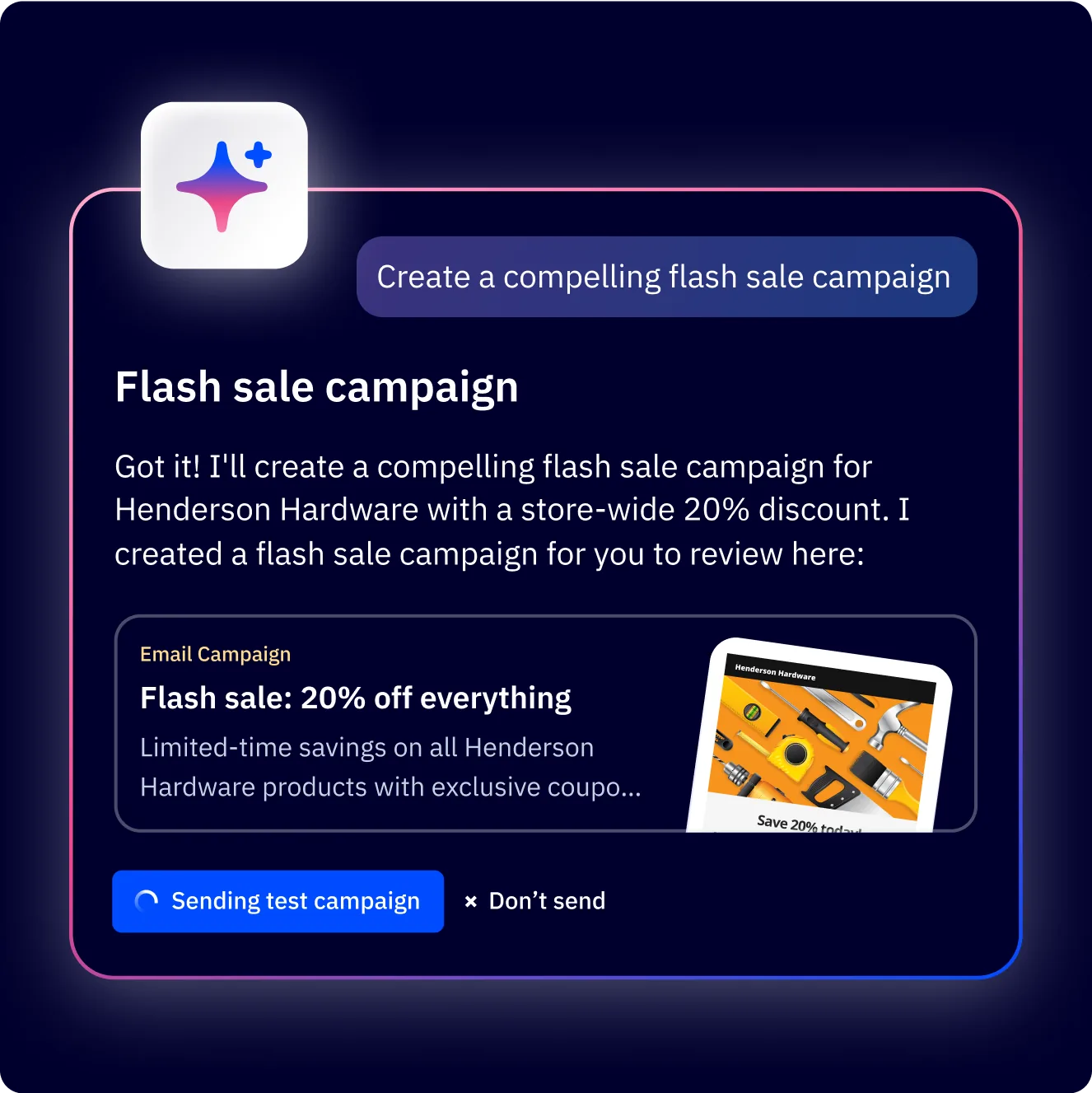
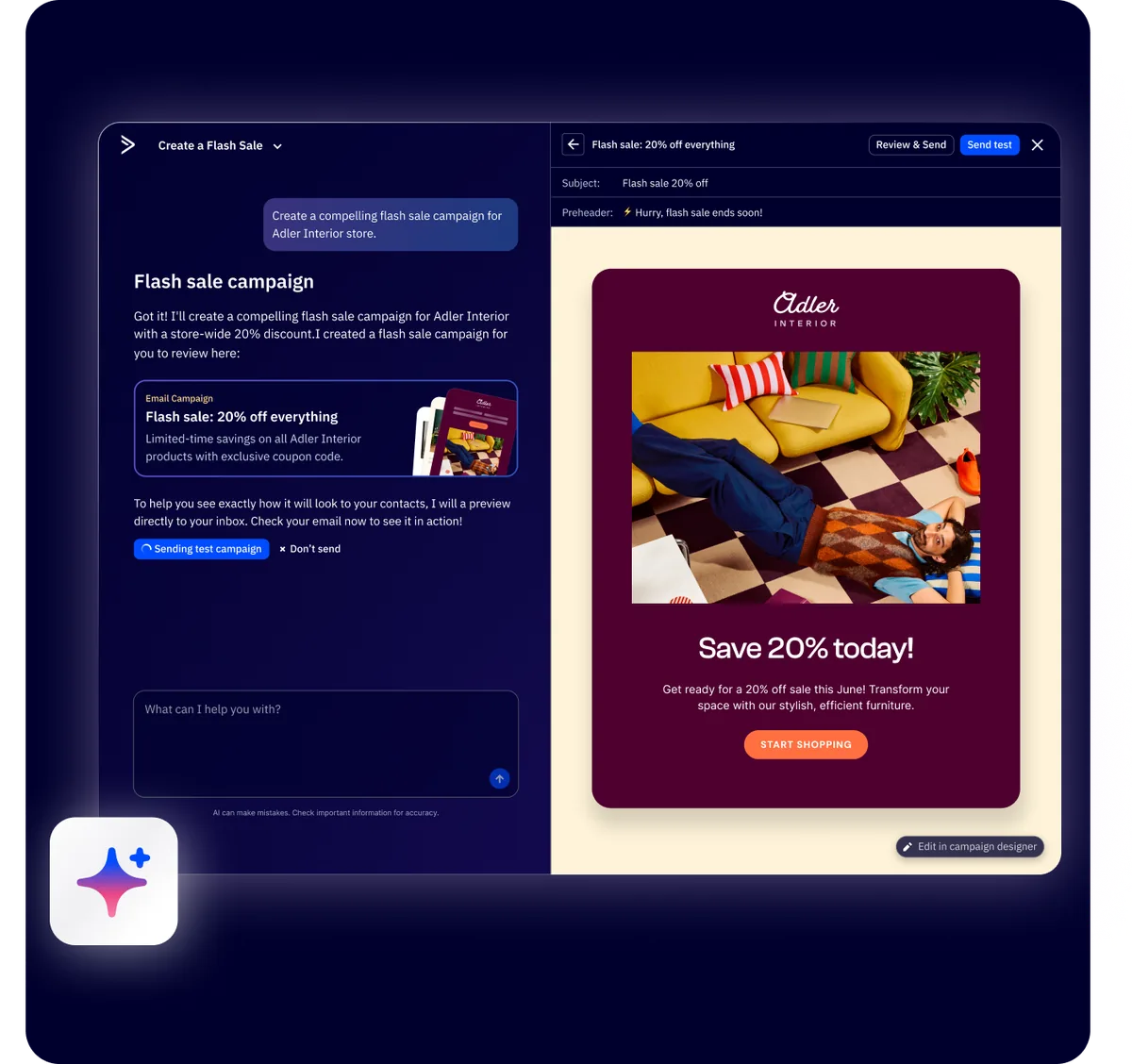
The AI Campaign Builder is ActiveCampaign’s most impressive content generation feature. You describe your campaign goal in natural language, and it generates a complete email - subject line, preview text, body copy, layout, and images - ready for review and sending.
How It Works
Navigate to Campaigns in the left sidebar and click Create a Campaign. Select AI Campaign Builder from the options. You will see a chat-style interface where you describe what you want.
Type a prompt like: “Create a promotional email for our spring sale offering 25% off all products. Target existing customers. Friendly and urgent tone. Include a hero image and a clear CTA button.”
The AI processes your description and generates a complete email draft within 15-20 seconds. The output includes:
- Subject line and preview text tailored to your campaign goal
- Body copy with sections, headers, and formatted text
- Layout structure with appropriate spacing and visual hierarchy
- AI-generated images matched to your campaign theme
- CTA buttons with suggested text and placement
How Do You Write Better Prompts for AI Content Generation?
The quality of AI output depends heavily on what you put in. Vague prompts produce generic emails. Specific prompts produce targeted content.
Weak prompt: “Create a sale email.”
Strong prompt: “Create an email announcing our end-of-quarter software bundle deal. 40% off annual plans for the next 72 hours. Target SaaS founders and small business owners. Professional but direct tone. Include urgency elements and one testimonial placeholder. Single CTA button linking to the pricing page.”
Key details to include in your prompts:
- The specific offer or message
- Target audience description
- Desired tone (formal, casual, urgent, friendly)
- Number of sections or specific elements you want
- Any constraints (word count, specific phrases to include or avoid)
After the AI generates your campaign, click into the email editor to review and refine every element. Nothing sends automatically - you always have full control over the final result. For additional setup tips, see our ActiveCampaign email campaign setup guide.
Generating Email Copy
Beyond full campaign generation, ActiveCampaign provides granular AI copy tools within the email editor. These let you generate or rewrite specific pieces of content without rebuilding the entire email.
Subject Line Generation
In the campaign settings panel, click the AI icon next to the subject line field. Describe your email topic and the AI generates multiple subject line options. You typically get 3-5 variants ranging from straightforward to curiosity-driven to urgency-focused.
For example, entering “product launch for project management software targeting remote teams” might produce:
- “Your remote team just got a new secret weapon”
- “Finally: project management built for distributed teams”
- “Remote teams are switching to [Product] - here is why”
- “Launching today: the PM tool remote teams have been asking for”
Select the one that fits, or use them as starting points for your own variation. If you want to compare this with standalone AI copywriting tools, ActiveCampaign’s advantage is that generation happens inline without switching apps. For deeper subject line research, the ActiveCampaign blog on subject lines documents what tends to lift open rates. This is particularly useful for A/B testing, where you need multiple subject lines that take genuinely different angles rather than minor word swaps.
Body Copy Generation
Inside the email editor, click into any text block and select the AI writing option. You can either generate new copy from a prompt or rewrite existing text. The AI respects the context of surrounding blocks, so generated content flows naturally within the email layout.
Tone adjustment is built in. After generating copy, you can ask the AI to make it more formal, more casual, shorter, longer, or more persuasive. This iterative refinement is faster than rewriting from scratch because the AI preserves the core message while adjusting the delivery.
Best Practices for AI Email Copy
- Always edit the output. AI-generated copy is a strong first draft, not a final product. Read through it for accuracy, remove any generic filler phrases, and inject specific details about your product or audience.
- Feed it your brand context. Reference specific product names, features, and customer pain points in your prompts. The more context you provide, the more relevant the output.
- Use it for structure first. Even if you rewrite every sentence, having the AI lay out a logical section flow saves time on outlining.
AI Image Generation
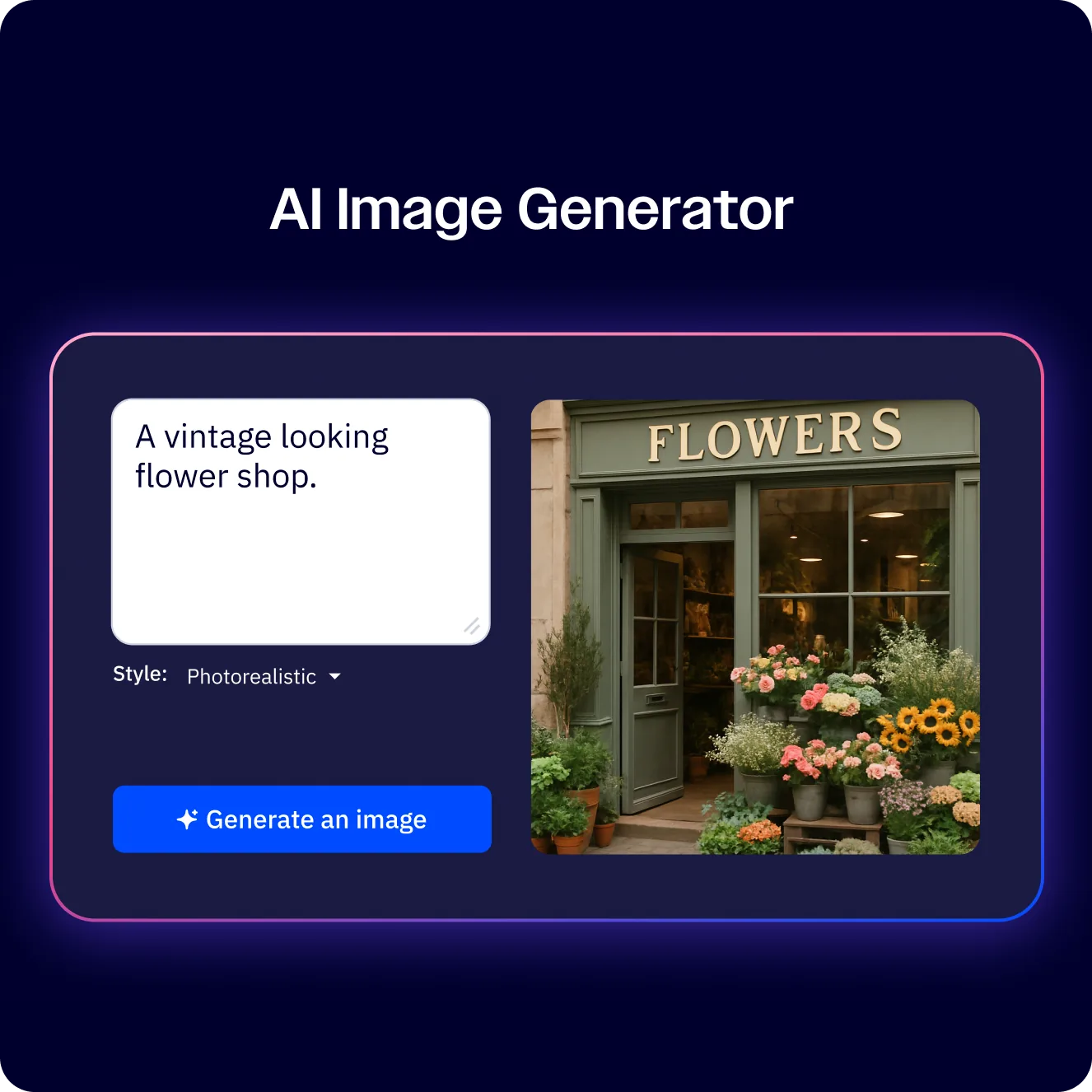
ActiveCampaign’s built-in AI image generator lets you create visuals directly within the email editor. While dedicated AI image generators offer more control and higher resolution output, ActiveCampaign’s version eliminates the friction of exporting, resizing, and uploading separately.
Creating Images in the Editor
Add an image block to your email, then select the AI generation option. Describe the image you want - “a flat illustration of a team collaborating around a laptop with blue and purple tones” - and the generator produces several options within 10-15 seconds. Select the one that works, and it drops directly into your email layout.
Style and Sizing Options
The generator supports multiple visual styles:
- Photorealistic - images that look like photographs, useful for product-adjacent visuals
- Illustration - flat or semi-flat graphics, popular for SaaS and tech brands
- Abstract - pattern-based and artistic visuals for headers and backgrounds
- Minimalist - clean, simple graphics with limited color palettes
Images automatically resize to fit your email layout, but you can specify dimensions in your prompt if you need a specific aspect ratio. For hero images, describe the orientation explicitly: “wide landscape banner image” produces better results than leaving it to the AI.
Brand Consistency with Brand Kit
If you have configured your Brand Kit in ActiveCampaign, the AI image generator can reference your brand colors and visual style. Mention “use brand colors” in your prompt, and the generated images will align with your palette. This is not perfect - complex brand guidelines still require a human designer - but for routine email visuals, it produces consistent enough results to maintain a cohesive look across campaigns.
A practical tip: Generate 3-4 image variants for each placement and pick the best one. The first generation is not always the strongest, and having options takes only a few extra seconds.
AI-Powered A/B Testing
One of the strongest applications of ActiveCampaign AI content generation is automated A/B testing. Instead of manually creating test variants, you let the AI generate multiple versions and the platform determines the winner automatically.
Subject Line Testing
When setting up a campaign, enable A/B testing in the campaign settings. The AI can generate up to 5 subject line variants from a single description. Each variant takes a different angle - one might lead with a benefit, another with curiosity, and another with urgency. This produces genuinely diverse test variants rather than the “change one word” approach most marketers default to.
How Automated Winner Selection Works
ActiveCampaign sends each variant to a subset of your audience (you control the test percentage - 20% is a common starting point). After a defined testing window, the platform identifies the winning variant based on open rate, click rate, or a combined metric, then automatically sends that version to the remaining audience.
The AI advantage here is speed and diversity. Brainstorming 5 meaningfully different subject lines takes most marketers 15-20 minutes. The AI does it in seconds, and the variations tend to cover a wider range of psychological angles because it is not anchored to your first instinct.
Testing Beyond Subject Lines
A/B testing in ActiveCampaign extends to email content, send times, and from names. You can generate two different body copy versions for the same campaign - one long-form and one concise - and let the data tell you which your audience prefers. Over time, this builds a performance library that informs your non-AI content as well.
Dynamic Content Personalization
ActiveCampaign’s AI goes beyond one-size-fits-all content by enabling dynamic blocks that change based on who is reading the email. This is where AI content generation meets audience segmentation to produce highly targeted campaigns without building separate emails for each group.
Personalization Blocks
Within the email editor, conditional content blocks display different copy, images, or offers depending on contact attributes. A single campaign can show different product recommendations to customers based on purchase history, different messaging based on industry, or different CTAs based on where the contact sits in your funnel.
The AI assists by generating the content variations for each segment. Instead of writing 4 versions of a product description for 4 different industries, describe the product once and ask the AI to adapt it for each segment. The output maintains consistent messaging while adjusting language, examples, and pain points to match each audience.
Behavioral Content Recommendations
On the Professional plan and above, ActiveCampaign’s predictive sending feature uses machine learning to recommend products and content based on individual contact behavior. If a subscriber has repeatedly clicked on articles about automation, the AI prioritizes automation-related content in their emails. This runs in the background - you set up the recommendation block once, and the AI handles the targeting dynamically.
Practical Setup
To add dynamic content, insert a conditional block in the email editor and define the conditions (tag equals X, custom field contains Y, deal stage is Z). Then use AI copy generation within each conditional branch to create tailored content. The result is one campaign that delivers multiple personalized experiences.
AI Translation for Multi-Language Campaigns
Running campaigns across multiple languages used to mean hiring translators or maintaining separate email lists with dedicated content teams. ActiveCampaign’s AI translation feature simplifies this significantly.
How AI Translation Works
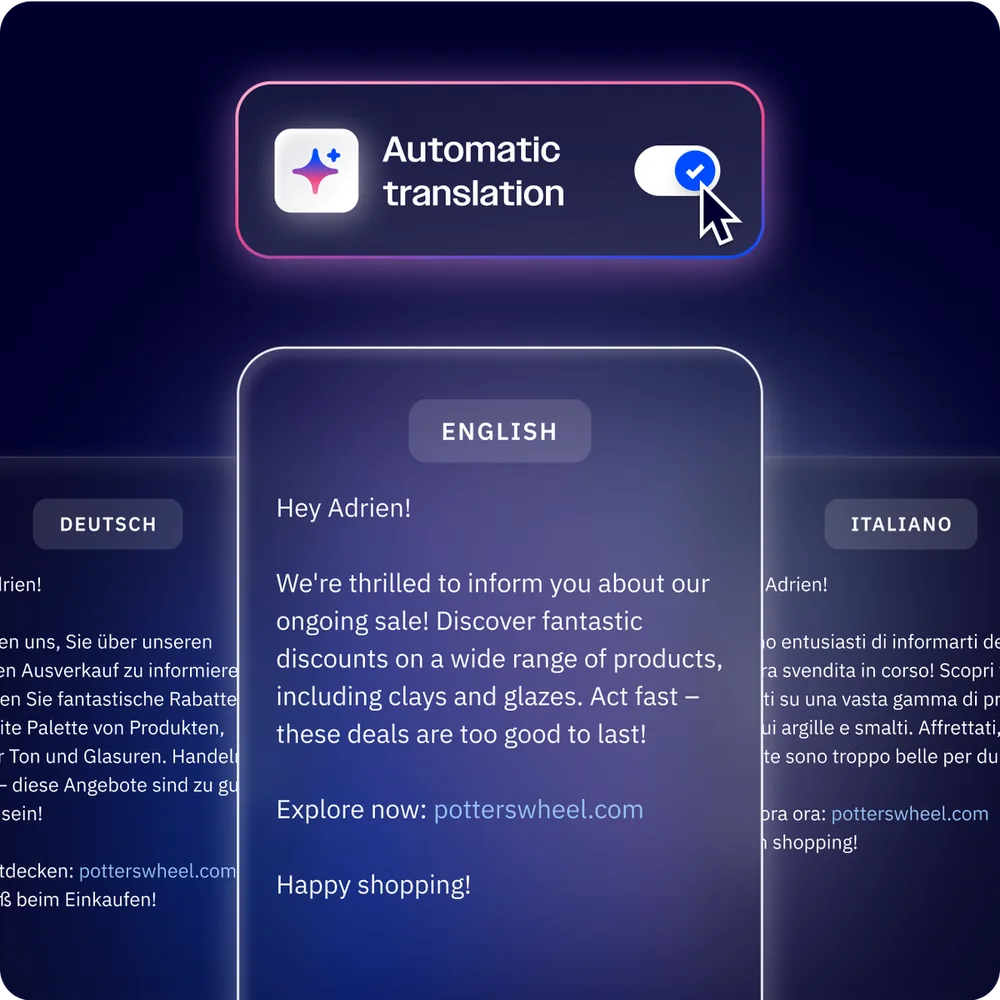
After building your campaign in your primary language, select the translation option in the editor. Choose the target language from the supported list - which includes Spanish, French, German, Portuguese, Italian, Dutch, Japanese, and over a dozen others - and the AI translates the entire email while preserving formatting, links, and layout structure.
The translation goes beyond word-for-word conversion. It adapts phrasing to sound natural in the target language and attempts to maintain the tone of your original copy. A casual, friendly English email comes through as casual and friendly in Spanish rather than stiff and literal.
When to Use AI Translation
The official AI content help article lists every supported source and target language and the formatting elements that survive translation.
- Regional campaigns targeting subscribers in different countries
- Expanding into new markets where you do not yet have native-language copywriters
- Internal communications for multinational teams
- Testing demand in new language markets before investing in professional localization
Important caveat: AI translation is strong for standard marketing copy but may miss cultural nuances, idiomatic expressions, or regulatory language requirements. For campaigns with legal or compliance implications, have a native speaker review the translated version before sending. If you need more granular control over translations, dedicated AI translation tools like DeepL offer terminology glossaries and style guides that go beyond what is built into an email platform.
AI Content in Automation Workflows
The real power of ActiveCampaign AI content generation shows up when you combine it with the automation builder. AI-generated content running inside automated sequences means personalized, high-quality emails going out continuously without manual intervention.
AI Content Within Automated Sequences
When building an automation workflow, each email step can use AI-generated content. This is particularly useful for long nurture sequences where writing 8-12 unique emails is time-consuming. Use AI to generate the first draft of each email in the sequence, then edit and refine. A 10-email welcome series that might take a full day to write can be drafted in under an hour.
Dynamic Copy Per Segment
Combine automation branching with AI-generated conditional content. For example, a lead nurture sequence can branch based on industry (technology, healthcare, finance) and each branch delivers emails with AI-generated copy tailored to that industry’s language and pain points. You build one automation structure and populate the variations with AI assistance.
Keeping Automations Fresh
The marketing automation platform can hold dozens of long-running sequences, and one underused approach is periodically regenerating AI content within existing automations. Campaign performance naturally declines over months as audiences see similar messaging. Schedule quarterly reviews where you use the AI to generate fresh copy variants for your highest-traffic automations, then A/B test the new versions against the originals.
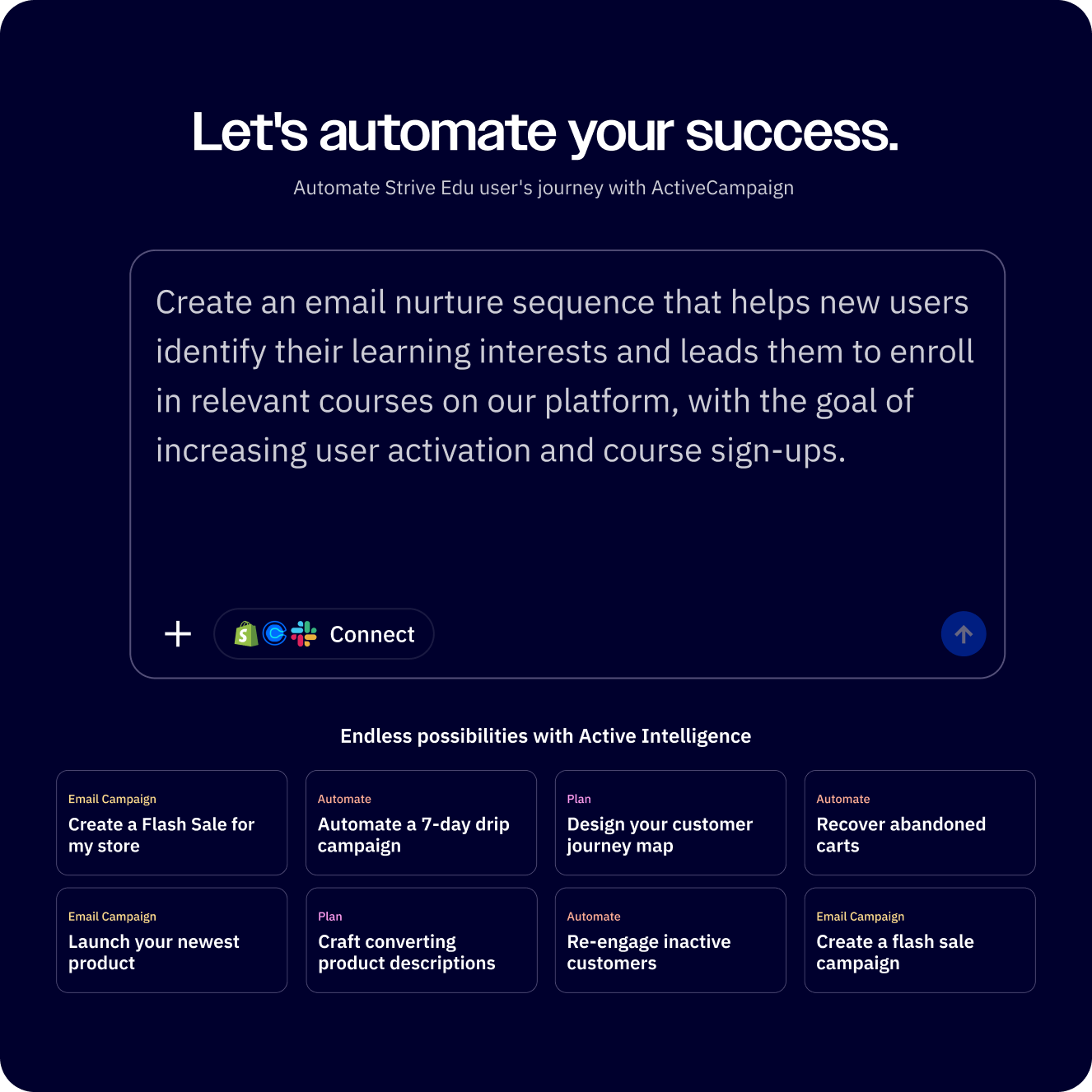
ActiveCampaign’s Active Intelligence features add another layer by automatically optimizing send times and predicting which contacts are most likely to engage. When paired with AI-generated content, this creates automations that continuously improve without requiring constant manual attention.
Pro Tips
Write better prompts by being specific about constraints. Instead of “write a promotional email,” try “write a 150-word promotional email for a B2B SaaS product targeting marketing managers, with a conversational tone and one clear CTA.” The more boundaries you set, the more focused the output.
Always review and edit AI-generated copy before sending. AI produces competent first drafts, but it cannot replicate your brand’s unique voice or verify factual claims about your product. Treat every AI output as a starting point. Check for accuracy, remove generic phrases, and add specific details only you know.
Configure your Brand Kit before using AI image generation. Without brand context, generated images will look generic and inconsistent across campaigns. Upload your logo, set your brand colors, and write a brief brand description so the AI has a foundation to work from.
Combine AI content with A/B testing for continuous improvement. Generate multiple variants of subject lines and body copy, then let ActiveCampaign’s split testing determine what resonates. Over time, you build a data-backed understanding of what your audience responds to - insights that improve your manual writing as well.
Use AI translation as a starting point, not a final product. For important campaigns in secondary languages, have a native speaker review the translation. For routine sends and internal communications, the AI translation is typically good enough to use directly.
Batch your AI content generation. Rather than generating one email at a time, sit down and draft an entire month of campaigns in one session. The AI works best when you are in a focused flow, and you can generate 10-15 email drafts in the time it would normally take to write 2-3 manually. If you want to extend automation beyond content creation to the entire send-and-reply workflow, our guide on how to automate email with AI covers the full pipeline. To pick a long-term home for your stack, weigh ActiveCampaign against alternatives in our best email marketing tools roundup before you commit.
Frequently Asked Questions
Can ActiveCampaign AI write complete email campaigns?
Yes. The AI Campaign Builder generates a full email from a natural language description, including subject line, preview text, body copy, layout, images, and CTA buttons. You describe the campaign goal and audience, and the AI produces a ready-to-review draft. It does not send automatically - you always review and approve before anything goes out.
How good is the AI-generated email copy?
The copy quality is solid for first drafts. It produces grammatically correct, well-structured email content that follows marketing best practices. It handles different tones (formal, casual, urgent) and adapts to the campaign context you provide. That said, the output tends to be somewhat generic without heavy prompting. For best results, provide detailed context in your prompt and plan to edit the output to add specific product details and brand voice elements.
Does ActiveCampaign generate images for emails?
Yes. The AI image generator is built into the email editor. You describe the image you want, choose a style (photorealistic, illustration, abstract, minimalist), and the AI produces several options. The images resize automatically to fit your email layout. Quality is suitable for marketing emails - not portfolio-grade design work, but professional enough for newsletters and promotional sends.
Can I edit AI-generated content before sending?
Absolutely. Every piece of AI-generated content - subject lines, body copy, images, and layouts - drops into the standard editor where you have full control. You can rewrite sentences, swap images, adjust formatting, change colors, and modify anything before the email sends. The AI is a starting tool, not an autopilot.
What plan includes AI content generation?
AI content generation features - the AI Campaign Builder, AI email copy, AI subject lines, and AI image generation - are available starting on the Starter plan at $15/month. More advanced AI features like predictive sending and win probability require the Professional plan. You can test all features during the 14-day free trial.
Want to learn more about ActiveCampaign?
Related Guides
- ActiveCampaign AI Features Guide
- ActiveCampaign AI Brand Kit Guide
- ActiveCampaign Email Automation Workflows
- ActiveCampaign Conditional Content Guide
Related Reading
- ActiveCampaign Tool Page - if you want to upgrade to a higher tier, ActiveCampaign is the platform that powers the AI content tools described here
- ChatGPT Tool Page
- Best Email Marketing Platforms 2026
External Resources
- ActiveCampaign Active Intelligence - Complete AI feature suite including the campaign builder and content tools
- ActiveCampaign AI Generated Content Help Center - Official documentation for AI copy and image generation
- ActiveCampaign Blog - Tutorials and case studies on AI content workflows
Related Guides
- ActiveCampaign AI Features: Active Intelligence Guide
- Activecampaign Automation Builder: Complete 2026 Guide
- Activecampaign Brand Kit: 2026 Walkthrough for Teams
- ActiveCampaign Conditional Content: Personalization Guide
- ActiveCampaign CRM Setup: How to Set Up ActiveCampaign CRM
- ActiveCampaign Deals Pipeline: Stages & Automation
- ActiveCampaign Deliverability: Best Practices Guide
- ActiveCampaign Email Automation: 10 Workflows That Work
- ActiveCampaign Email Campaign Setup: Step-by-Step Guide
- ActiveCampaign Forms: Types, Setup, and Conversion Tips