
Why Segmentation Drives Revenue
ActiveCampaign segmentation is a system that combines lists, tags, custom fields, site tracking, event tracking, and AI-powered segment recommendations to target contacts based on virtually any combination of behaviors and attributes. It goes beyond static lists, enabling granular saved searches that filter across deal data, engagement metrics, and custom attributes for precise revenue-driving campaigns.
Every batch-and-blast email you send trains subscribers to ignore you. When the same message goes to your entire list - first-time visitors, loyal customers, people who have not opened an email in three months - open rates drop, unsubscribes climb, and revenue per email trends toward zero. The data is clear: segmented campaigns generate significantly higher open rates and click-through rates than unsegmented sends.
The core problem is not that marketers lack data. Most platforms collect enough behavioral and demographic information to build precise segments. The problem is that most marketers never move beyond basic list separation. They create a “customers” list and a “prospects” list and call it segmentation.
ActiveCampaign is built for granular activecampaign segmentation that goes well beyond static lists. As an email-first ActiveCampaign CRM, the platform combines lists, tags, custom fields, site tracking, event tracking, and ActiveCampaign AI segment recommendations into a system where you can target contacts based on virtually any combination of behaviors and attributes. ActiveCampaign holds across major review platforms, with segmentation and automation consistently cited as standout features.
This guide covers 8 activecampaign segmentation strategies that move beyond the basics and directly impact revenue. Each activecampaign segmentation strategy includes the setup steps inside ActiveCampaign and a practical activecampaign segmentation example so you can implement immediately.
How Do You Segment Contacts in ActiveCampaign?
Before building advanced segments, you need to understand the three building blocks ActiveCampaign provides. Each serves a different purpose, and the most effective segmentation strategies combine all three.
Lists are the broadest grouping defined in ActiveCampaign’s segments documentation. Every contact belongs to at least one list. Use lists to separate fundamentally different audiences - your newsletter subscribers versus your customer database versus your event registrants. Lists control subscription preferences and compliance, so they map to distinct communication channels.
Tags are flexible labels you attach to contacts based on actions, interests, or attributes. Unlike lists, a contact can have dozens of tags without any management overhead. Tags work best for temporary states and specific behaviors - “downloaded-ebook-seo”, “attended-webinar-march”, “high-spender”. You can add and remove tags through automations, form submissions, or manual actions.
Custom fields store structured data about each contact - their company size, job title, last purchase date, annual revenue, or any other attribute your business tracks. Vendor case studies show that companies using custom-field segmentation typically see 30-50% higher click-through rates than batch sends. Custom fields enable the most precise segmentation because they hold actual values you can filter with operators like “greater than”, “contains”, or “is after date”.
Segments in ActiveCampaign are saved searches that combine conditions across lists, tags, custom fields, deal data, site activity, and engagement metrics surfaced through activecampaign analytics. A segment updates dynamically - contacts enter and exit as their data changes. This is the foundation of every strategy in this guide.
Strategy 1: Engagement-Based Segments
Engagement-based activecampaign segmentation divides your audience by how actively they interact with your emails. Industry research from email marketing benchmark studies consistently shows engagement segmentation lifts open rates 14-23%. This is the single highest-impact segmentation strategy because it directly controls your sender reputation and deliverability.
Setup steps:
- Navigate to Contacts and click Advanced Search
- Create three saved segments using the email engagement conditions:
- Active subscribers - Opened or clicked any email in the last 30 days
- Passive subscribers - Last opened an email 31 to 90 days ago
- Cold subscribers - Has not opened any email in 90+ days
- Save each as a named segment for reuse across campaigns and automations
Use case: Send your primary ActiveCampaign campaigns to the Active segment first. This generates strong initial engagement signals that improve deliverability when you expand to the Passive segment 24 hours later. For Cold subscribers, trigger a dedicated re-engagement automation before including them in regular sends. This three-tier approach protects your domain reputation while maximizing reach. For more on the underlying inbox-placement levers, see the ActiveCampaign deliverability guide.
ActiveCampaign tip: Combine engagement conditions with site tracking data. A contact who has not opened emails but visits your website regularly might have images blocked in their email client - they are engaged, just not measurably so through opens alone.
Strategy 2: Purchase History Segments
Revenue-focused segmentation separates contacts by their buying behavior. The message you send to a first-time buyer should be fundamentally different from what you send to someone who has purchased five times.
Setup steps:
- Ensure your ecommerce platform is connected through ActiveCampaign’s deep data integrations (Shopify, WooCommerce, BigCommerce, or custom API). If you use Shopify, the ActiveCampaign Shopify integration guide walks through the full setup
- Navigate to Contacts, then Advanced Search
- Create segments using ecommerce conditions:
- First-time buyers - Total orders equals 1
- Repeat buyers - Total orders is greater than 1 and total revenue is less than $500
- High-value customers - Total revenue is greater than $500 (adjust threshold for your business)
- Lapsed buyers - Last purchase date is more than 90 days ago
- Save each segment and use them as entry conditions in your automations
Use case: First-time buyers receive an onboarding sequence built in the ActiveCampaign automation builder, focused on product education and building trust. Repeat buyers get cross-sell recommendations based on their purchase categories. High-value customers receive early access to new products, exclusive offers, and VIP treatment. Lapsed buyers enter a win-back campaign with escalating incentives. Each segment gets messaging calibrated to their relationship with your brand.
Strategy 3: Behavioral Trigger Segments
Behavioral segmentation captures what contacts are doing right now - which pages they visit, which links they click, which forms they submit. This creates segments based on demonstrated intent rather than assumed interest.
Setup steps:
- Enable site tracking in ActiveCampaign by adding the tracking code to your website (Settings, then Tracking, then Site Tracking)
- Create an automation that adds tags based on page visits:
- Contact visits
/pricingpage - add tag “viewed-pricing” - Contact visits
/case-studiespage - add tag “research-phase” - Contact visits specific product pages - add tags for each product category
- Contact visits
- Build segments that combine behavioral tags with other conditions:
- High-intent prospects - Has tag “viewed-pricing” (linked to your pricing page for inspiration) AND has not made a purchase
- Content-engaged - Clicked 3+ links in emails in the last 14 days
- Product-interested - Visited a specific product page 2+ times in the last 7 days
Use case: When a contact visits your pricing page twice in a week but has not started a trial, that is a high-intent signal. Trigger an automation that sends a case study relevant to their industry, followed by a personalized outreach from sales. This behavioral trigger approach converts better than generic nurture sequences because the timing matches the contact’s actual decision-making moment.
Strategy 4: Lifecycle Stage Segments
Lifecycle segmentation maps contacts to their position in the customer journey. Every contact is at a different stage, and the content that moves someone from awareness to consideration is different from what converts a trial user into a paying customer.
Setup steps:
- Create a custom field called “Lifecycle Stage” with dropdown options: Lead, Marketing Qualified Lead (MQL), Sales Qualified Lead (SQL), Opportunity, Customer, Advocate
- Build automations that update the lifecycle stage based on actions:
- Form submission - set to Lead
- Engagement score exceeds threshold - set to MQL (see the ActiveCampaign lead scoring guide for setting up scoring rules)
- Sales rep marks as qualified in ActiveCampaign CRM - set to SQL
- Deal created - set to Opportunity
- Deal won - set to Customer
- Leaves a review or refers someone - set to Advocate
- Create a segment for each lifecycle stage using the custom field condition
Use case: Leads receive educational content that builds awareness and trust. MQLs get case studies and comparison content that positions your solution. SQLs receive personalized outreach coordinated between marketing automation and the sales team through ActiveCampaign’s built-in CRM. Customers get onboarding and expansion content. Advocates receive referral program invitations and exclusive community access. Each stage has distinct messaging goals that the lifecycle segment enforces.
ActiveCampaign tip: Use the deal pipeline in ActiveCampaign’s CRM to automatically update lifecycle stages when deals move between stages. This keeps your marketing segments synchronized with your sales process without manual data entry. For the full CRM scaffolding, the ActiveCampaign CRM setup guide covers stages, custom fields, and deal automations end to end.
Strategy 5: Interest-Based Segments
Interest-based activecampaign segmentation groups contacts by what they care about - which topics they engage with, which product categories they browse, and which content formats they prefer. This is the foundation of relevant content delivery.
Setup steps:
- Add tags through automations based on content engagement:
- Clicked a link in an email about topic X - add tag “interest-topic-x”
- Downloaded a resource about category Y - add tag “interest-category-y”
- Watched a video about feature Z - add tag “interest-feature-z”
- Use form fields to capture explicit interests during signup (checkboxes for topics they want to hear about)
- Build segments that combine multiple interest tags:
- SEO-focused - Has tag “interest-seo” OR clicked SEO content 2+ times
- Product category segments - Has tag matching specific product lines
- Content format preference - Consistently opens emails with video content versus text-heavy emails
Use case: Instead of sending your weekly newsletter to everyone with the same content blocks, use conditional content blocks within a single email. ActiveCampaign’s conditional content feature shows different sections to different segments - contacts interested in SEO see the SEO article, contacts interested in paid advertising see the PPC piece. One email, personalized for every reader.
Strategy 6: Geographic and Demographic Segments
Location and demographic data enable personalization that feels natural - timezone-appropriate send times, regional promotions, language-specific content, and offers calibrated to company size or industry.
Setup steps:
- Collect geographic data through form fields, IP-based geolocation (captured automatically by ActiveCampaign), or CRM integrations
- Create custom fields for demographic attributes relevant to your business: industry, company size, job title, annual revenue
- Build segments using location and demographic conditions:
- Regional segments - Country, state, or city-based groupings
- Industry segments - Custom field “Industry” equals specific values
- Company size tiers - Custom field “Employees” ranges for SMB, mid-market, enterprise
- Timezone segments - For optimizing send times across geographies
Use case: A SaaS company running a webinar series creates geographic segments to promote timezone-appropriate sessions. US East Coast contacts see the 11 AM ET session, European contacts see the 4 PM CET session. The same company segments by company size to customize case studies - small businesses see examples from 10-person teams, while enterprise contacts see deployments with 500+ users. This demographic alignment increases registration rates because the content feels built specifically for each audience.
ActiveCampaign tip: Combine geographic segments with predictive sending on the Professional plan. Even within a timezone segment, individual contacts have different peak engagement hours. Predictive sending optimizes within the segment for maximum impact.
Strategy 7: AI-Suggested Segments
ActiveCampaign’s machine learning analyzes your contact database and recommends segments you might not have considered. This feature identifies patterns in your data - clusters of contacts with similar behaviors, attributes, or engagement patterns - and suggests actionable segments.
Setup steps:
- Navigate to Contacts and look for the AI-suggested segments feature (available on Plus plans and above)
- Review the recommended segments - ActiveCampaign analyzes engagement patterns, purchase behavior, and contact attributes to identify meaningful groupings
- Evaluate each suggestion against your business goals. The AI might surface segments like “contacts who open emails on weekends but never click” or “contacts with high site activity but no purchases”
- Save useful suggestions as named segments and build targeted campaigns around them
Use case: The AI identifies a cluster of contacts who consistently open emails within 10 minutes of delivery but rarely click through. This suggests the subject lines are compelling but the email content is not driving action. You create a targeted campaign for this segment testing different content formats - shorter copy, more prominent CTAs, video embeds - and measure which approach converts this “opens but does not click” audience. Without AI-suggested segments, this pattern would likely go unnoticed in a large contact database.
Strategy 8: Predictive Segments
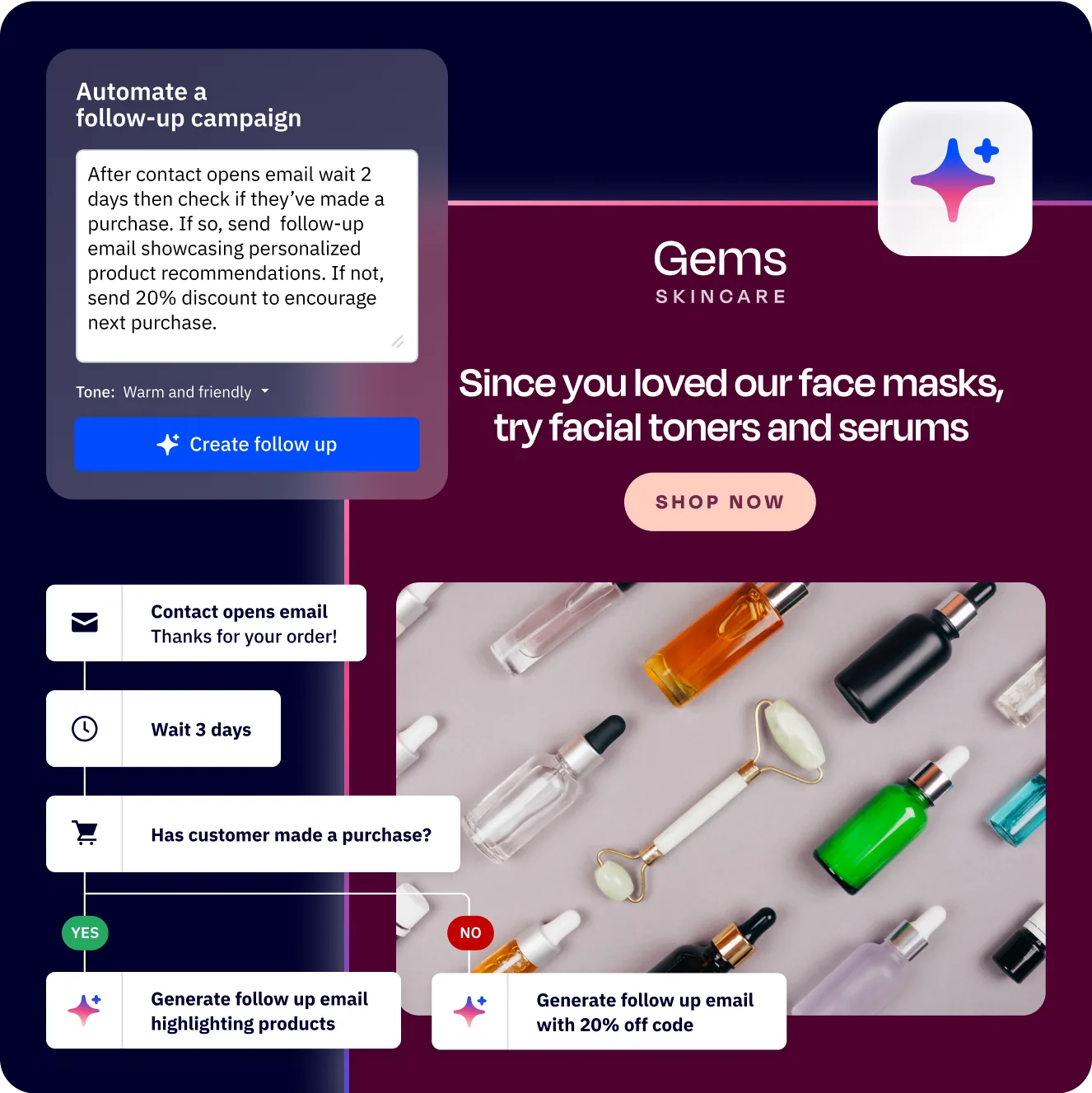
Predictive segmentation uses ActiveCampaign’s machine learning to forecast future behavior rather than just categorizing past actions. This is the most sophisticated form of activecampaign segmentation and is available on Professional and Enterprise plans.
Setup steps:
- Ensure you have ActiveCampaign’s CRM active with deal data flowing (win probability requires deal history)
- Access predictive features through the CRM deal view and contact scoring:
- Win probability - ActiveCampaign scores each deal based on historical patterns of won and lost deals
- Churn risk - Identifies contacts showing patterns similar to those who previously disengaged
- Layer in Active Intelligence outputs and create segments based on predictive scores:
- Likely to convert - Win probability above 70%
- At-risk contacts - Engagement trending downward over the last 30 days combined with reduced site visits
- Upsell candidates - Current customers with high engagement scores and recent product page visits
Use case: Your sales team has 200 open deals. Instead of working them in order of creation date or gut feeling, they filter to the segment with 70%+ win probability and focus outreach there first. Meanwhile, an automated retention campaign triggers for at-risk contacts - a personalized check-in email from their account manager, followed by an exclusive offer if they do not re-engage within a week. Predictive segmentation lets you allocate resources where they will have the highest impact rather than spreading effort evenly across all contacts.
ActiveCampaign tip: Predictive models improve with more data feeding through the email marketing engine. If you are new to ActiveCampaign, start with the behavioral and engagement segments (Strategies 1-3) while the platform accumulates enough historical data to power accurate predictions. Most businesses need 3-6 months of deal and engagement data before predictive features reach their full accuracy.
What Are the Most Common ActiveCampaign Segmentation Mistakes?
Even with the right tools, segmentation fails when the strategy behind it breaks down. If you are evaluating alternatives that offer segmentation, our Mailchimp alternatives comparison covers how competing platforms handle audience targeting. These are the most frequent mistakes that undermine activecampaign segmentation efforts.
Over-segmenting your audience. Creating 50 micro-segments with 20 contacts each means you never have enough volume for statistically meaningful results. Start with 5-8 core segments and split further only when you have data showing distinct behavioral differences that warrant separate messaging.
Letting segments go stale. A “new subscriber” segment that includes contacts from 18 months ago is worse than no segment at all. Build automatic expiration into your segments using date conditions - “subscribed in the last 30 days” stays fresh automatically. For tag-based segments, create automations that remove outdated tags after a defined period.
Ignoring the data you already have. Many businesses collect custom field data during signup and never use it for segmentation. Audit your contact fields quarterly. If you are collecting industry, company size, or role data, build segments around it or stop collecting it.
Segmenting without a messaging strategy. Creating segments is pointless if every segment receives the same email. Each segment needs a distinct content angle, offer, or CTA that reflects why you separated those contacts in the first place. Before building a new segment, define what you will say differently to that audience.
Failing to test segment definitions. A segment condition like “clicked any email in the last 30 days” might seem straightforward, but edge cases create problems. Test your segment criteria by checking the actual contacts that appear. If your “high-value customer” segment includes test accounts or one-time large purchases that were refunded, your targeting and reporting are both compromised.
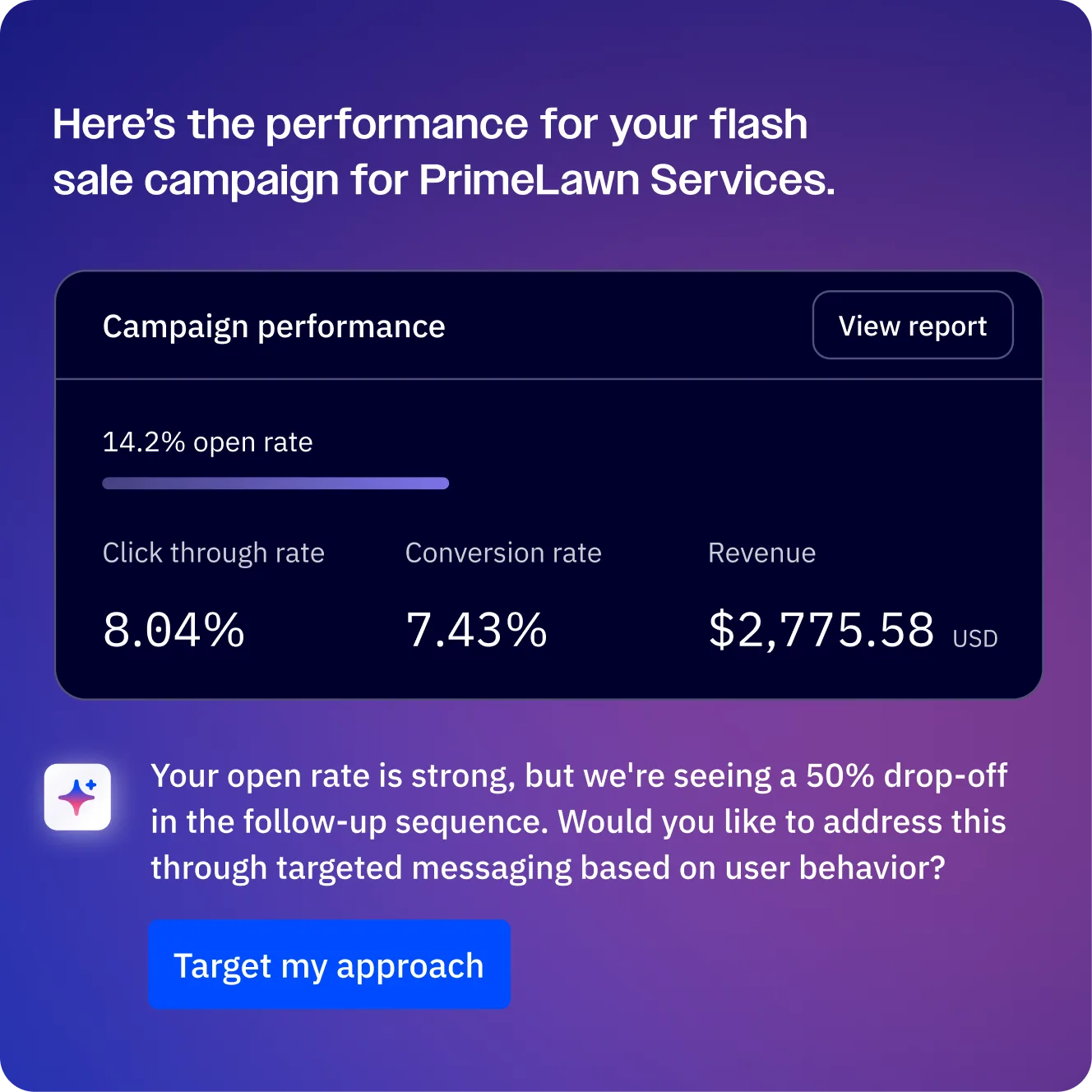
Measuring Segment Performance
Building segments is half the work. The other half is measuring whether your segmented campaigns actually outperform unsegmented sends and which segments deliver the most revenue.
Key performance indicators by segment:
| KPI | What It Tells You | Target Benchmark |
|---|---|---|
| Open rate by segment | Which segments are engaged with your subject lines | 25-40% for active segments |
| Click-through rate | Which segments find your content relevant | 3-7% for targeted segments |
| Conversion rate | Which segments drive revenue actions | Varies by industry - track trend |
| Revenue per email | Dollar value generated per send to each segment | Should increase over time |
| Unsubscribe rate | Which segments are receiving irrelevant content | Below 0.3% per campaign |
| List growth rate | Whether segments are growing or shrinking | Net positive monthly |
A/B testing segments: ActiveCampaign’s split testing lets you test whether segmentation actually improves results. Send the same campaign to a segmented audience and an unsegmented control group. Compare conversion rates to quantify the revenue impact of your segmentation strategy. On the Professional plan, you can split-test entire automation branches - not just subject lines - which lets you test different segment-specific workflows against each other. For teams also using SMS outreach, the SMS marketing channel supports the same segment-based targeting, extending your segmentation logic across channels. Try the full platform with the 14-day free trial to test AI-suggested segments before committing.
Review cadence: Audit your segments monthly. Check that each segment still contains a meaningful number of contacts, that the defining conditions still match your business reality, and that segmented campaigns consistently outperform unsegmented sends. If a segment is not producing measurably different results from your general audience, merge it back and redirect your effort.
The Bottom Line
ActiveCampaign segmentation rewards layered thinking. Start with engagement, purchase history, and lifecycle stage. Add behavioral and AI-suggested segments once your data is rich enough. Pair smart segments with ActiveCampaign predictive sending and lead scoring to send the right message to the right person at the right time. Review the full feature set on the ActiveCampaign tool page, and check the 14-day free trial if you want to test the AI segments tier without committing.
Frequently Asked Questions
How many segments should I create in ActiveCampaign?
Start with 5-8 core segments that cover your primary use cases - engagement level, purchase history, and lifecycle stage are the highest-impact starting points. Add more only when you have evidence that a new segment would receive meaningfully different content. Most businesses with fewer than 50,000 contacts operate effectively with 10-15 active segments. More segments mean more content to create and more campaigns to manage, so each one needs to justify the effort.
What is the difference between lists and segments in ActiveCampaign?
Lists are static groupings that contacts are explicitly added to or subscribe to. They control subscription preferences and email compliance. Segments are dynamic saved searches that automatically update as contact data changes. A contact on your “Newsletter” list might move in and out of your “Highly Engaged” segment daily based on their behavior. Use lists for broad audience separation and compliance. Use segments for targeted campaign delivery and automation triggers.
Do I need a paid plan to use segmentation in ActiveCampaign?
Basic segmentation using lists, tags, and custom fields is available on all plans including the Starter plan at $15/month. AI-suggested segments require the Plus plan at $49/month or above. Predictive features like win probability and advanced engagement scoring require the Professional plan at $149/month. You can explore the full feature breakdown on the pricing page. Start with manual segments on a lower tier and upgrade when you have enough data to benefit from AI-powered features.
How often should I update my segment definitions?
Dynamic segments update automatically as contact data changes - that is their primary advantage over static lists. However, you should review segment definitions monthly to ensure the conditions still align with your business goals. Quarterly, audit which segments are actively being used in campaigns and automations. Remove or consolidate segments that have not been used in 90 days to keep your segmentation strategy manageable.
Can I combine multiple segment conditions in ActiveCampaign?
Yes - this is where ActiveCampaign’s segmentation becomes powerful. You can combine conditions using AND/OR logic across any data point the platform tracks: email engagement, site visits, tags, custom fields, deal data, ecommerce activity, and geographic information. For example, you could build a segment for “contacts in the US who visited the pricing page in the last 7 days AND have a deal value above $5,000 AND have not received an email in the last 3 days.” The more conditions you combine, the more precise your targeting becomes.
How do I prevent contacts from falling into multiple competing segments?
Use mutually exclusive conditions where possible - lifecycle stage segments with dropdown fields ensure a contact can only be in one stage at a time. For overlapping segments (a contact could be both “high-value” and “at-risk”), establish a priority hierarchy in your automations using goal conditions. ActiveCampaign’s goal steps let a contact exit one automation when they meet the criteria for a higher-priority segment, preventing duplicate or conflicting messages.
Want to learn more about ActiveCampaign?
Related Guides
- ActiveCampaign Email Automation Workflows
- ActiveCampaign AI Features Guide
- ActiveCampaign Getting Started Guide
- ActiveCampaign Lead Scoring Guide
- ActiveCampaign Predictive Sending AI
Related Reading
External Resources
- ActiveCampaign Segments Help Center - Official documentation on building dynamic segments
- ActiveCampaign Segmentation Blog - Vendor-published segmentation case studies and patterns
- ActiveCampaign Marketing Automation - Official overview of segmentation and automation capabilities
- ActiveCampaign Free Trial - 14-day trial with full access to segmentation and AI features
- ActiveCampaign Pricing - Plan comparison with segmentation feature availability
Related Guides
- Activecampaign AI Content Generation: Complete 2026 Guide
- ActiveCampaign AI Features: Active Intelligence Guide
- Activecampaign Automation Builder: Complete 2026 Guide
- Activecampaign Brand Kit: 2026 Walkthrough for Teams
- ActiveCampaign Conditional Content: Personalization Guide
- ActiveCampaign CRM Setup: How to Set Up ActiveCampaign CRM
- ActiveCampaign Deals Pipeline: Stages & Automation
- ActiveCampaign Deliverability: Best Practices Guide
- ActiveCampaign Email Automation: 10 Workflows That Work
- ActiveCampaign Email Campaign Setup: Step-by-Step Guide