


The claude vs chatgpt 2026 debate has shifted from “which model is smarter” to “which one actually saves me time.” Both platforms have evolved dramatically over the past year - Claude launched Claude Code with agentic terminal capabilities and extended its context window to 200K tokens, while ChatGPT rolled out GPT-5, live voice mode, and a deeper plugin ecosystem. The benchmarks are nearly identical. The real question is which one fits your workflow.
Analyzing both tools across real-world productivity tasks - writing, analysis, and project management - the answer is more nuanced than any feature table will tell you. For Claude vs ChatGPT for coding, Claude dominates complex reasoning, long-document work, and developer workflows. For Claude vs ChatGPT for research, ChatGPT leads in multimedia capabilities, ecosystem breadth, and ease of adoption. For many professionals, the right answer is using both strategically.
This Claude vs chatgpt 2026 review goes beyond surface-level comparisons. Both tools are compared here across real productivity scenarios, their integration ecosystems mapped, the actual Claude vs chatgpt 2026 price and cost-per-task value calculated, and specific workflows identified where each one genuinely saves time.
Comparison Table: Claude vs ChatGPT 2026
| Category | Claude Code | ChatGPT |
|---|---|---|
| Rating | ||
| Best For | Complex reasoning, coding, long documents | Content creation, images, voice, ecosystem |
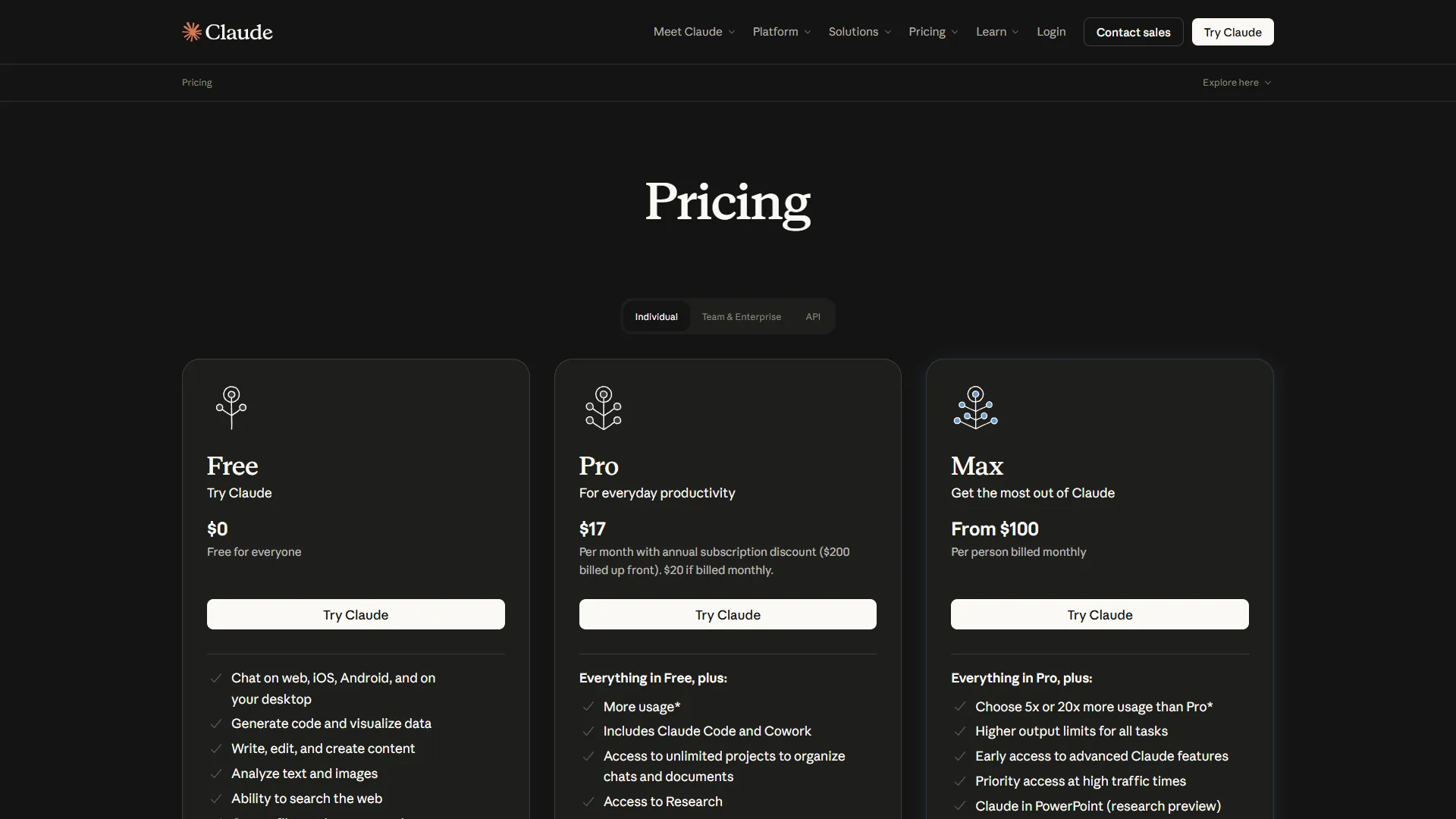
| Standard Price | $20/mo (Pro) | $20/mo (Plus) |
| Premium Price | $100/mo (Max) | $200/mo (Pro) |
| Context Window | 200K tokens | 128K tokens (GPT-5) |
| Image Generation | No | Yes (GPT-4o / DALL-E) |
| Voice Mode | No | Yes (live voice) |
| Web Search | Pro/Max with citations | Plus/Pro |
| Autonomous Coding | Yes (Claude Code) | No |
| Privacy Default | Data never trains models | Free tier trains models |
Quick verdict: Choose Claude if your work involves long documents, complex reasoning, or code. Choose ChatGPT if you need image generation, voice interactions, or the broadest plugin ecosystem. On Claude vs ChatGPT cost, both sit at $20 per month each, so the Claude vs chatgpt 2026 cost question rarely decides it - and unlike Claude vs ChatGPT vs Copilot bundles, subscribing to both is increasingly common among productivity-focused professionals.
Methodology: Productivity Workflow Comparisons
Most comparisons stop at features and benchmarks. But productivity is not about what a tool can do - it is about how fast it gets your actual work done. Both Claude and ChatGPT were evaluated across five core productivity workflows, tracking three things: output quality, time to usable result, and editing time required.
Writing and Content Drafting
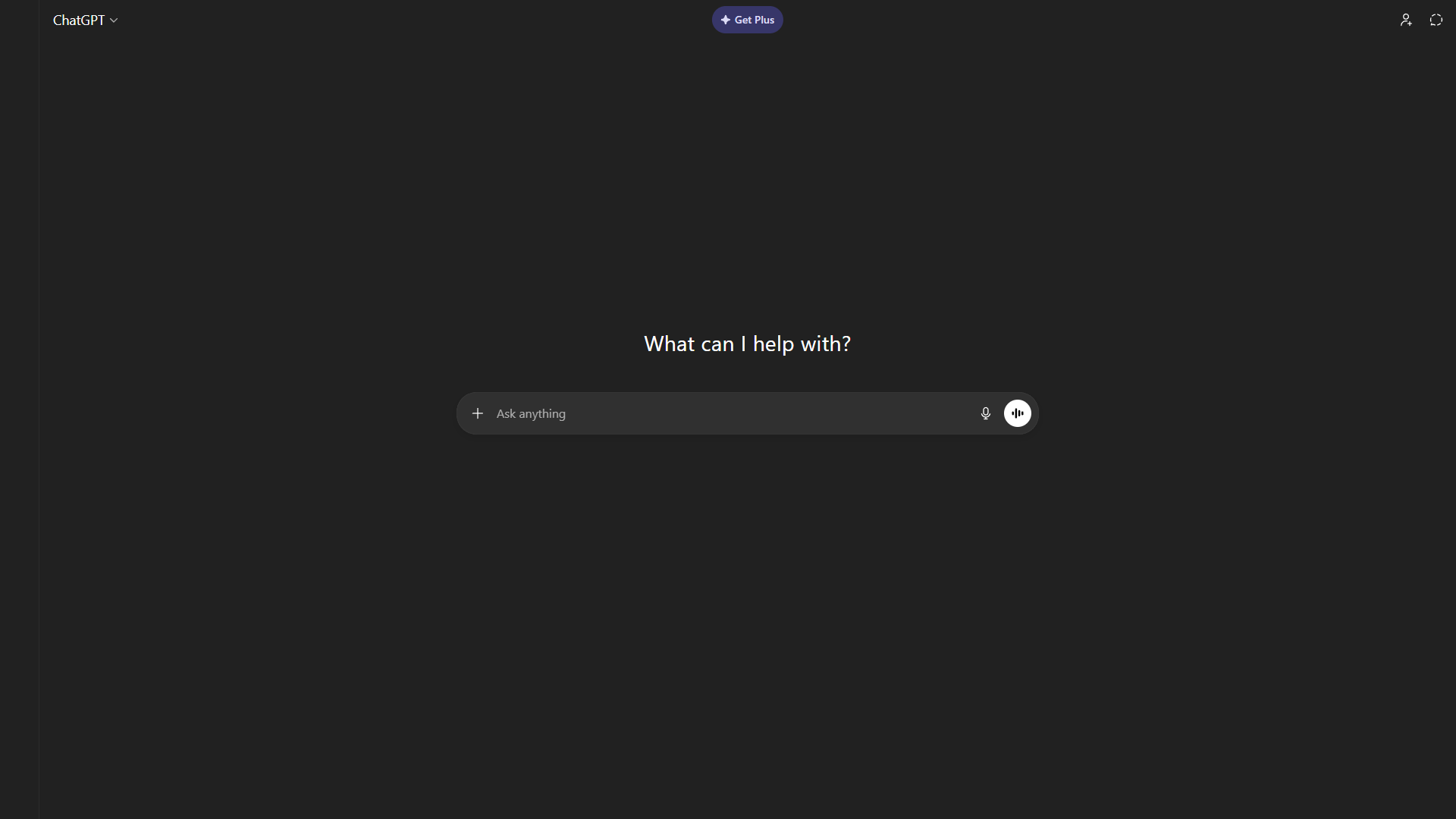
ChatGPT has a natural, conversational writing style that works well for marketing copy, social media posts, and creative content. Custom GPTs let you build dedicated writing assistants with your brand voice baked in. The integrated image generation through GPT-4o means you can produce both copy and visuals in a single session. Voice mode adds another dimension - dictating ideas and having ChatGPT refine them in real time is a genuinely useful workflow for brainstorming.
Claude produces more precise, carefully structured content - the ChatGPT vs Claude deep dive covers writing-quality differences in detail. It is especially strong for technical writing, documentation, and long-form articles where accuracy matters more than creative flair. Claude generates fewer hallucinated claims, which means less time fact-checking. The Projects feature maintains your writing style and context across sessions, so you do not have to re-explain your audience or tone every time. For anything over 3,000 words, Claude maintains coherence noticeably better than ChatGPT.
Winner: ChatGPT for marketing and creative content. Claude for technical, long-form, and accuracy-sensitive writing.
Research and Analysis
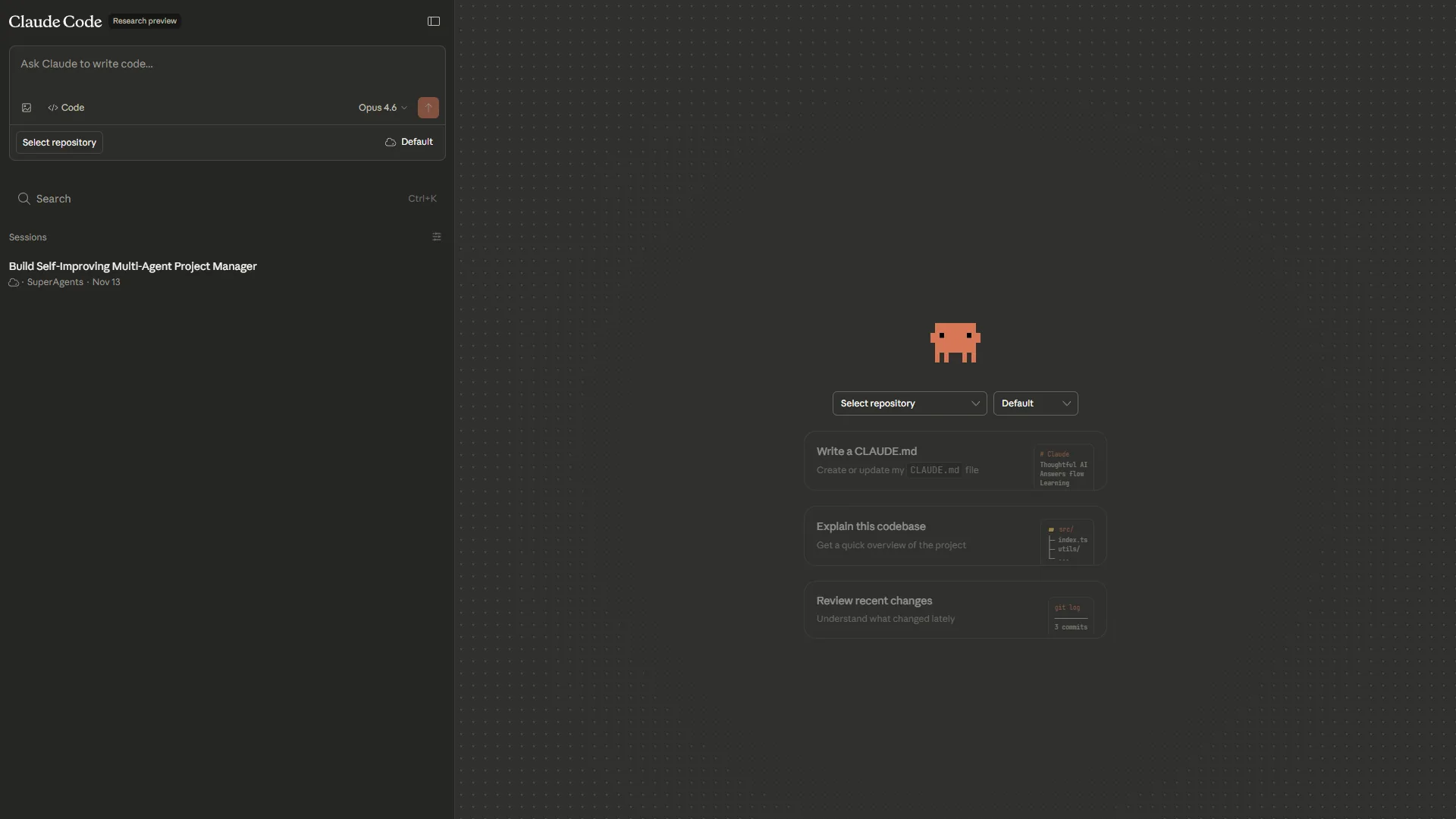
Claude handles research-heavy tasks exceptionally well. Upload a 100-page report, a dataset, and supporting documents in one conversation, and Claude synthesizes them into coherent analysis without losing track of details. The 200K token context window means you rarely need to split documents. Claude’s analysis tends to surface non-obvious connections and present findings with appropriate nuance rather than oversimplified summaries.
ChatGPT brings web browsing to the table, which is valuable when your research requires current data. ChatGPT can pull recent statistics, check competitor websites, and verify claims against live sources - the ChatGPT vs Perplexity comparison shows how it stacks up against research-first tools. Advanced Data Analysis lets you upload spreadsheets and run actual calculations - trend analysis, statistical tests, and data visualizations that Claude can only describe. For quantitative research, this computational capability is a genuine advantage.
Winner: Claude for document-heavy qualitative research. ChatGPT for web-based research and quantitative analysis. For a focused test of both on research tasks, see our Perplexity vs Claude for research deep dive.
Code Generation and Development
This is where the 2026 landscape has changed most dramatically. Claude launched Claude Code - an agentic coding assistant that runs directly in your terminal - and it fundamentally changed what “AI-assisted coding” means.
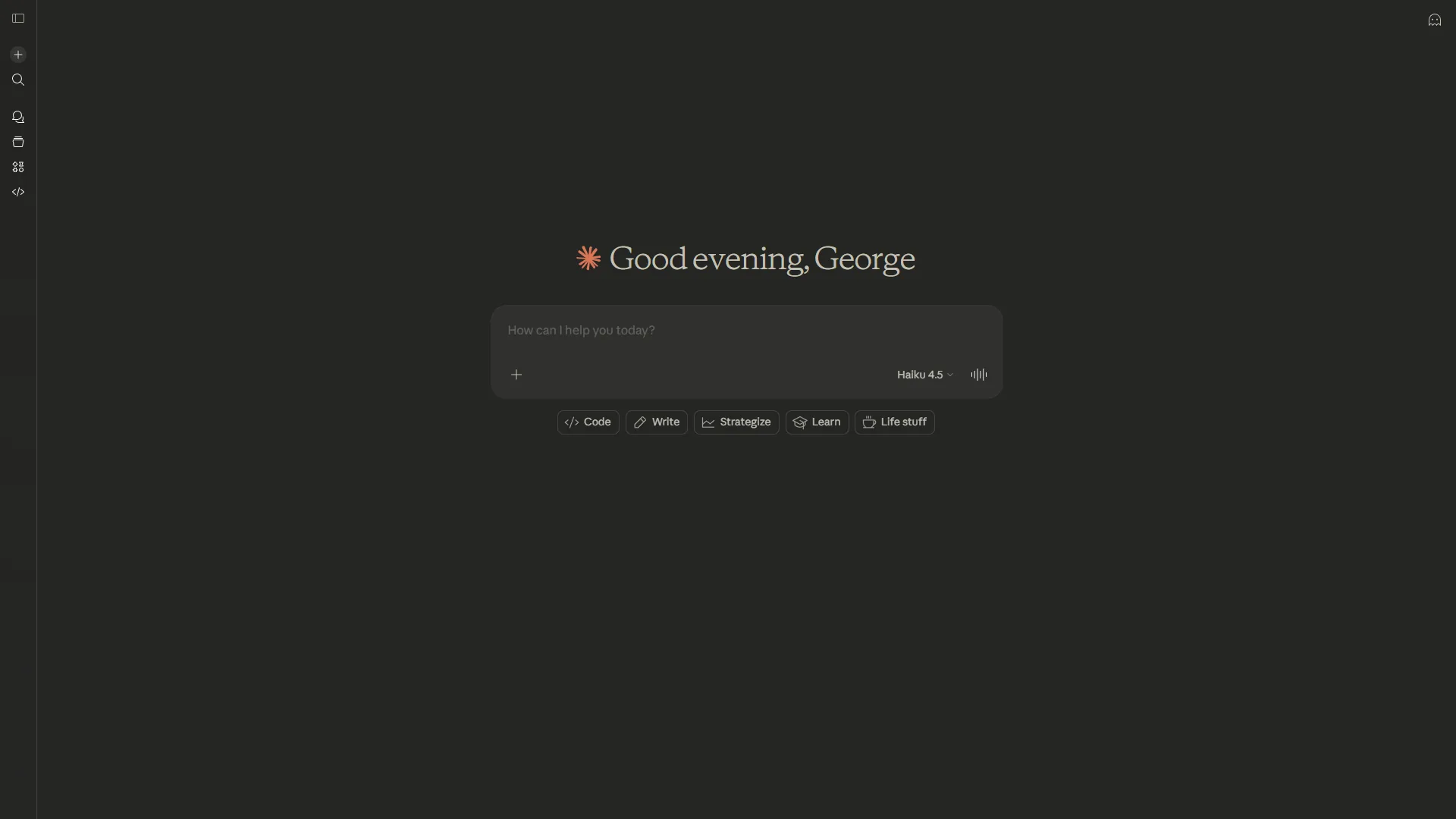
Claude Code understands your entire codebase, edits multiple files simultaneously, runs tests, and commits changes - all from natural language commands - as covered in the official Claude Code documentation. It handles complex refactoring tasks that would take hours manually. Developers report saving 10+ hours per week on coding tasks. The tool reads your project structure, understands dependencies, and makes changes that actually work within your existing architecture. This is not autocomplete - it is a coding partner that can handle multi-step engineering tasks autonomously.
ChatGPT is competent at code generation within its chat interface. It handles single-file tasks, explains concepts clearly, and is useful for learning new languages or frameworks - the GitHub Copilot vs Claude Code breakdown covers how it compares to dedicated coding assistants. But it cannot interact with your codebase directly. You copy code in, get suggestions, and paste them back. For quick snippets and debugging individual functions, ChatGPT works fine. For anything involving your actual project structure, the copy-paste workflow creates significant friction.
Winner: Claude Code, by a wide margin for professional development work. ChatGPT remains useful for learning, explaining concepts, and quick one-off code snippets.
Email and Communication
Claude excels at maintaining communication consistency. Through Projects, it learns your email tone, formality level, and signature patterns from uploaded examples. Feed it an entire email thread and it tracks who said what, what was promised, and what the open questions are. Drafts typically need one round of light editing. For executives managing dozens of threads, this context-aware drafting saves real time.
ChatGPT uses its Memory feature to learn your preferences over time, which works well once trained. The advantage is speed for quick replies - ChatGPT’s responses feel natural and ready to send with minimal editing for routine emails. Voice mode is useful for drafting emails hands-free while commuting or multitasking. Custom GPTs built specifically for email workflows can handle formatting, tone-matching, and follow-up scheduling.
Winner: Claude for complex, multi-thread communication. ChatGPT for quick replies and voice-based drafting.
Meeting Preparation and Follow-Up
Claude handles meeting prep comprehensively. Upload an agenda, past meeting notes, relevant documents, and stakeholder profiles in one shot. It produces structured briefing documents with talking points, potential objections, and background context. Post-meeting, feed it raw notes and it generates clean summaries with action items, owners, and deadlines extracted accurately.
ChatGPT takes a different approach to meetings - real-time web browsing lets it research attendees, their companies, and recent developments before external meetings. The Advanced Data Analysis feature is useful for meetings involving financial data or metrics, as ChatGPT can prepare charts and calculations from raw spreadsheets. For internal meetings where you have all the documents, ChatGPT and Claude perform similarly.
Winner: Tie. Claude for internal meetings with existing documents. ChatGPT for external meetings requiring live research.
Feature-by-Feature: Integration Ecosystems
Any honest claude vs chatgpt 2026 comparison needs to cover integrations. How these tools connect to your existing stack matters as much as what they can do in isolation. And the integration strategies are fundamentally different.
Claude: Model Context Protocol (MCP)
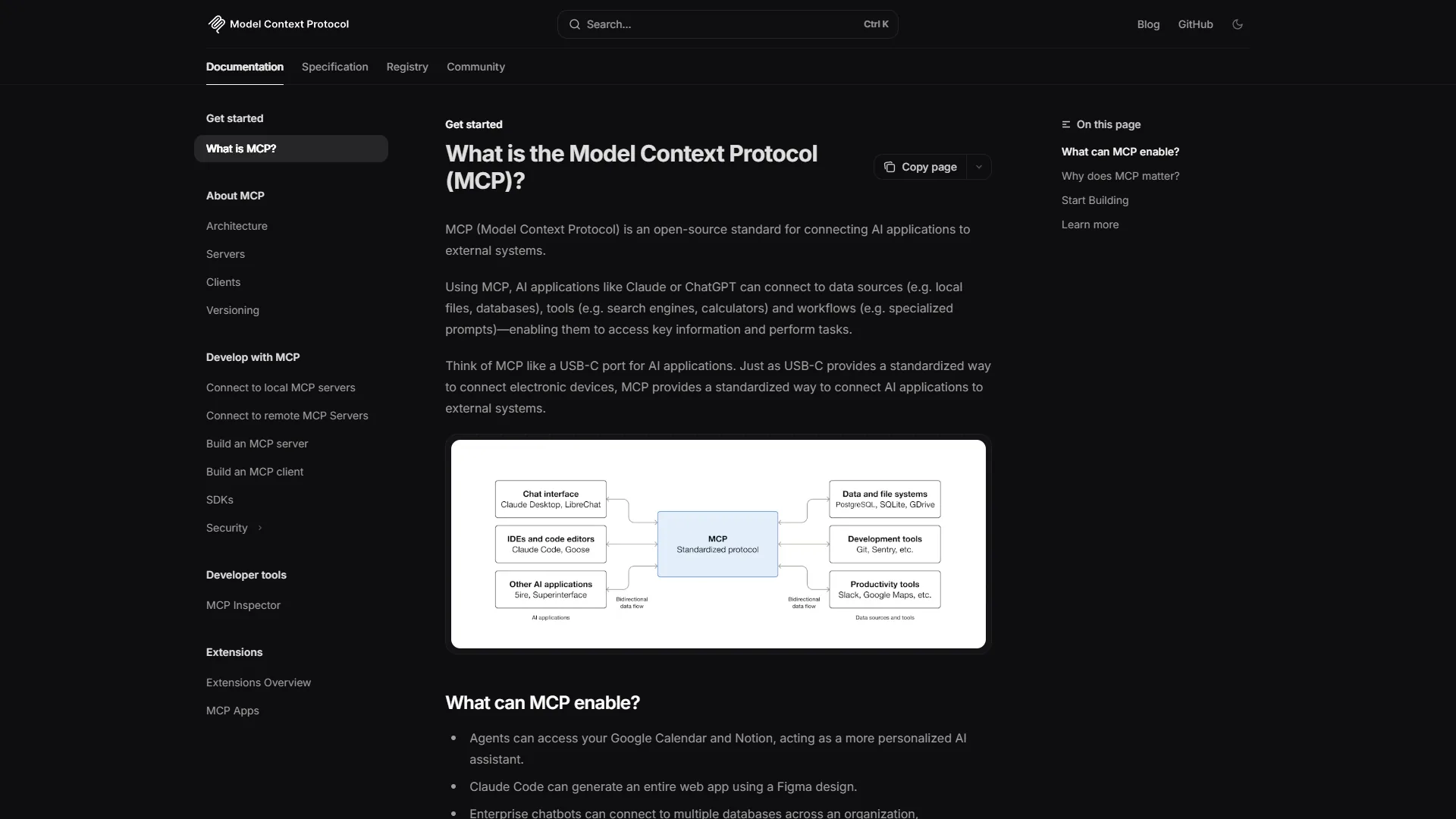
Claude uses the Model Context Protocol - an open standard for connecting AI to external tools. MCP servers can run locally or remotely and give Claude direct access to your file system, GitHub repos, Slack channels, databases, and dozens of other services. The depth of integration is remarkable: Claude does not just read data from these tools, it can take actions. Write code and push it. Query a database and analyze results. Read Jira tickets and draft updates.
For technical teams, MCP transforms Claude from a chat assistant into a workflow automation layer - see the Claude Code MCP servers guide for hands-on patterns. The open protocol means community-built integrations are growing rapidly, and because MCP servers run in your environment, your data stays local.
ChatGPT: Custom GPTs and Plugin Ecosystem
ChatGPT takes a marketplace approach. The GPT Store contains thousands of purpose-built assistants for specific tasks - SEO analysis, legal document review, financial modeling, language tutoring, and more. Building custom GPTs requires no coding: upload your knowledge base, write instructions, and share with your team. This accessibility means non-technical teams can create specialized tools without developer support.
The trade-off is depth. Custom GPTs operate within ChatGPT’s web interface and cannot directly interact with your local tools. API-based integrations through OpenAI’s platform are powerful but require development work.
Integration Verdict
Claude’s MCP is deeper but more technical - ideal for developer-heavy teams who want AI embedded in their workflows. ChatGPT’s ecosystem is broader and more accessible - better for cross-functional teams who want specialized assistants without engineering effort. Neither approach is wrong; they serve different organizational needs.
Pricing Comparison and Value Analysis
Both platforms start at $20 per month for their standard paid tier, but the value proposition differs significantly at each level.
Side-by-Side Pricing
| Tier | Claude | ChatGPT |
|---|---|---|
| Free | Limited daily usage | GPT-3.5 + limited GPT-4o |
| Standard | Pro: $20/mo | Plus: $20/mo |
| Premium | Max: $100/mo | Pro: $200/mo |
| Team | Team: $30/user/mo | Team: $30/user/mo |
| Enterprise | Custom (50+ users) | Custom (150+ users) |
Cost-Per-Task Analysis
At the $20 per month tier, both tools offer comparable value for general tasks. The difference shows up in how you use them.
The Claude pricing breakdown and Claude Code pricing guides cover each tier in more depth.
Claude Pro at $20 per month delivers the best value for:
- Long document analysis (single upload vs. splitting across multiple chats)
- Coding assistance through Claude Code (included with Pro)
- Complex reasoning tasks requiring careful, accurate output
- Privacy-sensitive work (data never used for training at any tier)
ChatGPT Plus at $20 per month delivers the best value for:
- Content creation combining text and images in one workflow
- Web research requiring current information
- Data analysis with actual computation via Advanced Data Analysis
- Voice-based workflows using live voice mode
The Premium Tier Decision
Claude Max at $100 per month gives you unlimited Claude Code usage, extended context, and highest priority access. For developers using Claude Code daily, this tier pays for itself within the first week. Our Claude Code tips and tricks guide covers the workflows that deliver the fastest ROI. If you bill $100+ per hour for development work and Claude Code saves you 10 hours per week, the ROI is roughly 40x.
ChatGPT Pro at $200 per month provides unlimited access to all models including o1 pro mode (enhanced reasoning), with no message count limits. This tier makes sense for power users who hit Plus limits regularly - particularly researchers, analysts, and content teams producing high volumes. The unlimited access eliminates the frustration of rate limiting during critical work sessions.
Which Subscription Strategy Works Best?
If you want to see how both models stack up against a wider field, our apps like ChatGPT roundup covers the full landscape of general-purpose AI assistants.
For most professionals, one of three strategies makes sense:
- Single subscription ($20 per month): Choose based on your primary use case. Claude for document-heavy or coding work. ChatGPT for creative content and multimedia.
- Dual subscription ($40 per month): Use each tool where it excels. This is increasingly the default for knowledge workers who want the best tool for each task.
- Premium single ($100-200/mo): If one tool handles 80%+ of your workflow, upgrade that one rather than splitting between two.
Privacy and Security
This matters more than most comparisons acknowledge, especially for enterprise teams.
Claude does not use your data to train models at any pricing tier, as outlined in Anthropic’s data retention policy. Conversations are retained for safety monitoring and abuse prevention but are not fed into training pipelines. For teams handling sensitive data - legal documents, financial information, health records - this default posture simplifies compliance conversations.
ChatGPT on the free tier uses conversations for model training by default, though you can opt out in settings. Paid tiers (Plus, Pro, Team, Enterprise) exclude data from training by default. Enterprise adds SOC 2 compliance, audit logs, tenant-key encryption, and custom retention policies. The Team plan includes workspace-level data isolation.
For enterprise deployment: Claude has a lower user minimum (50 vs. 150 for ChatGPT Enterprise), which makes it more accessible for mid-size companies. ChatGPT Enterprise offers more mature admin controls and compliance certifications, which matters for heavily regulated industries.
Limitations on both sides: Claude’s privacy story has tradeoffs - the safety-monitoring retention can still rule it out for the most stringent compliance environments, and audit-log tooling lags ChatGPT Enterprise. Skip ChatGPT free for any sensitive work since the default is to train on your conversations, and skip both for industries that require zero data leaving on-prem - neither tool offers fully self-hosted deployments. Both platforms have drawbacks for air-gapped environments where cloud AI is simply not allowed; teams in those situations should look at Apple M5 Max local LLM workflows or other on-device options.
Strengths and Limitations Summary
Where Claude Wins
- Long document analysis - 200K token context window handles 150,000+ words without splitting
- Coding workflows - Claude Code provides autonomous, terminal-based development assistance
- Reasoning accuracy - Fewer hallucinations, more nuanced analysis on complex topics
- Privacy by default - Data never used for training, no opt-out required
- Context retention - Projects feature maintains working context across sessions
- Enterprise accessibility - Lower user minimums, simpler deployment
Where ChatGPT Wins
- Multimedia creation - Built-in image generation via GPT-4o and DALL-E
- Voice interactions - Live voice mode for hands-free brainstorming and drafting
- Web browsing - Real-time research with current data access
- Computation - Advanced Data Analysis runs actual calculations on uploaded data
- Ecosystem breadth - GPT Store with thousands of purpose-built assistants
- Ease of adoption - Familiar interface, lower learning curve for non-technical teams
Shared Limitations
When evaluating claude vs chatgpt 2026, both tools still hallucinate occasionally - the ChatGPT common bugs and fixes 2026 guide documents recurring issues - struggle with real-time data accuracy, and cannot replace domain expertise. Neither handles highly specialized technical domains (medicine, law, finance) without human oversight. And both require careful prompt engineering to get consistent, high-quality output on complex tasks.
Best Picks by Use Case: Who Should Choose Which
Choose Claude If You Are:
- A developer - Claude Code’s terminal integration and autonomous coding capabilities are unmatched
- A researcher or analyst - The 200K context window and reasoning depth handle complex analysis better
- Working with sensitive data - Privacy-first defaults simplify compliance
- Processing long documents - Contracts, reports, and technical papers without splitting
- Building technical integrations - MCP provides deeper workflow automation
Choose ChatGPT If You Are:
- A content creator - Text plus image generation in one workflow saves significant time
- A non-technical professional - The interface is approachable and Custom GPTs require no coding
- Working with data - Advanced Data Analysis provides actual computation, not just descriptions
- On the go - Voice mode enables productive mobile workflows
- Building a team toolkit - GPT Store provides immediate, no-code specialized assistants
Consider Both If You:
- Handle diverse tasks spanning content creation, analysis, coding, and communication
- Want the best tool for each workflow rather than a single compromise
- Bill enough per hour that the $40 per month combined cost is negligible compared to time saved
- Need image generation (ChatGPT) plus deep coding assistance (Claude) regularly
The Bottom Line
The claude vs chatgpt 2026 comparison is no longer about which AI is “better.” Both platforms earn strong user ratings and both start at $20 per month. The real question is which one matches how you work.
Claude wins on depth - longer context windows, more accurate reasoning, autonomous coding through Claude Code, and stronger privacy defaults. ChatGPT wins on breadth - image generation, voice mode, web browsing, computation, and a massive ecosystem of specialized GPTs.
For productivity-focused professionals, the practical advice is this: start with whichever tool matches your primary workflow (coding and analysis lean Claude; creative content and multimedia lean ChatGPT), use it for two weeks, and identify the tasks where it falls short. That gap analysis will tell you whether a second subscription is worth the investment. In most cases, it is.
FAQ
Q: What is the price difference between Claude and ChatGPT in 2026?
Both platforms start at $20 per month for their standard paid tier - Claude Pro and ChatGPT Plus. Premium pricing diverges: Claude Max runs $100 per month while ChatGPT Pro is $200 per month. Team plans match at $30 per user per month. Claude Enterprise starts at 50 users, while ChatGPT Enterprise requires a 150-user minimum, making Claude more accessible for mid-size companies.
Q: Which is better for coding, Claude or ChatGPT?
Claude Code wins by a wide margin for professional development work. It understands your entire codebase, edits multiple files simultaneously, runs tests, and commits changes from natural language commands. Developers report saving 10+ hours per week on coding tasks. ChatGPT handles single-file tasks and concept explanations well but cannot interact with your codebase directly, creating copy-paste friction for real project work.
Q: How do Claude and ChatGPT compare on privacy?
Claude does not use your data to train models at any pricing tier, including the free plan. ChatGPT’s free tier uses conversations for model training by default, though you can opt out in settings. Paid ChatGPT tiers - Plus, Pro, Team, and Enterprise - exclude data from training by default. For teams handling legal, financial, or health data, Claude’s default posture simplifies compliance conversations.
Q: What is the context window difference between Claude and ChatGPT?
Claude offers a 200K token context window, while ChatGPT with GPT-5 provides 128K tokens. Claude’s larger window handles 150,000+ words without splitting, which matters for long document analysis - uploading a 100-page report, a dataset, and supporting documents in one conversation. For users working with contracts, technical papers, or multi-document research, Claude’s extended context removes the need to break files into smaller chunks.
Related Reading
- Claude Code - Full review of Claude’s AI coding assistant with pricing and ratings
- ChatGPT - Complete ChatGPT review with features, pricing, and user ratings
- Jira - Project management platform with AI-powered workflow automation
- Best AI Writing Tools 2026 - Full comparison of AI writing assistants including Claude and ChatGPT
- AI Pair Programming Guide - How to use AI coding assistants effectively
- Best AI Assistants for Productivity 2026 - Comprehensive guide covering all major AI assistants
External Resources
- Anthropic Claude - Official Claude platform with pricing, features, and Claude Code documentation
- OpenAI ChatGPT - Official ChatGPT product page with latest model information and pricing
- Model Context Protocol - Open standard specification for AI tool integrations