






Atlassian Intelligence review is an evaluation of the AI capabilities built into Atlassian products like Jira, Confluence, and Bitbucket, alongside the newer Rovo AI platform. Together, they offer smart summaries, content generation, and cross-product search. As of April 2026, both are auto-enabled for all Premium and Enterprise plan users.
This guide covers atlassian intelligence review with detailed analysis.
If your team drowns in scattered documentation, endless Jira tickets, and meetings that could have been a search query, Atlassian has a solution. Atlassian Intelligence and Rovo AI promise to transform how teams find information, automate workflows, and collaborate across the entire Atlassian ecosystem. But with confusing naming, recent pricing changes, and bold ROI claims, is it worth the investment?
This complete guide cuts through the marketing noise to show you exactly how Atlassian Intelligence works, what it costs in 2026, and whether it delivers on its productivity promises.
What is Atlassian Intelligence (and How Does Rovo Fit In)?
When exploring atlassian intelligence review, consider the following.
Let’s clear up the confusion first. Atlassian uses two overlapping brand names for its AI features:
Atlassian Intelligence is the umbrella term for AI capabilities built directly into Atlassian products like Jira, Confluence, and Bitbucket. Think of it as the AI layer that enhances individual tools with smart summaries, content generation, and automated workflows.
Rovo AI is the newer cross-product intelligence platform that unifies search, learning, and automation across your entire Atlassian workspace. Per Atlassian’s Rovo announcement, it includes AI teammates, federated search, and the ability to connect third-party tools beyond the Atlassian ecosystem.
As of April 2026, Atlassian auto-enabled Intelligence and Rovo for all Premium and Enterprise plan users. The two systems work together: Intelligence powers product-specific features while Rovo provides the connective tissue between them.
For this guide, we’ll focus primarily on how these AI features work within Confluence, though the principles apply across Jira, Trello, and other Atlassian products. Who it’s not for: teams hoping for a clean, single product - the overlap between Intelligence and Rovo creates real cognitive overhead and is the biggest drawback of the current naming.
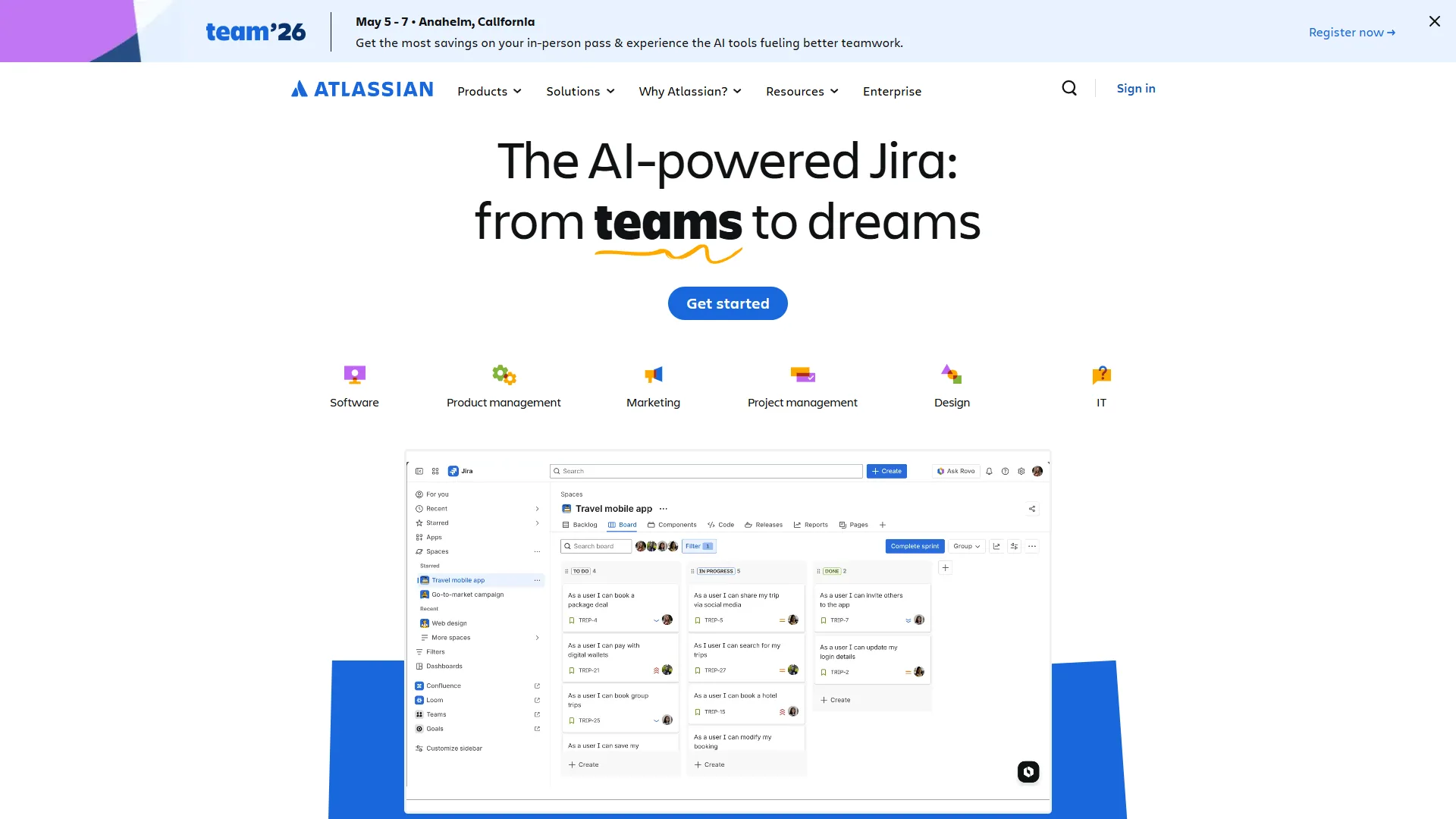
Core AI Features Breakdown
1. AI-Powered Content Generation
The most immediately useful feature for most teams is AI content generation in Confluence. Instead of staring at a blank page, you can:
- Generate meeting notes from templates with smart formatting
- Create project documentation by describing requirements in plain language
- Draft product requirements documents (PRDs) with structured sections
- Build how-to guides by outlining steps conversationally
The AI understands Confluence’s formatting and automatically applies headings, bullets, tables, and macros. Quality varies by complexity - simple meeting notes work well, while technical documentation requires heavy editing.
2. Smart Summaries and Page Catch-Up
Information overload is real when you have hundreds of Confluence pages. Atlassian Intelligence tackles this with:
Page Summaries: Click a button to get a 2-3 paragraph synopsis of any page. Useful for quickly scanning lengthy technical docs or project retrospectives - a category covered in depth in our best AI documentation tools comparison.
Page Catch-Up: Shows what changed since your last visit, highlighting new comments, edits, and decisions. This feature alone saves hours of scrolling through version histories.
Comment Summaries: Condenses long discussion threads into key takeaways and action items. Particularly valuable after collaborative brainstorming sessions.
3. Rovo AI Search (The Big Shift)
Traditional Confluence search is notoriously bad. You know the information exists somewhere, but finding it requires remembering exact keywords or knowing which space to search.
Building on the foundation laid out in our AI knowledge management tools roundup, Rovo AI search changes the equation:
- Ask questions in natural language: “What did we decide about the Q4 marketing budget?”
- Search across Jira, Confluence, and connected tools simultaneously
- Get contextualized answers with source citations, not just page links
- Discover related content you didn’t know existed
Atlassian claims 78% improvement in search accuracy compared to keyword search. In practice, Rovo excels at factual retrieval (“Who owns the API integration project?”) but struggles with nuanced questions requiring interpretation.
4. AI Definitions and In-Line Explanations
When reading Confluence pages, you can highlight any term and ask AI to explain it. This creates automatically generated definitions that consider your organization’s context.
For example, highlighting “sprint velocity” might explain: “In our Agile workflow, sprint velocity measures story points completed per two-week sprint, tracked in Jira.”
This contextual learning is particularly valuable for onboarding new team members who encounter internal jargon and acronyms.
5. AI Whiteboards for Visual Collaboration
Confluence’s whiteboard feature now includes AI assistance for:
- Generating sticky notes from brainstorming prompts
- Organizing ideas into thematic clusters automatically
- Suggesting related concepts to expand ideation sessions
- Converting whiteboard content into structured Confluence pages
The AI clustering is hit-or-miss. It works well for straightforward categorization (grouping feature requests by product area) but misses nuance in abstract strategy discussions.
6. Automated Workflows with AI Teammates
This is where Rovo AI shines for advanced users. You can create AI teammates that:
- Monitor specific Confluence spaces for updates and send Slack summaries
- Automatically create Jira tickets from action items mentioned in meeting notes
- Generate weekly status reports by aggregating project page updates
- Answer team questions by referencing designated documentation sources
Think of AI teammates as smart bots that reduce repetitive coordination work. Setup requires some technical comfort with defining rules and triggers. Tradeoffs: the rule builder is opaque for non-technical users, and the limitations on third-party connector reliability mean you’ll need a fallback plan when integrations drift.
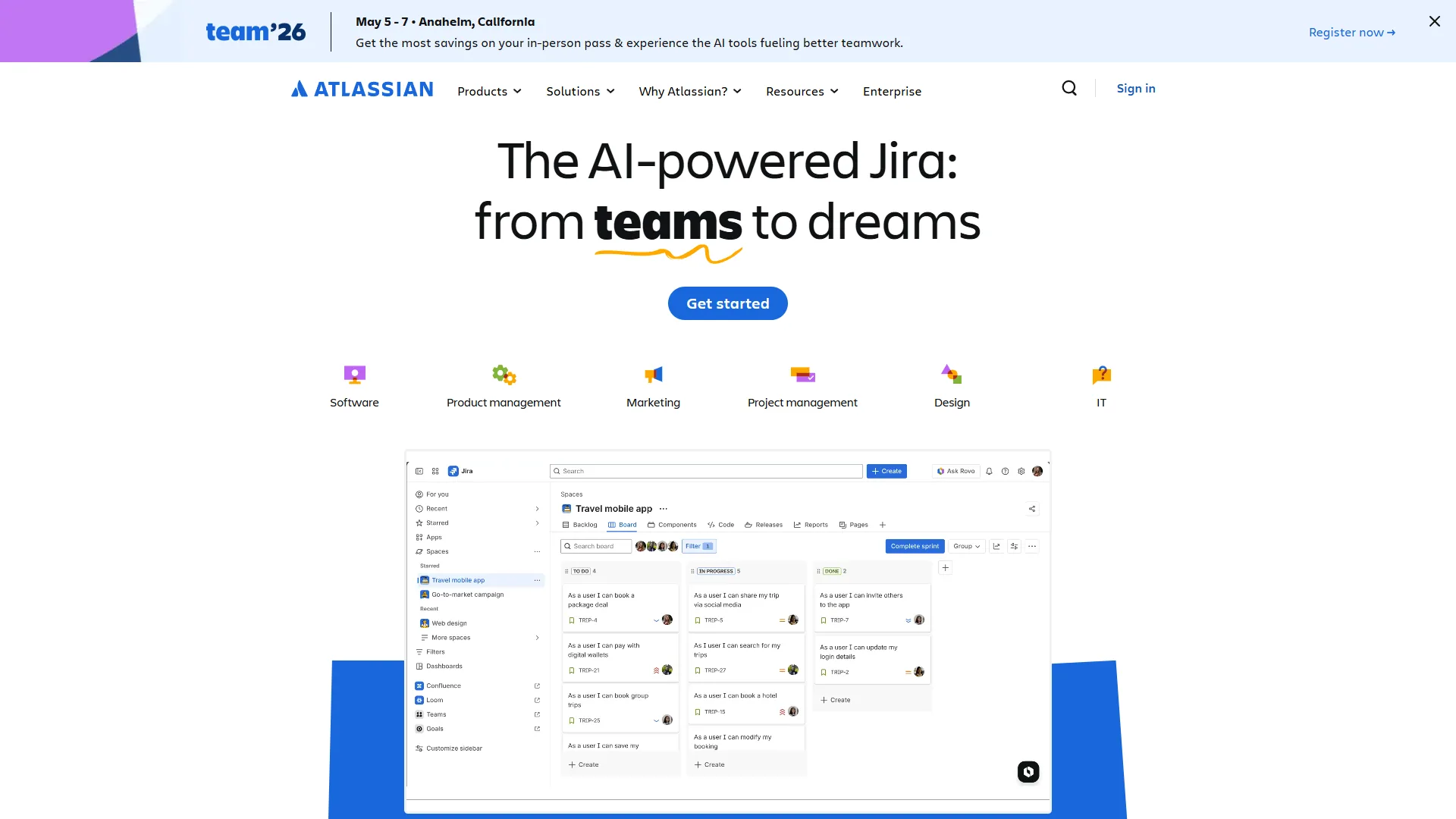
Confluence-Specific AI Capabilities in Practice
Let’s walk through how these features work in real-world scenarios:
Scenario 1: Writing Product Documentation
You need to document a new API endpoint. Instead of writing from scratch:
- Open a blank Confluence page and click the AI assistant
- Prompt: “Create API documentation for a user authentication endpoint”
- AI generates a structured template with sections for description, parameters, example requests, and responses
- Fill in technical details while AI handles formatting and boilerplate text
- Use AI summaries to create a quick-reference version for developers
Time saved: 15-20 minutes per documentation page.
Scenario 2: Meeting Follow-Up
After a product planning meeting:
- Paste meeting transcript or rough notes into Confluence
- Ask AI to “summarize key decisions, action items, and open questions”
- AI creates bulleted lists organized by category
- Review and edit for accuracy
- Share with team immediately instead of spending an hour cleaning up notes
Time saved: 30-45 minutes per meeting.
Scenario 3: Onboarding New Team Members
A new hire needs to understand your deployment process:
- They search: “How do we deploy to production?”
- Rovo AI returns the deployment runbook page, recent incident reports, and related Jira tickets
- Clicking through, they use AI definitions to understand internal terms
- AI suggests related pages about rollback procedures and monitoring
Time saved: 2-3 hours of asking colleagues for links and context.
Scenario limitations: these time-savings figures assume a mature Confluence instance and trained users. The drawbacks of testing too early - sparse content, untrained team - typically include AI suggestions that frustrate rather than help. Skip these scenarios as proof points until your knowledge base has 200+ pages.
Pricing Breakdown (2026 Current)
Atlassian’s pricing changed significantly in January 2026. Here’s what you need to know:
| Plan | Price per User/Month | AI Features Included |
|---|---|---|
| Free | $0 (up to 10 users) | Basic AI summaries only |
| Standard | $6.4/month | Limited AI (10 queries/user/month) |
| Premium | $12.3/month | Full Intelligence + Rovo unlimited |
| Enterprise | Custom pricing | Full features + advanced security |
Key Changes from 2026:
- AI features now included with Premium/Enterprise at no additional cost (previously required separate add-on)
- Standard plan reduced AI quota from 50 to 10 queries per user per month
- Free plan added basic summarization features (previously had zero AI)
What “Unlimited” Really Means: Atlassian defines unlimited as “reasonable business use.” If individual users consistently exceed 500 AI queries per month, you may get contacted about usage patterns. For most teams, this is a non-issue.
ROI Calculation: Atlassian commissioned a Forrester Total Economic Impact study claiming 428% ROI over three years for Premium plan customers using AI features. The math assumes:
- 6 hours per week saved per user on information retrieval and documentation
- Average fully-loaded employee cost of $75,000/year
- 100-user organization ($12,300/year AI cost)
Break-even calculation: If AI saves just 3.3 hours per user per month, it pays for itself at Premium pricing.
Pricing tradeoffs: the Forrester ROI math has well-known limitations - it assumes 100% adoption and accurate self-reported time savings. Skip the headline 428% number if your team has historically struggled to adopt new tools; the drawbacks of low adoption show up as paid-for capacity nobody uses.
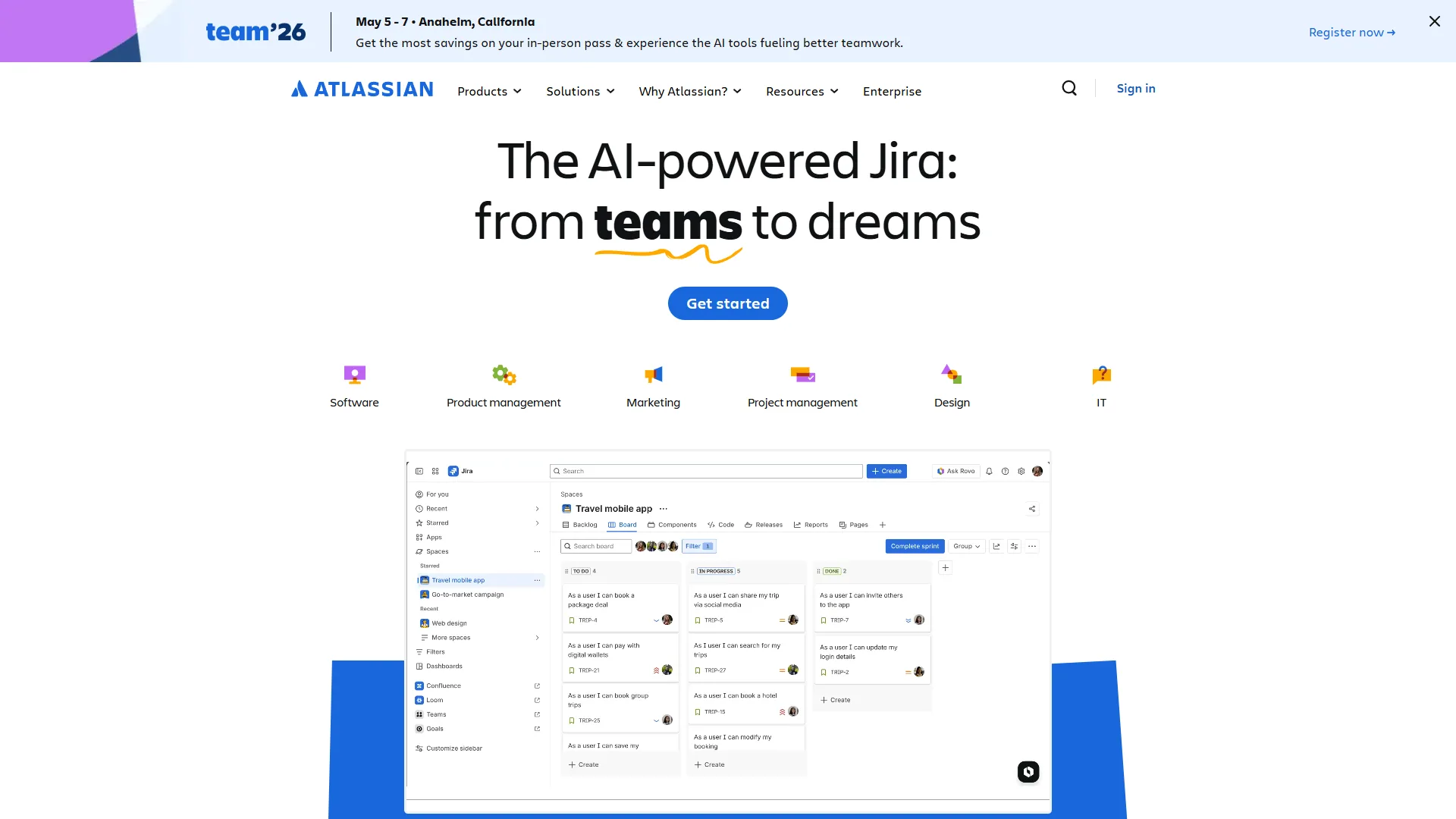
Implementation Guide: Getting Started
If you’re already on Confluence Premium or Enterprise, AI features are enabled by default. Here’s how to roll them out effectively:
Step 1: Admin Configuration (15 minutes)
- Go to Confluence Settings > Atlassian Intelligence
- Review data governance settings (AI processes content but doesn’t train on your data)
- Set usage policies (optional: limit AI to specific spaces or user groups)
- Enable Rovo connectors for third-party tools if needed
Step 2: Pilot with Power Users (2 weeks)
Don’t roll out to everyone immediately. Select 5-10 early adopters who:
- Create documentation frequently
- Struggle with information retrieval
- Are comfortable with new technology
Ask them to test AI summaries, content generation, and Rovo search daily and report what works.
Step 3: Document Internal Use Cases (1 week)
Based on pilot feedback, create Confluence pages showing:
- Effective AI prompts for your team’s common tasks
- Examples of good AI-generated content vs. what needs editing
- When to use AI search vs. traditional search
- How to create useful AI definitions for internal jargon
Step 4: Training and Rollout (Ongoing)
- Run 30-minute training sessions demonstrating 3-4 key features
- Create a Confluence space as the “AI Help Center”
- Share quick tips in team Slack channels weekly
- Collect feedback and iterate on internal documentation
Common Pitfall: Teams enable AI features but never train users, leading to low adoption. Budget 2-3 hours of training time per team.
Implementation tradeoffs: this rollout plan has limitations for distributed teams - synchronous training sessions are a real drawback when users span 6+ time zones. Skip the live training step in that case and lean on async video walkthroughs instead.
Measuring ROI: Does It Actually Save 6 Hours Per Week?
No atlassian intelligence review is complete without examining the ROI claims. Atlassian’s Forrester study claims dramatic time savings. Here’s how to measure whether your team achieves similar results:
Metrics to Track
Before Implementation (2-week baseline):
- Average time to find information in Confluence (survey 10-20 users)
- Hours spent per week writing documentation
- Number of “Where is the doc for…?” Slack messages
After 90 Days:
- Percentage of searches using Rovo AI vs. keyword search
- Number of pages created using AI content generation
- User-reported time savings (monthly survey)
- Reduction in repetitive questions in Slack
Realistic Time Savings by Role
Based on user reports, here’s what different roles actually save:
| Role | Primary Benefit | Realistic Weekly Savings |
|---|---|---|
| Product Managers | Documentation generation, meeting summaries | 4-6 hours |
| Engineers | Finding technical docs, API references | 2-3 hours |
| Marketing | Content drafting, campaign research | 3-5 hours |
| Operations | Process documentation, SOPs | 3-4 hours |
| Customer Success | Knowledge base creation, answer lookup | 5-7 hours |
Reality Check: The 6-hour average is achievable only if:
- Your Confluence instance has substantial existing content (500+ pages minimum)
- Users actually adopt AI features (requires training and reinforcement)
- Your documentation quality is good (AI amplifies existing content quality)
Teams with sparse, outdated Confluence spaces see minimal benefit because AI has little to work with - who it’s not for comes down to instances under 200 pages or with stale content older than 18 months. The biggest drawback of measuring ROI here is the lag: meaningful productivity tradeoffs take 90+ days to surface, so resist the urge to judge the rollout in week two.
Honest Limitations: What This Atlassian Intelligence Review Reveals
Let’s address what the marketing materials gloss over:
1. Accuracy Isn’t Perfect
AI-generated content requires editing. Expect to spend 20-30% of the time you’d normally spend writing, but on reviewing and correcting AI output instead of creating from scratch.
Problematic scenarios:
- Technical documentation with exact syntax requirements
- Legal or compliance content requiring precision
- Complex strategic documents with nuanced reasoning
2. Rovo Search Needs Volume
If your Confluence instance has fewer than 200 pages or hasn’t been updated in months, Rovo’s advanced search adds little value over basic keyword search. The AI needs substantial, current content to train on.
3. Data Privacy Considerations
While Atlassian doesn’t train their AI models on your data, your content is processed by third-party AI providers. For highly sensitive industries (healthcare, finance, government), this may violate compliance requirements.
Premium and Enterprise plans offer data residency controls, but verify with your security team before enabling.
4. Integration Limitations
Rovo can connect to third-party tools like Google Drive, Slack, and Salesforce, but integration quality varies. Expect setup headaches and occasional sync issues.
5. Learning Curve for Advanced Features
AI teammates and automated workflows require understanding of Rovo’s rule builder, which isn’t intuitive for non-technical users. Budget time for learning or hire someone with automation experience.
Alternatives to Consider
Before committing to Atlassian Intelligence, compare against these alternatives:
For AI-powered knowledge management:
- Notion - Built-in AI with better content generation for smaller teams
- Slite - AI-first documentation tool with cleaner interface
For cross-tool search:
- Guru - Enterprise knowledge management with AI verification
For meeting notes and summaries:
- Fireflies AI - Dedicated meeting transcription with better accuracy
- Otter AI - Real-time transcription with AI summaries
When to choose Atlassian Intelligence instead:
- You’re already deeply invested in the Atlassian ecosystem (Jira + Confluence + Bitbucket)
- You need unified search across all these tools
- Your organization has 50+ users already on Premium plans
Switching costs are high if you’re not already on Atlassian. For teams starting fresh, stands out as a clean, AI-native workspace with strong documentation and project management features.
If you prefer to stay within the Atlassian ecosystem, with AI add-ons can still offer strong value for team knowledge management.
Alternative tradeoffs: every alternative listed has its own limitations. Skip Notion if you need granular permission controls, skip Slite if you have 500+ users, and skip Guru if you need real-time editing. The honest drawback of switching is migration cost - expect 4-8 weeks for teams over 100 users.
Verdict: Should You Enable Atlassian Intelligence?
Enable it if:
- You’re already on Confluence Premium/Enterprise (it’s included, so why not?)
- Your team creates 10+ documentation pages per week
- Information retrieval is a documented pain point
- You have existing Confluence content to leverage (500+ pages)
Skip it if:
- You’re on Standard plan and would need to upgrade solely for AI
- Your Confluence instance is sparse or outdated
- Strict data privacy requirements prohibit cloud AI processing
- Your team lacks time for training and adoption efforts
The Bottom Line: Atlassian Intelligence won’t transform your workflow overnight, but it meaningfully reduces documentation drudgery and search frustration for teams already using Confluence. The 428% ROI claim is achievable only with strong adoption and substantial existing content.
For Confluence Premium users, enabling AI is a no-brainer - it’s free and delivers 2-4 hours of weekly time savings with minimal setup. For Standard plan users considering an upgrade, run a 30-day trial first to validate whether your team will actually use the features before committing to Standard tier pricing.
The real question isn’t whether Atlassian Intelligence works - it does. It’s whether your team will invest the time to learn it and integrate it into daily workflows. Technology is easy; behavior change is hard.
Ready to try Atlassian Intelligence? Start with these three high-impact use cases:
- Use AI summaries on your five most-viewed Confluence pages this week
- Generate your next meeting notes with AI assistance and compare time spent
- Ask Rovo search three questions you’d normally ask colleagues in Slack
Track time saved and decide after two weeks whether it’s worth expanding adoption.
For more AI productivity tools that integrate with Confluence, check out our review or explore our guide to AI knowledge management tools.
The Bottom Line
This atlassian intelligence review confirms meaningful productivity gains for teams already invested in the Atlassian ecosystem. Start with AI summaries and search inside Confluence, measure the time savings against a Notion baseline if you’re comparing platforms, and expand adoption from there.
Frequently Asked Questions
What can Atlassian Intelligence actually do today?
Atlassian Intelligence handles AI-powered content generation, page and comment summaries, smart catch-up on what changed since your last visit, in-line term explanations, and AI-assisted whiteboards across Jira, Confluence, and Bitbucket. Rovo extends those capabilities with cross-product search, AI teammates, and connections to third-party tools like Google Drive, Slack, and Salesforce. Both layers are auto-enabled for Premium and Enterprise plan users as of April 2026.
What is the difference between Atlassian Intelligence and Microsoft Copilot?
Atlassian Intelligence is scoped to the Atlassian product suite, optimized for Jira tickets, Confluence pages, and Bitbucket repos. Microsoft Copilot is scoped to Microsoft 365 (Word, Excel, Teams, Outlook). They solve similar problems within different ecosystems. If your team lives in Confluence and Jira, Atlassian Intelligence is the more relevant tool; if you mostly use SharePoint and Outlook, Copilot fits better.
Is Atlassian discontinuing Jira?
No. Atlassian retired Jira Server (the self-hosted version) in February 2024 but Jira Cloud and Jira Data Center remain fully supported and are receiving active feature investment. The AI features covered in this review apply primarily to Jira Cloud, where Intelligence and Rovo are auto-enabled on Premium and Enterprise tiers.
What is the difference between Atlassian Intelligence and Rovo?
Atlassian Intelligence is the AI layer built directly into individual products like Jira, Confluence, and Bitbucket, handling smart summaries, content generation, and automated workflows. Rovo is the newer cross-product platform that unifies search, learning, and automation across your entire workspace - including connections to third-party tools like Google Drive, Slack, and Salesforce. Think of Intelligence as the per-product AI and Rovo as the connective tissue between products.
How much does Atlassian Intelligence cost in 2026?
In 2026, Atlassian Intelligence and Rovo are included at no additional cost for Premium ($12.3/month) and Enterprise (custom pricing) plan users. Standard plan users get a limited 10 AI queries per user per month at $6.4/month, while Free plan users receive basic summarization only. Most teams that want serious AI usage end up on Premium since the AI quota on Standard runs out quickly.
Does Atlassian train its AI on my data?
No. Atlassian states that customer content is processed by AI providers but is not used to train their models. Premium and Enterprise plans add data residency controls so you can pin processing to a specific region. Highly regulated industries (healthcare, finance, government) should still review the data flow with their security team before enabling AI features broadly.
Want to learn more about Confluence?
Related Guides
- Atlassian Tools for Developers - Jira, Confluence, and Bitbucket workflow integration
- GitHub Actions Tutorial - CI/CD comparison for dev teams evaluating Atlassian
- Confluence vs Notion - Documentation platform comparison
External Resources
Related Guides
- 12 Voice Productivity Tips to Save 6.5 Hours Weekly
- AI Workflow Automation Maturity Model: 5 Levels
- Atlassian Tools for Developers: Jira, Confluence & Bitbucket
- Building AI First Workflows: A Practitioner's 2026 Guide
- Client Onboarding Automation: Automate Client Onboarding
- Craft Tips and Tricks: 12 Expert Hacks for Faster Docs
- ElevenLabs Team Workspace Collaboration: Setup Guide
- Fireflies Tips Tricks: Smart Search, Action Items in 2026
- Granola AI Meeting Notes: 2026 Walkthrough for Teams
- Greenhouse Implementation Guide: 30-Day Rollout Plan