


Atlassian tools for developers are a connected suite - Jira Software, Bitbucket, and Confluence - designed to link sprint planning, Git repositories, and documentation into a single traceable workflow. This Atlassian tools list covers issue tracking in Jira, code and CI/CD pipelines in Bitbucket, and technical specs in Confluence, with each tool integrating directly rather than relying on external webhooks.
Most guides about Atlassian tools for developers free of actual developer perspective read like they were written by a project manager who once watched a sprint planning meeting from across the room. They talk about “visibility” and “alignment” while glossing over the things developers actually care about: how do I create a branch from a Jira ticket without leaving my terminal? Can I see which pull requests are blocking my sprint? Will the CI pipeline actually tell me what broke?
This guide is different. It covers Jira, Confluence, and Bitbucket from the perspective of someone who writes code for a living - including Atlassian tools for developers GitHub workflows, download options, and shortcuts that make the Atlassian stack worth the setup cost in 2026, plus the honest limitations you should know before committing.
Quick Overview: The Three Core Atlassian Tools for Developers
| Tool | Purpose | Free Tier | Team Price | Best For |
|---|---|---|---|---|
| Jira Software | Sprint planning, issue tracking, backlog management | Up to 10 users | $8.15/month annual | Agile dev teams running sprints |
| Bitbucket | Git repos, CI/CD pipelines, code review | Up to 5 users | $3/month | Teams wanting tight Jira integration |
| Confluence | Documentation, knowledge base, technical specs | Up to 10 users | $6.4/month | API docs, runbooks, architecture decisions |
The real value is not in any single tool - it is in how they connect. A Jira issue links to a Bitbucket branch, which links to a pull request, which links to a Confluence design doc. That traceability is what sets the Atlassian stack apart from using three unrelated tools bolted together with webhooks.
Jira Software: Planning and Tracking for Dev Teams
Jira has a reputation problem. Developers hear “Jira” and think of bloated ticket descriptions, mandatory fields that slow them down, and standups where everyone reads their ticket status out loud. That reputation is earned - Jira can absolutely become bureaucratic overhead if your team configures it poorly.
But configured well, Jira is genuinely useful for development work. Here is what matters.
Sprint Management That Works
The board view shows your current sprint at a glance: backlog items on the left, in-progress work in the middle, done items on the right. Drag tickets between columns. That is the basics.
What makes Jira better than a Trello board or a sticky-note wall is the metadata attached to each issue. Compared to the lighter project management tools with AI features, Jira’s depth of issue metadata is hard to match. Story points, linked pull requests, deployment status, and subtasks give you a real picture of where a feature stands - not just whether someone moved a card.
JQL: The Query Language Developers Actually Use
Jira Query Language is where power users separate from casual users. Instead of clicking through filters, you write queries:
project = MYAPP AND status = "In Progress" AND assignee = currentUser() ORDER BY priority DESCproject = MYAPP AND type = Bug AND created >= -7d AND resolution = UnresolvedSave these as filters, pin them to your dashboard, and you have a real-time view of what needs your attention without opening the board.
The Honest Limitations
Jira is slow. Page loads on large projects with thousands of issues can take 3-5 seconds. The new Jira Cloud interface improved performance compared to the Server version, but it still lags behind lighter tools like Linear or Shortcut.
The configuration complexity is real too. Custom workflows, field schemes, permission schemes, and notification schemes create an admin burden that scales with team size. A 5-person team can set up Jira in an afternoon. A 50-person team needs a dedicated Jira admin.
Bitbucket: Git Repositories with Deep Jira Integration
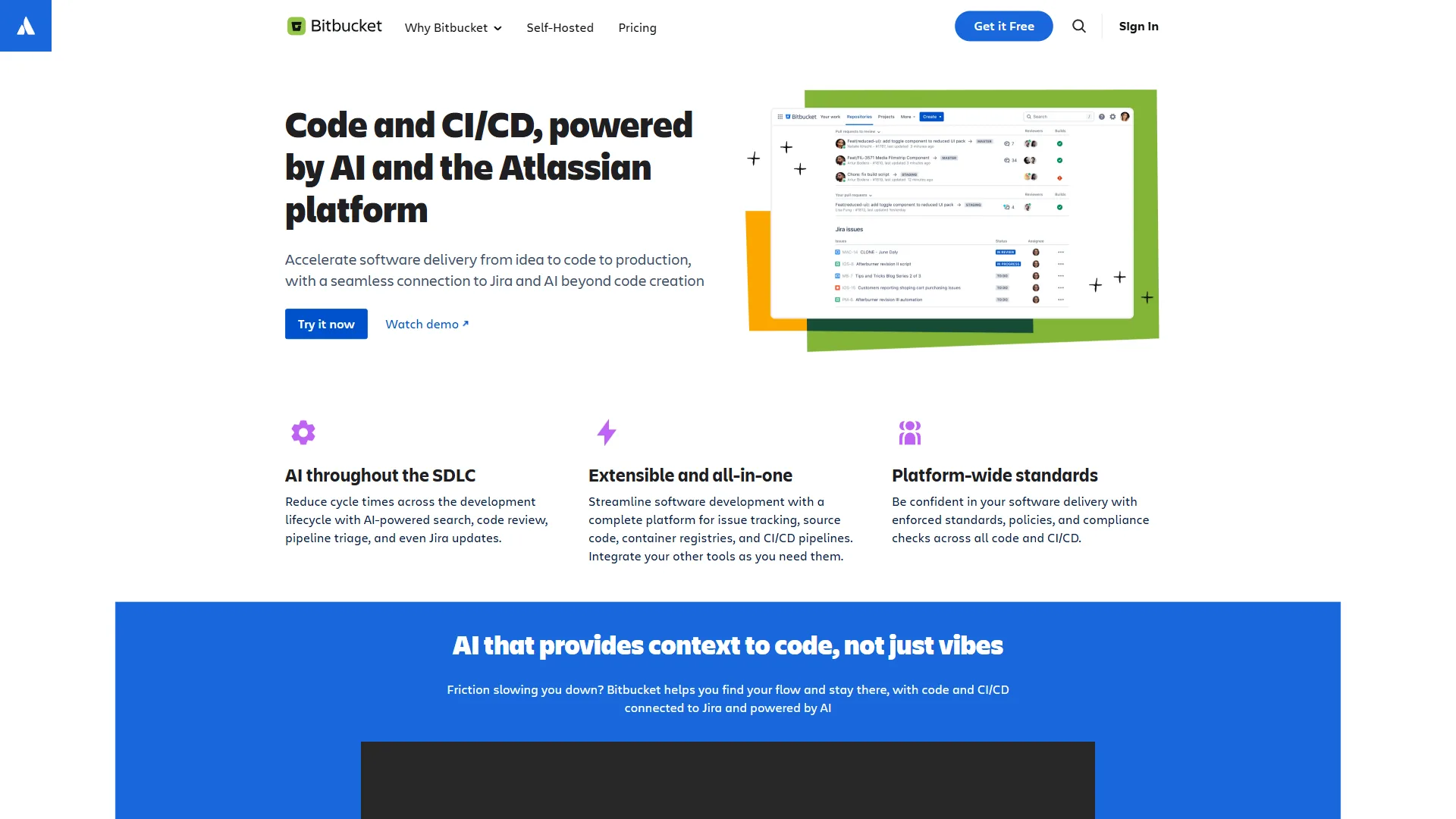
Bitbucket is Atlassian’s Git hosting service, and its primary selling point is the Jira integration thatGitHubb and GitLab cannot match natively.
Smart Commits: Control Jira from Your Terminal
Smart commits let you update Jira issues directly from your commit messages:
git commit -m "PROJ-123 #comment Fixed the null pointer exception in auth middleware #time 2h"That single commit message does three things: links the commit to PROJ-123, adds a comment on the Jira issue, and logs 2 hours of work. No browser tab switching required.
You can also transition issue status from commits:
git commit -m "PROJ-456 #resolve Fixed pagination offset calculation"This moves PROJ-456 to your “Done” status automatically. For teams that forget to update their tickets (which is every team), smart commits keep Jira accurate without adding friction.
Branch Creation from Jira Issues
Click “Create branch” on any Jira issue, and Bitbucket generates a branch named after the issue key: feature/PROJ-123-add-user-authentication. The branch automatically links back to the issue, so your pull request shows up on the Jira ticket without any manual linking.
This sounds minor, but it eliminates the common problem of orphaned branches that nobody can trace back to a requirement.
Bitbucket Pipelines: Built-In CI/CD
Bitbucket Pipelines runs your CI/CD directly within Bitbucket. Configuration lives in a bitbucket-pipelines.yml file at your repository root:
pipelines:
  default:
    - step:
        name: Build and Test
        image: node:20
        caches:
          - node
        script:
          - npm ci
          - npm test
          - npm run build
  branches:
    main:
      - step:
          name: Deploy to Production
          deployment: production
          script:
            - npm ci
            - npm run build
            - pipe: atlassian/scp-deploy:1.0.0
              variables:
                USER: $DEPLOY_USER
                SERVER: $DEPLOY_SERVER
                REMOTE_PATH: /var/www/app
The free tier gives you 50 build minutes per month. The Standard plan bumps that to 2,500 minutes. For comparison, GitHub Actions gives 2,000 free minutes on private repos, so the pricing is competitive but not a clear winner either way.
Where Bitbucket Falls Short
The developer experience on Bitbucket is noticeably behind GitHub. The code review interface is functional but dated. The search is mediocre. The community is smaller, which means fewer open-source projects, fewer integrations from third-party tools, and less content when you search for help.
If your team does not use Jira, there is little reason to choose Bitbucket over GitHub or GitLab. The Jira integration is the differentiator - without it, Bitbucket is a competent but unremarkable Git host. For a detailed comparison, see our GitLab vs Bitbucket breakdown.
Confluence: Documentation That Developers Might Actually Write

Confluence is where Atlassian tools for developers handle the documentation side of software development - the part everyone agrees is important and nobody wants to do.
What Developers Actually Use Confluence For
Forget the generic “team wiki” pitch. Here is how development teams use Confluence in practice:
Architecture Decision Records (ADRs): Document why you chose PostgreSQL over MongoDB, why you picked REST over GraphQL, why the auth service is a separate microservice. Six months later, when someone asks “why did we do it this way?”, the answer exists in Confluence instead of in a Slack thread that disappeared.
Runbooks: Step-by-step instructions for operational tasks. “How to roll back a deployment.” “How to restore the database from backup.” “What to do when the payment service returns 503 errors.” These save you at 2 AM when an incident happens and the person who built the system is on vacation.
API Documentation: Confluence handles API docs reasonably well with code block macros, table formatting for endpoint parameters, and version history. It is not as good as dedicated API doc tools like Swagger or Readme, but it keeps everything in one place. If you need more capable documentation platforms, see the best AI documentation tools for alternatives.
Sprint Retrospectives and Post-Mortems: Templates for structured meeting notes that link back to Jira issues. The post-mortem template is particularly good - it enforces sections for timeline, root cause, impact, and action items.
The Documentation Debt Problem
Confluence does not solve documentation debt - it just gives you a structured place to accumulate it. Pages go stale. API docs describe endpoints that were removed two sprints ago. Runbooks reference infrastructure that was migrated to Kubernetes last quarter.
Atlassian added “page health” features that flag pages not updated in 6+ months, which helps surface stale content. But the real solution is cultural: someone on the team needs to own documentation freshness. Confluence provides the tool, not the discipline.
How the Three Tools Work Together
This is where Atlassian tools for developers deliver value that exceeds the sum of parts. Here is a concrete workflow:
The Feature Development Lifecycle
1. Planning (Jira): Product manager creates an epic “User Authentication Overhaul” with child stories: “Implement OAuth2 flow,” “Add MFA support,” “Update login UI.” Each story has acceptance criteria, story points, and a sprint assignment.
2. Branch Creation (Jira to Bitbucket): Developer picks up “Implement OAuth2 flow” (PROJ-789), clicks “Create branch” in Jira, which creates feature/PROJ-789-implement-oauth2-flow in Bitbucket. The branch is automatically linked to the issue.
3. Development (Bitbucket): Developer writes code, commits with smart commit messages:
git commit -m "PROJ-789 #comment Added OAuth2 authorization code flow with PKCE #time 4h"Jira issue updates automatically with the comment and time log.
4. Code Review (Bitbucket): Developer opens a pull request. Bitbucket Pipelines runs tests automatically. Reviewers see the linked Jira issue context directly in the PR - they know what this code is supposed to do without asking.
5. Merge and Deploy (Bitbucket): PR approved, tests green, code merged to main. Pipeline deploys to staging. Jira issue transitions to “In Review” automatically based on branch merge rules.
6. Documentation (Confluence): Developer updates the authentication architecture page in Confluence, linking to PROJ-789 for context. The Confluence page now shows the linked Jira issue, which shows the linked Bitbucket commits. Full traceability from requirement to code to documentation.
This traceability is what managers and auditors love, but it benefits developers too. When you are debugging an issue six months later, you can trace from the broken code back to the PR, back to the Jira issue, back to the design doc that explains the original decision.
The Extended Stack: Compass, Rovo AI, and Jira Service Management
Beyond the core three, Atlassian offers additional tools that integrate with the developer workflow:
Compass is a developer portal for tracking services, APIs, and components. Think of it as an internal catalog - which team owns the payment service, what is its health score, where is its documentation? For organizations running dozens of microservices, Compass reduces the “who owns this?” problem.
Rovo AI is Atlassian’s AI assistant that works across Jira, Confluence, and Bitbucket. It can summarize Jira backlogs, generate Confluence page drafts from Jira issues, and answer questions about your project history. It launched in 2024 and is available on Premium and Enterprise plans. In practice, the Confluence summarization is useful; the Jira automation features are still maturing.
Jira Service Management bridges development and IT operations. When a customer reports a bug through a service desk, JSM creates a linked Jira Software issue for the development team. The customer gets status updates without developers needing to interact with the service desk directly.
How Does Atlassian Compare to the GitHub and GitLab Ecosystems?
The honest comparison: GitHub and GitLab each offer their own integrated stacks that compete with Atlassian’s.
| Capability | Atlassian Stack | GitHub Ecosystem | GitLab |
|---|---|---|---|
| Issue Tracking | Jira (full-featured) | GitHub Issues / Projects (lighter) | GitLab Issues (solid) |
| Code Hosting | Bitbucket | GitHub (industry standard) | GitLab (self-host option) |
| CI/CD | Bitbucket Pipelines | GitHub Actions (more marketplace) | GitLab CI (built-in) |
| Documentation | Confluence (dedicated wiki) | GitHub Wiki (basic) | GitLab Wiki (basic) |
| AI Features | Rovo AI (Premium+) | Copilot (separate license) | Duo (Premium+) |
Choose Atlassian when: You need a powerful issue tracker with complex workflows, your team requires structured documentation beyond a basic wiki, or you are already in the Atlassian ecosystem. Jira’s workflow customization is unmatched - if your process involves approval gates, custom fields, or compliance tracking, GitHub Issues and Projects will feel too lightweight.
Choose GitHub when: You work in open source, want the largest developer community, need the best CI/CD marketplace (GitHub Actions), or prioritize code-first workflows over project management. GitHub’s developer experience for code review and collaboration is the industry benchmark. We cover more options in our best version control tools roundup.
Choose GitLab when: You want everything in a single application with self-hosting options, need built-in security scanning (SAST/DAST), or work in regulated environments that require on-premise deployment.
The migration cost is real. Switching from Jira to GitHub Issues means losing custom workflows, field configurations, and years of issue history context. Most teams that adopt Atlassian tools for developers stay because the switching cost exceeds the friction of staying.
Getting Started: Pricing and What You Actually Need (2026)
Free Tiers
All three core tools offer free plans for small teams:
- Jira Software Free: Up to 10 users, unlimited projects, basic roadmaps, 2 GB storage
- Bitbucket Free: Up to 5 users, unlimited private repos, 50 pipeline minutes/month
- Confluence Free: Up to 10 users, unlimited pages, 2 GB storage
For a team of 5 developers, you can run the full Atlassian stack at zero cost. That is a legitimate starting point, not a crippled trial. Check out more tools built for developers if you are evaluating your full toolkit.
Team Pricing (10-100 Users)
When you outgrow the free tier, Standard plans run $8.15/month annual for Jira Software, $3/month for Bitbucket (2,500 pipeline minutes included), and $6.4/month for Confluence. Always confirm the live numbers on Atlassian’s pricing pages - Jira pricing, Bitbucket pricing, and Confluence pricing - because seat tiers and per-user discounts shift each renewal cycle.
For a 20-person team using all three, the combined cost is comparable to alternatives - check the current Atlassian pricing pages for an exact figure. Compare that to GitHub Team (see their pricing page for repos and Actions) plus a separate project management tool like Linear or Notion. The total cost ends up similar - the question is whether you want one vendor or best-of-breed.
What Most Dev Teams Actually Need
Start with Jira and Bitbucket. These two cover the core development loop: plan work, write code, review code, deploy. Add Confluence when documentation becomes a bottleneck - which usually happens around the 15-20 developer mark, when tribal knowledge stops scaling.
Skip the Premium tier unless you need AI features (Rovo) or enterprise compliance controls (audit logs, IP allowlisting, 99.9% SLA). Standard covers the majority of development team needs.
Is the Atlassian Stack Worth It for Dev Teams in 2026?
Atlassian tools for developers work best when you commit to the ecosystem rather than cherry-picking individual tools. Jira alone is a capable but heavyweight issue tracker. Bitbucket alone is a decent but unremarkable Git host. Confluence alone is a functional but unglamorous wiki.
Together, they create a workflow where planning, coding, reviewing, deploying, and documenting are connected with minimal manual effort. The Jira-to-Bitbucket integration - smart commits, automatic branch linking, PR status on tickets - is the specific feature that justifies choosing this stack over alternatives.
The tradeoffs are real: Jira’s complexity, Bitbucket’s smaller community, Confluence’s stale-page problem. If your team values simplicity over configurability, or if you are building open source, GitHub’s ecosystem is a better fit. But for teams that need structured project management alongside their code, the Atlassian stack remains the most tightly integrated option available.
Start with the free tier. Set up Jira, connect Bitbucket, and try the smart commit workflow on a real project. If your knowledge base also lives there, layering on Confluence for runbooks and ADRs makes the integration story complete. You will know within two sprints whether the integration benefits outweigh the configuration overhead.
Frequently Asked Questions
What tools does Atlassian offer for developers?
Atlassian’s developer suite centers on three core products: Jira Software for sprint planning and issue tracking, Bitbucket for Git hosting and CI/CD pipelines, and Confluence for technical documentation and runbooks. The extended stack adds Compass (service catalog), Rovo AI (cross-product assistant), and Jira Service Management (dev-to-IT bridge). The value comes from the connections between them - branches, pull requests, and Jira issues stay linked automatically.
Is Atlassian discontinuing Jira?
No. Atlassian retired Jira Server (the self-hosted edition) in February 2024 but Jira Cloud and Jira Data Center remain fully supported and continue to receive active feature investment. Most teams covered by this guide are on Jira Cloud, which is also where Bitbucket integration and Rovo AI features ship first.
How do Jira and Bitbucket connect for developers?
The integration works through smart commits and automatic branch linking. When you create a branch from a Jira issue, Bitbucket names it after the issue key and links it back automatically. Commit messages referencing an issue key add comments to the Jira ticket, log work, and can transition issue status - all without switching browser tabs. The pull request page also displays the linked Jira issue context inline so reviewers know what the code is supposed to do.
Is Bitbucket worth using if my team doesn’t use Jira?
Probably not. The Jira integration is Bitbucket’s primary differentiator over GitHub and GitLab. Without it, Bitbucket is a competent but unremarkable Git host with a dated code review interface, mediocre search, and a smaller community than GitHub. Teams without Jira typically get a better experience choosing GitHub for the marketplace and ecosystem or GitLab for the integrated DevSecOps features.
What is the Atlassian stack pricing for a small team?
A team of up to 5 developers can run the full stack - Jira, Bitbucket, and Confluence - at zero cost on free tiers. For a 20-person team using all three paid plans, the cost comes to approximately $345 per month, which is comparable to combining GitHub Team with separate project management and documentation tools. Premium tiers add Rovo AI and enterprise compliance controls if you need them.
What’s the difference between Jira Software and Jira Service Management?
Jira Software is for product development teams running sprints, tracking bugs, and managing release backlogs. Jira Service Management (JSM) is for IT and customer service teams handling incidents, change requests, and service desk tickets. The two share the underlying Jira platform and integrate cleanly - a customer-reported bug in JSM can spawn a linked Jira Software issue routed to the dev team automatically.
Want to learn more about Confluence?
Related Guides
- Atlassian Intelligence Review - AI features across Jira, Confluence, and Bitbucket
- Bitbucket Pipelines Guide - Setting up CI/CD inside Bitbucket
- GitHub Actions Tutorial - CI/CD pipeline alternative to Bitbucket Pipelines
- MCP Server Development Patterns - Modern dev tooling integration patterns
External Resources
For official documentation and updates:
- Jira Software - Official Jira product page
- Bitbucket - Official Bitbucket product page
- Confluence - Official Confluence product page
Related Guides
- AI Workflow Automation Maturity Model: 5 Levels
- Atlassian Intelligence Review: 2026 Pricing & Features
- Bitbucket Pipelines Guide: Compare CI/CD Tools in 2026
- Claude Code Ultraplan & Plan Mode: Complete Guide (2026)
- Cursor AI Productivity Tips 2026 - 12 Hacks Compared
- ElevenLabs Getting Started: Complete Beginners Guide
- Elevenlabs Pronunciation Dictionary: Complete 2026 Guide
- GitHub Actions Tutorial: Build a CI/CD Pipeline Fast
- Knowledge Sharing Best Practices Guide for Teams 2026
- Localization Workflow Automation: Complete 2026 Guide