


The default ElevenLabs audio quality settings produce good speech. Not great - good. Most people hit generate, listen once, think “that sounds fine,” and move on. They are leaving a significant quality gap on the table. The difference between default output and properly optimized output is the difference between a YouTube voiceover that sounds like AI and one that listeners do not think twice about. Professional creators who depend on ElevenLabs for audiobooks, voice cloning projects, advertisements, and corporate training know that the real power lives in the settings panel - not just the voice selection dropdown.
This guide is for creators who have already generated their first clips and want to move from “this sounds okay” to “this sounds broadcast-ready.” You will learn the ElevenLabs audio quality settings that matter most, how they interact with each other, and - critically - which combinations work best for specific use cases. Whether you are producing audiobook narration, YouTube voiceovers, product advertisements, or customer support IVR systems, there is an optimal configuration for each scenario. We will cover all of them.
If you are brand new to the platform, start with the Getting Started with ElevenLabs guide first. For a programmatic walkthrough that complements the settings work covered here, see the ElevenLabs API developer setup guide. This guide assumes you can navigate the interface, generate basic speech, and have at least a few generations under your belt for comparison.
Why Do Default ElevenLabs Audio Quality Settings Fall Short?
ElevenLabs ships with sensible default ElevenLabs voice settings. Stability at 50%, Similarity Enhancement at 75%, Style Exaggeration off, and whatever model happens to be selected. For casual use - testing a voice, generating a quick clip for a social post - those defaults are fine. The problem emerges when you start producing content at scale or for professional contexts where audio quality directly impacts listener retention, brand perception, and revenue.
Here is what default settings miss:
Model selection is often wrong for the use case. Turbo v2.5 is optimized for speed and low latency - perfect for real-time applications but not ideal for pre-recorded content where you can afford an extra second of generation time in exchange for richer prosody. Many users stay on the default model without realizing a different model would produce noticeably better output for their specific workflow.
Stability and similarity interact in non-obvious ways. Pushing both sliders high does not give you the “most accurate, most consistent” voice. It gives you a flat, robotic-sounding voice that over-emphasizes the voice profile at the expense of natural variation. The sweet spot depends on the content type, the voice itself, and the length of the text being generated. The ElevenLabs getting started guide covers how these sliders appear in the interface for first-time users.
Script formatting has a bigger impact than most settings changes. A poorly punctuated script with run-on sentences and no paragraph breaks will sound worse at optimal settings than a well-formatted script at defaults. The model uses punctuation and whitespace as prosody cues, and ignoring this is the single most common quality mistake.
No A/B testing discipline. Most users adjust one slider, regenerate, and decide based on a single comparison. Professional audio producers generate three to five variants, listen on different devices, and choose based on consistent evaluation criteria. The difference in final quality is substantial. The right ElevenLabs audio quality settings only emerge from this kind of systematic comparison, which is why most ElevenLabs tips and tricks guides emphasize side-by-side evaluation over single-take judgment.
The following principles address each of these gaps. They are ordered by impact - the first principle (model selection) makes the biggest difference, and each subsequent principle layers on top.
Principle 1: Choose the Right Model First
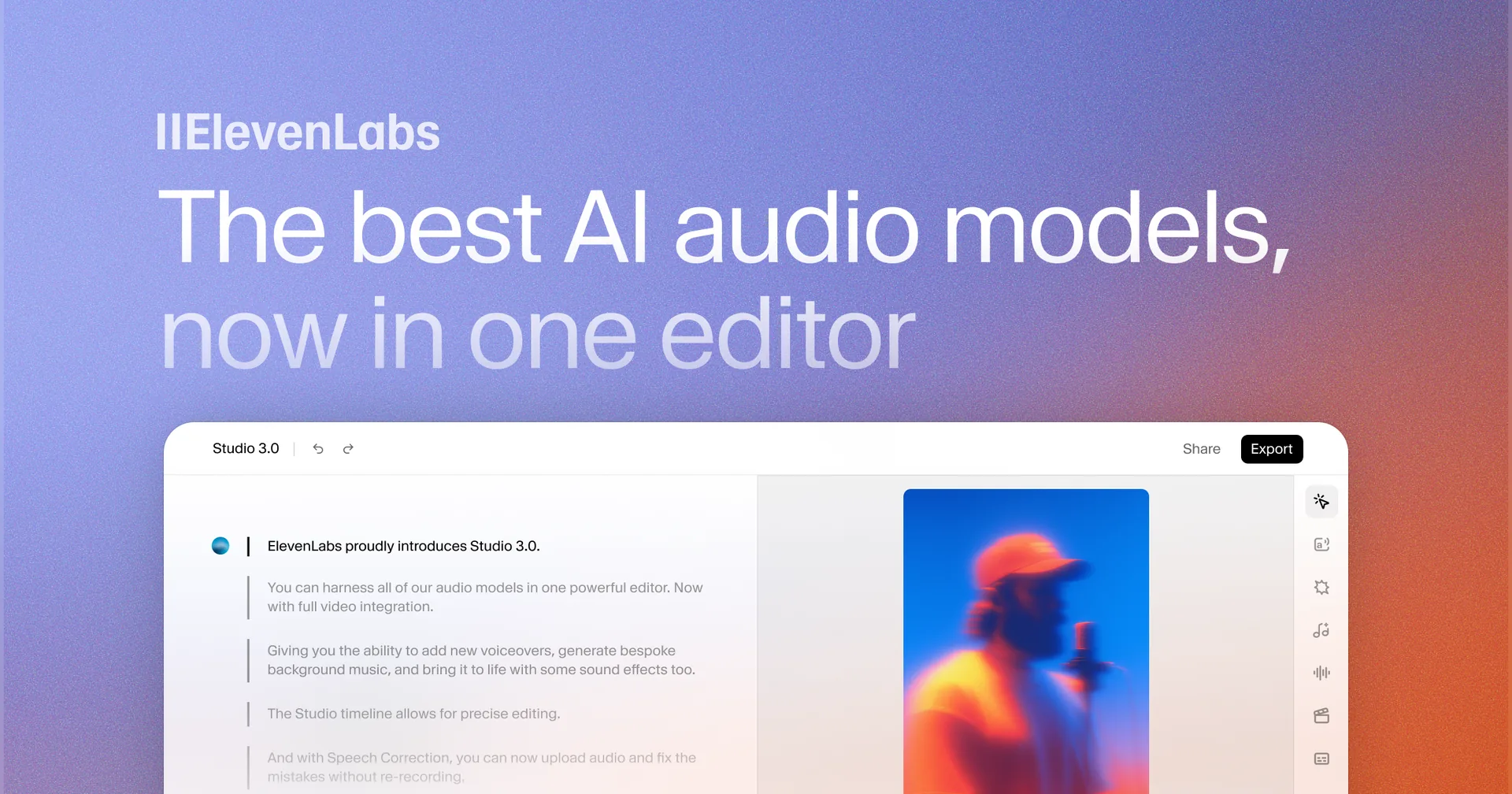
Model selection is the highest-impact ElevenLabs audio quality settings decision you will make, and it matters even more than picking the best ElevenLabs settings for a single model. The difference between models is larger than any settings adjustment within a single model. Before touching a single slider, make sure you are generating on the right model.
Multilingual v2
ElevenLabs Multilingual v2 is the flagship quality model. It supports 29 languages, has the richest emotional range, and produces the most natural-sounding prosody for pre-recorded content. Generation is slower than Flash or Turbo models, but the quality difference is audible - particularly in longer passages where pacing, breath simulation, and emphasis patterns become more noticeable.
Best for: Audiobooks, long-form narration, professional voiceovers, advertisements, any content where quality is the primary metric and generation speed is secondary. The ElevenLabs models documentation lists current latency and quality benchmarks for each model, and the Voice Design API reference covers programmatic access to the same controls.
Trade-off: Higher latency. A 500-character block takes roughly 3 to 5 seconds to generate compared to 1 to 2 seconds on Flash models. For pre-recorded content, this is irrelevant. For real-time applications, it is a dealbreaker.
Turbo v2.5
Optimized for speed without dramatically sacrificing quality. Turbo v2.5 is the model you want for conversational AI, interactive voice response systems, and any application where the user is waiting for a response. It handles short to medium text blocks well but can sound slightly less natural on longer passages compared to Multilingual v2.
Best for: Chatbots, IVR systems, real-time voice agents, quick social media clips, any workflow where latency matters more than studio-grade quality.
Trade-off: Less emotional depth on complex passages. Turbo models tend to flatten nuance in text that requires dramatic shifts in tone mid-paragraph.
Flash v2.5
The fastest model in the lineup, designed for applications where sub-second latency is critical. Quality is acceptable for most use cases but noticeably below Multilingual v2 in side-by-side comparisons, especially on emotionally complex text.
Best for: Real-time voice assistants, gaming dialogue where response speed creates immersion, rapid prototyping and testing.
Trade-off: Reduced prosody richness. Flash models prioritize speed over nuance, which means fewer natural pauses, less dynamic pitch variation, and occasionally unnatural emphasis placement.
How Do You Choose the Right ElevenLabs Model?
If you are generating audio that will be downloaded, edited, and published - use Multilingual v2. If you are building an application where users hear the audio in real time - use Turbo v2.5. If you need the absolute fastest response and can accept quality compromises - use Flash v2.5. Apply this rule before adjusting any other setting. For programmatic model selection in code, see the ElevenLabs API developer setup guide.
Principle 2: Master the Stability Slider
Stability controls how much variation the model introduces across generations. At 100%, every generation of the same text with the same voice sounds nearly identical - same pacing, same emphasis, same pitch contour. At 0%, each generation is a wild card with dramatic variation in delivery.
Neither extreme is useful. The sweet spot depends on what you are producing.
High stability (70-85%) works for content that needs consistent, predictable delivery in ElevenLabs. Corporate training narration, technical documentation readouts, and any context where the listener expects a steady, even tone. High stability reduces the chance of unexpected emphasis or pacing shifts that can sound jarring in professional contexts.
Medium stability (40-60%) is the default range and works for most general content. YouTube voiceovers, blog-to-audio conversions, podcast segments, and social media clips all benefit from this range. There is enough variation to sound natural without enough randomness to introduce artifacts.
Low stability (15-35%) adds expressiveness that works for character dialogue, dramatic narration, and entertainment content. If you are generating audiobook fiction with emotional scenes, lower stability gives the model room to add dramatic pauses, pitch shifts, and emphasis that make the performance feel alive. The risk is inconsistency - you may need to generate multiple takes and choose the best one.
A critical detail most guides miss: stability interacts with text length. The official voice design documentation covers the underlying mechanics in more depth. A 50-character sentence at stability 40% sounds natural and expressive. A 2,000-character paragraph at stability 40% can drift noticeably in tone by the end because the model has more room to vary. For longer text blocks, increase stability by 10 to 15 points above your normal setting for that use case.
Principle 3: Optimize Similarity Enhancement
Similarity Enhancement - sometimes labeled “Clarity + Similarity Enhancement” in the interface - controls how closely the generated audio matches the original voice profile. Higher values push the output to sound more like the reference voice. Lower values give the model more freedom to deviate.
This setting matters most when working with cloned voices or voices that have a distinctive sonic signature. For stock voices in the ElevenLabs Voice Library, the impact is less dramatic because the model already has a clean reference profile to work from.
High similarity (75-95%) works when voice accuracy is essential. If you have cloned your own voice and need the output to be indistinguishable from your real recordings, push similarity high. Same applies for brand voices, celebrity-licensed voices, or any voice where the audience has a strong mental model of what it “should” sound like. Setting up voice cloning is covered in the ElevenLabs voice cloning tutorial.
Medium similarity (50-70%) is appropriate for most content production. The voice sounds recognizably like the profile without artifacts caused by over-matching.
Low similarity (25-45%) is rarely useful in production but has a place in creative experimentation. If you want a voice to sound “inspired by” a profile rather than identical to it, lower similarity creates an interesting tonal space.
The noise trap: High similarity amplifies everything in the voice profile - including any background noise, room tone, or artifacts in the original sample. The ElevenLabs voice cloning quality guide covers source-recording best practices in detail. If you are using a cloned voice made from a recording with even slight background hiss, pushing similarity above 80% will make that hiss more audible in every generation. The fix is either to clean the original recording before cloning or to keep similarity at 70% or below.
Balancing similarity with stability: These two settings pull in opposite directions on the “naturalness” spectrum. High stability plus high similarity produces a voice that sounds accurate but robotic - like a very precise imitation that never breathes. High stability plus low similarity sounds generic and flat. The combinations that work best in practice are medium stability with high similarity (for voice accuracy with some natural variation) or medium stability with medium similarity (for general content). Avoid pushing both to extremes simultaneously.
Principle 4: Use Style Exaggeration Wisely
Style Exaggeration is the most misunderstood control in the ElevenLabs settings panel. When enabled, it amplifies the emotional and stylistic characteristics of the selected voice. A voice that naturally sounds warm becomes warmer. A voice with a slight dramatic flair becomes more theatrical. The effect scales with the slider value.
When to use it: Character-driven content where personality matters more than neutrality. Audiobook narration where the narrator has a distinctive style. Marketing content where energy and enthusiasm need to be dialed up. Creative projects where “more personality” is an explicit goal.
When to leave it off: Corporate narration, technical content, IVR systems, anything where a neutral, professional tone is the requirement. Style Exaggeration on neutral content can sound forced or artificially enthusiastic. For e-learning specifically, the ElevenLabs eLearning narration workflow recommends keeping Style Exaggeration at 0 to maintain consistent instructional tone.
How much is too much: This varies dramatically by voice. Some voices in the library respond beautifully to 50 to 70% style exaggeration - the output sounds like a naturally expressive human performance. Other voices start introducing artifacts, pitch instability, or unnatural cadence at just 30%. There is no universal setting. You have to test each voice individually.
The testing workflow: Generate the same 200-character paragraph in ElevenLabs Studio at style exaggeration 0%, 25%, 50%, and 75%. Listen to all four back to back. The first value where you hear something that sounds unnatural or forced is your ceiling for that voice. Set your production value 10 to 15 points below that ceiling.
Principle 5: Script Formatting Matters
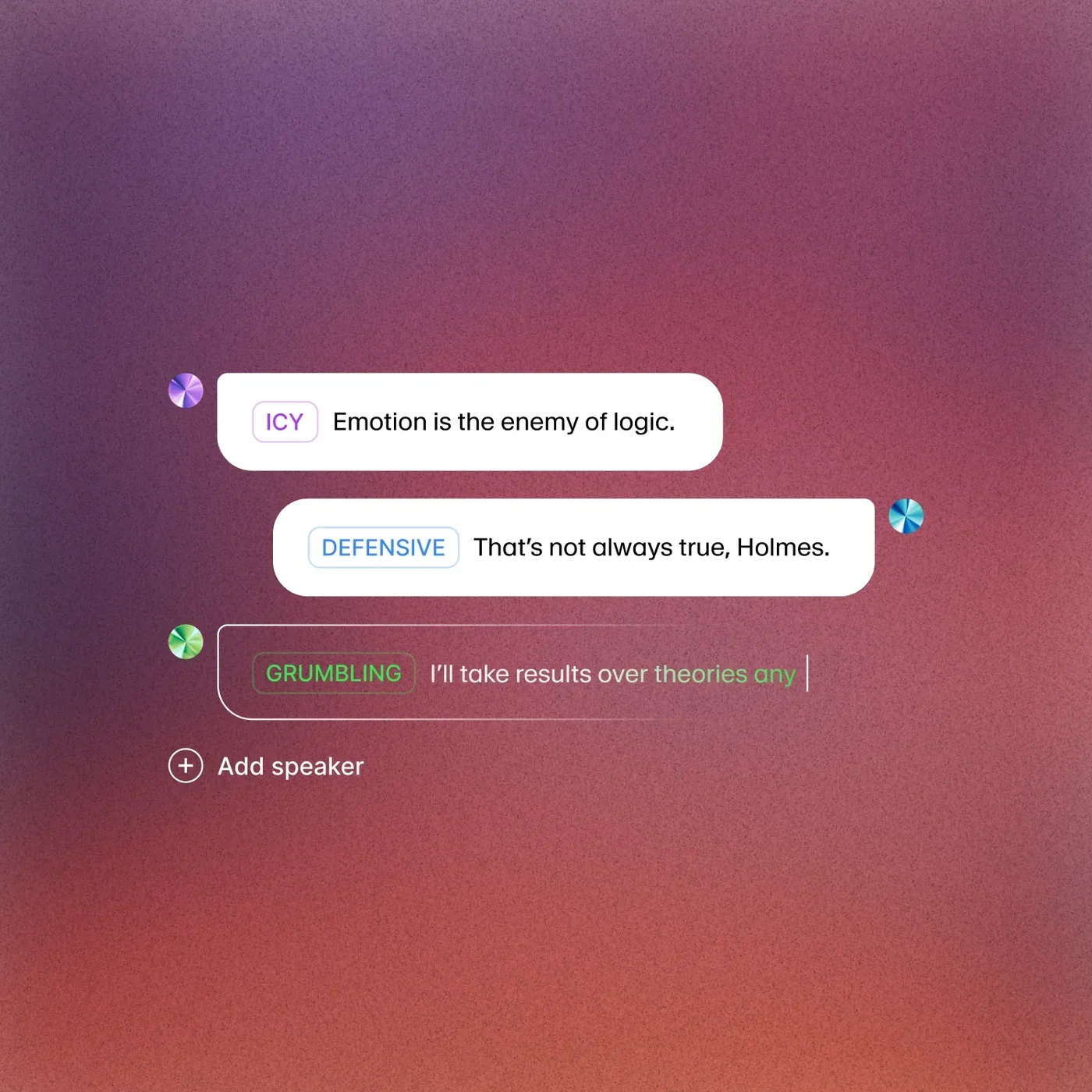
You can have every slider at its optimal position and still get mediocre audio if your script is poorly formatted. The ElevenLabs model treats punctuation, sentence structure, and paragraph breaks as prosody signals. Formatting your text correctly is a free quality improvement that requires zero credits.
Sentence length controls pacing. This applies to every model in the lineup. Short sentences create a punchy, urgent rhythm. Long sentences with multiple clauses create a flowing, contemplative pace. Most scripts benefit from a mix - two or three medium sentences followed by a short one to create rhythmic variety. Avoid sentences longer than 40 words. The model can handle them, but the output often sounds like it is running out of breath by the end.
Punctuation drives emphasis and pauses. Commas create brief pauses. Periods create full stops with falling intonation. Question marks create rising intonation at the end of the sentence. Ellipses (…) create longer, dramatic pauses. Em dashes - used like this - create a sharp interruption followed by a brief beat before continuing. Use these deliberately. A script with minimal punctuation sounds monotone because the model has no cues for where to breathe.
Paragraph breaks signal topic shifts. When you want the model to take a beat between sections - a new topic, a new scene, a shift in tone - use a paragraph break. The model inserts a longer pause and often shifts its delivery slightly. This is one of the most effective free quality tools available.
Capitalization for emphasis. Writing a word in all caps (like “NEVER” or “ALWAYS”) signals the model to emphasize that word. Use this sparingly - one or two emphasized words per paragraph at most. Overuse creates an aggressive, unnatural delivery.
Number formatting. Write “three hundred and fifty” not “350” if you want natural speech. The model handles numbers acceptably, but spelled-out numbers almost always sound better. This is especially true for dates, prices, and quantities.
ElevenLabs Audio Quality Settings: Recipes by Use Case
Here are tested combinations for the most common production scenarios. Use these as starting points and adjust based on your specific voice and content.
Audiobook Narration
| Setting | Value |
|---|---|
| Model | Multilingual v2 |
| Stability | 55-65% |
| Similarity | 70-80% |
| Style Exaggeration | 20-40% (voice dependent) |
| Text block size | 500-800 characters |
Audiobook narration needs consistency across hours of content while maintaining enough expressiveness to keep listeners engaged. The moderate stability allows natural variation without drift. Keep text blocks under 800 characters to prevent tonal drift within a single generation. For fiction with dialogue, drop stability to 45-55% for dialogue sections and raise it back for narration. The ElevenLabs Projects audiobook guide walks through organizing long-form content in the Studio workspace.
YouTube Voiceover
| Setting | Value |
|---|---|
| Model | Multilingual v2 |
| Stability | 45-55% |
| Similarity | 60-70% |
| Style Exaggeration | 15-30% |
| Text block size | 300-600 characters |
YouTube voiceovers benefit from a conversational, slightly energetic delivery. Medium stability keeps things natural, and moderate similarity prevents the voice from sounding too “locked in.” Shorter text blocks (300-600 characters) map well to typical YouTube script pacing where topics shift frequently.
Advertisement and Commercial
| Setting | Value |
|---|---|
| Model | Multilingual v2 |
| Stability | 35-50% |
| Similarity | 75-85% |
| Style Exaggeration | 40-60% |
| Text block size | 100-300 characters |
Ads need energy, personality, and precision. Lower stability allows dramatic delivery. Higher similarity keeps the brand voice consistent. Higher style exaggeration adds the “punch” that commercial audio demands. Very short text blocks are critical - ad copy is almost always short sentences, and the model performs best when each sentence gets its own generation block.
Character Dialogue
| Setting | Value |
|---|---|
| Model | Multilingual v2 |
| Stability | 25-40% |
| Similarity | 65-75% |
| Style Exaggeration | 30-60% (character dependent) |
| Text block size | 100-400 characters |
Character dialogue in games, animations, or audiobook fiction needs the widest dynamic range. Low stability gives each line emotional room. Style exaggeration adds personality. Generate multiple takes for important lines and pick the best performance - this is where the “wild card” nature of low stability becomes an advantage rather than a liability.
Customer Support IVR
| Setting | Value |
|---|---|
| Model | Turbo v2.5 |
| Stability | 80-90% |
| Similarity | 70-80% |
| Style Exaggeration | 0% |
| Text block size | 100-250 characters |
IVR systems need speed, consistency, and professionalism. Turbo v2.5 keeps latency low for real-time interactions. High stability ensures every caller hears the same consistent voice. Style exaggeration is off - customers calling a support line do not want personality, they want clarity. Short text blocks match the typically brief IVR prompts.
Common Mistakes
These are the errors that show up repeatedly in community forums and professional production feedback.
Over-cranking similarity on cloned voices. Pushing similarity above 85% on a voice clone almost always introduces artifacts - a metallic quality, background hiss amplification, or unnatural consonant sounds. The instinct is “higher similarity means more accurate,” but the model starts overfitting to noise in the reference sample. Keep it at 70-80% for clones and compensate with stability if the voice drifts too far from the original.
Ignoring model selection entirely. Using Turbo v2.5 for audiobook production because it was the default is like recording a podcast on your laptop microphone because it was already plugged in. Model selection is the single highest-impact setting. Spend 30 seconds choosing the right model before adjusting anything else.
Generating entire articles as single blocks. Pasting 5,000 characters into the text field and clicking generate produces worse results than splitting that same text into eight blocks of 600 characters each. Long blocks cause tonal drift, inconsistent pacing, and occasional pronunciation errors that compound. Break your content into logical sections and generate each one separately.
Not A/B testing settings changes. You change stability from 50% to 65%, regenerate once, and decide the new setting is better. But you are comparing one random sample against another random sample. Generate each setting three times and compare the average quality. What sounds better on a single generation may sound worse across multiple generations.
Neglecting script cleanup. Feeding raw blog posts or unformatted transcripts into ElevenLabs and blaming the model for poor output. Run your text through a formatting pass first: break long sentences, add punctuation for pacing cues, spell out numbers, and remove markdown formatting artifacts. Five minutes of script prep saves an hour of regeneration.
KPIs for Audio Quality
If you are producing audio at scale - for a brand, a content library, or a product - you need measurable quality metrics, not just “this sounds good to me.”
Listener retention rate. Track how long listeners stay with your audio content. If retention drops sharply at specific points, those sections likely have quality issues - tonal drift, unnatural pacing, or pronunciation errors. Compare retention curves between content produced at default settings and optimized settings. For sites using the Audio Native embed, the ElevenLabs Audio Native guide covers the analytics dashboard that surfaces these listener metrics. For podcast-format content where retention is the primary metric, the ElevenLabs podcast creation workflow walks through the production patterns that produce the highest first-take usable rates.
First-take acceptance rate. What percentage of your generated audio clips are usable without regeneration? At default settings, this is typically 60 to 70%. With optimized settings and proper script formatting, you should be hitting 85 to 90%. Track this metric over time - it is the clearest indicator of whether your settings are dialed in.
Listener complaint or feedback rate. For customer-facing audio - IVR, product narration, training content - track explicit feedback about voice quality. Even a small number of “this sounds robotic” comments means your settings need adjustment.
A/B testing methodology. When evaluating a change to ElevenLabs audio quality settings, generate the same script five times at the old settings and five times at the new settings. Have two or three people rank the outputs blind (without knowing which settings produced which output). This removes confirmation bias and gives you statistically meaningful data. For high-volume production, this small investment in testing pays for itself many times over.
Advanced: Audio Tags and Pronunciation Dictionary
When slider adjustments are not granular enough, ElevenLabs provides two additional control mechanisms for fine-grained audio manipulation.
Audio Tags
Audio tags are inline XML-style markers that you embed directly in your script text. They control specific aspects of speech delivery at the word or phrase level - something that global settings cannot do. The full tag syntax is documented in the ElevenLabs audio tags reference.
Pause control. Insert <break time="1.5s" /> anywhere in your text to create an exact-length pause. This is more precise than relying on punctuation for pauses, and it is essential for timed content like advertisements or narration that needs to sync with video.
Emphasis tags. Wrap a word or phrase in emphasis tags to make the model stress it more than surrounding text. This is subtler than ALL CAPS and gives you more control over how much emphasis to apply.
Speed adjustment. You can control the speaking rate for specific sections, slowing down for important points and speeding up for transitional text. This creates the natural pacing variation that separates professional narration from flat AI output.
Pronunciation Dictionary
For words that the model consistently mispronounces - brand names, technical terms, foreign words used in English context - the pronunciation dictionary provides permanent fixes. Instead of rewording your script to avoid problem words, you define the correct pronunciation once and it applies across every voice and every generation.
The dictionary supports two rule types: phoneme rules (using IPA notation for precise sound mapping) and alias rules (replacing one word with another that the model already pronounces correctly). For a complete setup walkthrough, see the ElevenLabs Pronunciation Dictionary guide.
Pro tip: Create a project-specific pronunciation dictionary before starting any large production. Spend 15 minutes identifying every proper noun, technical term, and brand name in your script, test each one, and add corrections for any mispronunciations. This front-loaded effort prevents expensive regeneration later.
Pro Tips from Professional Users
These recommendations come from patterns observed across high-volume ElevenLabs production workflows.
Generate in Studio, not the basic TTS page. Studio gives you block-level control over voice settings, meaning you can use different stability and similarity values for different sections of the same project. A narration section might use stability 60% while a quoted dialogue section uses stability 35%. The basic TTS page applies one set of settings to everything.
Use the “regenerate section” feature aggressively. When one section of a longer Studio project sounds off, regenerate just that section instead of the entire project. Each regeneration uses the same settings but produces a different performance due to natural model variation. After three or four regenerations, you almost always get a take that fits.
Test voices before committing to a project. Generate the first 500 characters of your script with your top three voice candidates before choosing one for the full production. Voices that sound great in the library preview can sound different on your specific content. A two-minute test saves hours of rework. Browse the full ElevenLabs voice library for current options.
Match voice to model. Some voices in the library were designed or optimized for specific models. Check the voice description for model recommendations. A voice that sounds excellent on Multilingual v2 might sound noticeably different on Turbo v2.5 because the models handle voice profiles differently. Browse voice options and audition them in the ElevenLabs voice library before committing to a production voice.
Export at the highest quality available on your plan. ElevenLabs offers different audio quality tiers depending on your subscription. If you are on the Creator plan or above, make sure you are exporting at the highest available bitrate. Generating optimized audio and then exporting at a compressed bitrate defeats the purpose.
Keep a settings log. For recurring projects - a podcast series, an ongoing video channel, a product line - document the exact settings you used for each voice. When you need to produce new episodes months later, you can reproduce the exact same quality without re-experimenting.
Once you have a reliable settings recipe per use case, the rest of the workflow becomes mechanical. Pair these tuned ElevenLabs audio quality settings with the API integration patterns in the ElevenLabs API developer setup guide to scale production cleanly. For full platform context and ratings, see the ElevenLabs review - and for alternatives worth benchmarking against, the best AI voice generators 2026 roundup covers Murf, LOVO, WellSaid Labs, and others.
Frequently Asked Questions
What is the single most impactful setting for audio quality?
Model selection. Switching from Turbo v2.5 to Multilingual v2 for pre-recorded content produces a larger quality improvement than any combination of slider adjustments within a single model. If you are not happy with your audio quality, check your model selection before touching anything else.
Do settings affect character usage or cost?
No. The same text generates the same number of characters regardless of which model, stability, similarity, or style exaggeration values you choose. The only cost variable is the text length itself. Regenerating the same text to get a better take does consume additional characters, so optimized settings that produce good results on the first take actually save money over time.
Should I use different settings for different voices?
Yes. Every voice profile responds differently to the settings sliders. A voice that sounds fantastic at stability 45% might sound unstable and inconsistent at the same setting on a different voice. When you adopt a new voice for production, spend 10 minutes testing it at different stability, similarity, and style exaggeration combinations to find its optimal range. Document those values for future use.
How do audio tags interact with the global settings sliders?
Audio tags override global settings at the word or phrase level. If you set global stability to 70% for consistency but add an emphasis tag on a specific word, the model will increase expressiveness for that word while maintaining the 70% stability baseline everywhere else. Tags and sliders work together - tags provide surgical precision on top of the broad quality baseline that sliders establish.
Why does my cloned voice sound worse at high similarity than medium similarity?
High similarity enhancement amplifies everything in the voice profile, including any imperfections in the original recording - background noise, room reverb, microphone artifacts, and compression. At medium similarity (60-70%), the model smooths over these imperfections. Above 80%, it starts reproducing them faithfully. If your clone sounds worse at high similarity, the original recording likely has quality issues. Re-record the source audio in a quieter environment with better equipment, or accept the medium similarity output. The ElevenLabs voice cloning quality guide covers source-recording standards in depth.
Want to learn more about ElevenLabs?
Related Guides
- ElevenLabs API Developer Setup - Programmatic integration of the settings covered here
- Getting Started with ElevenLabs - Account setup and first generation walkthrough
- ElevenLabs Pronunciation Dictionary Setup - Permanent fixes for mispronounced words
- ElevenLabs Voice Cloning Quality Guide - Get production-grade clones from your reference audio
Related Reading
- Best AI Voice Generators in 2026
- AI Voiceover Tips for Professional Results
- ElevenLabs Alternatives: Top Voice AI Platforms Compared
- AI Voiceover for Corporate Training: Complete Guide
External Resources
- ElevenLabs Voice Design Documentation - Official guidance on stability, similarity, and style settings
- ElevenLabs Text-to-Speech API Reference - Endpoint details for programmatic control of every setting
- ElevenLabs Audio Tags Documentation - Inline markers for pause, emphasis, and speed control
- ElevenLabs Pricing - Compare plans, character limits, and export quality tiers
Related Guides
- AI Video Creation Tips: 2026 Walkthrough for Teams
- AI Voice Cloning Ethics Best Practices: Complete 2026 Guide
- AI Voiceover Corporate Training With WellSaid Labs
- AI Voiceover Tips: Making Synthetic Voices Sound Human
- ElevenLabs API Setup: Developer Quick Start Guide (2026)
- ElevenLabs Audio Native Embed Audio on Any Website
- ElevenLabs Audiobook Creation: Long-Form Audiobook
- ElevenLabs Conversational AI Agents: Build Voice Agents
- ElevenLabs Dubbing Studio: Video Translation and Dubbing
- ElevenLabs eLearning Narration: E-Learning Course Narration