

ElevenLabs conversational AI agents let you build voice agents that talk to people in real time - answering questions, routing calls, booking appointments, or walking customers through a troubleshooting flow. These are not chatbots with a voice skin bolted on. The system is designed from the ground up for spoken interaction, handling interruptions, turn-taking, and natural pacing the way a human phone agent would. If you have been looking at IVR replacements, AI receptionists, or voice-driven product experiences, this is the ElevenLabs feature built for exactly that.
This guide walks through the complete process of building a conversational AI voice agent: creating the agent, selecting a voice, writing the system prompt, configuring skills and knowledge bases, testing in the built-in widget, and deploying to production. You will also learn how to handle the tricky parts - multi-turn memory, interruption behavior, fallback logic, and latency optimization - that separate a rough prototype from something you would put in front of real users.
The Conversational AI platform is available on Scale and Business plans. If you are new to ElevenLabs and have not created an account yet, start with the Getting Started with ElevenLabs guide to get oriented before diving into agent building.
Overview
ElevenLabs Conversational AI is a real-time voice agent platform that combines the company’s speech synthesis and speech-to-text technology with a large language model backbone to create agents that hold spoken conversations. Unlike standard text-to-speech where you generate audio from a script, conversational agents listen, think, and respond dynamically based on what the caller says.
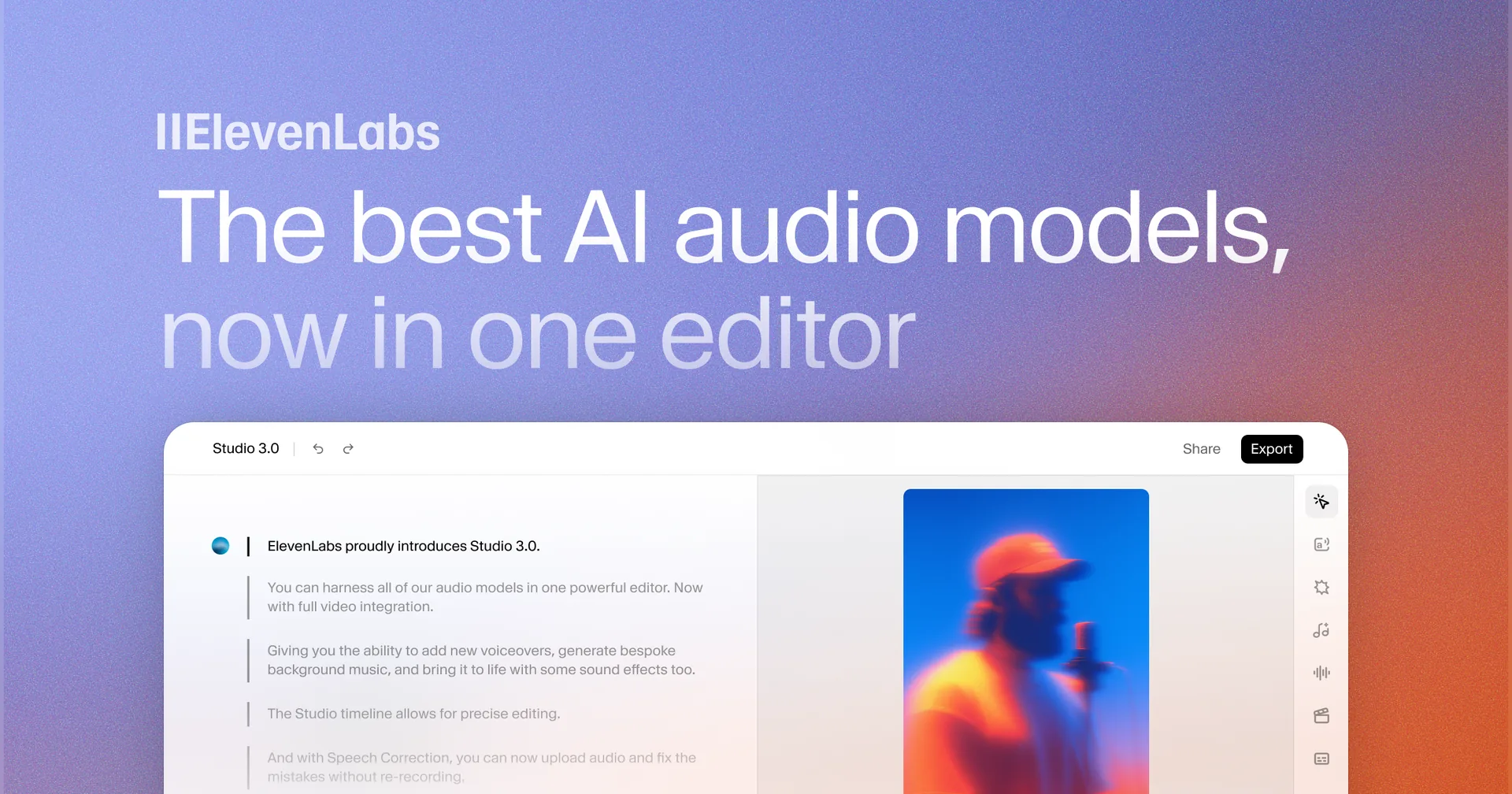
The system processes audio in a continuous loop. The caller speaks, the speech-to-text engine transcribes the input in real time, the language model generates a response based on the system prompt and conversation history, and the text-to-speech engine converts that response back into spoken audio. This loop runs with latencies under one second in most configurations, making conversations feel natural rather than stilted.
Key capabilities include:
- Sub-second response latency. The pipeline is optimized for real-time interaction. Most responses begin within 500 to 800 milliseconds of the caller finishing their sentence, in line with the Conversational AI 2.0 latency targets.
- 29+ language support. Agents can converse in any language supported by ElevenLabs’ multilingual models, with automatic language detection available for multi-language scenarios.
- Skill-based tool use. Agents can call external APIs, query knowledge bases, transfer calls to human agents, and execute custom server-side tools during a conversation.
- Voice consistency. Every response uses the same voice with consistent tone and personality, whether the conversation lasts 30 seconds or 30 minutes.
- Interruption handling. Callers can interrupt the agent mid-sentence, and the agent adjusts gracefully instead of talking over the user.
When to Use ElevenLabs Conversational AI Agents
ElevenLabs conversational AI agents are not the right tool for every voice application. Understanding where they excel helps you avoid building something that would be better served by a simpler approach.
Customer support automation. This is the primary use case. An agent can handle tier-one support queries - order status, password resets, account questions, return policies - around the clock without queue times. When a query exceeds the agent’s scope, it transfers to a human representative with full conversation context.
Sales qualification and booking. Inbound leads can speak with an agent that asks qualifying questions, answers product questions from a knowledge base, and books meetings on a connected calendar like Cal.com. This works especially well for businesses that receive calls outside business hours.
IVR replacement. Traditional interactive voice response systems force callers through rigid menu trees. A conversational agent lets callers state their intent naturally - “I need to update my shipping address” - and routes them immediately without pressing buttons.
Interactive product experiences. Educational platforms, entertainment apps, and training systems can embed voice agents that guide users through content, quiz them, or role-play scenarios. Language learning apps are a natural fit.
Internal tools and prototyping. Before committing to a full telephony deployment, teams use conversational agents as internal tools - an HR bot that answers policy questions, a sales trainer that role-plays objections, or a documentation assistant that talks developers through API integrations.
When to use something else:
- If your use case is purely text-based with no voice component, a standard chatbot framework is simpler and cheaper.
- If you need to generate long-form audio content (audiobooks, podcasts), use ElevenLabs Studio instead.
- If you only need one-way voice output without real-time conversation, standard text-to-speech is sufficient.
Plan Requirements
Conversational AI is not available on every ElevenLabs plan. Here is where it sits in the pricing structure.
The Scale plan ($99 per month) includes conversational AI access with a pool of agent minutes. This is the entry point for most teams building voice agents. You get enough minutes for development, testing, and low-volume production use.
The Business plan (custom pricing) provides higher minute allocations, priority support, custom SLAs, and dedicated infrastructure for high-volume deployments. If you expect thousands of concurrent conversations or need guaranteed uptime commitments, this is the tier to evaluate.
The free tier and lower paid plans (Starter, Creator) do not include ElevenLabs conversational AI agents. If you are on one of those plans and want to experiment, you will need to upgrade first. Check current plan details on the ElevenLabs pricing page or browse the official Conversational AI documentation for the current tier matrix.
Agent minutes are billed based on conversation duration, not the number of agents you create. You can build and configure as many agents as you need - the meter runs only when an agent is actively conversing with a user.
Creating Your First Voice Agent
The agent creation process starts in the ElevenLabs dashboard and takes about 10 minutes for a basic configuration.
Step 1: Open the Conversational AI Section
Navigate to elevenlabs.io and sign in. In the left sidebar, click Conversational AI to open the agent management workspace. If you do not see this option, confirm that your account is on the Scale plan or higher.
Step 2: Create a New Agent
Click Create Agent in the top right corner. You will see options for starting from a blank template or using one of the prebuilt templates (customer support, receptionist, sales assistant). For this walkthrough, select Blank Agent so you understand every configuration choice.
Give your agent a descriptive name. Something like “Support Agent - Acme Corp” or “Sales Qualifier - Product Demo” works better than “Test Agent” because you will likely build multiple agents and need to tell them apart quickly.
Step 3: Write the System Prompt
The system prompt is the most important configuration field. It defines who the agent is, how it behaves, what it knows, and what it should never do. This is not a one-line instruction - treat it like a detailed employee onboarding document.
A strong system prompt covers five areas:
Identity. Define the agent’s name, role, and the company it represents. “You are Sarah, a customer support specialist at Acme Corp. You help customers with order inquiries, returns, and product questions.”
Tone and style. Specify how the agent should sound. “Speak in a friendly, professional tone. Keep responses concise - no more than two to three sentences per turn unless the customer asks for detailed explanations. Avoid jargon.”
Scope boundaries. Tell the agent what it should and should not handle. “You can help with order status, returns, and general product questions. You cannot process payments, modify account details, or provide medical or legal advice. If a customer asks about these topics, offer to transfer them to a human agent.”
Conversation flow. Describe how the agent should open and close conversations. “Greet the caller by saying ‘Hi, this is Sarah from Acme Corp. How can I help you today?’ When the conversation is resolved, ask if there is anything else before saying goodbye.”
Fallback behavior. Define what happens when the agent does not know the answer. “If you are unsure about something, say ‘Let me check on that for you’ and attempt to look it up in the knowledge base. If you still cannot find the answer, offer to connect the caller with a human specialist.”
Step 4: Select a Voice
Click the Voice tab in the agent configuration panel. You have three options for assigning a voice to your agent.
Library voices. Browse the ElevenLabs voice library for a pre-made voice that fits your agent’s persona. Filter by gender, age, accent, and use case. Preview voices by clicking the play button next to each option. For customer support agents, voices labeled as “friendly,” “professional,” or “calm” tend to work best.
Cloned voices. If you have already created a voice clone through the voice cloning workflow, you can assign it to your agent. This is useful for brands that want a consistent voice identity across all customer touchpoints.
Voice Design voices. Create a completely new voice using Voice Design v3 by describing the characteristics you want. This approach works well when you need a voice that does not exist in the library but do not have source audio to clone from.
After selecting a voice, adjust the Stability and Similarity Enhancement sliders. For conversational agents, set Stability between 0.5 and 0.7 - low enough to sound natural and expressive, high enough to avoid erratic pitch changes. Keep Similarity Enhancement at its default unless you notice the voice drifting from its intended character during longer conversations.
Step 5: Configure Model Settings
The model settings control how the language model generates responses.
Response length. Set a maximum token count for responses. For conversational agents, shorter is almost always better. Long monologues feel unnatural in a spoken conversation. Start with a limit that produces two to three sentences per turn and adjust based on testing.
Temperature. This controls response randomness. Lower values (0.3 to 0.5) produce more predictable, consistent answers - good for support agents that need to give accurate information. Higher values (0.7 to 0.9) produce more varied, creative responses - better for entertainment or roleplay agents. Start at 0.5 and adjust based on how your agent performs.
Configuring Agent Skills
Skills are tools that your agent can use during a conversation. They transform the agent from a simple question-and-answer system into something that can take actions - querying databases, calling APIs, transferring calls, and executing business logic.
Knowledge Base Queries
The most common skill is knowledge base retrieval. When a caller asks a question, the agent searches your uploaded documents and uses the results to form an accurate answer. This is covered in detail in the next section.
API Calls
You can configure your agent to call external APIs during a conversation. For example, a support agent could query an order management system to look up a customer’s order status in real time, or a sales agent could check inventory availability before quoting a delivery date. The full schema is documented in the ElevenLabs Agents API reference.
To add an API skill, click Add Skill in the agent configuration panel. Select API Call and configure the endpoint URL, HTTP method, headers, and request body. You define when the skill should trigger by describing the intent in natural language - for example, “Use this skill when the customer asks about their order status.”
The agent extracts relevant parameters from the conversation (like an order number the caller mentioned) and passes them to the API automatically. The response is parsed and used to generate the next spoken response.
Call Transfers
For situations where the agent cannot resolve an issue, configure a transfer skill that routes the caller to a human agent. You can define multiple transfer targets - billing team, technical support, sales - and the agent selects the right one based on the conversation context.
Transfer skills include a summary field where the agent compiles conversation context before handing off, so the human agent does not start from scratch.
Custom Functions
For more complex logic, you can define custom functions using webhooks. The agent sends conversation data to your webhook endpoint, your server processes the request (updating a database, triggering a workflow, sending an email), and returns a response that the agent incorporates into the conversation. This is how you connect voice agents to CRM systems, ticketing platforms, or any internal tool with an API.
How Do You Add a Knowledge Base to an Agent?
A knowledge base gives your agent access to specific information that it would not know from its general training data - your product catalog, support documentation, company policies, pricing details, or FAQs.
Uploading Documents
Navigate to the Knowledge Base tab in your agent’s configuration. Click Upload and select your files. Supported formats include PDF, TXT, DOCX, and CSV. The system processes each document by chunking it into retrievable sections and generating embeddings for semantic search - the same retrieval pattern outlined in IBM Research’s primer on retrieval-augmented generation.
Best practices for document preparation:
- Structure content with clear headings. The retrieval system performs better when documents have logical sections with descriptive headers.
- Keep individual documents focused. A 10-page document covering one topic retrieves more accurately than a 200-page manual covering everything. Split large documents into topic-specific files.
- Include Q&A pairs. If you have existing FAQ content, upload it in question-and-answer format. This maps directly to how callers phrase their queries.
- Remove boilerplate. Headers, footers, legal disclaimers, and table of contents pages add noise. Strip them before uploading.
Connecting URLs
Instead of uploading static documents, you can point the knowledge base at web URLs. The system crawls the pages and indexes their content. This is useful for documentation sites, help centers, or product pages that update frequently. Configure the crawl depth and page limit to control how much content is indexed.
Testing Retrieval
After uploading, test the knowledge base before connecting it to your agent. Use the built-in search panel to type questions and see which document chunks are returned. If the results are not relevant, the issue is usually one of three things: the documents lack the information entirely, the content is not structured clearly enough for the retrieval engine, or the question phrasing does not match the document language. Adjust your documents based on these test results.
Testing and Debugging
ElevenLabs provides a built-in testing environment so you can evaluate your agent before exposing it to real users.
The Test Widget
Click Test Agent in the agent configuration panel to open the test widget. This launches a live conversation with your agent directly in the browser. Speak naturally (or type if you prefer) and evaluate the agent’s responses for accuracy, tone, latency, and conversational flow.
Run through your most common scenarios:
- Happy path. Ask standard questions that the agent should handle easily. Verify the answers are correct and the tone matches your system prompt.
- Edge cases. Ask ambiguous questions, switch topics mid-conversation, or use slang and abbreviations. Note where the agent struggles.
- Scope boundaries. Ask questions the agent should not answer. Verify it deflects appropriately and offers to transfer or escalate.
- Interruption handling. Start speaking while the agent is mid-response. Check that the agent stops talking and addresses your new input.
Conversation Logs
Every test conversation is logged with full transcripts, timestamps, and latency measurements for each turn. Open the Logs tab to review past conversations. Look for patterns - if the agent consistently mishandles a particular question type, the fix is usually in the system prompt or knowledge base rather than in model settings.
Latency Monitoring
The logs panel shows per-turn latency broken into three components: speech-to-text processing time, language model inference time, and text-to-speech generation time. If total latency exceeds 1.5 seconds consistently, check which component is the bottleneck. Speech-to-text is usually fast. Language model inference slows down when responses are long or the knowledge base retrieval adds overhead. Text-to-speech latency depends on the voice and model selected - Flash models are faster than Multilingual v2.
Deploying Your Agent
Once testing is complete, you have several deployment options depending on where your users will interact with the agent.
Embed Widget
The simplest deployment method is the embeddable web widget. Click Deploy in the agent configuration, select Widget, and copy the generated JavaScript snippet. Paste it into your website’s HTML and a floating voice button appears on the page. Visitors click the button to start a conversation with your agent.
The widget is customizable - you can change the button color, position, welcome message, and branding to match your site design.
Phone Number
For telephony deployment, connect a phone number to your agent. ElevenLabs supports integration with telephony providers like Twilio Voice. Configure the phone number in the deployment settings, set up the SIP or webhook connection, and your agent answers incoming calls. This is the path for replacing IVR systems or building AI receptionists. The phone numbers documentation covers SIP trunking and inbound/outbound configuration.
API Integration
For maximum control, use the Conversational AI API to build custom interfaces. The API supports WebSocket connections for real-time audio streaming, giving you full control over the user experience. This is the approach for mobile apps, custom hardware devices, or integrations with existing call center infrastructure.
The ElevenLabs API Developer Setup Guide covers authentication, SDK installation, and basic API patterns. The conversational AI endpoints follow the same conventions.
Advanced Configuration
Once your basic agent is working, these advanced settings help you fine-tune the experience for production use.
Multi-Turn Memory
By default, the agent maintains conversation context throughout a single session. It remembers what the caller said five turns ago and can reference earlier parts of the conversation. You can control the context window size - a larger window means better memory but higher latency and cost per turn.
For support agents, a context window of 10 to 15 turns covers most interactions. For complex scenarios like technical troubleshooting where the caller provides information across many exchanges, increase to 20 to 25 turns. Avoid setting it unnecessarily high - each additional turn in the context window adds inference cost.
Interruption Handling
The interruption sensitivity setting controls how quickly the agent yields the floor when the caller starts speaking. A higher sensitivity means the agent stops talking sooner - good for fast-paced conversations but can cause the agent to cut itself off when the caller makes brief affirmations like “mm-hmm” or “right.” A lower sensitivity means the agent finishes more of its response before yielding - better for delivering important information but can feel like the agent is talking over the caller.
Start with the default sensitivity and adjust based on test conversations. If callers complain that the agent talks over them, increase sensitivity. If the agent stops mid-sentence too often, decrease it.
Fallback Behaviors
Configure what happens when the agent encounters situations it cannot handle:
- No-match fallback. When the agent cannot understand the caller after multiple attempts, trigger a specific response: “I am having trouble understanding you. Could you please rephrase that?”
- No-input fallback. When the caller goes silent for a configurable duration, the agent prompts them: “Are you still there? Is there anything else I can help with?”
- Error fallback. When an API skill fails or the knowledge base returns no results, the agent gracefully acknowledges the limitation instead of hallucinating an answer.
- Maximum turn limit. Set a cap on conversation length. If a conversation exceeds the limit, the agent wraps up and offers to transfer to a human agent.
Pro Tips for ElevenLabs Conversational AI Agents
These recommendations come from common patterns observed across production deployments of ElevenLabs conversational AI agents.
Write the system prompt like a conversation script, not a configuration file. The more naturally you write the prompt, the more naturally the agent speaks. Instead of “Respond with order status when asked,” write “When a customer asks about their order, look up the details and tell them the current status, expected delivery date, and tracking number if available.”
Keep responses short. In spoken conversation, anything longer than three sentences per turn starts to feel like a lecture. If the agent needs to convey a lot of information, break it across multiple turns by asking confirming questions between segments.
Test with real accents and speaking styles. Your callers will not all speak clearly in standard English. Test with fast speakers, slow speakers, people with strong accents, and people who use filler words heavily. Adjust the speech-to-text sensitivity if recognition accuracy drops with certain speaking styles.
Version your system prompts. Keep a changelog of prompt modifications. When agent behavior changes unexpectedly, you can diff the current prompt against previous versions to identify what caused the regression.
Monitor and iterate weekly. Review conversation logs regularly. Identify the top five questions the agent handles poorly each week and update the knowledge base or system prompt to address them. Voice agents improve through iteration, not through a single perfect configuration.
Use specific greetings for different deployment channels. A phone agent should greet differently than a website widget agent. “Thank you for calling Acme Corp” works on the phone. “Hi there, click the microphone to start talking” works on a webpage.
Frequently Asked Questions
How many concurrent conversations can one agent handle?
There is no hard limit on concurrent conversations per agent. The system scales horizontally, so the same agent configuration can serve hundreds of simultaneous callers. Your plan’s minute allocation is the practical constraint - each concurrent conversation consumes minutes independently. If you need guaranteed capacity for high-traffic periods, the Business plan includes dedicated infrastructure options.
Can I switch languages mid-conversation?
Yes. If your agent is configured with a multilingual voice and the language model supports the target languages, the agent can switch languages within a single conversation. A caller can start in English and switch to Spanish, and the agent follows. Enable automatic language detection in the agent settings for the smoothest experience. Note that language switching adds a small amount of latency to the first turn in the new language.
What happens if the caller’s internet connection drops during a conversation?
For web widget deployments, the conversation pauses and attempts to reconnect automatically. If reconnection succeeds within the timeout window, the conversation resumes with context preserved. If the connection is lost permanently, the conversation ends and is logged as incomplete. For phone deployments, standard telephony reconnection logic applies - the call drops and the caller needs to dial back in.
Can I use my own language model instead of the default?
ElevenLabs supports bring-your-own-model configurations on the Business plan. You can connect a custom fine-tuned model or a third-party LLM endpoint as the reasoning backbone for your agent. This is useful for organizations with strict data governance requirements or specialized domain knowledge that benefits from a fine-tuned model. The default model works well for most use cases, so evaluate whether the added complexity is justified before going this route.
How do I measure the ROI of ElevenLabs conversational AI agents?
Track three metrics: call deflection rate (percentage of inquiries resolved without human intervention), average handle time (how long agent conversations last compared to human calls), and customer satisfaction scores from post-call surveys. Most teams see meaningful ROI from ElevenLabs conversational AI agents when the agent handles 40 percent or more of inbound volume, which typically happens within two to four weeks of iterating on the knowledge base and system prompt.
Want to learn more about ElevenLabs?
Related Guides
- Getting Started with ElevenLabs
- ElevenLabs Voice Cloning Tutorial
- ElevenLabs Voice Design v3 Guide
- ElevenLabs API Developer Setup Guide
- ElevenLabs Voice Library Guide
Related Reading
- ElevenLabs - Full review with pricing, ratings, and feature breakdown
- Best AI Voice Generators 2026 - Comprehensive comparison of voice synthesis platforms
- Best AI Chatbot Platforms 2026 - How voice agents compare to text-based chatbot solutions
- AI Customer Service Automation Guide - Broader strategies for automating support with AI
External Resources
- ElevenLabs Conversational AI Documentation - Official developer docs for agent configuration and API integration
- ElevenLabs Pricing - Compare Scale, Business, and other plans for Conversational AI access
- Conversational AI 2.0 launch notes - Latency, turn-taking, and feature improvements from the ElevenLabs team
Related Guides
- AI Video Creation Tips: 2026 Walkthrough for Teams
- AI Voice Cloning Ethics Best Practices: Complete 2026 Guide
- AI Voiceover Corporate Training With WellSaid Labs
- AI Voiceover Tips: Making Synthetic Voices Sound Human
- ElevenLabs API Setup: Developer Quick Start Guide (2026)
- ElevenLabs Audio Native Embed Audio on Any Website
- ElevenLabs Audio Quality Settings: Pro Tips and Settings
- ElevenLabs Audiobook Creation: Long-Form Audiobook
- ElevenLabs Dubbing Studio: Video Translation and Dubbing
- ElevenLabs eLearning Narration: E-Learning Course Narration