

Most people type a few words into Midjourney, hit enter, and wonder why their results look nothing like the stunning images they see on social media. The difference is not talent or luck - it is midjourney prompt engineering. The way you structure a prompt determines whether you get a generic stock-photo result or something that stops people mid-scroll.
The patterns across Midjourney’s V6 and V7 models tell a consistent story. Small changes in phrasing, parameter use, and structure produce dramatically different outputs. This guide breaks down the techniques that actually work in 2026, with real examples you can copy and modify. If you want to follow along, you will need a Midjourney account and access to their Discord server.
Why Midjourney Prompt Engineering Matters
Midjourney Prompt Engineering covers the strategies and tools that deliver real productivity gains in this space. Most people type a few words into Midjourney, hit enter, and accept whatever comes back. This guide walks through the practical steps from setup through advanced optimization, drawing on the patterns documented in the official Midjourney prompt reference.
Midjourney’s V7 model is powerful enough to generate photorealistic portraits, concept art, and marketing visuals that rival professional photography. It stands alongside tools like DALL-E 3 and Adobe Firefly as one of the most capable AI image generators available today. But it cannot read your mind. A vague prompt like “mountain landscape” gives the model too much creative freedom, and the results will be unpredictable. The same principle is covered with different examples in our AI image generation tips guide.
Good midjourney prompt engineering gives you control. You decide the subject, the style, the lighting, the composition, and the mood. The model handles execution. Think of it like directing a skilled photographer rather than hoping for the best on auto mode. If you are a photographer exploring AI, our guide to AI tools for photographers covers how these tools fit into professional workflows.
The core principle is this: every word in your prompt either adds useful information or adds noise. Learning to include the right words - and exclude the wrong ones - is the entire skill.
Core Prompt Structure
Every effective Midjourney prompt follows a predictable structure. You do not need to use all elements every time, but understanding the framework helps you build prompts intentionally rather than guessing.
The formula:
[Subject] + [Style/Medium] + [Environment/Setting] + [Lighting] + [Composition] + [Parameters]Breaking it down:
- Subject - The main thing in your image. Be specific. “A woman” is weak. “A woman in her 40s wearing a tailored navy suit, silver jewelry, confident posture” gives the model something to work with.
- Style/Medium - How the image should look. Photography, oil painting, watercolor, 3D render, anime, editorial illustration.
- Environment/Setting - Where the subject exists. Studio, cityscape, forest, abstract background, specific location.
- Lighting - This single element changes everything. Golden hour, dramatic rim lighting, soft diffused studio light, harsh overhead fluorescent.
- Composition - Camera angle and framing. Close-up portrait, wide establishing shot, low angle, bird’s eye view.
- Parameters - Midjourney-specific controls that adjust aspect ratio, style, chaos, and more (covered in detail below).
Example using the full structure:
A ceramic coffee mug on a wooden table, product photography, minimalist
kitchen setting, soft morning light from large window, shallow depth of
field close-up, Canon EF 85mm f/1.4 --ar 4:5 --stylize 200
This prompt tells the model exactly what to render, how it should look, and what technical parameters to apply. No guesswork.
Essential Parameters Every User Should Know
Parameters are the technical controls that modify how Midjourney processes your prompt. They go at the end of your prompt, prefixed with double dashes. The official Midjourney documentation covers every parameter, but the ones below are the most impactful. These are non-negotiable knowledge for anyone serious about midjourney prompt engineering.
Aspect Ratio: --ar
Controls the width-to-height ratio of your output. The default is 1:1 (square).
| Ratio | Use Case |
|---|---|
--ar 1:1 | Instagram posts, profile pictures |
--ar 16:9 | YouTube thumbnails, desktop wallpapers, presentations |
--ar 9:16 | Instagram Stories, TikTok, mobile wallpapers |
--ar 4:5 | Instagram feed (portrait), product shots |
--ar 3:2 | Standard photography print ratio |
--ar 21:9 | Ultrawide cinematic, website hero banners |
Always set aspect ratio intentionally. Cropping a square image into a banner wastes quality and composition. If you are creating visuals for presentations or social media, the right aspect ratio from the start saves rework - see our best AI design tools roundup for tools that handle this natively.
Model Version: --v
Specifies which Midjourney model to use. V7 is the current default and the best option for most use cases.
--v 7- Current default. Best photorealism, coherence, and hand/body accuracy.--v 6.1- Previous generation. Some users prefer its artistic interpretation for certain styles.
You rarely need to change this unless you are deliberately going for a V6-era aesthetic.
Stylize: --stylize or --s
Controls how much artistic interpretation Midjourney applies. This is one of the most important parameters for controlling output.
--s 0- Minimal artistic influence. The model follows your prompt very literally.--s 100- Default. Balanced between prompt adherence and artistic interpretation.--s 250- More artistic. The model takes creative liberties with color, composition, and mood.--s 500- Highly stylized. Beautiful but may deviate significantly from your prompt.--s 1000- Maximum artistic interpretation. Expect surprising, often stunning results.
When to use low stylize: Product photography, technical illustrations, logo concepts, anything where accuracy matters more than aesthetics.
When to use high stylize: Concept art, mood boards, creative exploration where you want the model to surprise you.
Chaos: --chaos or --c
Controls how varied the four generated images are from each other. Range is 0-100.
--c 0- All four images look very similar. Good when you know what you want and need minor variations.--c 25- Moderate variety. A good default for exploration.--c 50-100- Wild variation. Each image interprets the prompt differently. Useful for brainstorming.
Weird: --weird or --w
Pushes the model toward unconventional, unexpected interpretations. Range is 0-3000.
--w 0- Normal output (default).--w 250- Slightly unusual. Interesting textures or unexpected compositions.--w 1000+- Surreal, abstract, or deliberately strange. Great for artistic experimentation.
Combine --weird with --chaos for maximum creative exploration. This is how experienced users discover unexpected visual directions.
Negative Prompt: --no
Tells the model what to exclude from the image. This is critical for cleaning up unwanted elements.
vibrant garden pathway, lush flowers, morning dew --no people, text, watermark, fencesCommon --no targets: text, watermark, people, blur, frame, border, signature.
Seed: --seed
Assigns a specific random seed number (0-4294967295) to your generation. Using the same seed with the same prompt produces nearly identical results. This is essential for consistency.
portrait of a businessman, studio lighting --seed 12345Change one element of the prompt while keeping the seed the same, and you can see exactly how that change affects the output. This is invaluable for systematic prompt testing.
Style Modifiers and Artistic References
Style modifiers are descriptive words and phrases that steer the visual aesthetic of your output. Mastering these is where midjourney prompt engineering gets genuinely creative.
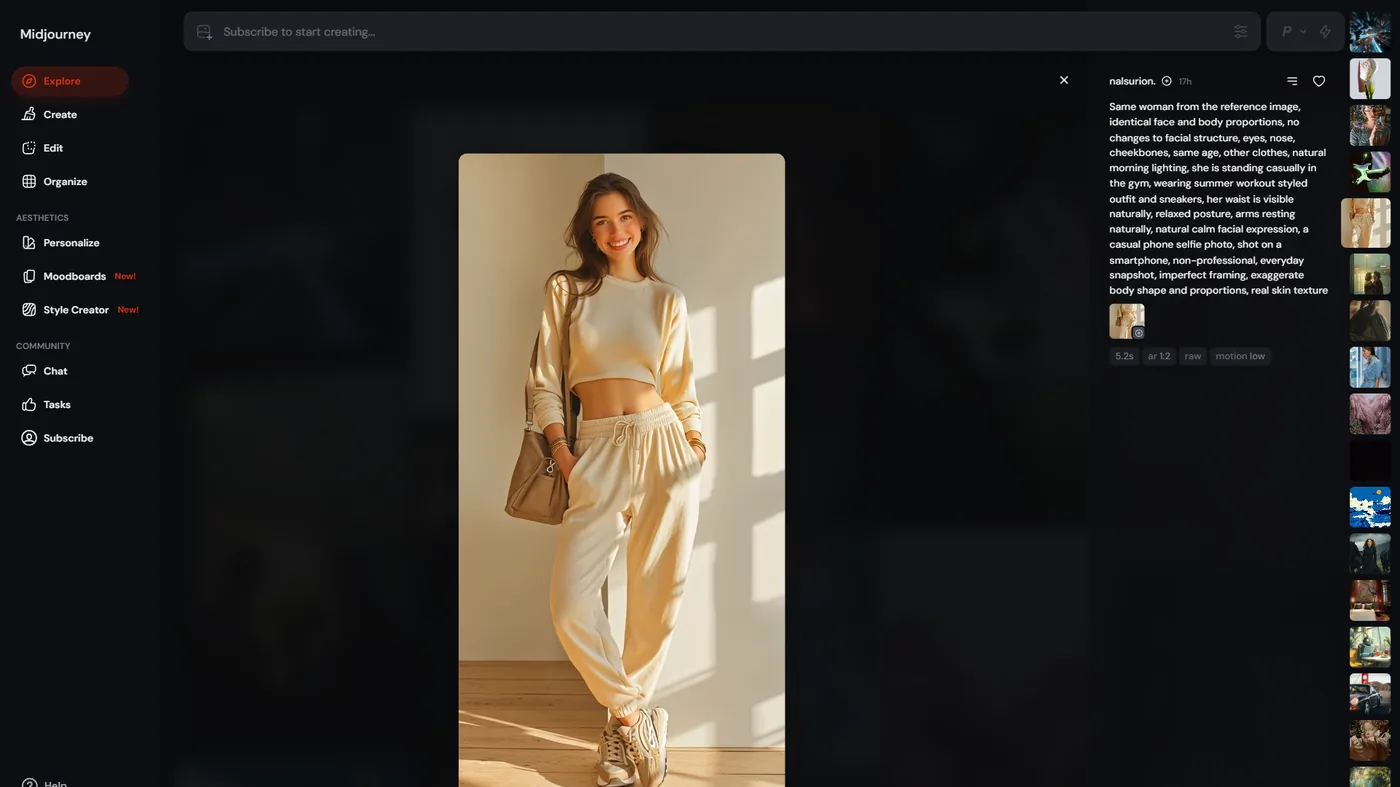
Photography Styles
These terms produce results that look like real photographs:
- “Editorial photography” - Clean, magazine-quality look
- “Street photography” - Candid, urban, documentary feel
- “Fashion photography” - High-contrast, dramatic, stylized
- “Product photography” - Clean backgrounds, precise lighting
- “Shot on Hasselblad” or “Shot on Leica” - Specific camera aesthetics
- “35mm film grain” - Analog warmth and texture
Art Medium References
- “Oil painting” - Rich, textured brushstrokes
- “Watercolor illustration” - Soft, translucent, flowing
- “Pencil sketch” - Raw, detailed linework
- “Digital art” - Clean, polished, modern
- “3D render, Octane” - Photorealistic CGI look
- “Ukiyo-e woodblock print” - Traditional Japanese aesthetic
Artist and Movement References
Referencing specific artists or movements gives the model a clear stylistic target. Be aware that this is best used for learning and exploration - for commercial work, develop your own style vocabulary rather than relying on specific artist names. Content creators building a consistent brand aesthetic will get more mileage from movement references than individual artist names.
Effective movement references:
- “Art Deco” - Geometric, ornamental, glamorous
- “Bauhaus” - Functional, minimalist, primary colors
- “Impressionist” - Soft focus, visible brushwork, natural light
- “Cyberpunk aesthetic” - Neon, high-tech, urban dystopia
- “Studio Ghibli style” - Warm, detailed, whimsical animation
Quality Modifiers
These terms consistently push output quality higher:
- “Highly detailed” - Adds fine detail throughout
- “8k resolution” - Signals high-fidelity output
- “Award-winning” - Pushes toward professional quality
- “Masterpiece” - Encourages the model’s best output
- “Professional color grading” - Cinematic color treatment
Advanced Techniques
Once you have the fundamentals down, these advanced techniques let you exert precise control over your outputs.
Multi-Prompting with ::
The double-colon syntax lets you separate prompt concepts and weight them independently. This is one of the most powerful features in Midjourney and a hallmark of advanced midjourney prompt engineering.
Basic syntax:
hot dogThis generates an image of a hot dog (the food).
hot:: dogThis generates an image of a hot (temperature) dog (animal). The :: separates the concepts.
Weighted multi-prompting:
cyberpunk city::2 cherry blossoms::1 rain::0.5The numbers after :: control relative importance. In this example, the cyberpunk city element gets twice the weight of cherry blossoms, and rain is a subtle accent.
Use cases for multi-prompting:
- Blending two distinct concepts at controlled ratios
- Preventing the model from merging compound words (“hot dog” vs “hot:: dog”)
- Creating intentional style hybrids (“watercolor::2 photography::1”)
For deeper prompt patterns across other models, our Stable Diffusion tutorial covers ComfyUI weighting syntax that maps cleanly onto Midjourney’s :: operator.
Seed Consistency for Iteration
Professional workflows depend on seeds for systematic prompt refinement. Here is the process:
- Generate an image you like. Note the seed (react with the envelope emoji to get job details).
- Copy the seed number.
- Modify one element of your prompt while keeping the seed the same.
- Compare results to see exactly what that change did.
This turns prompt engineering from random experimentation into a controlled process. You can test lighting changes, style modifiers, or composition adjustments in isolation. If you want to compare how different AI image tools handle the same iterative process, our Leonardo AI marketing images guide covers a similar workflow in a different tool.
Image Prompts and References
You can use images as part of your prompt by pasting a URL before your text prompt:
https://example.com/reference-image.jpg portrait of a CEO, studio lighting --iw 1.5The --iw parameter (image weight) controls how much influence the reference image has. Range is 0-3, default is 1.
--iw 0.5- Light influence, mostly follows text prompt--iw 1- Balanced between image reference and text--iw 2- Strong image influence, text prompt is secondary
Omni Reference (V7)
V7’s Omni Reference feature is more sophisticated than basic image prompting. Upload a reference and the model can match its style, subject, or composition independently. This is accessed through the Midjourney interface and is available on Pro and Mega plans. The official Midjourney help center documents the exact upload limits and supported file types.
Permutation Prompts
Generate multiple variations from a single prompt using curly braces:
a {red, blue, green} sports car on a mountain road --ar 16:9This creates three separate jobs - one for each color. It is a fast way to test variations without typing three separate prompts.
Common Mistakes and How to Fix Them
Based on community patterns and documentation, these are the most common errors.
Mistake 1: Prompt Overload
Problem: Cramming too many concepts into one prompt.
A beautiful stunning gorgeous amazing incredible breathtaking portrait
of a woman with flowing hair in a magical enchanted mysterious forest
with golden sparkling shimmering light rays and butterflies and flowers
and a river and mountains in the background
Fix: Edit ruthlessly. Each word should add distinct information.
Portrait of a woman with flowing auburn hair, enchanted forest,
volumetric golden light rays, shallow depth of field --ar 3:4 --s 300
Mistake 2: Ignoring Aspect Ratio
Problem: Generating square images for everything, then cropping.
Fix: Set --ar at prompt time. A landscape meant for a website banner should be --ar 21:9 from the start, not cropped from a square. The model composes differently for different aspect ratios.
Mistake 3: Never Using Negative Prompts
Problem: Fighting unwanted elements by adding more positive prompts instead of excluding them.
Fix: Use --no to explicitly remove what you do not want. If your portraits keep getting text overlays, add --no text, watermark, signature. Marketing teams running these prompts at volume should also read our AI tools for marketers guide for asset-management workflows.
Mistake 4: Defaulting on Stylize
Problem: Using --s 100 (default) for everything.
Fix: Match stylize to your use case. Product shots need --s 50-100. Concept art benefits from --s 300-500. Creative exploration can go --s 750+. The principle of matching artistic interpretation to use case shows up across image tools - the official Midjourney stylize documentation spells out how the parameter affects the model internally.
If you also work with video, our Midjourney vs DALL-E 3 comparison digs into the prompt-control tradeoffs across the two leading commercial image models.
Mistake 5: Not Using Seeds for Refinement
Problem: Starting from scratch with each attempt instead of iterating on promising results.
Fix: When you get a result that is 80% right, grab the seed and refine. Change one variable at a time. This is how professionals converge on exactly the image they want in 3-5 iterations instead of 30. Designers integrating Midjourney into a wider stack often pair it with downstream layout tools - our best AI design tools 2026 roundup covers the editor side of the workflow.
10 Example Prompts With Explanations
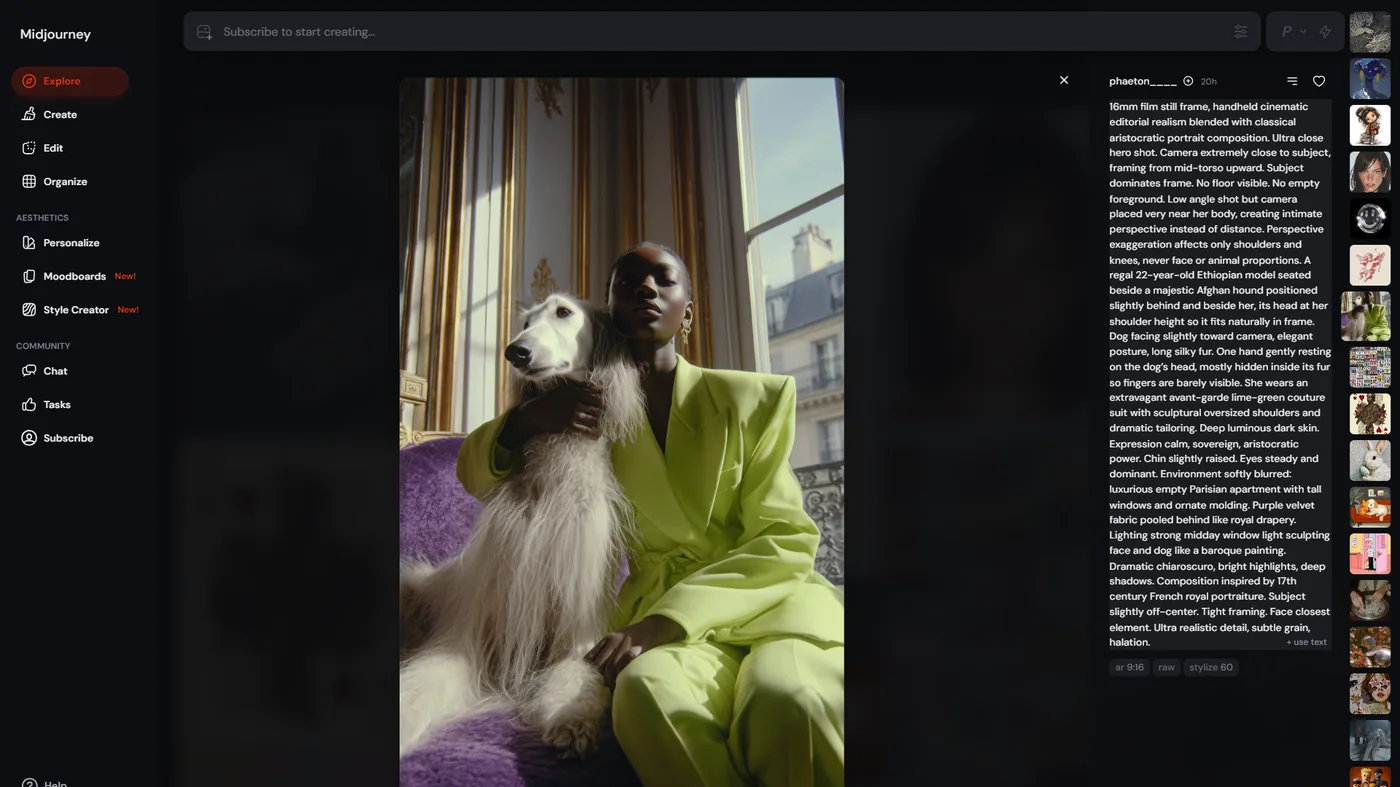
These are real prompts that produce strong results. Each one illustrates specific techniques covered in this guide. Use them as starting points and modify for your projects.
1. Professional Product Shot
A matte black wireless earbud case on a dark slate surface, product
photography, single dramatic side light, shallow depth of field,
minimalist composition, clean background --ar 4:5 --s 50 --no text,
watermark, hand
Why it works: Specific subject description, defined lighting direction, photography style keyword, low stylize for accuracy, negative prompts to eliminate common artifacts.
2. Cinematic Portrait
Close-up portrait of an elderly fisherman, weathered face, deep
wrinkles, warm golden hour light from the left, ocean background
with bokeh, shot on Hasselblad medium format, editorial photography
--ar 3:4 --s 200
Why it works: Detailed subject description with emotional texture (“weathered,” “deep wrinkles”), specific lighting direction, camera reference for a particular aesthetic quality.
3. Concept Art Environment
Abandoned space station interior, overgrown with bioluminescent
plants, volumetric fog, cinematic wide shot, concept art, moody
teal and amber color palette --ar 21:9 --s 400 --c 15
Why it works: Specific color palette callout, wide cinematic aspect ratio for environment, higher stylize for artistic interpretation, light chaos for variety.
4. Marketing Hero Image
Diverse team collaborating around a modern standing desk, bright
airy coworking space, natural light from floor-to-ceiling windows,
candid moment, warm and optimistic mood, editorial photography
--ar 16:9 --s 150 --no stock photo, staged, stiff
Why it works: The --no stock photo, staged, stiff instruction fights the “corporate stock photo” look that AI defaults to. The candid framing and specific environment details create authenticity. For teams producing marketing visuals at scale, pairing Midjourney output with a tool like Canva or Adobe Express for final layout and typography is a common workflow.
5. Stylized Illustration
A wise old owl perched on a stack of ancient books, whimsical
watercolor illustration, soft edges, muted earth tones, children's
book art style, warm and cozy --ar 1:1 --s 350
Why it works: Clear art medium (“watercolor illustration”), defined color palette (“muted earth tones”), genre reference (“children’s book art style”), and mood descriptors.
6. Architecture Visualization
Modern lakeside cabin, floor-to-ceiling glass walls, surrounded by
pine forest, dusk with interior lights glowing warm, architectural
photography, Dwell magazine style --ar 16:9 --s 100
Why it works: Publication reference (“Dwell magazine style”) gives a very specific aesthetic target. Time of day (“dusk”) creates natural contrast between warm interior and cool exterior.
7. Food Photography
Artisan sourdough bread loaf, fresh from oven with steam rising,
rustic wooden cutting board, olive oil and herbs scattered, overhead
flat lay composition, food photography, natural window light --ar 1:1
--s 150 --no plate, hand
Why it works: Specific food styling details (“steam rising,” “herbs scattered”), defined composition type (“overhead flat lay”), and photography genre for realistic treatment.
8. Abstract Art
fluid abstract composition:: flowing silk fabrics:: metallic
gold and deep navy --ar 3:4 --s 750 --w 500 --c 40
Why it works: Multi-prompting separates abstract concepts. High stylize, weird, and chaos values encourage unexpected artistic interpretations. This is deliberate creative exploration.
9. Fashion Editorial
High fashion model in avant-garde geometric white dress, standing
in brutalist concrete architecture, harsh directional lighting
creating strong shadows, editorial fashion photography, Vogue
aesthetic --ar 3:4 --s 250
Why it works: Contrasting elements (organic fashion vs. harsh architecture), specific lighting description that creates visual drama, publication reference for tone.
10. Retro-Futurism
1960s retro-futurism space lounge, curved white furniture, large
circular window showing Earth from orbit, warm incandescent lighting
mixed with cool starlight, mid-century modern interior design,
Stanley Kubrick aesthetic --ar 16:9 --s 300
Why it works: Specific era reference combined with a director’s aesthetic creates a precise mood. The lighting contrast (warm interior vs. cool space) adds visual depth.
Quick Reference: Parameter Cheat Sheet
| Parameter | Syntax | Range | Default | Purpose |
|---|---|---|---|---|
| Aspect Ratio | --ar W:H | Any ratio | 1:1 | Image dimensions |
| Stylize | --s N | 0-1000 | 100 | Artistic interpretation level |
| Chaos | --c N | 0-100 | 0 | Variation between outputs |
| Weird | --w N | 0-3000 | 0 | Unconventional interpretation |
| Negative | --no X | Text | None | Exclude elements |
| Seed | --seed N | 0-4294967295 | Random | Reproducible results |
| Image Weight | --iw N | 0-3 | 1 | Reference image influence |
| Version | --v N | 6.1, 7 | 7 | Model version |
| Quality | --q N | 0.25-2 | 1 | Rendering quality/speed |
Building Your Prompt Engineering Workflow
Knowing the techniques is one thing. Applying them efficiently requires a workflow. Here is an effective process for any serious midjourney prompt engineering project:
- Define the brief. What is this image for? What dimensions? What mood? Write this down before touching Midjourney.
- Draft the prompt. Use the core structure: subject, style, environment, lighting, composition. Do not add parameters yet.
- First generation. Run the prompt with default parameters. Evaluate what the model interprets well and what misses.
- Add parameters. Set
--arfor your target format. Adjust--sbased on whether you need accuracy or artistry. - Refine with seeds. When one of the four outputs is close, grab its seed. Modify the prompt and regenerate.
- Iterate 3-5 times. Change one variable per iteration. Track what works.
- Upscale and export. Once you have the right image, upscale it and download the final version. If you plan to feed the output into video tools, our Pictory articles-to-video guide walks through hand-off formats.
This systematic approach replaces the “generate and pray” method most people use. It is faster, more predictable, and produces better results consistently. The same structured thinking applies to other generative tools - our Flux alternatives guide covers how competing models handle similar workflows with different strengths, and the wider best AI image generators 2026 roundup compares Midjourney’s prompt control surface to DALL-E, Stable Diffusion, and Adobe Firefly.
The Bottom Line
Midjourney prompt engineering is a learnable skill, not an innate talent. The techniques in this guide - structured prompts, intentional parameter use, style modifiers, multi-prompting, and seed-based iteration - work because they give the model clear, specific instructions instead of vague suggestions.
Start with the core prompt structure and the three most important parameters (--ar, --s, and --no). Once those feel natural, incorporate multi-prompting and seed consistency for more precise control. The example prompts above are designed to be modified and adapted to your own projects.
The gap between amateur and professional Midjourney output is not the subscription tier or the number of generations. It is prompt quality. Invest time in learning these patterns, and every image you generate from now on will be measurably better.
Explore Midjourney’s full feature set and see how it compares to alternatives on our detailed tool page.
Frequently Asked Questions
What is the best basic structure for a Midjourney prompt?
Use the formula [Subject] + [Style/Medium] + [Environment/Setting] + [Lighting] + [Composition] + [Parameters]. You don’t need every element on every prompt, but starting from this framework forces you to make intentional choices about what the image actually needs to communicate. A specific subject (“a woman in her 40s wearing a tailored navy suit”) combined with a defined lighting direction and aspect ratio will outperform a vague three-word prompt every time.
Which Midjourney parameters matter most for daily work?
The three parameters worth memorizing first are --ar for aspect ratio, --s (stylize) for artistic interpretation level, and --no for negative prompts. Most low-quality results trace back to defaulting to a 1:1 square at stylize 100 with no negative prompts. Once those feel natural, layer in --seed for reproducible iteration and --c (chaos) when you need creative variation across the four output images.
How do you iterate on a Midjourney result without starting over?
Grab the seed from a result you like, then change one element of the prompt while holding the seed fixed. This isolates the impact of that single change so you can see exactly what a stylize bump or a new lighting keyword does. Three to five seed-locked iterations usually converge on the final image - far faster than the “generate and pray” loop most users get stuck in.
When should you use multi-prompting with ::?
Multi-prompting helps in three situations: when you need to separate compound concepts the model would otherwise merge (“hot:: dog” to get a hot dog animal instead of the food), when you want to weight two competing ideas at controlled ratios (“cyberpunk city::2 cherry blossoms::1”), and when blending visual styles (“watercolor::2 photography::1”). For straightforward subjects, a single comma-separated prompt is usually clearer.
Is Midjourney V7 always better than V6.1?
V7 is the current default and produces stronger photorealism, better hand and body coherence, and more accurate prompt adherence. Some users still prefer V6.1 for specific artistic interpretations - it can feel looser and more painterly on certain styles. Unless you’re chasing a particular V6 aesthetic, stay on V7 for production work and only fall back to V6.1 for experimentation.
Want to learn more about Midjourney?
Related Guides
- Stable Diffusion Tutorial - Open-source alternative for power users
- Leonardo AI Marketing Images - Similar iterative workflow in a different image model
- AI Image Generation Tips - Cross-platform prompt techniques
Related Reading
- Midjourney - Full tool review with pricing, ratings, and feature breakdown
- Midjourney vs DALL-E 3: Complete Comparison for 2026 - How Midjourney stacks up against OpenAI’s image generator
- Best AI Image Generators in 2026 - All major AI art tools compared and ranked
- 10 Prompt Engineering Tips for Better AI Images - Cross-platform prompt techniques that work everywhere
- Stable Diffusion 2026: ComfyUI Workflows and Video Generation Guide - The open-source alternative for power users
External Resources
- Midjourney Official Website - Create an account and start generating
- Midjourney Documentation - Full parameter reference and guides
- Midjourney Discord Server - Community, prompt sharing, and support