

A single English video sitting on YouTube with no translations is leaving global audience growth on the table. The ElevenLabs multilingual dubbing workflow turns one source video into five, ten, or twenty language versions - each preserving the original speaker’s voice, tone, and delivery - without hiring voice actors or booking studio time. Whether you are a content creator expanding into new markets, a corporate training team rolling out material across international offices, or a marketing department localizing product demos for regional campaigns, this AI dubbing workflow gives you a repeatable, end-to-end process for producing professional dubbed content at scale.
This guide walks through a complete multilingual dubbing workflow example - from source preparation through final export and distribution. You will learn how to plan a multi-language dubbing project, upload and configure your source content in ElevenLabs Dubbing Studio, review transcriptions and translations for accuracy, fine-tune voice matching across the supported ElevenLabs Dubbing languages, handle timing and sync challenges, conduct quality reviews per language, and export everything ready for publishing. The goal is not just to dub a video once but to build a workflow you can repeat every time you publish new content.
If you are new to ElevenLabs, start with the Getting Started with ElevenLabs guide for account setup and platform basics. If you want a deeper look at Dubbing Studio’s interface and individual features before diving into a multi-language project, the ElevenLabs Dubbing Studio guide covers those foundations.
The ElevenLabs Multilingual Dubbing Workflow Scenario
You have a 12-minute product walkthrough video in English with two speakers - a presenter narrating the demo and a colleague asking questions. Your company is expanding into France, Germany, Brazil, Japan, and Mexico. The leadership team wants localized versions of the video for each market within the week. Traditional dubbing would require five voice actor pairs, five translation agencies, and weeks of coordination. With this ElevenLabs multilingual dubbing workflow, one person can produce all five language versions in a single afternoon.
By the end of this workflow, you will have separate video files for French, German, Brazilian Portuguese, Japanese, and Latin American Spanish - each with AI-generated voices that match your original speakers’ vocal characteristics. You will also have subtitle files for each language and a documented process for repeating this with every new video your team produces.
This same workflow scales down for solo creators dubbing YouTube content into two or three languages, and scales up for enterprises processing dozens of videos per month.
Prerequisites
Before starting, make sure you have the following in place.
ElevenLabs account with Dubbing Studio access. Dubbing Studio is available on the Creator plan ($22 per month) and above, and the ElevenLabs Dubbing API is accessible on higher tiers for automated pipelines. The Creator plan works for occasional dubbing projects, making it a practical multilingual dubbing workflow free entry point. If you are dubbing regularly or processing longer videos, the Independent Publisher ($99 per month) or Scale ($330 per month) plans offer better per-minute economics. Compare tiers on the ElevenLabs pricing page.
Source video file. Your video should be in MP4, MOV, or WebM format. Maximum file size is 500 MB for most plans. If your file exceeds this, compress it first with HandBrake or trim non-essential sections.
Target language list. Decide which languages you are dubbing into before you start. Adding languages mid-project is possible but disrupts review workflows. For this guide, we are working with French, German, Brazilian Portuguese, Japanese, and Latin American Spanish.
Optional but recommended - native speaker reviewers. For professional-quality output, having someone who speaks each target language review the translations improves results significantly. Platforms like ProZ and TranslatorsCafe can help you find vetted reviewers. Even a colleague with conversational fluency catches errors that automated tools miss.
Workflow Overview
The full ElevenLabs multilingual dubbing workflow follows eight steps in a linear sequence. Each step produces an output you can review and edit before moving to the next.
Source Video → Upload to Dubbing Studio → Select Target Languages → Review Transcription and Translation → Voice Matching → Timing Adjustments → Quality Review → Export and Distribution
Plan for roughly 35 minutes of hands-on time for a 10 to 15 minute video dubbed into five languages. Most of that time goes into reviewing translations and listening to voice output. The automated processing itself takes 10 to 20 minutes depending on video length and number of target languages.
Step 1: Preparing Source Content
The quality of your dubbed output depends heavily on the quality of your source material. Investing a few minutes in preparation prevents hours of troubleshooting later.
Audio clarity matters most. ElevenLabs’ speech-to-text engine transcribes your source audio before translating it. Background music, room echo, and overlapping speakers degrade transcription accuracy, which cascades into translation errors and poor voice matching. If your source video has a music bed, use a version with music removed or reduced before uploading. The ElevenLabs Voice Isolator can help clean source audio before dubbing, and the audio quality optimization guide covers post-processing fixes.
Know your speaker count. Dubbing Studio detects and separates speakers automatically, but it works best when you know the exact number. For our scenario with two speakers, you will set the speaker count to two during upload. Videos with more than four or five speakers may need manual speaker assignment corrections.
Trim dead air and non-essential segments. Every second of source audio costs dubbing credits. Remove long pauses, off-topic tangents, and any sections you do not want dubbed using Audacity or your preferred editor. This is especially important on the Creator plan where credits are limited.
Check video format requirements:
| Field | Value |
|---|---|
| Supported formats | MP4, MOV, WebM, MKV, AVI |
| Audio formats (audio-only dubbing) | MP3, WAV, M4A, FLAC |
| Maximum duration | Varies by plan. Creator supports up to 30 minutes per project |
| Recommended resolution | 1080p. Higher resolutions increase file size without improving dub quality since only the audio track is processed |
Step 2: Uploading to Dubbing Studio
Navigate to ElevenLabs and sign in to your account. Open the left sidebar and click Dubbing to enter Dubbing Studio.
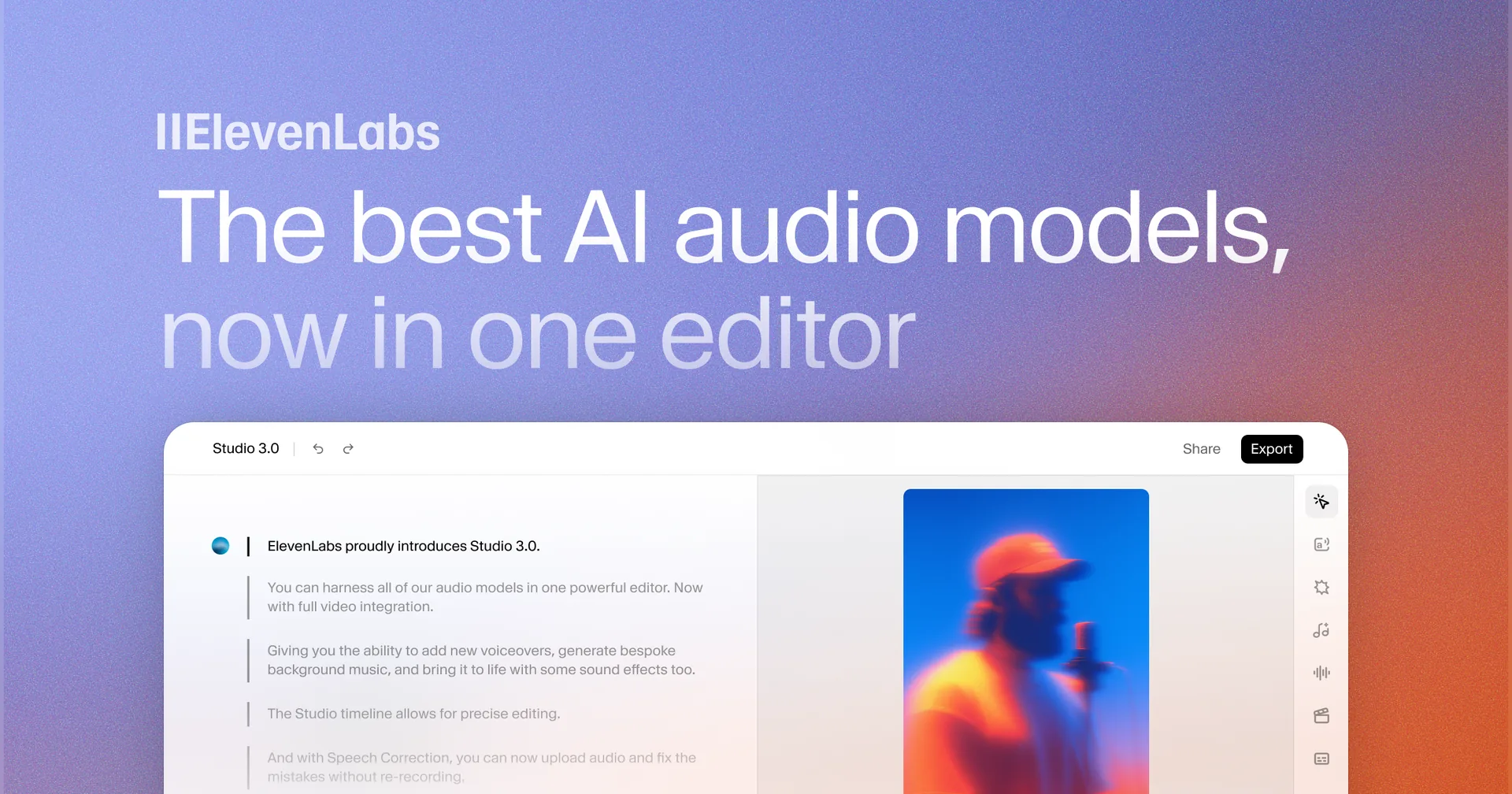
Step 2a: Create a new dubbing project. Click Create New Dub or the plus icon in the Dubbing workspace. Give your project a descriptive name - something like “Product Walkthrough - Multilingual Q1 2026” so you can find it later when managing multiple projects.
Step 2b: Upload your source file. Drag and drop your video file into the upload area or click to browse. The upload progress bar shows estimated time. For a 12-minute 1080p video at around 200 MB, expect 1 to 3 minutes depending on your connection speed.
Step 2c: Set the source language. Select the language of your original video. For our scenario, select English. Getting this right is critical - an incorrect source language setting causes the entire transcription to fail.
Step 2d: Set the speaker count. Enter the number of distinct speakers in your video. Set this to 2 for our two-speaker scenario. If you are unsure, you can let the system auto-detect, but manual specification produces more reliable speaker separation.
Step 2e: Confirm and start processing. Click Create to begin. ElevenLabs processes the source video through its transcription and speaker detection pipeline. This takes 2 to 5 minutes for a 12-minute video.
Step 3: Which Languages Can You Select for ElevenLabs Dubbing?
Once your source is processed, you will see the transcription ready for review. Before editing, select all your target languages.
Step 3a: Open the language selector. In the dubbing project view, find the target language dropdown or multi-select panel. Click Add Language to expand the options.
Step 3b: Add each target language. Select French, German, Portuguese (Brazilian), Japanese, and Spanish (Latin American) from the list. ElevenLabs supports 29 languages with varying quality tiers - the official ElevenLabs Dubbing documentation publishes the current list.
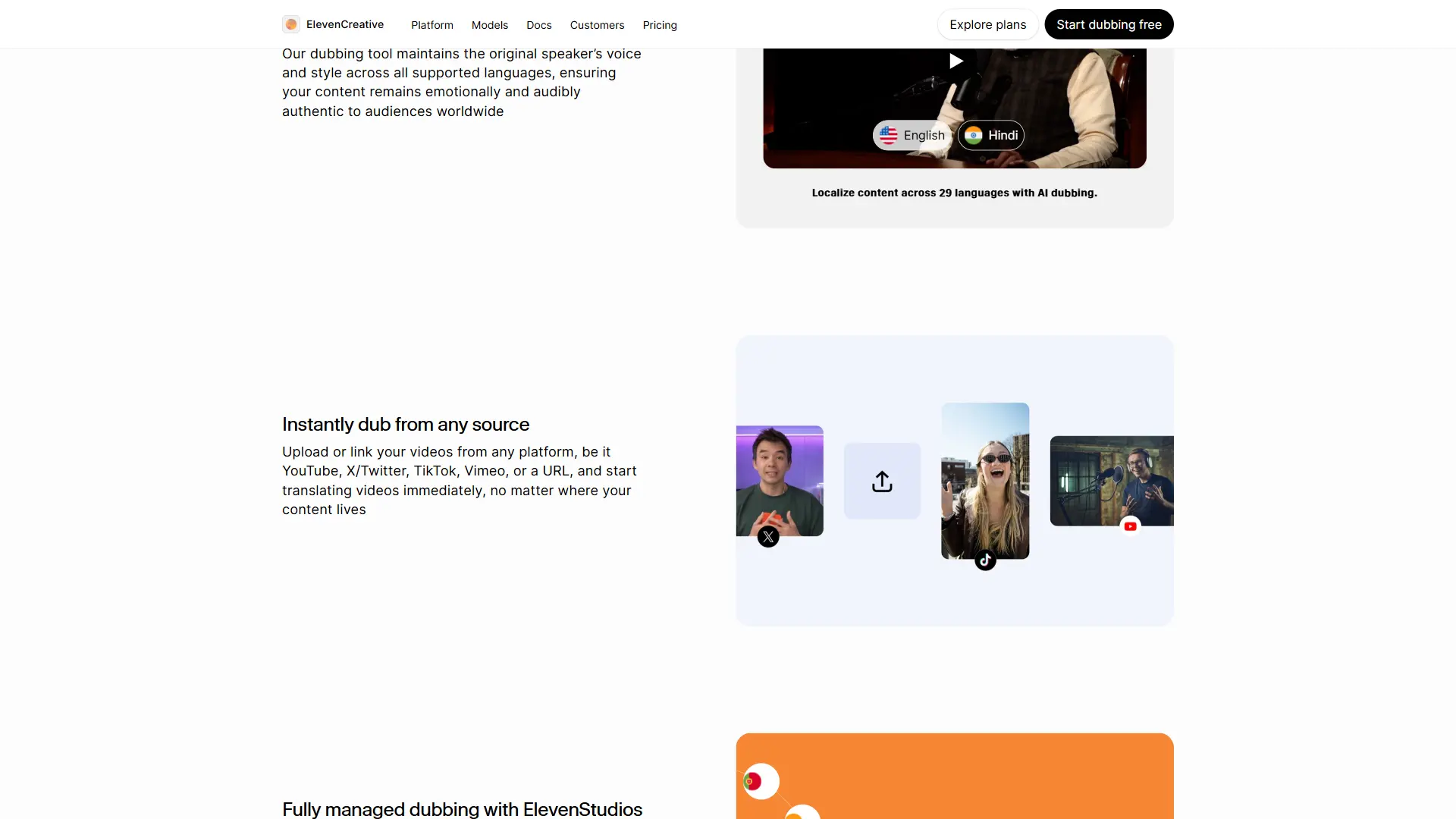
Step 3c: Understand quality tiers for your selections. Not all languages produce equal output quality. For our five target languages:
- Tier 1 (highest quality): French, German, Japanese, Portuguese (Brazilian), Spanish - all five of our targets fall in the top two quality tiers, which means professional-grade output
- Tier 2 (strong quality): If you were adding Turkish, Indonesian, or Hindi, expect occasional accent inconsistencies that may need post-production attention
Step 3d: Consider dialect carefully. Portuguese (Brazilian) and Portuguese (European) sound distinctly different. Latin American Spanish and European Spanish carry different vocabulary and cadence. Select the specific variant that matches your target market. Using the wrong variant is immediately noticeable to native speakers and undermines credibility.
Choosing strategically: If budget is limited, start with the languages that represent your largest market opportunity. You can always add more languages to the same project later without re-uploading the source.
Step 4: Reviewing Transcription and Translation
This is the most important step in the entire workflow. Automated transcription and translation are good but not perfect. Errors here cascade into every dubbed output.
Step 4a: Review the source transcription. Navigate to the transcript editor in your project. Read through the entire English transcription, listening alongside the source video. Fix any misheard words, correct speaker labels, and ensure sentence boundaries align with natural pauses in the audio.
Common transcription issues to watch for:
- Product names and brand names - Often transcribed phonetically rather than correctly. “ElevenLabs” might appear as “Eleven Labs” or “11 Labs”
- Technical terminology - Industry jargon and acronyms frequently get mangled
- Numbers and measurements - “Two thousand twenty-six” versus “2026”
- Filler words - “Um,” “uh,” and “you know” are transcribed literally. Remove them if you do not want them in the dubbed output
Step 4b: Review translations per language. After correcting the source transcription, switch to each target language tab and review the translated text. Focus on:
- Accuracy of technical terms. Machine translation often mishandles domain-specific vocabulary. A “dashboard” in software might translate to a car dashboard in some languages
- Sentence length relative to source. German translations run 20 to 30 percent longer than English. Japanese is often shorter. Translations dramatically longer than the source cause speech compression in the final dub, which sounds unnatural
- Formality register. Japanese, Korean, and German have formal and informal speech registers that English largely lacks. Verify the translation matches the appropriate level for your audience. A corporate training video needs formal registers. A casual YouTube tutorial should use informal speech
- Cultural references. Replace measurement units, date formats, and culturally specific examples with equivalents appropriate for the target market
Step 4c: Use native speaker reviewers when possible. Share the project with colleagues or freelance translators who speak each target language. They can edit translations directly in the ElevenLabs interface. Even a quick 10-minute review per language catches errors that save hours of re-dubbing later.
Step 4d: Back-translate to verify. For languages where you do not have a native speaker reviewer, copy key segments of the translated text into a separate tool like DeepL or Google Translate and translate them back to English. If the back-translation makes no sense, the forward translation needs correction.
Step 5: How Does Voice Matching Work Across Languages?
ElevenLabs preserves each speaker’s vocal characteristics when generating dubbed audio. The system analyzes the original speaker’s pitch, cadence, timbre, and speaking style, then applies those characteristics to the AI-generated voice in each target language. The result is a dubbed voice that sounds like the same person speaking a different language.
Step 5a: Review default voice matching. After translations are finalized, generate a preview of the dubbed audio for each language. Listen to how each speaker sounds. The default voice matching works well in most cases, particularly for Tier 1 languages.
Step 5b: Adjust stability settings per speaker. The audio quality optimization guide covers these controls in depth, but the essentials are:
- Stability (0.0 to 1.0): Higher values produce consistent, uniform output. Lower values add expressiveness but risk inconsistency. For a narrator reading prepared text, set stability to 0.75 to 0.85. For a conversational speaker, try 0.55 to 0.70
- Similarity Enhancement (0.0 to 1.0): Controls how closely the dubbed voice matches the original. Start at 0.75 and reduce by 5 to 10 percent if you hear metallic or robotic artifacts
Step 5c: Adjust per language. The same stability setting can produce different results across languages. Italian and Spanish have more melodic intonation than English, so a stability value that sounds natural in English may feel slightly stiff in these languages. Listen to samples in each language and adjust independently. Japanese, with its different pitch accent patterns, often benefits from slightly lower stability to accommodate natural prosody.
Step 5d: Verify emotional tone carries through. Play segments where the speaker’s tone changes - moments of emphasis, humor, or concern. The AI preserves emotional cues reasonably well, but transitions between emotions sometimes flatten out. If a specific moment loses its impact, regenerate that individual segment with adjusted settings rather than changing global settings - the voice design v3 guide covers expressive controls in detail.
Step 6: Lip-Sync and Timing Adjustments
Dubbing Studio replaces the audio track while keeping the original video intact. This means lip movements will not perfectly match the dubbed audio - the same situation viewers are accustomed to from dubbed films and television. However, you can minimize noticeable timing mismatches.
Step 6a: Check segment timing alignment. Open the timeline editor and verify that each dubbed audio segment starts and ends close to the original speech timing. The system handles this automatically, but segments where the translated text is significantly longer or shorter than the source may drift.
Step 6b: Address segments that run long. When a German translation extends well beyond the original English timing, you have two options. First, shorten the translated text while preserving the meaning. Second, allow ElevenLabs to compress the speech rate - but this sounds unnatural beyond a 15 to 20 percent compression. Shortening the text is almost always the better choice. The ElevenLabs Dubbing Studio Guide covers timing controls and the segment editor in detail.
Step 6c: Handle pauses and breathing. Natural speech includes pauses for emphasis and breathing. The dubbing engine inserts these automatically, but they may not fall in the same places as the original. For most content this is fine. For tightly choreographed content where audio must sync with on-screen actions (such as a presenter clicking a button exactly when they say “click here”), review these moments and adjust segment boundaries manually.
Step 6d: Verify background audio preservation. ElevenLabs separates the vocal track from background audio during processing. The dubbed voice replaces only the vocal layer while preserving music, sound effects, and ambient audio. Listen for artifacts at transitions where voice and background audio overlap. If you hear distortion, it usually indicates the source audio separation was imperfect - cleaning the source audio before upload (as recommended in Step 1) prevents most of these issues.
Step 7: Quality Review per Language
Before exporting, conduct a focused quality review for each target language. Resist the temptation to skip this step - issues that are subtle in one language may be glaring to a native speaker.
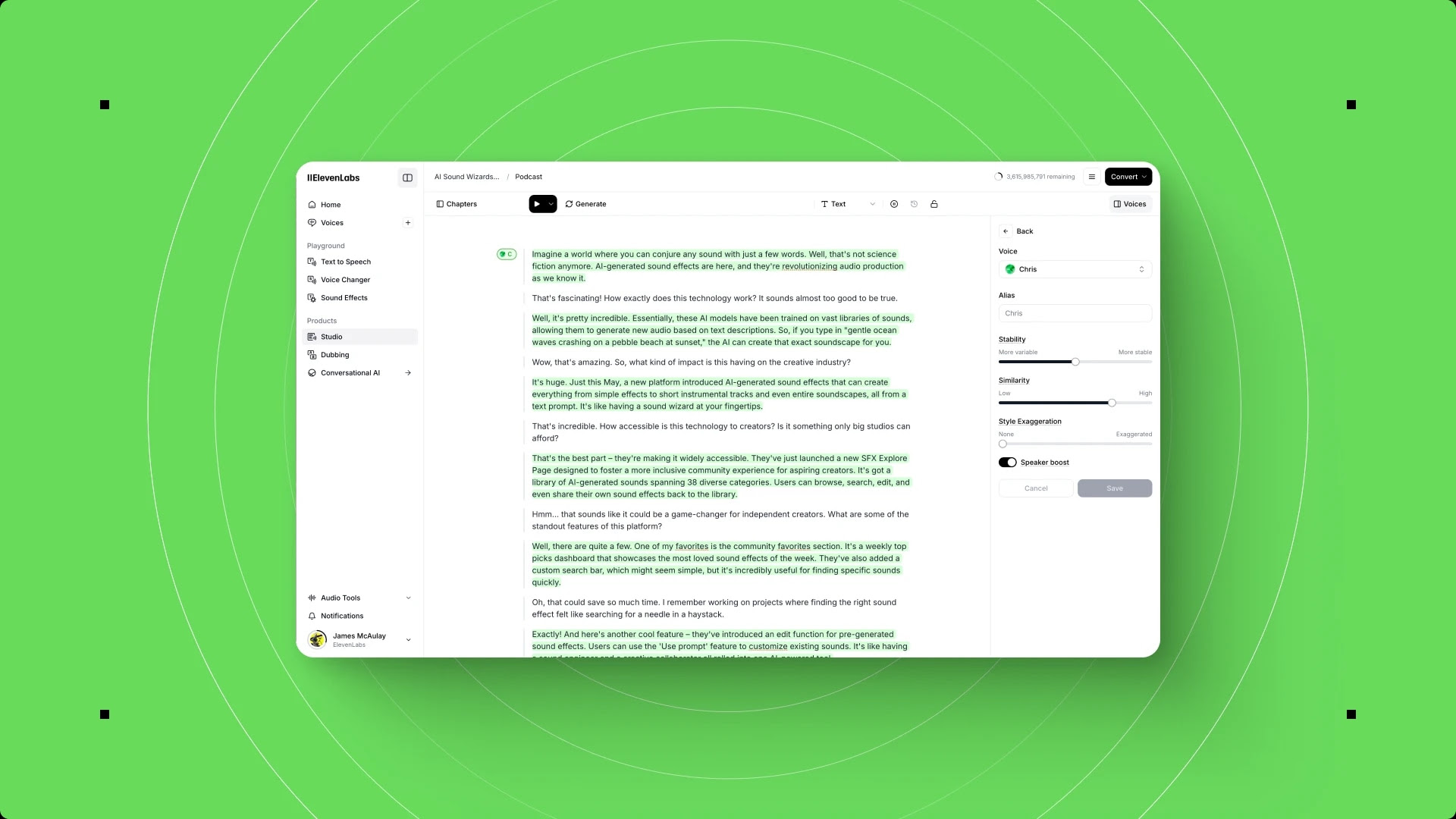
Step 7a: Full playback per language. Play each dubbed version from start to finish. Do not skip around - timing issues and tone inconsistencies are easier to catch during continuous playback. Take notes on specific timestamps where something sounds off.
Step 7b: Watch for common artifacts by language family.
- Romance languages (French, Spanish, Portuguese): Watch for unnatural liaison handling - where one word runs into the next. French in particular has strict liaison rules that AI sometimes mishandles
- Germanic languages (German): Long compound words can cause pronunciation stumbles. Verify that compound nouns are spoken as single flowing words, not as broken syllables
- Japanese: Pitch accent patterns differ from stress-based languages. Listen for words where the pitch accent falls on the wrong syllable, which can change meaning or sound foreign to native listeners
- All languages: Check proper nouns. Brand names, product names, and person names should maintain their original pronunciation, not be translated or phonetically adapted
Step 7c: Create a review checklist per language.
- All speaker voices sound natural and consistent throughout
- Technical terms are pronounced correctly
- Emotional tone matches the original at key moments
- No noticeable timing gaps or audio compression artifacts
- Background music and sound effects preserved cleanly
- Proper nouns pronounced correctly
Step 7d: Iterate where needed. Regenerate individual segments that fail the quality check. Adjust voice settings, edit the translation text, or modify segment boundaries as needed. Each regeneration only costs credits for that specific segment, not the entire project.
Step 8: Export and Distribution
Once all five language versions pass your quality review, proceed to export.
Step 8a: Export video files per language. Select each target language and export as a separate video file. The output preserves your original video quality with the new dubbed audio track. For five languages, you will download five separate video files.
Step 8b: Export subtitle files. For each language, export SRT or VTT caption files. These match the dubbed audio timing precisely and serve as closed captions on publishing platforms. Subtitles in the dubbed language help viewers follow along, especially when the AI pronunciation is not perfectly clear on certain words.
Step 8c: Name files with a consistent convention. Use a naming pattern that makes files easy to manage:
product-walkthrough-fr.mp4(French video)product-walkthrough-fr.srt(French subtitles)product-walkthrough-de.mp4(German video)product-walkthrough-ja.mp4(Japanese video)
This convention scales cleanly as you add more videos and languages to your content library.
Step 8d: Publish across platforms. For YouTube, upload each language version as a separate video or use YouTube’s multi-language audio track feature. Update video titles and descriptions in each language - Dubbing Studio does not translate metadata, so handle this separately. For websites and learning platforms, host language-specific files on your CDN and implement a language selector. For internal training, upload to your LMS with language tags so employees are automatically routed to their local version - the eLearning narration workflow covers SCORM packaging in detail.
Step 8e: Document your settings. Record the voice settings (stability, similarity) and any translation corrections you made for each language. These notes accelerate future dubbing projects by giving you a tested starting point for each language and turn the elevenlabs multilingual dubbing workflow into a repeatable production pipeline.
Edge Cases
Not every dubbing project follows the standard workflow. Here are the situations that require special handling.
Songs and music with lyrics. Dubbing Studio is designed for spoken content. If your video includes singing - an intro jingle, a musical interlude, or a training song - exclude those sections from dubbing. Mark musical segments in the transcript editor and delete them so the system does not attempt to dub them. The original audio will play through for those segments. The music generation guide covers ElevenLabs’ separate music tooling if you need localized jingles.
Technical terminology and acronyms. Industry-specific terms like “API,” “SaaS,” “OAuth,” and “CI/CD” should generally remain in English across all dubbed versions, since these are used internationally. Review translations to ensure the system has not attempted to translate acronyms that should stay in their original form. The pronunciation dictionary guide helps lock pronunciation for these terms across languages.
Cultural adaptations beyond translation. Some content references need adaptation, not just translation. A metaphor about baseball works in North American English but means nothing in Japanese or German. Currency amounts, measurement units (miles to kilometers), date formats (MM/DD to DD/MM), and regulatory references all need localization. Flag these during the translation review step and edit them directly.
Videos with on-screen text. Dubbed audio will be in the target language, but any text burned into the video (lower thirds, callouts, captions baked into the video) remains in the original language. For a fully localized experience, you need to re-edit the video for each language or use a design tool like Canva or Adobe After Effects to create language-specific text overlays.
Ultra-long content. For videos over 30 minutes, consider splitting into segments before uploading. This keeps each dubbing project manageable for review, reduces the risk of timing drift in later segments, and makes it easier to re-dub specific sections without reprocessing the entire video.
Frequently Asked Questions
How much does it cost to dub a 10-minute video into five languages?
Costs depend on your plan tier (compare options on the ElevenLabs pricing page). On the Creator plan ($22 per month), a 10-minute video dubbed into five languages uses approximately 50 dubbing-minutes of credits - the source duration multiplied by the number of target languages. This consumes a significant portion of your monthly allocation. On the Scale plan ($299 per month), the same project is a fraction of your quota with a lower effective per-minute cost. For regular multilingual dubbing, the Pro or Scale plans are more economical.
Can I add more languages to a project after the initial dubbing is complete?
Yes. You can reopen a completed project and add additional target languages without re-uploading the source video or redoing the transcription. The system reuses the existing source transcription and speaker detection, so you only need to review the new translations and voice output for the added languages.
What is the best way to handle speaker names and introductions across languages?
When a speaker says “Hi, I am Sarah” in the source video, the dubbed version will say the equivalent in each target language while keeping “Sarah” as a proper noun. However, some translations may attempt to transliterate names. Review the first few segments of each language version to ensure names are handled correctly. In Japanese, for example, foreign names are typically rendered in katakana - verify the romanization is accurate.
How do I handle a source video where speakers talk over each other?
Overlapping speech is one of the hardest scenarios for automated dubbing. The speaker detection engine may merge overlapping segments or misattribute words. Before uploading, check whether your source has significant overlap. If it does, consider using an audio editor to isolate speakers into separate tracks first, or manually correct speaker assignments in the transcript editor after upload. For panel discussions or debates with frequent interruptions, expect to spend more time in the review stages.
Does the dubbed audio sync perfectly with lip movements in talking-head videos?
No. ElevenLabs Dubbing Studio replaces the audio track without modifying the video. Viewers will notice mismatched lip movements in close-up talking-head shots, which is the same experience as watching any dubbed film. For content where precise lip sync is critical, use a dedicated lip-sync AI tool such as HeyGen or Synthesia as a post-processing step after exporting the dubbed video from ElevenLabs.
Want to learn more about ElevenLabs?
Related Reading
- ElevenLabs - Full platform review with pricing, ratings, and feature breakdown
- Best AI Translation Tools - How ElevenLabs dubbing compares to text-based translation platforms
- Best AI Voice Generators 2026 - Comprehensive comparison of voice synthesis platforms
- AI Translation Accuracy Benchmark - How AI translation quality varies across language pairs
Related Guides
- ElevenLabs Dubbing Studio Guide - Interface and core feature walkthrough
- Getting Started with ElevenLabs - Account setup and platform basics
- ElevenLabs Voice Isolator Guide - Clean source audio before dubbing
- ElevenLabs Pronunciation Dictionary Setup - Lock terminology pronunciation across languages
- ElevenLabs eLearning Narration Workflow - Multi-module course narration with SCORM export
External Resources
- ElevenLabs Dubbing Documentation - Official documentation for the Dubbing Studio workflow and API
- DeepL Translator - Reference translator for back-translation review
- YouTube Multi-Language Audio Tracks - Publish multiple language versions on a single video
Related Guides
- AI Video Creation Tips: 2026 Walkthrough for Teams
- AI Voice Cloning Ethics Best Practices: Complete 2026 Guide
- AI Voiceover Corporate Training With WellSaid Labs
- AI Voiceover Tips: Making Synthetic Voices Sound Human
- ElevenLabs API Setup: Developer Quick Start Guide (2026)
- ElevenLabs Audio Native Embed Audio on Any Website
- ElevenLabs Audio Quality Settings: Pro Tips and Settings
- ElevenLabs Audiobook Creation: Long-Form Audiobook
- ElevenLabs Conversational AI Agents: Build Voice Agents
- ElevenLabs Dubbing Studio: Video Translation and Dubbing