




The average professional needs to learn a new tool, framework, or domain roughly every six months to stay competitive. Yet most people still learn the way they did in college - reading documentation, watching hour-long tutorials, and hoping things stick. Figuring out how to learn faster with AI is now a core professional skill, not a nice-to-have. According to Harvard Business Review, professionals who integrate AI into their learning workflows acquire new skills 40-60% faster than those relying on traditional methods alone.
The difference is not about intelligence or aptitude. It is about eliminating the friction that slows down the learning process - searching for the right resource, struggling with explanations that don’t match your level, practicing without feedback, and forgetting what you studied last week. AI tools in 2026 solve each of these problems with a targeted approach.
This guide shows you how to learn faster with AI using three tools that each excel at a different phase of the learning cycle. No generic advice about “asking ChatGPT questions.” Every strategy here is grounded in learning science and designed for professionals who need to acquire real skills on a deadline.
TL;DR: AI Learning Tools Compared
How to Learn Faster with AI is easier than most people expect with the right tools and approach. This guide walks through the practical steps to learn faster with AI, from choosing the right platform to building workflows that save hours each week.
| Tool | Best For | Starting Price | Learning Strength | Rating |
|---|---|---|---|---|
| ChatGPT | Active learning, Socratic dialogue, practice | Free (Plus: around $20/mo) | Generates practice problems, explains concepts interactively | |
| Perplexity | Research, fact-checking, source discovery | Free (Pro: around $20/mo) | Cited answers with verifiable primary sources | |
| Claude Code | Technical learning, deep explanations | Free (Pro: around $20/mo) | Step-by-step breakdowns with long-context understanding |
Each tool fits a different stage of the learning process. ChatGPT is strongest for active practice and self-testing. Perplexity excels at building foundational understanding through cited research. Claude Code is the best choice for technical and code-based learning where you need detailed, patient breakdowns.
Why Traditional Learning Methods Fall Short for Professionals
Before diving into AI-powered strategies, it helps to understand why conventional approaches waste so much of your time. The problems are specific and measurable.
Passive consumption does not create retention. Watching a 45-minute tutorial feels productive, but research from Proceedings of the National Academy of Sciences shows that passive learning (reading, watching, listening) produces significantly lower retention than active methods like self-testing and teaching. Most professionals default to passive learning because it is easier, not because it works.
Generic resources waste your time. When you search “learn Python” or “understand financial modeling,” you get resources designed for complete beginners, advanced developers, or college students - rarely for a marketing director who needs to automate reports or a product manager who needs to read a codebase. AI tools let you specify your exact context and skill level, which eliminates hours of filtering through irrelevant content.
No feedback loop means slow correction. Learning without feedback is like practicing tennis serves without seeing where the ball lands. Traditional self-study gives you no mechanism for identifying and correcting misunderstandings in real time. AI tools can quiz you, identify gaps in your reasoning, and correct misconceptions before they become habits.
Forgetting is the default. Without deliberate review strategies, you lose approximately 70% of new information within 24 hours - a phenomenon known as the Ebbinghaus forgetting curve. Most professionals learn something, move on, and then relearn it from scratch three weeks later when they actually need it. AI tools can generate spaced repetition schedules and review materials that counteract this decay.
How to Learn Faster with AI: The Three-Tool Framework
Understanding how to learn faster with ai starts with recognizing that different tools excel at different phases. The most effective approach combines three AI tools across four phases of the learning cycle. Here is the framework.
Phase 1: Research and Map the Territory (Perplexity)
Before you learn anything, you need to understand what you are learning and why it matters. This is where most people go wrong - they jump straight into a tutorial without first mapping the landscape of a subject.
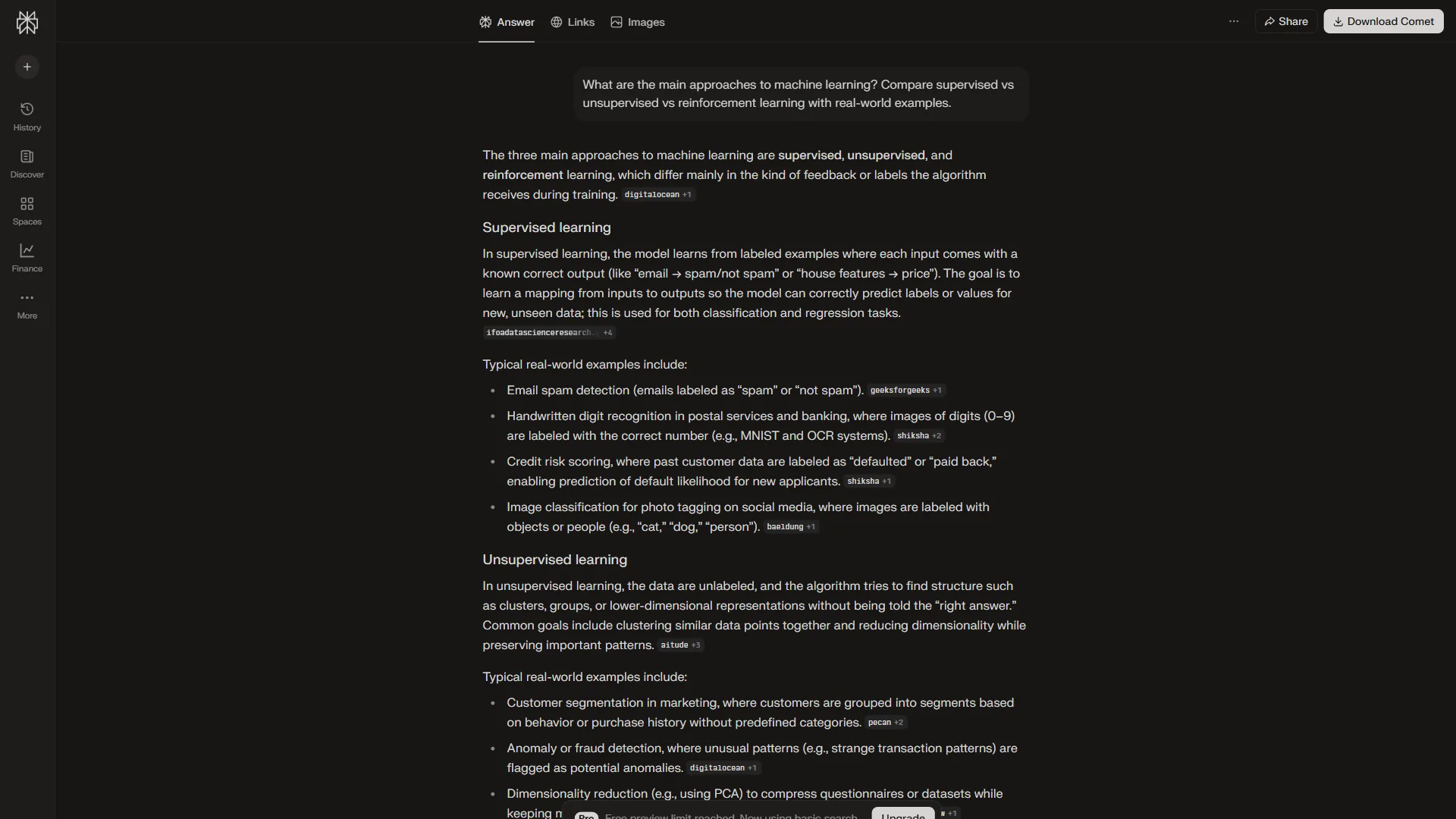
How to use Perplexity for learning research:
-
Map the prerequisite chain. Ask: “What are the prerequisites for learning [skill]? Order them from foundational to advanced.” This prevents the common mistake of jumping into advanced material before understanding the basics.
-
Identify the 20% that delivers 80%. Ask: “What are the most important concepts in [skill] that a [your role] needs to understand? Focus on practical application, not theory.” Perplexity will cite specific sources so you can verify the recommendations.
-
Find the best learning resources. Ask: “What are the highest-rated courses, books, or tutorials for [skill] aimed at professionals, not students? Include publication dates.” The citations let you verify that resources are current and credible.
-
Understand the landscape. Ask: “What are the main approaches or schools of thought in [domain]? What are the tradeoffs between them?” This contextual understanding makes everything else you learn fit together more coherently.
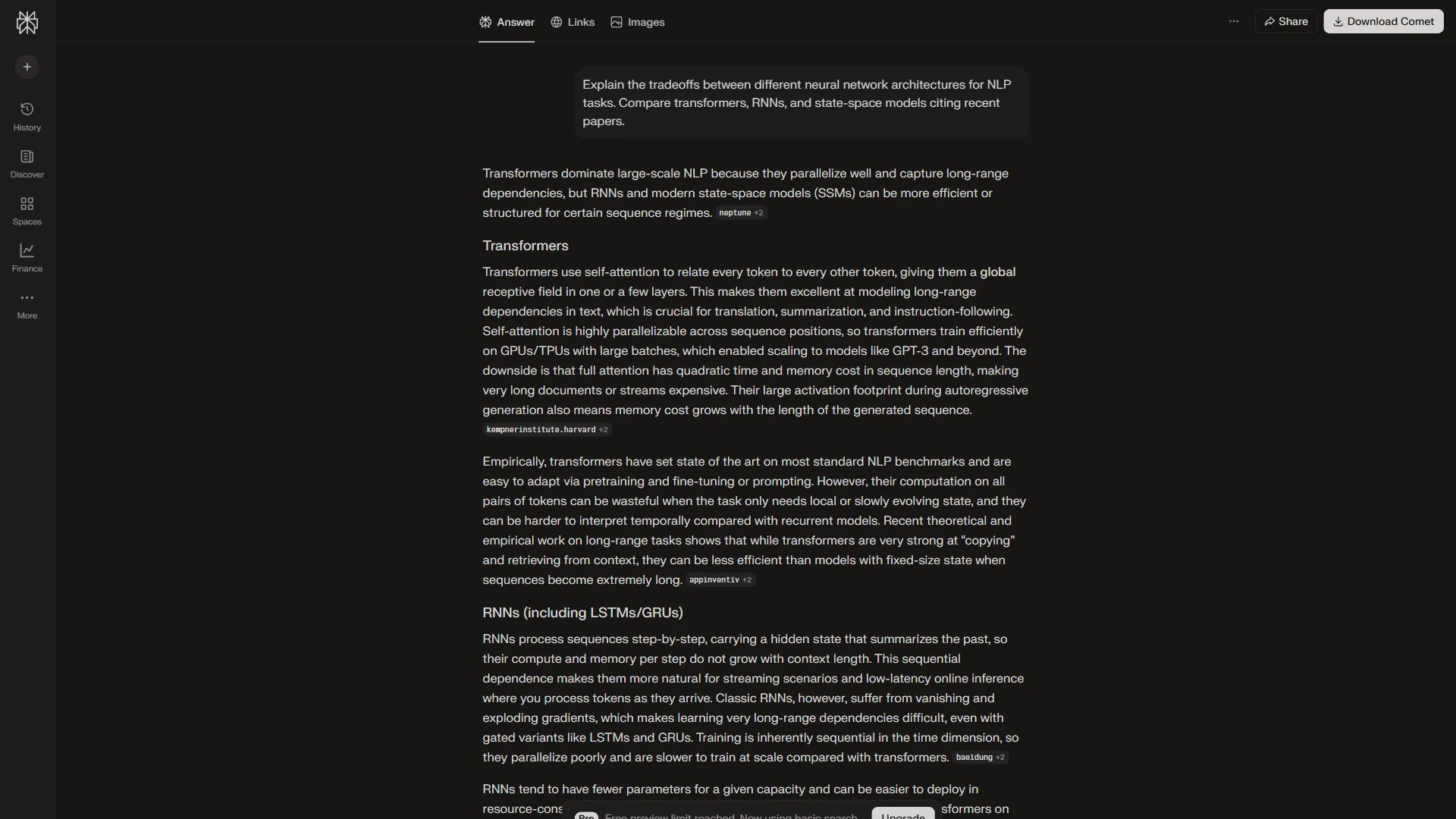
The key advantage of Perplexity over a general-purpose chatbot here is the citations. When you are building foundational knowledge, accuracy matters more than speed. A single wrong mental model early in the process can cost you hours of confusion later.
Phase 2: Active Learning Through Dialogue (ChatGPT)
Once you have mapped what you need to learn, switch to ChatGPT for the actual learning. This is where learning science principles - active recall, elaborative interrogation, and the Feynman technique - merge with AI capabilities.
Strategy 1: The Socratic Dialogue Method
Instead of asking ChatGPT to explain a concept, ask it to teach you through questions:
“I’m learning [topic]. Instead of explaining it to me, ask me a series of questions that guide me to understand it myself. Start with the most fundamental question and build up. If I get something wrong, give me a hint rather than the answer.”
This forces active recall - the process of retrieving information from memory - which is proven to be 50-70% more effective than rereading for long-term retention. You are not passively absorbing information. You are actively constructing understanding.
Strategy 2: The Feynman Technique with AI Feedback
The Feynman technique - explaining a concept in simple terms to identify gaps in your understanding - gets dramatically more effective when you have an AI listener that can spot errors:
“I’m going to explain [concept] to you as if you know nothing about it. After I’m done, tell me: (1) what I got right, (2) what I got wrong or oversimplified, and (3) what important aspects I missed entirely.”
This gives you immediate feedback on the accuracy of your mental model, something that traditional self-study cannot provide.
Strategy 3: Custom Practice Problem Generation
Most learning resources give you 5-10 practice problems. With ChatGPT, you get unlimited practice at exactly your level:
“Generate 5 practice problems about [topic] at [difficulty level]. Make them scenario-based using realistic situations a [your role] would encounter. Give me the problems first, then I’ll attempt them before seeing solutions.”
After you attempt each problem, paste your answer and ask for specific feedback. This creates a tight feedback loop that accelerates skill development.
Strategy 4: Spaced Repetition Scheduling
Ask ChatGPT to create a review schedule based on spaced repetition principles:
“I just learned these concepts: [list]. Create a spaced repetition review schedule for the next 30 days. For each review session, include 3-5 quiz questions that test understanding, not memorization.”
Research consistently shows that spaced repetition can improve long-term retention by 200-400% compared to massed practice (cramming). Having AI generate the review materials and schedule removes the friction that stops most people from actually following through.
Phase 3: Deep Technical Learning (Claude Code)
For technical skills - programming, data analysis, system architecture, or any domain that requires precise, step-by-step understanding - Claude Code is the strongest option. Its large context window and ability to maintain coherent explanations across long conversations make it ideal for complex technical learning.

Why Claude Code excels at technical learning:
- Long-context understanding. When learning complex topics, you often need to reference earlier parts of a conversation. Claude Code maintains coherence across long exchanges without losing track of context.
- Step-by-step breakdowns. Ask Claude Code to break any process into individual steps, explain each one, and wait for you to confirm understanding before moving on.
- Code-level precision. For programming and technical skills, Claude Code can write, explain, and debug code while teaching you why each decision was made.
Practical approach for technical learning with Claude Code:
“I need to learn [technical skill] for [specific use case]. My current level is [beginner/intermediate]. Walk me through it step by step. After each step, ask me to try it myself and explain what I did. Don’t move to the next step until I demonstrate understanding.”
This patient, incremental approach prevents the overwhelm that causes most technical learning to stall. Instead of a 200-page documentation dump, you get exactly the next thing you need to understand.
Phase 4: Apply and Consolidate
The final phase is where learning becomes skill. Use all three tools together:
- Build a real project using Claude Code for technical guidance
- Research unfamiliar concepts you encounter along the way with Perplexity
- Self-test and review with ChatGPT to ensure retention
The project should be small enough to complete in 1-2 weeks but complex enough to require you to apply multiple concepts. Having AI support means you spend your time solving problems (which builds skill) rather than being stuck on syntax errors or configuration issues (which does not).
Role-Based Learning Strategies
Once you understand how to learn faster with ai, the next step is adapting the framework to your specific situation. Different professionals face different learning challenges.
For Solopreneurs and Founders
You need to learn “enough to be dangerous” across many domains - marketing, finance, product, tech. Your goal is not mastery but functional competency.
Optimized approach: Use Perplexity to identify the critical 20% of any domain. Use ChatGPT’s Socratic method to build working knowledge fast. Skip deep technical dives unless you are building the product yourself.
Time budget: 30-45 minutes per learning session, 3 sessions per week. Focus on one domain at a time for 2-3 weeks before rotating.
For Technical Professionals
You need deep understanding of specific tools, languages, or architectures. Surface-level knowledge is not useful - you need to be able to debug, optimize, and build.
Optimized approach: Start with Claude Code for step-by-step technical walkthroughs. Use Perplexity to verify best practices and find authoritative documentation. Use ChatGPT to generate practice problems that mirror real work scenarios.
Time budget: 60-90 minutes per session, daily for the first week of a new skill, then 3 sessions per week during consolidation.
For Managers and Team Leads
You need to understand enough about team members’ work to make good decisions, set realistic timelines, and evaluate quality - without doing the work yourself.
Optimized approach: Use Perplexity for landscape-level research: “What should a non-technical manager understand about [technology]?” Use ChatGPT to simulate conversations: “Explain [concept] as if I’m the manager evaluating whether to invest in this technology.” Use Claude Code only if you need to understand specific technical tradeoffs.
Time budget: 20-30 minutes per session, 2-3 sessions per week. Focus on vocabulary and decision-relevant concepts rather than implementation details.
Measuring Your Learning ROI
Learning faster only matters if you are learning effectively. Here is how to track whether AI is actually accelerating your skill acquisition.
Metric 1: Time to first useful output. How quickly can you produce something real with the new skill? A report, a working prototype, a strategic recommendation. Track this across different learning attempts to see improvement.
Metric 2: Retention at 30 days. Can you still explain and apply the concepts a month later without reviewing your notes? If not, increase your spaced repetition frequency.
Metric 3: Transfer ability. Can you apply what you learned in contexts slightly different from how you learned it? If you can only use a skill when the conditions match your learning environment exactly, you have memorized procedures without understanding principles.
Metric 4: Confidence in real situations. Do you feel comfortable using the new skill in high-stakes scenarios (client presentations, production code, strategic decisions)? If not, you need more practice with realistic scenarios - which is exactly what ChatGPT’s custom problem generation provides.
Common Mistakes That Slow Down AI-Powered Learning
Treating AI like a search engine
The biggest mistake is asking AI factual questions and reading the answers. That is just a faster version of passive reading. Instead, use AI for interaction - dialogue, practice, feedback, and testing.
Skipping the research phase
Jumping straight into ChatGPT to “teach me Python” without first using Perplexity to map what you need to know (and what you can skip) is how you end up learning features you will never use while missing the ones you need.
Never testing yourself
If you are not regularly asking AI to quiz you, you are probably overestimating how much you have retained. Active recall is uncomfortable, which is exactly why it works.
Learning without a project
Abstract knowledge fades fast. Always have a concrete project that forces you to apply what you are learning. The project provides motivation, context, and natural opportunities for practice.
Frequently Asked Questions
How long does it take to learn a new skill with AI?
It depends on the skill’s complexity and your starting point, but professionals consistently report 40-60% time savings compared to traditional methods. A skill that would take 40 hours of self-study might take 16-24 hours with AI-assisted learning. The biggest time savings come from eliminating research overhead, getting instant feedback, and having personalized explanations that match your level.
Is AI-assisted learning as effective as taking a course?
For most professional skills, AI-assisted learning is more effective than pre-recorded courses because it adapts to your specific knowledge gaps and pace. Live courses with expert instructors still have value for highly specialized domains where nuance and mentorship matter. The ideal approach combines both - take the course for structure and expert insight, use AI tools for practice, review, and filling gaps.
Which AI tool should I start with if I can only pick one?
ChatGPT is the most versatile starting point. Its free tier is generous enough for meaningful learning, and its Socratic dialogue and practice problem generation cover the most impactful learning strategies. Add Perplexity when you need cited research, and Claude Code when you are learning technical skills that require step-by-step code walkthroughs.
Will AI make me dependent on it for future learning?
No - if you use it correctly. The strategies in this guide are designed to build genuine understanding, not just provide answers. The Socratic method forces you to think through problems. The Feynman technique tests your own comprehension. Spaced repetition builds long-term memory. AI is accelerating these proven learning methods, not replacing them.
Can I use these techniques for non-technical skills?
Absolutely. The framework works for any domain - negotiation, public speaking, financial analysis, design thinking, sales methodology. The Socratic dialogue and Feynman technique are particularly effective for soft skills and conceptual domains where understanding trumps memorization.
The Bottom Line
Learning how to learn faster with AI is not about finding shortcuts. It is about applying proven learning science - active recall, spaced repetition, the Feynman technique, and deliberate practice - with AI tools that remove the friction from each method.
Start with Perplexity to map what you need to learn and find reliable sources. Move to ChatGPT for active learning through Socratic dialogue, practice problems, and spaced repetition scheduling. Use Claude Code when you need deep technical understanding with patient, step-by-step explanations.
The professionals who learn fastest in 2026 are not the ones with the most natural talent. They are the ones who have built learning systems that compound their effort over time. These three tools, combined with the strategies in this guide, give you that system.
Want to learn more about ChatGPT?
Related Guides
- How to Research Faster with AI: 10x Your Research Speed - Apply the same prompt-chain approach to professional research
- ChatGPT Tips and Tricks: Get More From Every Conversation - Advanced prompting techniques for active learning
- AI Content Writing Workflow: From Research to Published Post - Move from learning to producing finished work
- How to Write Faster with AI: Practical Tips for Every Writer - Translate what you learn into clear writing
Related Reading
- ChatGPT - Conversational AI assistant for Socratic dialogue and practice problem generation
- Perplexity - AI search engine with cited sources for research-backed learning
- Claude Code - Agentic coding assistant for deep technical skill acquisition
- Claude vs ChatGPT: Which AI Assistant Is Better in 2026?
- ChatGPT Tips and Tricks: Get More From Every Conversation
- AI Content Writing Workflow: From Research to Published Post
- How to Write Faster with AI: Practical Tips for Every Writer
External Resources
- Harvard Business Review: How to Learn New Skills in the Age of AI
- Science: Retrieval Practice Produces More Learning than Elaborative Studying
- PNAS: Active Learning Increases Student Performance in Science
Related Guides
- Activecampaign AI Content Generation: Complete 2026 Guide
- AI Agent Orchestration: Patterns That Scale in 2026
- AI Content Writing Workflow: 2026 Walkthrough for Teams
- AI Product Discovery Ecommerce: Lift Revenue in 2026
- AI Productivity Trends 2026: 6 Real Shifts, No Hype
- AI Workflow Automation Maturity Model: 5 Levels
- Building AI First Workflows: A Practitioner's 2026 Guide
- Building Mcp Servers Guide: 2026 Walkthrough for Teams
- ChatGPT Custom GPTs Guide - Save 130+ Hours a Year
- ChatGPT Prompts 2026: Basic vs Engineered, 18 Examples