



Your Tidio Lyro knowledge base is the single most important factor in how well your AI agent handles customer conversations. Every answer Lyro gives comes directly from the content you provide - it will not make things up or guess. That means the quality of your knowledge base determines whether customers get accurate, helpful responses or vague replies that send them straight to your human agents.
This guide walks you through every method for adding and managing knowledge sources in Tidio’s Lyro AI system. You will learn how to scrape FAQ pages from your website, create manual question-answer pairs, upload documents in bulk, pull suggestions from historical conversations, and import content from other platforms. By the end, you will have a well-organized Tidio Lyro knowledge base that handles the majority of your customer questions without human intervention.
If you have not set up Lyro yet, start with the Getting Started with Tidio guide first, then come back here to build out your knowledge base.

How Lyro Uses Your Knowledge Base
Before you start adding content, it helps to understand exactly how Lyro processes and retrieves information from your knowledge base.
Retrieval-augmented generation (RAG). Lyro does not work like a general-purpose chatbot that draws on broad internet knowledge. Instead, it uses a retrieval-augmented approach. When a customer asks a question, Lyro searches your knowledge base for the most relevant Q&A pairs, extracts the matching content, and generates a natural-sounding response. This approach is what separates dedicated AI chatbot platforms from generic large language models. If no relevant content exists, Lyro either asks the customer to rephrase their question or transfers the conversation to a human agent.
No hallucination by design. Because Lyro only answers from content you explicitly provide, it will not invent pricing, policies, or product details. If a customer asks about something not in your knowledge base, Lyro says so rather than fabricating an answer. This makes it reliable for customer-facing conversations where accuracy matters.
Quality over quantity. A knowledge base with 30 well-written Q&A pairs will outperform one with 200 vague or poorly structured entries. Lyro matches customer questions to your content using semantic similarity, so clear and specific entries produce better matches. Duplicative or contradictory entries confuse the retrieval process.
Multiple source types. Tidio gives you five different methods for adding knowledge to Lyro. Each suits different situations, and most teams use a combination. The rest of this guide covers each method in detail.
Tidio Lyro Knowledge Base Method 1: Website URL Scraping
URL scraping is the fastest way to populate your tidio lyro knowledge base if you already have FAQ pages, help center articles, or product documentation on your website.
How to Add URLs
Step 1: Navigate to Lyro AI > Knowledge in your Tidio dashboard. This opens the knowledge base management panel where all your sources are listed.
Step 2: Click the Add Data Source button (or Add URL if you are on the initial setup screen). Paste the full URL of the page you want Lyro to learn from.
Step 3: Click Import and wait for the scraping process to complete. Tidio crawls the page, extracts the text content, and converts it into Q&A pairs automatically. The system identifies question-like headings and pairs them with the content that follows.
Step 4: Review the generated Q&A pairs. Tidio shows you a preview of what it extracted. Some pairs may need editing - headings that are not actually questions, for example, or answers that include navigation text or footer content that got scraped by accident.
Best URL Types for Scraping
Not all pages work equally well for automated scraping. Here is what produces the best results:
- FAQ pages - Pages structured with questions as headings and answers as body text produce the cleanest Q&A pairs
- Help center articles - Support documentation with clear titles and focused content on single topics
- Product specification pages - Pages with structured data about features, dimensions, compatibility, or requirements
- Policy pages - Return policies, shipping information, warranty terms, and terms of service
Pages to avoid scraping: Homepages, landing pages, blog posts, and pages heavy on images or JavaScript-rendered content produce poor results. If your existing site content is scattered or poorly organized, you may want to review knowledge base software options to centralize your help content before training Lyro. The scraper works best with static, text-heavy content that follows a question-answer or heading-content structure.
Troubleshooting Scraping Issues
No Q&A pairs generated. This usually happens when the page content is loaded dynamically via JavaScript rather than rendered in the initial HTML. Try accessing the page in your browser with JavaScript disabled - if the content disappears, Lyro’s scraper will have the same problem. In this case, copy the content manually and use Method 2 instead.
Duplicate or overlapping entries. If you scrape multiple pages that cover similar topics, you may end up with duplicate Q&A pairs. Review your knowledge base after each import and remove duplicates. Contradictory answers to the same question confuse Lyro’s retrieval system.
Incomplete answers. Sometimes the scraper cuts off answers at section breaks or includes content from adjacent page sections. Edit the Q&A pair manually to correct the answer text.
Method 2: Manual Q&A Pairs
Manual Q&A creation gives you the most control over exactly what Lyro says in response to specific questions. This is the preferred method for critical information like pricing, policies, and product-specific details where accuracy is non-negotiable.
Creating Q&A Pairs
Step 1: Navigate to Lyro AI > Knowledge and click Add Q&A (or the plus button next to your existing pairs).
Step 2: Enter the question exactly as a customer would ask it. Use natural, conversational phrasing rather than formal or technical language. For example, “How long does shipping take?” works better than “Shipping duration specifications.”
Step 3: Write the answer in clear, concise language. Include all relevant details the customer needs. If the answer involves multiple options or steps, use a structured format with line breaks between items.
Step 4: Save the Q&A pair. It becomes active in your knowledge base immediately - Lyro can start using it for new conversations right away.
Formatting Tips for Better Answers
Keep answers focused. Each Q&A pair should address one specific topic. Instead of a single massive entry covering “all shipping information,” create separate pairs for shipping times, shipping costs, international shipping, and order tracking.
Include specific details. “We ship within 2-3 business days” is far more useful than “We ship quickly.” Include actual numbers, timeframes, prices, and specifics wherever possible.
Anticipate follow-up variations. Customers ask the same question in many different ways. You do not need to create a separate Q&A pair for every variation - Lyro uses semantic matching, so “What’s your return policy?” and “Can I return this item?” both match a single well-written return policy entry. You can fine-tune how Lyro phrases these matched responses by adjusting its tone and personality settings. However, if a particular phrasing consistently fails to match, add it as an alternative question for the same answer.
Add links where appropriate. If the answer includes directing customers to a specific page (like your returns portal or sizing guide), include the full URL in the answer text. Lyro will present these as clickable links in the chat.
When Manual is Better Than Scraping
Manual creation is the better choice when:
- The information does not exist on any public page (internal policies, special promotions)
- Web pages contain too much surrounding content that clutters the scraping results
- You need precise control over the wording of answers (legal or compliance-sensitive content)
- You want to add Q&A pairs for common questions that your current website content does not address
Method 3: File Upload
File upload lets you import knowledge base content in bulk using structured documents. This method is available on the Plus plan and above.
Supported Formats and Requirements
Tidio accepts CSV files for bulk Q&A import. The CSV format requires two columns: one for questions and one for answers. Use the first row as headers (Question, Answer) and each subsequent row as a Q&A pair.
CSV formatting guidelines:
- Use UTF-8 encoding to avoid character issues
- Wrap any fields containing commas in double quotes
- Keep answers under 500 words per entry for optimal retrieval performance
- Avoid HTML tags or markdown formatting in answer text - use plain text
Bulk Import Tips
Prepare your content in a spreadsheet first. Use Google Sheets, Excel, or an AI documentation tool to draft your Q&A pairs before exporting to CSV. This makes editing, reviewing, and deduplicating much easier than working directly in the Tidio interface. The getting started guide covers the import flow if you’re new to the platform.
Batch by topic. Import Q&A pairs in logical batches (all shipping questions, then all product questions, then all account questions). This makes it easier to track what you have imported and identify gaps.
Test after each import. After uploading a batch, go to the Playground (covered in the Testing section below) and ask several questions that should match your new entries. This catches formatting issues or import errors before they affect real customer conversations.
Method 4: Historical Conversations
One of Lyro’s most practical features is its ability to suggest new Q&A pairs based on real conversations your human agents have already handled. This turns your existing support history into training data. If you are evaluating multiple platforms for this capability, our customer support software comparison covers how different tools handle AI training from conversation logs.
How Auto-Suggestions Work
Tidio analyzes past conversations handled by your human agents and identifies recurring questions. It then generates suggested Q&A pairs based on how your agents actually responded to those questions. These suggestions appear in your knowledge base management panel as pending items that you can approve, edit, or reject.
Reviewing and Approving Suggestions
Step 1: Navigate to Lyro AI > Knowledge and look for the suggestions section. Pending suggestions are marked separately from your active Q&A pairs.
Step 2: Review each suggestion carefully. Check that the question accurately represents what customers were asking and that the answer reflects your current policies and information - not something an agent may have said as a one-time exception.
Step 3: Edit suggestions before approving them. Agent responses in live chat tend to be informal and may include greetings, apologies, or filler text that does not belong in a knowledge base entry. Clean up the answer to be direct and informative.
Step 4: Reject suggestions that are too specific, outdated, or related to one-off situations that do not represent common customer needs.
Why this method is valuable. Historical conversations reveal what customers are actually asking about, which is often different from what you think they are asking about. This method helps you discover knowledge gaps you did not know existed.
Method 5: External Import
If you are migrating from another customer support platform, Tidio can import knowledge base content from several popular tools.
Supported Platforms
- Zendesk - Import help center articles and FAQ content
- Intercom - Pull in articles from your Intercom help center
- Gorgias - Import macro templates and FAQ content
Import Process
Navigate to Lyro AI > Knowledge > Add Data Source and select the external platform option. Authenticate with your existing platform account and select which content categories to import. After the import completes, review all imported entries just as you would with URL-scraped content - formatting differences between platforms often require cleanup.
Plan your migration. Do not import everything at once. Start with your most frequently accessed help articles, verify they work well in Lyro, then import additional categories in batches.
Organizing Your Knowledge Base
As your knowledge base grows beyond 50 or so Q&A pairs, organization becomes critical for both maintenance and retrieval quality.
Categorization
Group your Q&A pairs into logical categories that reflect how your business is structured. Common categories include:
- Shipping and Delivery - Timeframes, costs, tracking, international
- Returns and Refunds - Policies, processes, timelines
- Product Information - Features, specifications, compatibility
- Account Management - Login, password reset, profile updates
- Billing and Payments - Payment methods, invoices, subscriptions
- Technical Support - Troubleshooting, setup, error messages
Removing Outdated Content
Schedule a monthly review of your knowledge base to remove or update entries that no longer reflect your current offerings. Strong knowledge sharing practices across your team help ensure that product changes get reflected in your Lyro content promptly. Outdated answers are worse than no answer at all - a customer who gets told a product costs $49 when it now costs $69 will have a negative experience that damages trust.
Signs an entry needs updating:
- Product prices or features have changed
- Policies have been revised
- Seasonal or promotional content has expired
- A product or service has been discontinued
Prioritization
Not all Q&A pairs carry equal weight. Entries about pre-purchase questions (pricing, features, availability) directly impact revenue and should be your highest priority for accuracy and completeness. Post-purchase support questions (tracking, returns) affect customer satisfaction and retention. Nice-to-have entries (company history, team information) can be added last. The Lyro AI setup guide covers how to set guidance rules around pricing topics so Lyro doesn’t quote stale numbers.
Writing Effective Q&A Content
The difference between a knowledge base that resolves 70% of conversations and one that resolves 30% comes down to how you write your Q&A content.
Write Questions Like Your Customers
Study your support inbox and live chat transcripts. Notice the exact words and phrases your customers use. They rarely ask, “What is the expected transit duration for domestic ground shipments?” They ask, “How long does shipping take?” or “When will I get my order?”
Use conversational language. Match the register and vocabulary your customers actually use. If your customers say “cancel my subscription,” do not write the question as “terminate service agreement.”
Cover common variations. While Lyro handles semantic matching well, having the question phrased closely to how customers ask it improves match accuracy. If you notice customers asking the same thing in very different ways (such as “Do you ship to Canada?” versus “What countries do you deliver to?”), consider creating separate entries for each framing.
Structure Answers for Clarity
Lead with the direct answer. Start with the most important information. “Standard shipping takes 3-5 business days” should come before the explanation of how to choose expedited shipping options.
Use line breaks for multi-part answers. If the answer includes several options or steps, break them into clearly separated items rather than running everything together in a dense paragraph.
Keep answers between 50 and 300 words. Answers shorter than 50 words may lack sufficient detail. Answers longer than 300 words tend to produce overly lengthy chatbot responses that customers do not read. If a topic genuinely requires a long explanation, consider splitting it into multiple Q&A pairs.
Include actionable next steps. End answers with what the customer should do next when appropriate - “Visit your account dashboard to initiate a return” or “Contact our support team at [email protected] for custom orders.”
Testing Knowledge Quality
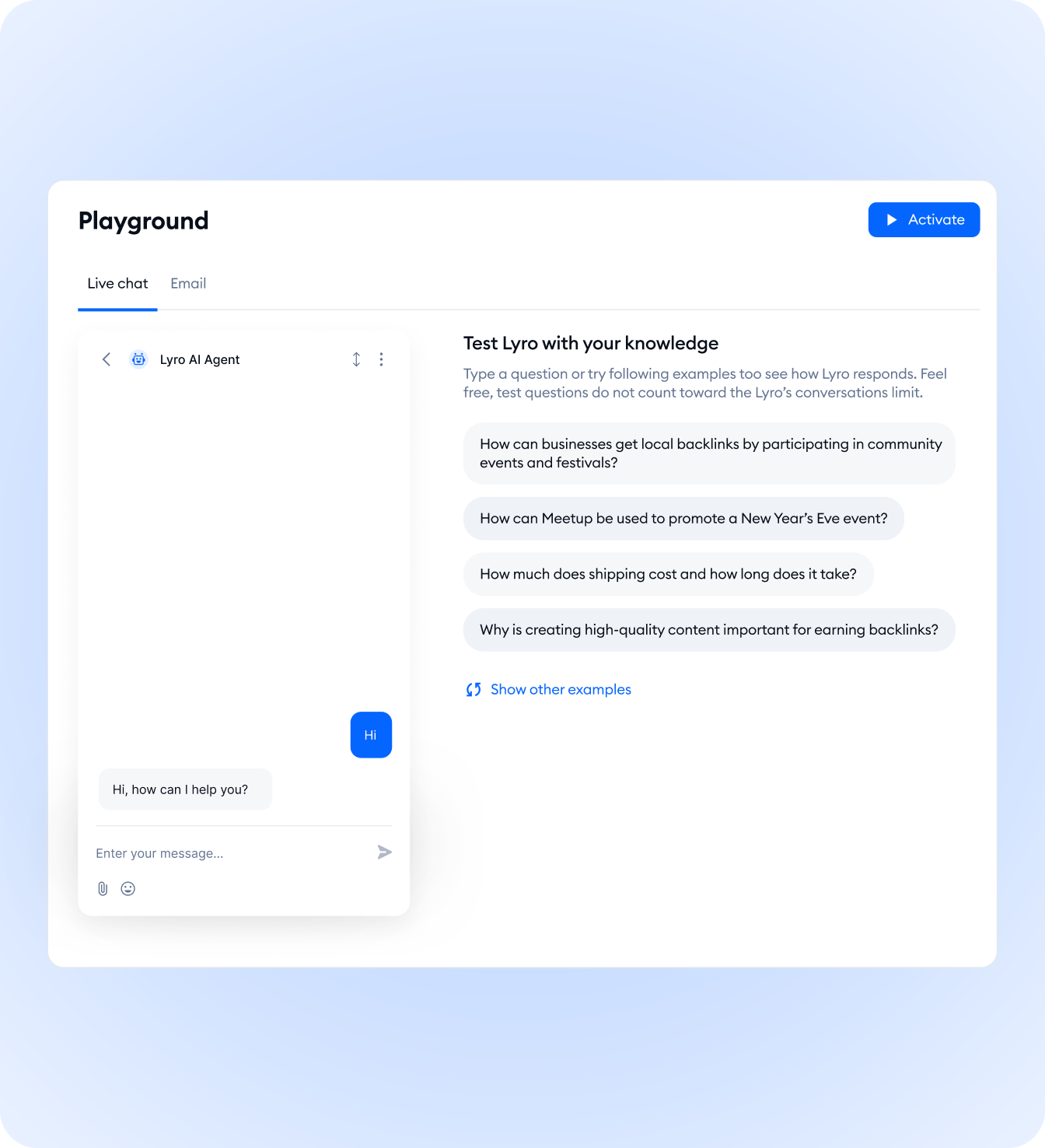
Never push knowledge base changes to your live Lyro agent without testing first. Tidio provides a built-in Playground for exactly this purpose.
Using the Playground
Step 1: Navigate to Lyro AI > Playground in your Tidio dashboard. The Playground is a sandbox environment where you can simulate customer conversations against your current knowledge base.
Step 2: Type a question exactly as a customer would ask it. Do not use the same wording as your Q&A entries - use natural, informal phrasing to test how well Lyro matches real customer language to your content. For a detailed walkthrough of testing strategies, see the dedicated Lyro Playground testing and optimization guide.
Step 3: Evaluate the response. Check that Lyro pulls the correct Q&A pair and that the generated response accurately conveys the information in your knowledge base. Pay attention to whether Lyro combines information from multiple entries or focuses on the single most relevant one.
Step 4: Test edge cases. Ask questions that are slightly outside your knowledge base coverage. Verify that Lyro gracefully handles these by asking for clarification or offering to transfer to a human agent rather than providing an incorrect or vaguely related answer.
Identifying Gaps
As you test, you will discover questions your knowledge base cannot answer. Keep a running list of these gaps and prioritize filling them based on how often customers are likely to ask those questions.
Common gap areas:
- Edge cases in your policies (what if the return window has passed by one day?)
- Comparisons between your products or plans
- Questions about features you recently launched or changed
- Integration or compatibility questions for technical products
Iterating on Performance
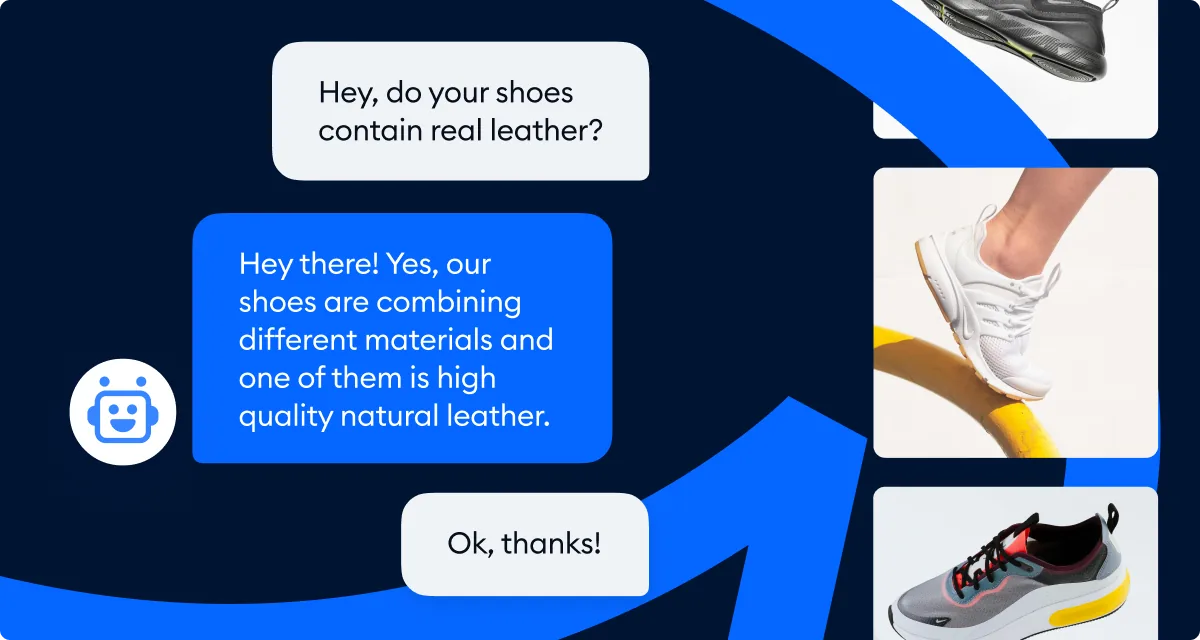
Testing is not a one-time activity. After your initial setup, revisit the Playground weekly during the first month to refine entries based on real conversation data. Teams that treat this as part of a broader customer service automation strategy see significantly higher resolution rates. Navigate to Lyro AI > Analytics to see which questions Lyro answered successfully, which it could not answer, and which resulted in transfers to human agents. Use this data to continuously improve your knowledge base content.
Maintaining Your Knowledge Base
A knowledge base is a living document. Set up regular maintenance processes to keep it accurate and effective over time.
Regular Audit Schedule
Weekly: Review the “unanswered questions” report in your Lyro analytics. These are questions customers asked that Lyro could not match to any knowledge base entry. Add new Q&A pairs to address the most common unanswered questions.
Monthly: Scan all existing entries for accuracy. Check that prices, policies, product availability, and feature descriptions are still current. Remove or update entries for discontinued products or changed policies.
Quarterly: Evaluate overall knowledge base performance metrics. Track your resolution rate (percentage of conversations Lyro handles without human transfer), customer satisfaction scores on AI-handled conversations, and the average number of messages per resolved conversation. Set improvement targets for each quarter.
Updating for Product Changes
Whenever your business makes a change that affects customer-facing information, update your knowledge base before the change goes live. Create a checklist tied to your product release or policy update process that includes “Update Lyro knowledge base” as a required step. Pair this with the Lyro Playground testing workflow to verify each new entry before it reaches live customers.
Changes that require immediate knowledge base updates:
- Price changes on any product or plan
- New product launches or feature additions
- Policy updates (returns, shipping, warranty)
- Seasonal promotions starting or ending
- Contact information or business hour changes
Monitoring No-Answer Conversations
The most valuable maintenance data comes from conversations where Lyro could not provide an answer. Navigate to your conversation history and filter for interactions where Lyro transferred to a human agent - the Tidio Analytics dashboard makes this filter easy to save. Read through these conversations to understand:
- Whether the question is something Lyro should be able to answer (knowledge gap)
- Whether the existing Q&A pair exists but the customer phrased the question in an unexpected way (need alternative phrasings)
- Whether the question is genuinely outside Lyro’s scope and the transfer was appropriate (no action needed)
Frequently Asked Questions
How many Q&A pairs can I add to my Lyro knowledge base?
There is no strict limit on the number of Q&A pairs in your tidio lyro knowledge base, but quality matters more than quantity. Most businesses get strong results with 50-150 well-crafted entries. If you go beyond 200 entries, pay extra attention to organization and removing duplicates, as overlapping content can reduce match accuracy and force Lyro to choose between similar answers.
Does Lyro learn from conversations automatically?
Lyro does not automatically update its knowledge base from live conversations. It suggests new Q&A pairs based on conversation patterns, but you must manually review and approve these suggestions. This keeps you in control of what Lyro communicates to customers and prevents an unreviewed agent response from becoming canon.
Can I edit a Q&A pair after it is live?
Yes. Navigate to Lyro AI > Knowledge, find the entry you want to modify, and click to edit. Changes take effect immediately - there is no separate publishing step. Lyro starts using the updated content for new conversations right away, which makes iterating on the knowledge base fast and low-risk.
What happens when Lyro cannot find an answer in my knowledge base?
Lyro either asks the customer to rephrase their question or offers to transfer the conversation to a human agent. It does not make up answers from general knowledge. You can customize this fallback behavior in the Lyro AI agent settings under the transfer rules configuration to set wait-time messaging and routing rules.
How do I know which Q&A pairs are being used most?
Tidio’s Lyro analytics dashboard shows you which knowledge base entries are matched most frequently, which have the highest customer satisfaction scores, and which are rarely or never triggered. Use this data to prioritize updates and identify entries that may need better question phrasing to improve matching with how customers actually phrase things.
Can I use the same knowledge base for multiple Lyro agents or channels?
Your tidio lyro knowledge base is shared across all channels where Lyro is active (website chat, Messenger, Instagram, email). You do not need to create separate knowledge bases for each channel. However, if certain content is only relevant to specific channels, consider noting that context in the answer text so Lyro frames the response correctly.
Want to learn more about Tidio?
The Bottom Line on Tidio Lyro Knowledge Base
A well-built tidio lyro knowledge base is the difference between a 30% resolution rate and a 70% one. Start by scraping your existing FAQ pages, layer on 30-50 manual Q&A pairs covering the gaps, and revisit the unanswered-questions report weekly during the first month. Categorize by topic once you cross 50 entries and audit the entire base monthly so outdated prices and policies do not damage trust. The free tier of Tidio gives you 50 Lyro conversations to validate your knowledge base before committing to a paid plan. Compare current Lyro add-on tiers on the Tidio pricing page, and review the Lyro AI agent product page for the full feature list and benchmarks.
Related Guides
- Getting Started with Tidio - Account creation and widget installation
- Tidio Lyro AI Setup Guide - Configure tone, channels, and guidance rules around your knowledge base
- Tidio Lyro Tone Customization - Match Lyro’s voice to your brand
- Tidio Lyro Playground Testing - Test new knowledge base entries before going live
- Tidio Lyro Multilingual Guide - Serve a single knowledge base across multiple languages
Related Reading
- Tidio - Full platform review with pricing breakdown and feature analysis
- Best AI Chatbot Platforms 2026 - How Tidio compares to Intercom and other platforms
- Best Live Chat Software 2026 - Roundup of live chat tools that pair with AI knowledge bases
External Resources
- Tidio Help Center: Lyro AI Agent - Official documentation on knowledge sources, suggestions, and analytics
- AWS: What is Retrieval-Augmented Generation - Background on the RAG approach Lyro uses to retrieve answers from your content
- Anthropic Claude - The language model that generates Lyro’s natural-language responses
Related Guides
- ActiveCampaign Zapier: 10 Automations to Build Today
- AI Chatbots Customer Service Setup: Complete 2026 Guide
- AI Customer Service Automation: Chatbots vs Agentic AI
- Tidio Abandoned Cart Recovery: Automation Workflows
- Tidio Analytics Dashboard: 2026 Walkthrough for Teams
- Tidio Canned Responses and Macros for Faster Support
- Tidio Copilot Agent Assist: AI-Powered Agent Assist Guide
- Tidio CSAT Tracking: CSAT Tracking and Improvement
- Tidio Ecommerce Chatbot: Tidio Chatbot Flows for Ecommerce
- Tidio Ecommerce Support Automation: Automation Best