
Ecommerce support does not scale the way ecommerce revenue does. You can double your ad spend and double your traffic overnight, but you cannot double your support team overnight - and you should not have to. The most effective tidio ecommerce support automation strategies let growing stores handle five or ten times the conversation volume without proportionally growing headcount, which is why Tidio chatbot pricing tends to pay for itself within weeks of sign up. The difference between stores that collapse under their own success and stores that scale gracefully almost always comes down to how they automate the 60 to 80 percent of support conversations that follow predictable patterns.
This guide covers the strategic framework for building a support automation system inside Tidio that handles the repetitive work, routes the complex work to the right people, and keeps customer satisfaction scores climbing even as ticket volume grows. This is not a feature walkthrough or a step-by-step setup tutorial - it is the thinking behind what to automate, when to automate it, and how to avoid the mistakes that make automated support feel robotic instead of helpful. If you need the basics first, start with Getting Started with Tidio.
The Problem: Support That Breaks at Scale
Tidio eCommerce Support Automation covers the strategies and tools that deliver real productivity gains in this space, with concrete steps you can take straight from the Tidio website into your store. Ecommerce support does not scale the way ecommerce revenue does. This guide walks through the practical steps from setup through advanced optimization.
Every ecommerce store hits the same wall. At low volume - maybe 20 or 30 support conversations per day - a small team can handle everything manually. Response times stay under a few minutes, agents know the product catalog by heart, and every customer gets a personal experience. Then traffic grows, and the system starts cracking.
The cracks show up in predictable ways. Response times creep from two minutes to twenty. Agents start copying and pasting the same answers to the same questions dozens of times per day. Weekend and evening inquiries pile up unanswered. New hires take weeks to ramp up because institutional knowledge lives in individual agents’ heads instead of in systems. And the most damaging pattern of all: the questions that genuinely need human judgment - complex returns, product compatibility issues, upset customers - get buried under a mountain of “where is my order?” inquiries that any automated system could handle.
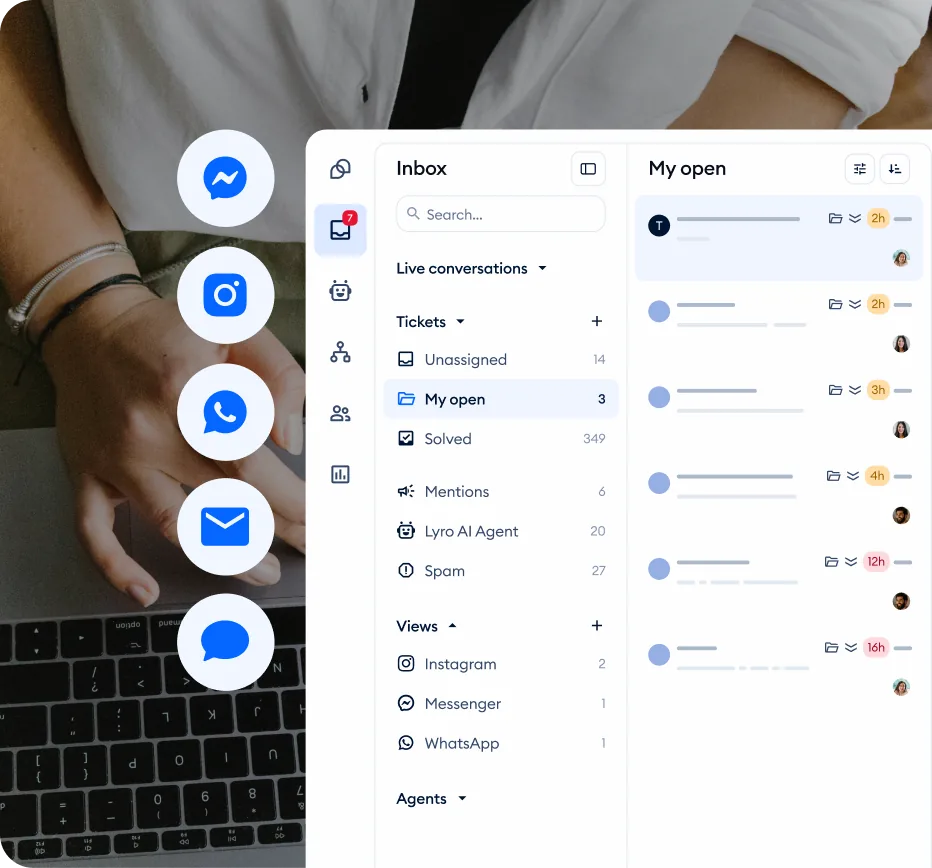
The root cause is not that the team is too small. It is that every conversation, regardless of complexity, competes for the same human attention. A customer asking whether you ship to Canada gets the same queue position as a customer whose order arrived damaged. That is the problem automation solves - not by replacing human support, but by creating separate lanes for conversations that need different levels of attention.
Core Principles of Ecommerce Support Automation
Before building any automation, internalize these five principles. They determine whether your automated support feels helpful or frustrating.
Principle 1: Automate the Pattern, Not the Exception
The most effective automation targets conversations that follow a repeatable pattern - order status checks, shipping time inquiries, return policy questions, sizing guidance. These conversations have predictable inputs, predictable outputs, and low variability between instances. When a customer asks “where is my order?” the answer is always a tracking number lookup followed by a status summary. That is a pattern.
The exception is the customer who received the wrong item, is frustrated, and needs someone to acknowledge the mistake and make it right. No amount of automation handles that well. The strategic discipline is knowing which conversations belong in which category and resisting the temptation to automate everything because you can.
A practical guideline: if you can write a decision tree with five or fewer branches that covers 90 percent of the conversation’s possible paths, it is a pattern worth automating. If it requires judgment, empathy, or creative problem-solving, route it to a human.
The top five automation candidates for most ecommerce stores:
- Order status and tracking - entirely data-driven, no judgment required
- Shipping policies and costs - fixed factual answers that belong in your Lyro knowledge base
- Return policy basics - simple policy questions automate well, edge cases escalate to humans
- Product availability and sizing - answerable from catalog data and product descriptions
- Payment and checkout help - common coupon code issues, payment method questions
Principle 2: Layer Your Automation Stack
A single automation layer leaves gaps. The most resilient support systems stack multiple layers, each catching what the previous layer missed.
Layer 1 - Self-service. Before a customer even opens a chat widget, can they find the answer themselves? Knowledge base articles, FAQ pages, and order tracking portals handle the customers who prefer to solve problems independently. Tidio’s Lyro AI knowledge base serves as this first layer inside the chat experience itself.
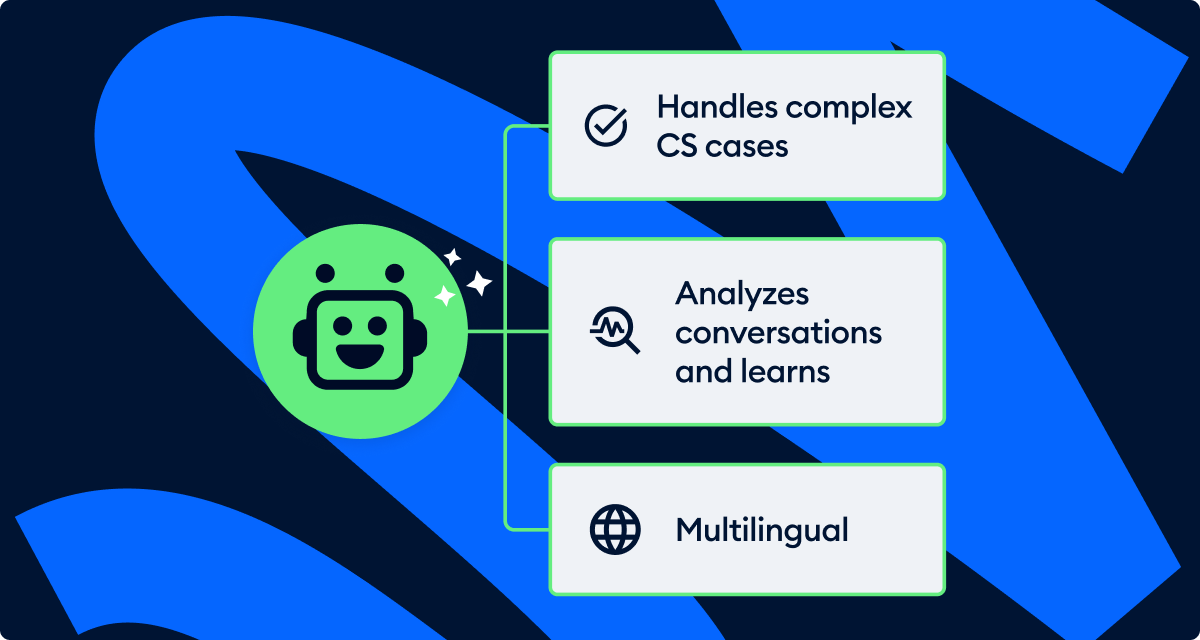
Layer 2 - AI conversation. When a customer does open the chat, Lyro AI handles natural language questions by drawing on your knowledge base, product data, and configured responses. This layer catches the customers who could not find the answer through self-service but whose question is still within the AI’s capability.
Layer 3 - Structured Flows. For interactions that require specific data collection - order numbers, return requests, appointment bookings - rule-based chatbot Flows guide customers through a structured path. This layer handles what AI cannot: guaranteed data collection in a guaranteed order.
Layer 4 - Human routing. When the first three layers cannot resolve the issue, the conversation routes to a human agent - but with context. The agent sees what the customer already tried, what information was collected, and what the likely issue is. Tidio’s Copilot feature gives agents AI-suggested responses based on this context, cutting resolution time significantly.
Each layer reduces the volume that reaches the next layer. If self-service handles 30 percent of inquiries, AI handles 40 percent of what remains, and Flows handle another 15 percent, your human agents see roughly 15 to 20 percent of total volume - and those are the conversations that actually benefit from human attention. Gartner customer service research suggests this layered approach delivers the highest CSAT-to-cost ratio at scale.
Principle 3: Speed Is the Product
In ecommerce support, response time is not just a metric - it is the primary driver of customer satisfaction. Research consistently shows that customers rate fast support with an adequate answer higher than slow support with a perfect answer. A response in under 30 seconds that says “let me look into that” creates more satisfaction than a detailed response that arrives 45 minutes later.
This principle has a direct implication for automation design: optimize every automation for time-to-first-response. An automated greeting that acknowledges the customer within two seconds, even if it is just routing the conversation, is better than silence while the system figures out the right answer. Tidio’s chat widget delivers that immediate presence, and Lyro’s response generation provides an AI-powered answer within seconds.
Build this into your automation architecture. Every visitor who opens the chat widget should receive a response - even if it is a structured menu of options - within three seconds. Every question should receive either a resolution or an acknowledgment with estimated wait time within 30 seconds. Speed at the front of the conversation buys patience for resolution at the back.
Principle 4: Escalation Is a Feature, Not a Failure
Many ecommerce stores treat automated-to-human handoffs as failures - evidence that the automation did not work. This mindset leads to building automations that try too hard to resolve issues they should not handle, resulting in frustrated customers stuck in loops.
The most effective approach treats escalation as a designed outcome. Every automation should have clear escalation triggers - specific conditions under which it hands the conversation to a human without making the customer repeat themselves.
Good escalation triggers include:
- Customer expressing frustration or using language indicating dissatisfaction
- The same customer contacting support for the third time about the same issue
- Order value above a defined threshold (your VIP customers deserve human attention)
- The customer explicitly asking for a human agent
- Lyro’s confidence falling below your configured threshold on two consecutive responses
Build these into every Flow and Lyro configuration from the start. Tidio’s ticketing system and team management features provide the infrastructure for routing these escalations to the right people.
The critical handoff rule: Never make the customer repeat themselves. When a conversation escalates from automation to a human agent, the agent must see the entire conversation transcript, every piece of data the automation collected, and a summary of what was attempted. Tidio preserves this context automatically - but train your agents to read the transcript before responding. The same principle drives client onboarding automation flows in adjacent SaaS categories.
Principle 5: Measure Outcomes, Not Activity
Automation makes it tempting to optimize for metrics that look good on dashboards but do not reflect customer outcomes. “Automation rate” and “deflection rate” tell you how much work the bot did - they do not tell you whether customers were actually helped.
The metrics that matter for ecommerce support automation are:
- Resolution rate - did the issue actually get solved, or did the customer give up?
- Customer satisfaction score - did the customer feel helped? Set up CSAT tracking if you have not already.
- Repeat contact rate - did the customer have to come back about the same problem?
- Revenue impact - did the support interaction lead to a completed purchase?
A 90 percent automation rate with a 60 percent CSAT score is worse than a 50 percent automation rate with a 95 percent CSAT score. Always optimize for customer outcomes first and efficiency second.
Tidio Ecommerce Support Automation: Four-Phase Rollout
Rolling out ecommerce support automation is most effective in phases. Trying to automate everything at once leads to poor configurations, missed edge cases, and a bad initial customer experience that is hard to recover from.
Phase 1: Foundation (Week 1-2)
Start by instrumenting what you already have. Before automating anything, you need data.
Audit your current conversations. Review the last 200 support conversations and categorize them by topic. Most ecommerce stores find a predictable distribution: 30 to 40 percent order status and shipping, 15 to 20 percent returns and refunds, 10 to 15 percent product questions, 10 percent account issues, and the rest miscellaneous. Your specific distribution determines your automation priority order - the Tidio analytics dashboard makes this audit much faster than manual ticket review.
Build your knowledge base. Before Lyro can answer questions, it needs content to draw from. Write or import articles covering your return policy, shipping times, sizing guides, warranty information, and any other topic that appeared frequently in your audit. See the Lyro Knowledge Base Guide for setup instructions.
Configure CSAT surveys. Turn on post-conversation satisfaction surveys immediately so you have a baseline before you start automating. Your pre-automation CSAT score is the number you need to beat - and it doubles as the warning system that will tell you if any later automation step degrades quality. The Tidio pricing page shows which tiers include CSAT analytics.
Set up canned responses. Even before full automation, canned responses and macros give your human team a speed boost on repetitive answers.
Phase 2: First Automations (Week 3-4)
Deploy automations targeting your highest-volume, lowest-complexity conversation categories.
Enable Lyro for FAQ handling. With your knowledge base populated, activate Lyro to handle natural language questions. Start with a conservative confidence threshold - let Lyro answer only when it is highly confident, and route everything else to human agents. You can widen the scope as you validate accuracy. Test thoroughly in the Lyro Playground before going live.
Build an order status Flow. If order inquiries are your top category (they usually are), build a structured Flow that collects the order number, looks up the status via your Shopify or WooCommerce integration, and returns tracking information. This single automation can eliminate 20 to 30 percent of total support volume. The Ecommerce Chatbot Flows guide provides ready-to-build templates.
Create a welcome and routing Flow. Build a greeting Flow that appears when visitors open the chat widget and offers structured options: track an order, ask a question, browse products, or talk to support. This guides customers toward the right automation layer immediately.
Phase 3: Advanced Automation (Week 5-8)
With the basics running and CSAT data flowing, expand into more sophisticated automations.
Deploy cart recovery automation. Build chat-based interventions for visitors who add items to their cart but hesitate at checkout. The Abandoned Cart Recovery guide covers timing strategies and discount ladders in detail.
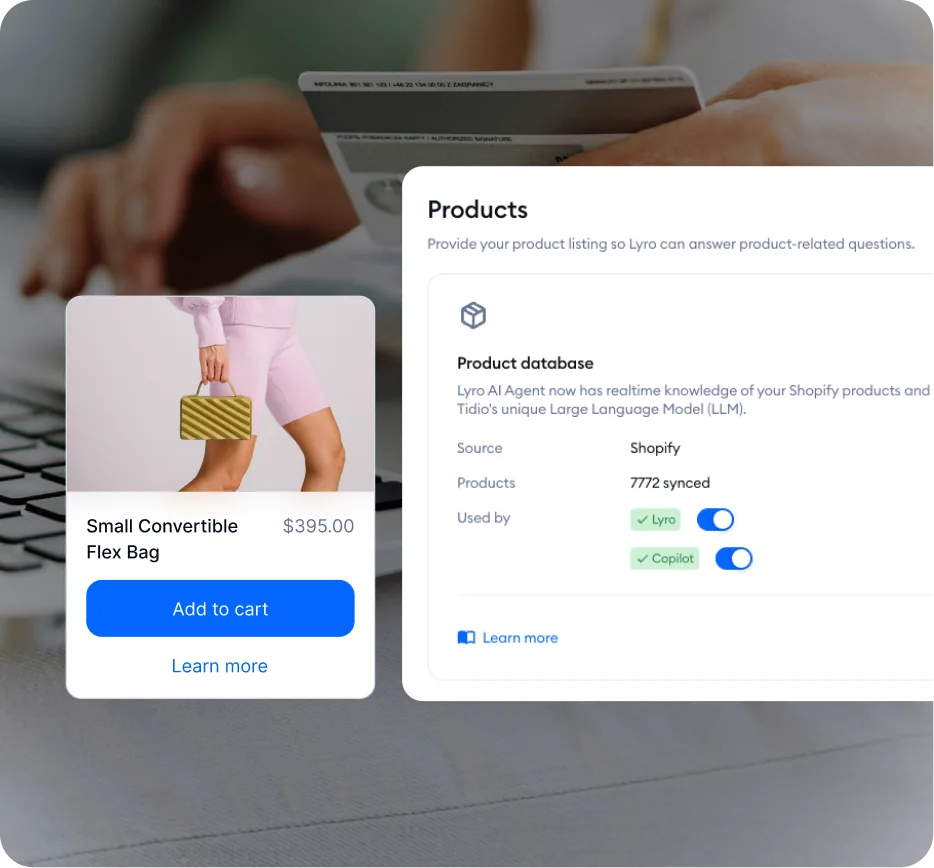
Implement product recommendations. Use Lyro’s product recommendation capabilities to guide browsers toward the right products. A visitor who asks “which laptop bag fits a 15-inch MacBook?” should get a specific product link, not a generic category page.
Build return and refund workflows. Create Flows that collect the order number, reason for return, and product condition, then either auto-approve returns that meet your policy criteria or route edge cases to a human with all collected context. The Tidio canned responses guide is the natural companion for the response templates these workflows depend on.
Configure multi-channel support. If you receive inquiries through email, Messenger, or Instagram in addition to website chat, connect those channels through Tidio’s multichannel support to apply your automation everywhere.
Phase 4: Optimization (Ongoing)
The gap between mediocre and excellent automation is not the initial configuration - it is what happens after launch.
Weekly review (30 minutes). Review failed conversations where automation was involved but the customer escalated or left negative feedback. Each failure is a specific, fixable problem - a knowledge base gap, a missing Flow branch, or an overly aggressive scope.
Monthly knowledge base audit. Products change, policies update, and seasonal information expires. A knowledge base that was accurate three months ago is actively giving wrong answers today.
Quarterly strategy review. Evaluate whether your automation priorities still match your conversation distribution. Adjust your roadmap accordingly.
Common Mistakes and How to Avoid Them
Over-Automating High-Emotion Conversations
A customer whose order arrived damaged does not want to interact with a bot. They want empathy and a fast resolution. Automate the data collection (order number, photos of damage) but route the resolution to a human immediately. The cost of a human handling this conversation is negligible compared to the cost of losing the customer.
Building Flows That Are Too Long
Every additional step in a Flow increases the probability that the customer abandons the conversation. If your product recommendation quiz has eight questions, cut it to three. If your return Flow requires five pieces of information, ask for the order number first and look up the rest automatically through the ecommerce integration.
Ignoring the Customer’s Perspective
Open an incognito browser and interact with your own chatbot as a customer would. Try to break it. Type responses in unexpected formats. Ask questions that fall between your Flow options. This adversarial testing reveals problems you will never see from the admin dashboard. Do this monthly.
Setting a Single Tone for All Contexts
An upbeat greeting tone that works for a first-time browser feels inappropriate when a customer is reporting a damaged product. Use Tidio’s Lyro tone customization to set a professional baseline, then adjust contextually. Pre-purchase conversations can be warmer. Post-purchase support should be solution-oriented. Complaints should be empathetic and measured.
Treating Automation as a One-Time Project
Support automation is not something you build once and walk away from. Product catalogs change, policies update, new questions emerge seasonally, and customer expectations evolve. Stores that build their automations and never revisit them end up with bots that reference discontinued products, quote outdated shipping times, or miss entirely new question categories. The weekly and monthly review cycles in Phase 4 prevent this decay.
KPIs and Benchmarks
Realistic Benchmarks by Maturity Stage
| Metric | Month 1 | Month 3 | Month 6+ |
|---|---|---|---|
| Automated resolution rate | 25-35% | 40-55% | 55-70% |
| Automated CSAT | 70-75% | 78-83% | 82-88% |
| First response time (automated) | Under 5 seconds | Under 3 seconds | Under 2 seconds |
| Escalation rate | 50-60% | 35-45% | 25-35% |
| Knowledge base coverage | 40-50% | 65-75% | 80-90% |
These benchmarks assume active weekly reviews, ongoing knowledge base updates, and regular Flow optimization. Automation does not improve on its own - it improves because someone is watching the data and making adjustments.
Warning Signals
CSAT dropping while automation rate rises. You are automating conversations that should reach humans. Pull back the automation scope and investigate which interactions score poorly.
Repeat contact rate climbing. Automation is providing answers that seem correct but do not actually solve the problem. Review the specific conversations driving repeat contacts.
Escalation rate above 60 percent on any single Flow. The Flow is not adding enough value - it collects information but rarely resolves anything. Redesign with resolution in mind, or replace with a Lyro-powered approach.
Agent morale declining. If human agents only handle complaints and escalations while automation takes the easy wins, burnout follows. Balance workloads so agents also handle some straightforward conversations alongside the complex ones.
Real-World Automation Patterns
The Tiered Greeting
Instead of a generic welcome message, segment visitors by behavior and personalize the initial automation.
- First-time visitors see a welcome with options to browse popular products, view current promotions, or ask a question
- Returning visitors see a “Welcome back” message with options to track a recent order, reorder a previous purchase, or browse new arrivals
- Visitors on a product page for over 60 seconds see a proactive message asking if they have questions about that specific product
- Cart page visitors see a message offering checkout help, shipping estimates, or discount code assistance
This pattern uses Tidio’s visitor tracking and page-based triggers to deliver the right automation to the right visitor at the right time.
The Escalation Sandwich
Structure complex automations as a three-part sequence: automation collects context, human resolves the issue, automation handles follow-up.
For a return request: a Flow collects the order number, product, reason for return, and product condition photos. A human agent reviews the information and approves or denies the return. An automation sends the return shipping label, provides tracking instructions, and follows up three days later to confirm the return was shipped.
The human only touches the judgment step - the decision. Everything before and after is automated. This pattern works for any process where human approval is needed but the surrounding steps are mechanical.
The Seasonal Surge Handler
Before a major sale event, create temporary Flows for sale-specific questions and update your Lyro knowledge base with promotion content. After the event, deactivate the seasonal Flows and revert the knowledge base. This approach handles two to three times normal volume without additional headcount - the kind of resilience that separates mature tidio ecommerce support automation programs from improvised ones.
Frequently Asked Questions
How long does it take to set up complete ecommerce support automation in Tidio?
Plan for three to four weeks of active work across setup, testing, and initial optimization to stand up tidio ecommerce support automation. The first week covers platform integration and knowledge base creation. The second week is building your core Flows and enabling Lyro. The third and fourth weeks are testing, refining, and running your first live optimization cycle based on real conversation data. The system continues improving after that through ongoing weekly reviews.
What percentage of conversations can realistically be automated?
For a well-maintained Tidio setup with a comprehensive knowledge base and properly designed Flows, expect 50 to 65 percent full automation within the first three months. Some stores reach 70 to 75 percent after six months, but this depends on product complexity and customer expectations. Do not chase a specific percentage - focus on resolution quality and customer satisfaction.
Should I use Lyro AI or Flows for ecommerce support?
Use both, but for different purposes. Flows handle structured interactions where you need guaranteed outcomes - order lookups, data collection, routing logic. Lyro handles open-ended natural language questions where the answer lives in your knowledge base - policy questions, product information, general FAQs. Principle 2 in this guide covers how to combine them effectively. See the Lyro AI Setup Guide and Ecommerce Chatbot Flows guide for detailed setup instructions on each.
What Tidio plan do I need for ecommerce support automation?
The free plan’s 50-conversation monthly limit is too restrictive for most ecommerce stores. The Starter plan at 29 dollars per month provides 100 conversations and works for stores under 200 orders per month. Most ecommerce stores need the Growth plan at 59 dollars per month for 250 conversations or higher. Lyro AI conversations are included in your plan’s conversation limits. Check the pricing page for current plan details.
How do I handle automation during peak sales periods like Black Friday?
Start preparing two weeks before the peak. Update your knowledge base with promotion-specific FAQs. Build temporary Flows for common sale questions. Ensure your human escalation team has expanded availability during peak hours. Most importantly, test your automation under simulated load before the event starts - discovering that your order tracking Flow breaks under volume during Black Friday is not a recoverable situation.
Want to learn more about Tidio?
Related Guides
- Tidio Abandoned Cart Recovery - Automated cart recovery workflows
- Tidio Chatbot Flows for Ecommerce - Build ecommerce-specific chatbot flows
- Tidio Analytics Dashboard - Track support metrics and KPIs
- Tidio CSAT Tracking Guide - Measure satisfaction across automated and human conversations
- Tidio Lyro AI Setup Guide - Configure AI conversations from knowledge base content
Related Reading
- Tidio - Full platform review with pricing and features
- Best Customer Support Software 2026 - Compare Tidio with other support platforms
- Best Live Chat Software 2026 - Live chat platform roundup
- AI Customer Service Automation - Strategy for blending humans and AI in support
External Resources
- Tidio Help Center - Official product documentation and feature reference
- Zendesk CX Trends Report - Industry benchmarks for support quality and CSAT
- Tidio Pricing Plans
- Tidio Lyro AI Features
Related Guides
- AI Chatbots Customer Service Setup: Complete 2026 Guide
- AI Customer Service Automation: Chatbots vs Agentic AI
- Tidio Abandoned Cart Recovery: Automation Workflows
- Tidio Analytics Dashboard: 2026 Walkthrough for Teams
- Tidio Canned Responses and Macros for Faster Support
- Tidio Copilot Agent Assist: AI-Powered Agent Assist Guide
- Tidio CSAT Tracking: CSAT Tracking and Improvement
- Tidio Ecommerce Chatbot: Tidio Chatbot Flows for Ecommerce
- Tidio Flows Automation: Visual Automation Builder Guide
- Tidio Getting Started Guide - Full Setup in 20 Minutes