
Tidio abandoned cart recovery is a real-time chat automation that detects when shoppers leave items in their Shopify or WooCommerce cart and delivers a timely recovery message inside the chat widget. Built with Tidio’s visual Flows builder, it can pull 10 to 15 percent of abandoning customers back to complete their purchase.
Tidio abandoned cart recovery turns one of ecommerce’s biggest revenue leaks into a recoverable opportunity. The average online store loses 70% of its carts before checkout - and most of those shoppers leave without a clear reason. For ecommerce sellers running Shopify or WooCommerce, that abandoned revenue adds up fast. A well-timed chat message, delivered at the right moment with the right offer, can pull 10 to 15 percent of those customers back to complete their purchase. The difference between a generic “you left something behind” email and a real-time, personalized live chat intervention is the difference between a 3% recovery rate and a 15% one.
This guide walks through building a complete tidio abandoned cart recovery workflow from scratch - covering trigger configuration for both Shopify and WooCommerce, multi-step follow-up sequences, discount ladder strategies, timing optimization, and conversion tracking. By the end, you will have a production-ready cart recovery system running inside Tidio that works while you sleep.
Prerequisites
Before building your cart recovery workflow, make sure the following pieces are in place.
A Tidio account on a paid plan. Cart recovery automation requires conversation volume that exceeds the free tier’s 50-conversation monthly limit. The Starter plan at $29 per month (100 conversations) works for low-traffic stores, but most ecommerce sites need the Growth plan at $59 per month (250 conversations) or higher. Check the official Tidio pricing page for current tiers.
Your ecommerce platform connected. Tidio needs access to your cart data to detect abandonment events. For Shopify, install the Tidio app from the Shopify App Store and enable cart tracking in the integration settings. For WooCommerce, install the Tidio WordPress plugin and enable product, customer, and order data sync. If you have not completed your platform integration yet, see the Tidio Shopify Setup Guide or Tidio WooCommerce Setup first.
Product catalog synced. Cart recovery messages are more effective when they reference the specific products a customer left behind. Verify that your product sync is active and that product images, names, and prices appear correctly inside Tidio. Trigger a manual sync and spot-check a few items if you are unsure.
Discount codes prepared (optional). If you plan to offer recovery incentives, create the WooCommerce coupon codes or Shopify discount codes in advance. Teams managing recovery workflows with multiple agents should also review the Tidio team management guide for routing configuration. Generate codes specifically for cart recovery - names like COMEBACK5 or CART10OFF - so you can track redemption rates separately from your other promotions.
Familiarity with the Flows builder. This guide assumes you know how to create, edit, and connect nodes in Tidio’s visual Flow builder. If you have not used Flows before, complete the Tidio Flows Automation Guide first.
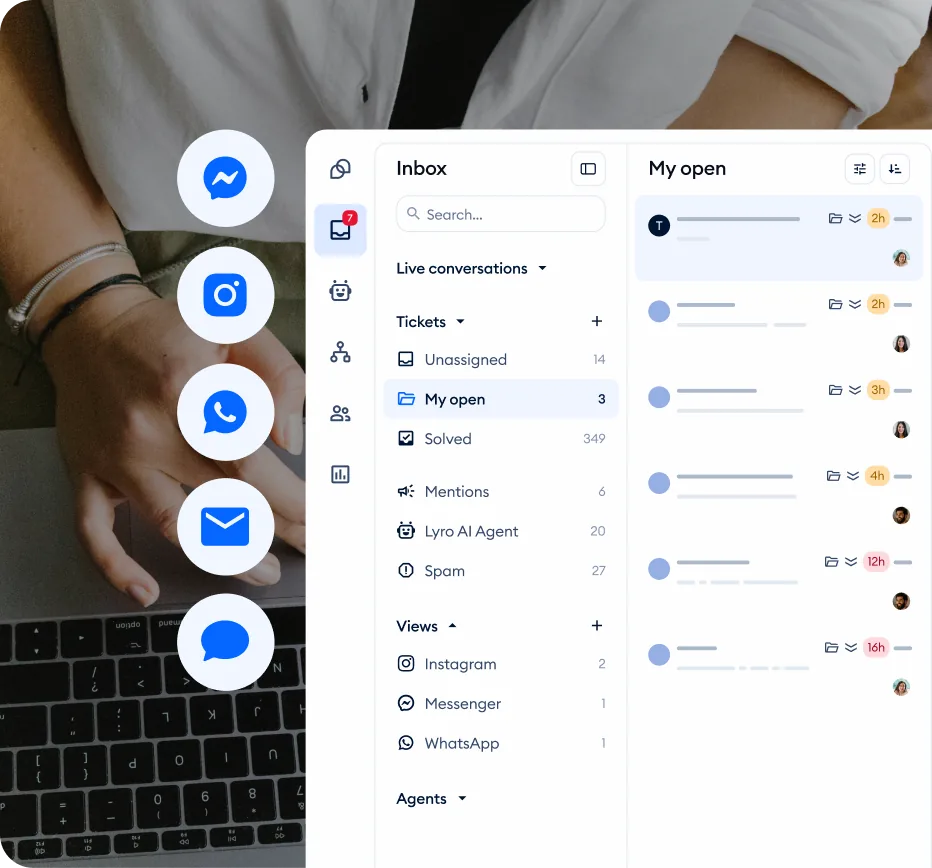
How Tidio Abandoned Cart Recovery Works
Before building anything, it helps to understand the mechanics behind Tidio abandoned cart recovery detection. The fundamentals are documented in the official Tidio cart recovery help center article.
Cart tracking integration. When a visitor adds items to their cart on your Shopify or WooCommerce store, Tidio abandoned cart recovery records the cart contents - product names, quantities, prices, and total value. This data becomes available inside Flows as trigger conditions and message variables.
Abandonment detection. Tidio considers a cart “abandoned” based on behavioral signals: the visitor has items in their cart and either shows exit intent (moving the cursor toward the browser close button), becomes inactive for a configurable time period, or navigates away from the checkout page. The specific trigger conditions you configure determine when the recovery Flow fires.
Real-time chat vs email. Unlike email-based cart recovery tools that send follow-up emails hours or days later, Tidio abandoned cart recovery is real-time. The recovery message appears in the chat widget while the visitor is still on your site - or within seconds of the abandonment behavior. This immediacy is the key advantage. A visitor who sees a helpful message within 30 seconds of hesitating at checkout is far more likely to complete the purchase than one who receives an email the next morning.
Platform differences. Shopify provides deeper native cart data to Tidio, including cart value thresholds and customer tags that you can use as Flow conditions. WooCommerce integration offers the same core cart tracking but relies on Tidio’s JavaScript tracking for behavioral triggers like exit intent and inactivity. Both platforms support the full workflow described in this guide - the trigger configuration step is where you will see the differences.
Step 1: Set Up Cart Tracking
The first step is confirming that Tidio can see your visitors’ cart activity.
For Shopify stores:
- Navigate to Settings > Integrations in your Tidio dashboard. Confirm the Tidio Shopify app is installed from the official Shopify App Store
- Click on the Shopify integration card and verify the connection status shows “Active”
- Enable Cart tracking if it is not already toggled on
- Under the cart tracking section, confirm that “Track cart additions” and “Track cart abandonment” are both enabled
- Place a test order on your store - add an item to the cart without checking out, then verify the event appears in Tidio’s visitor activity log
For WooCommerce stores:
- Confirm the Tidio WordPress plugin is installed and your account is connected
- In the Tidio dashboard, navigate to Settings > Integrations > WooCommerce
- Enable product sync and order data access if not already active
- Cart tracking on WooCommerce uses Tidio’s on-page JavaScript to detect add-to-cart events and page navigation patterns
- Test by adding a product to your cart, browsing to another page, and checking whether the cart event registers in Tidio’s visitor panel
If cart events are not appearing, check that your site’s caching plugin is not stripping the Tidio tracking script. Plugins like WP Super Cache, W3 Total Cache, and LiteSpeed Cache can sometimes exclude third-party JavaScript. Add Tidio’s script domain to your cache exclusion list and clear the cache.
Step 2: Build the First Recovery Message
Now create the Flow that delivers your initial cart recovery intervention.
Step 2.1: Create a new Flow. Navigate to Flows in the Tidio sidebar. Click Build from scratch and name it something clear like “Cart Recovery - Step 1.” Avoid generic names - when you have multiple recovery Flows running, descriptive names save debugging time later.
Step 2.2: Configure the trigger. Click the trigger node to set it up. For Shopify, select the cart abandonment trigger type and configure it to fire when a visitor has items in their cart and shows exit intent or inactivity. For WooCommerce, use a combination trigger: “Visitor has items in cart” combined with a time-based condition like “visitor inactive for X seconds.”
Set the initial delay to 45 to 60 seconds of inactivity. This is the sweet spot based on industry data - under 30 seconds feels intrusive, over 90 seconds risks losing the visitor entirely. You will refine this timing through A/B testing later.
Step 2.3: Add a condition node. Before sending the recovery message, add a condition that checks whether this visitor has already seen a cart recovery message in the current session. This prevents the same visitor from receiving duplicate messages if they trigger the abandonment condition multiple times while browsing. Set the condition to check a contact property like cart_recovery_shown - if true, skip; if false, continue.
Step 2.4: Write the recovery message. Drag a Send a chat message action onto the canvas and connect it to the condition’s “false” path. Write a message that is helpful, not pushy. The tone should feel like a shop assistant offering help, not a salesperson chasing a lead.
Good example:
“Hey! I noticed you have a few items in your cart. Need any help with sizing, shipping questions, or anything else before you check out?”
Bad example:
“Wait! Don’t leave without completing your purchase! Your cart is about to expire!”
The first approach addresses potential objections. The second creates artificial urgency and reads like spam. Cart recovery messages that ask questions outperform those that push commands.
Step 2.5: Add decision buttons. Connect a Decision (quick replies) node - documented in the Tidio quick replies help article - with options that address the most common abandonment reasons:
- “I have a shipping question”
- “Looking for a discount”
- “Just browsing for now”
- “Help me check out”
Each button creates a separate conversation path that you will build out in the next steps.
Step 2.6: Set the contact property. Add an Action node that sets cart_recovery_shown to true immediately after the message is displayed. This ensures the duplicate-prevention condition works for the rest of the session.
Step 3: Create a Multi-Step Follow-Up Sequence
A single message recovers some carts, but a structured sequence with escalating value captures significantly more. Here is how to build each branch from the decision buttons.
”I have a shipping question” Path
This is the most conversion-ready objection. The visitor wants to buy but needs a specific answer before committing.
- Ask the question. Add an “Ask a question” node that says: “Of course! What would you like to know about shipping? Type your question and I will get you an answer.”
- Route to Lyro or an agent. Connect to a Transfer to Lyro node if you have Lyro AI configured with shipping policy knowledge. The full Tidio AI agent feature set handles policy lookups automatically. Otherwise, route to a human agent. The key is speed - the visitor is ready to buy if you remove the objection.
- Follow up. After the shipping question is resolved, add a message: “Ready to complete your order? Here is a direct link to your cart.” Include the cart URL. This gentle nudge converts at high rates because the objection has been addressed.
”Looking for a discount” Path
Handle this carefully. Not every store can afford to discount every recovery, and some visitors click this button even when they would have purchased at full price.
- Acknowledge without immediately discounting. Reply with: “I understand! Let me see what I can do. Are you a first-time customer or have you shopped with us before?”
- Branch on customer status. Use a condition node to check contact properties. First-time customers can receive a welcome discount (which you might already offer site-wide). Returning customers can receive a loyalty acknowledgment with a smaller incentive or exclusive early access to new products.
- Deliver the incentive. If offering a discount, display the code in a message and include a direct checkout link. Set a contact tag like
cart_recovery_discount_usedso you can track redemption and avoid offering the same visitor a discount on every visit.
”Just browsing for now” Path
Respect this response. Pushing harder after someone says they are not ready causes frustration, not conversions. The goal of AI chatbots in ecommerce is to help, not to pressure.
- Acknowledge gracefully. Send: “No problem at all! Your cart items will be saved. If you have questions later, I am here to help.”
- Offer a soft follow-up. Add a decision node with: “Would you like me to email you a reminder with your cart contents?” If yes, collect their email with an “Ask a question” node and tag the contact for an email follow-up sequence. If no, close the conversation with a friendly message.
- Tag for remarketing. Regardless of their answer, tag the contact as
cart_abandonerso you can include them in future marketing segments. You can track these contacts and their behavior over time using the Tidio visitor tracking and leads features.
”Help me check out” Path
The easiest conversion. The visitor is ready but encountering friction.
- Provide the direct cart link. Send a message with a link directly to the checkout page (not just the cart - reduce clicks to purchase).
- Offer real-time assistance. Follow up with: “If you run into any issues during checkout, just type here and I will help sort it out.” Connect a Transfer to operator action in case they respond with a problem.
- Common checkout issues to prepare for: Payment method not accepted, coupon code not working, shipping address outside your delivery area, guest checkout not available. Have canned responses ready for each.
Step 4: Add Discount Incentives with a Ladder Strategy
Rather than leading with your biggest discount, use an escalating approach that maximizes margin while still recovering carts.
The Discount Ladder
Tier 1 - No discount (immediate recovery message). Your first message addresses objections without mentioning discounts. Many carts are abandoned for reasons other than price - shipping uncertainty, distraction, comparison shopping. A helpful message alone recovers 5 to 8 percent of carts with zero margin impact.
Tier 2 - Small incentive (after engagement but no conversion). If the visitor engages with your first message but does not proceed to checkout within 2 to 3 minutes, trigger a follow-up: “Since you are still deciding, here is free shipping on your order today - just use code FREESHIP at checkout.” Free shipping or a 5% discount protects your margin while creating urgency.
Tier 3 - Stronger incentive (final attempt). Reserve your best offer for the visitor’s last interaction before leaving. If exit intent triggers again after the Tier 2 offer, present: “Last thing - I can offer you 10% off your cart right now. Use code SAVE10 at checkout. Valid for the next 30 minutes.” The time limit creates genuine urgency.
Implementing the Ladder in Flows
Build the ladder as connected Flows rather than one massive Flow. This modular approach aligns with best practices for ecommerce conversion optimization. Create three separate Flows:
- Flow 1: Triggers on initial cart abandonment, delivers the objection-handling message
- Flow 2: Triggers 2 to 3 minutes after Flow 1 fires (use a time-based trigger with a condition checking that
cart_recovery_step1is true andpurchase_completedis false) - Flow 3: Triggers on exit intent after Flow 2 has fired (condition:
cart_recovery_step2is true andpurchase_completedis false)
Set contact properties at each stage (cart_recovery_step1, cart_recovery_step2, cart_recovery_step3) to control progression and prevent duplicate messages. This modular approach makes each step independently testable and lets you disable or modify one tier without affecting the others.
How Do You Protect Your Margins on Recovery Discounts?
Set a minimum cart value. Only offer discounts on carts above a threshold that maintains profitability. Use a condition node to check cart value before entering the discount path. A $50 minimum cart value for a 10% discount means you are giving $5 to save a $50+ sale - usually a strong ROI.
Limit discount frequency. Track discount usage with contact properties. If a visitor has used a cart recovery discount in the last 30 days, skip the discount tiers and only show the helpful message. This prevents customers from gaming the system by repeatedly abandoning carts to collect discounts.
Use unique codes. Generate batch discount codes in Shopify or WooCommerce specifically for cart recovery. Naming them distinctly (CART10-MARCH, RECOVER5-Q2) lets you track redemption rates separately from other promotions in your analytics.
Step 5: Configure Timing and Trigger Optimization
Timing is the single biggest factor in cart recovery success. The wrong delay turns a helpful intervention into an annoyance.
Recommended Timing by Scenario
| Scenario | Recommended Delay | Why |
|---|---|---|
| Exit intent detected | 0 seconds (immediate) | Visitor is actively leaving - act now or lose them |
| Inactivity on checkout page | 30-45 seconds | Short hesitation on checkout signals a specific concern |
| Inactivity on cart page | 45-60 seconds | Visitor is reviewing their cart, needs a moment before intervention |
| Inactivity on product page | 90-120 seconds | Still browsing, not yet in purchase mindset - longer delay avoids disruption |
| Return visit with existing cart | 5-10 seconds | Visitor came back specifically - remind them quickly |
A/B Testing Your Timing
Tidio does not include built-in A/B testing for Flows, but you can run manual tests with reliable results.
Method 1: Time-based rotation. Run your Flow with a 30-second delay for one week, then switch to 60 seconds the next week. Compare recovery rates across the two periods. Account for traffic volume differences by comparing percentages, not absolute numbers - the Optimizely sample size calculator helps confirm whether your traffic is enough to call a winner.
Method 2: Page-based split. If your store has multiple product categories with similar traffic, assign different timing to different category pages. A 45-second delay on electronics pages and a 60-second delay on clothing pages runs simultaneously, giving you parallel data.
Method 3: Day-of-week split. Run timing variant A on Monday, Wednesday, and Friday, and variant B on Tuesday, Thursday, and Saturday. This controls for day-of-week traffic patterns while testing both variants each week.
What to measure: Focus on recovery rate (purchases completed after Flow interaction divided by total Flow triggers) rather than engagement rate. A shorter delay might get more people to click a button, but a longer delay might produce more actual purchases. Always optimize for the metric that matters - completed orders.
Timing by Device Type
Mobile visitors behave differently from desktop visitors. Mobile sessions are shorter, scroll patterns are faster, and exit intent detection is less reliable on touch screens.
For mobile visitors, reduce your inactivity delay by 25 to 30 percent compared to desktop. If your desktop delay is 60 seconds, test 40 to 45 seconds for mobile. Tidio’s condition nodes can detect device type, letting you create separate timing paths within the same Flow.
Edge Cases and Troubleshooting
Real-world cart recovery encounters scenarios that the basic workflow does not handle. Prepare for these in advance.
Repeat Abandoners
Some visitors abandon carts habitually - adding items across multiple visits without purchasing. Your recovery Flow should detect this pattern and respond differently.
Add a condition node that checks how many times cart_recovery_shown has been set to true in the last 30 days. If the count exceeds three, skip the discount ladder entirely and show a simpler message: “Welcome back! Your cart items are still saved. Let me know if you need any help.” This prevents margin erosion from serial abandoners while still offering assistance.
Out-of-Stock Items
A visitor might abandon a cart and return hours later to find an item is no longer available. If your product sync updates frequently, add a condition check after the recovery trigger to verify cart items are still in stock. If an item is unavailable, acknowledge it proactively: “I wanted to let you know that one of the items in your cart just sold out. Can I help you find an alternative?”
Guest vs Logged-In Visitors
Guest visitors present a challenge for multi-session recovery because Tidio may not recognize them across separate browser sessions. For guest visitors, prioritize email capture in your first recovery interaction. Ask: “Would you like me to save your cart and email you a link so you can come back to it anytime?” This creates a contact record and enables email-based follow-up even if the chat session ends.
Logged-in customers are easier to track across sessions. Their cart persists, and Tidio can reference their purchase history to personalize recovery messages. For a returning customer with previous orders, try: “Welcome back! I see you have a few items waiting. Based on your previous purchases, I think you will love these - want to add them to your order?”
High-Value Carts
Carts above a certain value threshold deserve special treatment. A visitor abandoning a $500 cart warrants a different response than someone leaving a $15 cart behind.
Add a condition node that checks cart value. For high-value carts (define your own threshold based on your average order value), route directly to a human agent instead of the automated sequence. A personal conversation with a real person converts high-value carts at significantly higher rates than automated messages. Include the cart contents in the agent’s context so they can offer specific, knowledgeable assistance.
Conversion Tracking and Measurement
Building the recovery workflow is half the job. Measuring its performance and optimizing based on data is the other half.
Key Metrics to Track
Recovery rate. The percentage of abandoned carts that convert to completed purchases after a Flow interaction. Calculate this weekly and monthly. A healthy recovery rate for chat-based interventions is 10 to 15 percent - the Baymard Institute cart abandonment research provides industry baselines for context. Below 8 percent indicates a messaging or timing problem. Above 18 percent suggests your triggers might be too conservative (you could be reaching more visitors).
Revenue recovered. Multiply recovered orders by their average value. This is the number that justifies your Tidio subscription cost. Track this monthly and compare it against your subscription fee - your ROI should be clear.
Engagement rate. The percentage of visitors who interact with the recovery message (click a button, type a response, or click a link). High engagement with low recovery means your messaging captures attention but your follow-up paths are not converting. Low engagement means the initial message or timing needs work.
Discount redemption rate. If you use the discount ladder, track what percentage of recovered orders used a discount code versus purchasing at full price. If most recoveries happen at Tier 1 (no discount), your product and messaging are strong. If most require Tier 3 (maximum discount), you may have a pricing perception problem that extends beyond cart recovery.
Drop-off points. Use Tidio’s Flow analytics to identify which nodes in your recovery sequence lose visitors. A high drop-off after the initial message suggests the message itself is not compelling. A high drop-off after offering shipping information suggests your shipping terms are a deal-breaker, not a knowledge gap.
How Do You Set Up Cart Recovery Tracking?
Contact tags for funnel analysis. At each stage of your recovery Flow, add tags to the contact record. You can review tag performance and conversation data in the Tidio analytics dashboard:
cart_abandoned- Trigger firedcart_recovery_engaged- Visitor clicked a button or respondedcart_recovery_discount_offered- Discount code was presentedcart_recovery_discount_used- Discount code was redeemedcart_recovered- Purchase completed after Flow interaction
These tags let you build conversion funnels in Tidio’s analytics or export contact data to your CRM for deeper analysis.
UTM parameters on cart links. When your recovery message includes a link to the cart or checkout page, append UTM parameters: ?utm_source=tidio&utm_medium=chat&utm_campaign=cart_recovery. This lets Google Analytics attribute the resulting purchase to your Tidio cart recovery effort, giving you a second data source beyond Tidio’s own analytics. The Google Analytics Campaign URL Builder makes generating consistent UTM-tagged links easy.
Weekly review cadence. Set a recurring calendar reminder to review cart recovery metrics every Monday. Look at the previous week’s recovery rate, revenue recovered, and engagement rate. Compare against the week before. If metrics decline, check for changes in traffic patterns, product availability, or Flow configuration before making adjustments.
Recovery Message Templates
Use these templates as starting points and customize them for your brand voice and product category.
Fashion and Apparel
“Still thinking about those items in your cart? I totally get it - finding the right fit matters. If you have any sizing questions or want to know about our return policy, I am right here to help!”
Electronics and Tech
“I see you are looking at some great tech. These products tend to move fast - want me to check current stock levels for the items in your cart? I can also answer any specs or compatibility questions.”
Home and Garden
“Your cart has some great picks! If you are wondering about delivery times or assembly, I can help with that. We also offer free shipping on orders over $75 if that helps with your decision.”
General Purpose (Any Store)
“Hey there! I noticed you have items waiting in your cart. Before you go, is there anything I can help with? Shipping info, product questions, or checkout assistance - I am here.”
Follow-Up After No Response (Tier 2)
“Just checking in - your cart is still saved and ready whenever you are. As a thank you for shopping with us, enjoy free shipping with code FREESHIP at checkout. Valid today only.”
Final Recovery Attempt (Tier 3)
“Last chance to grab the items in your cart! Use code SAVE10 for 10% off your order. This offer expires in 30 minutes. Here is your cart: [cart link]“
Frequently Asked Questions
How soon should the first cart recovery message appear?
The optimal timing depends on where the visitor is in the purchase funnel. On checkout pages, trigger after 30 to 45 seconds of inactivity - the visitor has already committed to buying but hit a snag. On cart pages, wait 45 to 60 seconds. On product pages, 90 to 120 seconds is more appropriate since the visitor is still browsing. Exit intent triggers should fire immediately regardless of page type. Start with these ranges and refine through A/B testing based on your store’s data.
Does cart recovery work on mobile devices?
Yes. Tidio’s chat widget is fully responsive and cart recovery Flows trigger on mobile browsers. However, exit intent detection is less reliable on mobile because there is no cursor to track. For mobile visitors, rely on inactivity-based triggers rather than exit intent. Reduce your inactivity delay by 25 to 30 percent compared to desktop since mobile sessions tend to be shorter and faster-paced.
Can I use cart recovery on the free Tidio plan?
Technically yes - the Flows builder and cart tracking are available on all plans. Practically, the free plan’s 50-conversation monthly limit makes it unsuitable for cart recovery at any meaningful scale. Each cart recovery interaction counts as a conversation. If your store gets 500 visitors per day and 70% abandon their carts, you would exhaust your free tier limit in less than a day. The Growth plan at $59 per month with 250 conversations is the realistic minimum for most stores running cart recovery.
How do I avoid annoying visitors with too many recovery messages?
Use contact properties to track which recovery messages a visitor has already seen. Set a property like cart_recovery_shown to true after the first message and check this property before triggering subsequent messages. Limit each visitor to one recovery sequence per session. If they dismiss the first message, respect that decision. For returning visitors with existing carts, wait at least 24 hours before showing recovery messages again. The quickest way to damage your brand is to spam visitors who have already said no.
What recovery rate should I expect?
Chat-based cart recovery typically achieves 10 to 15 percent recovery rates - significantly higher than email-only approaches which average 3 to 5 percent. If you are comparing different customer support software options, real-time chat recovery is a key differentiator. The real-time nature of chat intervention is the key difference. Factors that influence your specific rate include your product price point (lower-priced items recover at higher rates), your shipping policy (free shipping removes a major objection), and your message quality. If you are below 8 percent after two weeks of optimization, revisit your trigger timing and message copy before adjusting discount levels.
Should I offer a discount in every cart recovery message?
No. Leading with a discount trains customers to expect one and attracts serial abandoners who game the system. Use the discount ladder approach: start with a helpful, no-discount message that addresses common objections. For more on building structured conversation paths, see the Tidio ecommerce chatbot flows guide. Many visitors abandon for reasons other than price - shipping questions, comparison shopping, or simple distraction. Only escalate to discount offers for visitors who engage with the initial message but still do not convert. Track what percentage of recoveries happen at each discount tier to understand whether your pricing or your messaging needs adjustment.
Want to learn more about Tidio?
Related Guides
- Getting Started with Tidio - Account creation, widget installation, and initial setup
- Tidio Flows Automation Guide - Visual Flow builder walkthrough, triggers, and conditions
- Tidio Ecommerce Chatbot Flows - Product discovery, order tracking, and post-purchase automation
- Tidio WooCommerce Setup - Plugin installation, data sync, and WooCommerce-specific configuration
- Tidio Shopify Setup Guide - App installation and Shopify-specific cart tracking
- Tidio Lyro AI Setup Guide - Configure Lyro to handle recovery handoffs autonomously
Related Reading
- Tidio - Full review with pricing breakdown and feature analysis
- Best Live Chat Software 2026 - How Tidio compares with other live chat platforms
External Resources
- Tidio Cart Saver Documentation - Official help center reference for cart abandonment triggers
- Baymard Institute Cart Abandonment Research - Industry baselines for abandonment and recovery rates
- Google Analytics Campaign URL Builder - Generate UTM-tagged checkout links for attribution
Related Guides
- AI Chatbots Customer Service Setup: Complete 2026 Guide
- AI Customer Service Automation: Chatbots vs Agentic AI
- Tidio Analytics Dashboard: 2026 Walkthrough for Teams
- Tidio Canned Responses and Macros for Faster Support
- Tidio Copilot Agent Assist: AI-Powered Agent Assist Guide
- Tidio CSAT Tracking: CSAT Tracking and Improvement
- Tidio Ecommerce Chatbot: Tidio Chatbot Flows for Ecommerce
- Tidio Ecommerce Support Automation: Automation Best
- Tidio Flows Automation: Visual Automation Builder Guide
- Tidio Getting Started Guide - Full Setup in 20 Minutes