


Sider AI research writing is a browser-based workflow where an AI sidebar follows you across every page, eliminating the need to switch between search engines, PDF readers, and separate chat windows. Whether you are doing Sider AI research writing online across live web pages or interrogating a writing PDF without leaving your browser, Sider summarizes web pages, extracts YouTube key points, and analyzes documents in place - reducing the context-switching that research shows can cost up to 40% of productive time.
Research used to mean dozens of open tabs, constant copy-pasting between sources, and a painful transition from reading to writing. Sider changes that equation by embedding AI directly into your browser - the same place where most research actually happens. Instead of switching between a search engine, a PDF reader, a YouTube transcript tool, and a separate AI chat window, you get all of that in a single sidebar that follows you across every page you visit.
This guide walks through how to set up Sider specifically for research and writing workflows, covering everything from web page summarization and PDF analysis to building a personal knowledge base and drafting content with multi-model AI comparison.
Sider currently holds across review platforms, with over 5 million users and strong ratings on the Chrome Web Store.
Why a Browser-Based AI Assistant Changes Research Workflow
Most AI tools live in their own tab or their own app. You research in one window, ask questions in another, and write in a third. Every context switch costs you time and mental energy. The research shows that task switching can cost as much as 40% of productive time, and researchers are particularly vulnerable because their work involves constant movement between sources.
Sider sits in your browser sidebar - always present, always aware of the page you are reading. When you find a relevant research paper, you can summarize it without leaving the page. When you hit a YouTube lecture, you can extract key points with timestamps. When you open a PDF, you can interrogate it with questions. The AI is not a separate destination. It is a layer on top of your existing workflow.
This approach matters because research is fundamentally a browsing activity. You do not research in a vacuum. You research across web pages, documents, and videos. Having AI assistance right where that content lives - rather than requiring you to copy and paste content into a separate tool - eliminates the friction that slows most research workflows down.
Setting Up Sider for Research and Writing
Installation
Sider is available as a browser extension for Chrome, Edge, and Safari (Safari requires a paid plan), and a Sider AI research writing free tier lets you get started without a subscription. You can also install standalone desktop apps for Windows and macOS, plus mobile apps for iOS and Android. For research and writing, the browser extension is the core experience - everything else syncs to it.
After completing Sider AI login at sider.ai, or by installing the Sider AI Extension directly from the Chrome Web Store, you will see the Sider icon in your browser toolbar. Clicking it opens the sidebar panel where all interactions happen.
Essential first-time configuration:
- Pin the extension - Right-click the Sider icon and pin it to your toolbar so the sidebar is always one click away
- Set your default model - For research tasks, start with GPT-4o or Claude 3.5 Sonnet as your default. These balance speed and quality well for summarization and analysis
- Enable page context - Make sure “Read current page” is toggled on in settings so Sider can automatically analyze whatever you are browsing
- Configure keyboard shortcut - Set a hotkey to open the sidebar instantly. Something easy to reach like Ctrl+Shift+S works well (or Cmd+Shift+S on Mac)
Choosing the Right Model for Your Task
Sider’s biggest advantage over standalone AI tools is multi-model access. Instead of being locked into one model’s strengths and weaknesses, you can pick the right model for each task:
For quick web page summaries: GPT-4o mini or Gemini 2.0 Flash. These are fast, use fewer credits, and handle straightforward summarization well.
For deep analysis and nuanced writing: GPT-4o or Claude 3.5 Sonnet. These models excel at understanding complex arguments, identifying gaps in reasoning, and producing polished prose - see our best AI writing tools 2026 roundup for benchmarks across writing tasks.
For reasoning-heavy research questions: DeepSeek-R1 or o3-mini. When you need the AI to work through a multi-step problem or evaluate conflicting sources, these reasoning-focused models outperform standard models significantly.
For comparing perspectives: Use Sider’s Group AI chat to send the same question to multiple models simultaneously. This is especially valuable when you want to cross-check a claim or see how different models interpret ambiguous evidence. Our apps like ChatGPT comparison covers other multi-model alternatives if you want a similar workflow without a sidebar.
Research Workflow: From Sources to Synthesis
Web Page Summarization
The most immediate productivity gain with Sider comes from web page summarization. When you land on a long article, report, or blog post, open the sidebar and ask Sider to summarize the page. You can be specific about what you need:
- “Summarize this article in three bullet points”
- “What are the main arguments for and against the position in this article?”
- “Extract all statistics and data points mentioned on this page”
- “What methodology did this study use?”
The AI reads the full page content and responds based on what is actually there - not based on its training data. This is a critical distinction for researchers because it means the summaries are grounded in the source material you are evaluating.
Pro tip: When evaluating multiple sources on the same topic, ask Sider the same question on each page and then compare the answers. This surfaces contradictions between sources quickly, something that would take much longer if you were reading each article in full.
PDF Analysis with ChatPDF
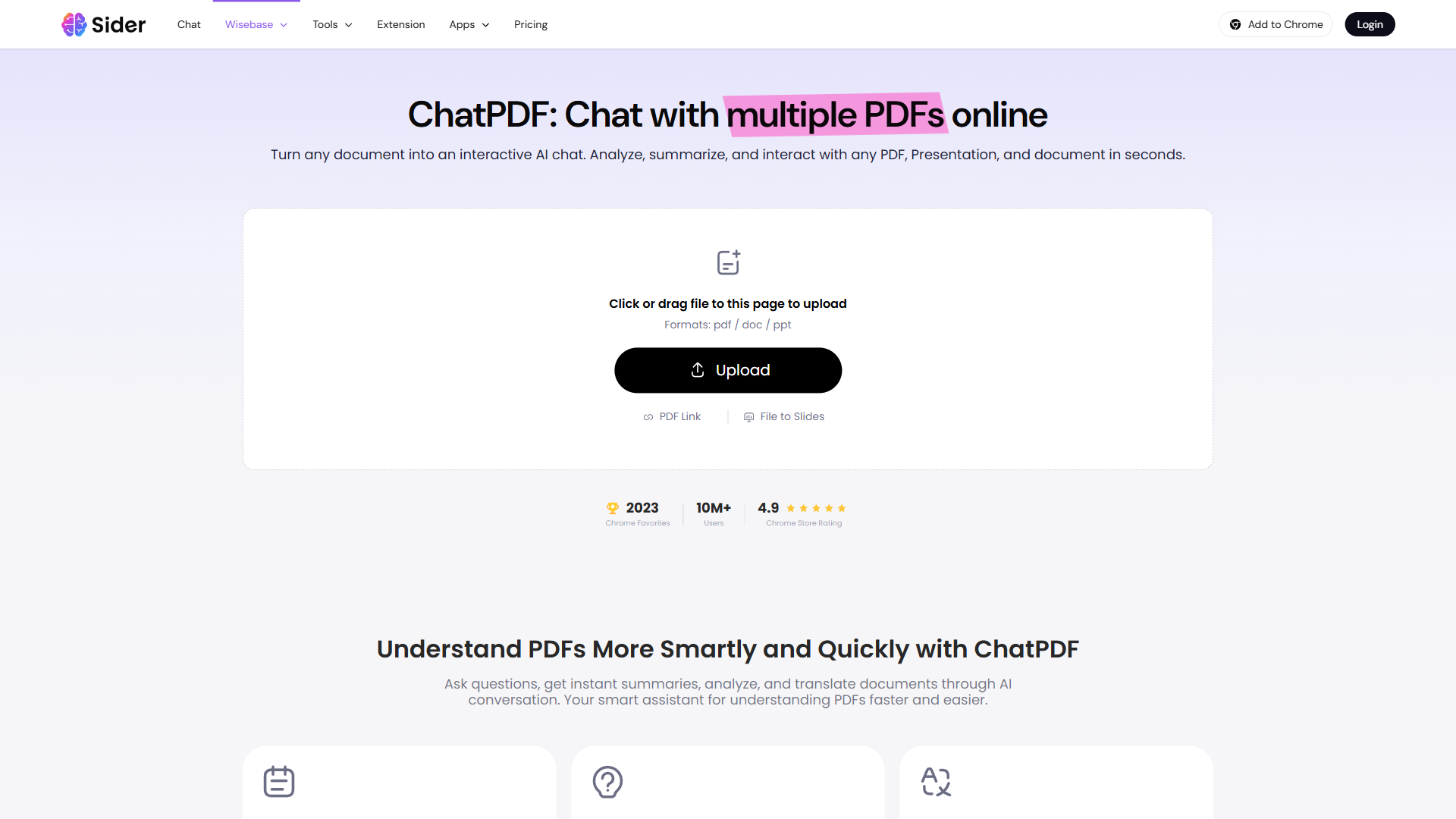
Academic papers, whitepapers, and reports typically come as PDFs, and Sider handles them through its ChatPDF feature. You can upload PDFs directly or open them in your browser and let Sider analyze them in the sidebar.
The free tier allows 8 PDF files (up to 200 pages each), while paid plans increase these limits substantially. For serious researchers processing multiple papers daily, the Pro or Unlimited plan removes file restrictions entirely.
Effective PDF research prompts:
- “What is the central thesis of this paper?”
- “Summarize the methodology and findings in plain language”
- “What limitations do the authors acknowledge?”
- “List all references related to [your specific subtopic]”
- “Compare the conclusions of this paper with [a claim you are evaluating]”
ChatPDF is particularly powerful for literature reviews. Instead of skimming dozens of papers to determine relevance, you can upload each one and ask targeted questions that help you decide in seconds whether the paper belongs in your research. Our AI tools for researchers shortlist includes complementary platforms with deeper academic database integration if you need broader coverage.
YouTube Summaries for Video Research
An increasing amount of valuable research content lives in video form - conference talks, expert interviews, educational lectures, and tutorial demonstrations. Sider integrates directly with YouTube to provide AI-powered summaries with timestamps.
Navigate to any YouTube video and open the Sider sidebar. You will see options to generate a summary, extract key points, or create a timestamped outline. For a 60-minute conference presentation, this turns what would be an hour of viewing into a two-minute read - and you can jump to specific timestamps for the sections that matter most.
This feature is especially valuable for students reviewing lecture recordings and for researchers surveying video content in their field. Instead of watching every video to decide if it is relevant, you can scan the AI summary and timestamps to make that determination in under a minute.
Deep Research Agent: Multi-Source Intelligence
For complex research questions that require synthesizing information from multiple sources, the Deep Research Agent is the standout sider ai research writing feature. Available on Pro and Unlimited plans, it automatically searches and analyzes over 100 web pages to produce a comprehensive, cited report on your topic - similar in spirit to OpenAI’s Deep Research announcement and the multi-agent research pattern described in Anthropic’s “Building Effective Agents” guide.
Think of it as having a research assistant who reads 100+ sources and writes you a briefing document with citations. You provide a research question, and the agent:
- Searches across multiple sources relevant to your query
- Reads and analyzes each source for relevant information
- Synthesizes findings into a structured report
- Includes citations so you can verify any claim
When to use Deep Research Agent vs. regular sidebar chat:
- Regular sidebar chat - Quick questions about a specific page, summarization, or simple fact-checking
- Deep Research Agent - Complex questions requiring multiple sources, literature surveys, market research, or any topic where you need comprehensive coverage rather than a single-source answer
The Deep Research Agent uses Elite Credits on the Unlimited plan, so it is designed for focused, high-value research questions rather than casual queries. Frame your prompts carefully: “What are the current best practices for remote team communication across time zones, with evidence from recent studies?” will produce far better results than “Tell me about remote work.”
How Does Wisebase Help You Build a Personal Knowledge Base?
One of the most underappreciated features for researchers is Wisebase, Sider’s knowledge hub available on Basic plans and above. Wisebase lets you save documents, web pages, PDFs, and even video transcripts into organized collections that Sider can search and reference across conversations.
This solves a problem that plagues every researcher: you read something useful three weeks ago but cannot remember where you found it. With Wisebase, you save sources as you discover them, and later you can ask Sider to search across your entire saved collection.
Setting up Wisebase for research:
- Create topic-specific collections - Organize by project, paper, or research question
- Save as you browse - When you find a useful source, save it to the relevant collection with one click
- Chat across collections - Ask Sider questions that draw on multiple saved documents simultaneously
- Upload local files - Add PDFs, documents, and video files from your computer to supplement web sources
The multi-file chat capability is what makes Wisebase genuinely useful for research synthesis. You can upload five related papers into a collection and then ask questions like “What do these papers collectively say about the effectiveness of [intervention]?” or “Where do these sources disagree?” This is literature review work that traditionally takes hours compressed into minutes.
Writing Workflow: From Research to Draft
Once you have gathered and organized your research, the sider ai research writing workflow transitions smoothly from notes to polished content. The sidebar stays with you as you move from browsing to writing - whether you are working in Google Docs, Notion, a CMS, or any other web-based editor.
Drafting with AI Sidebar Assistance
The most effective writing workflow with Sider keeps the sidebar open alongside your writing environment. As you draft, you can:
- Ask for phrasing alternatives - Highlight a sentence and ask Sider to suggest three different ways to express the same idea
- Request expansions - Provide a bullet point and ask the AI to expand it into a full paragraph with supporting detail
- Check accuracy - Paste a claim you are about to make and ask the AI to verify it or flag potential issues
- Maintain consistency - Ask Sider to review your last few paragraphs for tone consistency or to flag any jargon that has crept in
Multi-Model Comparison for Better Output
Here is where Sider’s multi-model access becomes a genuine writing advantage rather than just a novelty. Different AI models have different writing strengths:
- Claude 3.5 Sonnet tends to produce more natural, flowing prose with better paragraph transitions, as documented in Anthropic’s Claude 3.5 Sonnet evaluation
- GPT-4o excels at structured content with clear headings and organized arguments - see OpenAI’s GPT-4o launch post for capability details
- DeepSeek-R1 provides more thorough reasoning when you need to work through complex explanations
Using Sider’s Group AI chat, you can send the same writing prompt to multiple models simultaneously and pick the best output - or combine elements from each. For a research report introduction, you might take the structure from GPT-4o’s version and the prose style from Claude’s version. This multi-model approach consistently produces better results than relying on any single model.
Practical multi-model writing workflow:
- Draft an outline using your preferred model
- Ask two or three models to expand a key section using Group AI chat
- Compare the outputs for accuracy, readability, and depth
- Use the best version as your base and refine from there
This approach takes about 30 seconds longer than using a single model but regularly produces output that needs less editing. For professional content where quality matters, it is well worth the extra step.
Grammar, Style, and Translation
Sider includes built-in grammar checking and style adjustment across 50+ languages. For multilingual researchers working with sources in different languages, the translation capability is especially practical - you can read a page in German and ask Sider to translate specific passages or summarize the entire article in English.
For writing, the style adjustment feature lets you shift tone between drafts. Write your first draft in a casual, conversational voice, then ask Sider to adjust specific sections to be more formal for an academic audience. This is faster than trying to write in a formal register from the start, which often leads to stiff, awkward prose. Our AI content writing workflow walks through the same draft-then-edit pattern across multiple AI tools.
Academic and Professional Use Cases
For Academic Researchers
Sider fits naturally into the academic research workflow. During the literature review phase, use ChatPDF to quickly assess paper relevance, the sidebar to summarize methodology sections, and Wisebase to build a curated collection of sources organized by theme.
During writing, the multi-model comparison approach is particularly valuable for academic content. Academic writing requires precision, and having multiple AI perspectives on how to phrase a finding or frame an argument helps you avoid the pitfalls of relying on a single model’s tendencies.
One important caveat: Sider is an AI assistant, not a citation manager. Use it alongside tools like Zotero or Mendeley for proper academic citation management. Sider helps you understand and synthesize sources faster, but you still need a dedicated citation tool for producing properly formatted bibliographies.
For Professional Writers and Content Creators
Content creators benefit from Sider’s speed across the entire content pipeline. Research a topic with the Deep Research Agent, gather supporting evidence from web pages and PDFs, organize everything in Wisebase, and draft using the sidebar - all without leaving the browser.
The web scraping capability on Pro and Unlimited plans adds another dimension for content professionals. You can extract structured data from multiple pages - competitor pricing tables, feature lists, statistics - and feed it directly into your content planning.
For Students
Students might get the most value from Sider’s free and lower-cost tiers. The free plan provides 30 daily credits for basic models, which is enough for summarizing lecture notes, getting help with essay structure, and quick fact-checking. The Basic plan adds reasoning models and Wisebase - both valuable for term papers and thesis research.
Check out our guide to AI tools for students for a broader look at how AI can support academic work.
Sider AI Research Writing Pricing for Researchers and Writers
Choosing the right plan for your sider ai research writing workflow depends on volume. Sider’s pricing page uses a credit-based freemium model with five tiers. Here is how each one maps to research and writing needs:
Free (30 basic credits/day) - Enough for light research. You get GPT-4o mini, Claude 3.5 Haiku, and Gemini 2.0 Flash for basic summarization. Limited to 8 PDFs and basic YouTube summaries. Good for trying the tool, but insufficient for sustained research work.
Starter - Adds advanced models (GPT-4o, Claude 3.5 Sonnet) and all platform apps. A reasonable starting point if you mainly need better summarization and writing assistance without heavy document processing.
Basic - Adds super advanced reasoning models (DeepSeek-R1, o3-mini, o1) and Wisebase. This is the sweet spot for students and casual researchers who want knowledge management alongside AI assistance.
Pro ($20/month) - Adds Deep Research Agent, Browser Agent, and enhanced web scraping. The right tier for professional researchers and writers who rely on AI daily. Annual billing makes this competitive with standalone subscriptions to individual AI models.
Unlimited - Unlimited credits across all models and features, plus Elite Credits for agent features. Best for power users running frequent research sessions who do not want to think about credit limits.
For context, subscribing separately to ChatGPT Plus, Claude Pro, and Perplexity Pro would cost significantly more per month. Sider’s Pro plan gives you access to models from all three providers plus additional features for less. The value proposition is clear - though the credit system can be confusing until you understand how Basic, Advanced, and Elite Credits work.
Who Should Use Sider for Research vs. Alternatives
Sider is the strongest choice when you:
- Research primarily by browsing web pages, PDFs, and YouTube videos
- Want access to multiple AI models without paying for separate subscriptions
- Need a knowledge management layer (Wisebase) to organize research across projects
- Prefer AI assistance embedded in your browser rather than in a separate app
Consider alternatives when you:
- Need deep, single-model conversations with very long context windows - Perplexity or Claude may serve you better for extended research dialogues
- Work primarily offline - Sider requires an active internet connection for all features
- Need enterprise-grade team features - Sider’s team capabilities are less mature than dedicated research platforms
- Prefer minimal interfaces - Sider’s extensive feature set can feel overwhelming if you just want simple Q&A
For a broader comparison of research-focused AI tools, see our roundup of the best AI research tools for 2026 and our guide to researching faster with AI.
The Bottom Line
The sider ai research writing workflow turns your browser into an AI-powered research and writing environment by putting 30+ models, document analysis, video summarization, and a knowledge hub into a single sidebar. For researchers and writers who spend their days in the browser, this integration eliminates the constant tab-switching and copy-pasting that fragments most AI-assisted workflows.
The tool is not perfect. The credit system takes some getting used to, the free tier is quite limited, and heavy model use can tax your system’s resources. But the core value proposition - multi-model AI access right where your research happens - is genuinely compelling, especially at the Pro tier’s price point.
If you spend significant time researching and writing in a browser, Sider is worth a serious look. Start with the free tier to test the sidebar experience, then move to Basic or Pro once you see how it fits into your workflow.
Want to learn more about Sider?
Frequently Asked Questions
What is Sider and how does it help with research?
Sider is a browser sidebar that puts AI assistance directly where research happens - on web pages, PDFs, and YouTube videos. Instead of switching between a search engine, PDF reader, and separate AI chat window, you get summarization, document analysis, and writing help in one panel that follows you across every page you visit. The sidebar also remembers context across pages, so you can reference what you read 20 minutes ago without scrolling back through tabs or losing your place in a long research session.
Which AI models does Sider give you access to?
Sider provides access to 30+ models including GPT-4o, Claude 3.5 Sonnet, Gemini 2.0 Flash, DeepSeek-R1, and o3-mini. You can pick the right model per task - fast models for quick summaries, reasoning models for complex research questions - or use Group AI chat to send the same prompt to multiple models simultaneously. The model menu updates within weeks of new model releases, so you do not have to wait for individual provider subscriptions to add the latest capability.
Can Sider analyze PDFs and YouTube videos?
Yes. The ChatPDF feature lets you upload PDFs or open them in your browser and ask targeted questions - useful for quickly assessing paper relevance during literature reviews. For YouTube, Sider generates AI summaries with timestamps, turning a 60-minute conference talk into a two-minute read with jump links to specific sections. The free tier allows 8 PDFs up to 200 pages each, and paid tiers expand or remove that cap depending on plan.
What is the Deep Research Agent in Sider?
The Deep Research Agent, available on Pro and Unlimited plans, automatically searches and analyzes over 100 web pages to produce a comprehensive, cited report on a research question you provide. It is designed for focused, high-value queries rather than casual searches, and uses Elite Credits on the Unlimited plan. The output reads like a structured briefing document with inline citations, which makes it easy to verify any claim before you incorporate it into your own work.
How much does Sider cost for serious researchers?
The Pro plan runs $20/month, adding the Deep Research Agent, Browser Agent, and enhanced web scraping. For context, separate subscriptions to ChatGPT Plus, Claude Pro, and Perplexity Pro would cost significantly more - Sider’s Pro plan provides access to models from all three providers at a fraction of that cost. Heavy users running daily Deep Research queries should consider the Unlimited tier to avoid Elite Credit caps.
Related Guides
- Sider AI Browser Productivity Guide - Companion guide focused on general browser productivity hacks with Sider
- How to Research Faster with AI - Multi-tool research workflow that pairs well with Sider’s sidebar
- AI Content Writing Workflow - End-to-end workflow for moving from research to published content
- Building AI-First Workflows - Strategy guide for embedding AI into knowledge work
Related Reading
- Sider Review
- Perplexity Review
- Claude Review
- Best AI Research Tools 2026 - Comprehensive comparison of AI tools built for research workflows
- How to Research Faster with AI - Strategies and techniques for accelerating research with AI assistance
- Best AI Writing Tools 2026 - Roundup of the best AI tools for writing across use cases
- AI Tools for Students - Guide to AI tools that support academic work and learning
External Resources
- Sider Official Website - Download the extension and explore pricing plans
- Sider on Chrome Web Store - Install directly from Chrome with 40,000+ five-star reviews
- Zotero Reference Manager - Free citation manager that pairs well with Sider for academic workflows
- Sider Official Guides - Tutorials and documentation from the Sider team
Related Guides
- AI Productivity Trends 2026: 6 Real Shifts, No Hype
- AI Workflow Automation Maturity Model: 5 Levels
- Building AI First Workflows: A Practitioner's 2026 Guide
- Building Mcp Servers Guide: 2026 Walkthrough for Teams
- ChatGPT Prompts 2026: Basic vs Engineered, 18 Examples
- ChatGPT Tips And Tricks: 2026 Walkthrough for Teams
- Craft Tips and Tricks: 12 Expert Hacks for Faster Docs
- Gemini AI Google Workspace - 15 Prompts & 2026 Pricing
- How to Learn Faster with AI: Master Any Skill in 2026
- How to Organize Files with AI: Notion and Dropbox Guide