


The Murf AI Voice Agent API is a specialized synthesis interface that maintains a persistent, bidirectional WebSocket session for real-time conversational audio. It streams text in and returns synthesized speech in chunks, handling barge-in interruptions, turn-taking, and session context so voice bots feel like actual conversations rather than queued announcements.
Conversational AI applications have a voice problem. LLMs can generate fluent, context-aware text in milliseconds, but getting that text spoken aloud in a way that feels natural - with low latency, proper turn-taking, and the ability to handle interruptions - requires infrastructure that goes well beyond a standard text-to-speech call. The Murf AI Voice Agent API is built specifically for this gap. It exposes a persistent, bidirectional WebSocket interface designed for real-time conversational audio: stream text in, receive synthesized speech back in chunks, and handle the barge-in and turn-taking logic that makes voice interactions feel like actual conversations rather than queued announcements.
This guide covers the complete integration path for the murf ai voice agent api. You will understand how the API differs architecturally from standard TTS, establish a WebSocket connection, stream text and receive audio in real time, implement interruption handling, configure voice parameters for natural conversation, and wire everything together into a working voice chatbot. Code examples are provided in both Python and Node.js throughout. For a comparison against alternatives, see our best AI voice generators 2026 roundup.
The Voice Agent API is available on the Murf Enterprise plan - check current Murf pricing if you need to confirm tier eligibility. If you are evaluating whether it fits your production requirements, the architecture and streaming sections will give you a concrete sense of integration complexity and what you can build. For a simpler synchronous starting point, the Murf Falcon API tutorial covers the request-response endpoint.
What is the Murf AI Voice Agent API
The murf ai voice agent api is a specialized synthesis interface optimized for interactive, turn-based voice applications. Where the standard Falcon REST endpoint accepts a text payload and returns a complete audio file, the Voice Agent API maintains a persistent WebSocket session that models the state of an ongoing conversation - tracking turn context, buffering in-flight synthesis, and supporting mid-utterance interruptions when the user speaks over the agent.
The distinction matters because conversational applications have requirements that batch TTS cannot satisfy. When a user asks a follow-up question before the agent finishes speaking, the application needs to stop playback, discard buffered audio, and begin synthesizing the new response - all without closing and reopening the connection. The Voice Agent API handles this state management as a first-class concern. Your application sends control events and text; the API handles the synthesis pipeline, session context, and audio delivery.
Core capabilities:
- Sub-100ms time-to-first-audio for responsive conversational pacing
- Barge-in detection support - send an interrupt event and the server immediately abandons the current synthesis and clears its buffer
- Turn-based session management - each exchange is tracked as a discrete turn, enabling context-aware synthesis behavior across the conversation
- 200+ voices across 35 languages, all accessible within a single persistent session
- Voice parameter hot-switching - change speed, pitch, or voice mid-conversation without reconnecting
- PCM, MP3, and OGG streaming depending on your playback architecture
Use Cases
The Voice Agent API is the right integration for scenarios where audio needs to respond dynamically to user input rather than playing back pre-generated content.
IVR systems. Modern interactive voice response systems need to generate spoken prompts on demand from database content - account balances, appointment details, order statuses. Pre-recording every possible prompt is impractical at scale. The Voice Agent API generates each response in real time from the current data, with consistent voice and low latency across all interactions.
Chatbots with voice output. A customer service automation chatbot that communicates via voice rather than text requires a synthesis layer that keeps up with the LLM’s response cadence. The Voice Agent API streams audio chunks as text arrives from the LLM, so the first sentence begins playing before the full response is generated. Pair this with ChatGPT or Claude on the LLM side for a complete stack.
Voice assistants. Product-embedded voice assistants - in web apps, desktop software, or physical devices - need the same interaction patterns: listen, process, speak, listen again. The Voice Agent API’s persistent session model maps cleanly to this loop. The Murf voice cloning setup guide covers customising voices for branded assistants.
Customer support bots. High-volume support pipelines benefit from voice bots that can handle common queries conversationally, escalating to human agents when needed. The barge-in support is critical here - customers routinely interrupt automated systems, and a bot that cannot handle interruptions gracefully loses trust immediately. The Murf eLearning narration guide covers similar consistency concerns for educational deployments.
Prerequisites
Before starting, confirm you have the following in place.
Murf Enterprise account with Voice Agent API access. The Voice Agent API is an Enterprise feature. Navigate to your account settings and confirm the API section shows Voice Agent access. If you are evaluating for a procurement decision, request a sandbox environment from the Murf sales team. Public Business-and-below plan details are on the Murf plan page; Enterprise renders as Contact sales in the live table below.
- Business: $66/user/mo annual ($99 monthly) (96 hours voice generation per year (annual) / 20 hours per month (monthly))
- All Creator features
- 200+ voices across 30+ languages
- Team collaboration
- Enterprise: Contact sales (Custom limits based on needs; unlimited voice generation)
- All Business features
- Advanced voice cloning
- Murf Falcon API access (55ms latency)
API key. Covered in Step 1. Required for every connection.
Node.js 18+ or Python 3.9+. Both runtimes are used in examples throughout this guide. Node.js examples use the built-in fetch API and the ws WebSocket library. Python examples use the websockets library and asyncio.
WebSocket familiarity. The Voice Agent API is exclusively WebSocket-based. You should understand persistent connections, binary versus text frames, and event-driven message handling. The examples are self-contained but some familiarity will help you adapt them.
A package manager. npm for Node.js, pip or uv for Python.
Install required dependencies before starting:
# Node.js
npm install ws

# Python
pip install websockets
# or with uv
uv add websockets
How Does the Murf Voice Agent API Architecture Work?
Understanding how the Voice Agent API differs from standard TTS shapes every implementation decision downstream.
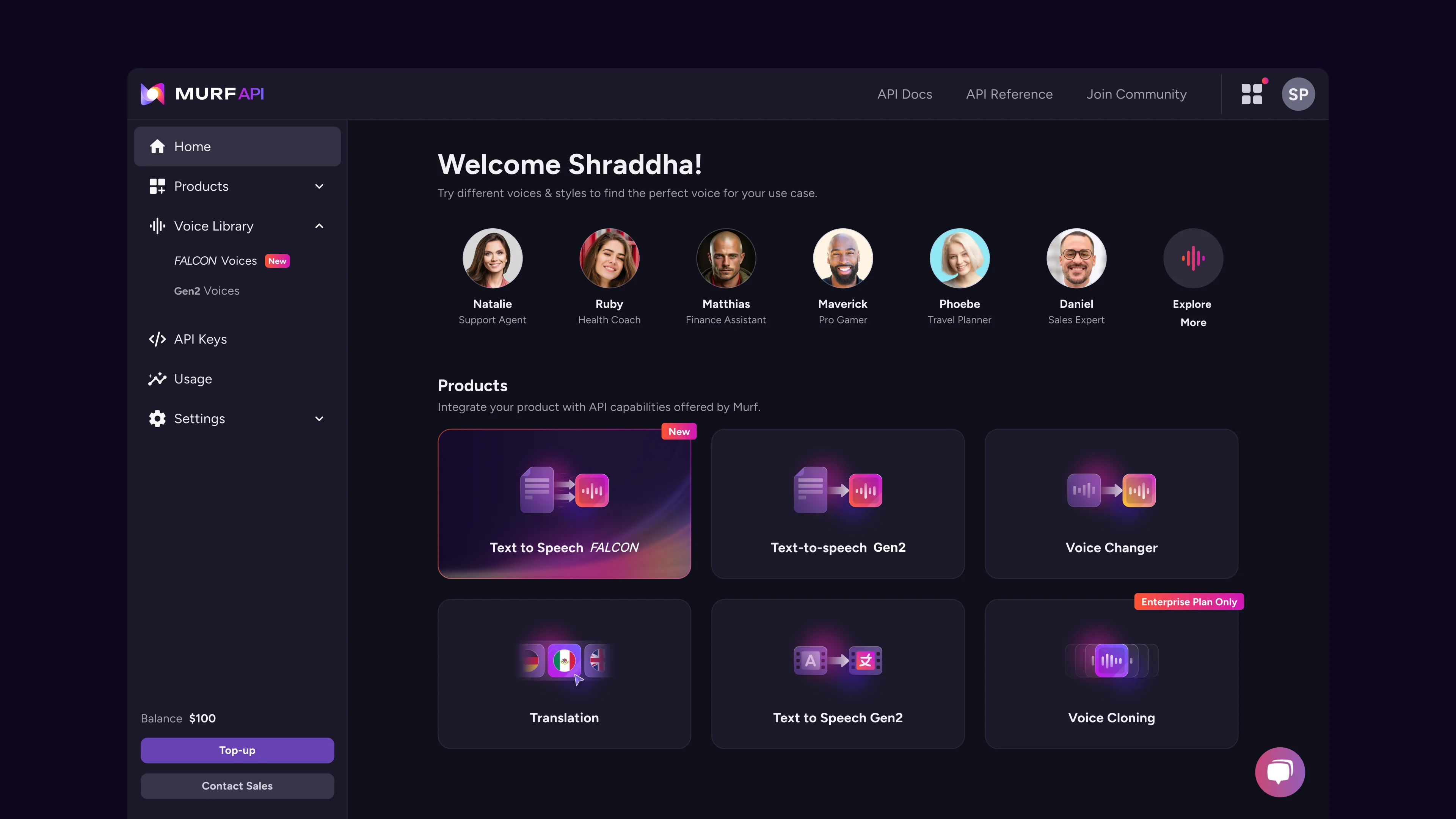
Standard TTS (request-response): Your application sends a complete text string. The API synthesizes the full text, returns the audio file or stream, and the connection closes. Each interaction is stateless - the API has no memory of previous calls.
Voice Agent API (persistent session): Your application opens a WebSocket connection at the start of a conversation and keeps it open for the duration. You send events over this connection - text to synthesize, control signals like interrupt or end-of-turn, and parameter changes. The API streams audio chunks back continuously, maintaining synthesis state across the full session.
The session model enables three capabilities that request-response TTS cannot support:
Barge-in handling. When the user speaks over the agent, your application sends an interrupt event. The server immediately flushes its synthesis buffer and stops sending audio. No audio from the interrupted utterance arrives after the interrupt - the session is clean and ready for the next turn.
Turn-aware synthesis. The API tracks which turn of the conversation each synthesis request belongs to. This allows proper audio attribution during playback, accurate logging of what the agent said in each turn, and clean session replay for analytics.
Hot parameter switching. Voice parameters - speed, pitch, voice ID - can be updated mid-session without reconnecting. This supports scenarios like switching voices for different agent personas within the same conversation, or dynamically adjusting speed based on detected user comprehension. The Murf voice selection tips guide covers picking voices that work for conversational use.
Connection lifecycle:
Client                          Voice Agent API
  |                                   |
  |--- WebSocket connect ------------>|
  |<-- session_ready event -----------|
  |                                   |
  |--- synthesize event (turn 1) ---->|
  |<-- audio chunk (binary) ----------|
  |<-- audio chunk (binary) ----------|
  |<-- audio chunk (binary) ----------|
  |<-- turn_complete event -----------|
  |                                   |
  |--- interrupt event -------------->|  (user barged in)
  |<-- interrupt_acknowledged event --|
  |                                   |
  |--- synthesize event (turn 2) ---->|
  |<-- audio chunk (binary) ----------|
  ...
  |--- session_end event ------------>|
  |                                   |
Step 1: Set Up Authentication
Every Voice Agent API connection authenticates using your Murf Enterprise API key. Generate and store this key before attempting any connection.
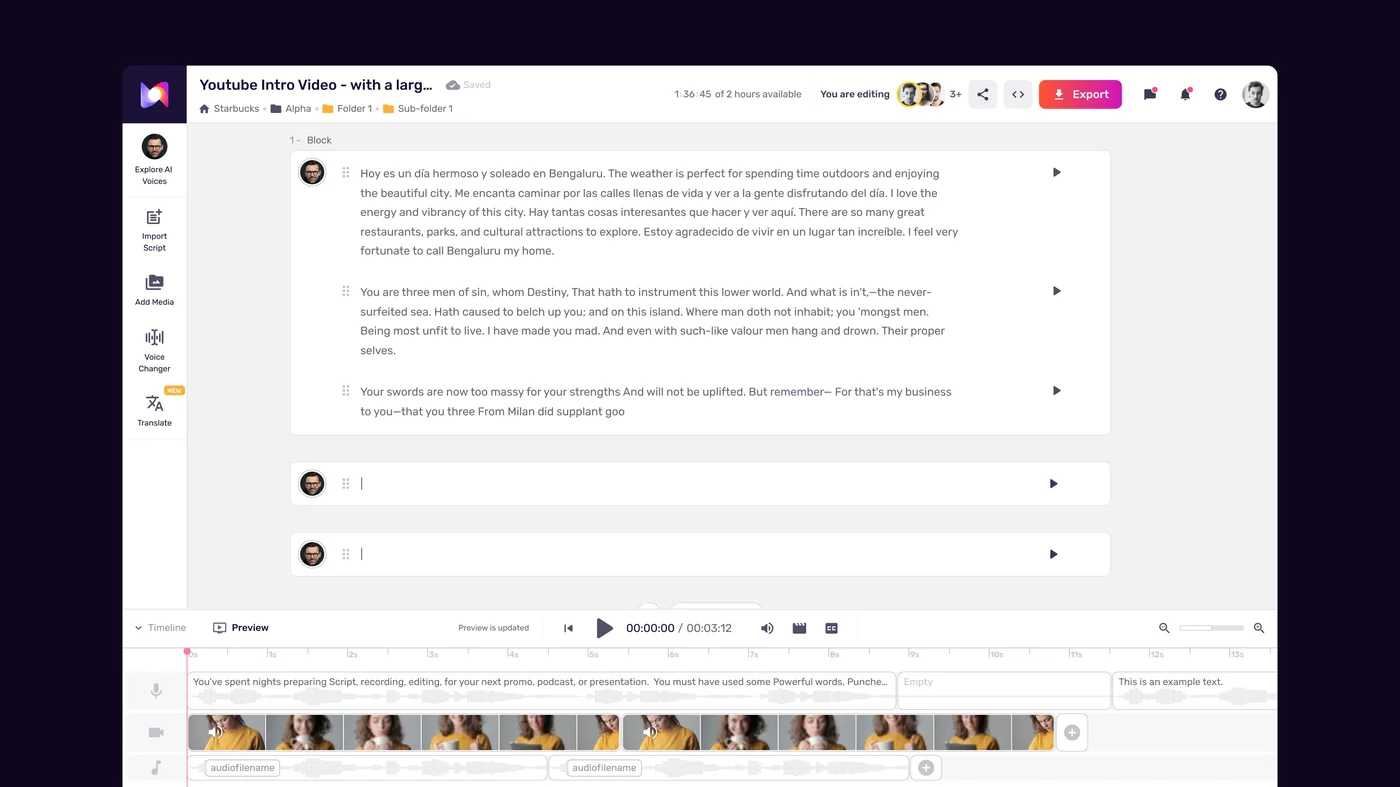
Generate your API key:
Log into Murf Studio and navigate to your account menu in the top right. Select Developer or API Settings. Click Create API Key, give it a descriptive name such as “voice-agent-production” or “voice-agent-dev”, and copy the key immediately - Murf displays it only once at creation time.
Store the key as an environment variable. Never hardcode it in source files:
# .env file (add to .gitignore)
MURF_API_KEY=your_api_key_here

# Or export directly
export MURF_API_KEY=your_api_key_here
Verify access before building:
curl -H "Authorization: Bearer $MURF_API_KEY" \
  https://api.murf.ai/v1/voices
A 200 response with a JSON array of voices confirms your key is valid and your account has API access. A 401 means the key is incorrect, expired, or your plan does not include API access.
Python authentication helper:
import os

def get_api_key() -> str:
    """Load API key from environment with a clear error if missing."""
    key = os.environ.get("MURF_API_KEY")
    if not key:
        raise EnvironmentError(
            "MURF_API_KEY environment variable is not set. "
            "Export it before running this application."
        )
    return key
Node.js authentication helper:
function getApiKey() {
  const key = process.env.MURF_API_KEY;
  if (!key) {
    throw new Error(
      "MURF_API_KEY environment variable is not set. " +
      "Export it before running this application."
    );
  }
  return key;
}
Both helpers fail fast with a clear message rather than producing a confusing 401 error during the first connection attempt.
Step 2: Establish a WebSocket Connection
The Voice Agent API endpoint uses the wss:// scheme. Authentication passes via query parameter rather than a header - standard WebSocket protocol does not support custom headers during the handshake.
Endpoint:
wss://api.murf.ai/v1/voice-agent/stream?apiKey=YOUR_API_KEYPython - open a session:
import asyncio
import json
import os
import websockets

VOICE_AGENT_URL = (
    f"wss://api.murf.ai/v1/voice-agent/stream?apiKey={os.environ['MURF_API_KEY']}"
)

async def open_session() -> None:
    """Open a Voice Agent session and wait for the ready signal."""
    async with websockets.connect(VOICE_AGENT_URL) as ws:
        print("WebSocket connected. Waiting for session_ready...")

        # The server sends a JSON control message when the session is ready
        message = await ws.recv()
        event = json.loads(message)

        if event.get("type") == "session_ready":
            session_id = event.get("sessionId")
            print(f"Session ready. ID: {session_id}")
        else:
            raise RuntimeError(f"Unexpected first message: {event}")

        # Session is now open - send events here
        # (see subsequent steps)

asyncio.run(open_session())
Node.js - open a session:
import WebSocket from "ws";

const API_KEY = process.env.MURF_API_KEY;
const VOICE_AGENT_URL = `wss://api.murf.ai/v1/voice-agent/stream?apiKey=${API_KEY}`;

function openSession() {
  return new Promise((resolve, reject) => {
    const ws = new WebSocket(VOICE_AGENT_URL);

    ws.on("open", () => {
      console.log("WebSocket connected. Waiting for session_ready...");
    });

    ws.on("message", (data) => {
      if (!Buffer.isBuffer(data)) {
        const event = JSON.parse(data.toString());
        if (event.type === "session_ready") {
          console.log(`Session ready. ID: ${event.sessionId}`);
          resolve({ ws, sessionId: event.sessionId });
        } else {
          reject(new Error(`Unexpected first message: ${JSON.stringify(event)}`));
        }
      }
    });

    ws.on("error", reject);
  });
}

const { ws, sessionId } = await openSession();
The session_ready event includes a sessionId you should log for debugging and support escalations. If the connection is refused rather than returning session_ready, verify your API key and confirm your plan includes Voice Agent access.
Step 3: Stream Text and Receive Audio in Real Time
With the session open, sending text for synthesis is a matter of emitting a synthesize event over the WebSocket. The server responds with a stream of binary audio chunks followed by a turn_complete control event.
Synthesize event structure:
{
  "type": "synthesize",
  "turnId": "turn-001",
  "text": "The text you want the agent to speak.",
  "voiceId": "en-US-natalie",
  "format": "MP3",
  "sampleRate": 44100
}
The turnId is a string you provide to correlate audio chunks and control events back to specific turns. Use any unique identifier - UUIDs, sequential integers, or timestamps all work.
Python - stream synthesis:
import asyncio
import json
import os
import websockets

API_KEY = os.environ["MURF_API_KEY"]
VOICE_AGENT_URL = f"wss://api.murf.ai/v1/voice-agent/stream?apiKey={API_KEY}"

async def synthesize_turn(
    ws,
    turn_id: str,
    text: str,
    voice_id: str = "en-US-natalie",
) -> bytes:
    """Send a synthesize event and collect all audio chunks for this turn."""
    request = json.dumps({
        "type": "synthesize",
        "turnId": turn_id,
        "text": text,
        "voiceId": voice_id,
        "format": "MP3",
        "sampleRate": 44100,
    })
    await ws.send(request)

    chunks = []
    async for message in ws:
        if isinstance(message, bytes):
            chunks.append(message)
        else:
            event = json.loads(message)
            event_type = event.get("type")

            if event_type == "turn_complete":
                print(f"Turn {turn_id} complete. {len(chunks)} chunks received.")
                break
            elif event_type == "error":
                raise RuntimeError(
                    f"Synthesis error on turn {turn_id}: {event.get('message')}"
                )
            # Other control events (e.g. synthesis_started) can be logged or ignored

    return b"".join(chunks)


async def main() -> None:
    async with websockets.connect(VOICE_AGENT_URL) as ws:
        # Wait for session ready
        ready_msg = await ws.recv()
        ready = json.loads(ready_msg)
        assert ready["type"] == "session_ready", f"Unexpected: {ready}"

        # Synthesize a turn
        audio = await synthesize_turn(
            ws,
            turn_id="turn-001",
            text="Welcome. How can I help you today?",
        )

        with open("turn_001.mp3", "wb") as f:
            f.write(audio)
        print("Audio saved to turn_001.mp3")

asyncio.run(main())
Node.js - stream synthesis:
import WebSocket from "ws";
import fs from "fs";

const API_KEY = process.env.MURF_API_KEY;
const VOICE_AGENT_URL = `wss://api.murf.ai/v1/voice-agent/stream?apiKey=${API_KEY}`;

async function synthesizeTurn(ws, turnId, text, voiceId = "en-US-natalie") {
  return new Promise((resolve, reject) => {
    const chunks = [];

    const handler = (data) => {
      if (Buffer.isBuffer(data)) {
        chunks.push(data);
      } else {
        const event = JSON.parse(data.toString());
        if (event.type === "turn_complete") {
          ws.off("message", handler);
          console.log(`Turn ${turnId} complete. ${chunks.length} chunks received.`);
          resolve(Buffer.concat(chunks));
        } else if (event.type === "error") {
          ws.off("message", handler);
          reject(new Error(`Synthesis error on turn ${turnId}: ${event.message}`));
        }
      }
    };

    ws.on("message", handler);

    ws.send(JSON.stringify({
      type: "synthesize",
      turnId,
      text,
      voiceId,
      format: "MP3",
      sampleRate: 44100,
    }));
  });
}
Playing chunks in real time. In production you would pipe each binary chunk to an audio output buffer as it arrives rather than collecting all chunks first. The first chunk typically arrives within 100ms of sending the synthesize event. Playback can begin immediately, overlapping with the continued synthesis of later segments.
For browsers, use the Web Audio API’s AudioContext and decode each chunk with decodeAudioData. For Python desktop applications, use pyaudio or sounddevice. For Node.js, use the speaker package. In all cases, request PCM format instead of MP3 to skip the decoding step on the client side.
Step 4: Handle Interruptions and Turn-Taking
Barge-in support is what separates a voice agent from a voice announcer. When a user speaks over the agent, your speech recognition pipeline detects the audio input and your application must immediately stop the current synthesis and begin processing the new input. The Voice Agent API handles the server-side state; your application is responsible for triggering the interrupt at the right moment.
Interrupt event structure:
{
  "type": "interrupt",
  "turnId": "turn-001"
}
Send this event when your VAD (voice activity detector) or STT (speech-to-text) system signals that the user has started speaking. The turnId identifies which turn to interrupt - this prevents stale interrupt events from affecting newer turns.
Python - interrupt handler:
async def interrupt_turn(ws, turn_id: str) -> None:
    """Signal the server to abandon the current synthesis for this turn."""
    await ws.send(json.dumps({
        "type": "interrupt",
        "turnId": turn_id,
    }))
    print(f"Interrupt sent for turn {turn_id}")

    # Wait for interrupt acknowledgement before sending the next synthesize event
    async for message in ws:
        if not isinstance(message, bytes):
            event = json.loads(message)
            if event.get("type") == "interrupt_acknowledged":
                print(f"Interrupt acknowledged for turn {turn_id}")
                break
            # Discard any audio chunks that arrived before the interrupt was processed
Handling the race condition. There is a brief window between when you send the interrupt event and when the server acknowledges it. Audio chunks sent during this window should be discarded - they belong to the interrupted utterance and should not be played. The safest approach is to stop writing audio to the playback buffer the moment you send the interrupt event, regardless of whether acknowledgement has arrived yet.
Turn-taking without explicit interrupts. For applications where users speak in distinct turns (pressing a button to speak rather than barge-in), the flow is simpler. Wait for turn_complete before accepting new user input. The session stays open but synthesis is idle between turns:
async def conversation_loop(ws) -> None:
    """Simple push-to-talk turn-taking loop."""
    turn_counter = 0

    while True:
        # Get next text from your LLM or script
        text = await get_agent_response()
        if text is None:
            break

        turn_counter += 1
        turn_id = f"turn-{turn_counter:03d}"

        # Synthesize and play
        audio = await synthesize_turn(ws, turn_id, text)
        await play_audio(audio)

        # Signal end of this agent turn - user may now speak
        await ws.send(json.dumps({
            "type": "turn_end",
            "turnId": turn_id,
        }))
Session cleanup. When the conversation ends, close the session gracefully:
await ws.send(json.dumps({"type": "session_end"}))
await ws.wait_closed()
Abruptly dropping the WebSocket connection works but may cause server-side session cleanup to take longer. A clean session_end event is preferred for production integrations.
Step 5: Configure Voice Parameters for Conversation
Conversational voice applications have different parameter requirements than one-shot TTS. The optimal settings for narration - slower pace, more pronounced pauses - feel unnatural in a conversational context. Voice agents should sound like a person talking, not a voice reading aloud.
Recommended starting parameters for conversational use:
CONVERSATIONAL_PARAMS = {
    "voiceId": "en-US-natalie",   # Clear, mid-range voice works well for conversation
    "format": "PCM",              # Raw PCM for real-time playback
    "sampleRate": 16000,          # 16kHz is sufficient for voice; reduces bandwidth
    "speed": 1.0,                 # Natural pace - avoid slowing down for "clarity"
    "pitch": 0,                   # Neutral pitch; adjust per-voice if needed
    "volume": 100,                # Default; adjust if mixing with background audio
}
Hot-switching voice parameters. Send a configure event mid-session to update parameters without reconnecting:
async def update_voice_config(ws, **params) -> None:
    """Update synthesis parameters for subsequent turns."""
    await ws.send(json.dumps({
        "type": "configure",
        **params,
    }))
This enables scenarios like switching to a different voice for a different agent persona in the same session, or reducing speed when the user says “can you repeat that more slowly.”
Pause insertion with SSML. The Voice Agent API supports a subset of SSML for explicit pause control. Use <break> tags to insert natural pauses at clause and sentence boundaries:
text_with_pauses = (
    "I found three results for your query. "
    '<break time="300ms"/>'
    "The first is scheduled for tomorrow at 2pm. "
    '<break time="200ms"/>'
    "The second is next Wednesday. "
    '<break time="200ms"/>'
    "The third is open - would you like me to book it?"
)
Pauses of 200-400ms between list items feel natural in voice. Longer pauses of 500-800ms work well before a question that requires user input, signaling clearly that the agent is done and waiting for a response.
Emphasis for conversational stress. Use <emphasis> tags to stress key words the way a person naturally would in conversation:
text_with_emphasis = (
    "Your account balance is "
    "<emphasis level='strong'>$247.50</emphasis>. "
    "Would you like to make a payment "
    "<emphasis level='moderate'>now</emphasis> "
    "or schedule one for later?"
)
Voice selection for different agent roles. Match voice characteristics to the agent’s function. A supportive customer service agent benefits from warmer, mid-range voices. A precise data reporting agent suits a clearer, more neutral voice. See the Murf voice selection tips guide for evaluation frameworks. Retrieve the full voice list and filter by style tags:
import requests

response = requests.get(
    "https://api.murf.ai/v1/voices",
    headers={"Authorization": f"Bearer {API_KEY}"},
)
voices = response.json()

# Find conversational-style English voices
conversational_voices = [
    v for v in voices
    if v.get("language", "").startswith("en")
    and "conversational" in v.get("styles", [])
]
Cache the voice list on application startup. It changes infrequently and fetching it per-session adds unnecessary latency.
How Do You Build a Simple Voice Chatbot with the Murf API?
This section assembles the patterns from the previous steps into a complete, minimal voice chatbot. The bot connects to the Voice Agent API, accepts text input from stdin (standing in for a speech-to-text pipeline), synthesizes the response via an LLM, and streams the audio to a file (standing in for a speaker output).
This is a skeleton you can extend with real STT, a real LLM, and real audio playback. The Voice Agent API layer is complete and production-ready.
Python voice chatbot:
import asyncio
import json
import os
import websockets

API_KEY = os.environ["MURF_API_KEY"]
VOICE_AGENT_URL = f"wss://api.murf.ai/v1/voice-agent/stream?apiKey={API_KEY}"

# Stand-in for an LLM - replace with your actual LLM call
async def get_llm_response(user_text: str) -> str:
    responses = {
        "hello": "Hello! How can I help you today?",
        "what time is it": "I do not have access to a clock, but I can help with other questions.",
        "bye": "Goodbye! Have a great day.",
    }
    return responses.get(user_text.lower().strip(), f"You said: {user_text}. How can I help?")


async def play_audio(audio_bytes: bytes, filename: str) -> None:
    """Write audio to file - replace with real playback in production."""
    with open(filename, "wb") as f:
        f.write(audio_bytes)
    print(f"  [Audio saved to {filename}]")


async def synthesize_turn(ws, turn_id: str, text: str) -> bytes:
    """Send synthesize event and collect audio chunks."""
    await ws.send(json.dumps({
        "type": "synthesize",
        "turnId": turn_id,
        "text": text,
        "voiceId": "en-US-natalie",
        "format": "MP3",
        "sampleRate": 44100,
        "speed": 1.0,
    }))

    chunks = []
    async for message in ws:
        if isinstance(message, bytes):
            chunks.append(message)
        else:
            event = json.loads(message)
            if event.get("type") == "turn_complete":
                break
            elif event.get("type") == "error":
                raise RuntimeError(f"Error: {event.get('message')}")
    return b"".join(chunks)


async def run_chatbot() -> None:
    print("Voice Chatbot - type your message and press Enter.")
    print("Type 'bye' to exit.\n")

    async with websockets.connect(VOICE_AGENT_URL) as ws:
        # Wait for session ready
        msg = await ws.recv()
        event = json.loads(msg)
        if event.get("type") != "session_ready":
            raise RuntimeError(f"Unexpected: {event}")
        print(f"Session open: {event.get('sessionId')}\n")

        turn_counter = 0

        while True:
            # Get user input (replace with STT in production)
            try:
                user_text = input("You: ").strip()
            except EOFError:
                break

            if not user_text:
                continue

            # Get LLM response
            agent_response = await get_llm_response(user_text)
            print(f"Agent: {agent_response}")

            # Synthesize and play
            turn_counter += 1
            turn_id = f"turn-{turn_counter:03d}"
            audio = await synthesize_turn(ws, turn_id, agent_response)
            await play_audio(audio, f"output_{turn_id}.mp3")

            if user_text.lower().strip() == "bye":
                break

        # Close session cleanly
        await ws.send(json.dumps({"type": "session_end"}))
        print("\nSession closed.")


asyncio.run(run_chatbot())
Node.js voice chatbot:
import WebSocket from "ws";
import fs from "fs";
import readline from "readline";

const API_KEY = process.env.MURF_API_KEY;
const VOICE_AGENT_URL = `wss://api.murf.ai/v1/voice-agent/stream?apiKey=${API_KEY}`;

// Stand-in for an LLM - replace with your actual LLM call
function getLlmResponse(userText) {
  const responses = {
    "hello": "Hello! How can I help you today?",
    "what time is it": "I don't have access to a clock, but I can help with other questions.",
    "bye": "Goodbye! Have a great day.",
  };
  const normalized = userText.toLowerCase().trim();
  return responses[normalized] ?? `You said: ${userText}. How can I help?`;
}

async function synthesizeTurn(ws, turnId, text) {
  return new Promise((resolve, reject) => {
    const chunks = [];

    const handler = (data) => {
      if (Buffer.isBuffer(data)) {
        chunks.push(data);
      } else {
        const event = JSON.parse(data.toString());
        if (event.type === "turn_complete") {
          ws.off("message", handler);
          resolve(Buffer.concat(chunks));
        } else if (event.type === "error") {
          ws.off("message", handler);
          reject(new Error(event.message));
        }
      }
    };

    ws.on("message", handler);

    ws.send(JSON.stringify({
      type: "synthesize",
      turnId,
      text,
      voiceId: "en-US-natalie",
      format: "MP3",
      sampleRate: 44100,
      speed: 1.0,
    }));
  });
}

async function runChatbot() {
  const ws = new WebSocket(VOICE_AGENT_URL);

  await new Promise((resolve, reject) => {
    ws.once("open", () => console.log("Connected. Waiting for session_ready..."));
    ws.once("message", (data) => {
      const event = JSON.parse(data.toString());
      if (event.type === "session_ready") {
        console.log(`Session open: ${event.sessionId}\n`);
        resolve();
      } else {
        reject(new Error(`Unexpected: ${JSON.stringify(event)}`));
      }
    });
    ws.once("error", reject);
  });

  const rl = readline.createInterface({ input: process.stdin, output: process.stdout });
  console.log("Voice Chatbot - type your message and press Enter.");
  console.log("Type 'bye' to exit.\n");

  let turnCounter = 0;

  for await (const userText of rl) {
    if (!userText.trim()) continue;

    const agentResponse = getLlmResponse(userText);
    console.log(`Agent: ${agentResponse}`);

    turnCounter++;
    const turnId = `turn-${String(turnCounter).padStart(3, "0")}`;
    const audio = await synthesizeTurn(ws, turnId, agentResponse);

    fs.writeFileSync(`output_${turnId}.mp3`, audio);
    console.log(`  [Audio saved to output_${turnId}.mp3]`);

    if (userText.toLowerCase().trim() === "bye") break;
  }

  ws.send(JSON.stringify({ type: "session_end" }));
  ws.close();
  console.log("\nSession closed.");
}

runChatbot().catch(console.error);
Run either implementation and you have a working voice chatbot skeleton. Swap get_llm_response / getLlmResponse for a real LLM call, replace the file-write with audio playback, and add your STT pipeline for user input. The Voice Agent API layer requires no changes.
Frequently Asked Questions
What plan do I need to access the Murf Voice Agent API?
The Voice Agent API is available on the Enterprise plan. Free, Creator, and Business tiers include Murf Studio for manual voiceover creation but do not include programmatic API access. If you are evaluating the Voice Agent API for a development project, discuss sandbox access with the Murf sales team. Enterprise quotes are based on usage volume and concurrent session requirements.
How is the Voice Agent API different from the Murf Falcon API?
Both are Enterprise-tier APIs built on the same underlying Falcon synthesis engine, but they are designed for different use cases. The Falcon API supports REST (for batch/async TTS) and WebSocket streaming (for low-latency one-shot synthesis). The Voice Agent API is a stateful WebSocket interface specifically for multi-turn conversational applications - it adds session management, barge-in support, turn-aware synthesis, and hot parameter switching that the Falcon API does not provide. If you are building a voice assistant or IVR system, the Voice Agent API is the right choice. If you are building a batch audio generation pipeline or a simple TTS feature, the Murf Falcon API tutorial covers the simpler endpoint.
How do I handle barge-in when using a browser-based voice interface?
In a browser, use the Web Speech API or a third-party STT service to detect when the user begins speaking. When your VAD fires, immediately stop writing audio chunks to your AudioContext playback queue and send an interrupt event over the WebSocket. Do not wait for the interrupt_acknowledged event before stopping playback - stop audio output immediately and wait for acknowledgement before sending the next synthesize event. The gap in audio output between the interrupt and the next turn is expected and acceptable; it reflects the natural pause that occurs when a conversation partner is interrupted.
What audio formats should I use for real-time voice applications?
Use PCM for the lowest possible latency. PCM skips encoding on the server and decoding on the client, which saves 10-20ms per chunk compared to MP3 or OGG. The tradeoff is bandwidth - PCM at 16kHz mono is approximately 256 kbps, which is manageable for most network conditions. Set sampleRate to 16000 for voice applications - 16kHz captures all frequencies relevant to speech and halves the data volume compared to 44100Hz. Use MP3 or OGG only when you need to store or transmit the audio rather than play it directly.
How many concurrent Voice Agent sessions does Enterprise support?
Concurrent session limits are negotiated as part of the Enterprise contract and vary by account. The Voice Agent API is designed for production-scale workloads - typical Enterprise accounts support hundreds of concurrent sessions. If you are building a service that handles simultaneous users, discuss your peak concurrency estimates with your Murf account manager during the sales process to ensure your contract covers the headroom you need. When sessions approach plan limits, the API returns a 503 Service Unavailable response on new connection attempts rather than degrading existing sessions.
Where the Voice Agent API Falls Short
The Voice Agent API is a strong fit for production conversational UX, but it is not the right pick for everyone. Skip it if:
- You only need batch TTS for pre-generated content - the Murf Falcon API or even the Murf Studio editor is faster to ship
- You cannot commit to an Enterprise contract - the API is gated behind custom pricing and there is no self-serve developer tier
- You need true sub-50ms time-to-first-byte across all networks - 100ms typical is excellent for conversational use but tight for some real-time gaming or AR applications
- Your stack already standardised on ElevenLabs for voice cloning and you would rather extend that contract than add a second vendor
For most teams shipping voice-enabled chatbots, IVR replacements, or branded voice assistants, the architectural fit is genuinely strong. Just go in clear-eyed about the Enterprise commitment.
Want to learn more about Murf AI?
Related Reading
Related Guides
- Getting Started with Murf AI
- Murf Studio Interface Walkthrough
- How to Clone Your Voice with Murf AI
- Murf Text-to-Speech Tutorial
- Choosing the Right AI Voice in Murf
- Murf AI Emotion Controls
- Murf AI Pronunciation and Emphasis
- Mastering Pacing in Murf AI
- Murf MultiNative: Multilingual Voiceovers
- Murf AI Dubbing Walkthrough
- AI Voiceover for YouTube Videos: Murf Workflow
- Murf AI eLearning Narration: Educator’s Guide
- Murf AI Canva Integration
- Murf Falcon API Tutorial
- Murf AI Free Plan Tips
- Murf AI Voice Changer Guide
- Murf AI Podcast Intro Guide
- Murf AI Google Slides Voiceover
External Resources
- Murf API Documentation - Official reference for Voice Agent API endpoints, events, and parameters
- MDN WebSockets API Reference - Background on the protocol the Voice Agent API runs on
- W3C SSML 1.1 Specification - Markup spec for the SSML subset Murf accepts
Related Guides
- Activecampaign AI Content Generation: Complete 2026 Guide
- AI Content Writing Workflow: 2026 Walkthrough for Teams
- AI Product Discovery Ecommerce: Lift Revenue in 2026
- AI Productivity Trends 2026: 6 Real Shifts, No Hype
- AI Voiceover Corporate Training With WellSaid Labs
- AI Voiceover for YouTube Videos: Murf Workflow Guide 2026
- AI Voiceover Tips: Making Synthetic Voices Sound Human
- AI Workflow Automation Maturity Model: 5 Levels
- Building AI First Workflows: A Practitioner's 2026 Guide
- Building Mcp Servers Guide: 2026 Walkthrough for Teams