


Picking the right voice is the single most impactful decision you will make in Murf AI. Get it right and your voiceover sounds polished, professional, and perfectly matched to your audience. Get it wrong and you end up re-generating content, burning through your monthly minutes, and second-guessing every choice. Murf AI voice selection does not need to be complicated, but it does need to be deliberate. Want broader context? Our best AI voice generators 2026 roundup compares Murf to alternatives.
With over 200 voices spanning 35 languages - each with different styles, emotions, and accents - the library can feel overwhelming for new users. This guide walks you through a practical framework for choosing the right voice every time, whether you are creating an e-learning course, a YouTube video, a podcast intro, or a marketing ad. By the end, you will have a repeatable process that eliminates guesswork and saves you hours of trial and error. New to Murf entirely? Start with the Murf getting started guide.
Why Voice Selection Matters More Than You Think
Most beginners treat voice selection as a five-second decision - scroll through the library, pick one that sounds decent, and start generating. This approach creates three problems that compound over time.
Audience mismatch kills engagement. A corporate training voiceover narrated by a casual, youthful voice feels off. A children’s educational app voiced by a deep, authoritative narrator creates the wrong tone. Research from Nielsen Norman Group on voice UX consistently shows that voice characteristics - pitch, pace, warmth, and authority - directly influence how audiences perceive and retain information. The voice is not decoration. It is part of your message.
Inconsistency wastes resources. If you pick a voice for episode one of your podcast and realize by episode five that it does not fit your brand, you have two bad options: re-record everything or live with a jarring shift. Spending fifteen minutes on voice selection now saves hours of rework later.
Style limitations surface too late. Not every Murf voice supports every style. Some voices excel at conversational delivery but sound flat in narration mode. Others handle news-style reads beautifully but lack warmth for storytelling - the Murf pacing, pauses, and speed tips guide covers how delivery rhythm interacts with voice style. Understanding these differences before you commit prevents frustrating surprises mid-project.
The bottom line is straightforward - voice selection is a strategic decision, not an aesthetic one. Treat it that way and your output quality will reflect it.
Murf AI Voice Selection: Categories Explained
Murf organizes its 200+ voices into categories that map to real-world use cases. Understanding these categories is the fastest way to narrow your search from hundreds of options to a manageable shortlist.
Conversational voices sound like a person talking to a friend or colleague. The pacing is natural, the tone is warm, and the delivery avoids the stiff cadence that makes AI-generated audio sound robotic. These voices work well for YouTube videos, podcasts, internal team updates, and any content where you want the listener to feel like they are being spoken to directly rather than lectured at. The Murf YouTube voiceover workflow guide covers the conversational tier in depth.
Narration voices carry a steadier, more measured pace. They are designed for long-form content where the listener needs to absorb information without the delivery competing for attention. E-learning modules, audiobook chapters, product documentation, and explainer videos all benefit from narration voices - see the Murf eLearning narration guide for course-specific recommendations. The key difference from conversational voices is consistency - narration voices maintain an even tone across long passages without the natural fluctuations that make conversational voices engaging but potentially distracting over 30 minutes.
News voices deliver content with the crisp, authoritative cadence you associate with broadcast journalism. They project confidence and urgency, making them ideal for corporate announcements, industry reports, news summaries, and any content that needs to sound timely and factual. These voices tend to have faster default pacing and more pronounced emphasis on key words.
Character voices offer distinct personalities - younger or older, energetic or calm, formal or playful. These are the most specialized category and work best for branded content, animated explainers, children’s content, and advertising where the voice itself is part of the creative concept.
Each voice in the library carries tags indicating which styles it supports. A single voice might handle both conversational and narration styles, but it will typically excel at one over the other. When browsing the library, pay attention to these style tags - they tell you what the voice was optimized for.
Voice characteristics to evaluate:
- Pitch - Higher-pitched voices tend to convey energy and approachability. Lower-pitched voices project authority and calmness
- Pace - Some voices have a naturally faster default speed. You can adjust this with sliders, but extreme adjustments degrade quality
- Warmth - The subjective quality that makes a voice feel friendly versus clinical. Listen for it in the preview - warmth is hard to add after the fact
- Clarity - How well the voice handles technical terms, numbers, and complex sentence structures without stumbling
Match Voice to Content Type
The most reliable way to choose a voice is to start with your content type and work backward to the voice characteristics it demands. Here is a practical mapping that covers the most common use cases.
E-learning and online courses need narration voices with moderate pacing and high clarity. Your students will listen to hours of content, so the voice needs to be engaging enough to hold attention but neutral enough to avoid listener fatigue. Look for voices tagged as “narration” or “educational” in the Murf library. Avoid voices with strong personality traits - what sounds charming for a two-minute YouTube intro becomes grating after forty-five minutes of instruction.
YouTube videos and social media content favor conversational voices with natural energy. The goal is to sound like a real person explaining something they find interesting. Viewers expect a certain informality from online video, and a voice that sounds too polished or rehearsed creates an uncanny disconnect. Match the voice age range to your target audience - a tech review channel targeting developers might use a voice in the 25-35 range, while a cooking channel might opt for something warmer and slightly older.
Podcast intros, outros, and ad reads benefit from voices with distinct personality. Unlike long-form narration, these segments are short and need to make an immediate impression. A podcast intro should sound confident and recognizable - the Murf podcast intro and outro guide covers script and tone choices specifically. An ad read should sound natural enough that listeners do not immediately reach for the skip button. Character voices or conversational voices with strong personality traits work well here.
Corporate training and internal communications require voices that sound professional without being robotic. The narration category works well, but lean toward voices with slight warmth rather than pure neutrality. Employees are more likely to engage with training content that sounds human and approachable. For global companies, consider using the same voice across languages with Murf’s MultiNative feature to maintain consistency across regional offices.
Advertising and marketing is the category where voice selection has the most direct impact on results. The voice needs to match your brand personality exactly. A luxury brand needs measured, confident delivery. A startup targeting young professionals needs energy and authenticity. A B2B software company needs clarity and authority. Spend extra time here - the Murf marketing ad voiceover workflow guide walks through brand-voice matching specifically. Generate the same script with five or six different voices and compare them side by side.
Audiobook and storytelling content pushes the limits of what AI voices can do. You need a voice with enough emotional range to carry narrative tension, character dialogue, and tonal shifts across chapters. The Murf emotion control guide walks through the slider mechanics - but not every voice responds equally well to emotional adjustments. Test your shortlisted voices with a passage that includes dialogue, description, and an emotional moment before committing to an entire project.
Language and Accent Selection
Murf supports 35 languages, and within many of those languages, multiple regional accents. This is where murf ai voice selection gets genuinely strategic for anyone producing content for international audiences.
Start with your primary audience’s dialect. English alone includes American, British, Australian, Indian, and South African accents in the Murf library. Each carries different connotations. American English sounds neutral and widely accessible for global content. British English projects formality and sophistication. Australian English feels casual and approachable. Indian English connects with the massive South Asian market. The Ethnologue language data is a useful sanity-check for sizing audiences across dialects. Choose based on where your audience is, not where you are.
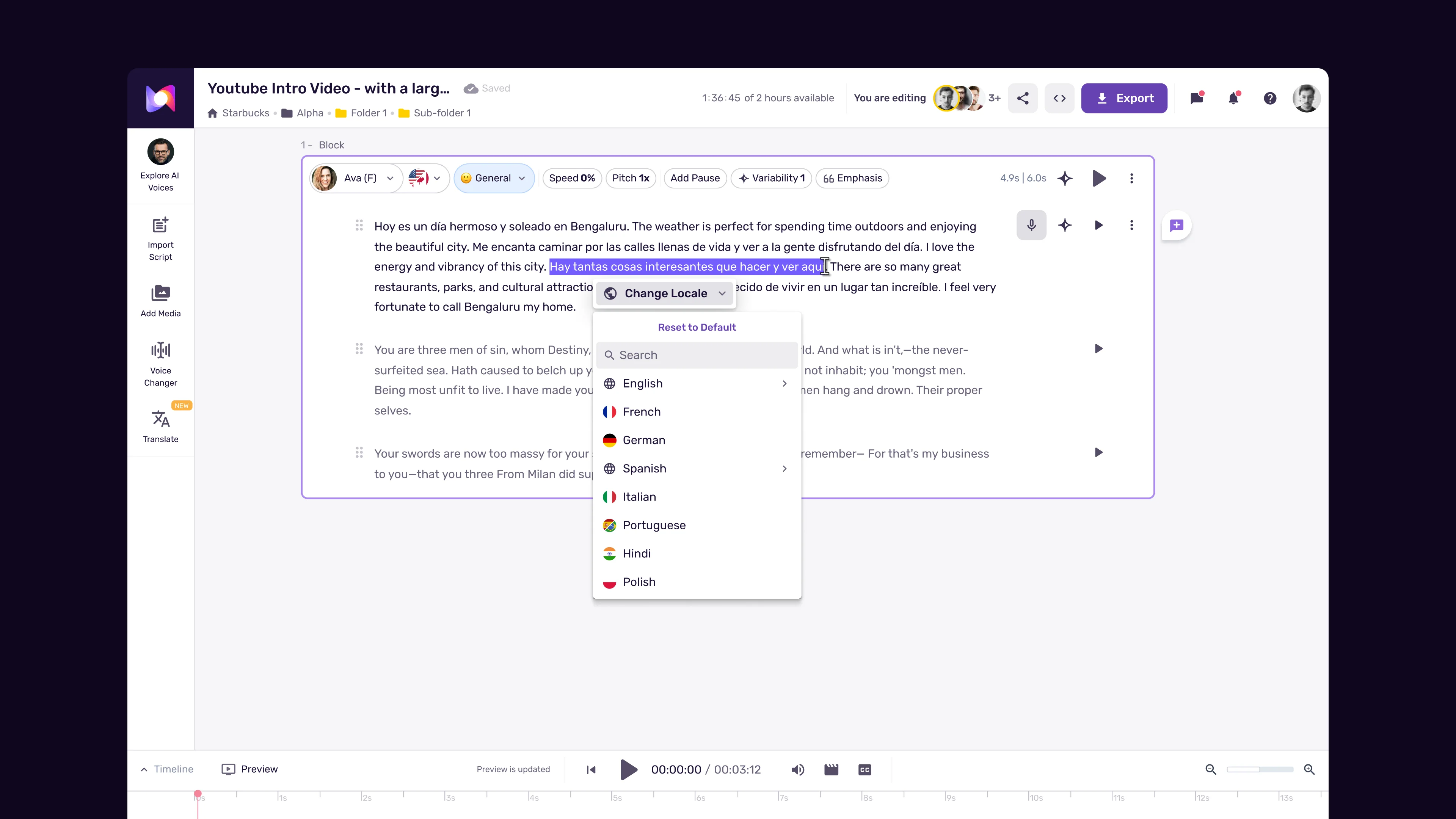
Use MultiNative for multilingual content. This is one of Murf’s strongest differentiators. The Murf MultiNative multilingual guide covers the workflow in depth. MultiNative technology preserves the core characteristics of a voice - its timbre, pace, and personality - while generating speech in a different language. This means your brand voice sounds consistent whether the content is delivered in English, Spanish, German, or Japanese. For marketers running campaigns across multiple regions, this eliminates the need to find separate voice talent for each market.
Consider accent authenticity for localized content. If you are producing content specifically for the French market, a native French voice will always resonate better than an English voice translated via MultiNative. The technology is impressive, but native voices capture pronunciation nuances, cultural speech patterns, and natural intonation that translations cannot fully replicate. Use MultiNative for content that needs to exist in multiple languages. Use native-language voices for content targeting a specific linguistic market.
Language selection best practices:
- For global English content, default to American English unless your brand has British or Australian associations
- When translating existing content, regenerate from the translated script rather than relying solely on AI translation - human-reviewed translations produce better voice output
- Test pronunciation of brand names and technical terms in each language - the AI may handle them differently across languages
- If your content mixes languages within a single piece (common in technical or academic content), MultiNative handles code-switching more naturally than manual voice swapping
Regional accent considerations by use case:
| Content Type | Recommended Approach |
|---|---|
| Global marketing | Neutral accent (American English or equivalent) |
| Regional campaigns | Native accent matching target market |
| E-learning for diverse audiences | Neutral accent with clear enunciation |
| Customer support scripts | Match the accent of your support team’s region |
| Entertainment and storytelling | Character-appropriate accent for authenticity |
Test Before Committing
Testing voices before committing to a full project is the step that separates efficient workflows from wasteful ones. Murf gives you the tools to do this well - use them.
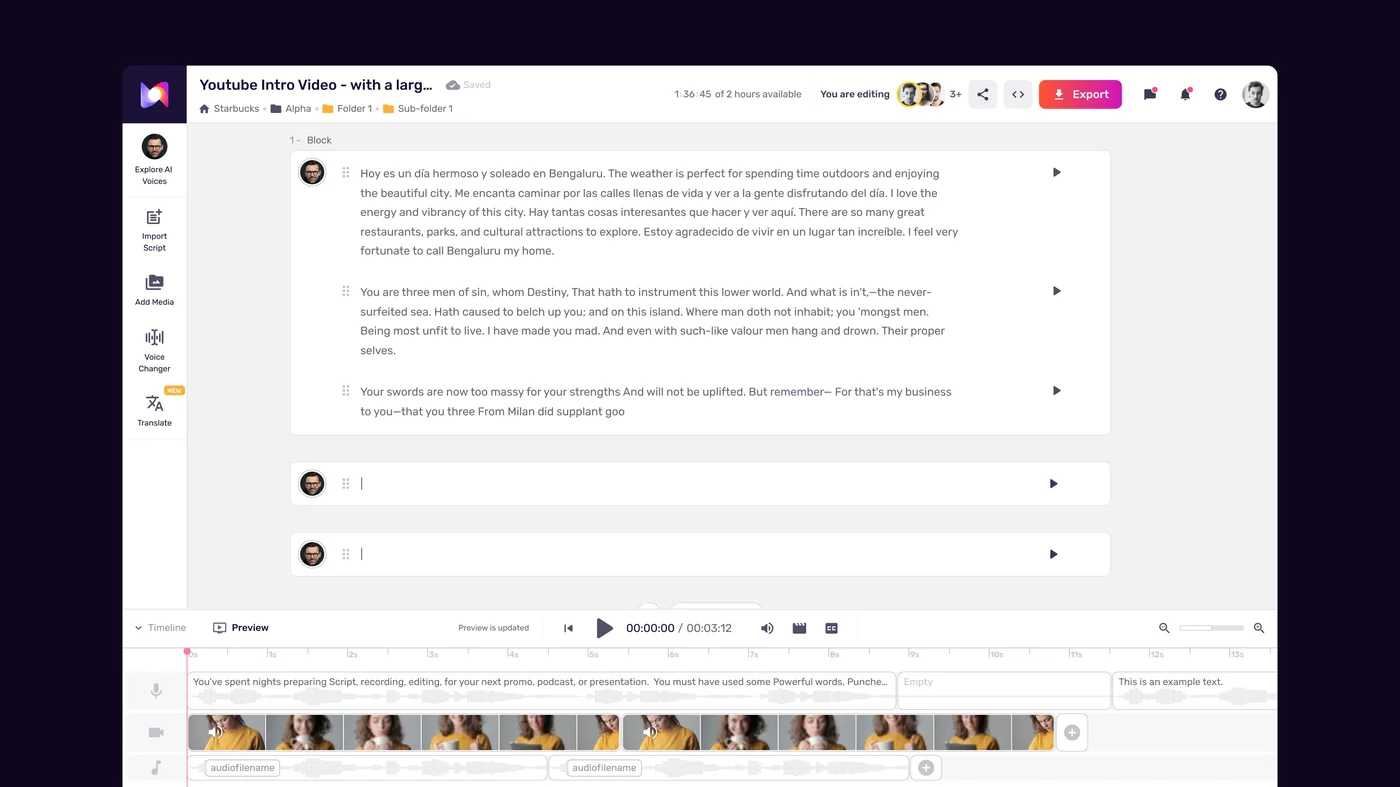
Use the voice preview feature liberally. Before generating a single minute of content, use the voice preview to listen to your shortlisted voices reading a representative sample of your actual script. Do not test with generic placeholder text - the Murf script writing tips guide covers writing test scripts that actually represent production. The way a voice handles your specific vocabulary, sentence structures, and tone requirements is what matters.
Create a standardized test paragraph. Write a 100-150 word paragraph that represents the typical content you will produce. Include technical terms if your content uses them. Include a question if your style is conversational. Include a longer sentence and a short punchy one. Generate this paragraph with every voice on your shortlist and compare them directly. This eliminates the variable of different test content skewing your perception.
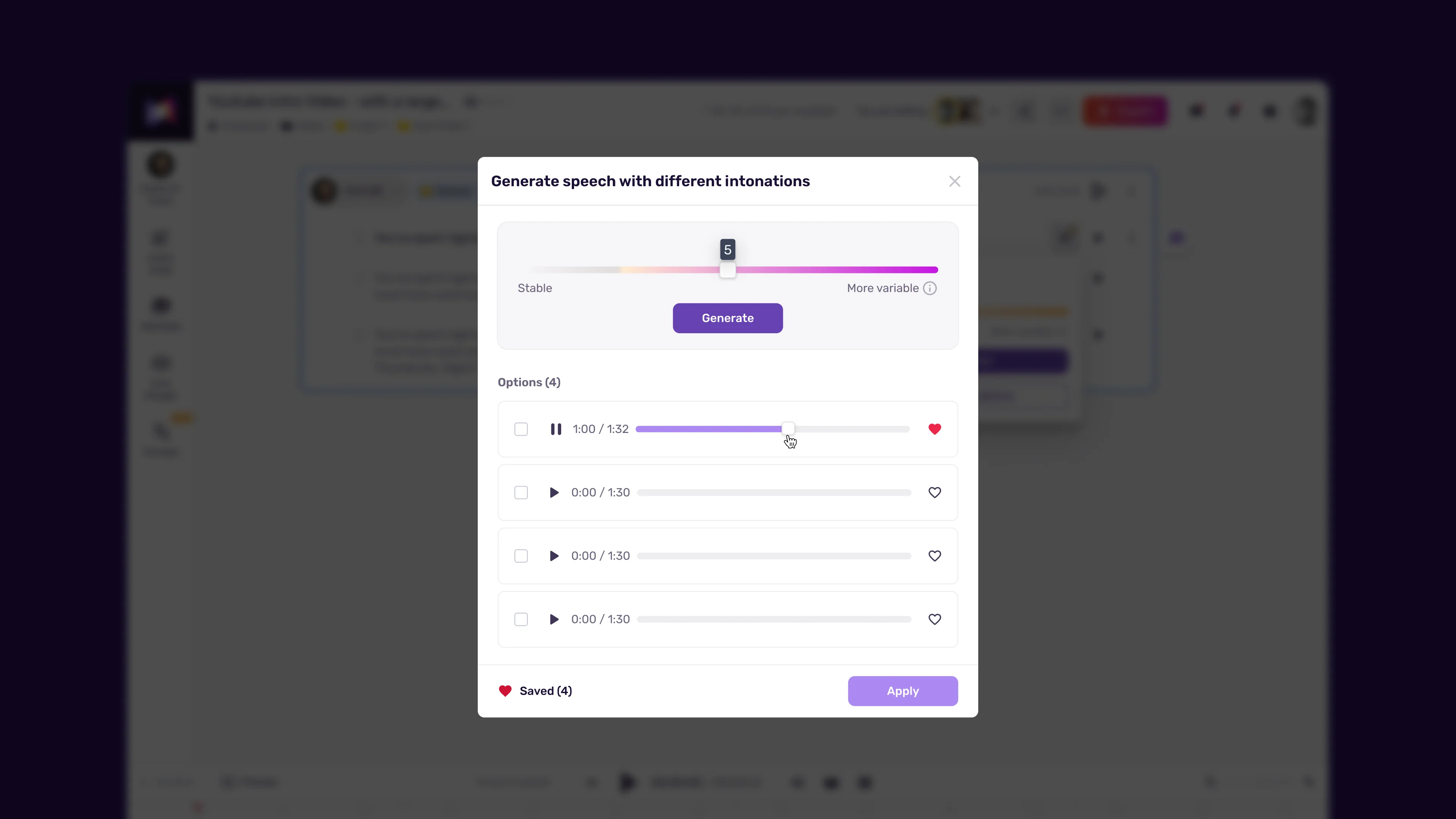
Test with emotion sliders at their intended settings. If your content will use a happy or enthusiastic tone, do not test voices at neutral settings. Set the emotion sliders where you plan to use them during production and listen to how each voice responds - the Murf variability and natural-sounding voice tips guide explains how variability interacts with emotion. Some voices handle emotional range gracefully. Others sound artificial when pushed beyond neutral.
Listen on the output device your audience will use. A voice that sounds great on studio monitors might sound muddy through laptop speakers or earbuds. If your audience primarily listens on mobile devices, test on a phone speaker. If your e-learning content plays through a conference room system, test on external speakers. This practical step catches audio quality issues that headphone testing misses.
Test at production length. A voice that sounds engaging for thirty seconds might become tiring after ten minutes. If your content runs longer than five minutes, generate a representative five-minute segment and listen to the entire thing. Pay attention to whether the voice maintains its quality and whether you experience listener fatigue.
Your testing checklist:
- Preview at least 5 voices per project before shortlisting
- Generate the same test paragraph with your top 3 choices
- Test with emotion sliders at your intended production settings
- Listen on the device your audience will use
- For long-form content, generate and listen to a 5-minute sample
- Get a second opinion - play samples for a colleague or friend unfamiliar with the project
- Save your preferred voice and settings as a preset for future projects
Common Mistakes to Avoid
After working with Murf across dozens of projects, certain mistakes appear repeatedly among new users. Avoiding these will save you time and produce better results from day one.
Choosing a voice based on the first sentence. The opening line of a preview tells you very little about how a voice handles varied content. A voice might nail a confident opening statement but stumble on conversational transitions, questions, or technical explanations. Always test with diverse content samples before deciding.
Ignoring the style tags. Each voice in the Murf library includes tags indicating what it is optimized for - conversational, narration, news, or character work. Picking a narration-optimized voice for a casual YouTube video or a character voice for corporate training creates a fundamental mismatch that no amount of slider adjustment will fix. Work with the voice’s strengths rather than against them.
Over-adjusting emotion sliders. The emotion controls are powerful but have a sweet spot. Pushing a happiness slider to maximum sounds artificial. Cranking up seriousness makes even natural-sounding voices robotic. Start with subtle adjustments - 20 to 30 percent from neutral - and increase only if the content genuinely calls for stronger emotional delivery. Subtlety is almost always more effective than intensity.
Switching voices mid-project. Consistency matters more than perfection. If you are three episodes into a tutorial series and you find a voice you like slightly better, do not switch. Your audience has already associated your content with a specific voice. Changing it creates a jarring experience and suggests inconsistency. Pick your voice carefully at the start and commit to it for the duration of a project or series. The Murf team collaboration guide covers locking voice presets across editors so this does not happen by accident.
Neglecting pronunciation testing. Every AI voice handles technical jargon, acronyms, and brand names differently. “API” might come out as three letters on one voice and as a word on another. Test your content’s specific vocabulary before generating full-length audio. The Murf pronunciation and emphasis guide and Murf “Say It My Way” custom pronunciation guide cover the override controls in depth - use them proactively rather than fixing issues after generation.
Using the same voice for everything. Different content types have different requirements. Your YouTube channel voice does not need to be your corporate presentation voice. Having two or three go-to voices for different contexts is more effective than forcing a single voice to serve every purpose. The Murf Google Slides voiceover guide shows how presentation work calls for a different voice profile than long-form narration.
Skipping the free tier evaluation. Murf’s free tier gives you 10 minutes of voice generation and 2 projects. That is enough to test multiple voices thoroughly before committing to a paid plan. Use those 10 minutes strategically - test your actual content with your top voice candidates. Do not waste free minutes on casual browsing when the paid plans unlock significantly more capacity.
Frequently Asked Questions
How many voices does Murf AI offer and how are they organized?
Murf AI provides over 200 voices across 35 languages. Voices are organized by language, accent, age range, gender, and use case tags (conversational, narration, news, character). You can filter the library by any of these attributes to narrow your search. Each voice also includes style tags indicating what type of content it is optimized for, which helps you avoid mismatches between voice characteristics and content requirements.
Can I use the same Murf voice in multiple languages?
Yes. Murf’s MultiNative technology lets you generate content in different languages while preserving the same voice character - its timbre, personality, and speaking style carry over. This is particularly useful for brands producing marketing or training content across multiple regions. However, for content targeting a specific linguistic market, native-language voices in the Murf library will typically deliver more authentic pronunciation and intonation than a MultiNative translation.
What is the best way to test voices before starting a full project?
Create a standardized test paragraph of 100-150 words that represents your typical content. Include technical terms, varied sentence lengths, and any tonal shifts your content requires. Generate this paragraph with 3-5 shortlisted voices, listen to each at your intended emotion slider settings, and compare them on the device your audience will use. Murf’s free tier provides 10 minutes of generation, which is enough to test several voices thoroughly before upgrading to a paid plan.
How do emotion sliders affect voice quality in Murf?
Emotion sliders adjust the delivery tone between settings like Happy, Sad, Excited, and Serious. At moderate settings (20-30 percent from neutral), the adjustments sound natural and add appropriate emphasis to your content. Pushing sliders to extreme positions degrades quality and makes even high-quality voices sound artificial. The effectiveness also varies by voice - some voices respond to emotional adjustments more gracefully than others, which is why testing with sliders at your intended settings is essential during voice selection.
Should I use one voice for all my content or multiple voices?
It depends on your content types. For a single content series - a podcast, a course, a YouTube channel - consistency is important, so stick with one voice throughout. But across different content types, using different voices is often more effective. Your e-learning narration voice does not need to be your social media ad voice. Having two or three go-to voices for different contexts lets you match voice characteristics to content requirements without sacrificing brand consistency within any single channel.
Does voice selection affect how much of my monthly minutes I use?
Not directly - all voices consume generation minutes at the same rate. However, poor voice selection indirectly wastes minutes because you end up re-generating content after realizing the voice does not fit. A fifteen-minute investment in voice testing at the start of a project typically saves significantly more than fifteen minutes of re-generation later. This is especially true on the Creator plan where annual minutes are limited - check the Murf free plan tips guide for budgeting strategies.
Where Murf Voice Selection Falls Short
Murf has the broadest synthesised-voice library among the major text-to-speech platforms, but it is not the right pick for every voice need:
- Voice cloning from a short reference clip is gated behind the Enterprise plan. If cloning your own voice is the priority and Enterprise pricing is too steep, ElevenLabs (pricing) offers it on lower tiers
- Niche regional accents outside the 35-language core list may not have native voices - MultiNative is good but not a substitute for true native pronunciation
- Real-time conversational latency under 100ms requires the Enterprise Voice Agent API, not the Studio voice library
For most narration, e-learning, marketing, and YouTube use cases - exactly where the Creator plan at $29/month lives - the Murf voice library is genuinely the right tool. Just verify your specific accent, language, and use case shows up in the preview before committing to an annual plan.
Want to learn more about Murf AI?
Related Guides
- Murf AI Studio Workspace Walkthrough
- Murf AI Text To Speech Tutorial
- Murf AI Emotion Control Guide
- Murf AI MultiNative Multilingual Guide
- Murf AI Pronunciation and Emphasis Guide
Related Reading
- Murf AI Tool Page - Full review with pricing, features, and ratings
- Best AI Voice Generators 2026 - Comparison of top voiceover platforms
- ElevenLabs Alternatives - Where Murf and other providers fit
External Resources
- Murf AI Help Center - Official documentation for studio editor, voice library, and API
- Murf AI Blog - Product updates and voice release announcements
- Wikipedia: Speech Synthesis - Background on TTS architectures and voice synthesis
Related Guides
- AI Video Creation Tips: 2026 Walkthrough for Teams
- AI Voice Cloning Ethics Best Practices: Complete 2026 Guide
- AI Voiceover Corporate Training With WellSaid Labs
- AI Voiceover for YouTube Videos: Murf Workflow Guide 2026
- AI Voiceover Tips: Making Synthetic Voices Sound Human
- ElevenLabs API Setup: Developer Quick Start Guide (2026)
- ElevenLabs Audio Native Embed Audio on Any Website
- ElevenLabs Audio Quality Settings: Pro Tips and Settings
- ElevenLabs Audiobook Creation: Long-Form Audiobook
- ElevenLabs Conversational AI Agents: Build Voice Agents